

Introduction to Reputation and Review Management for Pediatric Clinics
It’s 10 pm and a new mom is rocking her baby to sleep while scrolling through her phone. Her child has a lingering cough, and she’s looking for a nearby pediatrician. A quick Google search pulls up a list of clinics. One has dozens of five-star ratings, with glowing feedback from other parents. Another has only a few reviews and one visibly unhappy comment. Guess which one she’s calling first thing in the morning?
That’s the reality today. Parents rely on online reputation and reviews just as much as personal recommendations. Which means your digital presence is now a core part of pediatric practice management. In fact, your clinic’s reputation and reviews are often the very first thing families see.
More pediatricians are now focusing on what doctors are doing about bad reviews online, realising that feedback, both good and bad, shapes trust. Managing reviews isn’t just about damage control. It’s about showing that you listen, care, and consistently deliver positive, child-friendly care. So, let’s deep dive into why reviews matter in the first place and how to build lasting trust with smart, simple online review management strategies.
Importance of Reputation & Review Management for Pediatricians
Let’s see why reviews matter from both sides of the coin, what they mean to parents, and how they impact your clinic.
Why Reviews Matter to Parents
If you’re a parent, you want someone you can trust with your child’s health. That’s why many moms and dads check online reviews first. They want to know what other families experienced. Reviews help them see if your clinic feels warm, caring, and reliable. Just a few positive reviews can put someone’s mind at ease.
But the opposite is also true. Even one bad experience, if left unchecked, can make a parent second-guess their decision. That’s why reviews have become today’s version of word-of-mouth. It’s not just about your medical care, it’s about the way you make families feel.
And when parents see that others consistently have a good experience with you, it builds trust before they even walk in. This is where smart online review management can really make a difference.
Why Reviews Matter to Your Pediatric Clinic
Reviews aren’t just helpful for parents. They’re a game-changer for your clinic too. A strong online reputation brings in more new families without you having to spend extra on marketing. When your clinic shows up with lots of high ratings in a local search, it grabs attention and earns instant credibility. That alone can drive more calls and bookings.
But it’s not just about attracting people, it’s also about learning from them. Reviews give you real feedback on what’s working and what might need tweaking. Maybe families love your waiting area, or maybe a few mention that scheduling could be smoother. No matter what the review says, it gives you something to learn from.
Managing your online reviews isn’t just about being seen. It’s about getting better every day. Many specialty practices also rely on an EMR for pain management to streamline documentation, treatment planning, patient tracking, and overall practice efficiency. This can improve patient experience and as more good reviews come in, your clinic starts showing up higher on search engines. That means more parents will find you when they’re looking for trusted care.
Key Elements of Reputation & Review Management for Pediatricians
Good review management is made up of a few simple habits. Each one plays a part in shaping how families see your clinic. Here are a few things you can start doing to improve your online reviews management and connect better with parents.
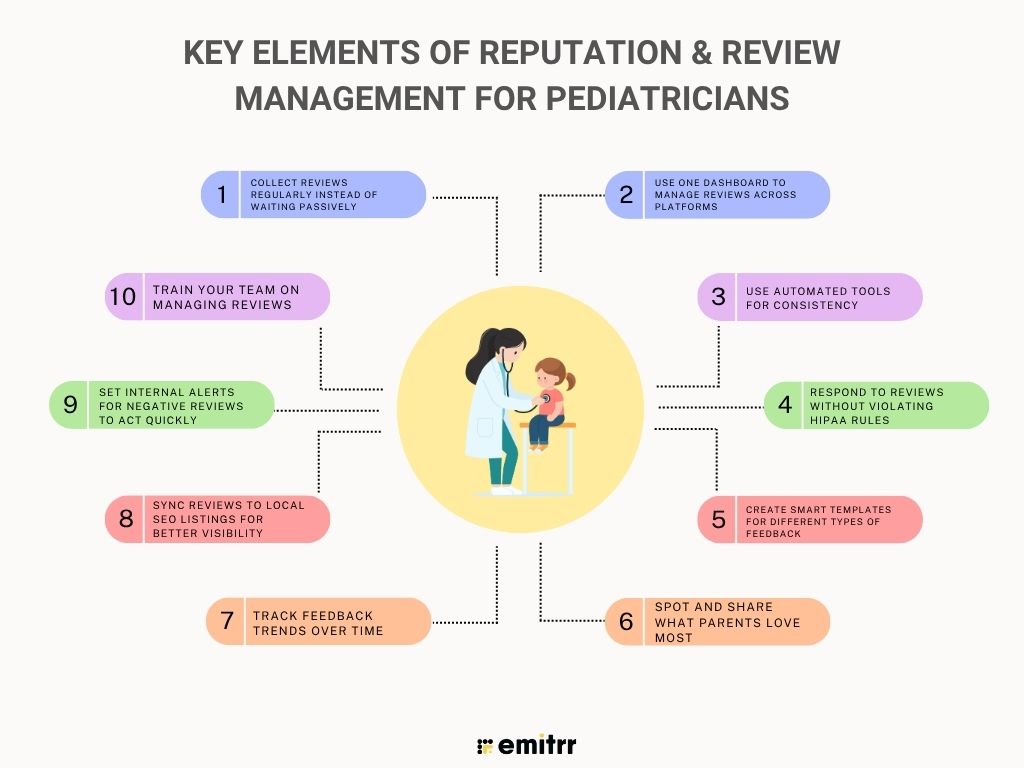
Collect reviews regularly instead of waiting passively
Most happy families won’t leave a review unless you ask. That’s why it helps to ask gently after every visit. A quick automated thank-you text, along with a review request using a follow-up software, works well. Once it becomes a routine, you’ll get reviews more often. These fresh reviews show that people are visiting and having a good experience. That builds trust with parents who are checking you out online.
Use one dashboard to manage reviews across platforms
Logging into Google, Facebook, and other sites every day can take up too much time. And it’s easy to miss something important. A better way is to use one dashboard that pulls in all your reviews. It helps you spot feedback fast and reply quickly. This also makes your online review management reputation process simpler and more organized. You save time and make sure no review slips through the cracks.
Use automated tools for consistency
It’s hard to send review requests manually, especially when your team is busy. That’s where automation helps. Tools can send messages after each visit without anyone on your team having to do it. The tone stays consistent, and the timing is always right. Parents are more likely to respond when the visit is fresh in their minds. Over time, this gives you a steady flow of reviews without extra effort.
Looking for ready-to-use healthcare SMS templates for reviews & reputation growth? Then here are the best ones, Download the templates now!
Respond to reviews without violating HIPAA rules
It’s important to reply to reviews, but you need to be careful. Don’t confirm a patient’s identity or mention any treatment details. Just keep your response warm and general. Let the reviewer know you care and invite them to talk privately. This shows you’re listening while still keeping things HIPAA-compliant. Knowing how to respond to negative patient reviews the right way protects both your patients and your clinic.
Create smart templates for different types of feedback
It can take a lot of time to write replies to every review. That’s where templates help. You can create a few friendly responses that you tweak as needed. One for happy reviews, one for critical feedback, and so on. This saves time and keeps your tone professional. It also helps you stay calm when replying to a tough review.
Spot and share what parents love most
Some phrases pop up again and again in reviews. Parents might mention your gentle approach, fun waiting area, or calm nurses. These themes are gold, use them. Add them to your website, social media, or brochures. Inside the clinic, share this praise with your team. It reminds everyone that their kindness makes a real impact.
Track feedback trends over time
Don’t just look at one review at a time. When you step back and read several together, patterns will start to show. Maybe families keep praising one doctor or often mention long phone waits. Use a simple spreadsheet or your review tool to track themes. It helps you know what’s working and what needs fixing. Keeping track of trends makes long-term improvement easier and more focused.
Sync reviews to local SEO listings for better visibility
Great reviews help, if people can find them. Link your reviews to places like Google Business and other directories. This boosts your local search rankings. It helps when families are searching for a pediatrician near them. They’re more likely to click on your clinic. Keeping your info consistent across listings also builds trust. It strengthens your online reputation management reviews and gives your clinic more visibility.
Set internal alerts for negative reviews to act quickly
Bad reviews can do damage if you don’t catch them early. Set up alerts so your team gets notified right away. Many tools send emails or texts when a 1- or 2-star rating comes in. You can respond quickly and try to fix the issue. A fast reply shows you’re paying attention and want to make things right. Think of it like an early-warning system for your clinic’s reputation.
Train your team on managing reviews
Review management isn’t just your job, it’s everyone’s! Your front desk, nurses, and even assistants should know how to ask for feedback. Give them simple scripts and show them what to say. Also, teach them how to respond if they see a new review. When your whole team is involved, your online reviews management becomes smoother and more effective. It also creates a better, more consistent experience for every family that walks through your door.
Think your homepage reflects the reputation you’ve built? Our audit of 20 Pediatric practice website homepages uncovered the trust signals many practices are still missing. To make it easier, we’ve also included a free homepage checklist below.
Common Challenges in Review Management for Pediatric Practices
Here are some challenges you can face when trying to fix and build your online reputation:
Not all happy families leave reviews without being asked
A lot of parents leave your clinic smiling, but never leave a review. Life gets busy, and they forget. On the other hand, if someone had a rough visit, they’re more likely to post about it. That’s why your reviews can sometimes look more negative than they really are. The fix? Ask happy families directly, most just need a little nudge.
Negative feedback may not always be fair or accurate
Sometimes reviews don’t tell the full story. Maybe a parent was stressed or misunderstood something. Still, their version is what others see online. You can’t control what people write, but you can control how you respond. Even unfair feedback can be turned into a chance to show care and professionalism.
Responses that sound robotic can hurt more than help
Generic replies feel cold, even if they’re polite. Parents want to know someone real is listening. Using the same canned message over and over can backfire. That’s why it helps to tweak your templates and make each response feel human. It’s all about finding the balance between speed and sincerity.
Busy staff might not catch every review in time
Pediatric clinics are busy places. With phones ringing and little ones crying, reviews can get missed. But delayed replies, especially to negative ones, can make you look unbothered. It helps to set a routine or use alerts so nothing gets overlooked. Making review responses part of your weekly rhythm is key.
Managing reputation across multiple locations is tough
If you have more than one clinic, things can get messy. Each location may have different reviews, ratings, and profiles. One office might shine while another struggles, and that can confuse parents. You’ll need a central system to track everything. That’s how you keep your online review management reputation strong across the board.
Staying HIPAA compliant when responding
Review responses need extra care in healthcare. It’s easy to slip up and reveal private details without meaning to. Saying too much can break trust and the rules. Some doctors avoid replying at all because of this. But with the right training and HIPAA-compliant text message templates, you can respond safely and still sound caring.

Best Practices for Managing Reviews in Pediatric Clinics
Want more good reviews and fewer surprises? Here are simple ways to make feedback work better for your practice.
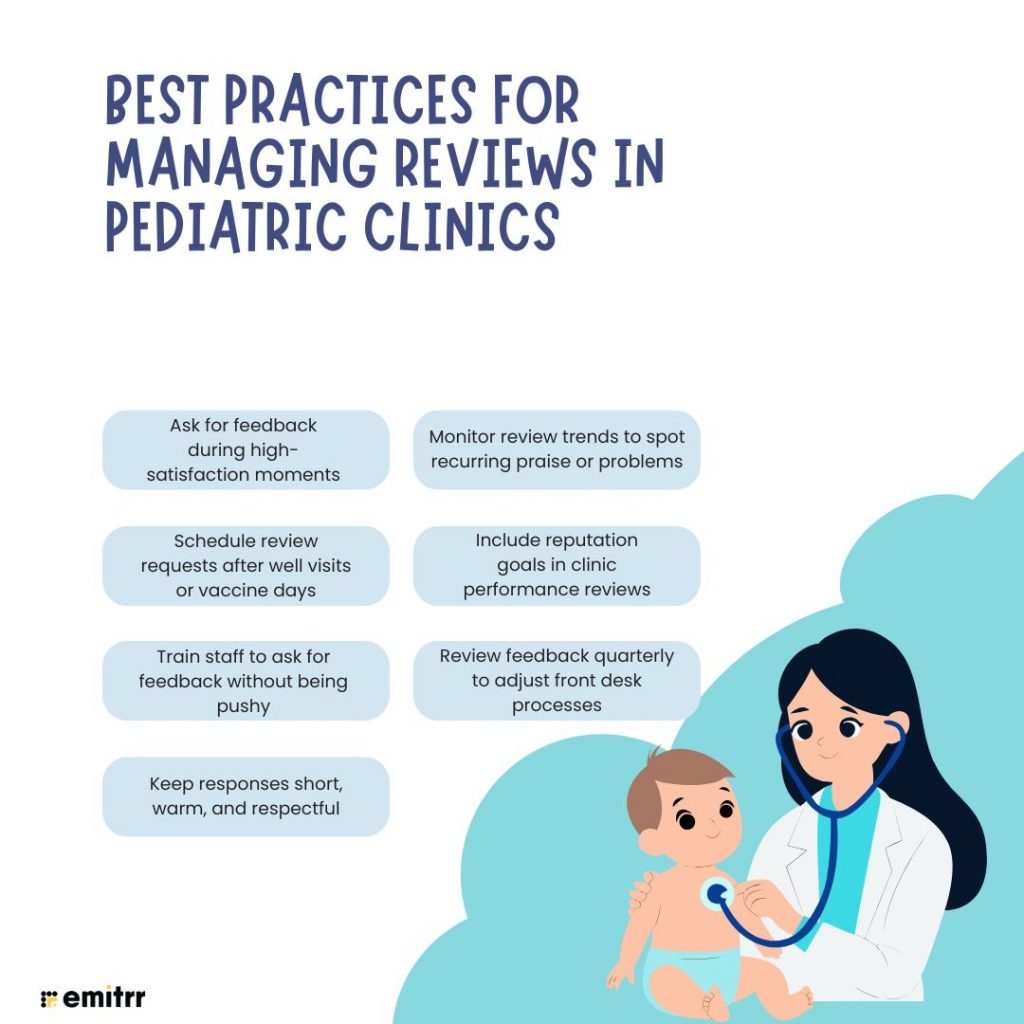
Ask for feedback during high-satisfaction moments
The best time to ask for a review is when a parent’s already smiling. Maybe it’s after a smooth check-up or when their toddler leaves happy. That’s your moment, just say something kind and casual. It won’t feel pushy if it’s said at the right time. Happy parents are usually glad to share when you catch them at the right moment.
Schedule review requests after well visits or vaccine days
Routine visits like annual check-ups are great chances for positive feedback. These appointments are calm and predictable, so parents are more relaxed. Vaccine visits also work well when handled gently. If you automate your review messages for those days, they’ll reach families when they’re most likely to respond. It’s about asking when the mood is right.
Train staff to ask for feedback without being pushy
Your team talks to families all day, and they can help gather feedback too. Teach them to look for cues like a happy thank-you from a parent. A simple, friendly ask can go a long way. No pressure, just a suggestion. When your staff feels confident asking, reviews will come in naturally.
Keep responses short, warm, and respectful
Long replies can feel defensive or impersonal. A few kind words are usually enough. Thank them, show empathy, and keep it simple. Avoid arguing or overexplaining, especially in public. Whether the review is good or bad, a calm and respectful tone speaks volumes.
Monitor review trends to spot recurring praise or problems
Look at reviews in batches. Are multiple people praising specific doctors or nurses? Or pointing out overcrowded waiting areas? These patterns help you know what’s working and what’s not. Share the wins and fix the pain points. It keeps your feedback loop active and useful.
Include reputation goals in clinic performance reviews
Make reputation part of your clinic’s goals, not just a nice bonus. For example, track review counts or aim for a specific average rating. You can even tie this into team performance reviews. When staff knows it matters, they’ll naturally support your online reviews management efforts. You can even celebrate wins together, like hitting 100 reviews, with something fun and simple!
Review feedback quarterly to adjust front desk processes
Most complaints start at the front desk, missed calls, long waits, and billing mix-ups. That’s why it’s smart to check reviews every few months for front desk themes. Spot issues early and tweak small things, like phone hours or check-in flow. And if parents often praise your staff? Share that too! It builds morale and helps everyone stay aligned on service quality.
Improving Your Pediatric Clinic’s Online Reputation Using Emitrr
Want better reviews without the stress? Here’s how you can use Emitrr to do it, while staying HIPAA-compliant and totally in control.
Step 1: Send review requests automatically
Just log in to Emitrr and click ‘Send’ in the top menu. Then choose ‘Review Requests’. Enter your patient’s contact info or upload a list, and select whether you want to send a group or mass message. Emitrr fills in the review message automatically with a link to your preferred online review services. You can hit send immediately or schedule it for later. This ensures you ask for feedback while the visit is still fresh in the parent’s mind.
Step 2: Use friendly, pediatric-ready templates
Generic review requests don’t cut it anymore. Emitrr gives you built-in templates that sound like they were written by someone who actually works with kids. Want to tweak them? Go to Settings > Templates and edit the tone to suit your brand. These thoughtful touches make it easier for parents to respond and increase your review count organically.
Step 3: Track all reviews in one dashboard
No more logging into five different websites. With Emitrr, go to Reputation > Reviews to view everything from Google, Facebook, Healthgrades, and more, right in one place. You can sort reviews by provider, date, or platform, making online review management way simpler for your front desk team.
Step 4: Set alerts for negative reviews
You don’t want to find a bad review by accident. Emitrr helps you stay ahead. Just head to Settings > Manage Teams, click the three dots next to a user, and select ‘Manage Notifications.’ Turn on both email and desktop alerts, so you know instantly when a negative review appears. That way, you can act fast and respond before the issue escalates.
Step 5: Respond to reviews safely and easily
Replying to reviews? No need to log into each platform separately. Emitrr lets you respond directly from your dashboard. Just click ‘Reply’ or ‘Edit Reply’ below the review, write your response, and hit ‘Done.’ Better yet, Emitrr reminds you not to include any sensitive info, keeping your replies compliant with HIPAA rules at all times.
Step 6: Share your best reviews on social media
Have a glowing 5-star review? Show it off! Click the three dots on the top corner of any review and select ‘Share on Facebook’ or other connected accounts. It’s a quick way to build trust with future families using your online review services.
Step 7: Use analytics to spot review trends
Emitrr’s analytics let you filter reviews by doctor, service type, or patient age. You can quickly see who’s getting praised, when wait times are an issue, or what parents love most, without reading every review manually.
Step 8: Collect private feedback with custom surveys
Some feedback is better shared privately than posted publicly. Emitrr lets you send custom surveys to parents, asking questions like “How was the check-in process?” or “Is there anything we could improve?” This gives you honest, helpful feedback you’d otherwise miss.
How to Respond to Reviews as a Pediatrician
Replying to reviews doesn’t have to be stressful. Just follow these few simple steps to keep it thoughtful, calm, and professional.
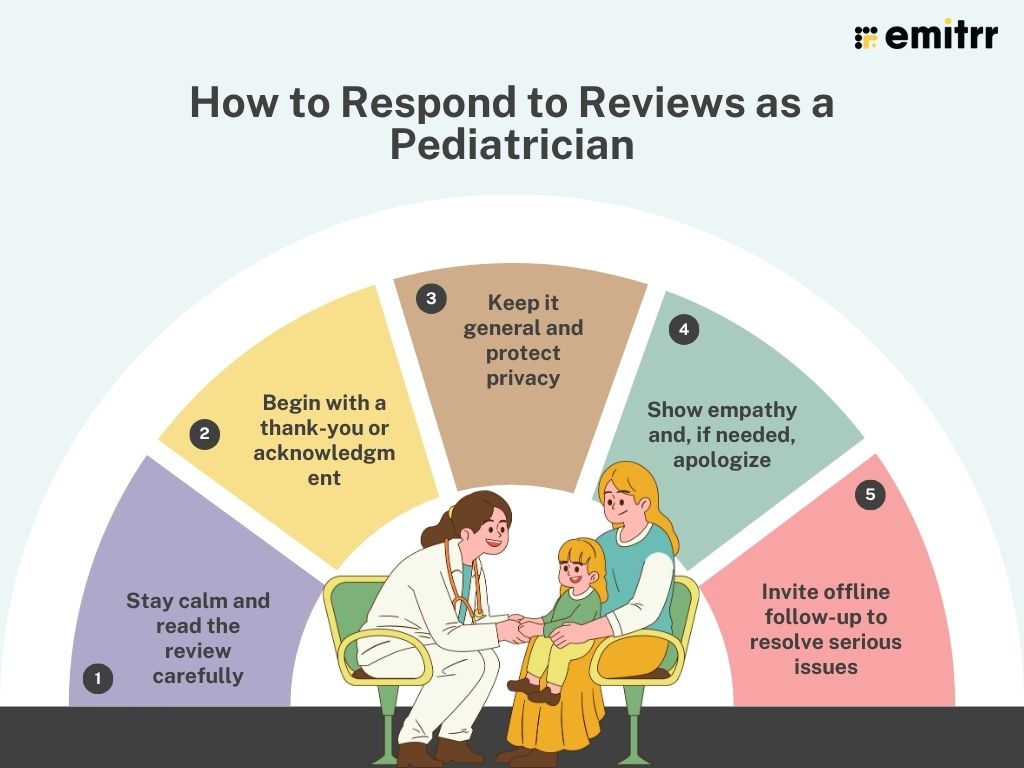
Step 1: Stay calm and read the review carefully
Before typing a response, take a deep breath and absorb what the parent is saying. Understand the concerns or praise without reacting emotionally.
Step 2: Begin with a thank-you or acknowledgment
Start every response on a positive note. For a glowing review, thank the parent for sharing their experience. For a critical review, thank them for their feedback and acknowledge their feelings.
Step 3: Keep it general and protect privacy
Don’t mention any personal details or specific treatments in your reply. Stick to general terms like “your visit” or “your experience” so you stay HIPAA-compliant. Remember, the world can see your response, so never confirm someone is actually a patient or reveal who their child is.
Step 4: Show empathy and, if needed, apologize
Let the reviewer know you truly care about their perspective. If something went wrong, put out a genuine apology that they had a less-than-ideal experience. Keep the tone friendly and respectful, as if you were speaking to them in person.
Step 5: Invite offline follow-up to resolve serious issues
If the review is negative or raises serious concerns, encourage the parent to contact you or the office directly to discuss. This shows others that you’re willing to fix problems, but it keeps the detailed conversation private.
Case Study: Review and Reputation Turnaround at a Pediatric Clinic
A pediatric clinic had been serving its community for over a decade and most families loved their care. However, their online reputation and reviews told a different story.
The Challenge
The clinic had only a handful of reviews on Google, one particularly harsh 1-star review was weighing down their average to around 3 stars. The practice realized that:
- Many happy patients never thought to post reviews
- A couple of negative experiences were very visible
- New parents searching online couldn’t see the true quality of service
The challenge was clear: the clinic needed to improve its online reputation so it accurately reflected the trust and care they were already providing offline.
The Strategy
The clinic then decided to take control of the narrative.
- First, they signed up for Emitrr to help automate their review management process. Emitrr began sending patient satisfaction surveys via friendly follow-up messages to every parent after their visit, inviting them to share feedback in an online review.
- The clinic staff also got involved. They made it a habit to mention reviews during check-out, saying things like “We’d love to hear your feedback online!” if the visit went well.
- The practice also committed to responding to each new review promptly. Using Emitrr’s dashboard, they kept track of incoming feedback across websites.
- The office manager, who received instant alerts for any new reviews, would coordinate responses, thanking patients for positive notes, and addressing concerns raised in critical ones, all while following HIPAA guidelines.
The Results
- Triple the number of reviews: In three months, the total reviews on Google and Facebook went from 10 to over 35.
- Average rating jumped from 3.2 to 4.7: As fresh 5-star reviews poured in, that one old 1-star review was no longer the defining feature of their profile.
- More new patient inquiries: The improved online reputation led to an uptick in calls and appointment requests. New families often mentioned the great reviews they read as a reason for choosing the clinic.
With a healthier online profile, the pediatric clinic now had a reputation that matched the reality of their compassionate care. Parents in the community could see proof of the clinic’s quality at a glance, and the practice was thriving as a result.
Key Takeaways
- Don’t leave your reputation to chance: If you don’t actively seek out reviews from happy patients, a few negative voices can dominate your online image.
- Combine technology with a human touch: AI-powered automated tools like Emitrr can vastly increase your feedback, but personal follow-up and sincere responses make that feedback count even more.
- Consistency is crucial: By making review management a routine even a small clinic can dramatically turn around its online reputation in a short time.
FAQs
Right after a positive interaction is ideal. You can send an automated review request within a few hours of the appointment, while the experience is still fresh in their mind.
Keep your response general and avoid any personal health details. Thank the reviewer for their feedback and apologize for their experience. Invite them to contact the office to discuss offline. That way you stay within HIPAA rules.
Yes! Emitrr’s dashboard lets you monitor and respond to reviews for all your clinic locations in one place. You can track each location’s ratings and feedback, and even compare performance.
Generally, yes. Clinics with a higher number of good reviews tend to rank better in local search results on Google. Frequent recent reviews signal to search engines that your practice is active and popular, which can boost your visibility.
Absolutely! Emitrr automates the send-outs but uses friendly, personalized templates that fit a pediatric tone. You can also customize the timing and tone of the messages. This way, the process is hands-free for your team, yet still feels warm and personal to the parents receiving them.
Conclusion
Building trust online is just as important as the care you provide in person. Proactively managing your reviews and reputation helps your pediatric practice stand out and grow. By collecting feedback, responding with empathy, and using the right tools to streamline the process, you turn your online presence into an asset rather than an afterthought. Parents will see your dedication not only to their children’s health but also to their opinions and satisfaction.
Want to see how you can boost your clinic’s reputation without extra effort? Book a free demo with Emitrr today and let us help you shine online!

 4.9 (400+
reviews)
4.9 (400+
reviews)