
Introduction
Patient communication does not stop when clinic hours end. Questions, concerns, and requests can come in at any time during evenings, weekends, or even holidays.
For care teams, unmanaged after-hours patient messages in Athenahealth EMR can quickly overwhelm staff. Messages accumulate outside business hours, response times slow down, and teams begin their day addressing a backlog of patient inquiries. This not only increases operational strain but also affects the overall patient experience.
If you are already using athenahealth for your healthcare practice and facing challenges with after-hours patient communication, after-hours messages do not have to mean after-hours stress. This blog presents a solution to streamline message handling and support your team.
What is After-hour Patient Messages?
After-hours patient messages are the messages that show up when the clinic is closed. They can come in late at night, over the weekend, or during holidays, long after the phones stop ringing and the front desk signs off.
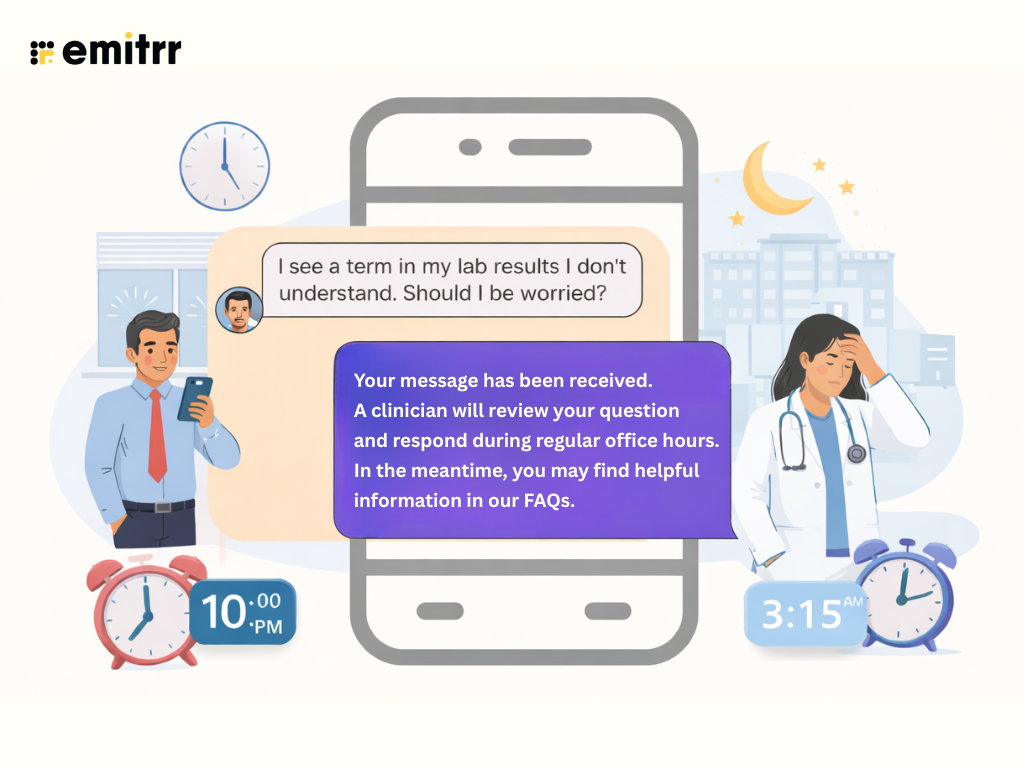
For healthcare practices, these messages are rarely emergencies. More often, they are everyday questions that patients think of once they are home. A patient may want to confirm an appointment, ask about a prescription refill, follow up on lab results, or clarify post-visit instructions. The timing is the challenge, not the message itself.
A common scenario can be when a patient gets home from work at 9 p.m., checks their portal, and notices a lab result they do not understand. They send a quick message asking if it is something to worry about. No one is available to respond, and by morning, that single message is now part of a growing list waiting for staff attention.
Multiply that by dozens of patients over a weekend, and after-hours messages turn into a workload problem. Without a clear way to acknowledge and organise these messages, teams start the day catching up instead of moving forward.

Challenges with After-Hours Patient Messages in Athenahealth
Athenahealth offers secure Patient Portal messaging, but it does not fully address the operational challenges that come with managing after-hours messages in the athena app. While messages can be sent at any time, practices often lack built-in mechanisms to acknowledge, triage, or organize them automatically. As a result, teams are left to handle these messages manually once business hours resume.
Below are some of the common challenges healthcare practices face:
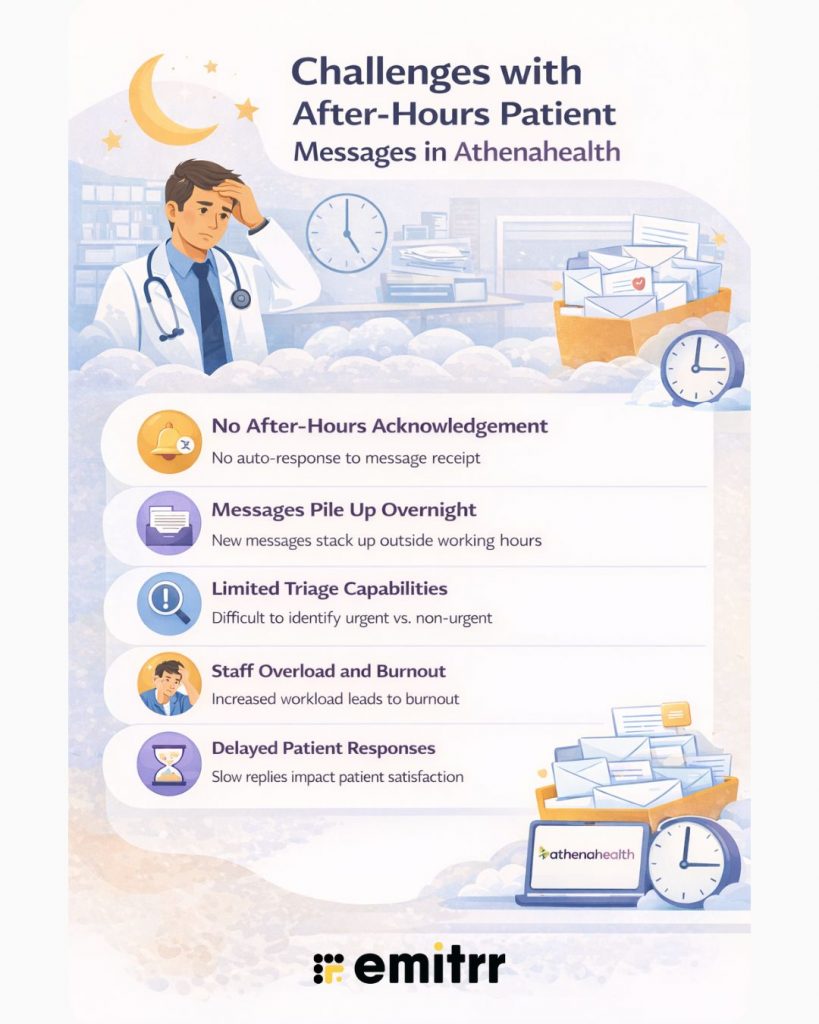
- No automatic after-hours acknowledgement: Patients can send messages after hours, but they may not receive an immediate response confirming receipt or setting expectations for follow-up.
- Messages pile up overnight and on weekends: Without automation, messages accumulate outside working hours, creating large backlogs for staff to manage the next day.
- Limited triage capabilities: All messages land in the same inbox, making it difficult to quickly identify what is urgent versus what can wait.
- Increased staff workload and burnout: Teams often start their day responding to messages instead of focusing on scheduled patient care and administrative priorities.
- Delayed responses impact patient experience: Even non-urgent questions can cause frustration or anxiety when patients do not hear back for extended periods.
These gaps make after-hours messages in Athenahealth a growing operational challenge for practices, particularly as patient expectations for timely communication continue to rise.
The video below walks through the easiest way to send patient messages directly from Athenahealth and manage them more efficiently:
Best Practices for After-Hours Patient Message Management in Athenahealth
Managing after-hours patient messages is less about responding to everything immediately and more about creating structure. When patients know what to expect, and teams have clear workflows, after-hours communication becomes manageable instead of overwhelming.
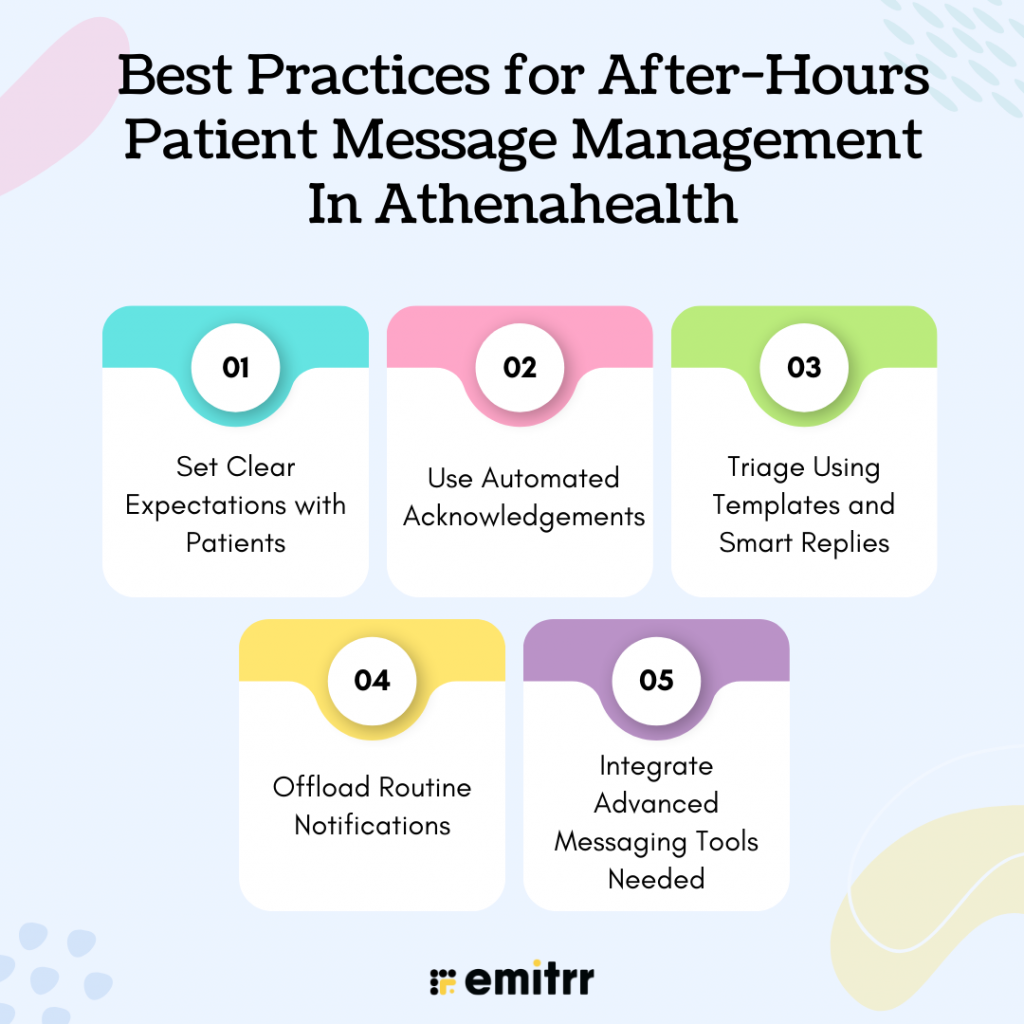
Set Clear Expectations with Patients
One of the simplest ways to reduce after-hours stress is to be upfront with patients. Let them know when messages are monitored, how long responses usually take, and what to do if something is urgent. This can be communicated through Athena portal messaging, auto-replies, or post-visit instructions.
When expectations are clear, patients are less likely to assume their message will be answered right away, and staff spend less time managing frustration or follow-up calls.
Use Automated Acknowledgements
Patients do not always need an immediate answer, but they do want to know their message was received. Automated acknowledgements sent after hours can confirm receipt and share next steps, such as expected response times or emergency guidance.
This small step reassures patients and prevents repeat messages that often come from uncertainty rather than urgency.
Triage Using Templates and Smart Replies
Not all after-hours messages need the same level of attention. Some questions can wait until the next business day, while others need to be flagged for quicker review. Using auto-reply templates and smart replies helps staff respond faster and more consistently once they are back online.
Templates also reduce the mental load on teams, specifically when replying to common questions about appointments, prescriptions, or lab results.
Offload Routine Notifications
Many after-hours messages come from information patients could have received earlier. Patient appointment reminders, lab result notifications, and basic instructions can be automated so patients do not need to ask in the first place.
By offloading routine notifications, practices can reduce inbound messages and keep after-hours communication focused on what truly needs attention.
Integrate Advanced Messaging Tools
As message volume grows, portal-only messaging may no longer be enough. Some practices choose to integrate additional communication tools that offer features like two-way texting, auto-responses, message categorisation, and AI-based healthcare workflows.
These tools help organise after-hours messages before staff even log in, making it easier to start the day with clarity instead of a crowded inbox.
After-Hours Auto-Response Examples
After-hours auto-responses help acknowledge patient messages, set clear expectations, and reduce repeat follow-ups. Below are examples that healthcare practices can use to respond consistently to common after-hours inquiries.
1. Appointment Scheduling Request
“Thanks for reaching out about scheduling an appointment. Our office is currently closed, but your message has been received. Our team will review available slots and follow up during the next business day.”
2. Rescheduling or Cancellation Request
“We have received your request to reschedule or cancel an appointment. A member of our team will take care of this during office hours and confirm the update with you.”
3. Lab Results Inquiry
“Thanks for your message regarding lab results. A clinician will review your question and respond during regular office hours. If you are experiencing concerning symptoms, please seek medical care right away.”
4. Prescription Refill Request
“We received your message about a prescription refill. Refill requests sent after hours are reviewed on the next business day and processed once approved by your provider.”
5. Billing or Insurance Question
“Thanks for contacting us about billing or insurance. Our billing team will review your message and get back to you during business hours with more details.”
6. Urgent Care Guidance
“Your message has been received. If this is an emergency or you are experiencing severe symptoms, please call emergency services or visit the nearest urgent care center.”
7. Holiday or Weekend Message
“Thanks for your message. Our office is currently closed for the weekend or a holiday. We will respond as soon as regular business hours resume.”
How Emitrr AI Helps Manage After-Hours Patient Messages by Integrating with Athenahealth
When integrated with Emitrr, Athenahealth’s messaging capabilities extend beyond standard portal communication and address the challenges of after-hours patient messages directly. Instead of letting messages sit unanswered until the next business day, Emitrr AI helps acknowledge, guide, and organize patient communication even when staff are offline.
With two-way data synchronization, conversations are logged back into athenahealth, ensuring after-hours messages remain connected to patient records and existing workflows. This allows teams to return to work with messages already categorized, acknowledged, and ready for follow-up.
AI-driven automation ensures after-hours patient messages are not ignored or lost. Common questions receive timely responses, conversations are routed appropriately, and staff attention is reserved for messages that require direct action.
Below are the key Emitrr AI features and how they support after-hours patient messaging:
Webchat to Text
Patients often send messages through a practice website outside clinic hours. Webchat to text allows those conversations to continue over HIPAA-compliant text messaging after the patient leaves the site. For after-hours inquiries, this ensures patient questions are captured and acknowledged rather than abandoned, even when no staff member is available to respond immediately.
Missed Call to Text
After hours, many patient calls go unanswered. Missed call to text automatically sends a follow-up message confirming the call was received and inviting the patient to continue the conversation by text. This reassures patients and prevents repeated calls the next morning.
AI SMS Agent
The AI SMS agent for healthcare responds automatically to common after-hours patient messages, such as appointment requests, office hours, billing questions, or next steps. Patients receive immediate guidance, while non-urgent conversations are queued for review during business hours.
Learn more about Emitrr’s AI SMS agent in this video:
AI Text Generator
When staff review after-hours messages the next day, the AI text generator helps them respond quickly and consistently. It generates ready-to-send replies for common scenarios, reducing response time and effort when handling message backlogs.
AI Appointment Scheduler
Patients often request appointments outside clinic hours. The AI appointment scheduler handles scheduling, rescheduling, and confirmations through automated texts. This allows appointment-related after-hours messages to move forward without manual intervention.
Automated Appointment Confirmation
Automated appointment confirmations ensure patients receive clear details immediately after scheduling or rescheduling, even if it happens after hours. This reduces follow-up questions and minimizes confusion.
AI Voicemail Transcription
Voicemails left after hours are automatically transcribed into text and added to the conversation thread. Staff can quickly review and prioritize these messages without listening to each voicemail individually.
Suggest a Reply
When reviewing after-hours messages, the suggest-a-reply feature offers response recommendations based on the message content. This helps teams clear backlogs faster and maintain consistent communication across staff members.
To see how after-hours auto-responses and workflows are configured in Emitrr, watch our detailed video walkthrough. It demonstrates how message triggers, response timing, and automation rules help practices manage after-hours patient messages more efficiently within Athenahealth.
FAQs
The core principles include:
Use clear and simple language
Be polite and respectful
Acknowledge patient concerns
Respond within a reasonable timeframe
Avoid medical jargon when possible
Maintain confidentiality
Set clear expectations
Stay consistent in tone
Escalate urgent issues promptly
Document communication properly
These rules are especially important when handling after-hours patient messages.
Yes. athenahealth is widely used by healthcare practices for clinical documentation, billing, and patient engagement. It offers secure patient portal messaging and automated reminders. For practices managing high volumes of after-hours patient messages, integrating Emitrr can help streamline communication through AI-powered automation.
Patients can log in to the athenahealth patient portal, navigate to the messaging or communication section, select the provider or practice, and submit their message. The message then appears in the practice inbox for staff review and response.
Yes. Patients can send messages at any time through the patient portal. These messages are stored and visible to staff, even if they are sent outside regular business hours.
Athenahealth supports secure patient messaging and reminders, but built-in automated after-hours responses may be limited. Many practices rely on manual workflows or integrate solutions like Emitrr to automate acknowledgements, triage messages, and manage after-hours patient communication more efficiently.
Not always. Many messages relate to appointments, prescriptions, billing, or general questions. Clear guidance helps patients understand when to use messaging versus emergency services
Yes. Messages sent through the Athenahealth patient portal are secure and HIPAA compliant when used as intended by the practice.
SMS can improve response rates and patient engagement. When integrated securely with Athenahealth, HIPAA-compliant texting can help manage after-hours communication more effectively.
Conclusion
After-hours patient messages are a constant for healthcare practices, but they do not need to overwhelm staff or disrupt workflows. With clear processes and the right support, practices can acknowledge patients on time and maintain organized communication outside business hours.
For teams that rely on Athenahealth practice management, gaps in after-hours messaging often lead to avoidable workload and response delays. Integrating Emitrr AI with Athenahealth helps address these gaps through automated responses, structured conversations, and message routing within existing workflows. Schedule a demo with Emitrr AI to see how after-hours patient messages can become easier to manage.


 4.9 (400+
reviews)
4.9 (400+
reviews)