
Introduction
Faxing may no longer rely on bulky machines and phone lines, but the expectations around it have changed dramatically. Businesses today want faster delivery, tighter security, smoother integrations, and pricing that actually makes sense. As more teams share their cocofax reviews and compare real usage experiences, it has become clear that not every online faxing service keeps up with modern workflows.
This blog explores what happens when CocoFax no longer feels like the right fit. We break down the most common reasons users start questioning Cocofax pricing, performance, and support, and we examine the options that businesses turn to instead. If you’re evaluating whether a CocoFax alternative could better support your operations, this guide will help you understand what to look for and which solutions stand out in today’s market.
What is CocoFax?
CocoFax is a cloud-based online fax service that delivers a clean, modern user experience through both its web platform and mobile apps. It offers wide international coverage and integrates seamlessly with Google and Microsoft tools, making it a convenient choice for users seeking simple and reliable online faxing.
CocoFax Features
- Faxing from Google Drive & Slack: Send documents directly from Google Drive and get instant fax notifications within Slack for real-time communication.
- Global Fax Numbers: Choose local or toll-free numbers from multiple countries to support international business operations.
- Cross-Platform Access: Use CocoFax across web browsers, mobile apps, and Google or Microsoft add-ons for a consistent experience anywhere.
- HIPAA-Compliant Security: Protect sensitive data with strong encryption and optional Business Associate Agreements (BAA) for full HIPAA compliance.
- Centralized Admin Controls: Easily manage users, permissions, and fax numbers through an intuitive admin dashboard designed for teams.
CocoFax Pros
- Clean, Modern Interface: Intuitive design makes faxing simple and efficient.
- Strong Google & Slack Integrations: Fits naturally into existing productivity workflows.
- International Fax Support: Well-suited for teams with global communication needs.
CocoFax Cons
- Overage Costs on Lower Plans: Extra per-page charges can raise costs during high fax usage.
- Occasional Mobile App Issues: Mobile apps may be less stable than the web version.
CocoFax Pricing
Cocofax pricing consists of the following plans:
- Lite Plan: $12.99/month (60 pages included).
- Best Plan: $19.99/month (includes 200 pages).
CocoFax Integrations
- Google Drive, Google Docs, Slack, Microsoft Word or PowerPoint (or Outlook every two years), Gmail.
CocoFax Customer Support Channels
- 24/7 Email Support | Live Chat | Online FAQ & Help Center
CocoFax Ratings
- 4.5/5
CocoFax Reviews
“Quick and easy way to send a fax online.”
“Easy to use; employees love it; HIPAA compliance is great.”
Source: G2

Why Do Businesses Seek a CocoFax Alternative?
Many businesses choose CocoFax at first, but over time, they start to notice limits that affect daily work. These issues often lead companies to look for a CocoFax alternative that is more affordable, modern, and reliable.
Expensive Plans Compared to Other Fax Solutions
A lot of businesses start looking for a CocoFax alternative because the pricing feels too high for what they receive. When users compare the CocoFax cost with that of other online faxing service providers, it becomes clear that some competitors offer more pages and features at a lower cost. This often pushes businesses to search for alternatives to CocoFax that provide better value without increasing expenses.
Missing CRM and Cloud Storage Integrations
A frequent issue mentioned in Cocofax reviews is the lack of smooth integrations. Businesses depend on CRM systems and cloud storage to manage documents efficiently, but CocoFax features don’t fully support these tools. As a result, users spend more time handling files manually, which leads many to consider a CocoFax replacement that works better with modern business software.
Outdated User Interface and Sluggish Performance
Some users feel the platform looks and feels outdated. In several Cocofax reviews, people mention slow loading times and a user interface that isn’t very intuitive. When everyday tasks like sending or receiving faxes become frustrating, businesses naturally start searching for alternatives to CocoFax that feel faster and easier to use.
Unreliable Customer Support Experience
Customer support plays a big role in business operations, yet CocoFax customer support is often described as slow or unresponsive in CocoFax reviews. When problems aren’t resolved quickly, it can disrupt important workflows. This experience causes many users to look for a CocoFax competitor that offers more dependable support.
Weak Data Security and Compliance Standards
Data security is a serious concern for businesses handling sensitive information. Some users feel that CocoFax does not meet modern security expectations, which is often discussed in CocoFax pros and cons. Because of this, companies prefer a CocoFax alternative that offers stronger protection and compliance, making it a safer choice for long-term use.
What Features To Look For In A CocoFax Alternative?
Choosing the right fax service matters more than most people think. If you’re planning to move away from CocoFax, it’s important to know what features actually make a difference in daily work. The right alternative should make faxing simpler, safer, and easier to manage as your business grows.
Seamless Multi-Device Access
When choosing a CocoFax alternative, it’s important that the service works smoothly on all devices. Businesses want an online faxing service that lets them send and receive faxes from a laptop, phone, or tablet without problems. Many people leave CocoFax because they want something similar to CocoFax but easier to use across multiple devices.
Robust HIPAA and GDPR Compliance
Security and compliance matter a lot, especially for healthcare and legal businesses. A strong CocoFax replacement should fully support HIPAA and GDPR rules to protect sensitive data. Some CocoFax reviews mention concerns around compliance, which is why users look for alternatives to CocoFax that clearly meet these standards.
AI-Powered Automation Features
Modern businesses expect automation to save time. A better than CocoFax solution should include AI-powered tools like auto-routing, smart document handling, and automated notifications. Since CocoFax features are limited in this area, many users prefer a CocoFax competitor that offers smarter automation.
Flexible and Customizable Workflows
Every business works differently, so flexibility is key. The best CocoFax alternative should allow users to customize workflows based on their needs. When companies compare Cocofax pricing with other tools, they often expect more control and flexibility for the money they pay.
Built-In Scalability for Business Growth
As businesses grow, their faxing needs grow too. A good replacement for CocoFax should scale easily without forcing users into expensive upgrades. Many people feel the cocofax cost increases too quickly, which is why scalability is a big factor when choosing alternatives to CocoFax.
Try Before You Commit: Free Trial Options
Free trials help businesses test a service before paying. Many CocoFax competitors offer trial options, while users sometimes feel unsure before committing to the cocofax price. This makes free trials an important feature when searching for the Best CocoFax alternative.
Enterprise-Grade Security and Encryption
Strong data encryption is no longer optional. Businesses want to be sure their data is protected at all times. Some CocoFax pros and cons discussions point out security concerns, pushing users toward a CocoFax alternative with enterprise-grade protection.
Cloud and EHR/EMR System Integrations
Integration with cloud storage and EHR or EMR systems saves time and reduces manual work. Since CocoFax features do not fully support these integrations, businesses often look for a CocoFax replacement that connects easily with their existing systems.
24/7 Customer Support and Service Availability
Reliable support can make or break an online faxing service. Many CocoFax reviews mention slow or inconsistent CocoFax customer support, which is why businesses prefer a CocoFax competitor that offers 24/7 help whenever issues come up.
10 Best CocoFax Alternatives
1. Emitrr
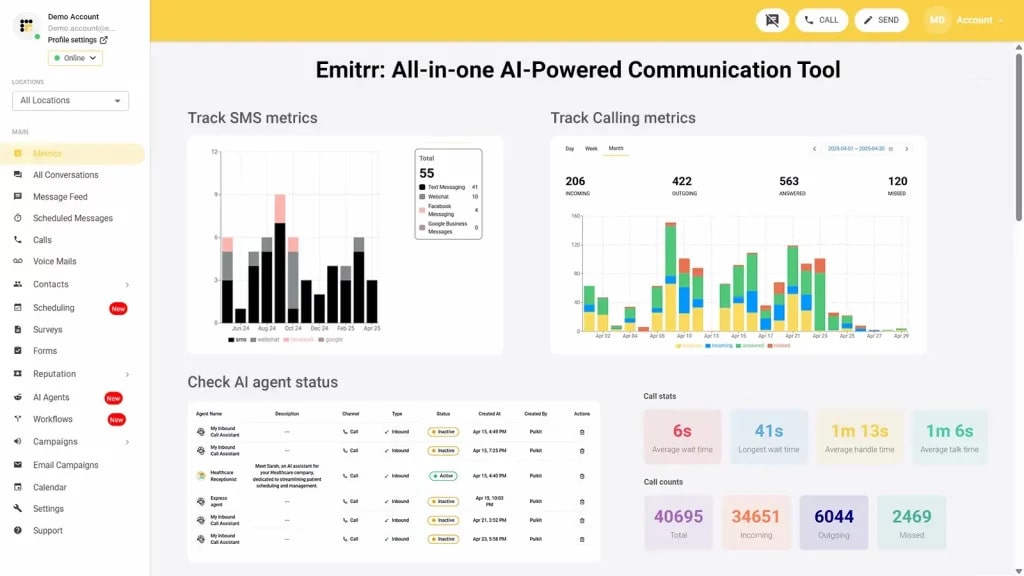
Emitrr Overview
Emitrr is often viewed as a CocoFax alternative by businesses looking for more than basic faxing. It offers a modern digital fax solution as part of a broader customer engagement platform, combining online faxing with tools such as two-way text messaging, AI-driven automation, call tracking, and review management. This makes it especially appealing to healthcare providers and professional service teams that want multiple communication tools in one place.
The platform is designed to centralize communication channels, helping teams manage conversations more efficiently and stay better connected. Emitrr is considered a strong option among CocoFax competitors for organizations seeking a scalable, all-in-one solution rather than a standalone fax service.
Emitrr Features
- Fax-to-Email and SMS Notifications: Automatically receive incoming faxes in your email inbox, with instant SMS alerts so you never miss an important message.
- Scheduled Faxing: Plan and schedule faxes in advance for timely delivery, ideal for announcements, reminders, or bulk communication.
- Inbound and Outbound Faxing: Send and receive faxes directly within Emitrr without needing a fax machine or any extra equipment.
- Broadcast Faxing: Distribute one fax to your full contact list at once, perfect for sending company updates or marketing messages.
- Multi-Recipient Faxing: Deliver a single fax to several recipients simultaneously, helping teams save time and streamline communications.
- Large File Support: Send high-resolution images and larger files (up to 30 MB) without compression or formatting issues.
- Customizable Fax Covers: Add personalized fax cover pages with recipient information, notes, and branding to maintain a professional appearance.
Emitrr Pros
- Unified Communication Platform: Combines fax, texting, calling, and review management in one powerful solution.
- Built for Regulated Industries: Features AI automation and robust HIPAA compliance, making it perfect for healthcare, legal, and financial sectors.
- Intuitive Mobile Dashboard: A user-friendly, mobile-first interface accessible to your entire team.
- Transparent and Scalable Pricing: Designed to fit both SMB and enterprise budgets with clear, usage-based plans.
- Round-the-Clock Support: Offers 24/7 proactive customer assistance and personalized onboarding for a smooth setup experience.
Emitrr Cons
- Some advanced features are under process and will be live shortly.
Emitrr Pricing
- Standard: $25/month
- Professional: $35/month
- Pricing is typically bundle-based, and often doesn’t include per-page overages.
Emitrr Integrations
- Salesforce, HubSpot, AthenaHealth, Denticon, Mailchimp, Zapier, QuickBooks, and many EMR/EHR systems.
Emitrr Customer Support Channels
- Live chat, email, phone, and choices in the knowledge base with a focus on getting in touch.
Emitrr Ratings
4.8/5
Emitrr Reviews
“You have it all integrated into one platform, the signatures, the amount of characters, you can attach files, send photos. You are able to create and send forms. Unlimited amount of things we can use and take advantage of.”
“I LOVE Emitrr. The support you get is wonderful, the app is easy to use and they have been incredibly responsive. As a small business, we needed a messaging platform that wouldn’t break the bank and this meets all our needs (and then some) without making us feel overwhelmed.”
Source: Capterra
2. iFax
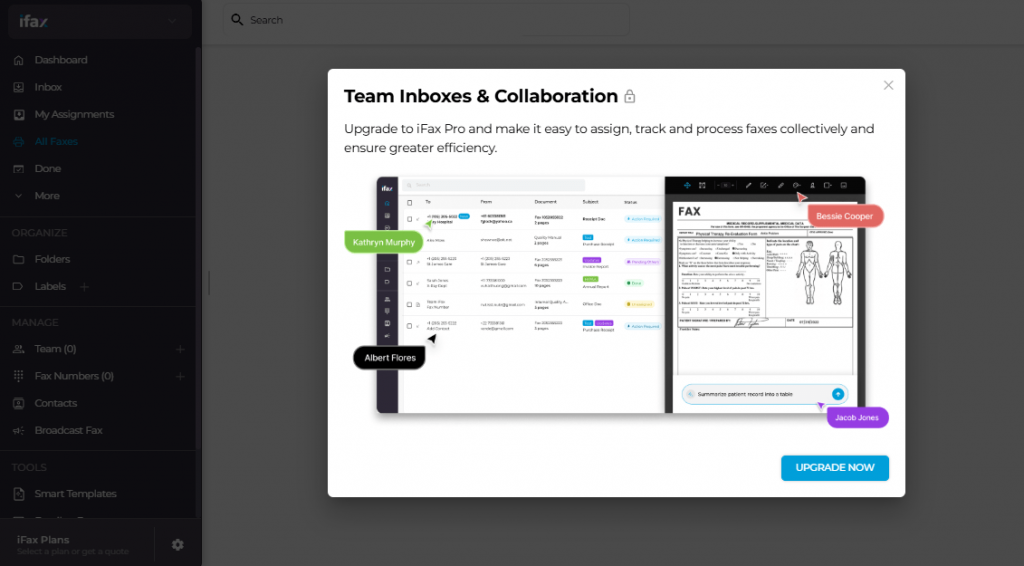
iFax Overview
iFax is a versatile digital fax application designed to meet the needs of individuals, small businesses, and large enterprises alike. It offers a seamless faxing experience across both mobile and desktop platforms, allowing users to manage communications efficiently from anywhere. With its broad feature set and intuitive design, iFax is well-suited for organizations that value flexibility, accessibility, and ease of use in a modern faxing solution.
iFax Features
- Cross-Platform Faxing: iFax works smoothly across iOS, Android, macOS, and Windows, giving you full flexibility to send and receive faxes anywhere.
- Digital Signatures Made Easy: Sign documents electronically within the app, no printing, scanning, or extra tools required.
- Professional Templates: Access a wide selection of customizable fax cover sheet templates that save time and add a polished look to every fax.
- Smart OCR Technology: Available in higher plans, OCR makes your faxes searchable and helps organize scanned documents more efficiently.
- HIPAA-Compliant Faxing: Designed for businesses that handle sensitive information, ensuring all data stays secure and fully compliant.
iFax Pros
- Top-Tier Mobile Experience: Delivers one of the best mobile faxing interfaces in the industry, optimized for speed and ease of use.
- Feature-Rich for Businesses: Advanced plans come loaded with tools like OCR, API access, and enterprise-level capabilities.
- Flexible Payment Model: Offers a convenient pay-per-fax option, making it ideal for occasional users or small organizations that don’t need a monthly plan.
iFax Cons
- Higher Cost for Premium Plans: Advanced features come with a steeper price tag, which might be a drawback for budget-conscious users.
- Limited Free Features: To receive faxes or access certain functions, you’ll need to upgrade to a paid plan with a dedicated fax number.
iFax Pricing
iFax pricing consists of the following plans:
- Plus Plan: $8.33/month (annual billing, with 200 faxes sent and no receiving).
- Pro Plan: $16.66/month (billed annually, with 500 total pages plus receiving).
iFax Integrations
- Google Drive, Dropbox, Box, and API for your own solution.
iFax Support Channels
- Live Chat Support, Email Support, Knowledge Base, Spectrum Web, and video support.
iFax Ratings
4.6/5
iFax Reviews
“Secure, reliable, and incredibly easy to use.”
“Simple to use and the product actually works.”
Source: G2
3. RingCentral Fax
RingCentral Fax Overview
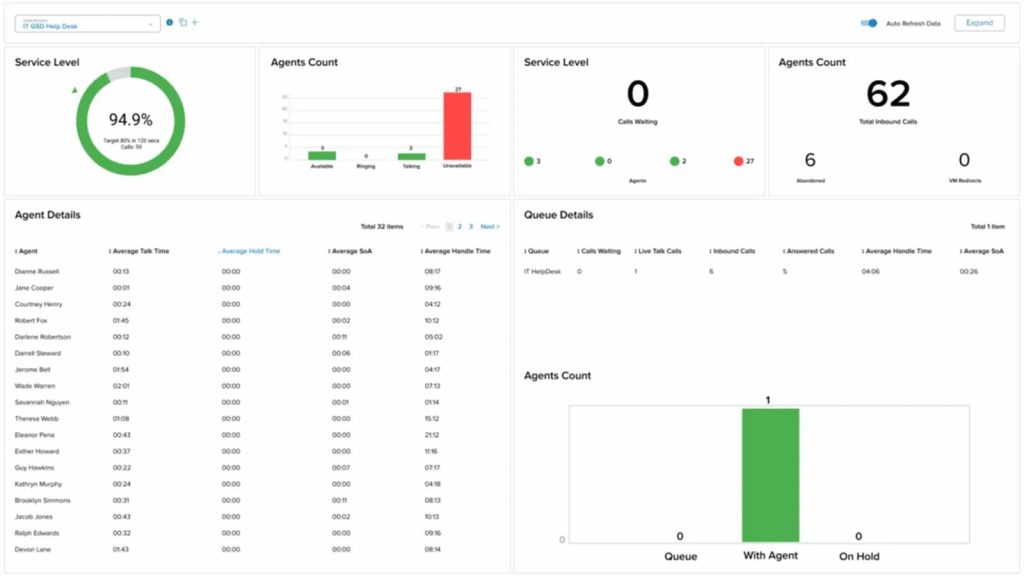
RingCentral Fax is often considered by organizations looking for a CocoFax alternative that goes beyond basic faxing. It is the fax component of RingCentral’s unified communications platform, designed for enterprise-level businesses that want faxing integrated with VoIP calling, team messaging, and video conferencing. Because it is part of a larger, scalable communication system, RingCentral Fax appeals to companies that need a more comprehensive and professional solution rather than a standalone online faxing service.
RingCentral Fax Features
- Send and Receive from Any Device: Use the RingCentral mobile app, online portal, or desktop interface to fax documents anytime, anywhere.
- Custom API Integration: Connect faxing to your internal systems or software using RingCentral’s powerful API for seamless workflow automation.
- Built-In Team Collaboration: Works within the broader RingCentral platform, giving teams access to shared SMS Inbox, call logs, and communication history for better context.
- Secure Cloud Infrastructure: Protected by enterprise-grade security and backed by a 99.999% uptime guarantee for unmatched reliability.
- Detailed Tracking and Reports: Generate in-depth audit trails and reports to monitor fax activity alongside other communication channels.
RingCentral Fax Pros
- Enterprise-Ready Performance: Designed to handle large-scale faxing needs while offering advanced tools for corporate environments.
- Unified Communication Experience: Combines faxing with RingCentral’s full suite of phone, video, chat, and messaging features.
- Strong Cloud Security: Ensures data protection through advanced encryption, redundancy, and compliance-ready systems.
RingCentral Fax Cons
- Higher Price Point: Because it’s part of a full UCaaS solution, the cost is higher than most dedicated fax-only services.
- Not Ideal for Small Businesses: The platform’s advanced capabilities can feel overwhelming for smaller teams that just need simple faxing.
RingCentral Fax Pricing
Ringcentral pricing consists of the following plans:
- Begins at ∼$19.99/user/month (billed annually, with RingEX Core plan).
- Fax is usually factored into the total pages/usage limits of your UCaaS package.
RingCentral Integrations
- Salesforce, Microsoft 365, Google Workspace, ServiceNow, Zendesk, and hundreds of others via its API.
RingCentral Support Channels
- Phone & Live Chat Support 24/7, Email Support, Knowledge Base
RingCentral Ratings
4.6/5
RingCentral Reviews
“Stable platform; easy access to call logs and records.”
“My phone number and fax are the same—highly recommend RingCentral.”
Source: Capterra
4. HelloFax
Hello Fax Overview
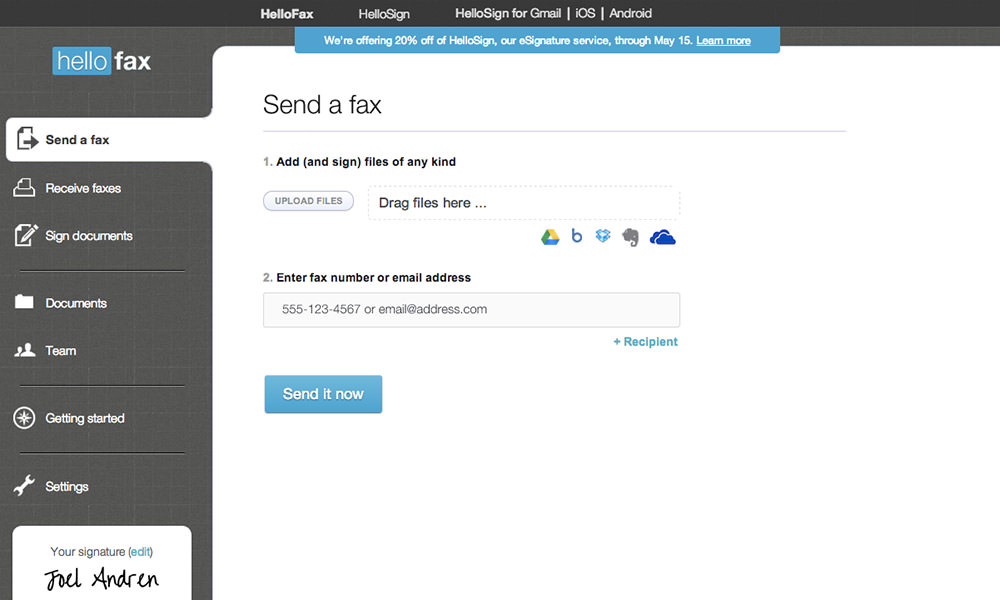
HelloFax is a simple and easy-to-use online faxing service that offers both free and paid plans, with smooth integration through HelloFax for Dropbox. It works especially well for individuals and small businesses that already rely on Dropbox or Google Workspace to manage and share files. Because of its clean design, stable performance, and familiar workflow, many users choose HelloFax as a CocoFax alternative when they want something straightforward, reliable, and easier to use than CocoFax.
HelloFax Features
- Built-In Digital Signatures with HelloSign: Sign and send documents securely using HelloSign, making digital paperwork quick, legal, and stress-free.
- Accessible Anywhere: Manage your faxes from the web or mobile app, with tools for sorting, tracking, and organizing documents easily.
- Keep Your Existing Fax Number: Bring your current fax number over to HelloFax for a smooth and uninterrupted transition.
HelloFax Pros
- Dropbox Integration: Syncs directly with Dropbox, giving users an easy way to store and manage all their faxed files in the cloud.
- Clean, Modern Interface: Simple and sleek design that makes sending and receiving faxes straightforward for anyone.
- Perfect for Light Users: A great choice for individuals or small teams who occasionally need to send or sign documents digitally.
HelloFax Cons
- Limited Advanced Tools: Missing some automation and AI-based features that power users may want for higher-volume faxing.
- Basic Compliance Options: While secure, HIPAA compliance isn’t included in lower-tier plans and may require an upgrade for regulated industries.
Hello Fax Pricing
HelloFax pricing consists of the following plans:
- Basic Plan: Starting from $9.99/month (300 pages included).
- Pay-As-You-Go: For the very occasional user.
Hello Fax Integrations
- Dropbox, Google Drive, Box, Evernote, OneDrive, and even Google Docs (via the web app).
Hello Fax Customer Support Channels
- Email Support, Online Help Center from DropboxSupportWebsiteKnowledge Base
Hello Fax Reviews
4.4/5.
Hello Fax Ratings
“Getting started takes minutes; plans are priced relatively low.”
“Faxes are sent quickly; the dashboard is simple to navigate.”
Source: G2
5. Fax.Plus
Fax.Plus Overview
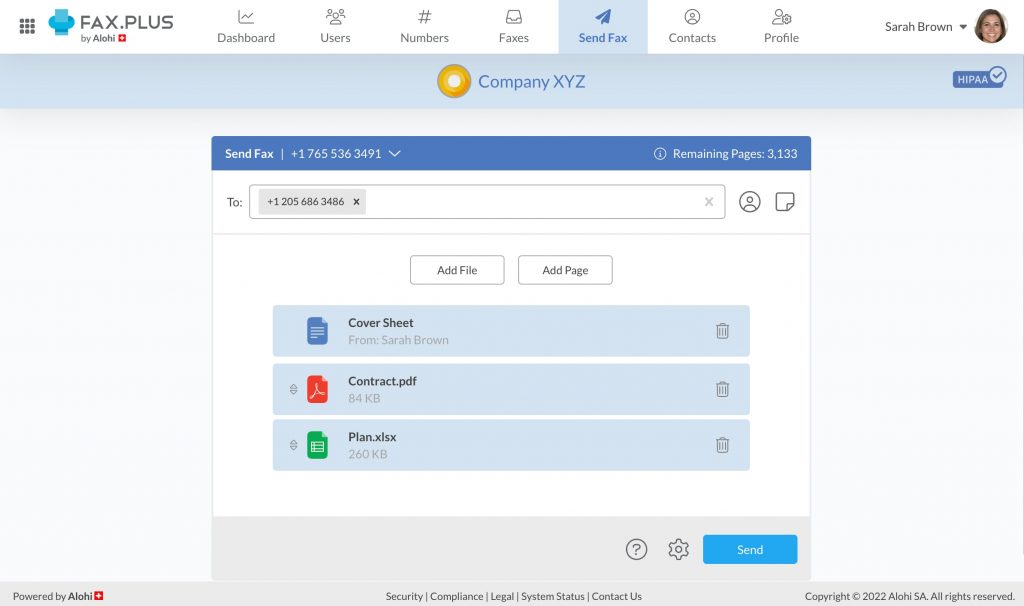
Fax.Plus is a secure and easy-to-use online faxing service trusted by both individuals and businesses around the world. With affordable plans, a strong focus on data protection, and support across multiple devices, it is often chosen by users looking for a CocoFax alternative that feels simpler, more reliable, and better suited for everyday faxing needs.
Fax.Plus Features
- Built for Security and Compliance: Fax.Plus fully complies with HIPAA and GDPR standards, offering peace of mind for businesses that handle sensitive or regulated data.
- Powerful Admin Controls: Manage multiple users, set permissions, and assign fax numbers easily through a clean, centralized admin panel.
- Seamless API Integration: Easily connect faxing features to your internal systems, CRMs, or business workflows with the Fax.Plus API.
- Access from Any Device: Use Fax.Plus anywhere, on the web, mobile (iOS and Android), desktop (macOS and Windows), or even via a Chrome extension.
- Advanced Team Reporting: Get valuable insights with detailed usage analytics and audit logs to track fax activity and maintain accountability.
Fax.Plus Pros
- Excellent Data Protection: Its compliance with HIPAA and GDPR makes it a reliable solution for organizations that prioritize data security.
- Free Plan Option: Offers a no-cost plan that’s great for low-volume users or anyone wanting to try the platform before upgrading.
- Simple and Modern Interface: Easy to navigate, with responsive design and well-built mobile apps for a hassle-free faxing experience.
Fax.Plus Cons
- Full Compliance Features Require Upgrading: Advanced compliance tools like HIPAA BAA are only available on the Enterprise plan.
- Occasional Delays in Alerts: Some users have reported minor notification delays during heavy fax traffic periods.
Fax.Plus Pricing
Fax.Plus pricing consists of the following plans:
- Free Plan: 10 pages in all.
- Basic Plan: Starting at ∼$6.99/month (annual billing, 200 pages included).
Fax.Plus Integrations
- Google Drive, Slack, Zapier, Microsoft Teams, Microsoft Word, and G Suite.
Fax.Plus Support Channels
- Help Articles/FAQ, Email Support, Live Chat (For paid users only)
Fax.Plus Ratings
4.7/5
Fax.Plus Reviews
“Excellent service, will be my go-to for faxing needs.”
“Terrible customer service; had problems with faxing and access.”
Source: Capterra
6. mFax
mFax Overview
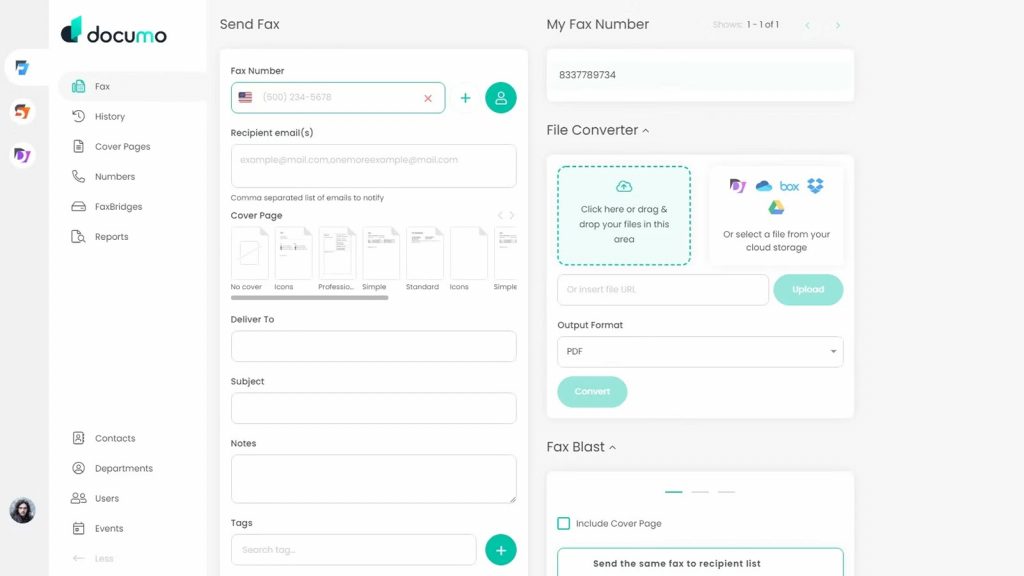
mFax, developed by Documo, is a cloud-based fax solution built for businesses that want more control and flexibility. It offers a powerful API and advanced admin tools, making it easy to connect with existing or custom software systems. Because of its strong focus on integration and scalability, many teams choose mFax when they are looking to move away from CocoFax and need a more modern and reliable online faxing service.
mFax Features
- Powerful REST API: Easily connect mFax with your existing business tools like EMR, CRM, or ERP systems for a seamless faxing experience.
- Centralized Admin Dashboard: Manage all users, permissions, and security settings from one simple control panel.
- Advanced Security: Protects your documents with TLS/SSL encryption and AES 256-bit security, keeping sensitive data safe.
- HIPAA Compliance: Comes with a Business Associate Agreement (BAA) and meets strict compliance standards for healthcare and other regulated industries.
- Instant Fax Alerts: Notifies you immediately by email or web alert when a fax is sent or received, so you’re always in the loop.
mFax Pros
- Great for Integrations: Designed with developers and growing teams in mind, offering a robust API that connects easily to other software.
- Easy Team Management: Gives administrators strong control over users, roles, and access levels to maintain security and efficiency.
- Affordable for Businesses: Offers excellent value with flexible, budget-friendly plans that suit both small and large organizations.
mFax Cons
- Not Ideal for Beginners: The platform’s advanced features can feel complex for users who only need basic faxing capabilities.
- Limited Mobile Functionality: Works through a responsive web app but doesn’t yet provide a fully featured mobile app experience.
mFax Pricing
mFax pricing consists of the following plans:
- Basic Plan: $7 a month (covers 150 pages).
- Team Plan: $25/month (with 500 pages and multi-user access).
mFax Integrations
- API based, so it integrates with almost anything, including EMRs and CRMs.
mFax Support Channels
- Live Chat, Email Support, Phone Support
mFax Ratings
4.6/5
mFax Reviews
“Favorite feature is fax via email; customer service is responsive.”
“Delivers secure, compliant transmission; reliable for day-to-day needs.”
Source: Capterra
7. MyFax
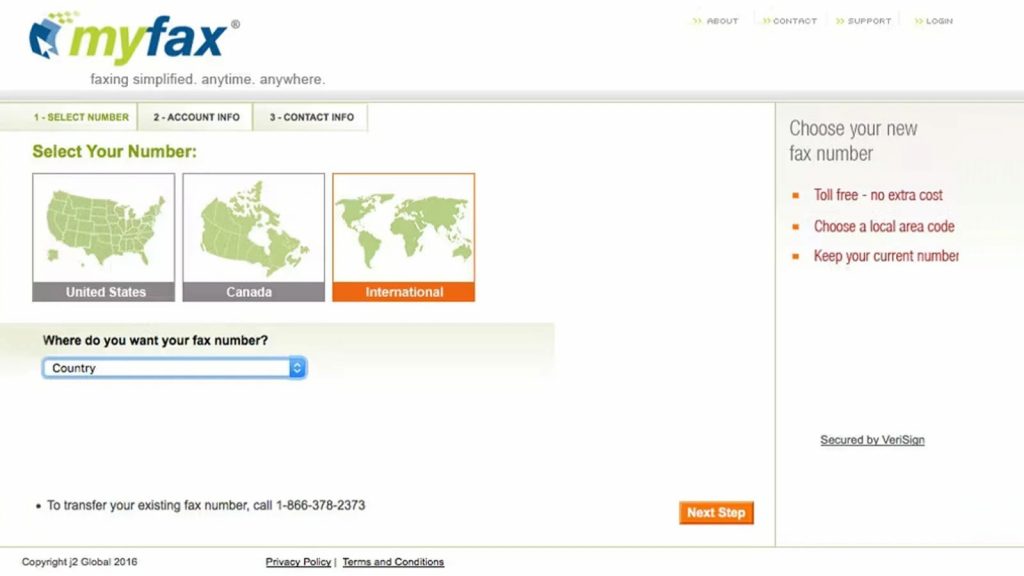
MyFax Overview
MyFax is commonly evaluated as a CocoFax alternative by small businesses that require reliable, straightforward faxing. The service is designed to deliver essential fax functionality without unnecessary features, making it easy to manage and cost-effective. With its emphasis on simplicity, consistency, and dependable performance, MyFax is well-suited for users who prioritize ease of use and stability over advanced tools or complex workflows.
MyFax Pricing
MyFax pricing consists of the following plans:
- Home Office Plan: $12/month (100 pages sent and received, included).
- Price: $25/month (details that it comes with 300 pages for each send and receive).
- Per-page overage fees kick in after the cap.
MyFax Integrations
- Works mainly with email (Outlook, Gmail) with minimal file management integrations.
MyFax Customer Support Channels
- Telephone Support, Email Support, Contact Form, On-Site
MyFax Ratings
- 4.2/5
MyFax Reviews
“Affordable service and great customer service.”
“The fax I sent worked perfectly and quickly.”
Source: Trustpilot
8. SRFax
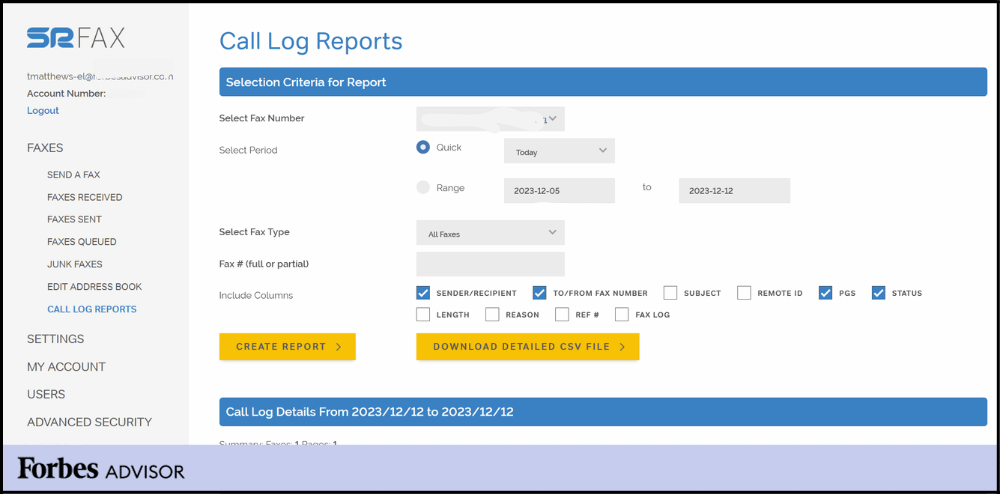
SRFax Overview
SRFax is a privacy-focused online faxing service trusted by healthcare professionals and medical organizations. It is built to meet strict security and compliance requirements, making it a safe choice for handling sensitive patient information. Because of its strong focus on confidentiality and reliability, many healthcare teams choose SRFax when they need a secure option and want to move away from CocoFax for more specialized compliance needs.
SRFax Features
- Comprehensive HIPAA & PHIPA Compliance: Designed with strict security protocols, SRFax is trusted by healthcare providers and other industries that handle sensitive information. Optional Business Associate Agreements (BAA) are available for organizations that need additional compliance assurance.
- Encrypted Fax Storage: Safeguards every document with AES 256-bit encryption, ensuring data remains secure during transmission and while stored.
- Digital Signature Support: Allows users to sign documents electronically, helping teams streamline workflows and reduce paper waste.
- Granular User Controls: Administrators can manage access rights, deciding exactly who can send, receive, or view faxed documents.
- Built-In Spam Filtering: Automatically identifies and blocks junk faxes, keeping your inbox organized and distraction-free.
SRFax Pros
- Top-Tier Security and Compliance: Recognized for its strong encryption and adherence to industry regulations, making it a reliable choice for healthcare, finance, and legal sectors.
- Free Plan Availability: Includes a no-cost plan that retains essential privacy and security features, perfect for individuals or small organizations.
- HIPAA Coverage on Every Plan: All plans include BAA eligibility, ensuring complete compliance without requiring an upgrade.
SRFax Cons
- Basic, Utility-Focused Interface: While functional, the design is simple and may feel outdated compared to more modern fax solutions.
- Limited Integration Options: Lacks deep connections with EMR, CRM, and other third-party business tools, relying mainly on email and API integrations.
SRFax Pricing
- Lite Personal Plan: $9.95 a month (25 pages to send, 25 receive).
- Basic Plan (Business): $12.95/month with 200 send + 200 receive.
SRFax Integrations
Limited- It’s an API / Email Integration for obvious Reasons (security)
SRFax Support Channels
- Ticket Portal, Phone Support, Email Support
SRFax Ratings
- 4.8/5
SRFax Reviews
“Easy to set up, reliable, HIPAA-compliant, and reasonably priced.”
“Exactly what we need in a fax service.”
Source: Capterra
9. MetroFax
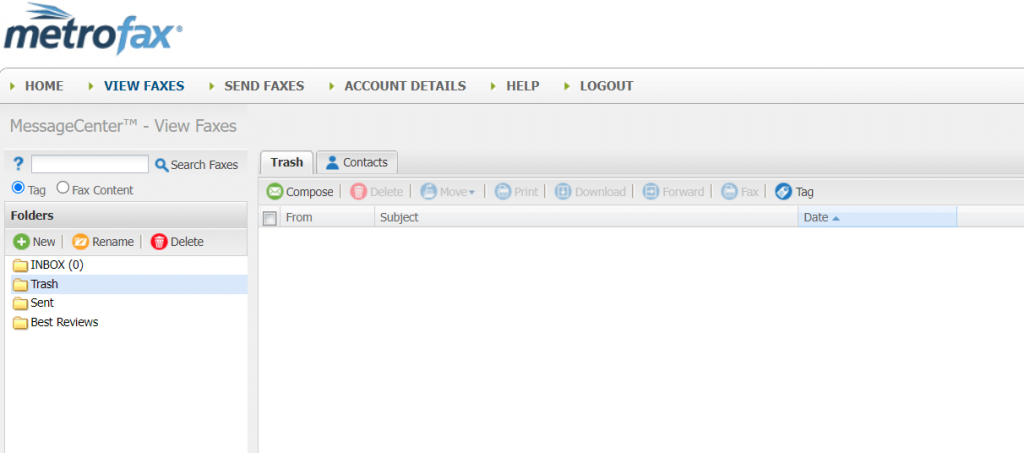
Metro Fax Overview
MetroFax is often considered when businesses start exploring a CocoFax alternative that is affordable and easy to manage. Designed for small to midsize teams, it provides more functionality than basic fax tools while avoiding the complexity of large communication platforms. The service stays focused on faxing, making it a practical choice for companies that want a reliable solution that can grow with their needs.
MetroFax Features
- Email-to-Fax Made Simple: Easily send and receive faxes straight from your email account, whether you use Gmail, Outlook, or another provider.
- Mobile App Support: Stay connected on the go with dedicated iOS and Android apps that let you send, view, and manage faxes anytime.
- Team-Friendly Access: Share one account among multiple users so your whole team can manage faxing from a central dashboard.
- Online Fax Management: Access all your fax documents through a secure web portal where you can organize, search, and track activity effortlessly.
- Flexible Number Options: Choose between local or toll-free fax numbers depending on your business needs and customer reach.
MetroFax Pros
- Dependable and Consistent Performance: Known for excellent uptime and reliable fax delivery, even during peak usage times.
- Straightforward Pricing: Transparent plans with no hidden fees and generous monthly page limits, making budgeting easier for businesses.
- Great for Regular Faxing: Designed for organizations that send or receive a steady number of faxes every month.
MetroFax Cons
- Limited Modern Features: Lacks automation, smart routing, and deep CRM or EMR integrations that newer solutions often provide.
- Basic User Interface: Functional but somewhat outdated in design, which may not appeal to users who prefer a more modern experience.
Metro Fax Pricing
- Essential Plan: Around $12.95/month (up to 550 pages overall).
- Value Plan: $15.95/month (1050 pages in total).
Metro Fax Integrations
- Email, mobile, and basic Cloud (upload/download) access only.
Metro Fax Customer Support Channels
- Email Support, Phone Support (during office hours), Guided Tour
Metro Fax Ratings
- 4.5/5
Metro Fax Reviews
“Fantastic service—easy to use and affordable; responsive chat and email support
“Service cancelled without notice; lost all faxes.”
Source: Trustpilot
10. HumbleFax
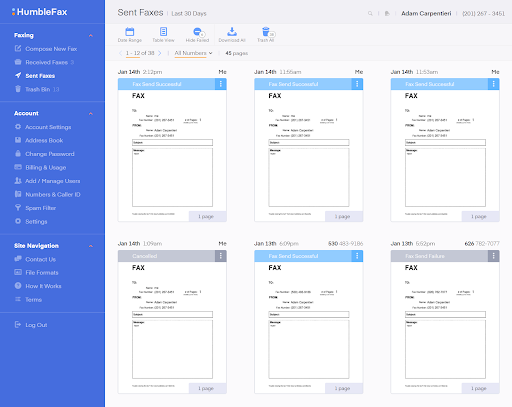
HumbleFax Overview
HumbleFax is a digital faxing service that allows users to send and receive faxes online through email or a secure web dashboard. It is designed to simplify faxing by removing the need for physical fax machines or traditional phone lines, making the process faster and more convenient. As a cloud-based solution, it enables individuals and businesses to manage their faxes from anywhere while maintaining a reliable and user-friendly experience.
HumbleFax Features
- Unlimited Online Faxing: Send and receive as many faxes as you need without worrying about page limits or overage fees.
- Dedicated Fax Number: Every account comes with a local fax number, making it easy for clients or partners to reach you directly.
- Email-to-Fax Made Simple: Just attach your document to an email and send it to a designated fax address, no extra software required.
- Fax-to-Email Convenience: Get your faxes delivered straight to your email inbox as easy-to-view PDF files.
- Web-Based Access: Manage all your faxes from a clean, intuitive web portal that’s optimized for both desktop and mobile use.
HumbleFax Pros
- Affordable for Small Businesses: One of the most cost-effective options available for users who need simple, reliable faxing.
- Quick Setup and Easy to Use: Simple onboarding and a straightforward interface make it beginner-friendly.
- Unlimited Faxing Options: Some plans include truly unlimited faxing, offering great value for small offices or frequent users.
- Reliable Delivery: Faxes are sent and received consistently with minimal errors or downtime.
HumbleFax Cons
- Inconsistent Customer Support: Response times can vary, and available support channels are somewhat limited.
- Basic Mobile App: While functional, the app lacks advanced features or modern design polish.
- Few Integrations: Missing deeper business tools like CRM or analytics integrations that other enterprise fax platforms include.
HumbleFax Pricing
HumbleFax pricing is unlimited with $10 per month (flat rate, no page limits)
HumbleFax Integrations
- Zapier, Google Drive, Dropbox, OneDrive, Box, Slack, Google Sheets
HumbleFax Customer Support Channels
- Email Support, Phone Support (via request), 24/7 Support Availability
HumbleFax Ratings
No ratings are available.
HumbleFax Reviews
No reviews are available.
What Makes Emitrr The Best CocoFax Alternative?
Let’s understand why Emitrr is the best alternative to CocoFax:
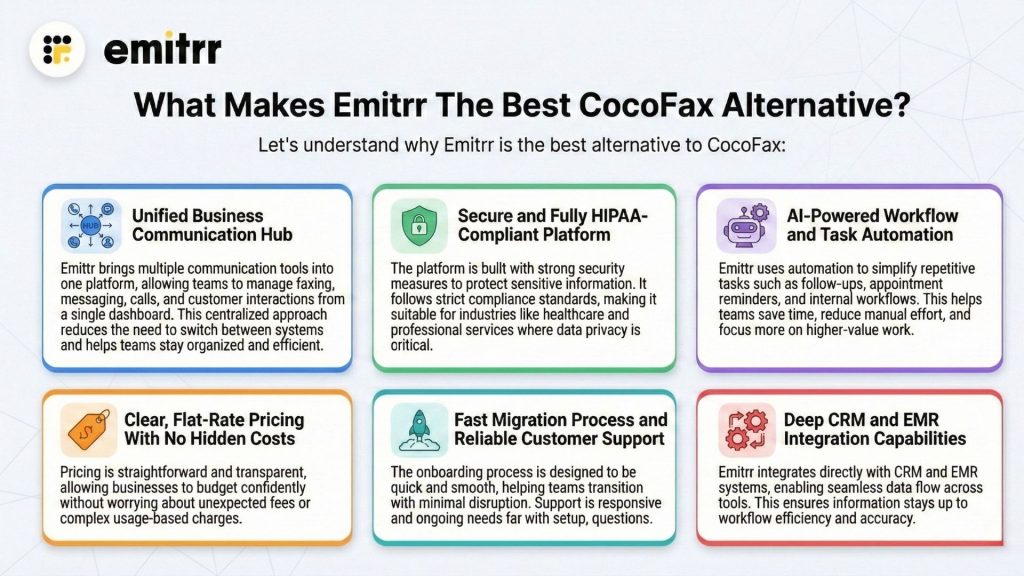
Unified Business Communication Hub
Emitrr brings multiple communication tools into one platform, allowing teams to manage faxing, messaging, calls, and customer interactions from a single dashboard. This centralized approach reduces the need to switch between systems and helps teams stay organized and efficient.
Secure and Fully HIPAA-Compliant Platform
The platform is built with strong security measures to protect sensitive information. It follows strict compliance standards, making it suitable for industries like healthcare and professional services where data privacy is critical.
AI-Powered Workflow and Task Automation
Emitrr uses automation to simplify repetitive tasks such as follow-ups, appointment reminders, and internal workflows. This helps teams save time, reduce manual effort, and focus more on higher-value work.
Clear, Flat-Rate Pricing With No Hidden Costs
Pricing is straightforward and transparent, allowing businesses to budget confidently without worrying about unexpected fees or complex usage-based charges.
Fast Migration Process and Reliable Customer Support
The onboarding process is designed to be quick and smooth, helping teams transition with minimal disruption. Support is responsive and available to assist with setup, questions, and ongoing needs.
Deep CRM and EMR Integration Capabilities
Emitrr integrates directly with CRM and EMR systems, enabling seamless data flow across tools. This ensures information stays up to date and easily accessible, improving overall workflow efficiency and accuracy.
Which Industries Are Catered By Emitrr?
Healthcare
Rely on secure, HIPAA-compliant faxing and automated appointment reminders, the perfect solution for healthcare providers who need safe, reliable communication tools.
Legal
Send and receive contracts with ease, request digital signatures, and maintain a detailed audit trail for every document to ensure complete transparency.
Real Estate
Quickly share contracts and keep clients updated through automated text notifications, helping every transaction move forward smoothly.
Education
Distribute important documents securely and manage emergency notifications efficiently with dependable two-way messaging.
Home Services
Streamline client onboarding, invoices, and service confirmations, all from one simple, organized, and easy-to-manage platform.
FAQs
Many businesses explore alternatives to CocoFax due to concerns around cost, limited integrations, outdated interface, or slow customer support. Others simply want a more modern solution that fits better with their existing tools and workflows.
In many cases, yes. Several CocoFax competitors offer more flexible plans, clearer pricing, or better value for the same cost. This is why cocofax cost and cocofax pricing are common reasons users compare other services.
Most modern alternatives offer stronger integration options with CRM systems, cloud storage, and other business software. This is often a key advantage over CocoFax features for teams that rely on connected systems.
Conclusion
Choosing a fax service today is less about the tool itself and more about how well it fits into daily work. When businesses start comparing pricing, ease of use, and overall reliability, many realize they need something more flexible than CocoFax.
Emitrr stands out because it combines faxing with modern communication and automation tools in one platform. This makes it easier for teams to work efficiently without switching systems, which is why many businesses see it as the best alternative when moving away from CocoFax.


 4.9 (400+
reviews)
4.9 (400+
reviews)