
 4.9 (400+
reviews)
4.9 (400+
reviews)
Introduction
Faxing is still part of everyday business for many teams, but that doesn’t mean it should feel slow or frustrating. A lot of businesses start out with Faxage and then slowly realize it’s no longer meeting their needs. Between confusing faxage pricing, a faxage app that feels dated, and limitations often mentioned in real faxage reviews, it’s natural to start wondering if there’s something better out there.
This blog is meant to help you figure that out. We’ll take an honest look at the best faxage alternatives and apps like Faxage, breaking down what actually works and what doesn’t.
If you’ve tried a Faxage free trial, struggled with faxage sign in, or are simply comparing Faxage competitors, this guide will help you find a Faxage alternative that feels easier, more modern, and better suited to how your business really operates.
What is Faxage?
Faxage is an online fax service that enables businesses to send and receive faxes digitally using the internet instead of traditional fax machines or phone lines. Users can fax documents through email, a web-based dashboard, or integrated applications, making document transmission faster and more convenient.
Faxage Features
- Email-to-Fax & Fax-to-Email: Send and receive faxes directly through email without using a physical fax machine.
- Web-Based Faxing: Manage, send, and track faxes through an online dashboard from any device.
- Fax Notifications: Provides instant email alerts for sent and received faxes to keep users informed.
- Fax Number Porting: Allows users to keep their existing fax numbers when switching to Faxage.
- Secure Fax Transmission: Uses encryption to protect fax data during transmission and storage.
Faxage Pros
- Easy to Use: Simple setup and straightforward interface make faxing accessible for all users.
- No Hardware Required: Eliminates the need for fax machines, phone lines, or maintenance.
- Reliable Delivery: Ensures consistent fax sending and receiving with minimal downtime.
Faxage Cons
- Limited Advanced Features: Does not offer AI automation, workflow tools, or deep integrations.
- Basic User Interface: Design feels dated compared to modern cloud fax platforms.
- Minimal Analytics: Lacks detailed reporting and usage insights for teams.
Faxage Pricing
Faxage has the following pricing plans:
- Lite: $3.49/month
- Toll-Free Lite: $3.49/month
- Professional: $7.95/month
- Toll-Free Professional: $7.95/month
- Unlimited Inbound: $19.95/month
- Toll-Free 1500: $19.95/month
- Small Office: $29.95/month
- Local Volume: $64.95/month
- Toll-Free Volume: $64.95/month
- Carrier: $15.00/month
Faxage Integrations
- Google Drive, Dropbox, OneDrive, Slack, Microsoft Teams, Zapier, HubSpot, Salesforce, Box, QuickBooks, Freshdesk
Faxage Customer Support Channels
- Phone Support, Email Support, Online Help Desk, Knowledge Base, Support Tickets
Faxage Ratings
No Faxage ratings are available.
Faxage Reviews
No Faxage reviews are available.
To ensure HIPAA compliance while managing medical equipment and pathology requests, use these specialized healthcare templates:
Medical Equipment Maintenance Fax Cover Sheet
Pathology Request Fax Cover Sheet
Expedited Medical Fax Cover Sheet

Why Do Businesses Seek a Faxage Alternative?
Many businesses start with faxage, but over time they begin looking for a faxage alternative. This usually happens when daily needs grow, and the service no longer feels like the right fit. Based on common faxage reviews and real user experiences, here are the main reasons companies move to faxage alternatives:
Higher Costs Than Similar Fax Solutions
One of the biggest reasons businesses search for a faxage competitor is cost. When comparing faxage pricing with other fax services, many users feel they are paying more without getting enough value. As fax usage increases, monthly expenses can grow quickly. Several faxage competitors offer better pricing, more flexible plans, or a more useful faxage free trial experience.
Limited CRM and Cloud App Integrations
Today’s businesses depend on cloud tools and CRMs to stay efficient. A common issue mentioned in faxage reviews is the lack of strong integrations. If the faxage app does not connect smoothly with existing systems, it can slow down everyday work. This often pushes teams to look for apps like faxage that integrate easily with modern cloud platforms.
Dated User Interface and Performance Issues
Usability is another reason companies seek a Faxage alternative. Some users feel the interface looks outdated and is not very intuitive. Simple tasks like sending faxes or even completing a faxage sign in can feel slower compared to newer faxage competitors that focus on speed and ease of use.
Unreliable or Slow Customer Support
Reliable support is critical when faxing is part of daily business communication. Many faxage reviews mention slow responses or difficulty getting help. As a result, businesses often switch to a faxage competitor that provides faster support, live chat, or more hands-on assistance.
Limited Security and Compliance Capabilities
Security is especially important for industries like healthcare, legal, and finance. Some companies feel faxage does not fully meet modern security or compliance expectations. This leads them to explore faxage alternatives that offer stronger encryption, better access controls, and clearer compliance features.
What Features To Look For In A Faxage Alternative?
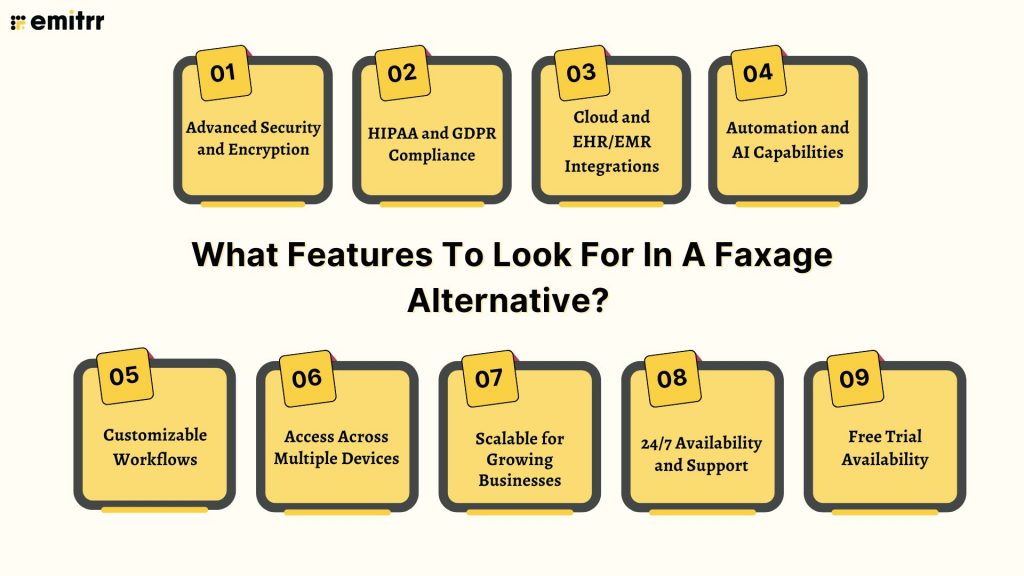
When businesses start comparing faxage alternatives, they usually want more than just basic faxing. Based on real faxage reviews and what modern teams actually need, here are the most important features to look for in a strong faxage alternative or other apps like faxage.
Advanced Security and Encryption
Security should be a top priority. Many businesses move away from Faxage because they want stronger encryption for sending and receiving sensitive documents. The best faxage competitors protect data both in transit and at rest, giving teams peace of mind.
HIPAA and GDPR Compliance
If your business works in healthcare, legal, or finance, compliance matters. A good faxage competitor should clearly support HIPAA and GDPR requirements. Some companies feel limited by faxage in this area, which is why compliance-ready faxage alternatives are in high demand.
Cloud and EHR/EMR Integrations
Modern faxing should work smoothly with cloud platforms, CRMs, and EHR or EMR systems. Many users mention in faxage reviews that integrations are limited. The best apps like Faxage connect easily with existing tools so teams don’t have to switch between systems.
Automation and AI Capabilities
Automation saves time. Features like auto-routing, document tagging, smart notifications, and AI-powered workflows are often missing from the Faxage app. Businesses searching for a Faxage alternative usually want smarter tools that reduce manual work.
Customizable Workflows
Every business works differently. A strong faxage competitor should let users customize workflows, permissions, and routing rules. This flexibility is especially helpful for teams that have outgrown basic fax solutions.
Access Across Multiple Devices
Faxing should not be tied to one computer. Many Faxage alternatives allow access from desktops, tablets, and mobile devices. Easy access across devices makes remote and hybrid work much simpler compared to older systems that require constant faxage sign in issues, or limited access.
Scalable for Growing Businesses
As fax volume increases, the service should scale without becoming expensive or complicated. Some businesses feel faxage pricing becomes less competitive as usage grows, which pushes them to look for more scalable faxage competitors.
24/7 Availability and Support
Reliable fax services must work around the clock. Slow or limited support is a common complaint in faxage reviews. A dependable faxage alternative should offer 24/7 uptime and responsive customer support when issues come up.
Free Trial Availability
A free trial helps businesses test features before committing. While faxage free trial options exist, many faxage competitors provide more generous trials so users can fully explore integrations, automation, and security features before deciding.
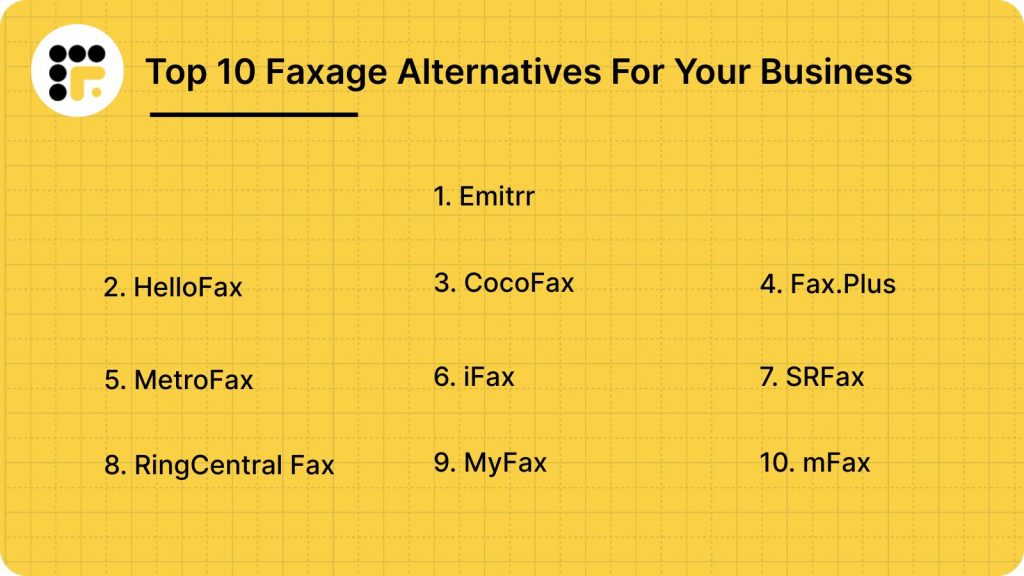
10 Best faxage Alternatives
1. Emitrr
Emitrr Overview
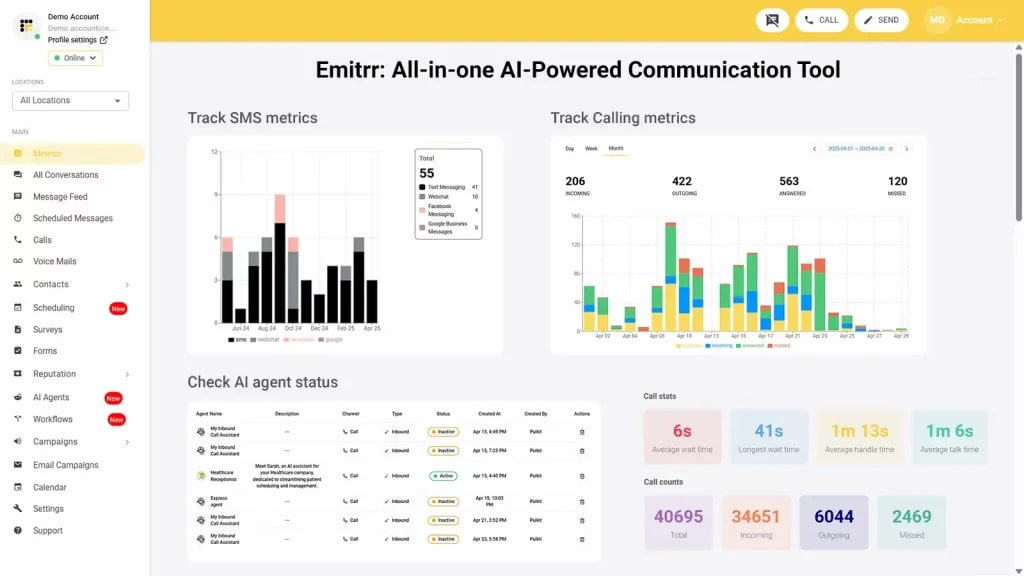
Emitrr stands out as a strong Faxage alternative by offering a modern digital fax solution that goes beyond basic faxing. Instead of working as a standalone fax tool, it’s built into a powerful customer engagement platform designed for healthcare and professional service providers. Along with reliable online faxing, Emitrr includes features like two-way text messaging, AI-powered automation, call tracking, and review management, all in one place.
The platform brings multiple communication channels together, helping teams stay organized and respond faster without switching between tools. While Emitrr does not yet offer full HIPAA-compliant communication across every feature, it still positions itself as a competitive Faxage competitor. For businesses looking for an all-in-one, scalable replacement that focuses on convenience, speed, and efficiency, Emitrr remains a compelling option.
Emitrr Features
- Inbound/Outbound Faxing: Send and receive faxes directly through Emitrr without needing a fax machine or additional hardware.
- Fax-to-Email/SMS: Automatically forward incoming faxes to your email for easy access, with SMS alerts for real-time notifications.
- Scheduled Faxing: Set faxes to be sent at a specific date and time, perfect for bulk messaging or time-sensitive communications.
- Multi-Recipient Faxing: Send one fax to multiple recipients at the same time, improving speed and overall efficiency.
- Broadcast Faxing: Deliver a single fax to your entire contact list instantly, making it ideal for mass updates or announcements.
- Large File Support: Easily fax high-resolution images and large documents up to 30 MB without quality loss.
- Custom Fax Covers: Create professional, personalized cover pages with recipient details and custom notes.
Emitrr Pros
- Unified Communication Platform: Combines fax, texting, calling, and review management in one powerful solution.
- Built for Regulated Industries: Features AI automation and robust HIPAA compliance, making it perfect for healthcare, legal, and financial sectors.
- Intuitive Mobile Dashboard: A user-friendly, mobile-first interface accessible to your entire team.
- Transparent and Scalable Pricing: Designed to fit both SMB and enterprise budgets with clear, usage-based plans.
- Round-the-Clock Support: Offers 24/7 proactive customer assistance and personalized onboarding for a smooth setup experience.
Emitrr Cons
- Some advanced features are under process and will be live shortly.
Emitrr Pricing
- Standard: $25/month
- Professional: $35/month
- Pricing is typically bundle-based, and often doesn’t include per-page overages.
Emitrr Integrations
- Salesforce, HubSpot, AthenaHealth, Denticon, Mailchimp, Zapier, QuickBooks, and many EMR/EHR systems.
Emitrr Customer Support Channels
- Live chat, email, phone, and choices in the knowledge base with a focus on getting in touch.
Emitrr Ratings
4.8/5
Emitrr Reviews
“You have it all integrated into one platform, the signatures, the amount of characters, you can attach files, send photos. You are able to create and send forms. Unlimited amount of things we can use and take advantage of.”
“I LOVE Emitrr. The support you get is wonderful, the app is easy to use and they have been incredibly responsive. As a small business, we needed a messaging platform that wouldn’t break the bank and this meets all our needs (and then some) without making us feel overwhelmed.”
Source: Capterra
2. HelloFax
HelloFax Overview
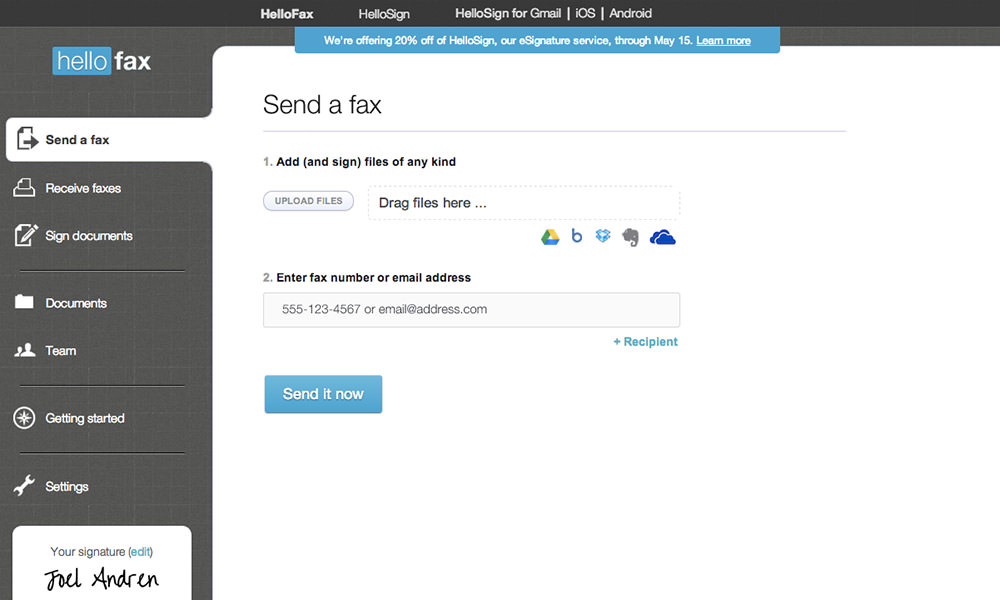
HelloFax is a simple online fax service with free and paid plans, making it easy for individuals and small businesses to get started. With Dropbox and Google Workspace integration, it works well for users already managing files in the cloud. Often mentioned in faxage reviews, HelloFax is a straightforward option for those exploring faxage alternatives or apps like faxage and wanting an easy, no-frills faxing experience.
Hello Fax Features
- Built-in Digital Signatures: Sign and send legally binding documents directly using HelloSign for secure verification.
- Web and Mobile Access: Send, receive, organize, and track faxes easily through a simple web dashboard or mobile app.
- Fax Number Portability: Transfer your existing fax number to HelloFax without disrupting business communication.
Hello Fax Pros
- Seamless Dropbox Integration: Easily store and manage faxed documents within your cloud workspace.
- Clean, Modern Interface: Intuitive design that’s easy to use, even for non-technical users.
- Great for Light Faxing Needs: Well-suited for occasional document signing and sending.
Hello Fax Cons
- Limited Advanced Capabilities: Lacks automation and AI-driven features available in more advanced fax platforms.
- Basic Compliance Coverage: Standard plans do not include full HIPAA compliance, which may be a concern for regulated industries.
Hello Fax Pricing
- Basic Plan: Starting from $9.99/month (300 pages included).
- Pay-As-You-Go: For the very occasional user.
Hello Fax Integrations
- Dropbox, Google Drive, Box, Evernote, OneDrive, and even Google Docs (via the web app).
Hello Fax Customer Support Channels
- Email Support, Online Help Center from DropboxSupportWebsiteKnowledge Base
Hello Fax Reviews
4.4/5.
Hello Fax Ratings
“Getting started takes minutes; plans are priced relatively low.”
“Faxes are sent quickly; the dashboard is simple to navigate.”
Source: G2
3. CocoFax
CocoFax Overview
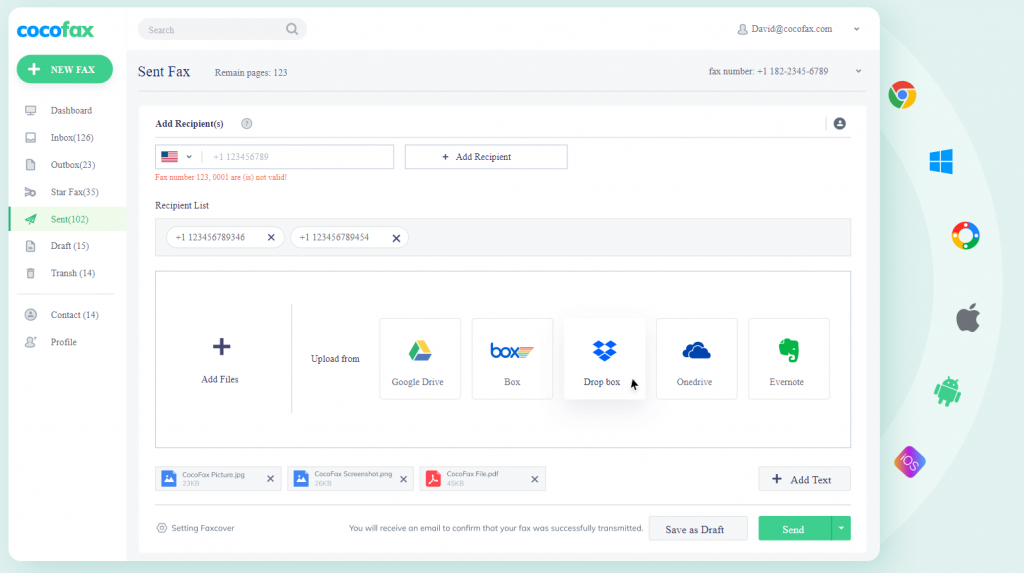
CocoFax is a cloud-based online fax service that offers a clean, modern experience through its web platform and mobile apps. With strong international coverage and easy integration with Google and Microsoft tools, it’s a practical option for users who want simple, reliable online faxing. Often included in faxage reviews, CocoFax is one of the faxage alternatives businesses consider when comparing apps like faxage for global and cloud-friendly faxing.
CocoFax Features
- Faxing from Google Drive & Slack: Send faxes directly from Google Drive and receive real-time fax alerts in Slack.
- International Fax Numbers: Select local or toll-free fax numbers from multiple countries for global operations.
- Multi-Platform Accessibility: Use CocoFax via a modern web app, mobile apps, and Google or Microsoft add-ons.
- HIPAA-Compliant Security: Supports HIPAA requirements with a Business Associate Agreement (BAA) and strong data protection.
- Team & Admin Controls: Manage users, permissions, and fax numbers easily through a centralized admin dashboard.
CocoFax Pros
- Clean, Modern Interface: Intuitive design makes faxing simple and efficient.
- Strong Google & Slack Integrations: Fits naturally into existing productivity workflows.
- International Fax Support: Well-suited for teams with global communication needs.
CocoFax Cons
- Overage Costs on Lower Plans: Extra per-page charges can raise costs during high fax usage.
- Occasional Mobile App Issues: Mobile apps may be less stable than the web version.
CocoFax Pricing
- Lite Plan: $12.99/month (60 pages included).
- Best Plan: $19.99/month (includes 200 pages).
CocoFax Integrations
- Google Drive, Google Docs, Slack, Microsoft Word or PowerPoint (or Outlook every two years), Gmail.
CocoFax Customer Support Channels
- 24/7 Email Support | Live Chat | Online FAQ & Help Center
CocoFax Ratings
4.5/5
CocoFax Reviews
“Quick and easy way to send a fax online.”
“Easy to use; employees love it; HIPAA compliance is great.”
Source: G2
4. Fax.Plus
Fax.Plus Overview
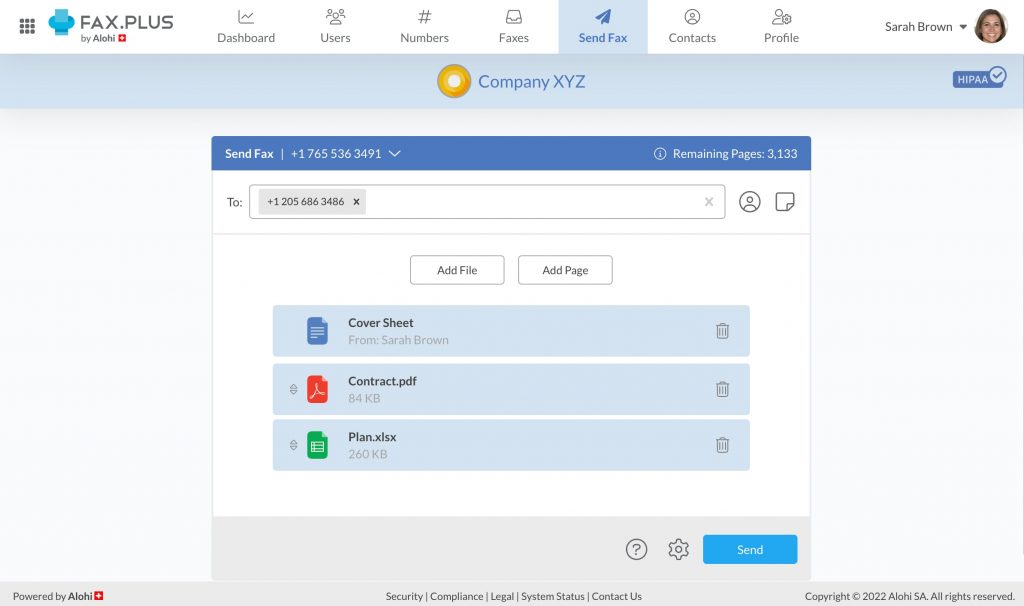
Fax.Plus is a secure and easy-to-use online fax service trusted by both individuals and businesses around the world. It’s known for affordable plans, strong security features, and smooth performance across web and mobile platforms.
Fax.Plus Features
- HIPAA & GDPR Compliance: Delivers strong security and regulatory compliance on Business and Enterprise plans, ideal for handling sensitive data.
- Multi-User Admin Controls: Easily manage users, roles, permissions, and fax number assignments from a centralized dashboard.
- API Access: Integrate faxing directly into internal systems and custom business workflows.
- Cross-Platform Support: Available on web, iOS, Android, macOS, Windows, and as a Chrome extension for flexible access.
- Team Analytics & Audit Logs: Gain detailed insights with usage reports and audit trails for better visibility and accountability.
Fax.Plus Pros
- Enterprise-Grade Compliance: Well-suited for regulated industries like healthcare and legal services.
- Free Plan Option: Offers a free tier for light, personal fax usage.
- Intuitive User Experience: Clean interface and reliable native apps make faxing simple and efficient.
Fax.Plus Cons
- Advanced Compliance on Premium Plans Only: HIPAA BAA and some security features are limited to higher-tier plans.
- Minor Notification Delays: Occasional lag in alerts during peak fax activity.
Fax.Plus Pricing
- Free Plan: 10 pages in all.
- Basic Plan: Starting at ∼$6.99/month (annual billing, 200 pages included).
Fax.Plus Integrations
- Google Drive, Slack, Zapier, Microsoft Teams, Microsoft Word, and G Suite.
Fax.Plus Support Channels
- Help Articles/FAQ, Email Support, Live Chat (For paid users only)
Fax.Plus Ratings
4.7/5
Fax.Plus Reviews
“Excellent service, will be my go-to for faxing needs.”
“Terrible customer service; had problems with faxing and access.”
Source: Capterra
5. MetroFax
Metro Fax Overview
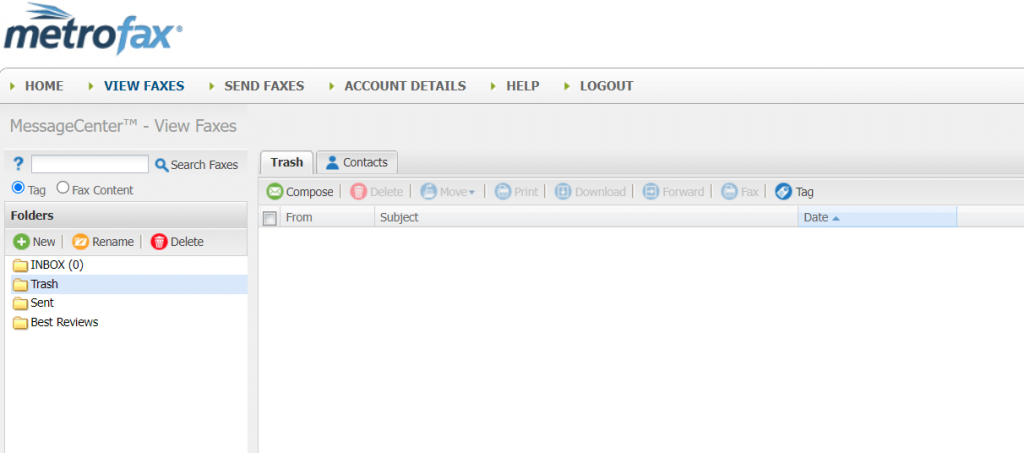
MetroFax is a reliable and easy-to-use online fax service built for small to midsize businesses that want an affordable and scalable faxing solution. It offers more features than basic fax tools while keeping things simple, without the complexity of full communication platforms.
Metro Fax Features
- Email-to-Fax Support: Send and receive faxes directly through email services like Gmail or Outlook.
- Mobile App Access: Manage faxes on the go using dedicated iOS and Android apps.
- Multi-User Functionality: Enable multiple team members to use one account from a centralized dashboard.
- Web-Based Fax Management: Organize, track, and manage all fax activity through an online portal.
- Local and Toll-Free Numbers: Select local or toll-free fax numbers based on business needs.
Metro Fax Pros
- Reliable Performance: Known for strong uptime and consistent fax delivery.
- Straightforward Pricing: Clear plans with higher page allowances on mid and upper tiers.
- Well-Suited for High-Volume Faxing: Ideal for businesses with steady, predictable fax usage.
Metro Fax Cons
- Limited Modern Capabilities: Lacks automation, AI features, and deep CRM or EMR integrations.
- Dated User Interface: Works well, but feels less intuitive and visually modern compared to newer platforms.
Metro Fax Pricing
- Essential Plan: Around $12.95/month (up to 550 pages overall).
- Value Plan: $15.95/month (1050 pages in total).
Metro Fax Integrations
- Email, mobile, and basic Cloud (upload/download) access only.
Metro Fax Customer Support Channels
- Email Support, Phone Support (during office hours), Guided Tour
Metro Fax Ratings
4.5/5
Metro Fax Reviews
“Fantastic service—easy to use and affordable; responsive chat and email support
“Service cancelled without notice; lost all faxes.”
Source: Trustpilot
6. iFax
iFax Overview
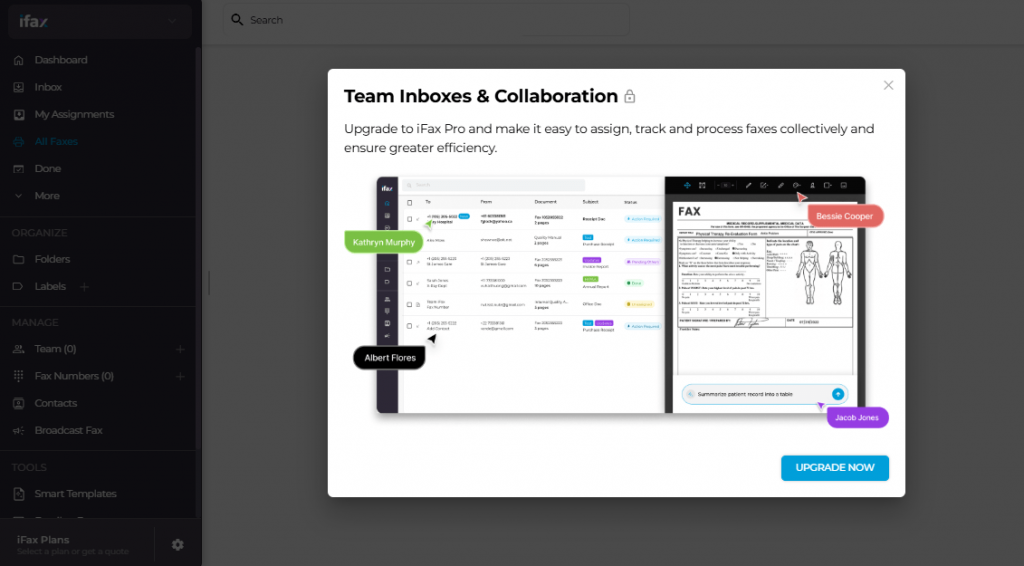
iFax is an all-in-one digital fax app built for everyone, from individuals and small businesses to large enterprises. It delivers a smooth and flexible faxing experience across both mobile and desktop devices, making it easy to send and receive faxes from anywhere. Its user-friendly design and wide range of fax features make it a practical option for teams looking for reliable and accessible digital faxing.
iFax Features
- Mobile & Desktop Faxing: Send and receive faxes smoothly across iOS, Android, Windows, and macOS devices.
- Built-In E-Signatures: Digitally sign documents before faxing using integrated e-signature tools.
- Custom Fax Templates: Choose from a library of editable, professional fax cover sheets.
- OCR Technology: Advanced plans include Optical Character Recognition, making faxes searchable and easy to organize.
- HIPAA-Compliant Security: Supports secure, compliant faxing for healthcare and other regulated industries.
iFax Pros
- Strong Mobile Experience: Delivers a clean, intuitive interface on both Android and iOS.
- Advanced Features on Higher Plans: Includes OCR, API access, and other enterprise-level tools.
- Flexible Pricing Model: Offers pay-per-fax options for users who prefer not to commit to a monthly subscription.
iFax Cons
- Expensive Premium Tiers: Advanced plans can be costly compared to other modern fax platforms.
- Limited Fax Receiving on Basic Plans: Receiving faxes requires upgrading to a plan with a dedicated fax number.
iFax Pricing
- Plus Plan: $8.33/month (annual billing, with 200 faxes sent and no receiving).
- Pro Plan: $16.66/month (billed annually, with 500 total pages plus receiving).
iFax Integrations
- Google Drive, Dropbox, Box, and API for your own solution.
iFax Support Channels
- Live Chat Support, Email Support, Knowledge Base, Spectrum Web, and video support.
iFax Ratings
4.6/5
iFax Reviews
“Secure, reliable, and incredibly easy to use.”
“Simple to use and the product actually works.”
Source: G2
7. SRFax
SRFax Overview
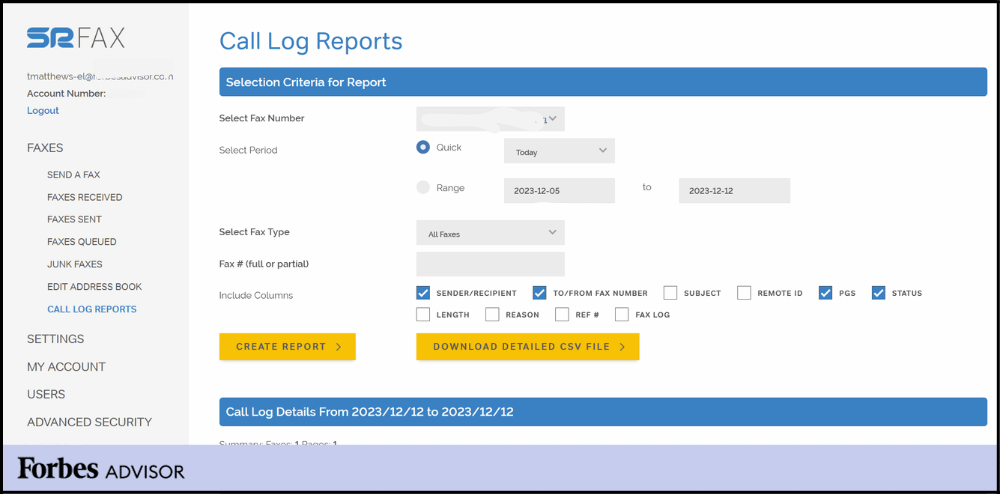
SRFax is a highly specialized, privacy-focused online fax service trusted by healthcare professionals and medical organizations. It’s built with strict security and compliance standards to help protect sensitive patient information and support regulated workflows. For organizations comparing apps like faxage with a strong focus on confidentiality and compliance, SRFax stands out for its reliability and data protection.
SRFax Features
- HIPAA & PHIPA Compliance: Built specifically for regulated industries, with full compliance support and optional Business Associate Agreements (BAA).
- Secure Fax Storage: Protects documents using AES 256-bit encryption for data in transit and at rest.
- Electronic Signatures: Sign documents digitally to support faster, paperless workflows.
- Full Access Control: Manage exactly who can send, receive, and view faxes within the organization.
- Spam Fax Protection: Built-in safeguards to block unwanted and junk faxes.
SRFax Pros
- Strong Security and Compliance Focus: Ideal for healthcare, finance, and other compliance-driven industries.
- Robust Free Plan: Offers a generous free tier with solid security features included.
- BAA Support on All Plans: Every plan is eligible for a Business Associate Agreement, ensuring consistent HIPAA compliance.
SRFax Cons
- Simple, No-Frills Interface: Functional but lacks the modern design and advanced features of newer platforms.
- Limited Native Integrations: Relies mainly on email and API connections rather than deep CRM or EMR integrations.
SRFax Pricing
- Lite Personal Plan: $9.95 a month (25 pages to send, 25 receive).
- Basic Plan (Business): $12.95/month with 200 send + 200 receive.
SRFax Integrations
- Limited- It’s an API / Email Integration for obvious Reasons (security)
SRFax Support Channels
- Ticket Portal, Phone Support, Email Support
SRFax Ratings
4.8/5
SRFax Reviews
“Easy to set up, reliable, HIPAA-compliant, and reasonably priced.”
“Exactly what we need in a fax service.”
Source: Capterra
8. RingCentral Fax
RingCentral Fax Overview
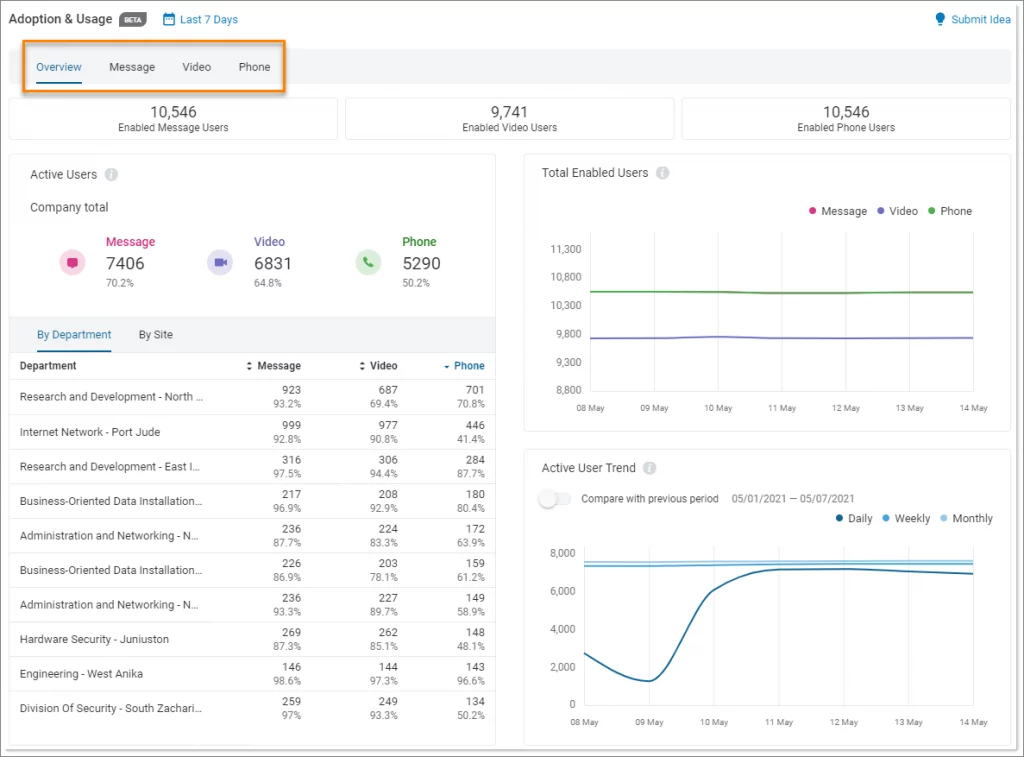
RingCentral Fax is the online faxing feature within RingCentral’s unified communications platform, RingEX. It’s built for enterprise-level organizations that need secure, professional faxing alongside VoIP calling, team messaging, and video meetings.
RingCentral Fax Features
- Faxing Across All Devices: Send and receive faxes via web, desktop, or mobile apps for complete flexibility.
- API Access: Build custom integrations or embed faxing into internal systems using a powerful API.
- Team Collaboration Tools: Works within the RingCentral ecosystem, providing access to shared chats, call logs, and communication history.
- Cloud-Based Reliability: Runs on an enterprise-grade cloud network with 99.999% uptime for dependable performance.
- Audit Trails and Reporting: Track fax activity with detailed reports and compliance-ready audit logs.
RingCentral Fax Pros
- Built for Enterprise Scale: Designed to support large organizations with high-volume and complex communication needs.
- Unified Communications Experience: Faxing integrates seamlessly with calling, messaging, video, and team collaboration tools.
- Strong Security and Reliability: Offers enterprise-level data protection and network stability.
RingCentral Fax Cons
- Premium Pricing: Costs more than standalone fax platforms due to its bundled UCaaS model.
- Overkill for Small Teams: Can feel complex for individuals or small businesses looking for a simple fax-only solution.
RingCentral Fax Pricing
- Begins at ∼$19.99/user/month (billed annually, with RingEX Core plan).
- Fax is usually factored into the total pages/usage limits of your UCaaS package.
RingCentral Integrations
- Salesforce, Microsoft 365, Google Workspace, ServiceNow, Zendesk, and hundreds of others via its API.
RingCentral Support Channels
- Phone & Live Chat Support 24/7, Email Support, Knowledge Base
RingCentral Ratings
4.6/5
RingCentral Reviews
“Stable platform; easy access to call logs and records.”
“My phone number and fax are the same—highly recommend RingCentral.”
Source: Capterra
9. MyFax
MyFax Overview
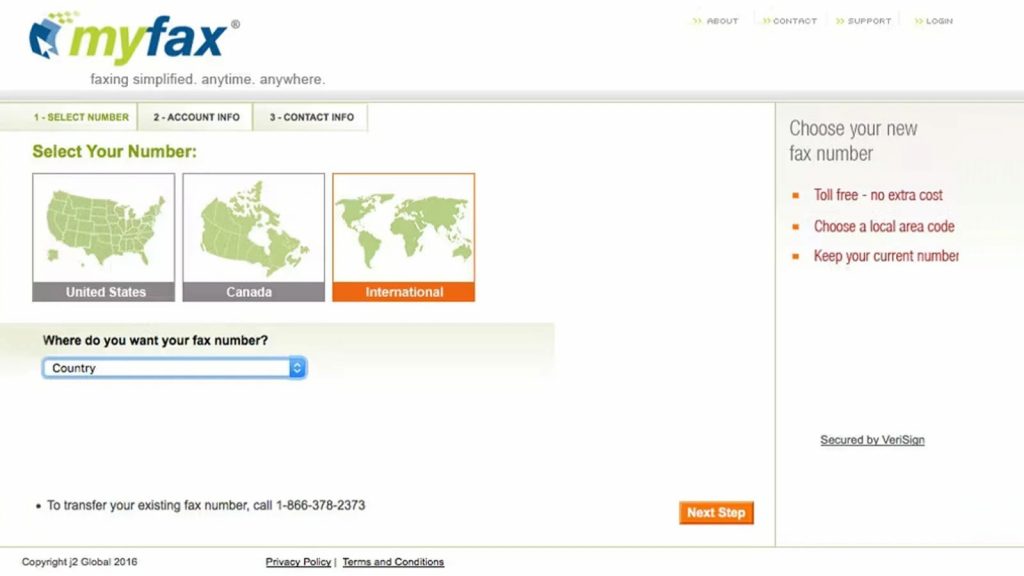
MyFax is an affordable and well-established online fax service built for small businesses and home offices that need simple, dependable faxing. It focuses on core fax features without adding unnecessary complexity, making it easy to use and manage. MyFax is a practical option for businesses exploring faxage alternatives or comparing apps like faxage. For users who value reliability, ease of use, and budget-friendly plans, MyFax remains a solid choice.
MyFax Features
- Email-to-Fax & Fax-to-Email: Send and receive faxes directly through your existing email for quick document exchange.
- Broadcast Faxing: Send one fax to multiple recipients at the same time to save effort and time.
- Fax Number Portability: Transfer your existing local or toll-free fax number without interruption.
- Unlimited Fax Storage: Store all sent and received faxes securely until you choose to delete them.
- Mobile App Access: Use iOS and Android apps for on-the-go faxing, with basic functionality.
MyFax Pros
- Budget-Friendly Pricing: A cost-effective option for basic faxing needs.
- Fast Setup: Easy onboarding that lets users start faxing within minutes.
- Well-Suited for Small Teams: Ideal for individuals or small offices with light or occasional fax usage.
MyFax Cons
- Dated User Interface: Feels less modern compared to newer cloud-based fax platforms.
- Limited Usage Insights: Lacks built-in analytics and reporting tools for tracking fax activity.
My Fax Pricing
- Home Office Plan: $12/month (100 pages sent and received, included).
- Price: $25/month (details that it comes with 300 pages for each send and receive).
- Per-page overage fees kick in after the cap.
My Fax Integrations
- Works mainly with email (Outlook, Gmail) with minimal file management integrations.
My Fax Customer Support Channels
- Telephone Support, Email Support, Contact Form, On-Site
My Fax Ratings
4.2/5
My Fax Reviews
“Affordable service and great customer service.”
“The fax I sent worked perfectly and quickly.”
Source: Trustpilot
10. mFax
mFax Overview
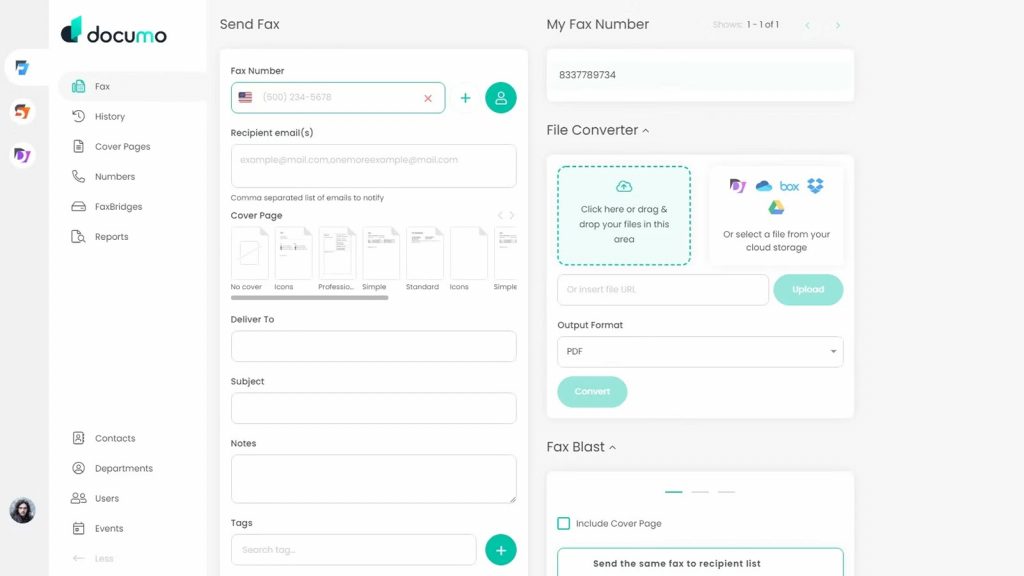
mFax, developed by Documo, is a modern cloud-based fax solution designed for developers and teams that need flexibility and control. With a robust REST API and advanced admin tools, it integrates smoothly into existing or custom enterprise systems. Its strong focus on integration, customization, and scalability makes it a solid option for tech-savvy teams with more complex faxing needs.
mFax Features
- REST API Access: Easily integrate faxing into EMR, CRM, ERP, or other internal systems using a robust, developer-friendly API.
- Advanced Admin Management: Control users, permissions, and security settings through a centralized admin dashboard.
- Secure Fax Transmission: Uses TLS/SSL for data in transit and AES 256-bit encryption for stored documents.
- HIPAA-Ready Compliance: Supports regulated industries with Business Associate Agreements (BAA) and strict compliance standards.
- Real-Time Fax Notifications: Receive instant email and web alerts for sent and received faxes.
mFax Pros
- Built for Integrations: Ideal for automation-heavy environments that require deep system connectivity.
- Strong Administrative Controls: Well-suited for teams needing detailed access and permission management.
- Competitive Entry-Level Pricing: Offers cost-effective plans for businesses looking for scalable fax infrastructure.
mFax Cons
- Not Beginner-Friendly: Enterprise-focused design can feel complex for users with simple faxing needs.
- Limited Mobile Experience: Relies on a responsive web interface rather than a fully featured native mobile app.
mFax Pricing
- Basic Plan: $7 a month (covers 150 pages).
- Team Plan: $25/month (with 500 pages and multi-user access).
mFax Integrations
- API based, so it integrates with almost anything, including EMRs and CRMs.
mFax Support Channels
- Live Chat, Email Support, Phone Support
mFax Ratings
4.6/5
mFax Reviews
“Favorite feature is fax via email; customer service is responsive.”
“Delivers secure, compliant transmission; reliable for day-to-day needs.”
Source: Capterra
What Makes Emitrr The Best Faxage Alternative?
As businesses outgrow basic fax services, they begin looking for smarter faxage alternatives. After comparing Faxage reviews, Faxage pricing, and real-world performance, many teams choose Emitrr for its security, automation, and all-in-one communication approach.
Secure, HIPAA-Compliant Communication
Security is one of the main reasons businesses move away from faxage. While the Faxage app covers basic faxing, Emitrr is built with advanced security and HIPAA compliance at its core. This makes it a reliable faxage competitor for healthcare, legal, and other compliance-focused industries that can’t afford risks with sensitive data.
All-in-One Business Communication Platform
Unlike Faxage, which focuses mainly on faxing, Emitrr goes much further. It combines fax, text messaging, voice, automation, and team communication in one platform. Businesses looking for faxage alternatives often want fewer tools, not more, and Emitrr delivers everything in one place.
AI-Powered Automation and Smart Workflows
Automation is a major gap mentioned in many faxage reviews. Emitrr uses AI to automate tasks like routing messages, managing follow-ups, and streamlining workflows. For businesses comparing faxage competitors, this level of automation saves time and reduces manual work significantly.
Seamless CRM and EMR Integrations
One common reason companies search for a faxage alternative is limited integrations. Emitrr connects smoothly with popular CRM and EMR systems, making it one of the most flexible apps like faxage for modern businesses. Teams can manage communication directly inside the tools they already use.
Simple, Transparent Flat-Rate Pricing
When businesses compare faxage pricing with other platforms, cost clarity matters. Emitrr offers flat-rate pricing with no hidden fees, which many users find easier to budget for than traditional fax plans. Compared to some faxage competitors, this approach feels more predictable and business-friendly.
Easy Migration with Dedicated Support
Switching platforms can feel overwhelming, especially for teams used to faxage. Emitrr makes migration simple with dedicated onboarding and support. Businesses frustrated with slow responses during faxage sign in issues or setup problems often appreciate the hands-on help Emitrr provides.
Which Industries Are Catered By Emitrr?
Healthcare
Count on its secure faxing, HIPAA-compliant communication, and automated appointment reminders, making it the leading Faxage alternative for healthcare professionals.
Legal
Easily send and receive contracts, request electronic signatures, and maintain a complete audit trail for every document.
Real Estate
Share contracts quickly and keep clients informed with automated SMS updates for a smoother transaction process.
Education
Safely send important documents in bulk and manage emergency notifications through reliable two-way text messaging.
Home Services
Simplify client onboarding, invoicing, and service confirmations all in one organized and easy-to-use platform.
Frequently Asked Questions
Yes, many faxage alternatives like Emitrr, focus heavily on security and compliance. Several options provide strong encryption, access controls, and compliance support, which is a common reason businesses move away after reading Faxage reviews.
The best Faxage alternative, like Emitrr, ifax, and more, depends on your needs. Businesses that want secure faxing, automation, integrations, and predictable pricing often choose modern platforms designed for scalability rather than basic fax-only tools.
When comparing faxage pricing with other providers, many faxage competitors like Emitrr and more offer more features at a similar or lower cost. This is why businesses frequently explore apps like Faxage that provide better value as fax volume increases.
Many Faxage alternatives, like Emitrr, are built specifically for regulated industries. Compared to the Faxage app, several Faxage competitors offer stronger security, compliance support, and audit controls for healthcare and legal teams.
Conclusion
Most businesses don’t switch fax services because they want more features—they switch because things stop working smoothly. Issues with faxage pricing, limitations in the faxage app, and frustrations shared in faxage reviews often push teams to look at faxage alternatives.
Among the many apps like Faxage, Emitrr stands out by making online faxing simpler and more reliable. With secure faxing, automation, easy integrations, and clear pricing, it offers a better experience than most faxage competitors, making it the best choice for modern online faxing.