
 4.9 (400+
reviews)
4.9 (400+
reviews)

Introduction
If you use Athenahealth as your practice EHR, chances are you already have your core clinical workflows in place. Scheduling, charting, and billing are covered. But as your practice grows, many teams start to notice something else: communication doesn’t always scale as smoothly as patient volume does.
More patients mean more calls, more appointment changes, more follow-ups, and more messages that need quick responses. Relying solely on built-in workflows or disconnected tools can start to slow down your front desk, create gaps in the patient experience, and make growth feel harder than it should be.
Adding the right layer of patient engagement tools in healthcare becomes important. Not to replace Athenahealth, but to extend it and support your team as demand increases and expectations rise.
In this blog, we’ll walk through a practical checklist to help you choose communication tools that can grow alongside your Athenahealth practice and support simple, manageable workflows for your staff.
Why “Growing With Your Practice” Matters in Athenahealth?
When your practice is small, communication feels manageable. A few calls, some appointment reminders, the occasional follow-up text, nothing your front desk can’t handle. But growth changes the equation fast.
More providers. More locations. More patients. Suddenly, what worked starts to strain.

Athenahealth does a solid job as an EHR, but it isn’t designed to solve every communication challenge that comes with scale. As patient volume increases, teams often hear things like:
“We missed that message.”
“That patient called twice — who was supposed to respond?”
“We sent the reminder, but did anyone confirm?”
These aren’t staffing problems. They’re scale problems.
“Growing with your practice” means your communication setup adapts as demand rises, not just today, but six months or two years from now. A tool that handles basic texting at 200 appointments a week may fall apart at 800. Manual call routing that worked for one location becomes chaos across three.
Athenahealth remains the system of record, but growing practices need an added layer that supports higher message volume, faster response expectations, and clearer ownership of conversations. Think automated reminders that adjust by visit type, messages routed by intent (scheduling vs billing), or shared inboxes that don’t rely on sticky notes and memory.
Patients don’t think in terms of “EHR limitations.” They expect quick replies, clear instructions, and consistent communication. When tools don’t scale, staff feel the pressure first, and patients notice next.
Did you know there’s a way to text patients directly from Athenahealth?
Signs Your Current Communication Tool Won’t Scale
Many practices don’t realize their communication setup is holding them back until growth reveals the cracks. The tool may still “work,” but day-to-day operations start feeling heavier, slower, and more reactive. If your practice uses Athenahealth and is expanding patient volume, providers, or locations, these signs usually show up early.
Below are common indicators that your current communication tool will struggle to support growth:
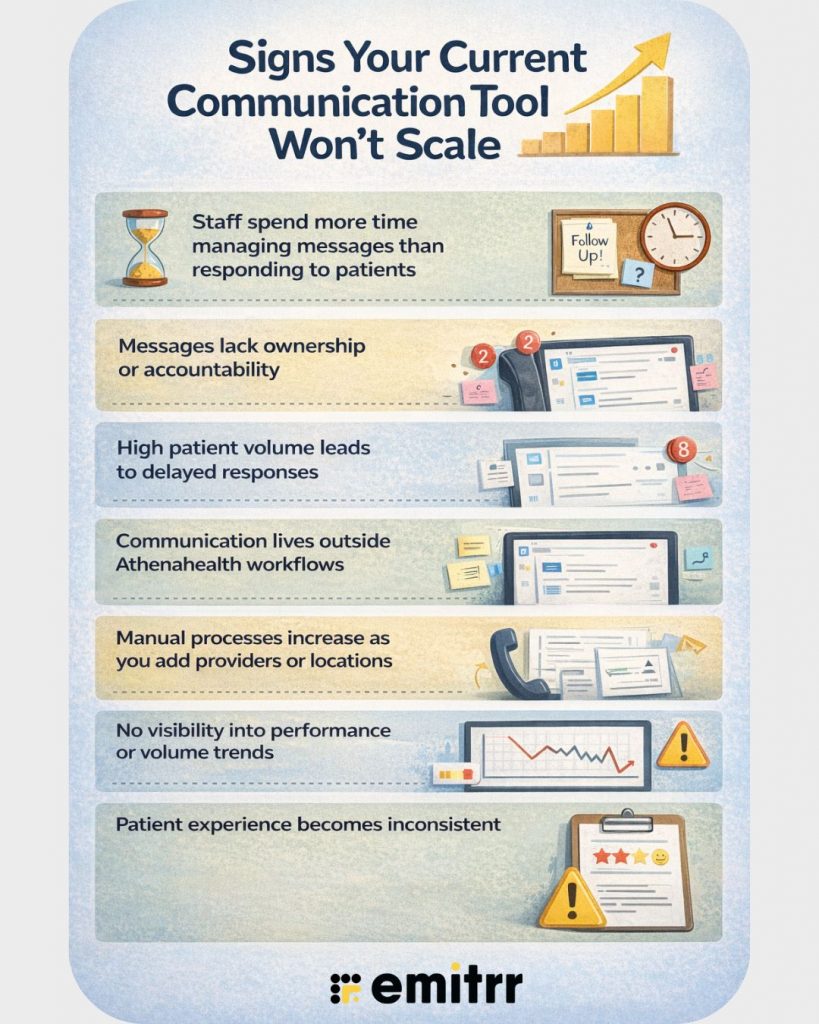
- Staff spend more time managing messages than responding to patients: When inboxes require constant manual sorting, tagging, or forwarding, scale quickly becomes an issue. For example, a front-desk team may need to check each text to understand whether it relates to scheduling, billing, or another request, instead of having patient messages organized by intent so they can respond faster and more accurately.
- Messages lack ownership or accountability: If patients hear “Someone will call you back” more often than they should, the tool likely does not support clear assignment or routing. In growing practices, shared inboxes without accountability often result in missed follow-ups and repeat calls.
- High patient volume leads to delayed responses: A tool that worked fine at 20–30 messages a day can quickly fall apart at 200. For instance, appointment confirmation texts accumulate after hours, and no one knows what still requires a response the next morning.
- Communication lives outside Athenahealth workflows: When staff toggles between Athenahealth and separate texting or calling tools, context gets lost. A patient replies to a reminder, but the response never reaches the Athenahealth scheduling workflow, leading to double work or missed updates.
- Manual processes increase as you add providers or locations: Growth often means copying workflows, phone numbers, or message templates by hand. For example, adding a second location requires staff to remember which number or inbox to use, creating confusion and inconsistent patient experiences.
- No visibility into performance or volume trends: If you cannot easily see response times, message volume by department, or missed conversations, scale becomes guesswork. Many teams only realize there’s a problem when patient complaints start coming in.
- Patient experience becomes inconsistent: One patient gets a same-day response, another waits two days for the same request. This usually signals a tool that lacks routing logic, automation, or prioritization as volume increases.
If several of these sound familiar, the issue is rarely your team or Athenahealth itself. More often, it’s a communication tool that was never designed to grow alongside a busy, expanding practice.

Mapping Communication Needs to Growth Stages
Communication needs do not stay static as an Athenahealth practice grows. What works at one stage can quietly break at the next. The key is understanding when requirements shift and why a more scalable communication layer becomes necessary.
Below is a practical way to map communication needs to common practice growth stages:
Early-Stage Practice (Single Provider or Small Team)
At this stage, communication is mostly straightforward. One front-desk team handles calls, appointment reminders, and basic patient follow-ups.
Typical characteristics:
- Low daily message and call volume
- One primary phone number or inbox
- Manual responses feel manageable
Example: A single-provider clinic uses basic texting for appointment reminders. If a patient replies, “Can I reschedule?”, the front desk simply calls them back. No routing, no automation, and that’s fine for now.
Where issues start to surface: As patient volume increases, even simple back-and-forth messages begin to pile up, and response times stretch.
Growing Practice (Multiple Providers, Higher Patient Volume)
This is where most practices feel strain.
Communication needs shift from “sending messages” to “managing conversations.”
Typical characteristics:
- Dozens or hundreds of daily patient messages
- Increased rescheduling, insurance questions, and follow-ups
- Front-desk workload becomes reactive
Example: A patient replies to an automated reminder with a billing question. The message lands in the same inbox as scheduling requests, forcing staff to manually sort and forward it, which slows down responses across the board.
New requirements at this stage:
- Message routing by intent (scheduling, billing, clinical)
- Shared visibility, so no message slips through
- Automation for routine interactions
Multi-Provider or Multi-Location Practice
Growth now adds complexity, not just volume.
Typical characteristics:
- Multiple phone numbers or locations
- Different teams handling different workflows
- Higher expectations for response speed and consistency
Example: A patient texts the main number but is seen at a satellite location. The message reaches the wrong team, leading to delays or repeated calls.
Communication needs at this stage include:
- Centralized inboxes with clear ownership
- Location- or provider-based routing
- Standardized patient experience across locations
Scaling Practice Focused on Efficiency and Experience
At this stage, growth is intentional and measured.
Communication supports both operational efficiency and patient satisfaction.
Typical characteristics:
- High message volume handled with minimal manual effort
- Clear metrics around response time and message load
- Proactive communication instead of reactive firefighting
Example: Appointment reminders, follow-ups, and intake prompts adjust automatically based on visit type, while staff focus only on exceptions.
Evaluating Tools for Long-Term Fit (Not Short-Term Fixes)
When communication gaps start to show, the natural reaction is to “patch the problem.” Add a texting tool. Add another phone line. Add one more workaround. The issue is that short-term fixes often create long-term complexity.
For Athenahealth practices, evaluating communication tools should go beyond immediate relief and focus on how well the tool supports growth over time.
Here’s how to think about long-term fit with practical examples.
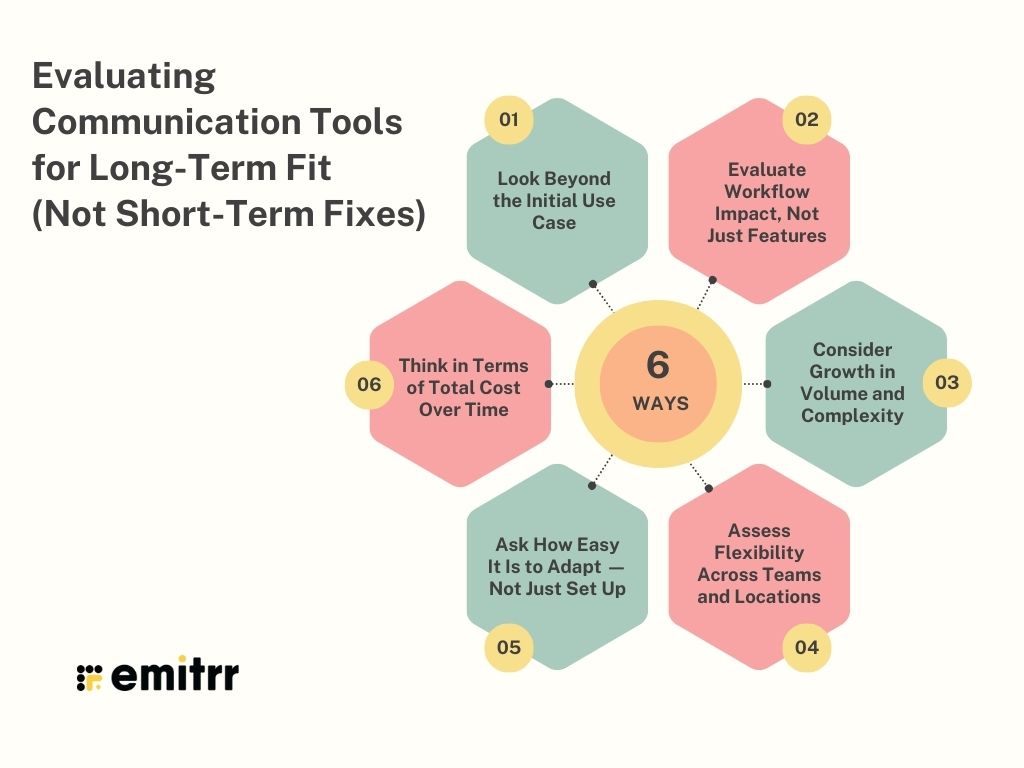
1. Look Beyond the Initial Use Case
Many tools look great when evaluated for a single problem, like appointment reminders or missed calls. The real test is whether the tool can handle what comes next.
Example: A basic SMS tool solves reminder no-shows. Six months later, patients start replying with insurance questions, referral requests, and follow-ups — and the tool offers no routing, tagging, or visibility.
Question to ask: Can this tool manage full conversations, not just outbound messages?
2. Evaluate Workflow Impact, Not Just Features
Feature lists can be misleading. What matters more is how the tool fits into daily operations.
Example: If staff must copy patient details from Athenahealth into another system to send a message, the tool may save money upfront, but add hours of manual work every week.
What to look for:
- Context-rich conversations linked to patient records
- Minimal switching between systems
- Clear handoffs between team members
3. Consider Growth in Volume and Complexity
A tool that works at low volume may struggle as message traffic increases.
Example: An inbox that displays 50 messages is manageable. At 500, it becomes unusable unless messages are categorized, prioritized, or routed automatically.
Key consideration: Does the tool remain usable as volume increases, or does it rely on more staff to compensate?
4. Assess Flexibility Across Teams and Locations
Growth rarely happens evenly. One department scales faster. One location handles more volume.
Example: Patient billing in Athenahealth needs different communication workflows than scheduling. A long-term tool supports both without forcing a one-size-fits-all setup.
Look for:
- Department-based routing
- Role-based access
- Custom workflows by location or provider
5. Ask How Easy It Is to Adapt — Not Just Set Up
Setup is temporary. Change is constant.
Example: Adding a new provider or location should take minutes, not days of configuration and training.
A long-term fit supports:
- Easy updates to workflows
- Scalable user management
- Minimal retraining as the practice evolves
6. Think in Terms of Total Cost Over Time
Short-term tools often look affordable until growth exposes hidden costs.
Example: A low-cost tool requires hiring an extra front-desk staff member just to manage messages. The “cheap” solution quickly becomes expensive.
A better evaluation lens:
- Time saved per message
- Reduced follow-ups and repeat calls
- Fewer operational bottlenecks
As volume grows, many practices add front-desk staff just to manage messages and calls. An AI healthcare receptionist handles routine patient interactions and captures intent before it reaches your team.
Watch this video to see how this works in real front-desk workflows –
Integration Considerations Specific to Athenahealth
When selecting a communication tool for your practice, the quality of its Athenahealth integration plays a major role in day-to-day efficiency. A strong integration reduces manual work, supports growing workflows, and fits naturally into how teams already operate.
Key Athenahealth-specific integration points to consider include:
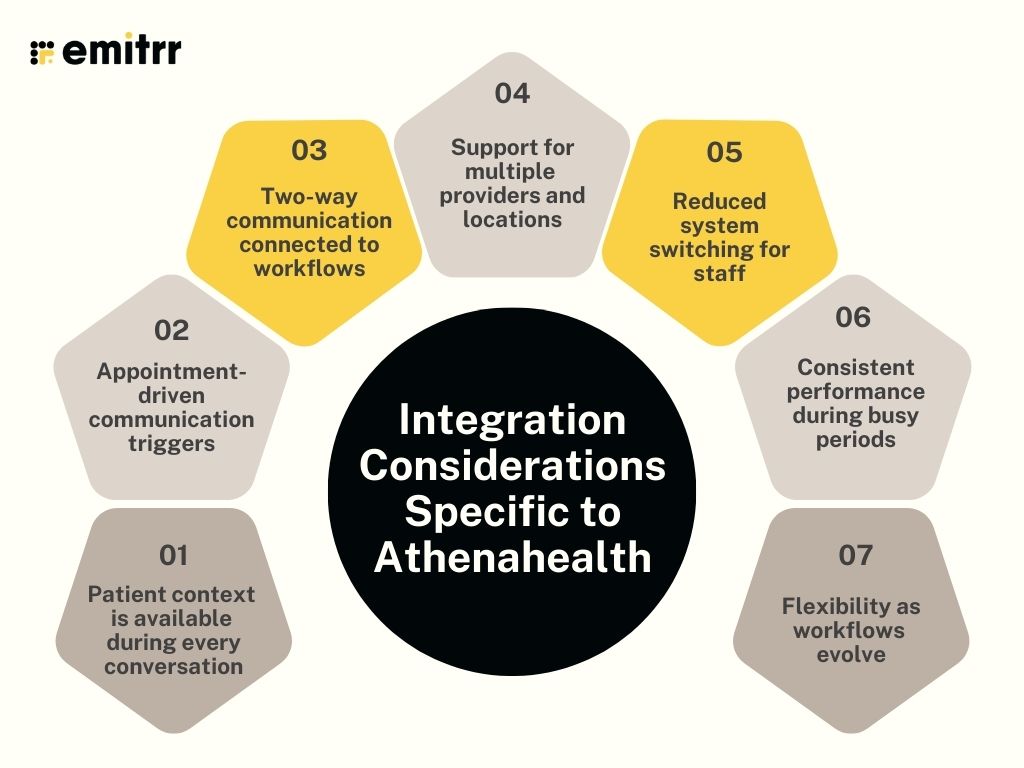
- Patient context is available during every conversation
Staff should see patient details, upcoming appointments, and relevant information alongside messages or calls. This helps teams respond quickly and accurately, mainly during high message volume.
- Appointment-driven communication triggers
Communication works best when it responds automatically to Athenahealth events. Appointment reminders, follow-ups, and confirmations tied directly to scheduling activity reduce manual effort for front-desk teams.
- Two-way communication connected to workflows
Patient replies through two-way texting should flow back into the same communication view used by staff. This supports faster follow-ups and clearer visibility across scheduling, billing, and care coordination.
- Support for multiple providers and locations
Growing practices need routing that reflects provider schedules and location-specific workflows. This helps messages reach the right team without extra steps or internal forwarding.
- Reduced system switching for staff
Fewer screens and fewer tools lead to smoother operations. Communication that aligns closely with Athenahealth workflows allows teams to stay focused and move faster.
- Consistent performance during busy periods
Peak hours and schedule changes put pressure on integrations. A reliable connection ensures reminders, updates, and patient responses stay in sync with Athenahealth activity.
- Flexibility as workflows evolve
Practice needs to change over time. An integration should support new automation, routing rules, and communication types as operations grow and mature.
Questions to Ask Before Finalizing a Communication Tool
Before locking in a communication tool, it helps to pause and shift the conversation from features to fit. A demo can look impressive, and a short trial can feel smooth. The real question is how the tool will perform once your practice grows busier, more complex, and more demanding.
- Can this tool manage full two-way conversations, not just outbound reminders?
- How does patient context from Athenahealth appear during calls or messages?
- What happens when patients reply with questions outside of scheduling, such as billing or referrals?
- How are messages routed to the right team, provider, or location?
- Is it clear who owns a conversation at any given time?
- How does the tool handle increased message volume during busy periods?
- What manual steps are required from staff to send, track, or respond to messages?
- How easy is it to add new providers, users, or locations?
- Does the tool support consistent communication experiences across the practice?
- Six months from now, will this tool reduce workload or add another layer to manage?
Scale Your Athenahealth Practice Through Smarter Communication With Emitrr
Athenahealth already supports the clinical side of care. As patient volume increases, communication becomes a bigger part of the patient experience. How patients hear from your practice. How quickly they respond. How clearly teams stay aligned during everyday interactions.
Emitrr takes Athenahealth beyond an EHR and turns it into a complete patient communication system. It brings conversations, responses, and follow-ups into the same flow, so teams experience communication as part of care delivery rather than a separate task.
As your practice expands, communication volume increases. Emitrr adapts at the same pace, staying aligned with Athenahealth and supporting a consistent patient experience across providers and locations.
Patient engagement tools in healthcare play a critical role in how practices communicate, coordinate, and respond as patient expectations continue to rise. Emitrr addresses these needs through the following capabilities:
Secure, HIPAA-Compliant Communication
Emitrr supports HIPAA-compliant communication across both text and voice. Secure texting for patients protects patient information during routine communication. This approach gives patients a faster way to respond and meets the privacy standards required in healthcare settings.
Bi-Directional Data Synchronization With Athenahealth
Communication does not stay isolated from clinical workflows. Staff can send messages using Athenahealth context, and patient replies and call activity write back into the patient record automatically. This creates a continuous communication trail within Athenahealth rather than splitting information across tools.
Built to Stay Cost-Effective as Volume Grows
As patient communication increases, cost often becomes a concern. Emitrr supports early-stage practices as well as high-volume teams and does not require a change in systems. Practices can manage growing communication needs and avoid restructuring their technology stack.
Features That Reduce Front-Desk Workload
Two-way texting and contextual messaging support real appointment coordination and follow-ups, not surface-level interactions. Schedule-based texting makes it easier to reach only the patients affected by provider delays or clinic changes. Automated notifications and post-visit SMS review requests run on defined rules, so staff time goes into patient care instead of repetitive manual tasks.
AI Capabilities That Reduce Manual Work
Emitrr AI focuses on healthcare communication. The AI SMS agent for healthcare saves front-desk time by handling routine patient questions. AI appointment scheduling captures booking requests outside office hours, and AI voicemail transcription turns missed calls into readable messages. This reduces message backlog and supports quicker response cycles across the day.
Watch Emitrr AI agent Sarah in action as she responds to patient texts, schedules appointments, and captures missed-call intent:
Adopted Easily by Practice Teams
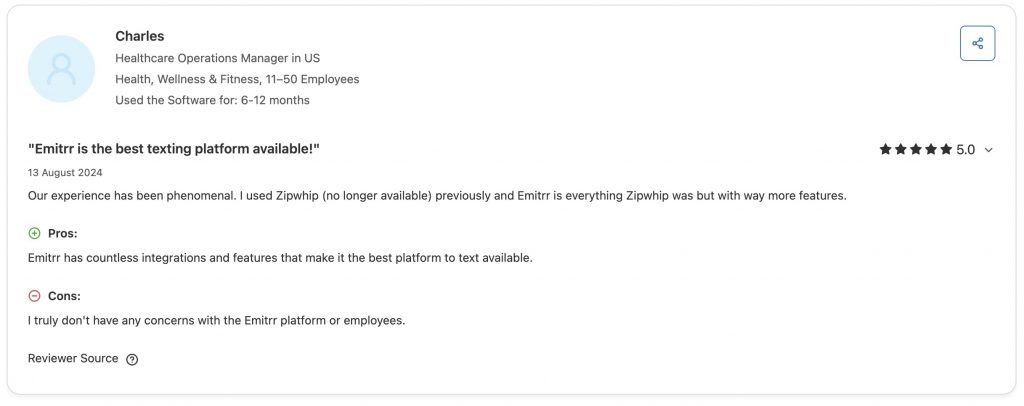
Not from us, but from healthcare teams using it every day. Practices consistently highlight ease of use, clear visibility across conversations, and smoother day-to-day workflows in their feedback. This shows up in Emitrr’s 4.8-star ratings on both G2 and Capterra, driven by teams that rely on the platform as part of their regular operations.
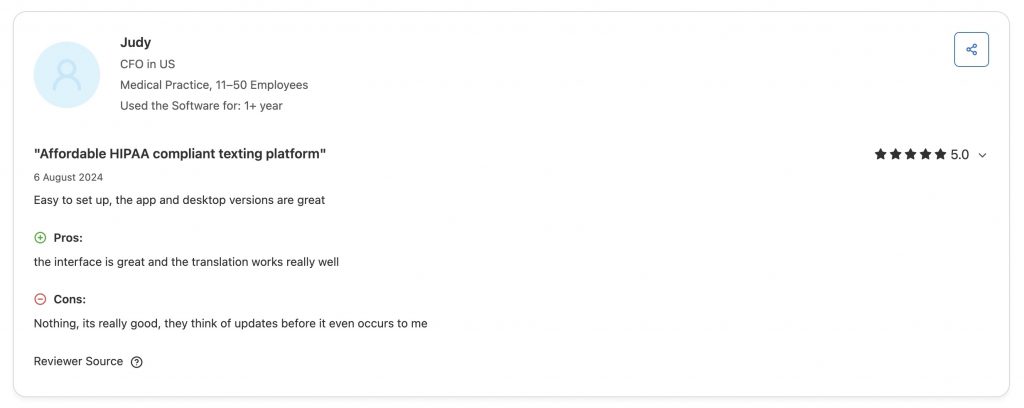
Scales With Providers, Locations, and Workflows
Growth introduces new providers, locations, and scheduling patterns. Emitrr adjusts routing, automation, and communication rules to reflect these changes. Practices expand operations without having to rebuild communication workflows.
Multi-Language Communication on Text and Calls
Emitrr supports multiple languages across both text and voice interactions. Patients receive information in a language they understand, which improves clarity, reduces confusion, and leads to more confident responses from the start.
How Emitrr’s Integration With AthenaHealth Helps In Better Patient Engagement
| Metric | Outcome |
| No-Show Reduction | Up to 40% decrease in missed appointments |
| Patient Response Rate | 3x improvement via digital messaging |
| Staff Time Saved | Over 15 hours/week through automation |
| Satisfaction Scores | Enhanced patient feedback and loyalty |
| Compliance | End-to-end HIPAA-compliant communication |
| Scheduling | Keeps your calendar full by automated scheduling |
Frequently Asked Questions
Effective healthcare communication tools include secure texting, automated appointment reminders, two-way messaging, call management, and patient follow-ups. Emitrr brings these tools together in one system, helping practices manage high patient communication volume more efficiently.
Athenahealth provides EHR, practice management, and billing software for healthcare practices. Many practices integrate advanced communication tools like Emitrr to extend Athenahealth’s capabilities and streamline patient messaging and calls.
Clear, timely, and documented communication works best in healthcare. Two-way texting and automated reminders help patients respond faster, and Emitrr ensures messages are routed to the right team and tracked properly.
The four common types include verbal (calls), written (texts and emails), visual (notifications and dashboards), and digital/automated tools. Emitrr combines these communication methods into a single platform, making it easier for practices to manage patient interactions at scale.
Conclusion
As Athenahealth practices grow, patient communication becomes more complex and more central to daily operations. Tools that work at a smaller scale often struggle as patient volume increases, teams expand, and expectations rise. This is where communication tools built to grow alongside Athenahealth become essential.
Patient engagement tools in healthcare influence how patients experience care, how efficiently teams respond, and how smoothly workflows operate at scale. When communication stays connected to Athenahealth, practices gain better visibility, stronger coordination, and more consistent patient interactions.
Emitrr fits this need by extending Athenahealth into a complete communication system built for growth. It supports higher volume, adapts as practices expand, and keeps patient conversations tied to care workflows.
If your practice is planning to scale, now is the right time to evaluate communication that can grow with you. Schedule a free demo to see how Emitrr works alongside Athenahealth in real practice settings.