
 4.9 (400+
reviews)
4.9 (400+
reviews)
Acuity Scheduling X Emitrr Integration
Connect Emitrr with your Acuity Scheduling account to automate client texts and calls, reduce no-shows through confirmations and reminders, and keep appointment and contact details synced in real time.

Planning to integrate Emitrr with Acuity Scheduling? Review a quick checklist to understand what’s required before integration.
Why Connect Acuity Scheduling with Emitrr?

Fewer No-Shows Without Manual Follow-Ups
Automated confirmations and reminders reduce missed appointments, without you having to chase clients before every booking.

Less Time Spent Managing Messages
Client texts and calls stay in one place, so you’re not switching tools or missing replies during busy hours.

More Time Back in Your Day
Routine communication runs automatically, cutting down daily admin and last-minute interruptions.

Clear Record of Patient Communication
You can always see what was sent and when, reducing confusion and repeat conversations.
Features You Get With the Acuity Scheduling + Emitrr Integration

Two-Way Patient Texting
-
 Send and receive texts using your existing business number
-
Two-way SMS conversations linked to scheduled appointments
-
Shared inbox for managing client messages
-
Opt-in and consent maintained
Automated Appointment Messaging
-
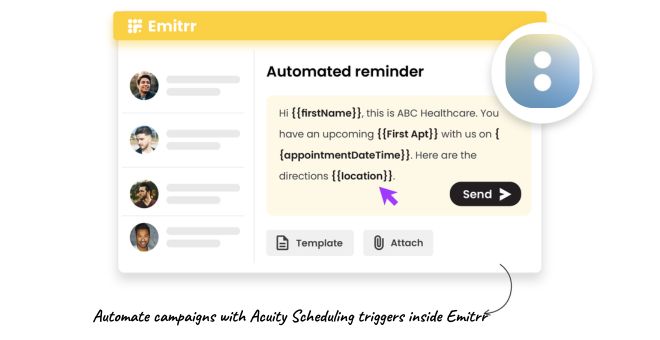
Automated confirmations
-
Automated reminders
-
Follow-ups for missed appointments
-
Consistent communication without manual sending
VoIP Calling & Contact Sync
-
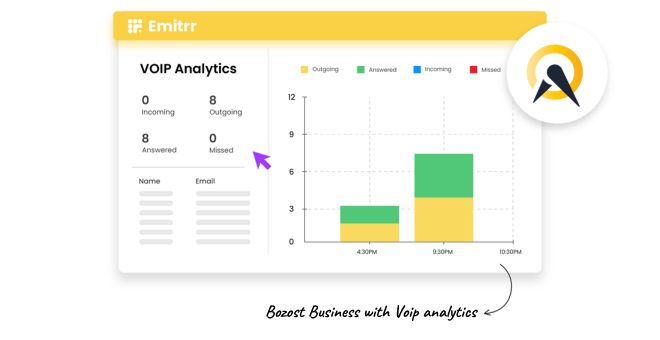
Make and receive calls using Emitrr’s VoIP system
-
Call pop shows client details during incoming calls
-
Sync client contact details from Acuity to Emitrr
-
Fewer missed calls and outdated records
Click-to-Text (Chrome Extension)
-
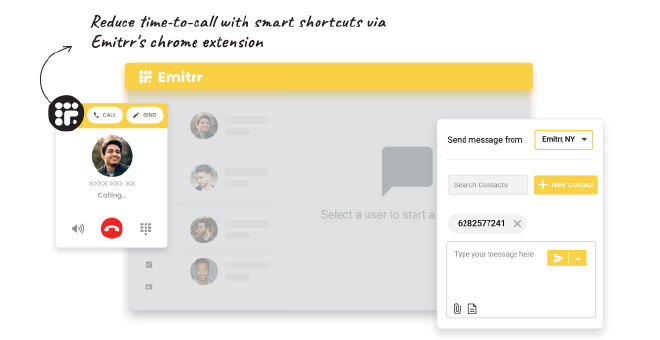
Start a text directly from Acuity or any webpage
-
No copying or switching between tools
-
Faster replies for booking and reschedule questions
Key Use Cases Across Teams
Front Desk Team
Service Providers
Business Owners
Frequently Asked Questions
Ready to Integrate Emitrr with Acuity Scheduling?
Reduce no-shows, simplify client communication, and manage texts and calls in one place with Emitrr connected to Acuity.