
 4.9 (400+
reviews)
4.9 (400+
reviews)
Eaglesoft X Emitrr Integration
Connect Eaglesoft with Emitrr to bring patient texting and appointment messaging into your Eaglesoft workflow. Sync SMS conversations back to patient records while supporting automated reminders, follow-ups, and scheduling call context.
Planning to integrate Emitrr with Eaglesoft? Review a quick checklist to understand what’s required before integration.
Why Connect Eaglesoft with Emitrr?
Fewer Missed Patient Inquiries
Patient messages don’t get lost between systems, making it easier to respond on time and avoid unanswered inquiries.

More Consistent Appointment Attendance
Patients receive timely communication around their appointments, reducing last-minute cancellations and no-shows.

Less Manual Work for Front Desk Teams
Staff spend less time remembering what needs to be sent and more time focusing on patients in the clinic.

Better Visibility Into Communication Activity
Teams and owners can clearly see past interactions, helping them understand what’s been communicated and when.
Features You Get With the Eaglesoft + Emitrr Integration
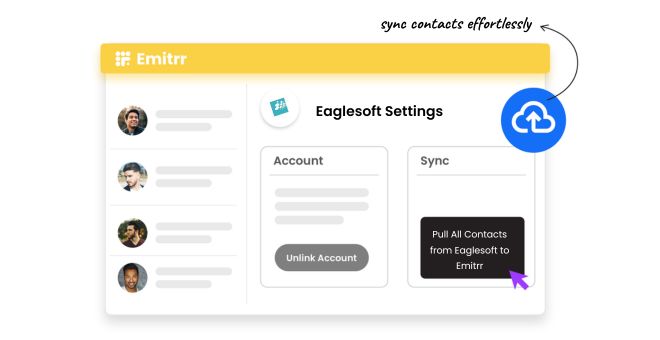
SMS Conversation Sync With Eaglesoft
-
 Two-way patient texting linked to Eaglesoft records
-
SMS conversation logs synced back to patient profiles
-
Past text history visible for reference
-
Patient consent maintained with records
Automated Appointment & Follow-Up Messaging
-
Automated appointment confirmations
-
Automated appointment reminders
-
No-show follow-up messages
-
Review request messages after visits


Scheduled & Personalised Patient Texting
-
Schedule-based patient messages
-
Birthday wishes sent automatically
-
Pre-scheduled outreach without manual sending
-
Consistent timing across patient communication
Contact Sync, Call Context & Productivity Tools
-
Patient contact sync from Eaglesoft to Emitrr
-
Online scheduling call pop with patient details
-
Patient context visible during scheduling calls
-
Click-to-text from any phone number using Chrome
Key Use Cases Across Teams
Front Desk Team
Dental Staff
Operations & Support Team
Frequently Asked Questions
Ready to Integrate Emitrr with Eaglesoft?
Bring patient calling, texting, and follow-ups into Eaglesoft and simplify daily communication workflows for your dental practice.