
 4.9 (400+
reviews)
4.9 (400+
reviews)
FareHarbor X Emitrr Integration
Connect Emitrr with your FareHarbor account to manage guest texts and calls in one place, keep contact details synced, and send automated review requests, so your team handles fewer phone calls and delivers better guest experiences. Works with your existing business number. No hardware required.

Planning to integrate Emitrr with FareHarbor? Review a quick checklist to understand what’s required before integration.
Why Connect FareHarbor with Emitrr?

Fewer Guest Phone Calls
Answer common guest questions through text instead of tying up phone lines.

Faster Responses to Booking Questions
Guests can text your team and get quick replies before and after booking.

Better Guest Experience
Clear, timely communication improves arrival experience and post-tour feedback.

All Guest Communication in One Place
Calls and texts are centralized so nothing gets missed.
Features You Get With the FareHarbor + Emitrr Integration
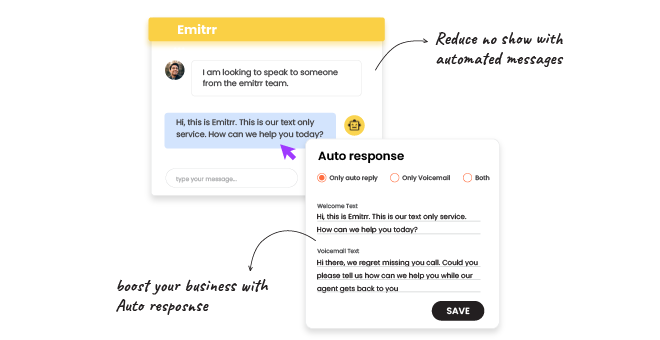
Two-Way Text Messaging
-
 Two-way SMS using your existing business number
-
Shared inbox for your team
-
Conversation history linked to guest records
-
Click-to-text from FareHarbor and web tools
VoIP Calling With Guest Context
-
Cloud-based VoIP calling through Emitrr
-
Incoming call pop with guest details
-
Access to call and message history during calls
-
Business hours, call routing, and voicemail handling

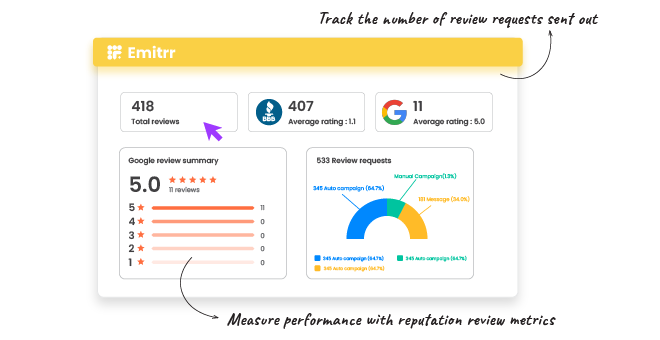
Automated Review Requests
-
Automatically request reviews after completed tours or activities
-
Schedule-based review messaging
-
Increase review volume without manual follow-up
-
Centralized visibility inside Emitrr
Contact Sync From FareHarbor
-
Guest contact data synced from FareHarbor
-
Automatic updates to phone numbers and details
-
Reduced duplicate and outdated records
-
Cleaner communication records

Key Use Cases Across Teams
Front Desk Team
Operations Team
Business Owners
Frequently Asked Questions
Ready to Integrate Emitrr with FareHarbor?
Manage guest texts and calls, sync contacts, and automate reviews in one place with Emitrr.