
Optometrists are handling more than eye exams. Between booking regular appointments, handling walk-ins, follow-up appointments, and sorting out multi-provider schedules, scheduling is the backbone of an optometry practice. Efficient patient flow, optimum productivity, and enhanced patient satisfaction result from effective scheduling. Over-reliance on pen and paper or outdated systems provides room for mismanagement, double booking, and administrative mistakes. The transition to computerized scheduling systems is not just an upgrade in technology but an operational imperative to provide room for a seamless movement of work and guaranteed patient care consistency.
Importance of Scheduling for Optometrists
Scheduling affects front-office productivity and clinical operations. Properly managed appointments prevent staff burnout and reduce patients’ wait time. Automated scheduling eliminates time-consuming back-and-forth telephone calls and minimizes the potential for human error. More importantly, a timely reminder, improved follow-through on appointments, and good communication lead to higher levels of satisfaction and more long-term patient relationships. A quality system enables clinics to concentrate on the delivery of care instead of coping with administrative responsibilities.
Types of Scheduling Used by Optometrists
Practices use several types of appointment scheduling systems:
- Manual scheduling: It involves handwritten appointment books or simple spreadsheets. Cheap, but prone to errors and incapable of handling larger patient numbers.
- Electronic calendars: Electronic calendars like Google Calendar or Outlook provide an improvement but lack patient-specific functionality.
- Specialized scheduling software: Such softwares for optometry clinics provides the power of automated reminders, two-way messaging, insurance checks, and analytics.
Applications of Optometrist Appointment Scheduling Software
- New Patient Visits & Routine Check-ups: Book annual exams or new patients for easier wait time minimization and enhanced patient onboarding.
- Walk-ins & Emergency Appointments: Rapidly reassign the calendar to fit emergency eye situations without interfering with other scheduled visits.
- Multi-provider Scheduling: Book calendars by multiple ophthalmologists or optometrists to maintain availability and prevent overlapping appointments.
- Room and Equipment Scheduling: Book special testing rooms or equipment (e.g., OCT or fundus camera) by procedure and clinician.
- Automated Follow-Ups & Recurring Visits: Remind for follow-up examination post-treatment or regular vision therapy visits.
- Branch-Wide Calendar Sync: Sync clinic branch schedules so that easy cross-referrals may be done and duplication prevented.
- Patient Communication & Feedback: Schedule reminder, confirmation, and patient feedback collection via SMS or email.
- Real-time Slots Availability: Staff and patients can view empty slots in real time, minimizing scheduling conflicts.
- Self-booking & Mobile Access: Patients can self-book or reschedule by mobile without a call.
- Automated Reminders: SMS, email, or voice reminders dramatically lower no-shows.
- Insurance Verification: Automatically verifies insurance coverage before appointments.
- EHR & Billing Integration: Integrates with patient records and payment systems for efficient workflow.
- Patient Messaging & Review Requests: adjustable templates for automated appointment reminders and post-visit review collection.
- Custom Forms & Intake: Enables patients to fill out pre-appointment forms online.
- Multi-provider & Multi-location Support: Adapts to the size of your practice.
- AI-powered Scheduling Suggestions: Trains on historical trends to suggest best-fit appointment times.
Challenges in Optometrist Scheduling
Running a busy optometry practice means dealing with more than just appointments. There is always something to juggle between patient care, managing staff, and keeping everyone happy. Here is a deeper look at some of the real, everyday scheduling issues optometrists often face:
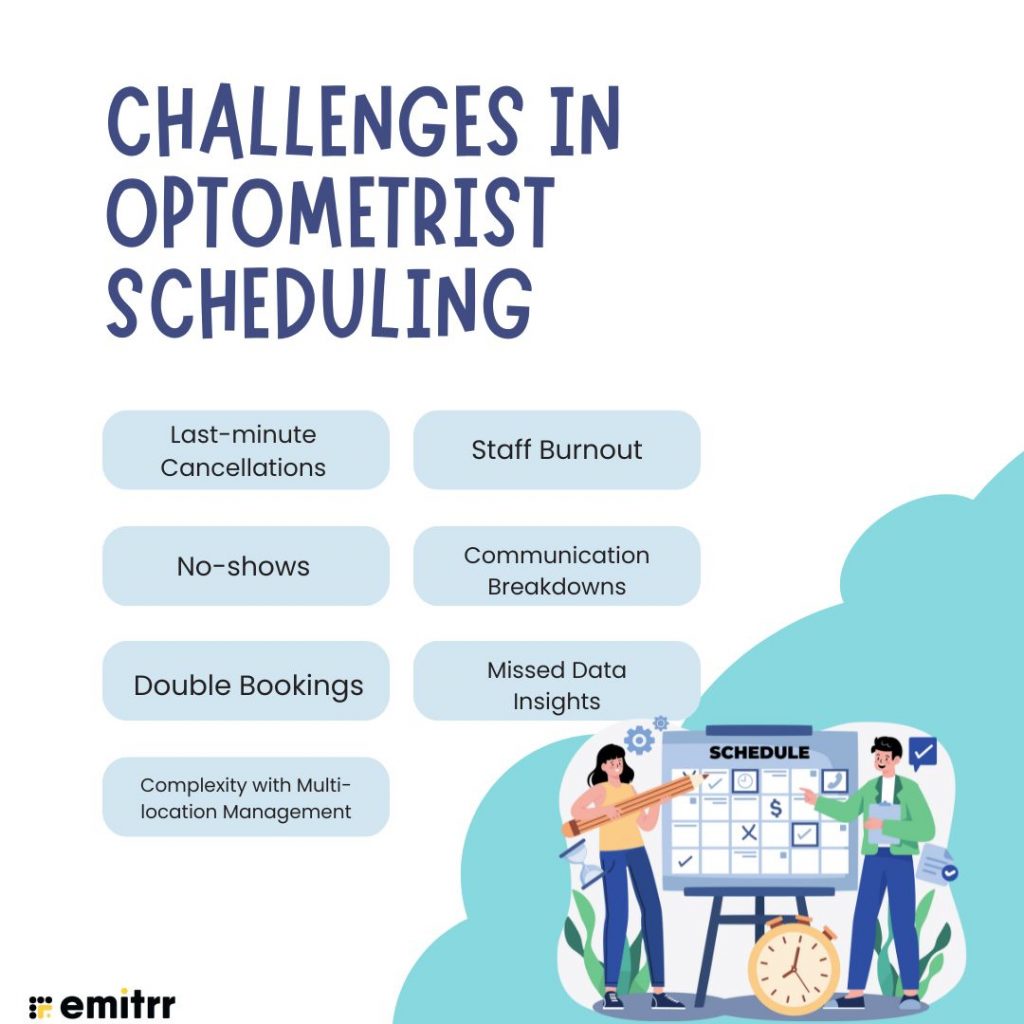
Last-minute Cancellations
A patient cancels their appointment just an hour before they are due. Now you are left with an empty slot that could have helped someone else, and let’s be honest, it hits your bottom line. These cancellations throw off the flow of your day and often leave you scrambling to adjust.
No-shows
Even worse than cancellations are no-shows. You have set everything up, blocked the time, and the patient just doesn’t come. This not only wastes precious minutes but also affects your clinic’s overall efficiency. The unpredictability makes it hard to stay on schedule and support other patients effectively.
Double Bookings
Sometimes, appointments overlap. It’s not intentional, but it happens, especially when things are booked manually or communication slips. Now your staff is dealing with two patients at the same time, and no one feels like they are getting the attention they deserve.
Complexity with Multi-location Management
If your practice operates from more than one location, managing different calendars becomes a juggling act. Without a central scheduling system, it’s easy to lose track, leading to overbookings in one clinic and underuse in another. It’s stressful for both staff and patients.
Staff Burnout
When scheduling isn’t smooth, your front-desk staff bears the brunt of it. They spend their day fielding calls, fixing booking mistakes, calming frustrated patients, and adjusting the calendar. Over time, this chaos wears them down. Burned-out staff often means longer patient wait times and a less welcoming atmosphere.
Communication Breakdowns
Rescheduling happens; it’s part of the job. But when there is no clear process, or when updates aren’t communicated properly, patients get annoyed. They feel like they have been forgotten or misinformed, which can harm your clinic’s reputation and patient trust.
Click below to download ready-to-use SMS templates for appointment scheduling and reminders for your Optometric clinic.
Missed Data Insights
Manual scheduling may get the job done, but it doesn’t tell you anything useful. You won’t know what your busiest time slots are, which types of appointments are most common, or how many patients tend to cancel. Without this data, it’s hard to make smart decisions that improve your workflow.
Best Practices for Optometrist Appointment Scheduling
Creating a smoother appointment experience isn’t just about technology; it’s also about smart planning and thoughtful systems. Here are some best practices that can genuinely change how your clinic operates:
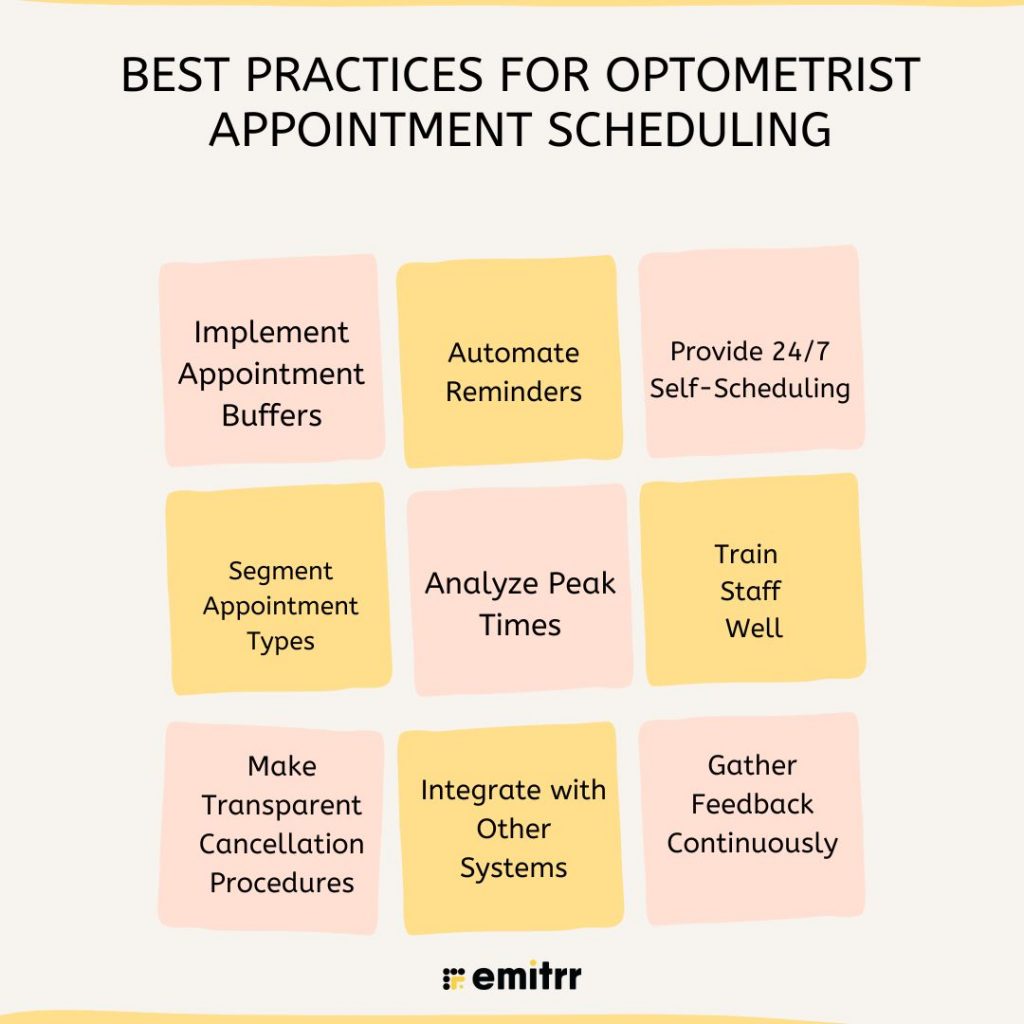
Implement Appointment Buffers
Not everything goes as planned. Eye exams run late, patients have questions, and sometimes you just need a breather. Adding a short 5 to 10-minute buffer between appointments gives you and your staff the space to stay on track without feeling rushed. It’s a simple fix that can reduce stress across the board.
Automate Reminders
Patients are busy and forgetful, just like the rest of us. Sending reminders through email, SMS, or even automated voice calls makes a big difference. It not only reduces no-shows but also shows patients you’re organized and value their time. Make sure your reminders are friendly, clear, and consistent.
Provide 24/7 Self-Scheduling
Many patients remember to book or reschedule outside of office hours. Offering an online self-scheduling tool empowers them to make appointments at their convenience. It reduces the load on your front desk and gives patients more control, which they truly appreciate.
Segment Appointment Types
Not all appointments take the same amount of time. A contact lens fitting is very different from a routine eye exam. Grouping appointment types by time blocks helps you allocate time more accurately, avoid overruns, and deliver better care. It also ensures your team is prepared for what’s next.
Analyze Peak Times
Take a look at your past appointment data. You will start noticing patterns; certain days or hours are always busier than others. Knowing this helps you plan your staffing better, open up extra slots when needed, and even run special promotions during slower periods.
Train Staff Well
Your scheduling system is only as good as the people using it. Make sure everyone at the front desk knows how to use your tools confidently. This includes everything from booking and rescheduling to managing cancellations and sending reminders. Well-trained staff create a smooth experience for everyone.
Make Transparent Cancellation Procedures
Set clear cancellation and rescheduling policies, and communicate them upfront. When patients know what to expect and what happens if they cancel too late, they are more likely to respect the rules. Keep your policies visible and easy to follow, and always approach enforcement with empathy.
Integrate with Other Systems
Scheduling shouldn’t live in a vacuum. Connect it with your EHR, billing software, and communication tools to reduce double data entry and mistakes. Integration saves time and ensures that everyone on your team has access to the most accurate, up-to-date information.
Gather Feedback Continuously
The best way to know what’s working and what’s not is to ask. Collect feedback from patients after their appointments, and check in with your staff regularly. Small suggestions can lead to big improvements. Keep refining your system based on what people experience.
Security and Compliance Needs of Scheduling Software
HIPAA compliance is not optional. The software should have data encryption, access controls, and secure backup processes. Communications over SMS or email should be encrypted. Activity logs and audit trails ensure accountability. Secure cloud hosting, two-factor authentication, and security audits on a regular basis minimize the risk of data breaches.
Integrations Required for Optometrist Scheduling Software
Seek out products that are all integrated with electronic health records, practice management, billing software, and CRM products. Payment gateways will also be beneficial for taking co-pays or deposits. Integrations for marketing, such as email campaigns or Google Reviews, also boost patient engagement. The more integrated your scheduling product is with the rest of your infrastructure, the easier your operations.
How Scheduling Software Helps Optometrists
Automatically scheduling saves employees’ time and prevents duplicate effort. It keeps calendars full and up to date by minimizing no-shows and sending out reminders ahead of time. Patients can schedule themselves and make their appointments. No more juggling calls for staff. It empowers practices with the ability to make decisions from the analysis of appointment trends.

How to Select the Proper Scheduling Software for Optometrists
Think about the size of your clinic, your providers, and what features are most important to you. A solo practitioner may not require the same software as an organization with multiple sites. Trial or demo editions allow you to test drive, test for usability. Check reviews and talk to colleagues in your network. Check customer support, onboarding support, and if the tool has a learning curve.
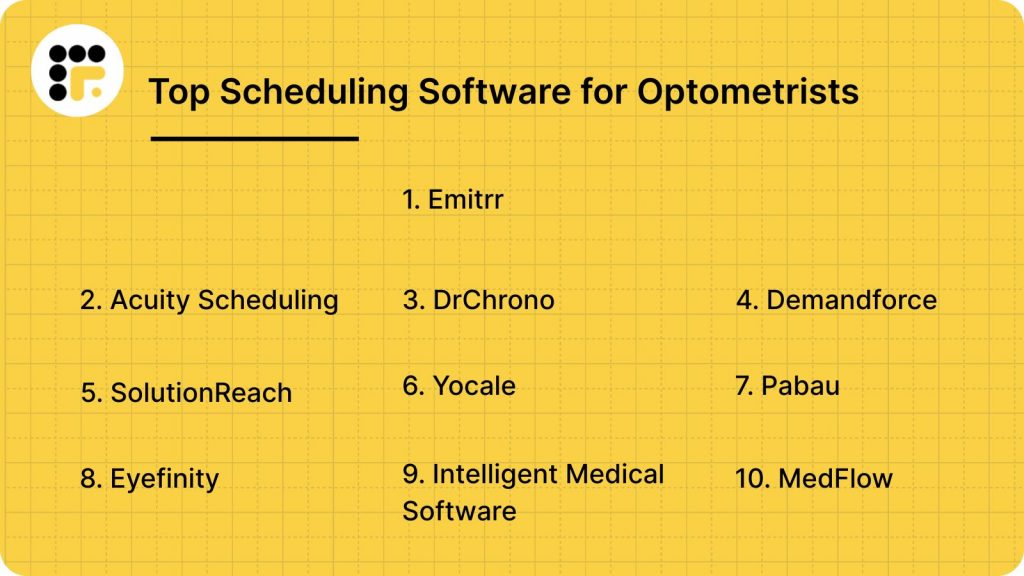
Top Scheduling Software for Optometrists
- Emitrr
- Acuity Scheduling
- DrChrono
- Demandforce
- SolutionReach
- Yocale
- Pabau
- Eyefinity
- Intelligent Medical Software
- MedFlow
1. Emitrr
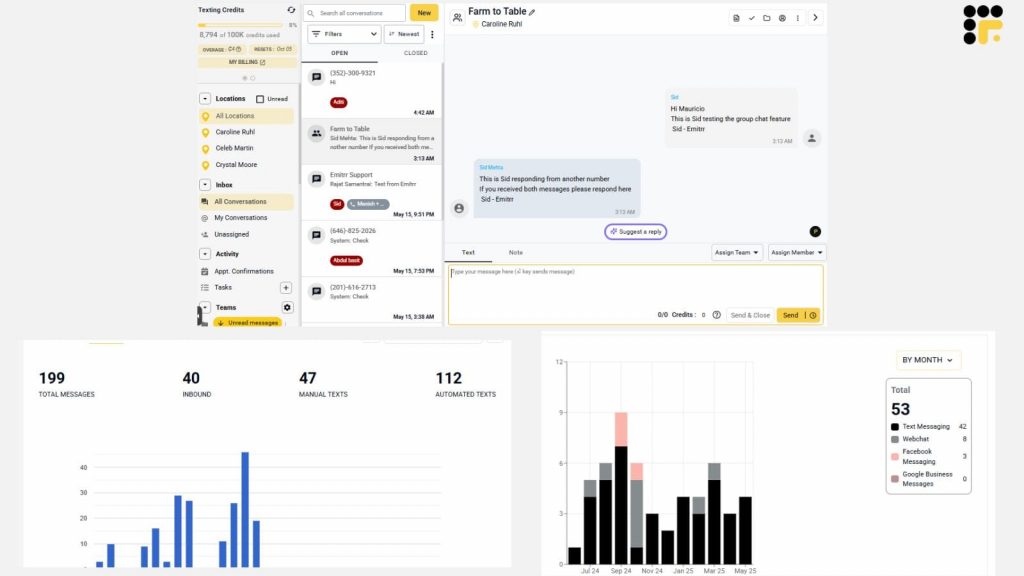
Emitrr is designed for healthcare practitioners, especially optometrists. It’s more than a scheduling platform; it integrates appointment management, patient communication, and reputation building into one easy-to-use platform. Whether you have one practice or multiple clinics, Emitrr integrates easily into your workflow.
Emitrr Features
- 24/7 Online Booking: Patients can book anytime from your website or Google listing. This takes the workload off front-desk staff and makes your clinic more accessible.
- Two-Way Text Messaging: Two-way texting is used to respond to patients via SMS in real-time. It’s simple for confirmations and quick rescheduling.
- Automated Reminders: Emitrr sends reminders via text, email, or phone call. It minimizes no-shows and keeps schedules smoothly running.
- Review Requests: After visiting, the system invites patients to provide feedback. It’s a simple way of marketing your practice’s online presence.
- Voice Drop Messages: Send pre-recorded voice messages to patients without requiring them to respond. It’s perfect for appointment reminders or notifications.
- Custom Workflows: Customize workflows for appointments, cancellations, and reschedules. It’s a big timesaver for staff.
- Recall Campaigns: Automate check-in or follow-up reminders. This keeps patients active throughout the year.
- HIPAA-Compliant Messaging: Encrypted messages to maintain patient confidentiality. A requirement for any modern healthcare practice.
- Analytics Dashboard: Get a view of your bookings and patient interactions. The insights help determine trends and improve efficiency.
- Google Integration: Integrate your calendar with your Google Business Profile. Patients can book directly from search or Maps.
Emitrr Pros
- Workflows can be configured to meet your specific needs.
- Friendly and timely customer support.
Emitrr Cons
- It may take time to learn all the advanced tools.
- Some integrations must be done manually.
Emitrr Pricing
- Custom pricing starts at $79/month. Varies by features and practice size.
Emitrr Ratings and Reviews
- G2: 4.8/5
- Capterra: 4.7/5
“Working with Emitrr has been a pleasure. Love the features it offers and how easy it is to use.”
“Overall the communication has been awesome and everyone is super helpful. The app I’m on the fence about.”
Emitrr Integrations
- Google Calendar
- Google Business Profile
- Core EHR systems
- QuickBooks
- Slack
- And many more
2. Acuity Scheduling
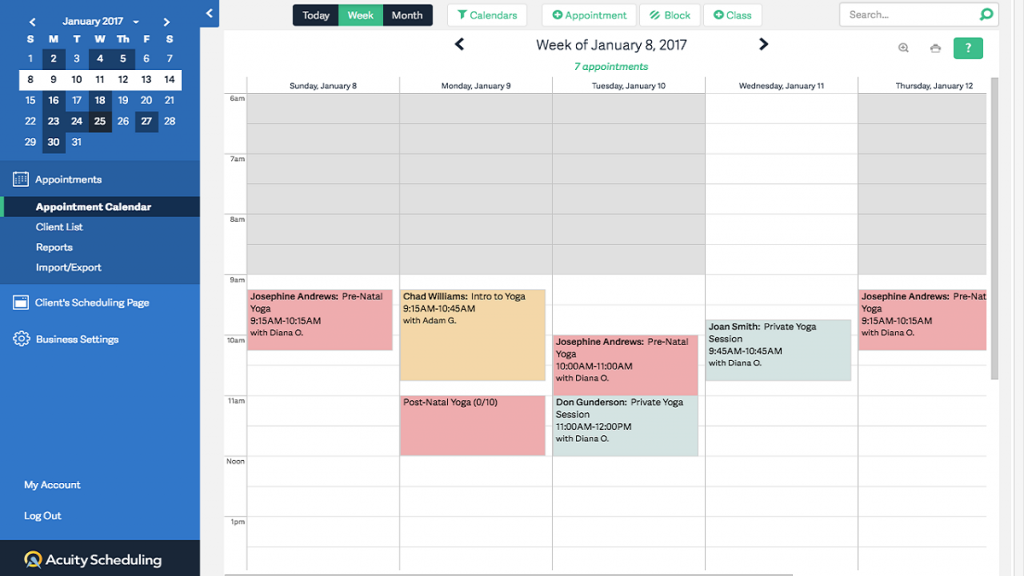
Acuity Scheduling is among the popular tools employed by professionals in all spheres of work, including the healthcare profession. Optometrists also use it as it has a convenient, user-friendly interface for patients and employees to track appointments.
Acuity Scheduling Features
- Custom Appointment Types: Clinics may create varied types of appointments, like new patient, follow-up, or eye test. Each one can be assigned specific times as well as provider affiliations.
- Client Self-Scheduling: Patients are presented with a view of available time slots and can schedule at their convenience. Decreases phone traffic and increases patient independence.
- Intake Forms: Forms can be pre-printed on scheduling. Clinics receive necessary patient details before an appointment.
- Calendar Sync: Syncs with Google Calendar, iCloud, and Outlook. Maintains staff calendars real time.
- Time Zone Detection: Changes appointment time automatically according to the location of the patient. Ideal for virtual consultations.
Acuity Scheduling Pros
- Easy patient and staff interface to navigate.
- Scheduling rules are easily customizable.
Acuity Scheduling Cons
- Limited healthcare-specific features.
- No EHR or telehealth integration.
Acuity Scheduling Price
- It starts at $20/month minimum for solo practices
Acuity Scheduling Ratings And Reviews
- G2: 4.7/5
- Capterra: 4.8/5
“The templates provided are modern and visually appealing, and the platform allows for a high degree of customization to meet the specific needs of each user.”
“The only downside to Acuity Scheduling is that it can be a bit expensive, especially if you need to use multiple features and integrations.”
Acuity Scheduling Integrations
- Google Calendar
- Zoom
- Stripe
- PayPal
- Mailchimp
3. DrChrono
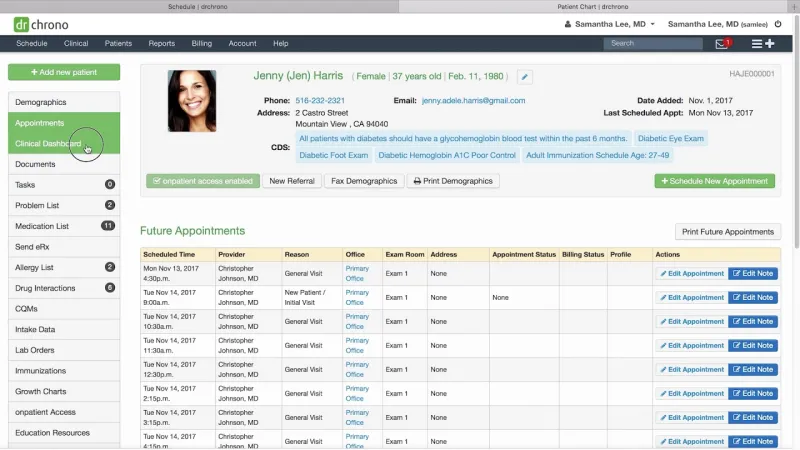
DrChrono is a feature-rich EHR and practice management with built-in scheduling. It is medical professional-oriented, such as optometrists, and incorporates features designed to bring scheduling in line with clinical workflows.
DrChrono Features
- EHR Integration: Appointments are automatically tied to patient charts. Clinicians can readily see history and notes before a visit.
- Mobile Scheduling App: Providers and employees can access and manage appointments from anywhere. The app is HIPAA-enabled and features real-time updates.
- Appointment Profiles: Pre-configured appointment types with customized fields. It minimizes data entry and streamlines workflow.
- Eligibility Checks: Automatic insurance verification before an appointment. It prevents claim delay later on.
- Waitlist Management: Patients can be placed on waitlists and notified when a room is ready. It fills cancellations quickly.
DrChrono Pros
- Seamless EHR and billing integration.
- Mobile-first and accessible.
DrChrono Cons
- Gently steep learning curve for new users.
- Premium-only features.
DrChrono Price
- It starts at $199/month per user.
DrChrono Ratings and Reviews
- G2: 4.2/5
- Capterra: 4.0/5
“It takes weeks to get a response. And their staff is incredibly uneducated in claims billing. “
“I have emails with screenshots and closing out tickets without developing a solution.“
DrChrono Integrations
- EHR
- Billing
- Square
- Box
- OnPatient Portal
4. Demandforce
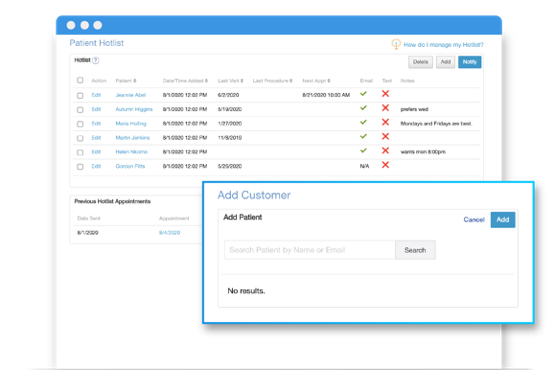
Demandforce is designed with automated patient communication and scheduling for medical practices. Its feature is especially beneficial for patient retention and tracking appointment reminders.
Demandforce Features
- Smart Reminders: Auto-reminders through email, text, or phone call. Prevents no-shows and keeps calendars full.
- Patient Reviews: Invites patients to leave reviews after visiting. Builds online reputation and search engine rankings.
- Two-Way Texting: Enables patient-employee messaging in real-time. Simplifies rescheduling and questions.
- Online Booking Widget: Inserts directly onto your site. Patients book in an instant without phone calls.
- Reputation Management Dashboard: Aggregates all patient reviews and feedback into a single location. Allows timely response by clinics.
Demandforce Pros
- Good communication tools.
- Good reputation management tools.
Demandforce Cons
- Not a complete EHR system.
- Reporting features are basic.
Demandforce Pricing
- The pricing is available on request.
Demandforce Ratings and Review
- G2: 4.4/5
- Capterra: 4.3/5
“When I spoke with them regarding services that had not been happening, they passed it off. A large amount of revenue was lost for several months.”
“They will send some people a ridiculous amount of reminders and some people none.”
Demandforce Integrations
- EHRs
- Google Reviews
- Mailchimp
5. SolutionReach
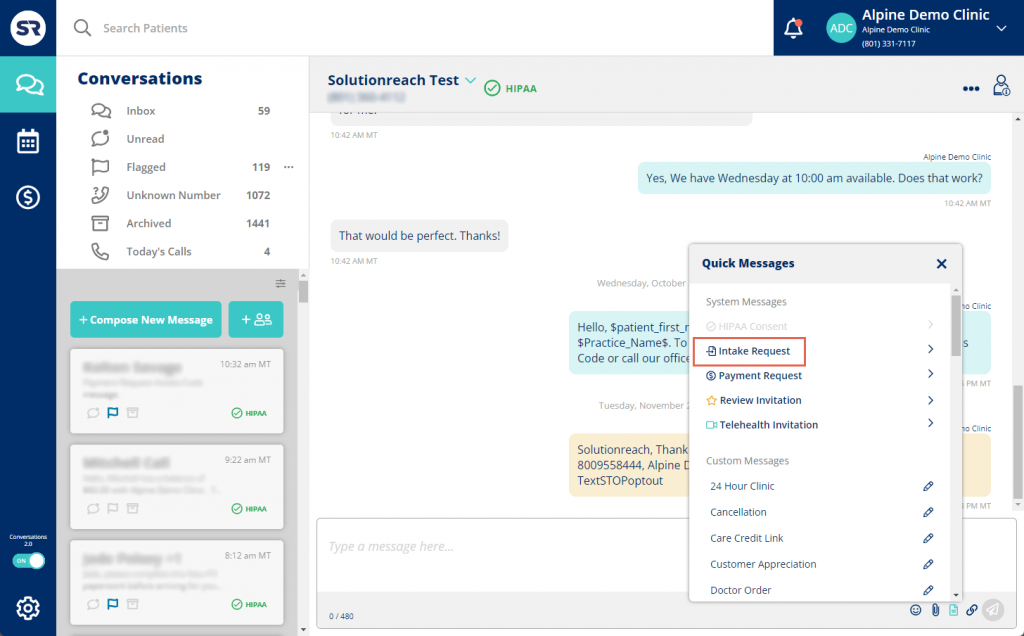
SolutionReach offers end-to-end patient engagement solutions, including appointment scheduling. It is applied widely across eye care practices due to its emphasis on patient communication.
SolutionReach Features
- Recall Reminders: Reminds patients automatically of follow-up or annual appointments. Increases long-term retention.
- Online Scheduling Portal: Enables patients to schedule appointments based on real-time schedules. Reduces admin workload.
- Patient Surveys: Automatically send surveys after visit. Assists in gathering feedback for service enhancement.
- Visual Calendar Dashboard: Offers a continuous view of provider calendars. Facilitates instant decision-making.
- Two-Way Messaging: Allows instant messaging with patients. Facilitates better coordination and patient satisfaction.
SolutionReach Pros
- Gripping retention and recall capabilities.
- Optimal for gathering patient feedback.
SolutionReach Cons
- The user interface has an old feel.
- Must be trained to use features.
SolutionReach Price
- Pricing is custom, usually mid-tier pricing
SolutionReach Ratings and Reviews
- G2: 4.1/5
- Capterra: 3.8/5
“They have the worst customer service, they auto renew your contract without notifying you, they tell you and the business [sensitive content hidden] that you’re liars (but using other words) they give you the run around and you can never get anywhere with them.”
“Since the platform isn’t too developed yet, you run into a lot of issues where you have to reach out for help.”
SolutionReach Integrations
- EHR systems
- Salesforce
- Open API
6. Yocale
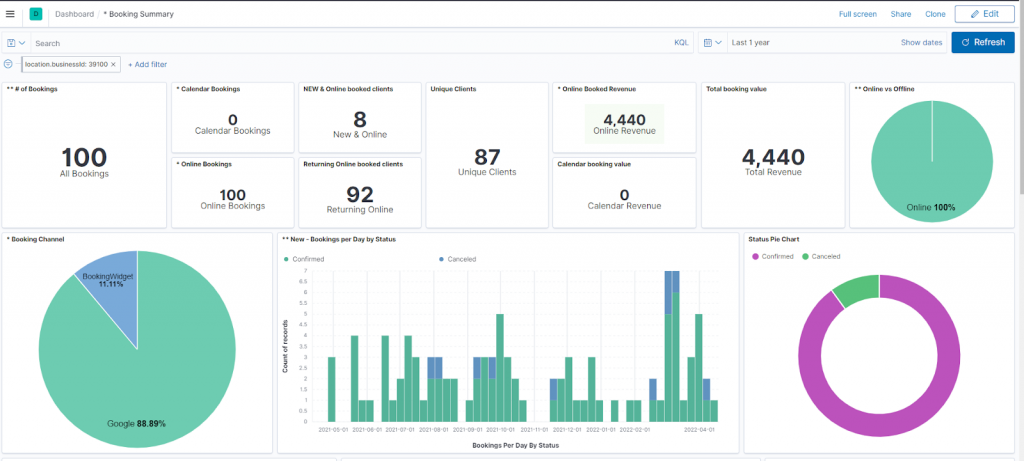
Yocale is a feature-rich scheduling platform with a clean design. It accommodates healthcare and wellness businesses and is gaining popularity for application in optometry clinics.
Yocale Features
- Drag-and-Drop Calendar: Streamlines appointment scheduling for front-desk personnel. Changes can be done in seconds.
- Client Booking Page: Practices have a customized booking page. Allows patients to self-schedule with ease.
- Group Scheduling: Suitable for workshops or vision screening activities. Allows batch bookings.
- Appointment Notes: Private notes can be added to appointments by staff. Enhances internal communication.
- Custom Reminders: Sends patients custom reminders. Keeps engagement steady.
Yocale Pros
- Simple design and installation.
- Affordable for small clinics.
Yocale Cons
- Less advanced reporting features.
- Limited EHR integration.
Yocale Pricing
- Has a free plan; paid plans start at $25/month
Yocale Ratings and Reviews
- G2: 4.5/5
- Capterra: 4.6/5
“There have been some complaints that yocale appointments are not setting up properly, and some customers can not figure out how to do it.”
“I dislike the dollar amount limitation when listing pricing for my services.”
Yocale Integrations
- Google Calendar
- Zoom
- Stripe
- Mailchimp
7. Pabau
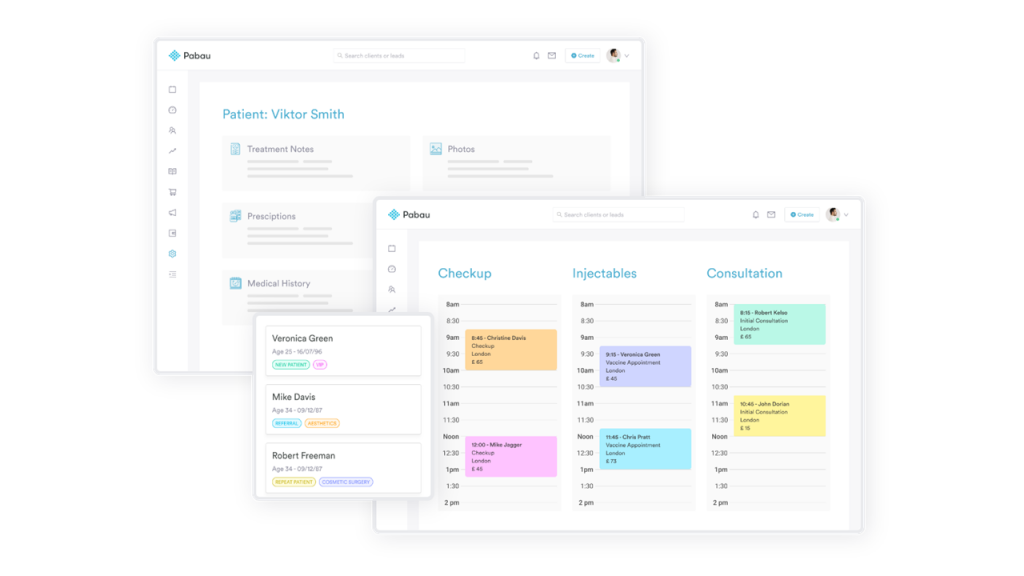
Pabau is an end-to-end practice management software for medical and non-medical clinics. It has scheduling, patient records, and marketing features.
Pabau Features
- All-in-One Dashboard: Consolidates patient information, appointment history, and scheduling. Eliminates the need to access several systems.
- Consent Forms: Sign and keep patient consent electronically. Ensures compliance and simplifies intake.
- Marketing Campaigns: Send bulk email or SMS for promotions. Encourages engagement and return visits.
- Patient Portal: Patients check in and schedule, and handle their own appointments and records. Reduces administrative requests.
- Waitlist Tool: Automatically fills in canceled appointments with waitlisted patients. No downtime.
Pabau Pros
- A large number of integrated features.
- Great patient self-service features.
Pabau Cons
- Overwhelming for new users.
- Time-consuming to set up.
Pabau Pricing
- From $65/month per user.
Pabau Ratings and Review
- G2: 4.3/5
- Capterra: 4.5/5
Pabau Integrations
- Google Calendar
- Mailchimp
- Zapier
- Xero
- Eyefinity Practice Management
8. Eyefinity Practice Management
Eyefinity is designed for eye care professionals. Its functionality supports the day-to-day work of optometrists.
Eyefinity Practice Management Features
- Exam-to-Checkout Workflow: Directs staff from scheduling exams to billing. Increases coordination.
- Multi-Device Access: Supports tablets, desktops, and mobile devices. Provides flexibility in patient interaction.
- Real-Time Reporting: Provides daily, weekly, and monthly reports. Assists in measuring performance.
- Insurance Eligibility: Checks patient coverage before appointments. Prevents time delay in service.
- Patient Communication Suite: Reminds patients of appointments and post-visit follow-ups. Promotes timely return visits.
Eyefinity Practice Management Pros
- Especially designed for eye care.
- End-to-end coverage of workflow.
Eyefinity Practice Management Cons
- Outdated interface.
- Customer service response may vary.
Eyefinity Practice Management Price
- Pricing is quote-based, based on modules required
Eyefinity Practice Management Ratings and Reviews
- G2: 4.0/5
- Capterra: 4.1/5
Eyefinity Practice Management Integrations
- Eyefinity EHR
- VSP
- Frame inventory systems
9. Intelligent Medical Software (IMS)
IMS by Meditab is a flexible and modular platform that is best utilized in large optometry practices. It includes scheduling, billing, and clinical operations.
Intelligent Medical Software (IMS) Features
- Role-Based Scheduling: Personalize access and scheduling rules by staff role. Increases security and readability.
- Patient App: Scheduling, canceling appointments, and viewing records. Increases convenience and transparency.
- Appointment Blocking: Hold time slots for emergencies or follow-ups. Improves the scheduling efficiency of appointments.
- Voice Recognition: Helps in voice notes while scheduling or charting. Saves time for busy staff.
- Integrated Billing: Associates appointments with billing codes. Avoids billing errors and expedites claims.
Intelligent Medical Software (IMS) Pros
- Very customizable for large practices.
- Multilingual interface supported.
Intelligent Medical Software (IMS) Cons
- Not appropriate for very small clinics.
- More time to set up.
Intelligent Medical Software (IMS) Pricing
- Quote upon application only
Intelligent Medical Software (IMS) Ratings and Review
- G2: 4.1/5
- Capterra: 4.3/5
Intelligent Medical Software (IMS) Integrations
- EHR
- Pharmacy systems
10. MedFlow
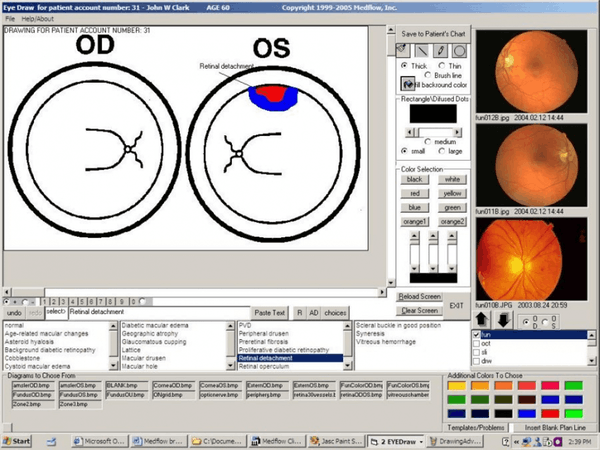
Another EHR-integrated scheduling system specifically for eye care is MedFlow. Clinician-designed, it helps in complete workflow management.
MedFlow Features
- Ophthalmic Templates: Readymade templates for eye examinations and procedures. Time-saving for clinicians.
- Integrated Scheduler: Directly connects to billing and patient records. Ensures smooth exchange of information.
- Referring Physician Portal: Allows external doctors to refer and schedule. Grabs professional relationships.
- Custom Workflows: Customize the system to fit your clinic’s particular requirements. Boosts productivity.
- Patient Tracking: Tracks patient movement from check-in to checkout. Increases transparency across departments.
MedFlow Pros
- Particularly crafted for eye care workflows.
- Solid referral and follow-up tools.
MedFlow Cons
- Steep UI for new staff.
- Cost might be too much for small clinics.
MedFlow Pricing
- Quote-based
MedFlow Ratings and Reviews
- G2: 4.0/5
- Capterra: 2.9/5
MedFlow Integrations
- EHR
Why Emitrr Is the Optometrist Scheduling Software of Choice
Emitrr is more than another appointment scheduling software in a busy marketplace. It’s intentionally designed with optometrists and healthcare providers in mind. Each feature appears to address a real issue plaguing clinics, from no-shows to miscommunications.
What differentiates Emitrr from the beginning is that it’s built specifically for healthcare. Lots of platforms attempt to fit all people’s requirements, but Emitrr gets the specific rhythm of an optometry practice. From reminding patients to wear their glasses to assisting the front desk in handling last-minute reschedules, the platform naturally fits into the daily cadence of clinical care.
One of the greatest things about Emitrr is how much it streamlines. It’s not only a scheduler. It’s an entire communication center where you can schedule appointments, send reminders, gather reviews, and follow up with patients, all in one platform. Staff don’t have to switch between multiple apps or re-enter patient information. It ties everything together, meaning fewer errors and a lot less hassle.
Support is also a huge advantage. Emitrr doesn’t drop clinics in it with no guidance. Onboarding is one-on-one, responses are prompt, and staff are familiar with the healthcare arena. That level of support enables clinics to get started confidently and keep using the platform with ease.
For every clinic that manages confidential patient data, compliance is mandatory. Emitrr is HIPAA compliant, so all interactions will be secure. Clinics need not worry about safeguarding patient data as the platform already does it with encryption and embedded protection.
It also gets along with others. Emitrr harmonizes with most electronic health record software, payment systems, and calendars. That is to say, clinics don’t need to begin from the beginning or interrupt their process. It plugs into what’s already successful and improves it.
What it’s all about is the experience it provides to both staff and patients. Scheduling is easy. Reminders are sent automatically. Reviews trickle in. And patients feel supported without being left on hold or asked to complete lengthy forms. Clinics operate more smoothly, staff have more time, and everyone is on the same page.
Emitrr isn’t merely a scheduler. It assists practices to provide enhanced care with reduced friction. That’s the reason why it is the ideal choice for contemporary optometry clinics that aspire to expand while being attentive to people.
FAQs
Emitrr is hands-down the top choice with its HIPAA-compliant platform, automated reminders, smooth integrations with EHR systems, and optometry-specific features.
It provides automatic reminders via SMS/email, allows for easy rescheduling, and provides confirmation notifications, making patients engaged and accountable.
Yes, most advanced solutions like Emitrr, DrChrono, and Eyefinity Practice Management offer frictionless EHR integration to synchronize patient details, appointments, and visit notes.
Yes, advanced programs are designed with HIPAA compliance, using secure encryption of data, role-based security, and audit trails to protect patient data.
Pricing is features-based and clinic size-based. The most basic plan can start at $20 to $50/month, but sophisticated, HIPAA-compliant sites like Emitrr provide needs-based, custom pricing.
Conclusion
Running an optometry practice today is about more than just great care. It’s also about creating a smooth, stress-free experience for your patients. If you’re still relying on manual appointment books or juggling phone calls all day, it might be time to rethink how your schedule works.
Intelligent scheduling software keeps you on top of things, minimizes no-shows, and allows your staff to spend more time on what really counts. Whether you’re flying solo or juggling an active team, the right program brings order and command to your day.
Emitrr is built with practices like yours in mind. It makes scheduling easier, keeps patients in the loop, and helps your clinic run more efficiently. If you’re ready to spend less time on logistics and more time on care, this is a great place to start.


 4.9 (400+
reviews)
4.9 (400+
reviews)