
Introduction
In a world based on emails, cloud file sharing, and instant messaging, people might think of faxing as a relic. However, it still plays a critical role in industries such as healthcare, legal, real estate, and finance as it’s required for signed document transmission, audit trails, and legally verifiable transaction notes. Secure, traceable, and compliant, these are the traits keeping fax alive in mission-critical workflows.
eFax has been a mainstay of the online faxing world, sending and receiving documents to your email inbox or web portal without the need for a physical fax machine. However, for teams looking for more, be it AI tools, more integrations, or more taxes, eFax has some limitations, more overpriced, a more limited UX, and less modern communication stacking.
In this blog, we will discuss the top 10 eFax alternatives for 2025 by feature, pricing, integrations, pros & cons, and real user feedback. We will rate Emitrr first—a next-gen fax + engagement platform focused on compliance, automation, and growth.
What is eFax?
eFax is an internet fax solution that is cloud-based, allowing users to send and receive faxes through email, web portal, or mobile application instead of a traditional fax machine. It allows a user to send a fax to multiple recipients at the same time, allowing users to broadcast faxes and also supports international fax numbers. eFax also includes archiving of fax documents, and is considered legally acceptable in most parts of the world.
eFax Features
- Email-to-Fax & Fax-to-Email: Send and receive faxes from your email inbox as a PDF or TIFF attachment without the need for a fax machine.
- Mobile Access: Works with iOS and Android devices; fax, view, and sign on the go.
- Digital Signatures & Timestamps: Complement the legally valid electronic signatures and timestamp approvals for contracts or compliance documents.
- Large File Sharing: Through this feature, you can share files up to 3 GB (combined), which is perfect for sending high-detail, high-resolution documents and even long, multipart reports.
- Cloud Storage and Searchable Archives: Automatically stores sent and received faxes in the cloud with searchable indexing for quick retrieval and audit purposes.
- Local & Toll-Free Fax Numbers: Provides exclusive local or toll-free numbers in 49 countries, allowing businesses to have an international fax presence.
eFax Pros
- Secure & Verified Delivery: Offers encrypted transmission and verified delivery confirmations, preserving document integrity and confidentiality.
- No Hardware Needed: Everything is done online without the need for a fax machine, paper or dedicated phone line.
- Worldwide Coverage: Allows personal and business fax numbers local to multiple locations around the world.
- Legal & Compliance Ready: Legal document compliant for industries needing a written record of transmission-based application (legal, health care, and financial services)
eFax Cons
- Expensive in Comparison to Modern Alternatives: Subscription service costs and per-page overage fees do not compare favorably to newer cloud fax offerings.
- Limited In-Platform Collaboration: No shared inboxes, internal notes or even multi-user access control.
- Lacks Real-Time Communication or Automation: Does not offer messaging, AI routing, and workflow automation features.
eFax Pricing
eFax pricing consists of the following plans:
- eFax Plus: ~$16.95/month (150 pages send + 150 receive)
- eFax Pro: ~$24.95/month (200 send + 200 receive)
Overages are typically charged on a per page basis; there is no permanent free tier.
eFax Integrations
Integrates with Outlook, Google Drive, Dropbox, Box, Evernote
eFax Support Channels
Email & Phone Support (24/7 for enterprise customers), Knowledge Base & FAQs.
eFax Ratings
4.3/5
eFax Reviews
“Ease of sending and receiving faxes.”
“Fast service, easy to use; overpriced after the first month, and the website interface isn’t attractive.”
Source: G2

Why Do Businesses Want an eFax Alternative?
Despite eFax’s maturity, many organizations seek alternatives for two reasons:
- High Entry Cost for Basic Plans: Per-page overages and premium pricing formats entice users to all-you-can-fax or bundled formats
- Limited Collaboration: It does not offer shared inbox, threading, or teamwork options for workflows.
- No AI, or Automation: It does not support smart routing, classification, or auto forwarding logic.
- Complex User Management: Many plans lack role-based permissions.
- Old Experience: UI and Mobile experience appear dated, compared to more modern SaaS tools.
- Industry Compliance: Not all plans offer HIPAA-compliant eFax replacement capabilities, which is particularly important for healthcare or legal compliance.
To support secure and compliant document transmission, these downloadable fax cover sheet PDFs help clearly identify and protect sensitive information across regulated industries:
What to Consider When Comparing eFax Alternatives
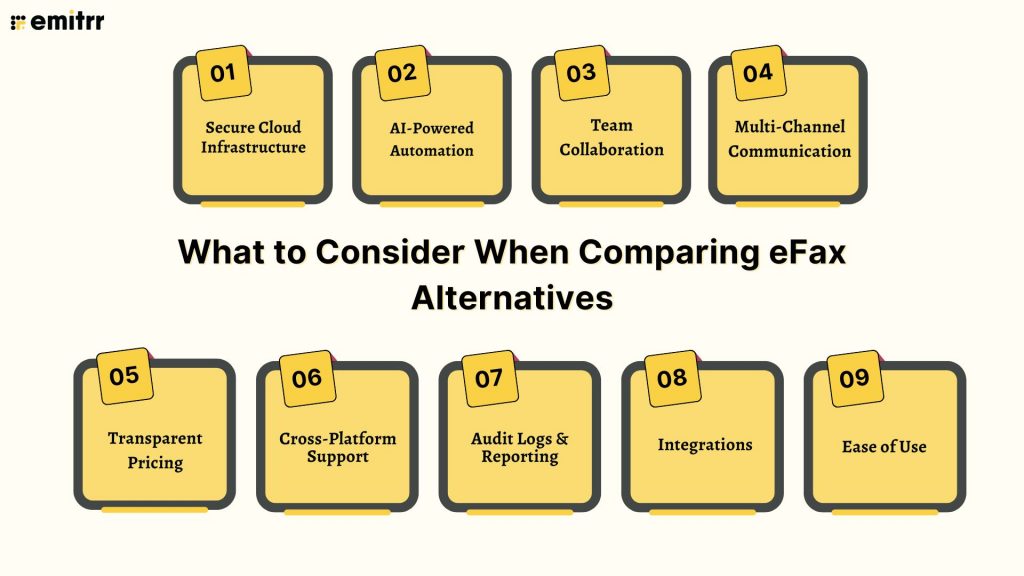
Secure Cloud Infrastructure
Select a provider that guarantees HIPAA/GDPR-compliant encryption for data both at rest and in transit. For larger enterprises, it is also beneficial to ensure the provider integrates with robust network access control solutions to manage and secure device connectivity.
AI-Powered Automation
Choose document management tools with smart routing, OCR, and AI categorization to automatically manage documents.
Team Collaboration
Find shared fax inboxes, role-based access and real-time tracking of your team’s faxes.
Multi-Channel Communication
The top eFax alternatives offer combined fax, SMS, email, and voice for a harmonious experience.
Transparent Pricing
Look for rates that don’t have per-page overages or hidden fees and are scalable, with flat rates.
Cross-Platform Support
It is accessible on the web as well as mobile and desktop for ease of use across platforms.
Audit Logs & Reporting
Complete audit trail of all faxes sent, received, and viewed for compliance and accountability.
Integrations
You don’t just need your eFax replacement to sync with CRMs (Salesforce, HubSpot), EMRs (AthenaHealth, Denticon), and cloud storage.
Ease of Use
Streamlined setup, drag-and-drop uploading, and easy-to-use dashboards speed adoption.
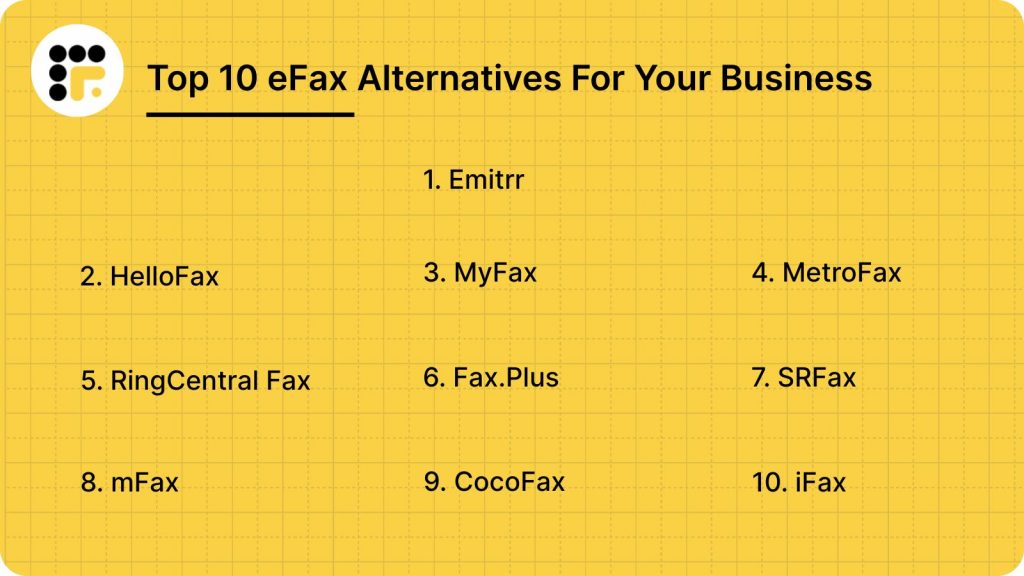
Top 10 eFax Alternatives in 2026
- Emitrr – The Best eFax Alternative
- HelloFax (Dropbox Fax)
- MyFax
- MetroFax
- RingCentral Fax
- Fax.Plus
- SRFax
- mFax
- CocoFax
- iFax
1. Emitrr – The Best eFax Alternative
Overview:
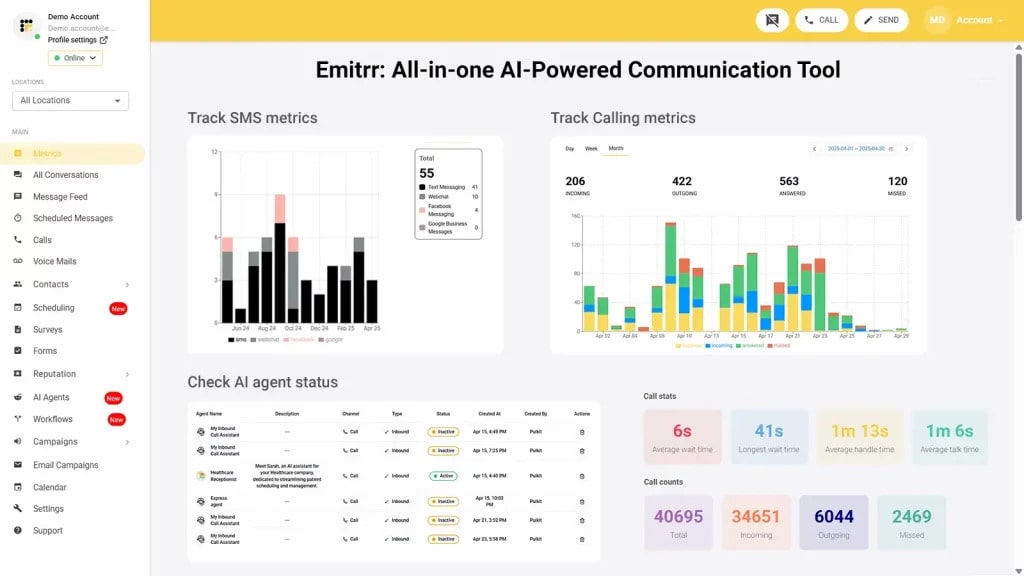
Emitrr is the top-rated eFax alternative for 2025 with a modern digital fax system built right into its powerful customer engagement platform. In addition to faxing, Emitrr equips health care and professional services providers with more robust two-way text messaging, AI automation, call tracking and management, along with online review leveraging so that end-users can also easily use the app, although it wasn’t able to build HIPAA-compliant communication features into this platform. It’s the perfect efax alternative for teams who want their communication stack centralized.
Emitrr Features:
- Inbound/Outbound Faxing: Print, scan, and receive faxes in and out from Emitrr without the cost of a fax machine.
- Fax-to-Email/SMS: Automatically deliver incoming faxes to email for convenient access and storage, send SMS’s to notify users of new inbound faxes.
- Send Faxes Later: Use delayed scheduling to schedule faxing at any explicit date and time, perfect for bulk communication.
- Multi-Recipient Sending: Broadcast a single fax to multiple recipients simultaneously.
- Broadcast Fax: Send a single fax to everyone in your contacts list, good for updated or mass announcements.
- Large File Sharing: It includes large files up to 30 MB, such as high-resolution photos and documents.
- Send Faxes: Include custom, professional cover pages with recipient details and your notes.
Emitrr Pros:
- All-in-one fax + communications solution (fax, texts, calls, reviews).
- It’s ideal for the regulated industries type with AI automation and strong HIPAA compliance.
- Intuitive mobile-focused dashboard that the entire team can access.
- Secure pricing to meet the budget of SMBs and corporations, with clear usage.
- Proactive 24/7 customer support and custom onboarding.
Emitrr Cons:
- Some advanced features are under process and will be live shortly.
Emitrr Pricing:
- Standard: ∼$25/month
- Professional: ∼$35/month
- Pricing is typically bundle-based, and often doesn’t include per-page overages.
Emitrr Integrations:
Salesforce, HubSpot, AthenaHealth, Denticon, Mailchimp, Zapier, QuickBooks, and many EMR/EHR systems.
Emitrr Support Channels:
Live chat, email, phone, and choices in the knowledge base with a focus on getting in touch.
Emitrr Ratings:
4.8/5
Emitrr Reviews:
“Very easy to implement; the support team is excellent.”
“Vastly improved our marketing; super easy to use; customer service is unmatched.”
Source: G2
2. HelloFax (Dropbox Fax)
Overview:
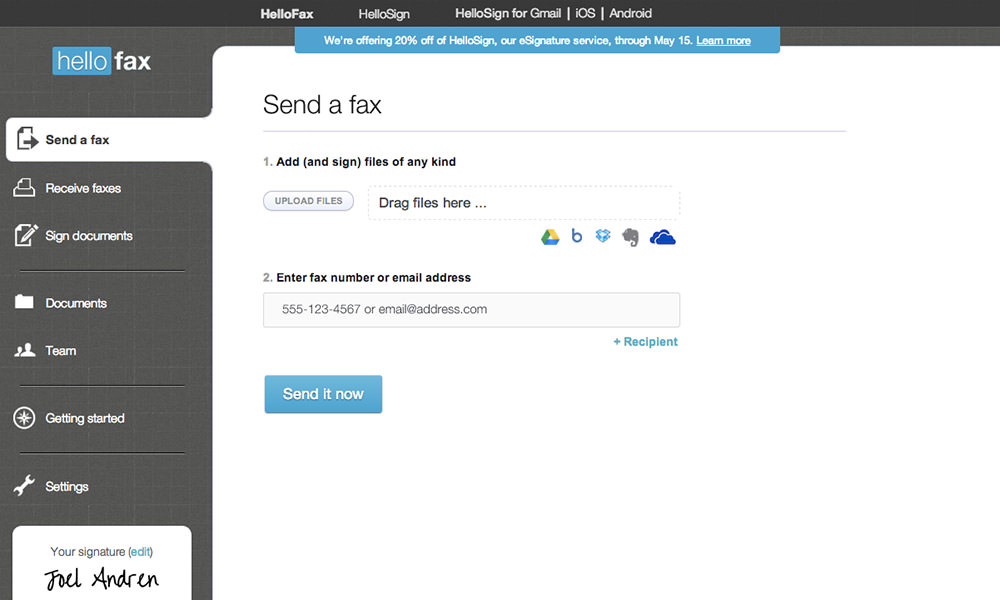
HelloFax is an easy-to-use online faxing service available both free and through a paid subscription, with the recent introduction of HelloFax for Dropbox. It’s mostly for people and small businesses that already use Dropbox or Google Workspace to manage their files. It’s one of the easiest-to-use, stable eFax-like services we’ve tested.
HelloFax Features:
- Email-to-Fax/Fax-to-Email: Send faxes from your email client and receive incoming faxes as PDF files in your inbox.
- Cloud Storage Integration: Integrate with your Dropbox, Google Drive, Box, Evernote, and OneDrive accounts for uploads and archiving.
- Digital Signatures (through HelloSign): Use its sister app, HelloSign, to legally sign faxes before you send them out.
- Web Portal & Mobile App: View and manage faxes through a clean web portal or mobile app, log in to send or receive faxes, sort faxes, and more.
- Port your Fax Number: No need to lose your old number when you upgrade to HelloFax.
HelloFax Pros:
- Seamless Cloud Dropbox to work for those who are already in the cloud system.
- Sleek, modern, and minimalistic UI that’s incredibly intuitive for nontechnical users.
- Great for occasional document signing and sending with HelloSign technology.
HelloFax Cons:
- Basic advanced features, no AI, and advanced automation like the eFax competition.
- It is secure; however, it is not HIPAA-compliant by default on the basic plans, so they lose out to an eFax alternative for healthcare.
HelloFax Pricing:
HelloFax pricing consists of the following plans:
- Basic Plan: Starting from ∼$9.99/month (300 pages included).
- Pay-As-You-Go: For the very occasional user.
HelloFax Integrations:
Dropbox, Google Drive, Box, Evernote, OneDrive, and even Google Docs (via the web app).
HelloFax Support Channels:
Email Support, Online Help Center from DropboxSupportWebsiteKnowledge Base
HelloFax Ratings:
4.4/5
HelloFax Reviews:
“Getting started takes minutes; plans are priced relatively low.”
“Faxes are sent quickly; the dashboard is simple to navigate.”
Source: G2
3. MyFax
Overview:
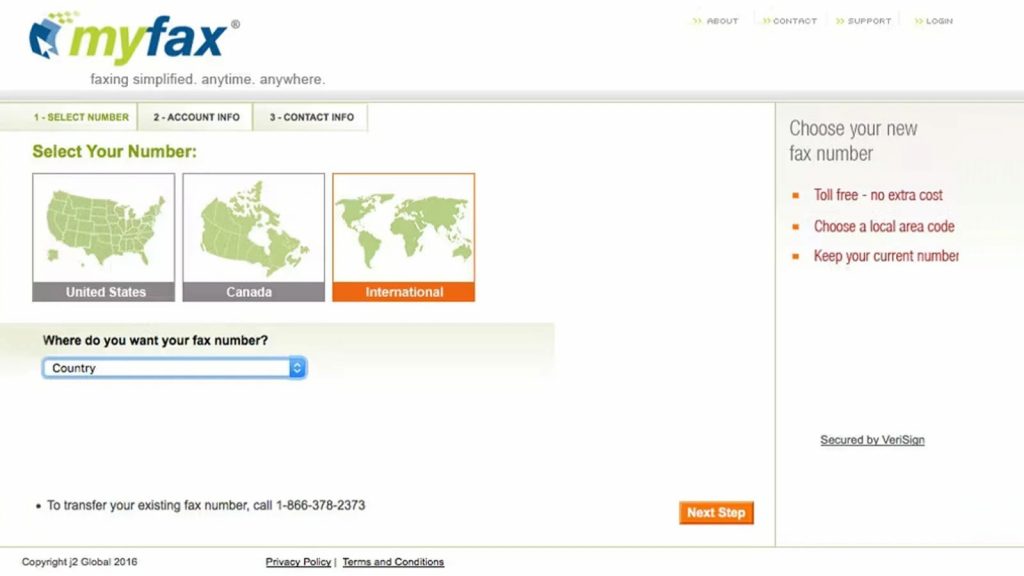
MyFax is an inexpensive online fax service with a longstanding presence that’s geared mostly toward small businesses and home offices that are looking for simple, no-frills faxing. It’s frequently praised as an inexpensive eFax replacement for office use, with a focus on simplicity and the fax basics over advanced features.
MyFax Features:
- Fax-to-Email/Email-to-Fax: Basic option for emailing and receiving faxes using your email account.
- Multiple Recipients & Broadcasting: Send one document to a list of people easily.
- Fax Number Porting: Offers the ability to continue using an existing local or toll-free fax number.
- Unlimited Storage: Stores faxes safely and securely until you decide their expiration.
- Mobile Apps: It can be used on iOS and Android devices; however, their effectiveness is occasionally described as rudimentary.
MyFax Pros:
- Low-cost point of entry and one of the cheapest solutions for basic faxing.
- Simple installation, you’ll be up and running in minutes.
- Great for single users or small to mini offices, with minimal fax usage.
MyFax Cons:
- Interface and UX look a little dated in comparison to some more recent SaaS-style platforms.
- No existing reporting and analytics to enable teams to monitor usage.
MyFax Pricing:
MyFax pricing consists of the following plans:
- Home Office Plan: ~$12/month (100 pages sent and received, included).
- Price: ∼$25/month (details that it comes with 300 pages for each send and receive).
- Per-page overage fees kick in after the cap.
MyFax Integrations:
Works mainly with email (Outlook, Gmail) with minimal file management integrations.
MyFax Support Channels:
Telephone Support, Email Support, Contact Form, On-Site
MyFax Ratings:
4.2/5
MyFax Reviews:
“Affordable service and great customer service.”
“The fax I sent worked perfectly and quickly.”
Source: Trustpilot
4. MetroFax
Overview:
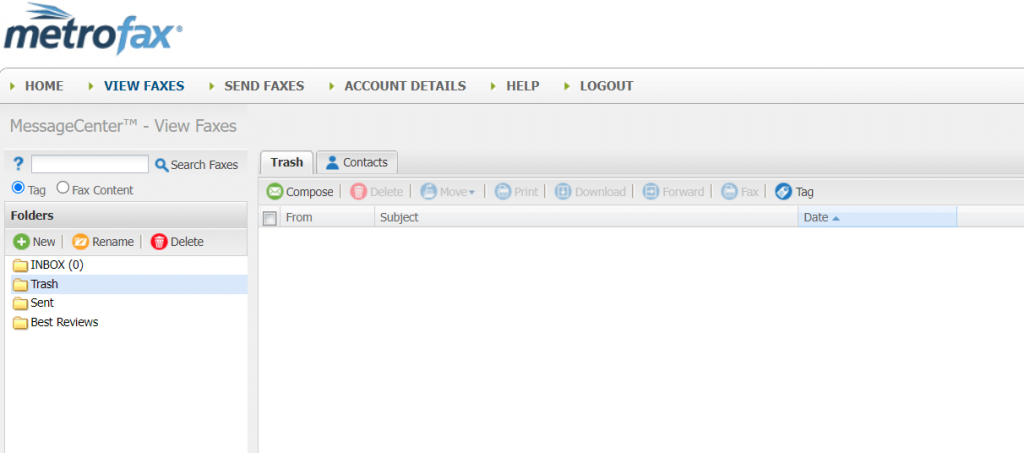
MetroFax is a simple, robust online fax company suited to small to midsize businesses (SMBs) seeking an affordable, scalable online fax solution with more features than traditional online fax services offer but without the overkill of a fully integrated communications service. It’s from the closest efax like services with faxing as the only dominant feature.
MetroFax Features:
- Email-to-Fax: Transmit faxes directly from any email provider service (Gmail, Outlook, etc).
- Mobile Apps: iOS and Android apps for managing faxes on the move.
- Multi Users: Share one account among team members so that faxing can be managed from one centralized dashboard.
- Manage Faxes Online: A web-based interface for accessing and managing your faxes.
- Local & Toll-Free Numbers: Choose from local or toll-free numbers.
MetroFax Pros:
- It has strong reliability and high uptime, making it a reliable option.
- Clear pricing structure and ample page allocations are standard on mid-to-higher plans.
- Great choice for business with a constantly high but predictable monthly fax volume.
MetroFax Cons:
- It doesn’t include AI, automation, and deep CRM or EMR integrations for more modern workflows.
- Interface does what you need, but isn’t as beginner-friendly or contemporary.
MetroFax Pricing:
- Essential Plan: Around $12.95/month (up to 550 pages overall).
- Value Plan: ~$15.95/month (1050 pages in total).
MetroFax Integrations:
Email, mobile, and basic Cloud (upload/download) access only.
MetroFax Support Channels:
Email Support, Phone Support (during office hours), Guided Tour
MetroFax Ratings:
4.5/5
MetroFax Reviews:
“Fantastic service—easy to use and affordable; responsive chat and email support.”
“Service cancelled without notice; lost all faxes.”
Source: Trustpilot
5. iFax
Overview:
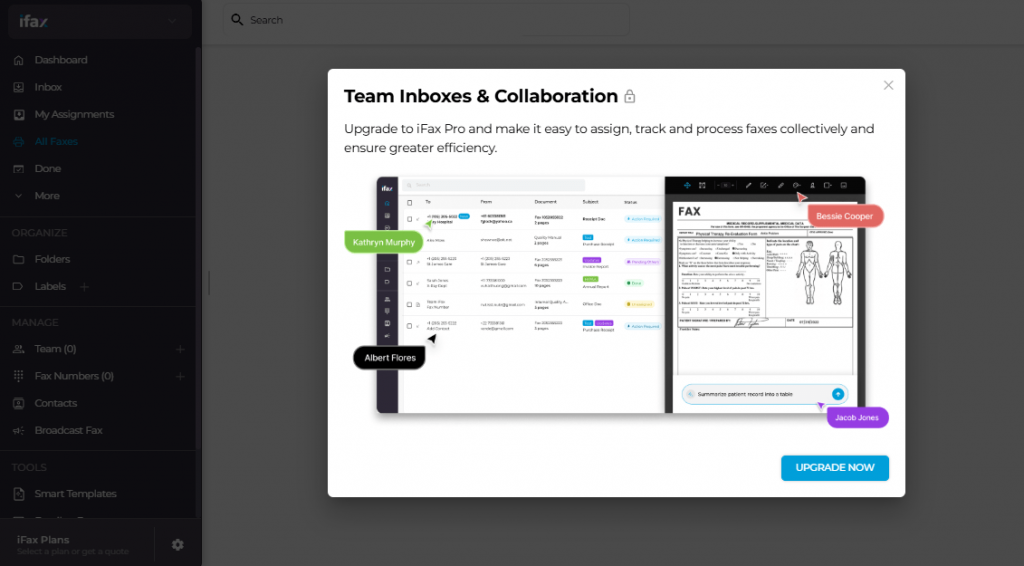
iFax is an AI-powered online fax service that caters to users of all sizes, from small teams to large enterprises. It provides scalable solutions for secure document transmission, automated workflows, and high-volume fax broadcasting. Its cross-platform flexibility and robust functionality offer teams multiple ways to send and receive faxes on mobile and desktop, making it a trusted benchmark for eFax comparisons.
iFax Features:
- HIPAA Compliant: Enables secure, compliant sharing of sensitive documents like health and insurance records.
- Fax Broadcast: Fast, secure, and reliable high-volume faxing with automated retries and failover routing.
- Fax API: Programmable Fax API with 99.99% uptime, free test API key, SDK, and code samples for faster integration.
- eSignatures: Supports in-app signing with integration for electronic signature requests on outgoing faxes.
- Mobile + Desktop Faxing: First-class mobile fax apps for iOS, Android, Windows, and Mac.
iFax Pros:
- There’s great UX throughout its mobile apps, from Android to iOS and all in between.
- Advanced enterprise features are available on the higher plans, such as OCR and API.
- Great answer for people who need a basic eFax alternative without the subscription (pay-per-fax).
iFax Cons:
- Premium tiers are expensive when available as well, competing essentially with services such as iFax.
- It restricts incoming faxes unless you upgrade to a plan with a dedicated number (a key thing to look at if comparing eFax alternatives).
iFax Pricing:
iFax pricing consists of the following plans:
Plus Plan: ~$24.99/month (billed annually, 500 pages for outgoing faxes; incoming faxes included)
Pro Plan: ~$33.33/month (billed annually, with 1000 total pages plus receiving)
iFax Integrations:
Google Drive, OneDrive, Zapier, Salesforce, and RESTful API for custom fax workflows.
iFax Support Channels:
Live Chat Support, Email Support, Knowledge Base, Spectrum Web, and video support.
iFax Ratings:
4.6/5
iFax Reviews:
“Secure, reliable, and incredibly easy to use.”
“Simple to use and the product actually works.”
Source: G2
6. RingCentral Fax
Overview:
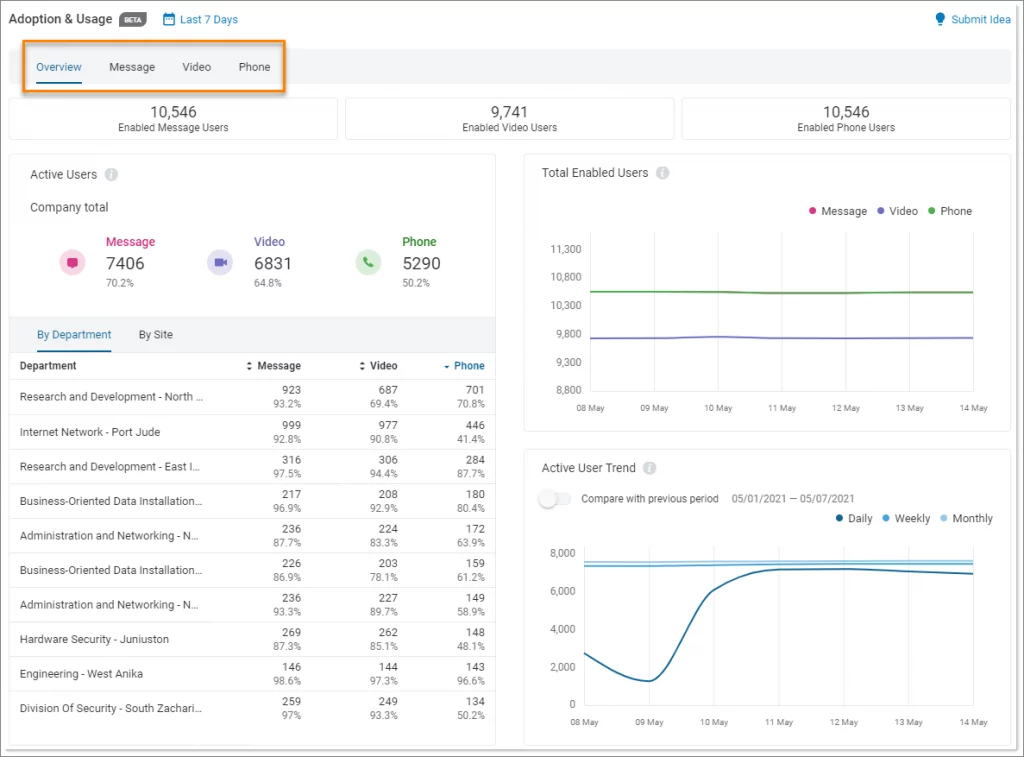
RingCentral Fax is the online fax part of RingCentral’s larger unified communications (UCaaS) package, RingEX. The offering is aimed at Enterprise-level organizations that require adding business-class faxing to VoIP phone systems, team messaging, and video conferencing. And as part of the full RingCentral experience, it’s a strong efax competitor.
RingCentral Features:
- Send a Fax Online, Mobile, or Desktop: Hoot the free mobile app and/or Free online fax from your computer!
- API Integration: Powerful API for custom integrations, as well as the capability to integrate faxing features into in-house applications.
- Team Collaboration: Faxes work in the RingCentral system and not as standalone devices, so team chat and call logs are accessible for better context.
- Cloud First Security: Built on RingCentral’s carrier-class, enterprise-grade network, with a 99.999% uptime SLA.
- Audit Trails & Reporting: Robust reporting options to follow faxing activity against other modes of communication.
RingCentral Pros:
- Very durable enterprise features and highly scalable in large enterprises.
- Easily add fax to a full UCaaS stack (phone, SMS, video, chat).
- High-level cloud security and reliability.
RingCentral Cons:
- More expensive than a dedicated fax competitor since, generally, you’re buying into the larger UCaaS platform more so than just what you need in fax.
- Maybe too complicated for small businesses or personal use (if all you are looking for is a simple eFax alternative).
RingCentral Pricing:
Ringcentral pricing consists of the following plans:
- Begins at ∼$19.99/user/month (billed annually, with RingEX Core plan).
- Fax is usually factored into the total pages/usage limits of your UCaaS package.
RingCentral Integrations:
Salesforce, Microsoft 365, Google Workspace, ServiceNow, Zendesk, and hundreds of others via its API.
RingCentral Support Channels:
Phone & Live Chat Support 24/7, Email Support, Knowledge Base
RingCentral Ratings:
4.6/5
RingCentral Reviews:
“Stable platform; easy access to call logs and records.”
“My phone number and fax are the same—highly recommend RingCentral.”
Source: Capterra
7. Fax.Plus
Overview:
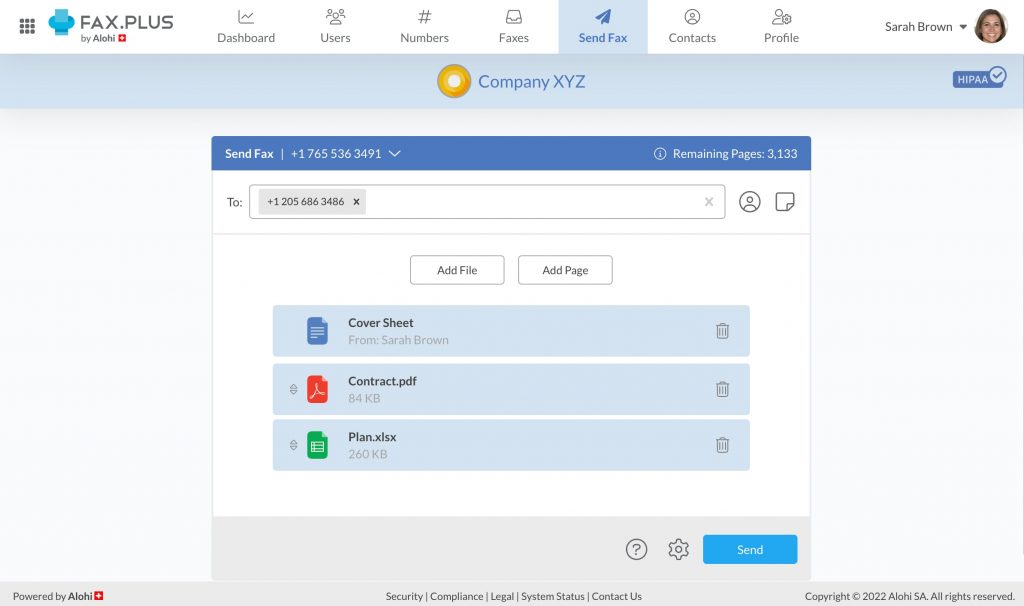
Fax. Plus is a secure, easy-to-use, and top-ranking online fax service for individuals and businesses throughout the world. Given its low pricing and high focus on security, compliance, and multi-platform support, it’s gained a lot of momentum as one of the best eFax alternatives that actually packs enough horsepower to match up with the industry leaders.
Fax.Plus Features:
- HIPAA & GDPR Compliant: Provides high security and compliance, especially on its Business and Enterprise plans; they are a good, secure eFax alternative.
- Multi-User Admin Panel: Great administration for team and enterprise admins when it comes to controlling user access and assigning fax numbers.
- API Integration: Offers an API for integrating faxing into in-house apps and processes.
- Cross Platform: It has Web, iOS, Android, macOS, and Windows applications as well as a Google Chrome Extension.
- Team Analytics: An in-depth look at usage reports and audit logs.
Fax.Plus Pros:
- Great compliance credentials (HIPAA/GDPR you’ll need for an efax alternative for healthcare.
- Provides a Free plan for extremely low-volume personal use, a big step up from eFax.
- Intelligent experience: The interface is very good, and the native app is rich.
Fax.Plus Cons:
- More advanced compliance features (such as HIPAA BAA) are typically available as part of the “most expensive” Enterprise tier plan.
- A very small subset experiences some slight delay, dragging down notifications when volume is at its busiest.
Fax.Plus Pricing:
Fax.Plus pricing consists of the following plans:
- Free Plan: 10 pages in all.
- Basic Plan: Starting at ∼$6.99/month (annual billing, 200 pages included).
Fax.Plus Integrations:
Google Drive, Slack, Zapier, Microsoft Teams, Microsoft Word, and G Suite.
Fax.Plus Support Channels:
Help Articles/FAQ, Email Support, Live Chat (For paid users only)
Fax.Plus Ratings:
4.7/5
Fax.Plus Reviews:
“Excellent service, will be my go-to for faxing needs.”
“Terrible customer service; had problems with faxing and access.”
Source: Capterra
8. SRFax
Overview:
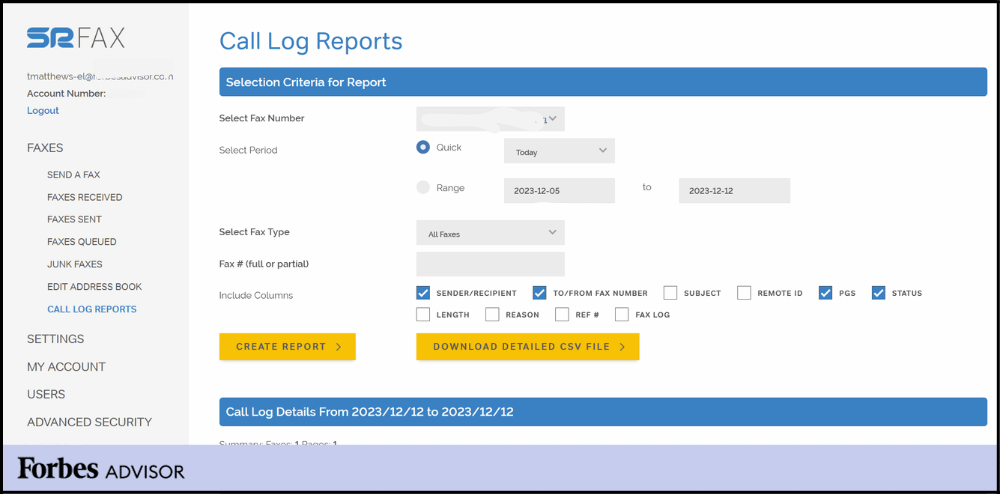
SRFax is an ultra-specialized, privacy-centric faxing solution that has become a go-to resource for healthcare professionals and medical services. It focuses on security and compliance more than anything, so it’s one of the most secure eFax alternative options around, especially in the United States and Canada.
SRFax Features:
- HIPAA & PHIPA Compliance: Special compliance functionalities needed for the health care industry. All programs support BAA (Business Associate Agreement) functionality when requested.
- Secure Fax Storage: Faxes are stored using advanced encryption (AES 256-bit) both at rest and in transit.
- Digital Signatures: Enable digital signatures on documents.
- Complete Ownership: Users have full control over who can send, receive, and view faxes.
- Spam Protection: Powerful features built in to help you eliminate unsolicited junk faxes.
SRFax Pros:
- Excellent compliance and security features, its core strength for regulated industries.
- Great entry-level free plan for the security provided.
- All plans are also BAA-eligible, vital for HIPAA-compliant eFax replacement wants.
SRFax Cons:
- Simple, no-frills interface that’s not as slick or feature-packed as some competitors (like Emitrr or Fax). Plus.
- Not deeply integrated with common EMR/CRM systems (with heavy dependence on email/API).
SRFax Pricing:
- Lite Personal Plan: ∼$9.95 a month (25 pages to send, 25 receive).
- Basic Plan (Business): $12.95/month with 200 send + 200 receive.
SRFax Integrations:
Limited- It’s an API / Email Integration for obvious Reasons (security)
SRFax Support Channels:
Ticket Portal, Phone Support, Email Support
SRFax Ratings:
4.8/5
SRFax Reviews:
“Easy to set up, reliable, HIPAA-compliant, and reasonably priced.”
“Exactly what we need in a fax service.”
Source: Capterra
9. mFax
Overview:
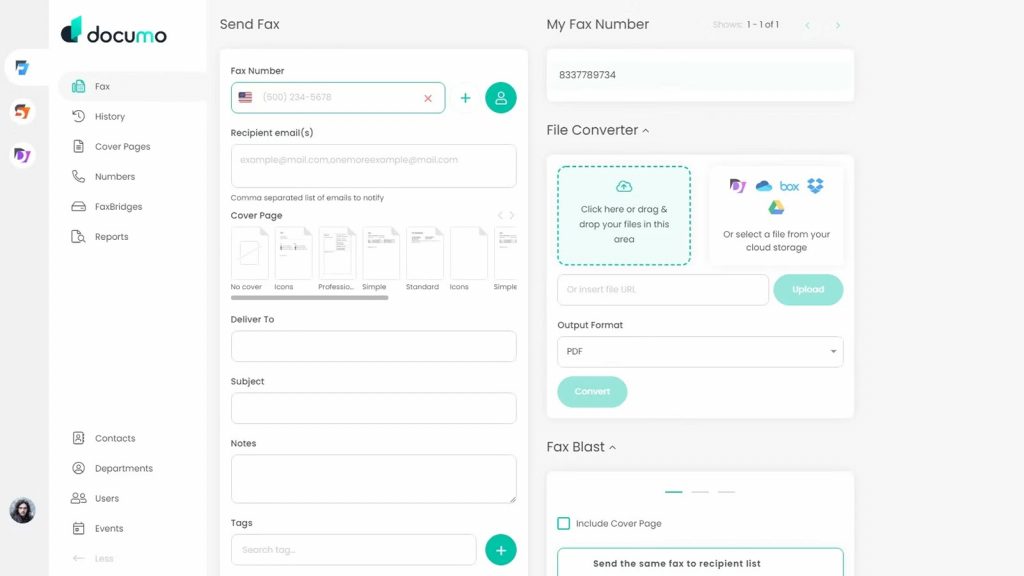
mFax, developed by Documo, is a modern, sleek cloud fax solution designed with developers and team control in mind. Its powerful REST API and unmatched admin controls are unmatched, making it the perfect fit for businesses that do not want to make faxing an additional arm of their established or custom enterprise software projects. This emphasis on integration is what makes it a powerful eFax comparison winner for tech-savvy businesses.
mFax Features:
- REST API: A fully functional, detailed API enabling you to integrate faxing into any application (EMR, CRM, ERP, etc.).
- Powerful Admin Controls: Central management console to manage users, security, and settings.
- Secured Transmission: Encryption using TLS/SSL and AES 256 Bit security for stored faxes.
- HIPAA Ready: The vendor has a BAA available, and its infrastructure complies with stringent regulations.
- Fax Notices: Email and web notices sent & received faxes.
mFax Pros:
- Ideal for integrations and automation thanks to its powerful, modern API.
- Good control and user control if you have teams.
- Extremely competitive entry-level pricing, which makes it an attractive eFax replacement for businesses.
mFax Cons:
- Steep for lay persons who just want to send and receive faxes from a site, as the platform was designed for enterprise-level use.
- Mobile is accessed by a responsive web application, rather than a dedicated native app with full features.
mFax Pricing:
mFax pricing consists of the following plans:
- Basic Plan: ∼$7 a month (covers 150 pages).
- Team Plan: ∼$25/month (with 500 pages and multi-user access).
mFax Integrations:
API based, so it integrates with almost anything, including EMRs and CRMs.
mFax Support Channels:
Live Chat, Email Support, Phone Support
mFax Ratings:
4.6/5
mFax Reviews:
“Favorite feature is fax via email; customer service is responsive.”
“Delivers secure, compliant transmission; reliable for day-to-day needs.”
Source: Capterra
10. CocoFax
Overview:
CocoFax is a cloud-based fax service that offers a seamless web and app experience and focuses on worldwide expandability. It’s marketed as an easy-to-use, contemporary eFax alternative service provider with excellent integration for Google and Microsoft products as well, which makes it a great choice for international users who need the ease of use that eFax offers.
CocoFax Features:
- Fax from Google Drive & Slack: Send faxes directly from Google Drive or receive fax notifications in Slack.
- International Fax Number Selection: Provides local numbers and toll-free numbers in many countries.
- Cross-Platform Access: Log in using a stunning web app, dedicated mobile apps, and Google/Microsoft add-ons.
- HIPAA Compliant: Provides BAA as well as security practices that meet the criteria for handling sensitive information.
- Team Management: Central admin panel to manage folks, numbers, and permissions.
CocoFax Pros:
- Simple but effective and modern web app with a stunning user interface.
- Excellent Google/Slack integrations for working effectively in those ecosystems.
- Ideal for businesses looking for global fax number options.
CocoFax Cons:
- Per-page overage fees can add up quickly on low-tier plans if page volume surges.
- The dedicated apps may be less stable compared to the web interface, according to some users.
CocoFax Pricing:
Cocofax pricing consists of the following plans:
- Lite Plan: ∼$12.99/month (60 pages included).
- Best Plan: ∼$19.99/month (includes 200 pages).
CocoFax Integrations:
Google Drive, Google Docs, Slack, Microsoft Word or PowerPoint (or Outlook every two years), Gmail.
CocoFax Support Channels:
24/7 Email Support | Live Chat | Online FAQ & Help Center
CocoFax Ratings:
4.5/5
CocoFax Reviews:
“Quick and easy way to send a fax online.”
“Easy to use; employees love it; HIPAA compliance is great.”
Source: G2
Why Emitrr is the Best Alternative to eFax
- All-in-One Fax, SMS, Voice Calls, & Automation: Facilitate all communication through one dashboard and eliminate communication silos to create a simpler client communication experience – just not something many competitors in the eFax space offer.
- HIPAA-Compliant for Sensitive Industries: Built for healthcare and legal professionals in need of a secure, HIPAA-Compliant eFax option to gain confidence in handling protected data.
- AI-Powered Workflow Automation: Eliminate hours of manual effort and time wasted on document, routing, classification, and labeling with AI-Powered workflow automation.
- Predictable, Simple Pricing Structure, No Per Page Fees: Predictable use, flat rates, and no per page fees or other hidden/surprise fees to use core services, as with many alternatives to eFax.
- Real-Time Support & Migration: Smooth transition from your current system, thanks to dedicated onboarding support from day one during your setup process.
- Powerful CRM & EMR Integrations: Two-way sync, as simple as pressing a button, for bi-directional integration with fundamental tools like Salesforce, HubSpot, & AthenaHealth, etc., for end-to-end automation!
Industries That Benefit from Emitrr
- Healthcare: Trust its secure faxing, HIPAA-compliant messaging, and automated appointment reminders as the top eFax alternative for healthcare.
- Legal: You can exchange contracts, ask for an e-sign, and record the full audit trail.
- Real Estate: Fax contracts and automate client updates via SMS alerts.
- Education: Securely distribute mass documents and communicate emergency alerts through two-way text.
- Home Services: Make client onboarding, invoicing, and service confirmations easy, all in one place.
Frequently Asked Questions
Ans: Not always, up-and-coming tools like Emitrr and Fax. Plus may have better existing pricing, automation, and integration capabilities.
Ans: eFax and SRFax are generally regarded as the best eFax options for HIPAA-compliant security.
Ans: mFax and MyFax offer very low entry price plans under ~$10/month.
Ans: Yes, most of the tools we listed support e-mail to fax functionality (Emitrr/Fax.Plus/HelloFax, etc.)
Ans: Yes, most online fax providers support existing fax numbers being ported to their platform, contact imports, and PDF archival imports.
Conclusion
eFax has done a good job serving businesses for many years. Today, however, demands for automation, compliance, messaging, and integration have exceeded those needs. That’s not to say that’s a bad fax option, but as we listed some of the top eFax alternatives for 2025, Emitrr was by far the best all-in-one solution to use faxing and integrate engagement, workflows, and compliance features.
Whether you are in healthcare, legal, real estate, or any other industry, enhancing your fax stack to an automation/fax stack will remove silos, improve traceability, and general communications will be more future-proof.
Book a free demo with Emitrr today and see how your organization can move on as an organization that fax cannot limit.


 4.9 (400+
reviews)
4.9 (400+
reviews)