
Introduction
Choosing the right online fax service is important when your business depends on sending documents quickly and securely. Many teams compare mFax vs iFax because both offer solid cloud faxing, strong security, and features built for everyday business use.
But there’s also Emitrr, which takes things a step further by combining calls, texts, and faxing in one place. Instead of using separate tools, Emitrr gives you an all-in-one communication platform that keeps everything organized and easy to manage.
In this guide, we’ll break down the iFax vs mFax comparison and show you how Emitrr fits into the picture so you can choose the solution that works best for your workflow.
What is mFax?
mFax is an online fax service that lets you send and receive faxes through the cloud instead of using a traditional fax machine. It’s built for businesses that want fast, secure online faxing without extra hardware or phone lines. Many companies choose it because it’s easy to use, works well for remote teams, and offers strong protection for sensitive information, making it a solid option in any mFax vs iFax or FaxBB vs iFax comparison. With features designed for both small teams and large organizations, mFax is often considered one of the most reliable electronic fax solutions available today.
What is iFax?
iFax is a virtual fax service that allows you to send and receive faxes digitally from any device, computer, smartphone, or tablet, without needing a fax machine or phone line. It’s known for its easy-to-use app, secure online faxing, and support across multiple platforms like iOS, Android, Windows, and Mac. iFax also includes built-in features such as eSignatures, document editing, and cloud storage integration, making it convenient for both individuals and businesses. With HIPAA-compliant security and flexible iFax pricing plans, it’s a trusted choice for professionals who need reliable, paperless faxing in healthcare, legal, and business environments.
Key Differences Between mFax and iFax
| Features | mFax | iFax |
| Starting Price | $25/month | $8–$9.99/month |
| Page Limit | 300 pages/month | Varies by plan |
| Overage fees | Additional pages cost about $0.15/page at the Solo tier. | Often lower per-page rates |
| Integrations | API access, email-to-fax, fax-to-email, secure storage and cloud faxing | Advanced API + cloud |
| User Rating | 4.8/5 | 4.5/5 |
| Best for | Large Businesses | Businesses/professionals |
Key Similarities Between mFax and iFax
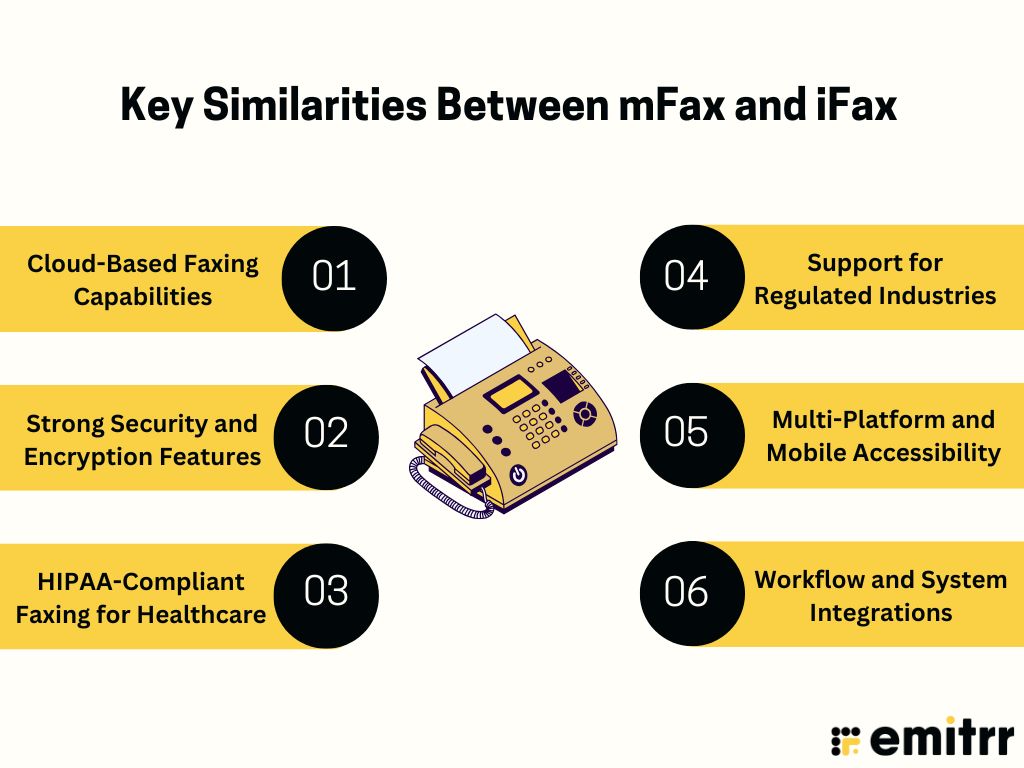
If you’re comparing mFax vs iFax, it helps to understand where both services overlap. Even though each platform has its own strengths, they share several core features that make them dependable choices for secure online faxing. Here are the key similarities that stand out in any iFax vs mFax comparison.
Cloud-Based Faxing Capabilities
Both mFax and iFax make faxing simple by letting you send and receive documents through the cloud, without needing any traditional fax machines. This makes the mFax vs iFax comparison useful for anyone looking for the best online fax service or wanting reliable and secure online faxing from anywhere.
Strong Security and Encryption Features
When comparing iFax vs mFax, both platforms stand out for their strong security. They use solid data encryption to protect sensitive documents, making them trustworthy electronic fax solutions for businesses that handle private information.
HIPAA-Compliant Faxing for Healthcare
Both mFax and iFax are known as HIPAA-compliant fax apps, which is why many healthcare providers rely on them. Whether you’re reading an mFax review or an iFax review, both services support HIPAA rules and secure document sharing, making them strong options for the best fax app for healthcare.
Support for Regulated Industries
If your business works in a regulated field like healthcare, legal, or finance, both services are designed to meet compliance needs. This makes mFax vs iFax for business an important comparison for companies that need dependable fax software for enterprises.
Multi-Platform and Mobile Accessibility
Both mFax and iFax work smoothly across phones, tablets, laptops, and desktops. This flexibility is ideal for remote teams and faxing for small businesses. Whether you’re checking mFax features or iFax features, both options let you fax from wherever you are.
Workflow and System Integrations
Both services offer helpful integrations that connect with the tools most businesses already use. From cloud storage to automation, these integrations make both solutions strong choices in any online fax service comparison, especially for teams that want modern and efficient electronic fax solutions.
mFax Vs iFax: Compared
Now let’s have a mFax vs iFax full comparison test:
Features
mFax Features
- Secure cloud faxing software for sending and receiving documents online.
- Strong encryption to support secure online faxing for businesses.
- Fully HIPAA-compliant fax app suitable for healthcare and regulated industries.
- Easy email-to-fax and fax-to-email functionality.
- Number porting and shared team inboxes for smoother workflows.
- Works across multiple devices, making it convenient for faxing for small businesses.
- Modern tools that fit well into any mFax vs iFax or online fax service comparison for reliable electronic fax solutions.
iFax Features
- Send and receive faxes online from any device, such as a computer, tablet, or phone, with the iFax app.
- Use email, mobile, or web; no traditional fax machine or phone line needed.
- Upload documents from cloud tools like Google Drive or Dropbox and fax them instantly.
- Get built-in annotation, e-signing, and form-filling tools so you can complete documents before you fax.
- Choose local, toll-free, or international fax numbers, or port your existing number into iFax.
- Track delivery with real-time status updates and audit trails to see exactly when your fax arrived.
- Benefit from enterprise-grade security, 256-bit encryption, HIPAA, and GLBA compliance for sensitive data.
- Send high-volume broadcasts with personalization (mail-merge) and automatic retry of failed faxes.
- Manage team usage easily with shared inboxes, multiple numbers, user permissions, and cloud archiving.
- Enjoy flexible iFax pricing plans with no long-term contracts and clear page limits, good for both individuals and businesses.
Plans & Pricing
mFax Pricing
mFax pricing consists of the following:
- Solo: US $25/month (billed annually)
- Professional: US $62.50/month (billed annually)
- Business: US $125/month (billed annually)
- Enterprise: US $250/month (billed annually)
- Custom: Pricing available on request
iFax Pricing
iFax pricing consists of the following:
- Plus Plan: $8.33/month (annual billing, with 200 faxes sent and no receiving).
- Pro Plan: $16.66/month (billed annually, with 500 total pages plus receiving).
Integrations
mFax Integrations
- Zapier, Google Drive, OneDrive, Google Sheets, Salesforce, ActiveCampaign
iFax Integrations
- Google Drive, Dropbox, Box, and API for your own solution.
Pros & Cons
mFax Pros
- Easy-to-Use Interface: mFax is simple, clean, and quick to set up, making it easy for teams to start faxing right away.
- Reliable Cloud Faxing: Works well as a secure online faxing solution and serves as a strong alternative to traditional fax machines.
- Compliance-Ready for Healthcare & Regulated Fields: Built with strong security and compliance features, making it one of the trusted HIPAA-compliant fax apps.
- Excellent Customer Support: Users often praise mFax for fast, helpful, and responsive support.
- Good for Businesses of All Sizes: Suitable for faxing for small businesses as well as larger teams that need scalable electronic fax solutions.
mFax Cons
- Initial Sending Can Be Slow: Some users notice the first fax can take longer than expected to process.
- Limited Customization Options: Template and cover-page customization can feel restricted.
- Pricing Not Ideal for Light Users: mFax can feel pricey if you only send a few faxes a month.
- Reporting Tools Could Be Better: Some reviews mention that logs and reporting features could be more intuitive.
- Occasional Integration or Number Porting Issues: A few users have experienced small hiccups with integrations or porting existing fax numbers.
iFax Pros
- Simple and intuitive to use: The iFax app makes faxing feel effortless, just upload, enter the number, and send in seconds.
- Secure and compliant: It provides secure online faxing with encryption and meets HIPAA and GLBA standards, ideal for industries like healthcare and law.
- Works on all platforms: iFax runs smoothly on iOS, Android, Windows, Mac, and web, making it convenient for mobile and remote users.
- Strong integrations and tracking: It connects easily with email and cloud tools while offering delivery tracking, status updates, and team collaboration options.
- Great for professional use: iFax is built for regulated industries that need privacy and compliance without sacrificing convenience.
iFax Cons
- Higher pricing for heavy users: While flexible, iFax pricing can get expensive if you send large volumes or need premium features.
- Limited free plan: The free tier allows only a few pages per month and doesn’t include all core functions.
- Billing and cancellation issues: Some users mention that billing details and cancellation terms could be more transparent.
- Occasional app limitations: A few users note that editing tools and inbox management could be more refined.
- Basic plan may not fit business users: The entry-level plan lacks some advanced options needed for high-volume or enterprise faxing.
Reviews & Ratings
mFax Reviews & Ratings
No reviews and ratings are available.
iFax Reviews & Ratings
iFax has an overall rating of 4.6/5 on G2.
Here are some of the reviews of iFax:
“Secure, reliable, and incredibly easy to use.”
“Simple to use and the product actually works.”
Source: G2
Whether you need a formal document for official correspondence or a simple sheet for quick notes, these versatile business templates cater to every professional requirement:
When to Use mFax?
mFax is a great option for businesses that need secure and reliable digital faxing without dealing with traditional fax machines or complicated setups. It’s designed for teams that prioritize data security, compliance, and efficiency. Whether you’re sending sensitive documents or managing fax workflows across multiple locations, mFax offers a modern, cloud-based experience that fits easily into daily operations.
- When your business needs a HIPAA-compliant fax app for handling sensitive healthcare, legal, or financial documents
- When you’re searching for the best online fax service to replace traditional fax machines with fully digital faxing
- When remote or multi-location teams require cloud faxing software to send and receive documents from anywhere
- When your organization needs strong integrations, APIs, and workflow tools to support scalable electronic fax solutions
- When you want secure online faxing with modern encryption and audit-friendly logs instead of outdated hardware systems
When to Use iFax?
Choose iFax if you need a more advanced, feature-rich, and business-grade faxing solution. It’s built for organizations, enterprises, and professionals that require strong security, automation, and multi-user management. iFax excels when you handle large volumes of faxes or need specialized compliance like HIPAA or GDPR for healthcare or legal use. It’s best suited when:
- You need multi-platform support on iOS, Android, Windows, and macOS.
- You want built-in eSignature, annotation, and workflow automation tools.
- You handle high-volume faxing or manage multiple fax numbers and users.
- You require enterprise-grade security and compliance for sensitive data.
- You’re comparing mFax vs iFax and value advanced features over basic affordability.
Emitrr: The Better Alternative to mFax & iFax
Emitrr Overview
Emitrr Faxing uses a simple, messaging-style layout that feels as easy as texting. You can assign specific fax threads to team members, add internal notes, create follow-up tasks, and monitor every fax right alongside your calls and messages. Everything stays organized, collaborative, and transparent, making communication much easier to manage.
Emitrr Features
- Multi-Recipient Faxing: Send one fax to multiple recipients at the same time, making group communication fast and efficient.
- Broadcast Faxing: Distribute a single fax to your full contact list in seconds, great for announcements, updates, or promotions.
- Inbound and Outbound Faxing: Send and receive faxes directly through Emitrr with no fax machine, phone line, or extra equipment needed.
- Fax-to-Email and SMS Notifications: Get incoming faxes sent straight to your email and receive instant SMS alerts for quick access.
- Scheduled Faxing: Set faxes to send at a specific date and time, perfect for bulk messaging or time-sensitive communication.
- Large File Support: Send high-quality images and large documents up to 30 MB without compressing or losing clarity.
- Custom Fax Covers: Add personalized cover pages with branding, recipient info, and professional notes for a polished look.
Emitrr Pros
- Unified Communication Platform: Combines fax, texting, calling, and review management in one powerful solution.
- Built for Regulated Industries: Features AI automation and robust HIPAA compliance, making it perfect for healthcare, legal, and financial sectors.
- Intuitive Mobile Dashboard: A user-friendly, mobile-first interface accessible to your entire team.
- Transparent and Scalable Pricing: Designed to fit both SMB and enterprise budgets with clear, usage-based plans.
- Round-the-Clock Support: Offers 24/7 proactive customer assistance and personalized onboarding for a smooth setup experience.
Emitrr Cons
- Some advanced features are under process and will be live shortly.
Emitrr Pricing
- Standard: $25/month
- Professional: $35/month
- Pricing is typically bundle-based, and often doesn’t include per-page overages.
Emitrr Integrations
- Salesforce, HubSpot, AthenaHealth, Denticon, Mailchimp, Zapier, QuickBooks, and many EMR/EHR systems.
Emitrr Customer Support Channels
- Live chat, email, phone, and choices in the knowledge base with a focus on getting in touch.
Emitrr Ratings
4.8/5
Emitrr Reviews
“You have it all integrated into one platform, the signatures, the amount of characters, you can attach files, send photos. You are able to create and send forms. Unlimited amount of things we can use and take advantage of.”
“I LOVE Emitrr. The support you get is wonderful, the app is easy to use and they have been incredibly responsive. As a small business, we needed a messaging platform that wouldn’t break the bank and this meets all our needs (and then some) without making us feel overwhelmed.”
Source: Capterra
Key Benefits of Emitrr Online Faxing
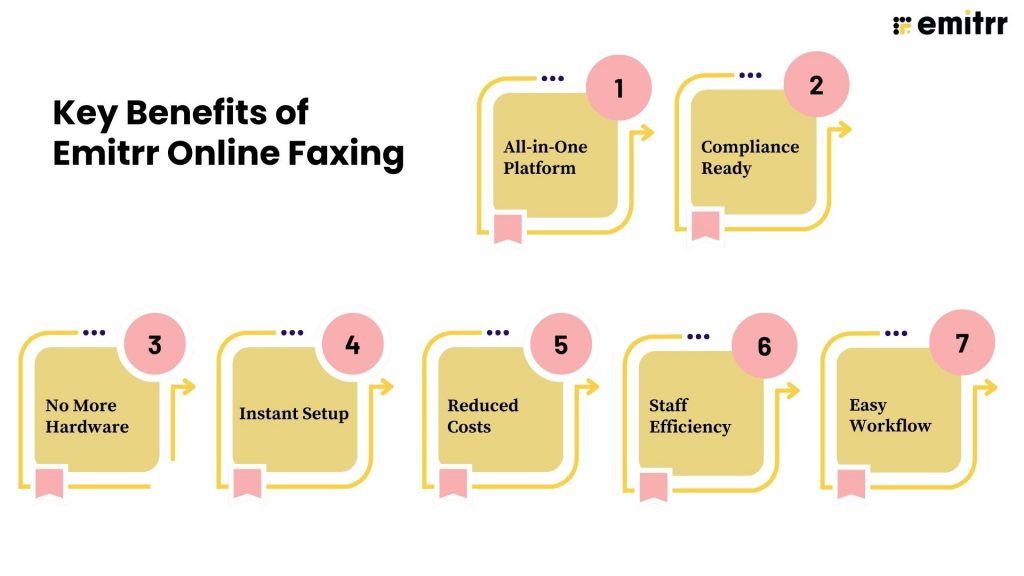
All-in-One Platform
Emitrr brings calls, texts, and faxes into one simple platform so your team can manage every type of communication without juggling multiple apps. Everything stays organized in one place, saving time and keeping your business connected more efficiently.
Compliance Ready
Built with strong security and privacy controls, Emitrr Faxing is fully HIPAA-compliant. It’s a great fit for healthcare, legal, and financial organizations that need secure data transmission. All calls, messages, and faxes are encrypted and safely stored to meet strict industry standards.
No More Hardware
Say goodbye to fax machines, maintenance issues, and paper clutter. Emitrr replaces all physical fax equipment with a cloud-based digital system, letting you fax easily from your computer or mobile device while reducing both costs and office space.
Instant Setup
Starting with Emitrr is fast and hassle-free. You can activate a new fax number or port your existing one right from the dashboard in just minutes. There’s no complex setup, so your team can begin faxing right away.
Reduced Costs
Emitrr lowers your operational expenses by cutting out extra fax subscriptions, phone lines, and paper supplies. With digital faxing built directly into your communication platform, you save money while reducing paper waste and supporting a greener workflow.
Staff Efficiency
With calls, texts, and faxes all in one interface, your team no longer needs to switch between different systems. Everything can be sent, received, and tracked from one dashboard, which boosts productivity and helps reduce mistakes.
Easy Workflow
Emitrr Faxing uses a simple, conversation-style layout similar to texting, making it intuitive for any team. You can assign faxes to team members, add notes, create follow-ups, and track each thread alongside your calls and messages. It keeps communication organized, collaborative, and easy to manage.
Frequently Asked Questions
The biggest difference lies in pricing and target users. iFax offers more affordable entry plans, making it a good fit for smaller teams or lighter usage. mFax tends to start at a higher price point and is geared more toward regulated industries or larger organizations.
Yes, iFax supports HIPAA-compliant faxing and is used by healthcare and regulated industries.
mFax pricing starts at around $12/month for the Solo plan and goes up based on pages and users. Higher-tier plans offer more volume, and enterprise pricing is available on request.
Yes. mFax is HIPAA-compliant and provides a BAA, along with AES-256 encryption and secure transmission to protect sensitive health information.
Conclusion
mFax and iFax both offer reliable online faxing, and each has features that work well for different business needs. But if you want more than just faxing, Emitrr clearly stands out. It combines calls, texts, and faxes in one place, making communication easier and more organized for your whole team. Instead of switching between multiple apps, everything happens on a single platform.
So while comparing mFax vs iFax is helpful, businesses looking for a modern, all-in-one communication solution will find that Emitrr offers a simpler, faster, and more complete experience.


 4.9 (400+
reviews)
4.9 (400+
reviews)