
Introduction: Faxing Gets a Digital Upgrade
Imagine someone telling you 10 years ago, “You still need to fax, but you don’t need the fax machine,” you would’ve laughed. But this is exactly where modern business communication stands today. Even though nearly everything, from agreements to prescriptions, has shifted into apps, messengers, and cloud drives, several regulated industries continue to stick to faxing for reasons related to security, compliance, and auditability.
Industries including healthcare, legal, government, real estate, and financial services still need fax because it’s the most secure and legally binding way to transfer documents between parties. But traditional fax machines? They are slow, unreliable, costly, and chained to a physical location.
That’s where Email-to-Fax comes in: It’s an easy and secure way of sending and receiving faxes directly through your existing email account, be it Gmail, Outlook, Yahoo, iCloud, or anything else, and without you ever needing to touch a fax machine, phone line, or toner cartridge.
In this guide, you will discover how to send a fax through email, how the technology functions behind the scenes, how you can receive faxes directly into your inbox, and why selecting the right tool, such as Emitrr, can revolutionize your document workflow.
How to Send a Fax Via Email?
- Prerequisite: Get Signed Up for a Cloud Fax Service
- Open Your Email and Compose a New Message
- Enter the Recipient’s Fax Number in the Email Address Field
- Attach the Document You Want to Send as a Fax
- Add a Cover Page if Needed
- Send the Email and Confirm the Fax Was Delivered
Understanding Email-to-Fax: The Digital Bridge
Before we start, it’s important to know the underlying technology that makes faxing with email work. This service serves as the “Digital Bridge” between new email technologies and old fax technologies.
What is Email-to-Fax?
Email to Fax is the process of sending a document attached to an email message to a recipient’s traditional fax machine or dedicated digital fax number. Similarly, it’s how you can receive a fax to email, helping modern healthcare and business teams centralize communication workflows where referrals flow from fax, SMS, email, and phone into the EHR.
What It Does
It uses an Internet-based fax service to facilitate document transfer and conversion. This service acts as the central hub.
How the Conversion Happens
Explain what the online fax service does. When you send a fax by email, the service takes in your email, removes any attachment from it, and then converts those digital files (PDF, DOCX, or JPG format) into an analog signal (using T.38 protocol for Fax over IP), before sending them via the public switched telephone network to the machine on the other end. This is how sending a fax via email works: a complex conversion process carried out by the provider.
Fax Address Format
The Standardized Format is the key to the whole thing. Instead of an email address, you enter the recipient’s fax number followed by their service’s domain. For example: [recipient’s fax number] @ [service’s domain]. Using Emitrr, the format would be: 1234567890@emitrr.com.
Receiving Faxes
The other way around is just as easy. Incoming faxes that are sent to your virtual fax number get intercepted by the service. They then convert your incoming files from the analog signal form (fax) to a digital file, typically in PDF or TIFF format, and deliver it directly into your email inbox, where you can safely download it. It’s sort of like receiving a secure fax to email.
Step-by-Step Guide: How to Send a Fax Via Email
Faxing using email is quite easy and simplified; It’s no different from sending an ordinary email attachment. Follow the steps below to know how to send a fax via email.
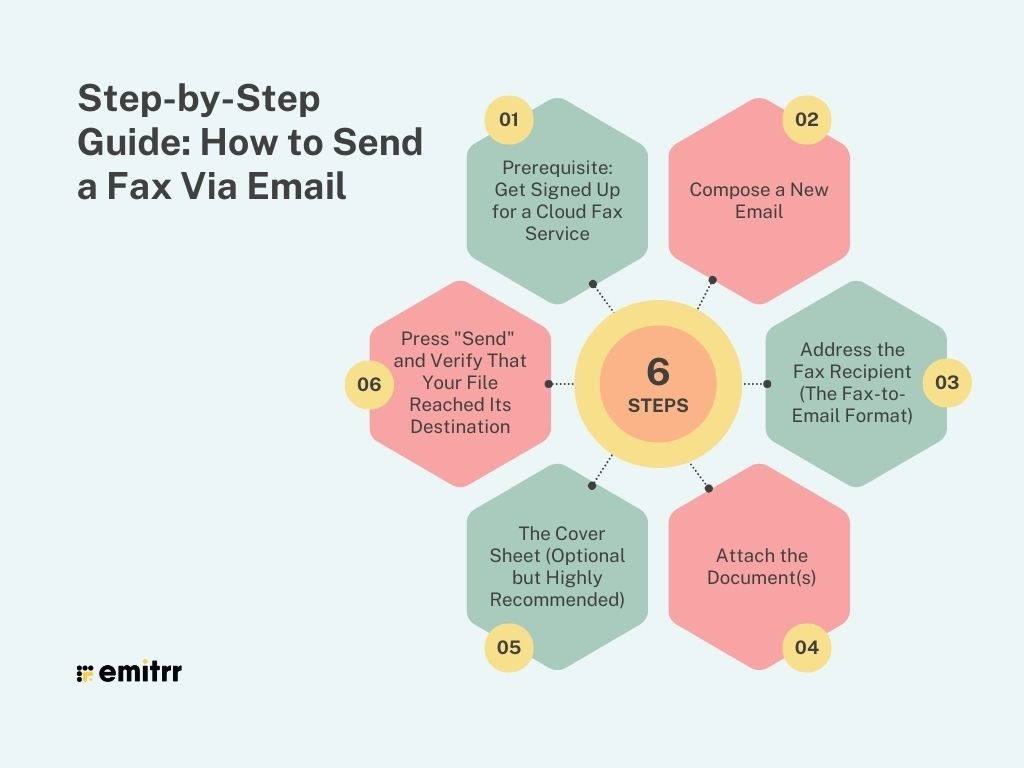
A. Prerequisite: Get Signed Up for a Cloud Fax Service
Emphasize that a subscription to a secure online fax service (like Emitrr) is mandatory. The email client alone cannot perform the crucial digital-to-analog conversion.
Note that the service only gives you a virtual fax number to receive faxes and an email domain for sending faxes.
Step 1: Compose a New Email
- You can use any email client, such as Gmail, Hotmail, iCloud Mail, or Yahoo Mail.
- Click the “Compose New Email” button to initiate your transmission.
Step 2: Address the Fax Recipient (The Fax-to-Email Format)
This is the most important part of how to send an email to a fax number.
- In the “To” line, enter the full recipient fax number (including country code (if international) and area code), followed by your service’s domain.
- Example using Emitrr: [10-digit fax number] @emitrr.com (e.g., 2125551234@emitrr.com).
- Emphasize the need for the right number format (no dashes, no spaces, no parentheses). This process answers how to fax from email to a fax number.
Step 3: Attach the Document(s)
- Get the document(s) you would like to fax. The service can usually work with common formats such as PDF, DOCX, JPG, and TIFF. This is how to send a fax through email PDF.
- Emphasize the convenience: No more need to print documents, you simply attach and send them quickly. This is the core principle of how to send a fax through an email account.
- Emitrr Feature Highlight: Mention Big File Sharing: Share HD files and large attachments, up to 30MB each, which is far beyond the tiny limits that traditional fax machines and many competitors can handle, solving issues around how to send a fax through email attachment when the files are large.
Step 4: The Cover Sheet (Optional but Highly Recommended)
- Describe how the email Subject and Body are often used as the full text of the fax Cover Sheet.
- Emitrr Feature Highlight: Mention about Faxes Sent with a Cover Sheet so that users can use personalized branded cover pages and preview them before they send, making everything look professional.
To help you create polished, branded cover pages for every fax, here are free downloadable fax cover sheet templates you can customize and preview before sending:
Step 5: Press “Send” and Verify That Your File Reached Its Destination
- Click the “Send” button. Your online fax service takes over, converting the digital file and initiating the transmission.
- Explain what happens when you send a fax via email: the sender receives an immediate confirmation email upon successful delivery (or a failure notification if the recipient’s line is busy). This is the electronic record necessary for auditing. If email delivery issues arise, checking your domain’s authentication records with an EasyDMARC dmarc lookup can help identify potential configuration problems.
Platform-Specific Guides: Fax from Your Favorite Email Client
The beauty of cloud faxing is its platform independence. Here’s how to use the system on the most popular email platforms.
A. Email to Fax Using Gmail
We get asked how to send a fax through Gmail all the time. The process is the same as mentioned in the universal guide.
- Step-by-step for sending a fax from email using Gmail: Simply open your Gmail compose window (in a browser or the mobile app), enter the fax number in the [number]@emitrr.com format, attach your document (e.g., fax a PDF through your Gmail account), and click send.
- Emphasis is on the ease of being able to fax a PDF from inside your Gmail account while you are away, so it’s popular with mobile professionals. “Can I fax from my email?” is fully answered here.
B. Email to Fax from Outlook
For business and professionals, understanding how to fax from Outlook is vital.
- Guide for fax from Outlook (desktop client or Outlook.com): Open a new message, address it using the fax-to-email format, attach the necessary documents, and hit send.
- Emphasize the professional purpose and smooth operating system (OS)-compliant experience, with digital faxing being just one more element of the Microsoft ecosystem.
C. Email to Fax Using iCloud Email and Yahoo Mail
- Briefly confirm that the universal method works perfectly for iCloud Email and Yahoo Mail users as well. The online service is agnostic to the mail client; it only needs a valid email account to work. This underscores the true platform independence of the service.
Emitrr: Transforming Your Inbox into a Multi-Functional Fax Hub
Many tools will teach you how to send a fax via email online, but Emitrr offers up a safe, compliant, and feature-loaded platform that covers more than just simple file conversion. Emitrr is the superior choice for practices and businesses looking to fully leverage their email-to-fax capabilities.
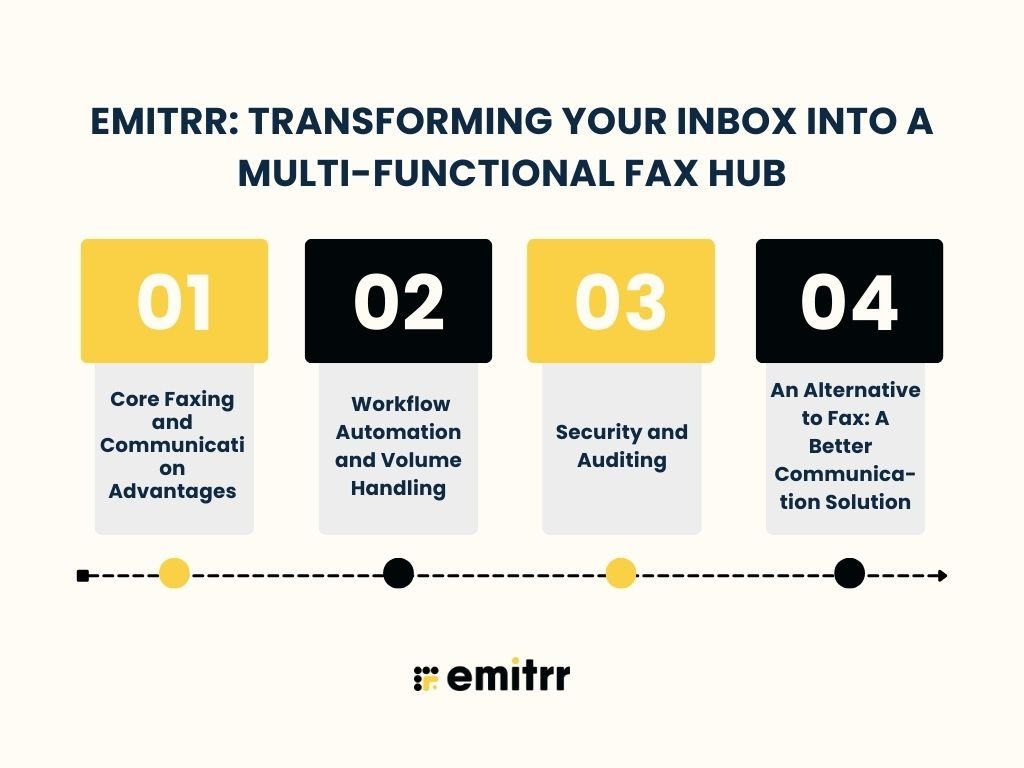
A. Core Faxing and Communication Advantages
- Inbound/Outbound Faxing: Send and receive faxes natively from the Emitrr dashboard or through your email. This solution is all integrated, offering one clean modern interface that requires no more old Fax machines.
- Fax to Email/SMS: Emitrr ensures that you never miss out on any documents. You can receive incoming faxes via email for easy storage and EHR integration or get an instant SMS notification when you receive a new fax, a critical feature for timely client response in healthcare.
B. Workflow Automation and Volume Handling
- Fax Scheduling: You can schedule your faxes to be sent at a specific date or time; this is ideal for bulk sending during non-peak hours when phone lines are less busy, improving transmission success rates.
- Broadcast Fax: If you need to make an official press release, broadcast mass policy change, or just the news, you can send a specific fax to your entire address book list.
- Multi-Recipient Support: Easily share one fax with multiple recipients at the same time and save paper by reducing printed documents overall.
C. Security and Auditing
- Highlight Emitrr’s secure platform, which is crucial for email-to-fax for sensitive data. Emitrr ensures high-level security protocols.
- Discuss the secure handling of files and the comprehensive audit trail provided for every sent and received fax, a non-negotiable requirement for HIPAA compliance.
D. An Alternative to Fax: A Better Communication Solution
- Emphasize Emitrr’s position as a platform that has both texting and voice functionality. That means you’ll be able to handle all client communication — whether fax, text, or calls- in a single, secure dashboard, instantly eliminating the operational pain of maintaining multiple systems.
Best Practices for Email Faxing
Despite these tools, adherence to best practices can help guarantee smooth and successful transmissions every time.
A. File Types and Formatting
- Supported Formats: What are the supported formats? (PDF, DOCX, JPG, TIFF apply to all). Make sure you are in one of these formats before asking “Can I fax a document through email?”
- Best-Quality Experience: Guidelines for the best quality, Scan documents in black and white with a resolution of 200 dpi to facilitate the clearest rendering when received on the recipient’s fax machine.
B. Troubleshooting Common Email-to-Fax Errors
- Unable to Fax: The reasons may be that the fax number is not properly formatted, the recipient’s line is always busy, or it’s an oversized file. Emitrr’s Big File Sharing Up to 30MB eliminates the issues of size, a massive upgrade from normal email sizes.
- Low Quality: The document needs to be attached as a file and not embedded in the body of the email.
- Spam Filters: Whitelist the fax service’s confirmation email address to ensure you receive the vital delivery confirmations.
C. Security and Compliance Checklist
- Encryption: Opt for a 256-bit encryption service to keep files secure.
- BAA: Make sure the provider offers a signed Business Associate Agreement (BAA) if handling sensitive health information (HIPAA).
- Cover Sheet: Use the “Subject” and “Body” fields carefully, remembering that this text becomes the cover page.
Frequently Asked Questions
Yes. With a top-level cloud fax provider such as Emitrr, email-to-fax is secure and encrypted. Emitrr secures your data using 256-bit AES encryption, HIPAA-Compliant procedures, and audit trails.
No. If you want to do the necessary digital-to-analog conversion needed for faxing, you’ll have to subscribe to an online fax service. As email cannot receive fax signals by itself, a service such as Emitrr can help receive the signal for you.
Email-to-fax is nearly always less expensive. It cancels the machine’s capital costs, one-time and online expenses (paper, toner, a dedicated analog landline), and staff time. Cloud faxing subscribers pay only a flat monthly fee according to volume.
No, Emitrr gives you a virtual fax number, so no physical fax line is required. Your faxes arrive directly to your email or dashboard.
Emitrr supports Big File Sharing up to 30MB, far beyond traditional fax machine limits. Larger files are automatically optimized for transmission.
Yes. As soon as your email address is associated with the cloud fax service (like Emitrr), all faxes that people send to your unique virtual fax number land in the form of sealed and confidential PDF attachments to that email address.
Absolutely. When you are using the Gmail app, Outlook app, or a mobile web browser to send a fax with an email, the format of sending is also the same:
FaxNumber@emitrr.com
Conclusion
Gone are the days when you had to rely on a noisy machine, a telephone line, and reams of paper to send a fax. Knowing how to send a fax via email today, however, is all about simplicity and speed as well as security.
With three simple steps — Compose → Address → Attach — you’re on your way to faxing from Gmail, Outlook, Yahoo Mail, iCloud, and any other email account. This eliminates all the friction of traditional faxing. More importantly, modern businesses can finally meet regulatory requirements without sacrificing convenience.
Don’t settle for just an email-to-fax service. Choose a unified platform like Emitrr that not only handles secure inbound/outbound faxing, Fax to Email/SMS, and Scheduled Faxing, but also integrates text and voice for complete client communication management.
So are you ready to turn your email into a safe, high-volume fax machine? Check out Emitrr features and streamline your document workflow. Book a demo today.


 4.9 (400+
reviews)
4.9 (400+
reviews)