
Introduction
Fax might sound really old school, but for many businesses, it is still part of their everyday work. If you deal with contracts, medical records, legal paperwork, or signed forms, fax is often the fastest and safest way for you to send important documents. The issue is not faxing itself. It is how you fax. Waiting for delivery updates, wondering if your fax went through, or juggling outdated tools can quickly become frustrating, especially when the rest of your work already feels digital and fast.
That is why many teams are rethinking their fax setup. Instead of bulky machines and manual processes, you now look for online fax tools that feel simple, reliable, and easy to use. FaxBB is one option that covers your basic needs. But as your team grows and your workflows become more complex, what worked earlier may not work anymore. So, let’s take a closer look at FaxBB and the top FaxBB alternatives that give you more flexibility, better team support, and a smoother way to manage faxing every day.
What Is FaxBB?
FaxBB is a virtual fax service built mainly for fax broadcasting. It lets you send the same fax to a large list of recipients in one go, which works well for announcements or promotions. You just log in through your browser, upload your document, and send. No software. No complicated setup. If bulk faxing is all you need, it feels simple and quick.
But that simplicity can also feel limiting. FaxBB is great for one-way fax sending, not for managing daily fax workflows or working with a team. As your needs grow and you want better control, visibility, and smarter tools, it makes sense to start looking at alternatives that fit the way you work today.
FaxBB Features
- Web Portal Faxing: 100% browser-based interface to send and receive faxes online, so no fax machine or software installation is needed.
- Email-to-Fax: Ability to fax directly from email (e.g. sending a document via Gmail/Outlook to a fax number), simplifying the fax sending steps.
- Bulk Fax Broadcasting: Easily send one fax document to multiple recipients simultaneously, which is great for marketing campaigns or announcements.
- Auto Redial & Retry: If a fax line is busy or a delivery fails, FaxBB will automatically retry sending a couple of times to improve success rates.
- Contact List Management: Simple fax list upload and management – you can bulk import contacts or add recipients one by one, then manage these lists for campaigns.
- Campaign Scheduling: Option to schedule fax broadcasts at specific times, allowing you to time your fax campaigns (e.g. send after business hours or on a set date).
- Opt-Out Handling: A built-in “Do Not Fax” list for opt-outs, ensuring anyone who unsubscribes won’t receive further faxes. Which is very important for compliance.
FaxBB Pros
- Low-cost pricing: You only pay for the pages you send, which makes FaxBB a good fit if your fax usage is occasional or unpredictable.
- Easy to use: There is nothing to install or configure. You log in, upload your file, and send your fax within minutes.
- Quick setup: Getting started feels fast and simple, even if you are not very technical or new to online faxing.
- Bulk fax focus: Sending the same fax to a long contact list is where FaxBB really shines. It is clearly built for fax blasting.
FaxBB Cons
- Limited security: FaxBB does not offer advanced encryption or compliance support, which can be risky if you handle sensitive or regulated documents.
- No automation: Everything is manual. You cannot auto-route faxes, trigger actions, or streamline repetitive tasks.
- Few integrations: FaxBB does not connect directly with CRMs, EHRs, or cloud tools, so your fax workflow stays separate from the rest of your systems.
- Basic team access: Multiple users can log in, but there are no role-based permissions or admin-level controls to manage access properly.
- No mobile app: You can only access FaxBB through a browser, which makes faxing on the go less convenient.
- Hard to scale: As your fax volume or team size grows, the platform can start feeling too basic to keep up.
FaxBB Integrations
- Email sending: You can send faxes through email, which helps a little if you already live in your inbox.
- Standalone tool: There are no direct connections with cloud storage or business software, so most uploads and downloads stay manual.
FaxBB Pricing
- Pay as you go: You buy fax credits upfront and use them whenever you need, without committing to a monthly plan.
- No monthly fees: There are no base charges or setup costs, which works well if faxing is not a daily task for you.
FaxBB Ratings
- FaxBB does not have many public ratings on major review platforms, which makes comparisons harder.
FaxBB Reviews
- Users appreciate the low cost and simplicity, but often mention the lack of modern features and tracking.
FaxBB Support Channels
- Email support: You can reach out via email for help with basic questions or issues.
- Phone support: Phone assistance is available if you prefer talking to someone directly.
- No live chat: There is no real-time chat or round-the-clock support, so help may not be instant when you need it most.

Why Do Businesses Seek a FaxBB Alternative?
FaxBB can work when your needs are simple and really straightforward. But as your business grows, faxing usually becomes more frequent, more time sensitive, and more team-driven. That is when limitations start to show up. Here are some of the most common reasons businesses begin exploring alternatives:
Missed or Failed Fax Deliveries
You send a fax, thinking the job is done, only to later find out it never reached the recipient. FaxBB does retry failed faxes, but it does not always make failures obvious. If a line is busy or a number is incorrect, you may not realise it right away. This forces you to manually confirm delivery, which wastes time. When documents are urgent, even a small delay can cause bigger problems.
No Real-Time Confirmation or Tracking
With FaxBB, delivery updates are not instant. You usually need to log in and check the status yourself. There are no immediate alerts telling you a fax was delivered or failed. For time-sensitive documents, this waiting game creates unnecessary stress. Most teams want quick confirmation so they can move on confidently.
Lacks CRM or EHR Integrations
FaxBB works separately from the tools you already use. You cannot fax directly from your CRM, EHR, or internal systems. This means extra steps like downloading files and uploading them again. Over time, this breaks workflow momentum. Businesses start wanting fax to fit naturally into their existing systems, not sit on the side.
No Automation or Workflow Capabilities
Everything in FaxBB requires manual effort. There are no rules to auto-route faxes or notify the right person instantly. Someone has to constantly monitor incoming and outgoing faxes. As volumes grow, this becomes tiring and inefficient. Teams usually start looking for tools that reduce manual work, not add more.
Limited Role-Based Access and Permissions
Everyone on the account gets similar access. There is no clear way to control who can see or manage certain faxes. This becomes risky when documents are sensitive or confidential. Larger teams need structure and accountability. Without role-based access, managing privacy policies becomes difficult.
No Mobile Support or App
FaxBB does not offer a mobile app. If you are away from your desk, checking or sending faxes is inconvenient. You may miss important documents until you log in later. In a world where work happens everywhere, this feels restrictive. Many teams want fax access right from their phone.
Basic Security and Compliance Limitations
FaxBB is not built for strict security needs. It does not clearly support industry-level compliance requirements. There are limited safeguards for sensitive documents. For healthcare, legal, or financial teams, this is a serious concern. As compliance needs grow, businesses start looking for more secure options.
Hard to Scale with Growing Teams
FaxBB works fine for small volumes. But as fax usage increases, managing everything becomes harder. There are no advanced tools for high-volume workflows or growing teams. Support and features do not scale alongside your business. This often pushes companies to look for a more future-ready solution.
What Features to Look for in a FaxBB Alternative?
Once you start looking beyond FaxBB, the question is not just what works today, but what will still work six months or a year from now. Faxing usually becomes more frequent, more shared, and more time sensitive as teams grow. That is why choosing the right features early matters.
Cloud-Based Faxing With Dashboard Access
A modern fax solution should live fully in your cloud communication platform. You should be able to log in from anywhere and see all your faxes in one place. A clean dashboard helps you understand what was sent, what arrived, and what still needs action. This reduces confusion and missed messages. It also makes faxing feel organised instead of scattered. When everything is visible at a glance, teams work faster.
Instant Delivery Confirmations
You should not have to guess whether a fax went through. Instant delivery confirmations tell you right away if a fax was delivered or failed. This helps you take action immediately instead of waiting. For urgent documents, this speed matters a lot. It also builds confidence in the system you are using. Peace of mind is a big reason teams switch.
Mobile and Desktop Accessibility
Work does not always happen at a desk anymore. A good fax tool should work smoothly on both desktop and mobile. This lets you send, receive, and check faxes wherever you are. You stay responsive even outside office hours. It is especially useful for teams that travel or work remotely. Faxing should fit into your routine, not restrict it.
HIPAA-Compliant and Secure Faxing
Security is not optional, especially when documents are sensitive. A strong fax solution should offer encryption software and clear compliance standards. This protects your data while it is being sent and while it is stored. It also helps you meet industry regulations without extra effort. For healthcare, legal, and finance teams, this is critical. Strong security builds long-term trust.
CRM, EHR, and PMS Integrations
Faxing should connect with the tools you already use. Integrations with CRM, EHR, or practice systems save time and reduce manual work. You should be able to send or store faxes without switching platforms. This keeps workflows smooth and uninterrupted. Over time, these small efficiencies make a big difference. Teams feel less friction in their day.
Team-Based Access and Shared Inboxes
Faxing is usually handled by more than one person. A good alternative should support shared inboxes for teams. Everyone can see the right faxes without confusion. Access can be managed so people only see what they need. This improves collaboration and accountability. It also reduces missed or duplicated work.
Built-In Audit Trails and Logs
Knowing what happened to a fax matters. Audit logs show who sent, received, or viewed documents. This helps with compliance and internal tracking. It also reduces mistakes and misunderstandings. When questions come up, you have clear records. This is especially helpful in regulated environments.
File and Metadata Search Capabilities
As fax volume grows, finding old documents becomes harder. A strong search feature lets you find faxes by name, number, or date. You do not have to scroll endlessly. This saves time every single day. It also reduces frustration when documents are needed quickly. Search turns chaos into order.
Automated Workflows and Assignments
Automation takes repetitive work off your plate. A good fax tool should route incoming faxes automatically. The right person gets the document without manual forwarding. This reduces delays and human error. It also keeps work moving even when teams are busy. Automation makes faxing feel modern.
Centralised Fax, Calls, and Messages
Fax should not exist in isolation. Having fax, calls, and messages in one place simplifies communication. Your team gets a full picture of conversations. This improves coordination and follow-ups. Everything feels easier to manage. Centralisation brings clarity to daily operations.
Top 10 FaxBB Alternatives
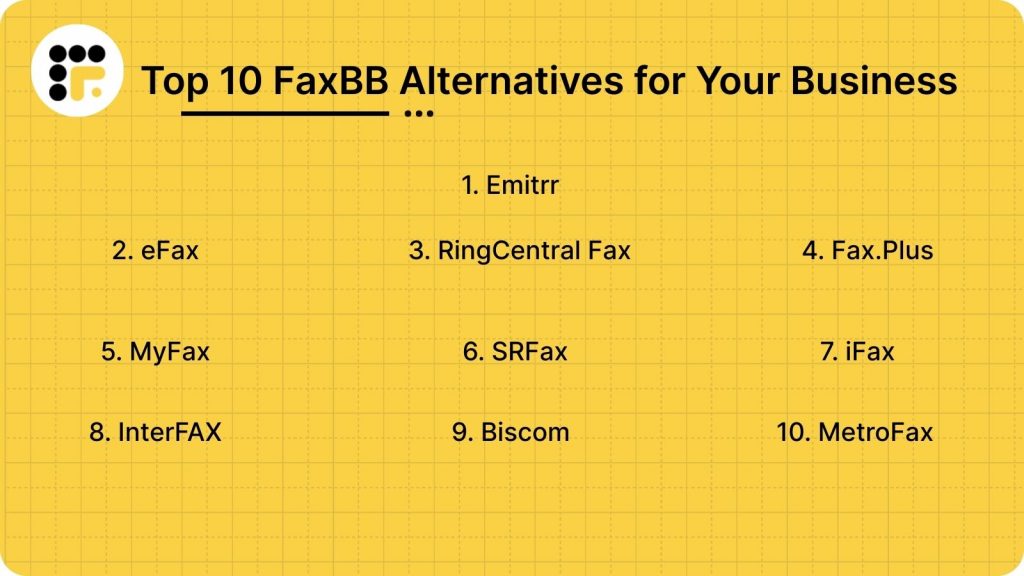
Here are the top 10 FaxBB alternatives that bring these features and more to the table.
Now, let’s dive into each of these FaxBB alternatives in detail.
1. Emitrr | Best FaxBB Alternative
Emitrr Overview
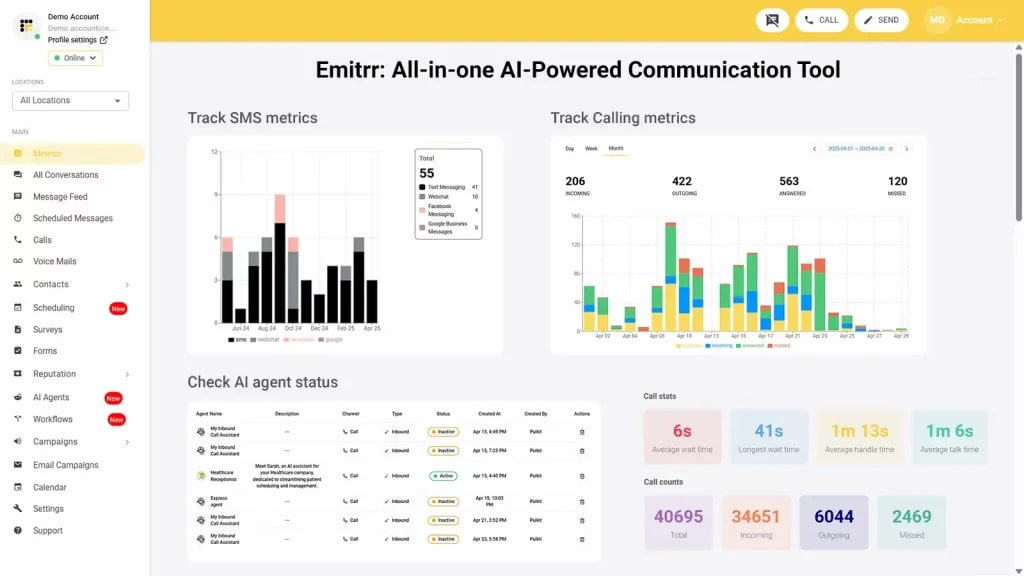
Emitrr is more than just an internet faxing tool. It brings fax, calling, and texting together in one simple dashboard, so you do not have to juggle multiple systems. You can send and receive faxes securely while also managing everyday communication from the same place. It works especially well for healthcare, legal, and service-based businesses that need strong security and compliance. If you want faxing to feel modern and actually fit into how your team works, Emitrr makes that shift easy.
Emitrr Key Features
- Inbound and outbound faxing: Send and receive faxes directly from Emitrr without needing any fax machine or extra hardware.
- Fax alerts: Get incoming faxes sent to your email and receive SMS alerts so you never miss anything important.
- Scheduled and bulk faxing: Send faxes at a set time or broadcast one fax to many recipients with better tracking.
- Two-way texting: Text customers or teammates from the same dashboard where you manage your faxes.
- Smart automation: Set up simple workflows where actions like receiving a fax can trigger follow-ups automatically.
- Cloud storage: Store all your faxes securely online and search them easily whenever you need them.
- Custom cover sheets: Create branded digital cover sheets and reuse templates for faster fax sending.
Emitrr Pros
- All-in-one platform: Manage fax, text, and calls from one place instead of switching between multiple tools.
- Built for compliance: Designed for industries like healthcare and legal with strong security and compliance support.
- Easy to use: The interface feels modern and simple, so your team can get started quickly.
- Clear pricing: Pricing is straightforward and scales as your team grows, without surprise charges.
- Strong support: Get help through live chat, phone, and onboarding support whenever you need it.
Emitrr Cons
- Evolving features: Some advanced AI-driven fax capabilities are still being rolled out, so newer features may appear gradually over time.
Emitrr Integrations
- CRM systems: Connect fax activity with tools like Salesforce, HubSpot, and Zoho to keep records updated automatically.
- EHR and EMR platforms: Works with healthcare systems such as Athena, Epic, and Dentrix to send and receive patient documents securely.
- Productivity tools: Integrates with Google Workspace, Outlook, Office 365, and Dropbox to manage fax documents easily.
- Automation tools: Use Zapier to connect fax workflows with other business apps and trigger actions automatically.
Emitrr Pricing
Plans start at $30 per month.
Emitrr Ratings
- Capterra: 4.9/5
- G2: 4.7/5
Emitrr Customer Reviews
“Ease of texting to my customers, sending and receiving is fast and stable Easy template build outs for quick texting.”
“Overall very positive. The service works like I need it to, the customer service is amazing, up-time is great, and changes made seem to be well thought out and well, not just changes for change sake.“
Source: Capterra
Emitrr Support Channels
- Email: support@emitrr.com
- Phone: +1 (210) 941-4696
- Live chat: Available directly on the Emitrr website
- Knowledge base: Includes extensive documentation, FAQs, and troubleshooting guides
- SMS support: Text for help
2. eFax | eFax vs FaxBB
eFax Overview
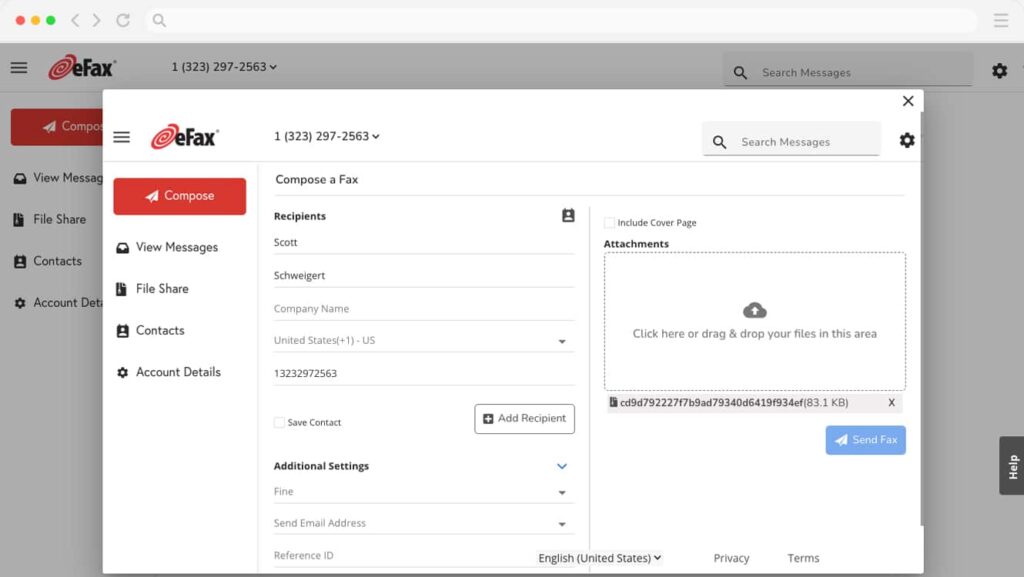
eFax is one of the most recognised names in online faxing. It is often the first tool businesses come across when they want to move away from fax machines. eFax focuses on basic cloud faxing that works across desktop and mobile. It is commonly used by small businesses and professionals who want a familiar and reliable setup without too much complexity.
eFax Key Features
- Digital faxing: Send and receive faxes online without using a physical fax machine.
- Mobile access: Use mobile apps to send and view faxes while you are on the move.
- Fax to email: Receive incoming faxes directly in your email inbox.
- E-signatures: Sign documents digitally before sending them by fax.
- Cloud uploads: Attach files from cloud storage when sending faxes.
- Fax numbers: Choose local or toll-free fax numbers for your business.
eFax Pros
- Trusted brand: eFax has been around for a long time and feels reliable to many users.
- Mobile-friendly: Mobile apps make faxing easier when you are away from your desk.
- Quick setup: Getting started is simple and does not require technical skills.
- Global reach: Supports international faxing across multiple countries.
eFax Cons
- Higher pricing: Monthly costs can feel expensive compared to newer fax tools.
- Limited automation: Fax workflows are mostly manual with a few smart features.
- Basic collaboration: Team-based access and permissions are fairly limited.
- Extra charges: Page limits and add-ons can increase costs quickly.
eFax Integrations
- Email platforms: Works with Gmail and Outlook for sending and receiving faxes.
- Cloud storage: Supports Google Drive, Dropbox, and OneDrive for file attachments.
- Mobile systems: Native apps available for iOS and Android devices.
eFax Pricing
eFax pricing consists of the following plans:
- Paid plans only: eFax does not offer a free plan.
- Monthly pricing: Plans usually start around $18 to $20 per month.
- Usage limits: Page limits apply, and extra pages may cost more.
eFax Ratings
- Capterra: 4.0/5
- G2: 3.9/5
eFax Customer Reviews
“I wish fax cover sheets were customizable. I also wish that faxes were archived in system for longer than 90 days”
“I feel like it could use some updating. I don’t like that you have to click a million things before the actual document will open up.”
Source: Capterra
eFax Support Channels
- Email support
- Phone support
- Help centre
3. RingCentral Fax | RingCentral Fax vs FaxBB
RingCentral Fax Overview
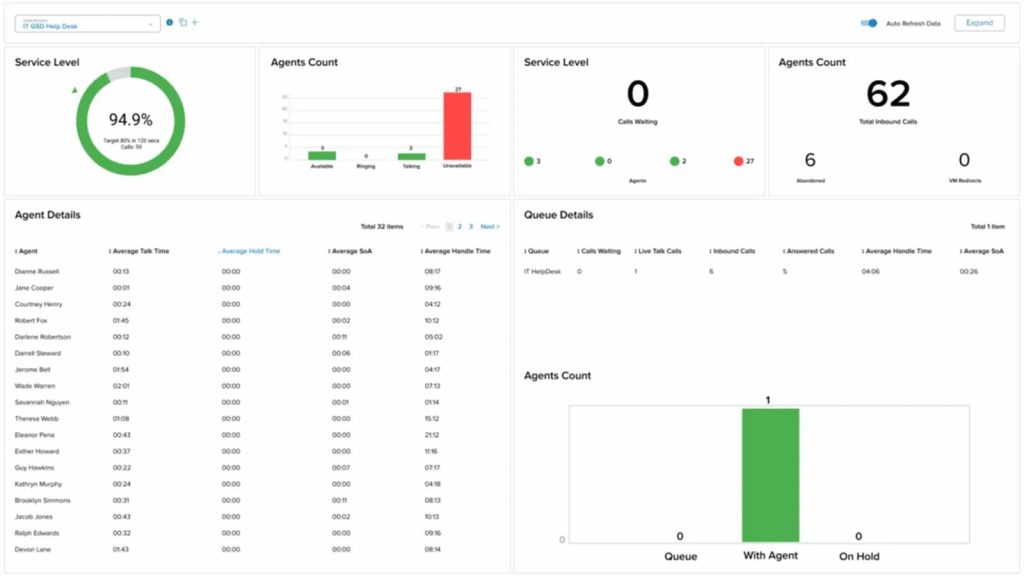
RingCentral Fax is part of RingCentral’s larger business communications suite. It is designed for teams that already use RingCentral for calls or messaging and want faxing built into the same system. Instead of treating fax as a standalone tool, RingCentral bundles it into a broader communication setup. This makes it appealing for growing businesses that want everything under one roof.
RingCentral Fax Key Features
- Online faxing: Send and receive faxes digitally without any physical fax equipment.
- Shared inboxes: Manage faxes across teams using shared folders and inboxes.
- Fax to email: Receive incoming faxes directly in your email inbox.
- Mobile faxing: Send and view faxes using RingCentral’s mobile apps.
- Admin controls: Manage users, permissions, and fax settings centrally.
- Global faxing: Supports faxing to multiple countries worldwide.
RingCentral Fax Pros
- All-in-one system: Fax sits alongside calls and messaging in one platform.
- Team-friendly: Shared SMS inboxes make collaboration easier for larger teams.
- Mobile access: Faxing works smoothly on both desktop and mobile.
- Reliable delivery: Known for stable infrastructure and uptime.
RingCentral Fax Cons
- Overkill for fax only: Can feel heavy if you only need faxing.
- Higher cost: Pricing is bundled with other tools, which may increase spend.
- Learning curve: The platform can feel complex for small teams.
- Limited automation: Fax workflows still require manual handling.
RingCentral Fax Integrations
- CRM systems: Integrates with Salesforce and other CRMs.
- Productivity tools: Works with Microsoft 365 and Google Workspace.
- Business apps: Connects with popular collaboration and IT tools.
RingCentral Fax Pricing
Ringcentral pricing consists of the following plans:
- Bundle-based plans: Fax is included with RingCentral communication plans.
- Monthly pricing: Plans usually start higher than standalone fax tools.
- User-based costs: Pricing scales as you add more users.
RingCentral Fax Ratings
There are limited ratings specifically for RingCentral’s fax capabilities, as fax is part of its broader communications platform.
RingCentral Fax Customer Reviews
Most user feedback focuses on RingCentral’s overall communication suite, with fewer reviews calling out fax features on their own.
RingCentral Fax Support Channels
- Phone support
- Live chat
- Help centre
4. Fax.Plus | Fax.Plus vs FaxBB
Fax.Plus Overview
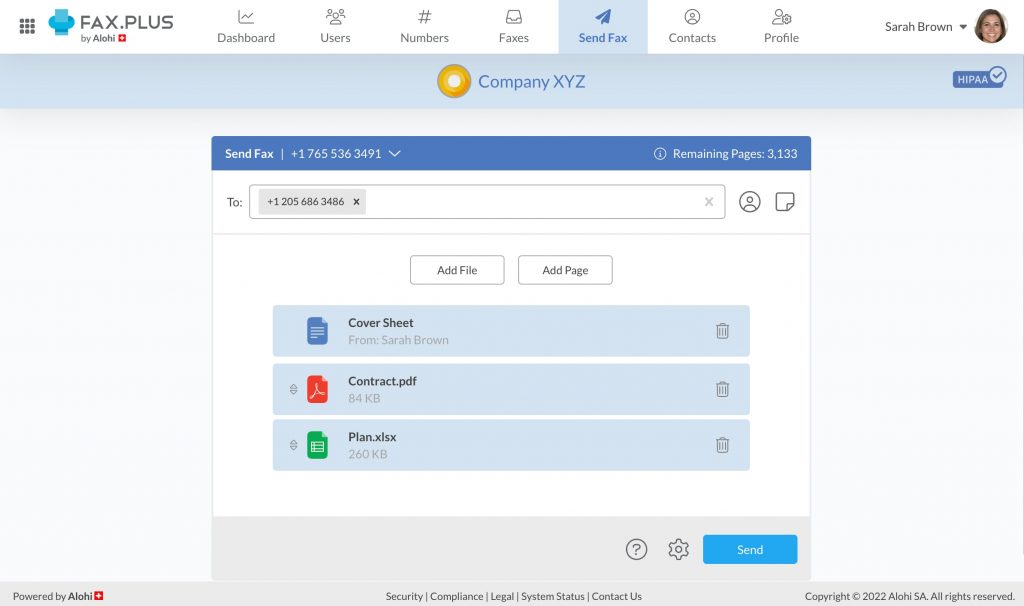
Fax.Plus is a modern cloud fax solution known for its clean design and ease of use. It is popular with startups, remote offices, and small businesses that want faxing to feel simple and lightweight. Fax.Plus focuses on speed, security, and flexibility without overwhelming users. It works well for teams that want reliable faxing without complex setups.
Fax.Plus Key Features
- Cloud faxing: Send and receive faxes online without any physical fax machine.
- Mobile apps: Use iOS and Android apps to fax from anywhere.
- Fax to email: Get incoming faxes directly in your email inbox.
- Scheduled sending: Schedule faxes to go out at a later time.
- Digital signatures: Sign documents electronically before faxing.
- Secure storage: Store faxes safely in the cloud with encryption.
Fax.Plus Pros
- Clean interface: The platform feels modern and easy to navigate.
- Mobile-friendly: Mobile apps make faxing convenient on the go.
- Good security: Offers encryption and compliance-focused features.
- Flexible plans: Works well for individuals and small teams.
Fax.Plus Cons
- Limited team tools: Collaboration features are basic for larger teams.
- Page limits: Lower plans have strict page caps.
- Few automations: Fax workflows still need manual handling.
- Scaling costs: Pricing can rise as usage increases.
Fax.Plus Integrations
- Email platforms: Works with Gmail and Outlook.
- Cloud storage: Supports Google Drive and Dropbox.
- APIs: Offers APIs for basic custom integrations.
Fax.Plus Pricing
Fax.Plus pricing consists of the following plans:
- Free plan: Limited pages with basic features.
- Paid plans: Start around $7.
- Tiered pricing: Higher plans unlock more pages and features.
Fax.Plus Ratings
- Capterra: 3.9/5
- G2: 3.8/5
Fax.Plus Customer Reviews
“Terrible experience. I tried over and over to explain to them that I had not recognized the charge but rescinded the stop payment and they can’t seem to understand that.”
“I had an experience where all of the pages didn’t go through, but it appeared as if they had inside of the system.”
Source: Capterra
Fax.Plus Support Channels
- Email support
- Help centre
- Priority support
5. MyFax | MyFax vs FaxBB
MyFax Overview
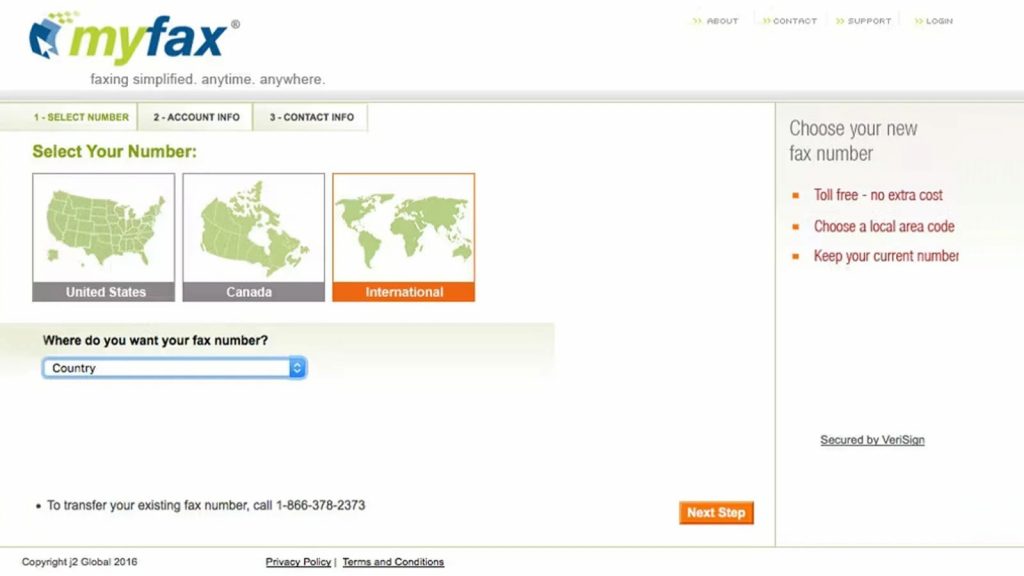
MyFax is a straightforward online faxing tool built for businesses that want simplicity. It has been around for years and is often chosen by small businesses and freelancers. MyFax focuses on the comparison of traditional fax vs digital fax, replacing old, clunky fax machines with smarter digital ones via email and web access. It keeps things basic without many advanced features.
MyFax Key Features
- Online faxing: Send and receive faxes without hardware.
- Email faxing: Send and receive faxes directly through email.
- Mobile access: Use mobile apps to manage faxes on the go.
- Multiple file types: Supports common document formats.
- Fax numbers: Offers local and toll-free fax numbers.
- International faxing: Send faxes to many countries.
MyFax Pros
- Simple setup: Easy to start using with minimal configuration.
- Email-based: Works well if you prefer faxing through email.
- Mobile support: Mobile apps add flexibility.
- Reliable sending: Works consistently for basic fax needs.
MyFax Cons
- Dated interface: The design feels older compared to newer tools.
- Limited features: Lacks automation and advanced workflows.
- Higher pricing: Can be expensive for higher fax volumes.
- Basic team access: Not ideal for collaborative teams.
MyFax Integrations
- Email clients: Works through Gmail and Outlook.
- Mobile platforms: Native apps for iOS and Android.
MyFax Pricing
MyFax pricing consists of the following plans:
- Paid plans only: No free plan available.
- Monthly pricing: Plans usually start around $10 to $15 per month.
- Page limits: Extra pages may cost more.
MyFax Ratings
- Capterra: 3.4/5
- G2: 3.3/5
MyFax Customer Reviews
“Speaking to a customer service agent requires sending an email and them responding back. Turnaround time is often several hours to a day.”
“This company allows you to sign up online easily. Then there is no way to contact customer service at all. After trying to get this service canceled since November and not even using it, I had to call as if I wanted to set up an account to get a hold of a person who answered right away. He actually pretended he didn’t know what was going on- like he couldn’t understand anything I said, not responding to me, or pretending he couldn’t hear me. He sounded like he was in his parents basement.”
Source: Capterra
MyFax Support Channels
- Email support
- Phone support
- Help articles (Basic guides and FAQs online)
6. SRFax | SRFax vs FaxBB
SRFax Overview
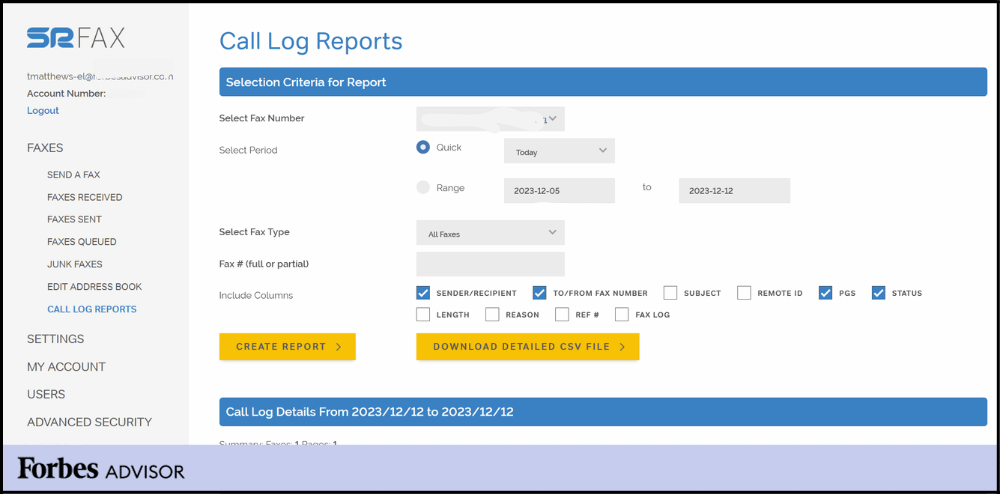
SRFax is a secure online fax service that is especially popular in healthcare and regulated industries. It focuses heavily on privacy and HIPAA compliance rather than flashy features. SRFax is often chosen by clinics, hospitals, and professionals who want dependable, compliant faxing. It is more functional than fancy, but very purpose-driven.
SRFax Key Features
- Secure faxing: Send and receive faxes with strong encryption.
- HIPAA compliance: Designed for healthcare and regulated use cases.
- Web faxing: Manage faxes directly through a browser.
- Fax to email: Receive incoming faxes in your email inbox.
- Dedicated numbers: Get local or toll-free fax numbers.
- Audit logs: Track fax activity for compliance needs.
SRFax Pros
- Strong security: Built specifically for sensitive and confidential data.
- Compliance-ready: Works well for healthcare and legal teams.
- Reliable delivery: Known for stable fax transmission.
- Simple focus: Does one thing well without distractions.
SRFax Cons
- Dated interface: The design feels older and less intuitive.
- Limited automation: Most fax actions are manual.
- Basic collaboration: Not ideal for large teams working together.
- Few integrations: Does not connect deeply with other tools.
SRFax Integrations
- Email systems: Works with email for fax sending and receiving.
- Healthcare systems: Can be used alongside EHR systems with manual setup.
SRFax Pricing
- Paid plans only: No free tier available.
- Usage-based pricing: Plans vary based on fax volume.
- Higher cost plans: Compliance-focused plans cost more.
SRFax Ratings
- Capterra: 4.7/5
- G2: 4.6/5
SRFax Customer Reviews
“The only con that I can give SRFAX is that Customer Support could be a bit better, that is my only feedback. We have had a few calls in to support and we had a few good people and others just sounded eager to end the call.”
“It is sometimes hard to see the faxes come through without fully logging in.”
Source: Capterra
SRFax Support Channels
- Email support
- Phone support
- Help resources
7. iFax | iFax vs FaxBB
iFax Overview
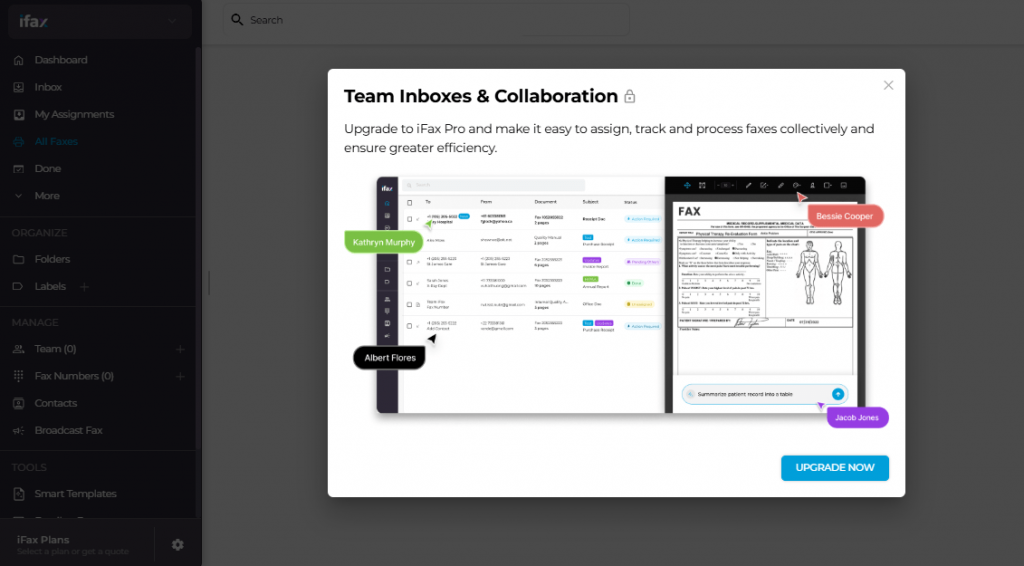
iFax is a modern cloud fax tool designed for individuals and small teams. It focuses on ease of use, mobile access, and quick setup. iFax is often used by freelancers, remote workers, and startups. It keeps faxing lightweight and accessible without complex workflows.
iFax Key Features
- Online faxing: Send and receive faxes digitally from anywhere.
- Mobile apps: Use iOS and Android apps for faxing on the go.
- Digital signatures: Sign documents before sending them by fax.
- Fax to email: Get faxes delivered straight to your inbox.
- Cloud storage: Store fax documents securely online.
- Multiple file formats: Supports common document types.
iFax Pros
- Mobile first: Works very well for people who fax from phones.
- Quick setup: Easy to start using without technical steps.
- Clean interface: Simple and modern design.
- Flexible usage: Good fit for light to moderate fax needs.
iFax Cons
- Limited team tools: Not ideal for large or complex teams.
- Few integrations: Works mostly as a standalone fax tool.
- Automation gaps: No advanced workflow features.
- Scaling limits: Can feel restrictive as usage grows.
iFax Integrations
- Email platforms: Works with email for fax delivery.
- Mobile platforms: Native apps for Android and iOS.
iFax Pricing
iFax pricing consists of the following plans:
- Free trial: Limited trial available for new users.
- Paid plans: Monthly plans start around $9.99 and grow as per usage.
- Page limits: Higher usage requires higher plans.
iFax Ratings
- Capterra: 4.8/5
- G2: 4.7/5
iFax Customer Reviews
“They charged me $99.99 despite cancelling the free trial immediately after using it. Their customer service can’t be reached by phone and they have me the runaround for five days via email”
“Extremely predatory practices when it comes to charging you for things. And they will show zero understanding of your situation after slapping a massive charge on your bank account.”
Source: Capterra
iFax Support Channels
- Email support
- Help centre
8. InterFAX | InterFAX vs FaxBB
InterFAX Overview
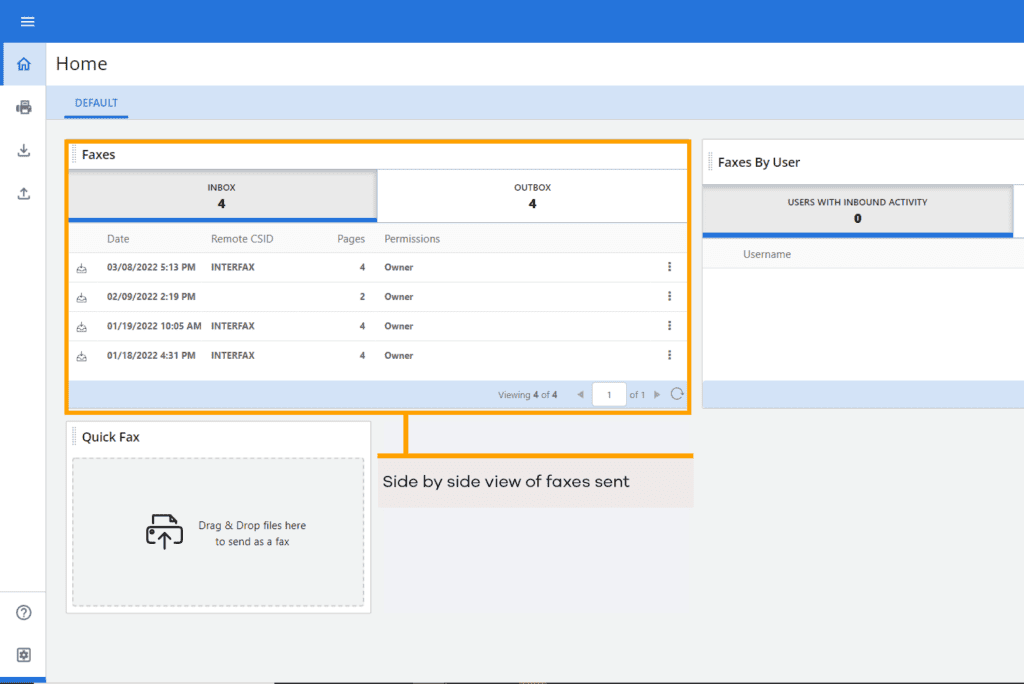
InterFAX is an enterprise-focused fax solution built for businesses that need reliability at scale. It is often used by larger organisations that send and receive high volumes of faxes. InterFAX puts more emphasis on infrastructure and delivery reliability than on user experience. It works best for teams with technical resources or IT support.
InterFAX Key Features
- Cloud faxing: Send and receive faxes digitally without physical machines.
- Email faxing: Send and receive faxes directly through email.
- Developer APIs: Use APIs to integrate faxing into internal systems.
- Global faxing: Send faxes to international destinations reliably.
- High volume support: Designed to handle large fax volumes.
- Delivery tracking: Track fax status through fax confirmation page, audit logs and reports.
InterFAX Pros
- Enterprise-ready: Built to handle large-scale fax operations.
- Reliable delivery: Known for strong infrastructure and uptime.
- API access: Useful for businesses with custom workflows.
- Global reach: Works well for international faxing needs.
InterFAX Cons
- Technical setup: Can feel complex for non-technical users.
- Outdated interface: User experience feels old-fashioned.
- Limited collaboration: Not ideal for team-based inbox management.
- Pricing complexity: Costs can be harder to predict.
InterFAX Integrations
- Email systems: Supports faxing through email workflows.
- Custom systems: APIs allow integration with internal platforms.
InterFAX Pricing
Plans start at around $10. Charges are usually based on pages sent and received.
InterFAX Ratings
- Capterra: 4.6/5
- G2: 4.5/5
InterFAX Customer Reviews
“would like single sign on with O365 so users don’t have to share a common account. they seem to keep locking the account when 100s of users are using the shared account. integrating with O365 would take care of this limitation.”
Source: Capterra
InterFAX Support Channels
- Email support
- Help documentation
9. Biscom | Biscom vs FaxBB
Biscom Overview
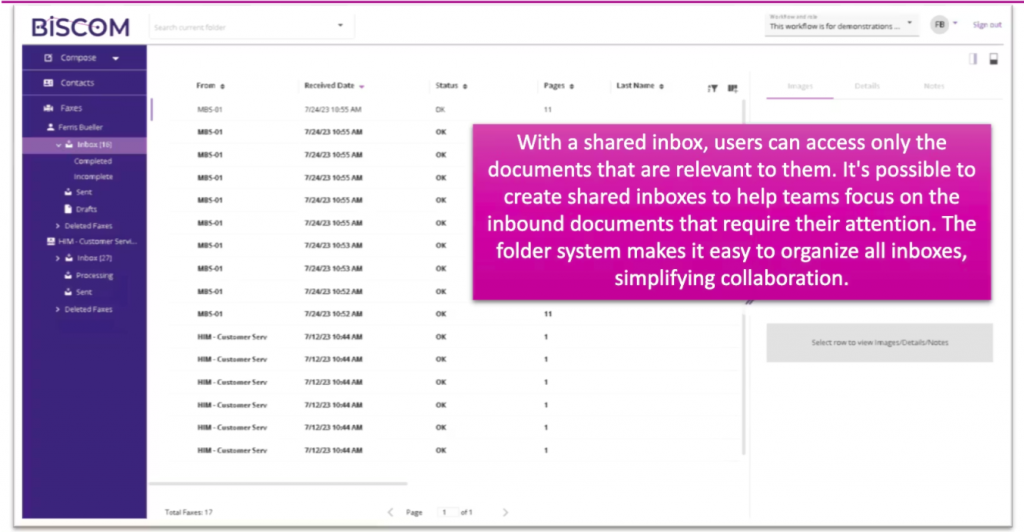
Biscom is a secure fax solution designed mainly for large enterprises. It focuses heavily on compliance, internal control, and security. Biscom is commonly used in healthcare, finance, and government environments. It is more structured and IT-driven than lightweight fax tools.
Biscom Key Features
- Secure faxing: Strong encryption for fax transmission and storage.
- Compliance support: Built for regulated industries.
- On-premises and cloud: Offers flexible deployment options.
- User controls: Advanced permissions and access management.
- Audit trails: Detailed audit trails and logs for compliance tracking.
- Enterprise workflows: Supports structured fax routing.
Biscom Pros
- High security: Designed for sensitive and regulated data.
- Enterprise control: Strong admin and permission features.
- Compliance-focused: Well-suited for regulated industries.
- Custom deployments: Flexible setup options.
Biscom Cons
- Complex setup: Requires IT involvement to implement.
- Higher cost: Pricing is not ideal for small teams.
- Dated experience: Interface feels less modern.
- Not beginner-friendly: Learning curve can be steep.
Biscom Integrations
- Enterprise systems: Integrates with internal business platforms.
- Email workflows: Supports fax-to-email delivery.
Biscom Pricing
- Custom pricing: Pricing varies based on deployment and usage.
- Enterprise contracts: Typically requires direct sales engagement.
Biscom Ratings
- Capterra: 4.6/5
- G2: 4.5/5
Biscom Customer Reviews
“Training our staff was extremely difficult. The process for taking an electronic fax and importing it into our electronic record system was extremely cumbersome and required hiring additional staff.”
“I think that there are many things that could have been improved over the years but the product really hasn’t changed. The price is good for what you get but we would be willing to pay more if it was easier to use.”
Source: Capterra
Biscom Support Channels
- Email support
- Phone support
- Documentation
10. MetroFax | MetroFax vs FaxBB
MetroFax Overview
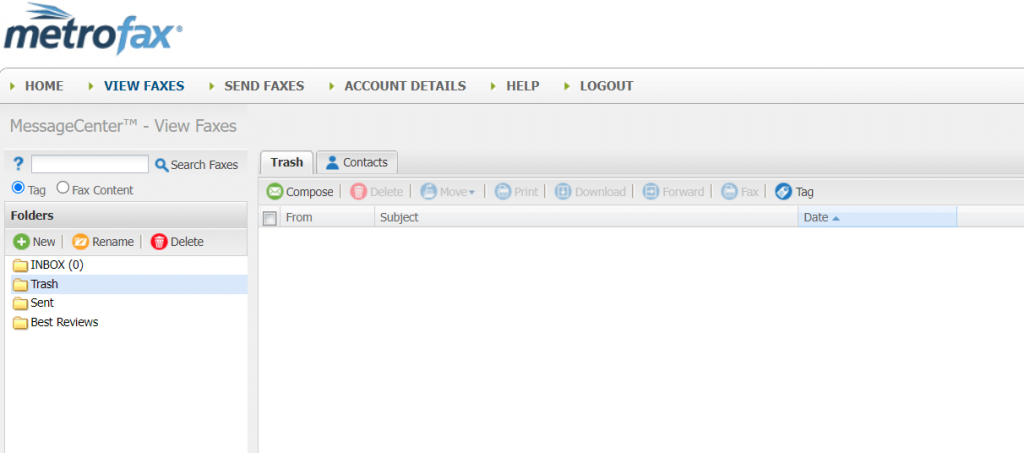
MetroFax is a simple online fax service designed for small businesses and individuals. It focuses on replacing traditional fax machines with basic digital faxing through the web and email. MetroFax is often chosen by users who want something affordable and familiar. It keeps features minimal and easy to manage.
MetroFax Key Features
- Online faxing: Send and receive faxes digitally without physical hardware.
- Email faxing: Send and receive faxes directly through your email.
- Mobile access: Use mobile apps to manage faxes on the go.
- Multiple formats: Supports common document file types.
- Fax numbers: Offers local and toll-free fax numbers.
- International faxing: Send faxes to multiple countries.
MetroFax Pros
- Affordable plans: Pricing is lower compared to many enterprise fax tools.
- Easy setup: Simple onboarding without technical complexity.
- Email-friendly: Works well if you prefer faxing through email.
- Mobile support: Mobile apps add flexibility for remote work.
MetroFax Cons
- Basic features: Lacks automation and advanced workflows.
- Limited team tools: Not ideal for multi-user collaboration.
- Older interface: Design feels dated compared to newer platforms.
- Scaling limits: Can feel restrictive as fax volumes grow.
MetroFax Integrations
- Email platforms: Works with Gmail and Outlook.
- Mobile platforms: Native apps for iOS and Android devices.
MetroFax Pricing
- Paid plans only: No free plan available.
- Monthly pricing: Plans usually start around $8 to $12 per month.
- Page limits: Higher usage may require plan upgrades.
MetroFax Ratings
MetroFax does not have many dedicated ratings available on major review platforms.
MetroFax Customer Reviews
There are not many customer reviews available on reliable review platforms.
MetroFax Support Channels
- Email support
- Phone support
- Help centre (Basic FAQs and guides online)
Why Emitrr Is the Best FaxBB Alternative?
Now that you have seen what other FaxBB alternatives offer, it becomes easier to spot what really stands out. Emitrr is not just filling gaps left by FaxBB. It is rethinking how fax should actually work in a modern business. Here’s why many teams end up choosing Emitrr over FaxBB:
All-in-One Communication Platform
Emitrr is not only about faxing. It brings fax, texting, and calling together in one place. This means you do not have to jump between different tools throughout the day. Everything lives in a single dashboard. Messages, calls, and faxes stay connected. This makes communication easier to manage and harder to miss.
Real-Time Delivery and Confirmation Status
With Emitrr, you always know what is happening with your fax. The moment a fax is delivered or fails, you are notified. There is no guessing and no waiting around. This is especially helpful when documents are urgent. You can act immediately instead of checking back later. That peace of mind matters.
Role-Based Team Access and Shared Threads
Emitrr is built for teams, not just individuals. You can decide who sees what and who can take action. Faxes are organised into shared threads, so conversations stay clear. This avoids confusion and duplicate work. Everyone knows what has already been handled. Team coordination becomes much smoother.
Fax Inbox with Conversation-Style Threads
Instead of scattered fax logs, Emitrr keeps everything in one clean inbox. Related messages stay together in conversation-style threads. You can quickly understand context without opening multiple files. This makes faxing feel more like modern messaging. It also saves time when following up.
EHR and CRM Integrations
Emitrr fits into the tools you already use. You can send and receive faxes directly from systems like CRMs or EHRs. This removes extra steps like downloading and re-uploading files. Workflows stay connected and efficient. Fax becomes part of your process, not a separate task.
Built-In Automation and Assignments
Emitrr helps reduce manual work. You can automatically route incoming faxes to the right person or trigger follow-ups. This keeps things moving even when teams are busy. Fewer manual steps also mean fewer mistakes. Automation makes faxing feel lighter and faster.
HIPAA-Compliant and Secure for Regulated Industries
Security is not an afterthought with Emitrr. It is built with compliance and encryption in mind. Sensitive documents stay protected at every step. Access controls and audit trails add another layer of safety. This makes Emitrr a strong choice for healthcare, legal, and finance teams.
Affordable for Teams of All Sizes
Emitrr works well whether you are a small team or a growing business. Pricing is clear, and scales as your needs change. You are not forced into expensive upgrades early. Many teams also save money by replacing multiple tools with one platform. That balance makes it practical long-term.
Live Chat and Personalised Support
Emitrr’s support feels human and accessible. You can reach out through live chat, email, or phone when needed. Onboarding help makes switching from FaxBB easier. The team stays involved even after setup. This kind of support makes a big difference day to day.
Industries That Love Emitrr for Faxing
Emitrr works well across industries because it adapts to how different teams actually communicate. It does not force everyone into the same workflow. Instead, it supports industry-specific needs while keeping things simple and reliable. Here are the industries that see the most value from Emitrr’s faxing capabilities.
Healthcare and Dental Practices
Healthcare teams deal with fax every single day. Patient records, referrals, lab results, and insurance forms all need to be shared securely. Emitrr makes this easy with HIPAA-compliant faxing and encryption. Staff get instant delivery updates so nothing slips through the cracks. Automation also reduces manual follow-ups. This gives teams more time to focus on patient care.
Legal Services
Law firms rely on fax for sensitive and time-bound documents. Emitrr helps lawyers send filings and agreements with confidence. Real-time delivery confirmation acts as proof that documents were sent successfully. Audit logs add an extra layer of accountability. Having fax, calls, and texts together also simplifies client communication. Everything stays organised and traceable.
Finance and Insurance
Financial teams handle highly confidential information. Emitrr protects these documents with strong security and access controls. Loan forms, claims, and statements can be faxed quickly and safely. Integrations help link fax activity with internal systems. This reduces manual entry and errors. Teams stay compliant without extra effort.
Real Estate and Property Managers
Real estate moves fast, and paperwork never stops. Emitrr lets agents fax contracts, disclosures, and closing documents instantly. Mobile access means deals can move forward even when agents are out in the field. E-signatures and templates speed up paperwork. Instant confirmation avoids delays. This helps close deals faster.
Home Services and Field Teams
Contractors and service providers often work on the move. Emitrr keeps communication centralised even when teams are in the field. Estimates, permits, and approvals can be faxed without returning to the office. Text and call features support quick follow-ups. Automation reduces missed steps. Teams stay efficient and responsive.
Staffing Agencies and Recruiters
Staffing teams move quickly and work at scale. Emitrr helps send bulk faxes for job listings or candidate documents. Automated workflows reduce repetitive tasks. SMS and call features make follow-ups faster. Everything stays in one system. This helps recruiters move candidates through the process more quickly.
Government and Public Sector
Many public offices still depend on fax for official communication. Emitrr provides a modern yet compliant faxing solution. High reliability supports large volumes of documents. Security helps meet privacy requirements. 24/7 support ensures continuity. Agencies can serve citizens without technical disruptions.
Frequently Asked Questions
Emitrr is not just a fax tool. It combines fax, texting, calling, and automation all in one place! You get real-time confirmations, mobile access, and integrations that many fax alternatives simply don’t offer.
Yes, you can keep your current fax number. Emitrr supports easy number porting, and their team helps you through the process. Your customers will not notice any change at all.
Yes, and it makes life much easier. You can use branded digital cover sheets and automatically route faxes to the right team or department. Everything stays organised without manual sorting.
Very secure. Emitrr uses strong encryption and is built for compliance-heavy industries. If you handle sensitive documents, you can fax confidently knowing data stays protected.
Absolutely! You see the live delivery status the moment a fax is sent or delivered. If something fails, you know right away and can act immediately.
The switch is smooth and guided. Emitrr’s team helps move your fax number, contacts, and important data. You can start using Emitrr without losing anything important.
Conclusion
Faxing does not need to feel slow or frustrating anymore. If FaxBB has started to feel limiting, you have plenty of better options today. Modern fax tools are built to be faster, more secure, and much easier to manage. They fit into how your team already works instead of forcing extra steps.
Emitrr stands out because it goes beyond basic faxing. It brings fax, texting, and calling into one simple platform with real-time updates and strong security. If you want faxing to finally feel smooth and stress-free, Emitrr is a great place to start! Just book a demo with Emitrr today and see how easy modern faxing can be!

 4.9 (400+
reviews)
4.9 (400+
reviews)