
Introduction
If you’re searching for RingCentral integrations, you’re likely trying to answer one core question: Will RingCentral actually connect with my business tools in a way that saves time, or just move conversations from one place to another?
RingCentral is a powerful cloud phone system with strong CRM and collaboration integrations. It connects easily with platforms like Salesforce, HubSpot, Microsoft Teams, Slack, and Zendesk. But not every integration is created equal. Some only sync data, while others actually automate work.
This guide breaks down RingCentral integrations in a way that’s simple, practical, and buyer-focused, covering:
- CRM and sales tools
- Team collaboration apps
- Operational workflows
- Automation, APIs, and compliance
- And where platforms like Emitrr go further
What Most Buyers Really Want From RingCentral Integrations
Before diving into tools and tables, here’s what users typically care about:
- CRM visibility: Can I see calls and texts inside Salesforce, HubSpot, Zoho, or Pipedrive?
- Team collaboration: Can my team use RingCentral inside Microsoft Teams or Slack?
- Workflow efficiency: Will missed calls, follow-ups, or updates happen automatically?
- Scalability: Does it work across departments, locations, or high call volumes?
- Compliance & data control: Can it support regulated workflows?
With that lens, let’s break down RingCentral’s integrations.
CRM, Collaboration & Workflow Use-Cases (What RingCentral Does Best)
RingCentral focuses heavily on communication + productivity, which shows in its most popular integrations.
CRM Integrations
RingCentral integrates with major CRM platforms to log calls, show caller details, and streamline communication:
- RingCentral Salesforce integration / RingCentral and Salesforce integration – Click-to-call, call logging, and activity tracking inside Salesforce
- HubSpot RingCentral integration / RingCentral for HubSpot – Make and receive calls from HubSpot, log interactions automatically
- RingCentral Zoho CRM integration – Caller context and communication inside Zoho
- RingCentral Pipedrive integration – Call tracking within deal records
- RingCentral Zendesk integration – Voice embedded in support workflows
RingCentral tightly connects calling with your CRM, making it easy to click-to-call, log activities, and track conversations in one place. However, Emitrr goes further by logging back interactions, updating records, triggering workflows, and automating follow-ups, turning your CRM from a tracking tool into an action engine.
Collaboration Integrations
RingCentral is also designed to live inside your team’s daily tools:
- RingCentral Teams integration – Make calls, send messages, and manage meetings directly within Microsoft Teams
- RingCentral Slack integration – Receive call notifications, voicemail alerts, and collaborate faster
- RingCentral Zoom integration – Launch meetings and manage communications across platforms
RingCentral embeds calling and messaging into tools like Teams, Slack, and Zoom, keeping internal communication fast and visible. However, Emitrr goes further as it connects conversations to real business actions, automating reminders, follow-ups, and record updates instead of stopping at team collaboration.
Workflow Fit (Where It Starts to Matter)
RingCentral integrations shine for:
- Sales teams logging calls in Salesforce or HubSpot
- Support teams handling tickets in Zendesk
- Distributed teams working in Microsoft Teams or Slack
But for businesses that want communication to trigger actions automatically, such as follow-ups, missed-call texts, record updates, or scheduling workflows, the depth becomes just as important as the number of integrations. In these cases, RingCentral is primarily a communication layer, not an operational engine.
Real-World Workflow Example
With RingCentral: A missed call is logged in the CRM. A staff member still has to notice it and manually follow up.
With Emitrr: A missed call automatically triggers a text-back, schedules a follow-up, and updates the record, without staff intervention.
This is the difference between connected systems and automated operations.
Looking beyond RingCentral? This video explores four popular alternatives worth considering.
Integration Coverage by Layer (RingCentral vs Emitrr)
This shows not just what connects, but how deeply each platform integrates.
| Integration Layer | What This Means (In Simple Terms) | RingCentral | Emitrr | Why It Matters |
| Channel Layer | Calls, SMS, voicemail, video | ✓ | ✓ | Both handle core communication |
| CRM Layer | Salesforce, HubSpot, Zoho, Zendesk, Pipedrive | ✓ | ✓ | Both sync conversations into CRMs |
| Operations Layer | Scheduling, follow-ups, missed-call handling | Limited | ✓ | Emitrr automates real tasks, not just logs |
| Automation Layer | Triggers and conditional workflows | Partial | ✓ | Emitrr reduces manual work |
| API / Custom Integrations | Build your own connections | ✓ | ✓ | Both support custom development |
| Data Write-Back | Updates pushed back into systems | Limited | ✓ | Emitrr updates records automatically |
| Compliance Layer | HIPAA, audit trails, data governance | Basic | ✓ | Emitrr supports regulated workflows |
In simple terms:
RingCentral connects your phone system to CRMs and collaboration tools. Emitrr goes further by automating what happens after the conversation, not just recording it.
Where RingCentral Integrations Work Best
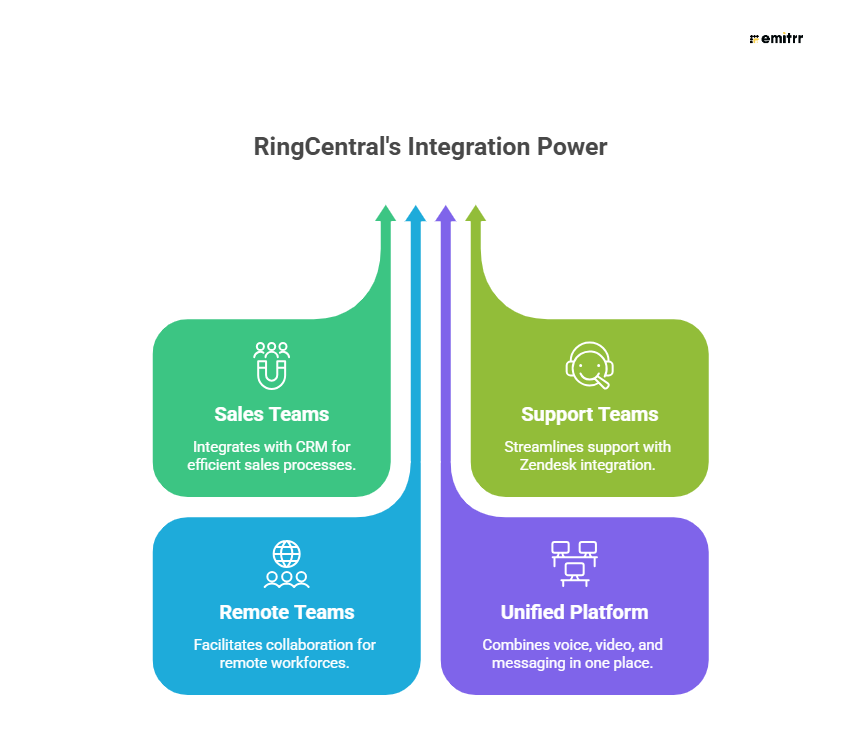
RingCentral is a strong fit for:
- Sales teams using Salesforce, HubSpot, Zoho, or Pipedrive
- Support teams inside Zendesk
- Remote teams working in Microsoft Teams or Slack
- Organizations prioritizing voice, video, and messaging in one platform
It’s especially effective when the primary need is communication visibility inside CRM and collaboration tools.
Limitations of RingCentral Integrations
While powerful, RingCentral integrations have some practical limits:
- Limited operational automation: Most actions after a call (follow-ups, updates, reschedules) still require staff involvement
- Basic data write-back: Information is logged, but not always pushed back into core systems as completed actions
- Compliance workflows are surface-level: Works for communication security, but not complex regulated workflows
Not designed for industry-specific operations: Healthcare, multi-location service businesses, and operations-heavy teams often need deeper automation
Why Choose Emitrr Over RingCentral
RingCentral is a strong communications platform for calls, messages, and meetings. But many teams don’t just need to communicate, they need systems that run customer workflows, reduce manual work, and act on conversations. That’s where Emitrr differentiates.
Built for Operations, Not Just Communication
RingCentral focuses on enabling conversations. Emitrr is built to automate what happens after and around those conversations:
- Missed-call text-back so no lead or customer is lost
- Appointment, booking, and rescheduling workflows
- Two-way SMS for follow-ups, confirmations, and updates
- Automated recalls, reminders, and re-engagement
Teams don’t just talk with customers, they run their front desk and outreach through Emitrr.
AI That Takes Action (Not Just Transcripts)
Emitrr’s AI goes beyond basic call handling or summaries:
- AI appointment booking directly from conversations
- AI-powered responses and routing for faster customer handling
- Automated actions like creating cases, follow-ups, or tasks based on customer intent
Instead of simply recording conversations, Emitrr’s AI helps move the workflow forward automatically.
Deeper Automation Across the Customer Journey
Emitrr replaces repetitive manual tasks with intelligent workflows:
- Schedule-based and event-based messaging
- Conditional automation for cancellations, no-shows, overdue follow-ups, and reactivation
- Multi-step journeys that replace manual calling, texting, and reminders
This reduces staff workload while increasing response rates and operational consistency.
System-Level Integration & Write-Back
RingCentral integrates primarily at the communication layer. Emitrr goes further:
- Messages, confirmations, and actions are written back into your core systems
- Conversations stay connected to customer records
- Teams avoid jumping between multiple tools
This makes Emitrr not just a communication tool, but an operational layer.
Built for Regulated and High-Volume Environments
Emitrr supports secure communication, auditability, and governance, making it well-suited for healthcare, finance, legal, home services, and multi-location businesses that need control.
What Teams Typically Gain With Emitrr
- Faster response times without adding staff
- Fewer missed opportunities from calls or inquiries
- Cleaner records through automated write-back
- Less manual coordination between systems
FAQs
RingCentral integrates with hundreds of business tools across CRM, collaboration, productivity, helpdesk, automation, and communication platforms—including phone, messaging, video, and contact center workflows. It connects with apps like Salesforce, HubSpot, Zendesk, Microsoft Teams, Slack, Outlook, and many more via its app gallery and APIs.
RingCentral’s biggest competitors in the cloud communications/UCaaS space include Microsoft Teams (with Teams Phone), Zoom (Zoom Phone), and other unified communications providers like 8×8 and Vonage—all of which offer similar voice, messaging, and collaboration features.
Yes. RingCentral offers a full developer platform with open APIs and SDKs that let you build and customize integrations for voice, SMS, fax, messaging, and more, and connect RingCentral capabilities into your own applications.
RingCentral integrates with major CRM systems such as Salesforce, HubSpot, Microsoft Dynamics 365, Zoho CRM, Zendesk, and many others through both native integrations and the App Connect framework, with support for additional CRMs via custom connectors.
Conclusion
If your priority is strong CRM connectivity, seamless collaboration, and enterprise-grade communication, RingCentral is an excellent choice. Its integrations with Salesforce, HubSpot, Teams, Slack, Zendesk, and more make it a leader in unified communications.
However, if your goal is to automate what happens after the conversation—follow-ups, missed calls, record updates, compliance workflows, and operational processes—then RingCentral’s integrations may not go far enough.
That’s where platforms like Emitrr stand apart: not just connecting systems, but running workflows end-to-end.


 4.9 (400+
reviews)
4.9 (400+
reviews)