
Introduction to Updox Pricing
In today’s fast-paced healthcare landscape, communication is not just about exchanging messages but also a way to find the sweet spot between patient care, regulation, and operational efficiency. Updox has been a fixture in this arena with its array of products built to enhance how medical practices engage with patients and providers. From HIPAA-compliant eFax to telehealth, Updox aims to be the central nervous system of a practice’s communication workflow.
But as practices grow and begin maximizing their budgets, learning the ins and outs of Updox pricing is a necessity. For office managers and practitioners alike, the price of Updox is not just a number; it’s a dollar amount invested in the future of the practice. But with a quote-based model and various tiered structures, determining exactly what you’ll pay can sometimes feel like solving a puzzle. This guide aims to break down those costs, explain the value behind the features, and assist you in determining if it is a good fit for your clinical needs.
Updox Pricing
Updox is predominantly priced on a tiered model based on the size and requirements of the healthcare practice. Although they don’t always have a one-size-fits-all price on their website (opting for a “request a quote” system in many cases), the market data suggests several clear directions for practices of different sizes.
The Tiered Plan Structure
Updox Pricing is broken down and organized into “bundles” of the platform that focus on end users’ various segments. These packages are typically tiered based on the number of faxes, telehealth visits, and patient messaging needed.
- Essential/Standard Plan: This is the plan usually for solo providers or small clinics. Features include eFax (up to 1,000 pages), basic updox for patient engagement tools, and minimal telehealth sessions (usually around 75 per month). This tier will typically start at around $49 – $99 per user per month, depending on the EHR integration needed.
- Growth Plan: This plan is intended for growing practices, and it increases the limits. You might see fax allowances rise to 3,500 pages and telehealth sessions nudge toward 250 a month. This tier also includes enhanced appointment reminders and broadcast messaging.
- Advanced & Advanced Plus: These plans are designed for Moderate practices that tend to see high volumes of patients. These regularly double the allowances for Updox secure text and broadcast messages, so that you’re not in danger of running up against your ceiling during busy seasons (like flu season).
- Enterprise Plan: Large health systems and hospitals can receive a highly tailored “pay-for-what-you-use” model from Updox. These deals, negotiated directly with their sales teams, frequently require deep integration with enterprise EHRs (such as Epic or Cerner). The updox expense for these organizations can be a couple of hundred to thousands of dollars per month.
Key Features Included
In either business model, Updox is centered around these offerings:
- eFax: Making the transition from paper faxes to an electronic inbox.
- Video-Chat/Telehealth: Secure, internet-based video meetings.
- Patient Engagement: “Automated Reminders & Self-Scheduling” Tools that help check on patients during long-term illness.
- Encrypted Messaging: Internal & external HIPAA Secure messaging.
Add-ons and Extra Costs
One point to keep in mind about the price of Updox is that there may be “hidden” or additional costs:
- EHR Integration Fees: There may be a one-time setup fee for your Electronic Health Record system, that will vary based on what program you are using, or it could be an ongoing monthly “bridge” fee to ensure the data continues to sync back and forth.
- Overage Charges: With other fax services, if you go over your monthly allotment of fax pages (i.e., more than 1,000 pages on a Standard plan), you’ll probably be charged on a per-page basis.
- Advanced Modules: Perhaps unique “Charge Capture” or specialized “eForms” would be provided as standalone components to the base subscription offering.

Updox Pricing vs Emitrr Pricing: A Comparison
Selecting the right software isn’t about finding the lowest price, but rather the best ratio between value and utility. In a busy medical practice, a “cheap” tool that demands four extra hours of manual data entry each week is actually quite costly. Understanding the pricing structure matters because it dictates how your practice will scale. If your software costs jump exponentially every time you add a new provider or increase your patient outreach, the software eventually becomes a bottleneck rather than an accelerator.
While Updox focuses on a per-user or volume-based tiered model, Updox competitors like Emitrr have moved toward more transparent, flat-fee structures. This difference can significantly impact a practice’s bottom line as they grow from a small office into a multi-location clinic.
Pros and Cons of Updox Pricing
No software pricing model is exactly as it seems. What works for a solo therapist may not work for a 20-provider multi-specialty group. Here’s an analysis of the pros and cons of the Updox model as it stands.
Pros of Updox Pricing:
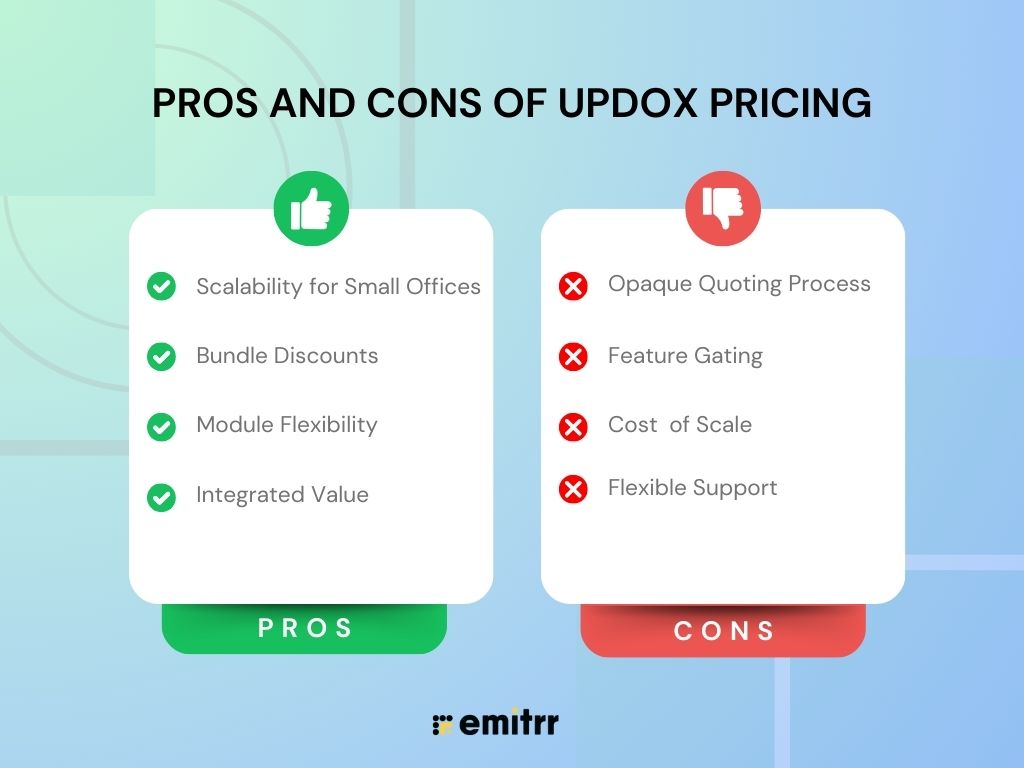
- Scalability for Small Offices: The entry-level tiers allow small practices to access professional, HIPAA-compliant tools without a massive upfront investment.
- Bundle Discounts: With the combination of fax, telehealth, and messaging, Updox offers a better price than purchasing three separate independent solutions.
- Module Flexibility: If you want a platform with fax and secure text messaging but you don’t need telehealth, for example, negotiate your quote to reflect this less complex or fleshed-out solution.
- Integrated Value: As the price includes integration with many popular EHRs (like Amazing Charts or Practice Fusion), you save on the “indirect cost” of manual data transfer.
Cons of Updox Pricing
- Opaque Quoting Process: Unlike some modern SaaS platforms that list a “Buy Now” price, the need to “Contact Sales” for a final Updox pricing quote can be a deterrent for busy office managers who want quick answers.
- Feature Gating: Advanced automation and more faxes will be locked behind much more expensive plans, which makes scaling feel like a “price trap.”
- Cost of Scale: As you add users or locations, the per-user Updox cost starts to stack up fast and can become a burden for big teams.
- Flexible Support: Updox has support, but some end-users at the enterprise level say that when needing help with technology integration, they may not always get personalized service right away.
Emitrr Pricing
Emitrr has a radically different pricing structure, aimed at making things simple and predictable. But rather than building complex tiers around every feature, Emitrr generally reduces its pricing structure to a handful of clearly defined paths:
- All-in-One Suite ($149 per month, flat): This is the flagship product. It is a single fee for unlimited users, so it’s very appealing for growing practices. And it packages VoIP, SMS, workflow automation, and EHR integration in a single predictable monthly fee.
- VoIP Standard ($20-$25/user/month): Practices that simply want a modern phone system that is capable of call routing and manual call recording can take advantage of it.
- SMS-Only Plans: Beginning from $42 per month for 500 credits, perfect for businesses that require only the messaging feature.
- Healthcare Automation Fee: Medical practices receive dedicated HIPAA-compliant workflows but need to pay a one-time fee of $200 to set them up.
This “flat-fee” model for the All-in-One suite means that whether you have 3 staff members or 10, your core software cost stays the same, allowing for much more aggressive growth without financial penalty.
How Emitrr Offers Better Value for Money as Compared to Updox?
When you compare the cost of Updox to Emitrr, the “Value for Money” debate often comes down to two things: transparency and unification.
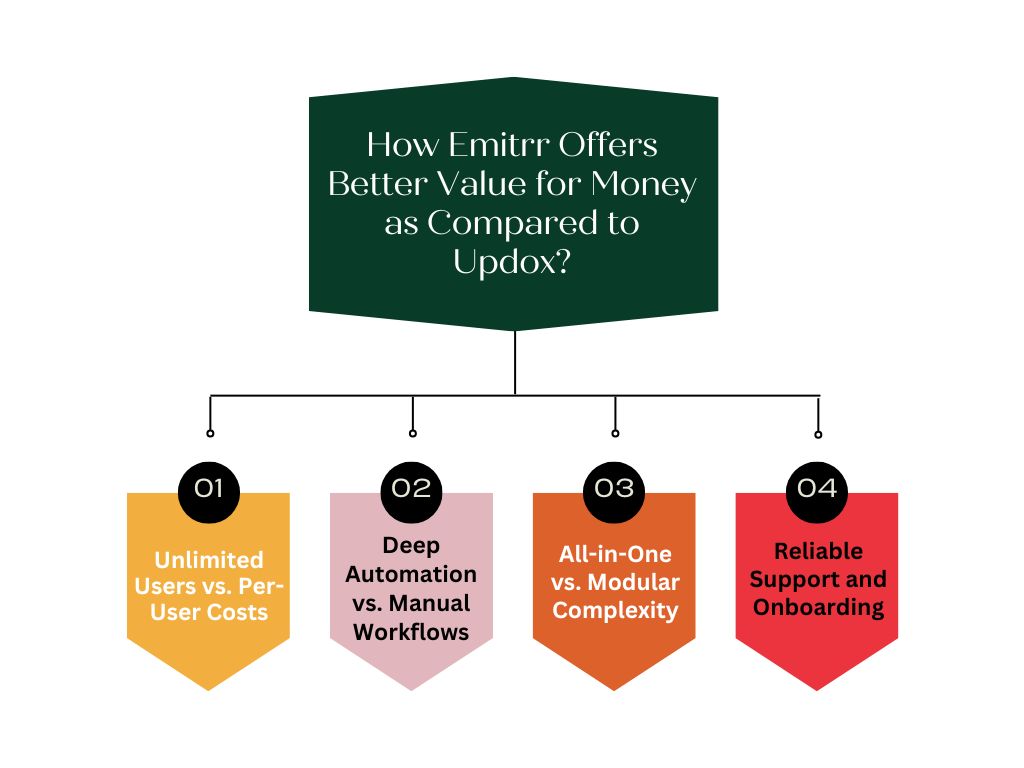
Unlimited Users vs. Per-User Costs
In the Updox model, you get more staff, and your bill grows. If you employ three new front-desk coordinators, your monthly costs go up. Emitrr’s flat-rate “All-in-One Suite” dissipates this kind of friction. You can invite as many team members as you want to the unified inbox at no additional cost, and without tripling your subscription price.
Deep Automation vs. Manual Workflows
Emitrr is built with an “automation-first” mindset. While Updox provides excellent secure text and engagement tools, Emitrr’s AI-driven conversational workflows go a step further. Emitrr can automatically respond to missed calls with a text, handle appointment rescheduling without staff intervention, and manage reputation by sending automated review requests. This level of automation replaces the need for a full-time employee to manage the “phones,” providing a massive ROI that goes beyond the software’s sticker price.
All-in-One vs. Modular Complexity
Many Updox competitors require you to stitch together different apps. While Updox is a comprehensive platform, it can still feel modular. Emitrr provides a truly unified dashboard where VoIP, fax, text, and web chat live in one single view. This reduces “toggle fatigue” for your staff and ensures that no patient message ever falls through the cracks.
Reliable Support and Onboarding
A major component of value is the quality of help you get when things go wrong. While Updox support is robust, Emitrr is frequently cited for its “white-glove” onboarding and hyper-responsive customer service. For a medical practice, 30 minutes of downtime is 30 minutes of lost patient care. Having a partner that responds in minutes rather than hours adds a level of “insurance” to your operations.
Frequently Asked Questions
For smaller practices, the typical starting point for Updox pricing is $49 to $99 per user per month with a standard package. But since they work on a quote-based pricing method, you need to factor in your fax volume needs, the number of providers, and your particular EHR integration to determine the final cost.
No, Updox is not free software. At times, they give demos or trial periods, but it is a premium paid service aimed at healthcare professionals.
Yes, for patients, Updox has a secure texting component. This enables providers to securely message HIPAA-compliant messages, results, and forms directly to a patient’s mobile device without the need for the patient to download another app.
When looking at Updox competitors, practices usually compare them to Emitrr, Solutionreach, or Luma Health. Updox is often preferred for its deep, long-standing EHR integrations, while competitors like Emitrr are often chosen for their more transparent pricing and advanced AI automation features.
Absolutely. Every feature from Updox secure text to their eFax and telehealth modules is designed to adhere to or exceed the HIPAA regulations for safeguarding PHI (Protected Health Information).
Conclusion
When it comes to finding the right fit for healthcare communication tools, you first have to know where your practice is now and where it’s heading. Updox is still a strong, dependable contender for many, especially if you heavily rely on some of their EHR integrations and overall modular clinical tool sets. Its tiered structure offers a pathway for small offices to get started, though the costs can escalate as volume and staff numbers grow.
On the other hand, if you are looking for price predictability, a unified “all-in-one” experience, and the power of AI to reduce your administrative burden, Emitrr makes a strong case as the better value. With per-user fees out of the picture and a product that operates at a high degree of automation, Emitrr’s solution frees up time to where it’s most needed, in direct patient care.
In the end, deciding whether to spend the money on Updox or any of its alternatives really comes down to receiving a complete demo and an honest realization that centers your own internal workflows. You may opt for the tried-and-true modularity of Updox, or the modern automation of Emitrr. But, at the end of the day, we have a shared goal, which is to make sure that patient communication is as secure, efficient, and personable as possible. Schedule a demo with Emitrr today.


 4.9 (400+
reviews)
4.9 (400+
reviews)