
Introduction
Every morning, Athenahealth users log in to a growing list of patient messages, including appointment requests, refill questions, and billing queries, arriving in a single inbox. While Athenahealth securely captures these requests, it doesn’t have a default patient triage system to sort or prioritize them before staff logs in. Urgent and routine messages arrive together, leaving teams to manually figure out what needs attention first.
So what happens overnight or early in the morning? Patient requests keep coming, but triage only begins once the workday starts. This leads to rushed mornings, delayed responses, and unnecessary pressure on front-desk staff.
In this blog, you’ll learn what a patient triage system means for Athenahealth users, why pre-login triage matters, and how smarter request management can bring clarity and control before the day even begins.
What Does Patient Request Triage Mean?
Patient request triage means reviewing incoming patient messages in Athenahealth and quickly determining what they’re about and how urgently they need attention before a staff member responds. Instead of treating every request the same, a patient triage system helps categorize messages by intent and priority so the right requests reach the right team at the right time.
For example, overnight, a practice may receive an appointment reschedule inquiry, a prescription refill request, and a message about new or worsening symptoms. Without triage, all three show up together, and staff must open each one to decide what to do first.
With patient request triage, routine requests are organized automatically, urgent messages stand out immediately, and teams can start the day focused instead of overwhelmed.

Problems With Manual or Delayed Triage
For practices using Athenahealth, patient requests typically come through the Athenahealth Patient Portal and land in a shared inbox once staff log in. While this setup captures messages securely, triage still depends on staff manually opening, reading, and deciding what each request needs. When triage is delayed or handled manually, small inefficiencies quickly turn into daily operational problems.
Here’s what that looks like in Athenahealth practice:
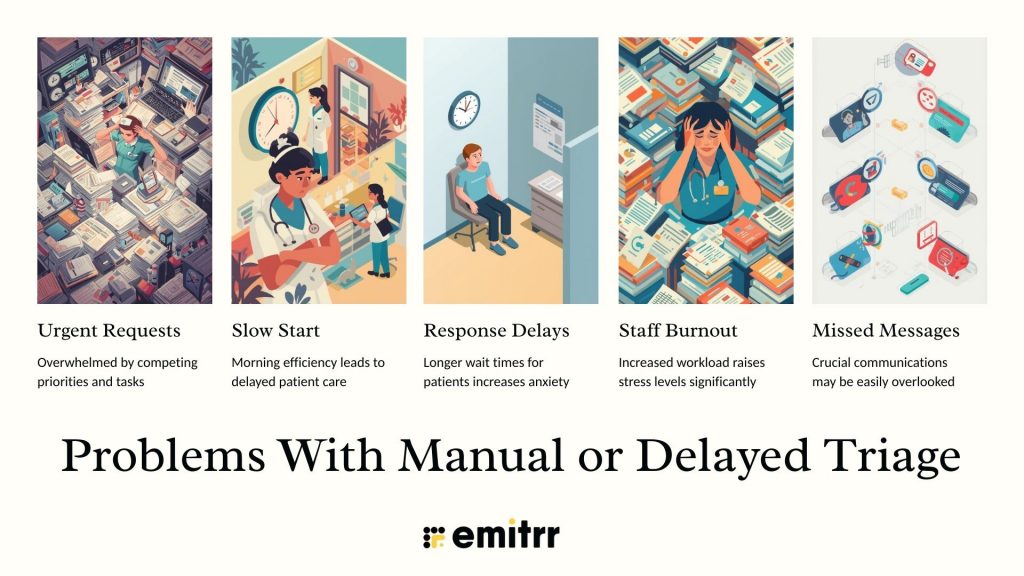
- Urgent requests get buried: A message about worsening symptoms can sit next to routine appointment administrative questions. Until someone opens each message, there’s no clear way to know what needs immediate attention.
- Slow start to the day: Staff spend the first part of their morning sorting messages instead of responding to patients. For example, a front-desk team may spend 30 minutes just figuring out which requests belong to scheduling, patient billing, or clinical staff.
- Increased response delays for patients: When everything is reviewed manually, even simple requests like confirming an appointment can be delayed, frustrating patients who expect quick answers.
- Higher staff stress and burnout: Opening the portal to a long, unorganized list of messages creates pressure right at the start of the day, mainly during peak hours.
- Greater risk of missed or overlooked messages: When triage relies entirely on human review, important requests can be unintentionally missed during busy mornings or short-staffed shifts.
Without a structured patient triage system, Athenahealth practices are forced to react instead of staying ahead, turning patient communication into a daily scramble rather than a smooth, predictable workflow.
What if patient texting didn’t add to the chaos? See how you can text patients directly from Athenahealth in this video:
Key Categories to Triage Patient Requests Into
Categorizing patient requests upfront is the foundation of an effective patient triage system because it brings clarity, priority, and accountability before any response happens.
Below are the core categories patient requests should be triaged into, along with how they are typically handled.
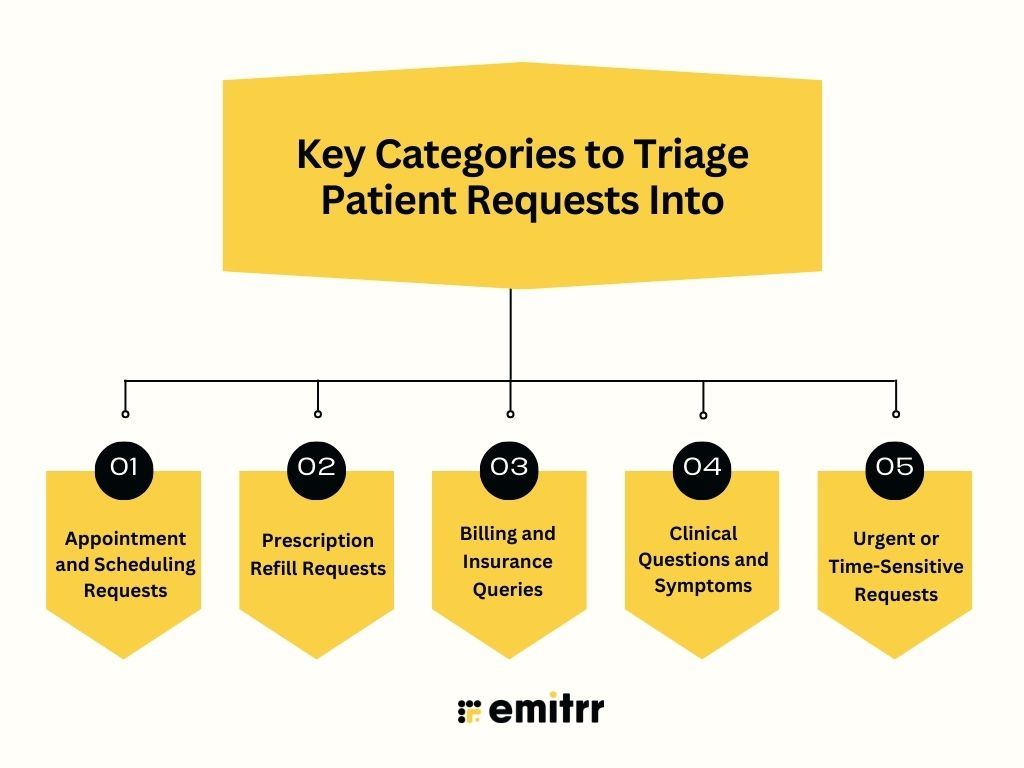
Appointment and Scheduling Requests
These include appointment bookings, reschedules, cancellations, and availability questions. They are usually non-urgent and can be routed directly to front-desk or scheduling teams, helping streamline scheduling workflows and minimizing no shows without requiring clinical review.
Prescription Refill Requests
Medication refill requests need timely handling but are rarely emergencies. Triage helps route prescription refill reminder requests to the correct workflow so they reach the appropriate clinical staff and routine administrative messages stay organized.
Prescription refills drive up to 40% of daily call volume for many practices. See how AI agents are changing the way refill requests are handled in this video:
Billing and Insurance Queries
Questions about invoices, insurance coverage, copays, or payment methods are administrative in nature. Separating these early prevents them from slowing down clinical communication.
Clinical Questions and Symptoms
These messages may involve medical concerns, follow-up questions, or new symptoms. Triage is critical here to determine whether the message is informational, needs a clinician review, or requires urgent escalation.
Urgent or Time-Sensitive Requests
Some patient messages require immediate attention, such as reports of worsening symptoms or post-procedure concerns. These should be flagged and surfaced first so they are not lost among routine requests.
How Pre-Login Patient Request Triage Works
Patient communication does not follow office hours. Messages related to appointments, prescriptions, and care questions continue to come in after hours and early in the morning. Pre-login triage ensures these requests are already organized and prioritized before the workday begins, and with the right Athenahealth integration, practices can maintain clear, structured communication and manual morning review is reduced.
Step 1: Patient requests are captured automatically
Messages from the Athenahealth Patient Portal, texting, or other connected channels are collected in a single system as soon as patients send them, regardless of the time of day.
Step 2: Requests are identified by intent
Using rules or automation, incoming messages are categorized based on what the patient needs, such as scheduling, prescription refills, billing questions, or clinical concerns.
Step 3: Urgency is assessed
Requests are evaluated for urgency so time-sensitive or high-priority messages are surfaced first, while routine requests are organized into appropriate queues.
Step 4: Messages are routed to the right team
Based on category and priority, messages are directed to the correct workflow or team, so front-desk, billing, and clinical staff see only what they need to handle.
Step 5: Staff logs in to an organized queue
When staff starts their day, they see a structured, prioritized list of patient requests instead of a long, unorganized inbox.
Bonus tip: An AI-powered communication tool that grow with your Athenahealth practice can take pre-login triage a step further by continuously learning from patient interactions, improving intent detection, and scaling effortlessly as patient volume increases.
Benefits of Patient Request Triage Before Staff Logs In
Triage before staff logs in helps practices start the day with clarity instead of catch-up. When patient requests are already organized and prioritized, teams can focus on responding rather than sorting. This approach improves both operational efficiency and the patient experience from the very first interaction of the day.
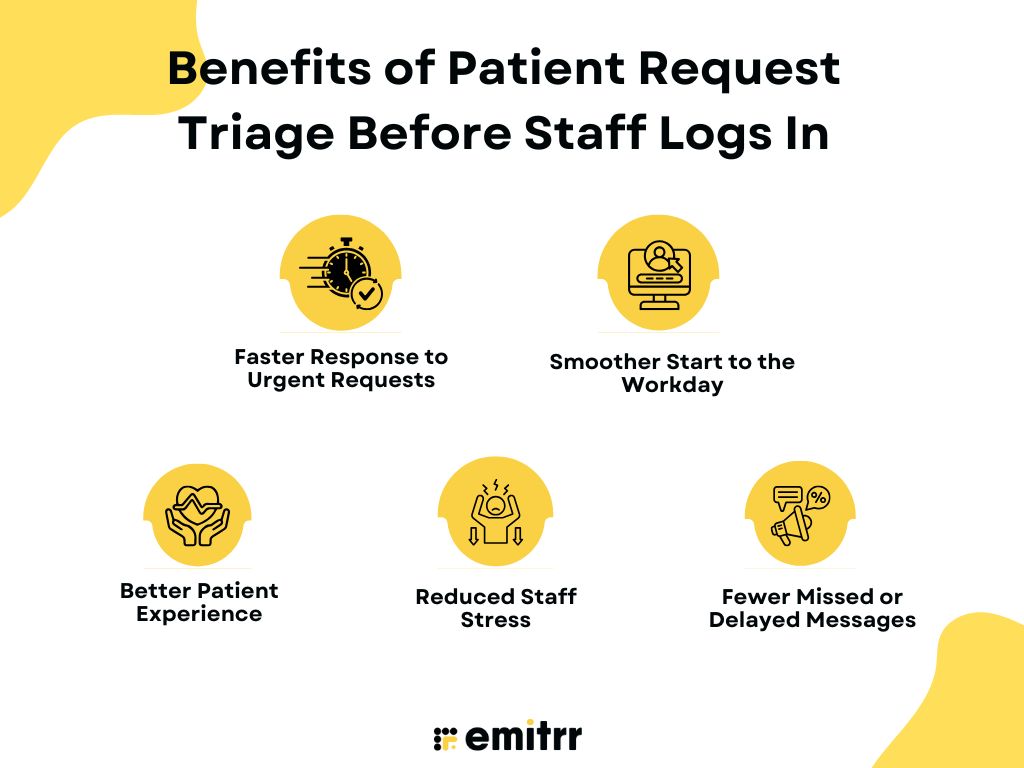
Faster Response to Urgent Requests
High-priority messages are identified early so they do not get buried under routine requests. For example, a message about post-procedure discomfort can be flagged and reviewed quickly instead of waiting behind appointment reschedule requests.
Smoother Start to the Workday
Staff logs in to an organized queue instead of a long list of unread messages. A front-desk team can immediately handle scheduling requests while clinical staff focuses on patient care, reducing early-morning confusion.
Better Patient Experience
Patients receive timely responses based on urgency rather than message order. A simple insurance question can be answered quickly, and more sensitive clinical concerns receive the attention they need.
Reduced Staff Stress
When requests are triaged ahead of time, teams are not forced to make rushed decisions during peak hours. A more organized EHR view creates a calmer workflow and lowers the pressure that often builds up at the start of the day.
Fewer Missed or Delayed Messages
Organized triage makes it easier to track every request. Important messages are clearly visible and less likely to be overlooked during busy shifts or staffing gaps.
Using Emitrr AI to Automate Patient Communication in Athenahealth
Who doesn’t want someone to be there 24/7 to take up patient requests? Patient messages do not stop after office hours, and expecting staff to catch up every morning is not sustainable. When you integrate Emitrr with Athenahealth, it opens up new possibilities for managing patient communication in a more predictable and organized way.
Emitrr AI works alongside Athenahealth to bring structure to incoming patient messages so practices are not constantly reacting. AI for healthcare helps organize requests, surface what matters most, and keep communication moving even when no one is logged in, all within a HIPAA-compliant communication environment. Every patient interaction is written back into Athenahealth, and key data stays in sync, giving staff full context when they review patient records.
What sets Emitrr apart is its strong focus on healthcare workflows and real-world practice needs. Rated 4.8 stars on Capterra and G2, Emitrr is trusted by practices that value reliability, ease of use, and thoughtful automation. Rather than forcing generic communication patterns, it fits naturally into how healthcare teams operate and enables a calmer, more scalable way to manage patient requests.
Below are some of the key features that make this possible when Emitrr works alongside Athenahealth.
AI SMS Agent
The AI SMS agent for healthcare responds to patient messages in real time using natural, conversational language. It handles common questions, acknowledges requests instantly, and continues conversations even when staff is offline. Patients receive timely engagement instead of waiting for office hours.
With Emitrr’s AI agent Sarah, patient texting stays responsive around the clock, even when your team is offline. See how it works in this quick video:
AI Appointment Scheduler
The AI appointment scheduler handles common scheduling tasks through text, including booking, rescheduling, confirming, and updating appointments. Patients can make changes on their own, even outside office hours, and schedules stay updated with fewer calls. This reduces phone load and helps calendars remain accurate with less staff involvement.
Automated Appointment Communications
Appointment-related messages make up a large share of daily patient interactions. With Emitrr, practices can automate appointment confirmations and reschedules without phone calls using SMS, email, and voice connected to Athenahealth. Post-visit follow-ups also run automatically, ensuring patients receive timely next-step communication with minimal staff involvement.
AI Voicemail Transcription
Patient voicemails are converted into accurate, searchable text within seconds. Instead of replaying messages repeatedly, staff can scan transcripts quickly and understand the request at a glance. This saves time and makes it easier to manage voicemail volume during busy days.
Suggest a Reply
When staff does step in, Emitrr suggests relevant responses based on the message context. This reduces the time spent typing replies and helps teams respond consistently. It also lowers cognitive load during peak hours when message volume is high.
Together, these capabilities help Athenahealth practices move from reactive communication to a more controlled, scalable way of managing patient requests.
Frequently Asked Questions
Appointment requests are triaged by identifying the intent first, such as booking, rescheduling, or cancellation. These requests are then marked as routine and routed to the scheduling workflow so they do not block urgent patient needs. Emitrr can help organize these requests before staff reviews them.
Proper patient triage starts with understanding what the patient needs and how urgent it is. Requests are grouped into categories like administrative, clinical, or urgent so they reach the right team at the right time.
The basic steps include capturing the request, identifying the intent, assessing urgency, and routing it to the appropriate workflow. This ensures that critical requests are addressed first and routine ones are handled efficiently.
Patients are assessed based on the information they provide in their message, such as symptoms, timing, or type of request. Clear signals like worsening symptoms or post-procedure concerns indicate higher priority.
The first rule of triage is to prioritize urgency over order. Requests that could impact patient safety or care outcomes should always be reviewed before routine or administrative messages.
Conclusion
How to triage patient requests before staff logs in is comes down to starting each day with clarity instead of backlog. By integrating Emitrr with Athenahealth, practices can replace manual message sorting with a more structured, automated approach. Schedule a free demo with Emitrr AI to see how it fits into your daily operations and evaluate the difference it makes for your practice today.

 4.9 (400+
reviews)
4.9 (400+
reviews)