
 4.9 (400+
reviews)
4.9 (400+
reviews)
Introduction
If you work in a service business, whether it be clinics, salons, fitness, education, consulting, or more, then booking your services, scheduling clients, or scheduling appointments via software is essential. It allows prospective clients to engage with your team on their terms while reducing client friction, ultimately reducing no-shows, and improving your ability to grow as an operation.
Appointy is a well-known online scheduling tool used by people all over the world. Appointy’s wide appeal has to do with its flexibility and support for multi-location businesses. Additionally, many businesses around the world use Appointy to schedule appointments in a number of different industries, including salons, healthcare practices, studios, and so on. However, a job scheduling tool is not always the right fit for every business. Typically, as businesses grow, they seek out and demand features that are more sophisticated in areas such as communication, automation, compliance, or integration with another system or tool, which Appointy is often unable to accomplish.
In this blog, we will go through a list of the top 10 alternatives for Appointy, and we will share their features, their pros and cons, pricing, and actual user reviews. Ultimately, we will make the point why Emitrr is the best Appointy alternative, primarily for growth-focused businesses (especially those that prioritize customer engagement).
What Is Appointy?
Overview
Appointy is an appointment scheduling software solution for online bookings that can occur at any hour of the day or night. It can be used in a variety of industries and settings, both e-commerce and physical. Some examples include salons, clinics, consultants, tutors, etc.. The software also versatilely accommodates managing staff, multiple locations, classes, resource booking, and client self-service.
Appointy Features
- 24/7 Online Booking: Allows clients to book, reschedule, or cancel whenever they want via an online booking portal.
- Automated Reminders: Can send email and SMS confirmations and notifications (SMS is typically only in paid tiers).
- Payment Integration: Can take payments online via several processors, including Stripe, PayPal, Square, or Authorize.Net.
- Group & Class Booking: An establishment hosting workshops, classes, group sessions, etc., as opposed to only one-on-one appointment-based services (See the class Booking feature)
- Multi-location & Staff Management: Can manage multiple locations or branches as well as staff calendars, depending on the plan you are signed up for.
- Custom Branding & Booking Page: Includes modification opportunities for booking pages to have the look and feel of your brand.
- Resource Management: Allows specific items of equipment, rooms, or other resources to be booked.
Appointy Pros
- Affordable Entry Point: It has an affordable free plan and relatively low-cost growth tiers.
- Payment Flexibility: Wide support for payment gateways.
- Customization: It has deep options for booking pages and custom fields for personalization of the booking experience.
- Google Integration: It has support for “Reserve with Google.”
Appointy Cons
- Feature Tiering: Some of the basic features that we may think would come standard (removing branding or custom SMS text) are tied to a higher paid plan.
- Basic Communication: No advanced two-way texting feature as part of the solution. A potential gap, depending on your expectations for client engagement and client review management.
- Learning Curve: Several users report that even for basic functions in the back end, it was a bit challenging to learn in terms of completing workflows, etc.
- Mobile App Concerns: There are reports that the mobile application is less stable or polished than the desktop client.
Appointy pricing
- Free: $0 (for 1 staff and 5 services – approximately 100 appointments per month)
- Growth: ~$19.99/month (unlimited services and appointments – cost of staff added incrementally)
- Professional: ~$49.99/month (for resource management, and more staff slots)
- Enterprise: ~$79.99/month (for multi-locations and custom SMS, remove Appointy branding)
(Please note that pricing changes may occur based on the billing frequency or due to promotional discounts.)
Appointy Integrations
- Google Calendar, iCal, and Outlook
- Payment gateways (Stripe, PayPal, Square)
- Zoom meeting links for virtual visits
- Zapier (which connects to thousands of apps)
- Facebook, Instagram
- Support Channel for Appointy:
- Email support (all tiers)
- Live chat (paid tiers)
- Phone support / assigned dedicated customer support manager (on Enterprise)
Appointy Ratings:
4.6 / 5
Appointy Reviews:
“Easy to use and very efficient … the software makes it super easy for my clients and me to use.”
“We were able to simply create reminders, prevent calendar conflicts, and schedule and change appointments because of its user-friendly design.”
Source: Capterra

Why Do Businesses Seek an Appointy Alternative?
Need Two-way Communication
Appointy only provides one-way reminders without secure two-way texting, or real-time chat and marketing automation capabilities that modern teams want for engagement.
Industry Compliance Issues
In health care and similar industries requiring HIPAA-compliant messages with BAAs, Appointy is not compliant and not suitable for compliant industries.
Long & Difficult Service Set-Up
Especially if you want to manage packages, add-ons, or resource dependencies with Appointy, it can become cumbersome and or even reserved for higher tiers.
Limited Marketing Features
Appointy does not have a built-in ability to request reviews, collect feedback, or create reputation dashboards, all of which are vital to scaling a business.
Costly Options for Basic Features
Essential features such as custom SMS and multi-location support are only available at high-cost enterprise pricing; this drives customers to use switches to more valuable options.
What features to Look for In an Appointy Alternative?
Two-way Communication
Real-time two-way SMS messaging, email messaging, and bulk messaging capabilities
HIPAA Compliant/Secure
A must for staying compliant in the healthcare and data privacy sectors
Built-In Review Management
Capability to request reviews and gather feedback, inside the system
AI & Automation
Smart agents that can book, schedule, and follow up on numerous tasks, for example, 24/7 links
Transparent Pricing
Clear and scalable options without a list of “guardrails” that will add to monthly costs
Advanced Analytics
Keep track of staff, performance, ROI, cancellations/no-shows
Ease of Use Interface
Able to gain use of the system without a long onboarding process and cursor setting, ideally easy with emails to customers too.
Ability to connect to CRM Integrations
Salesforce, Hubspot, Denticon, AthenaHealth, etc
Payment History Options
Prepay booking with the option of a refund
Custom Workflows
Custom Form for specific experience by service or experience.
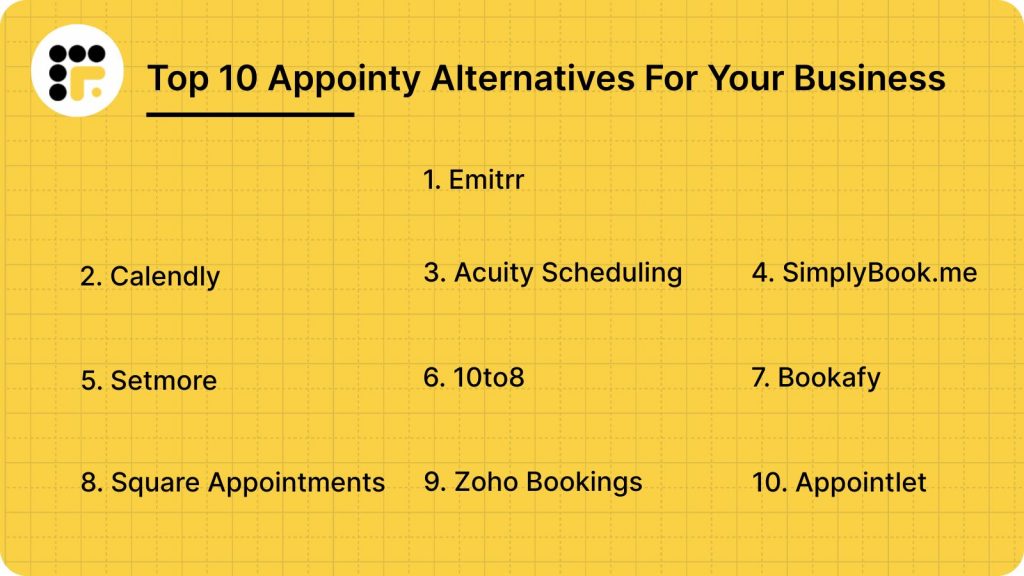
10 Best Appointy Alternatives
- Emitrr
- Calendly
- Acuity Scheduling (Rebranded as Squarespace Scheduling)
- SimplyBook.me
- Setmore
- 10to8 (Now known as Sign In Scheduling)
- Bookafy
- Square Appointments
- Zoho Bookings
- Appointlet
1. Emitrr: The Best Appointy Replacement
Overview:
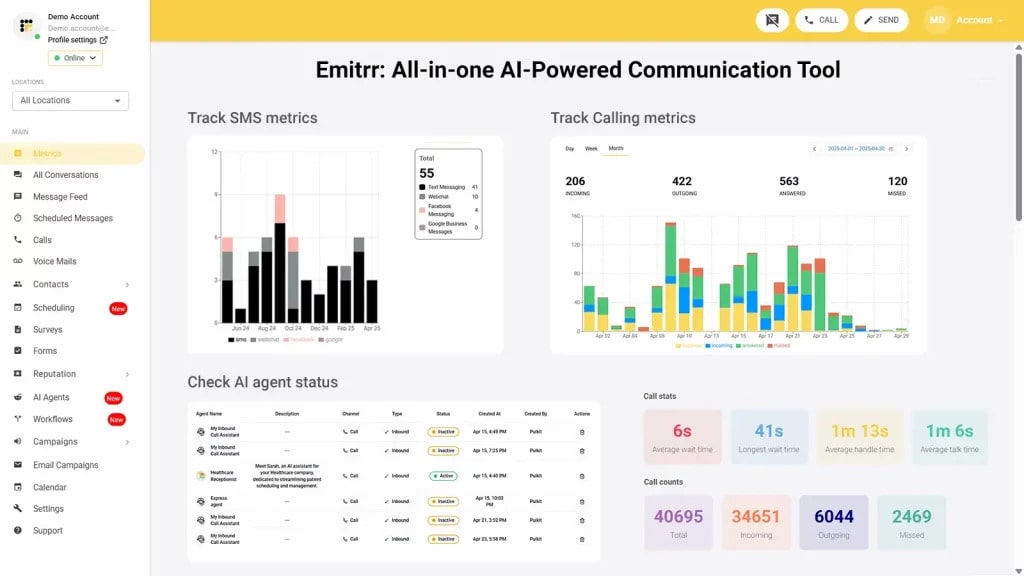
Emitrr is not only a scheduler but also a full-fledged customer engagement platform tailored for healthcare, local businesses, and multi-location teams. By incorporating robust online scheduling with strong two-way texting, AI-powered automation, review management, and secure communication, it takes up the slack left over by Appointy in terms of communicating with clients and managing compliance. For businesses aspiring for ambitious growth, higher ROI, and easy setups around communication, Emitrr is the better option and a strong Appointy alternative. And it is especially the best Appointy alternative for healthcare clinics.
Emitrr Features:
- Self-Booking (Online Appointment & Schedule Booking): Self-scheduling is a type of appointment method where clients can book their own appointments directly into your calendar, so that you never risk missing any important calls and tasks.
- AI-Powered Scheduling Assistant: A chatbot that can manage scheduling chats, such as booking, rescheduling, and listing appointments. 24/7.
- Two-Way Business Texting: Allows secure, personal, and instant text communication with clients – not like the one-way reminders or alerts of most schedulers.
- Automated Recall & Follow-up: Nudging past customers to schedule their next appointment, follow-up surveys, or feedback after the appointment will be sent automatically.
- HIPAA-Compliant Platform: HIPAA-compliant scheduling & intake, and will sign BAA, making it the number one alternative to Appointy for HIPAA-compliant scheduling.
- Online Intake Forms: For collecting vital service recipient or patient information and waivers before the appointment.
- Group Appointments/Class Reservation: Giving businesses the ability to offer services that need multiple participants to join, such as “Group of Brewers” services, and much more. Businesses can now distinguish between traditional appointment bookings and Group Appointment Bookings.
- Multi-site/Site Agnostic Scheduling: Coordinate appointments across all office locations or branches with a single application.
- Metrics & Reporting: Monitor important data such as no-shows, cancellations, utilization rates, and communication ROI.
- Branded Booking Pages / Custom Scheduling Links: Share an elegant booking page with your logo, colors, and services.
Emitrr Pros:
- Best-in-Class Communication Suite: Provides a more robust two-way messaging experience than traditional schedulers, focusing on rich customer engagement and lead conversion.
- User-friendly Interface: very easy for clients and staff- it has a clean design.
- Robust Industry Support: It is designed with the unique compliance (HIPAA) and workflow requirements of healthcare, dental, and multi-location service-based businesses.
- Customer Service is Proactive: Fast, helpful responses from the customer support staff are frequently mentioned among reviews.
Emitrr Cons:
- More scheduling-related features are going live soon (This platform is constantly evolving and adding more sophisticated features to an already robust offering)
Emitrr Pricing:
There are no hidden costs, and Emitrr is organized around its communication and engagement suite:
- Standard: $25 per month
- Professional: $35 per month
Emitrr Integrations:
500+ integrations: Compatible with popular CRMs and EMR/EHR (MailChimp, Denticon, AthenaHealth, Zapier, Salesforce, HubSpot, etc).
Emitrr Support Channels:
Chat, Call, Email, FAQ, SMS.
Emitrr Ratings:
4.8/5
Emitrr Reviews:
“Overall, very positive… Uptime is great and the customer service is amazing.”
“It has vastly improved our marketing efforts… super easy to use. Customer service is unmatched.”
Source: Capterra
2. Calendly
Overview:
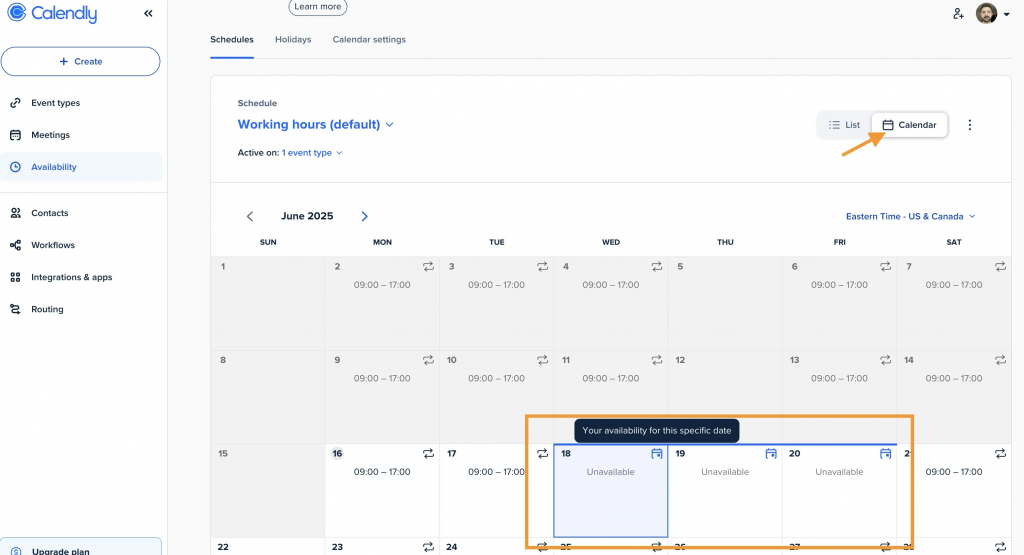
Calendly is often regarded as the gold standard for scheduling one-on-one meetings. It plugs into your calendar and creates a shareable link for others to book time with you based on when you’re available, removing the back-and-forth of chain emails.
Calendly Features:
- Basic Link Scheduling: You create event types and a unique link to share with those you want to meet.
- Calendar Integration: Seamlessly integrate with your Google Calendar, Outlook, and iCloud calendars to find time to meet with your team when you are also available in real-time.
- Team Scheduling (Round Robin / Collective): Automatically look for free time across team members for group meetings or distribute new leads evenly.
- Meeting Polls: Enables attendees to vote for preferred time, great for large internal team meetings.
- Auto Reminders by Email: Automatically send confirmation and reminder emails.
Calendly Pros:
- Unbeatable Simplicity: Very easy and intuitive for both the host and the person booking.
- Powerful Calendar Sync: Highest rated sync accuracy to avoid overbooking.
- High Take-Up: The majority of our clients and prospects already have a good understanding of how to navigate the Calendly interface.
Calendly Cons:
- Not Service-Based Focused: Lacking significant functionality for resource management, more complicated inventory, and physical service bookings (managing your rooms in a salon).
- Limited Options for Customization: It is not as customizable as a dedicated service scheduler.
Calendly Pricing:
- Free: Includes essentials, unlimited meetings, and one event type.
- Standard: Approx. $10/user/month (Additional event types, group events).
- Teams: Approx. $16/user/month (Round Robin, Collective scheduling).
Calendly Integrations:
Salesforce, HubSpot, Zoom, Stripe, PayPal, Zapier, and every single calendar in existence.
Calendly Support Channels:
Help Center, Email Support, Live Chat (for higher tiers).
Calendly Ratings:
4.7/5
Calendly Reviews:
“For client-facing work, Calendly has been a game-changer… professional experience while saving me time.”
“Calendly makes client meetings so easy… follows up and reminds them; integrates with my calendars easily.”
Source: G2
3. Acuity Scheduling
Overview:
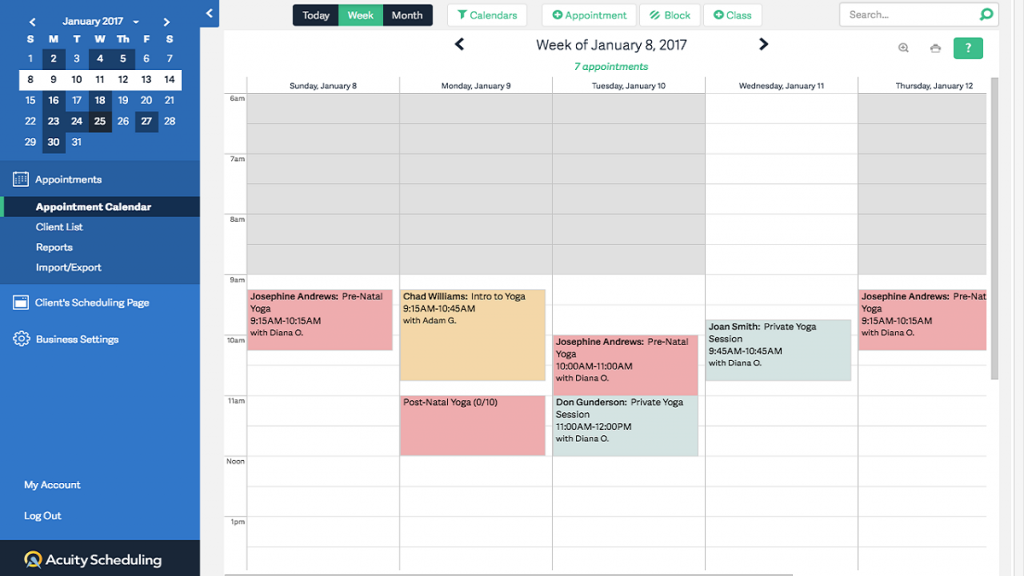
Rebranded as Squarespace Scheduling, Acuity is a very customizable and flexible app similar to Appointy, ideal for those with more complicated services, packages, and custom consent forms. It’s a great option for solopreneurs and small businesses, especially in the wellness, beauty, and education space, who require fine control over the client booking experience.
Acuity Scheduling Features:
- Custom Intake Forms: Create comprehensive questionnaires for clients to complete at the time of booking.
- Subscription & Packages Sales: Can sell appointment bundles, gift cards, and rotate memberships.
- Deposits and Payment Policies: Minimum deposits, prepayments, and cancellation restrictions may apply at the time of booking.
- Automatic Time Zone Conversion: Clients book at the right time from anywhere.
- HIPAA Compliance: On the top-tier plan for medical professionals.
Acuity Scheduling Pros:
- Powerful Customization: Unparalleled ease of customization in appointment types, pricing, and intake flow.
- Revenue Models: Great support for selling a subscription/package directly on the platform.
- HIPAA Option: Includes a certified tier, which could be considered an alternative for health industry users.
Acuity Scheduling Cons:
- High Learning Curve: The overwhelming scale of things you can customize makes initial setup a bit intimidating for newcomers.
- Mobile Experience: A few reviewers say the mobile app isn’t as reliable as the desktop version.
Acuity Scheduling Pricing:
- Emerging: $16/month (1 staff/location).
- Growing: $27/month (Up to 6 staff/locations, SMS reminders).
- Powerhouse: $49/month (Your first month is free, includes up to 36 staff/locations, HIPAA BAA, Custom API/CSS).
Acuity Scheduling Integrations:
Zoom, Google Meet, QuickBooks, Mailchimp, and more; large calendars; Stripe and PayPal.
Acuity Scheduling Support Channels:
Email/Help Center, Live Chat.
Acuity Scheduling Ratings:
4.7/5
Acuity Scheduling Reviews:
“One of the best online booking systems—user-friendly with lots of customization; easy to integrate.”
“Perfect for scheduling, booking, and keeping track of client appointments… questionnaire setup was simple.”
Source: G2
4. SimplyBook.me
Overview:
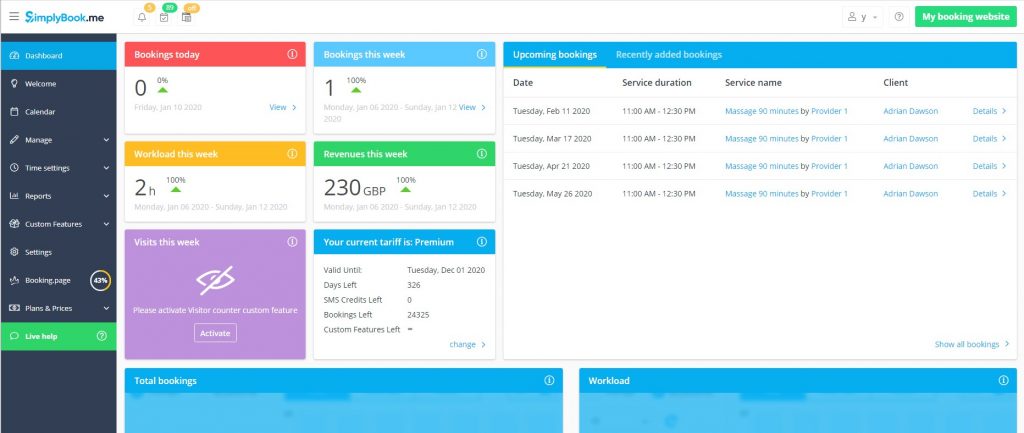
SimplyBook.me is a very rich-featured and flexible online appointment scheduling software similar to Appointy, which prides itself on its long list of “Custom Features”. It’s a good fit for businesses of all sizes and industries, and provides additional unique tools such as gift cards, membership capabilities, and POS integration.
Simplybook.Me Features:
- Tailored features: Provides 60+ tailor-made features such as coupons, gift cards, waiting lists, & membership.
- Professional Booking Website: A professional and customizable booking website for businesses that may not have their own site.
- POS System Integration: Accept payments and track sales through your Point of Sale.
- Client Login/Portal: Keep your clients’ swipe details with repeat booking by logging in to view history and connect to it on the move.
- 30+ Language Support (Recommended): Perfect for businesses serving an international or multilingual clientele.
Simplybook.Me Pros:
- Feature Depth: Custom Features let you fine-tune the system to your specific niche – do more with less.
- Great Customization Options: Very customizable booking page.
- Multilingual Support: Perfect for international businesses.
Simplybook.Me Cons:
- Feature Bloat: It has too many features to understand for a small business.
- Feature Caps: Even on paid tiers, you can only use X “Custom Features” at no additional charge, meaning a custom setup will end up with loads of fees.
Simplybook.Me Pricing:
- Free: $0 (50 bookings/month, 1 user, restricted features).
- Basic: $9.90 per month (100 bookings per month, one user).
- Regular $30 per month (500 bookings/month, 3 users).
- Premium: $60 per month (2000 bookings per month, 8 users, all features unlocked).
Simplybook.Me Integrations:
Google Calendar, Outlook, Facebook, Instagram, Zoom, and multiple payment processors via Zapier.
Simplybook. Me Support Channels:
Email, Live Chat (only during business hours).
Simplybook.Me Ratings:
4.5/5
Simplybook.Me Reviews:
“I’ve been really happy… simple booking platform with most features I wanted.”
“Easy to set up and saved me time and costs versus building a booking system from scratch.”
Source: Capterra
5. Setmore
Overview:
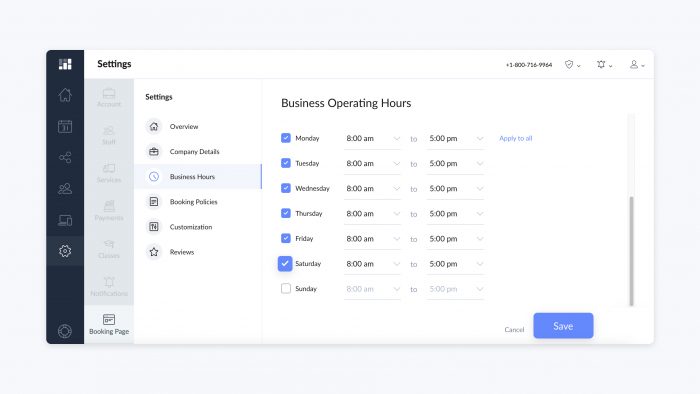
Setmore is a very powerful, straightforward, well-rounded small business scheduling alternative to Appointy, and it’s perfect for solo practitioners or smaller teams. It is budget-friendly online scheduling software and boasts an unlimited appointment time on the free plan, something that most can’t say.
Setmore Features:
- Unlimited Appointments (Free Plan): Huge for small, high-volume businesses.
- Up to 4 Staff Accounts (Free Plan): Great for small teams who want to use the basics of the scheduling tool for free.
- Meetings in the Clouds: Teleport integration and Zoom/Google Meet support.
- Personalised Booking Page: A branded, free booking page to send to clients.
- Review Management (Paid): Enable you to gather and display client reviews on your booking page.
Setmore Pros:
- The Best Free Plan: The high staff and appointments limit make it easy to get started.
- Usability: Easy and intuitive; excellent for non-tech users.
- Reliable Calendar Sync: It is well known for its good support with other calendars.
Setmore Cons:
- Tiered Communication: SMS reminders and payment collection service are available only with paid options.
- Limited Customization: Its simplicity means fewer options for more complex services or deep branding than competitors like Acuity.
Setmore Pricing:
- Free: $0.00 (You get Unlimited appointments up to 4 staff).
- Team: $9.00/user/month (Staff unlimited, 2-way sync, SMS reminders).
- Pro: $12.00/user/month (Includes recurring appointments, payment integrations).
Setmore Integrations:
Google Calendar, Office 365, Facebook, Instagram, Zoom, Stripe/Square/PayPal.
Setmore Support Channels:
Email, Live Chat, Phone (on the Pro plan).
Setmore Ratings:
4.5/5
Setmore Reviews:
“Setmore is an excellent appointment scheduling platform… intuitive, easy to use, with excellent technical support.”
“Great booking system… the free tier works great for my solo business; easy website booking page.”
Source: G2
6. 10to8 (Sign In Scheduling)
Overview:
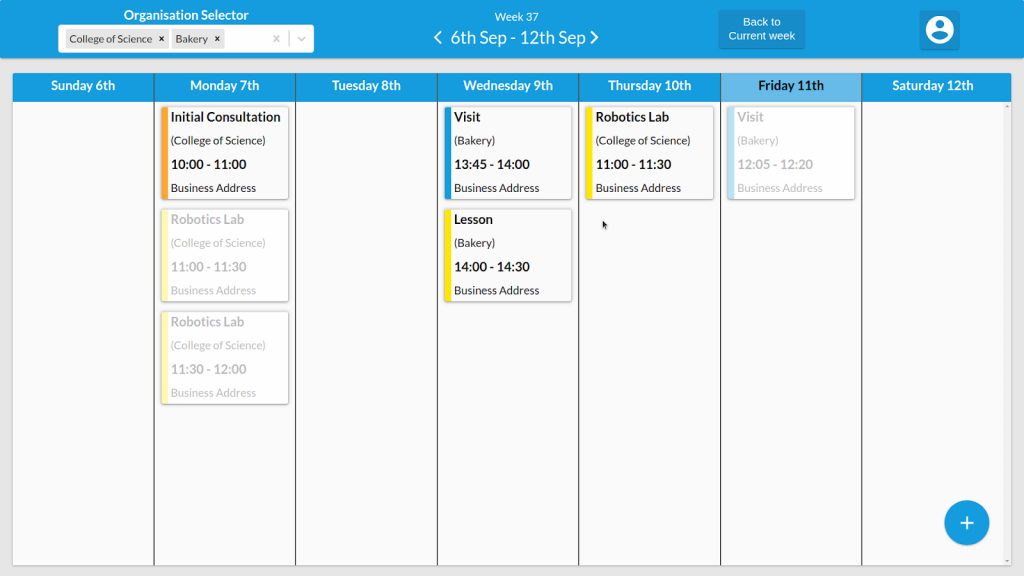
10to8 (formerly rebranded as Sign In Scheduling) is an appointment reminder and booking software specific to Appointy that comes with a strong emphasis on reducing no-shows through intelligent, automated communication. It is a good fit for businesses or organizations in educational, therapeutic, or service-oriented industries that require dependable attendance and rich historical client information.
10to8 (Sign In Scheduling) Features:
- Smart Connector Alerts: Automated communications that are tailored based on the user’s past behavior to boost attendance.
- Two-Way Chat: Enables customers to respond to reminders for easy cancellation and rescheduling (restricted on lower tiers).
- Customized Surveys: Collect critical information at the time of booking.
- Flexible Calendar Configuration: Advanced recurring appointments and multiple staff availability are supported.
- Reporting: Monitors key metrics like no-show rates and staff utilization.
10to8 (Sign In Scheduling) Pros:
- Better Reminder System: One of the most powerful ways to reduce no-shows through intelligent, on-time reminders.
- Free Plan with a Lot of Features: Provides a usable free plan for up to 100 appointments/month.
- Rich Customization Capabilities: It exposed many touchpoints with the user-facing part of the client.
10to8 (Sign In Scheduling) Cons:
- Interface Design: A few users mention that the interface is not as up-to-date as other products.
- Free Tier Limitations: Free tier limits on staff and SMS usage aren’t enough.
10to8 (Sign In Scheduling) Pricing:
- Free: $0 (100 appointments/month, 2 staff).
- Basic: Approx. $12/month (2 staff, 200 appointments/month).
- Grow: Approx. $25/month (3 users, 500 appointments/month, white labeling removed).
- Bespoke: Custom pricing for enterprises.
10to8 (Sign In Scheduling) Integrations:
Zoom, Microsoft Teams, Salesforce, etc, most calendars, Stripe, PayPal, and such.
10to8 (Login Booking) Support Channels:
Email, Help Center.
10to8 (Sign In Scheduling) Ratings:
4.6/5
10to8 (Sign In Scheduling) Reviews:
“10to8 helps me schedule new and recurring appointments with a few clicks… reminders go out so I don’t have to.”
“Feature-rich and generally easy for me and my clients; I’ve used it for years to schedule tutoring.”
Source: G2
7. Bookafy
Overview:
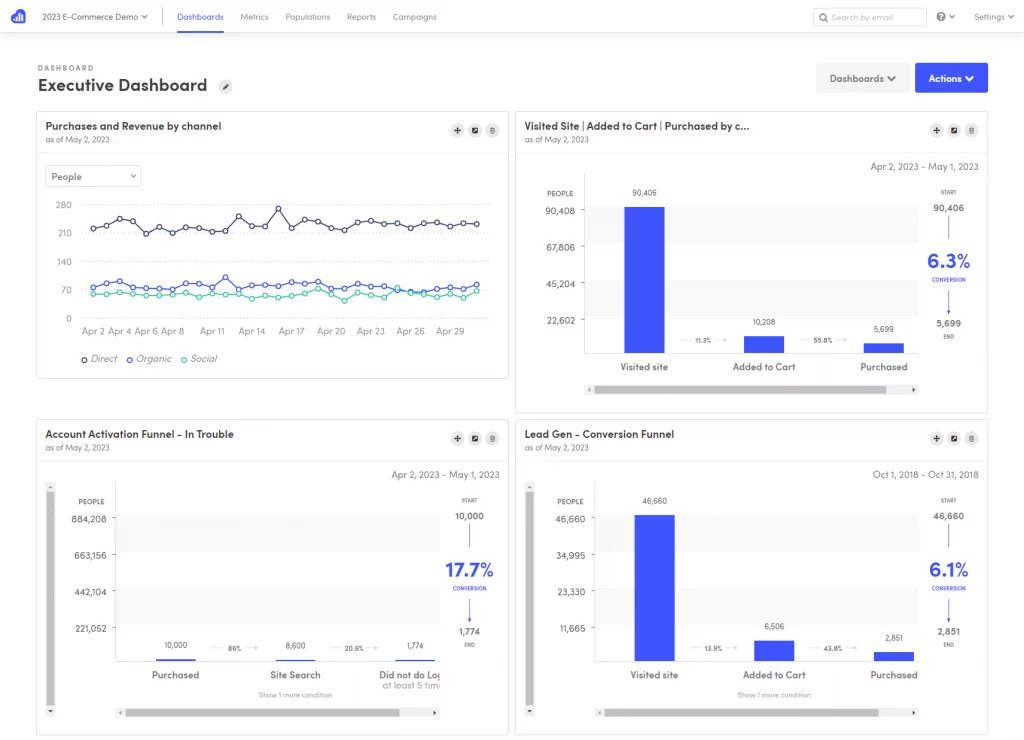
Bookafy is a powerful online appointment scheduling software Appointy alternative, which can be used by small-sized businesses and large enterprises to meet their requirements for advanced CRM integration and white labelling. Its strength lies in a consistent, branded booking experience and a strong list of integrations. It excels in creating a seamless, branded booking experience and is particularly strong with its extensive integration list.
Bookafy Features:
- Enterprise Integration: Tight native integration with leading CRMs such as Salesforce, HubSpot, and Zoho.
- White Label Option: Businesses can white-label Bookafy so all the branding is removed, and you can use your own domain/logo for a completely professional appearance!
- Video Conferencing Integration: Easily integrates with Zoom, GoToMeeting, and 24 Sessions.
- Customized Appointment Types: Supports advanced booking rules like team, group, and resource scheduling.
- Automated Text Reminders (Paid): SMS appointment reminders that reduce no-shows.
Bookafy Pros:
- Flexibility and Scalability: Great for expanding/growing teams that are looking for deeper CRM syncs.
- Design and Branding: Provides a visually attractive design of the booking page that is very flexible.
- Integration Strength: If you’re a business that already has one foot in the Salesforce/Zoho ecosystem, this is as good as it gets.
Bookafy Cons:
- Spotty Reviews/Acknowledgement: It has fewer up-to-date reviews and fewer users than established companies in the sector.
- Price Review: The most advanced integrations are paid features for all but their highest-tier plans.
Bookafy Pricing:
- Free: $0/ 0/month (Basic use, one user).
- Pro: $7/user/month (All basic features + payment processing and SMS reminders).
- Enterprise: $11/user/month (White label, all integrations, custom dev).
Bookafy Integrations:
The tool also integrates with Salesforce, HubSpot, Zoho CRM, Pipedrive, Zoom, Google Meet, Stripe, PayPal and Zapier.
Bookafy Support Channels:
Phone, Email, Live Support, Training.
Bookafy Ratings:
4.0/5
Bookafy Reviews:
“Highly recommend Bookafy… support helped us get it working exactly as needed; price is reasonable.”
“We use Bookafy so the public can book sessions; advisers manage availability, reducing admin workload.”
Source: G2
8. Square Appointments
Overview:
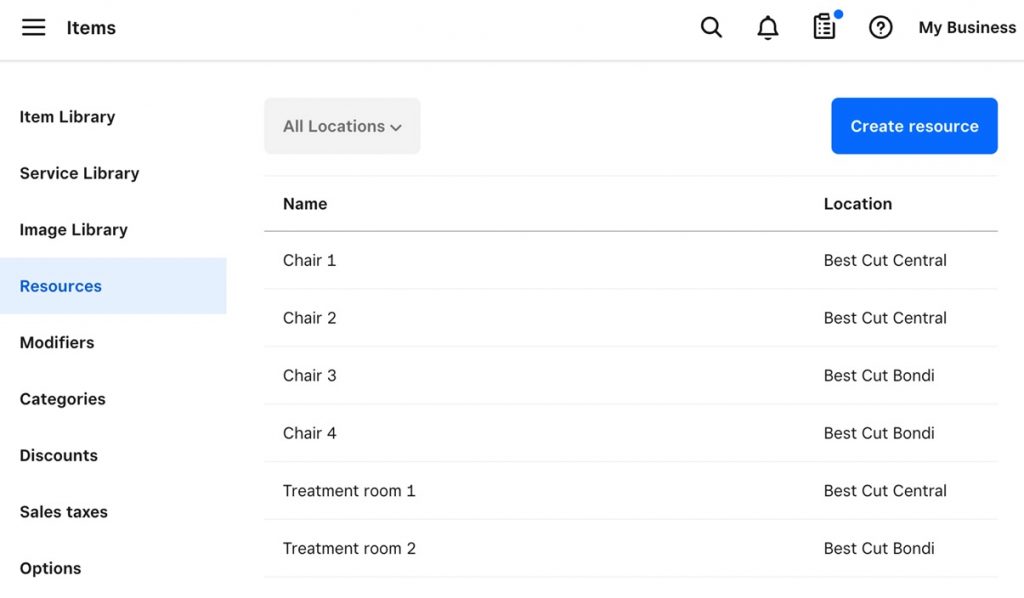
Square Appointments looks really good, has a great package offering, and is the foremost Appointy alternative for salons and other spa businesses to any company desiring a strong integration with its Point-of-Sale (POS) tools. It is part of the Square ecosystem, so booking, inventory, and payments are all in one place.
Square Appointments Features:
- Built-in Payment Processing: Built in, must use Square payment processing for smooth transactions and deposits, as well as cancellation fees.
- Point of Sale & Inventory Management: Ties directly to appointments for retail sales and takes inventory.
- Bookings Website: Fully customizable, professional site which is also mobile-friendly.
- Automatic Email/SMS Reminders: Automatic reminders sent in time to decrease no-shows.
- Free for Individuals: Provides a strong free version for solo practitioners.
Square Appointments Pros:
- All-in-One Solution: Ideal for businesses with Square POS already in place, or those looking to combine point of sale (POS), scheduling, payment, and inventory systems into one.
- Free for Solo Users: Extremely low-cost entry price for freelancers.
- Strong Mobile App: Great mobile app that lets you run your business on the go.
Square Appointments Cons:
- Payment Lock-In: You’re going to have to process payments through Square, which may not be your favorite provider.
- Not As Flexible for Non-Retail: While versatile, it’s much more retail-focused around beauty and wellness-type industries.
Square Appointments Pricing:
- Per cardholder, per month: $0/ 0/month (Plus standard Square transaction fees).
- 2-5 Staff: $29 /mo (Plus standard Square processing rates).
- 6-10 Staff: $69/month (Plus regular Square processing)
Square Appointments Integrations:
Seamless native integrations with all Square products (POS, Invoicing, Payroll), Google Calendar, and Instagram.
Square Appointments Support Channels:
Phone, Email, Live Chat (varies by plan level).
Square Appointments Ratings:
4.3/5
Square Appointments Reviews:
“User-friendly and simple… links to Instagram for easy booking; keeps client info organized with tap-to-pay on my phone.”
“Once set up, clients schedule themselves and get automatic emails with Zoom—saves time and energy.”
Source: G2
9. Zoho Bookings
Overview:
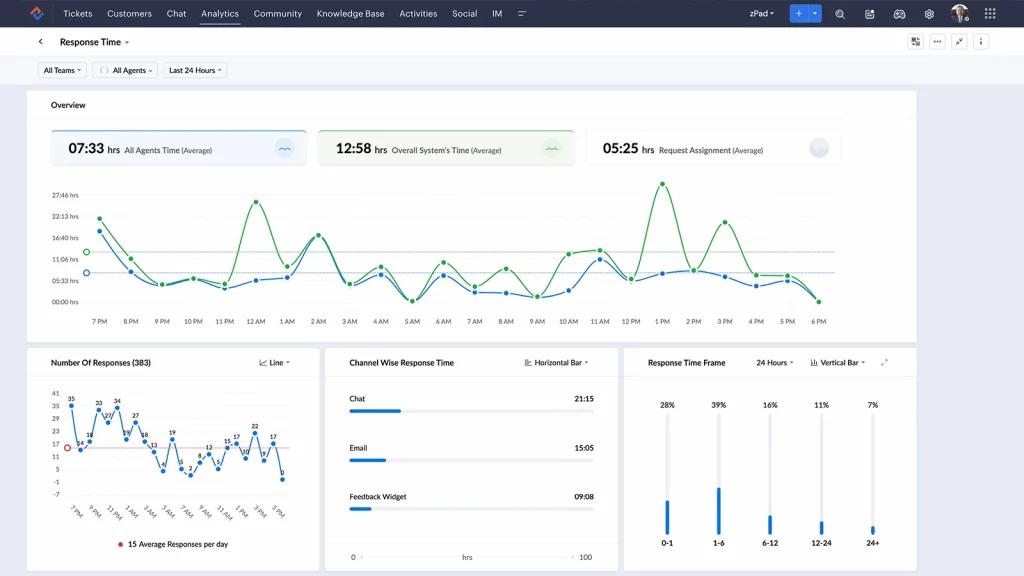
Zoho Bookings is the built-in scheduling solution for Zoho, an all-encompassing software platform, which means if your business already uses any of suite of products and cloud solutions like Zoho CRM, Zoho Mail or simply uses the whole lot with a subscription to mZoho One, then Zoho Bookings provides everything that your company could ever imagine requiring to schedule appointments online. Built-in a high-quality and professional scheduler, which focuses on efficiency and integrated data management.
Zoho Bookings Features:
- Zoho Ecosystem Integration: Silky smooth synchronization with other Zoho apps such as Zoho CRM, Meeting, and Mail.
- Convert Time Zone Automatically: Manage schedules across time zones with ease.
- Group Bookings & Resources: For booking Classes, Workshops, and Resource management.
- Customer Portal: Allow your customers to handle their own bookings using a specific portal.
- HIPAA Compliance: Offered as a certified offering of the broader Zoho suite, which is great if you are in healthcare.
Zoho Bookings Pros:
- Zoho Users: Price and integration you can’t beat if you are on their Zoho One package.
- Professional Interface: Nice, clean, professional, and easy to use UI.
- HIPAA & Security: Works with high-security requirements, for example, HIPAA compliance in Zoho One architecture.
Zoho Bookings Cons:
- Integration Outside Zoho: Although it supports third-party integration, integrations outside of the solution itself are sometimes less smooth than with native tools within Zoho.
- Not as Customizable: Not as many design and customization features as competitors such as Acuity or TimeTrade.
Zoho Bookings Pricing:
- Forever Free: $0/ 0/month (1 user, email alerts).
- Starter: $6/user/month (Group bookings, branded forms).
- Premium: $9/user/month (Online payments, customer portal, brand removal).
Zoho Bookings Integrations:
Native integrations with all Zoho apps, Stripe, PayPal, Zoom, Google Meet, and Microsoft Teams.
Zoho Bookings Support Channels:
Email, Phone, Help Center.
Zoho Bookings Ratings:
4.5/5
Zoho Bookings Reviews:
“AI-powered appointment scheduling with automation and calendar/CRM integrations… helps customers self-schedule from a custom page.”
“Very fast, easy implementation; customizable for multiple schedules and time zones—changes are quick.”
Source: G2
10. Appointlet
Overview:
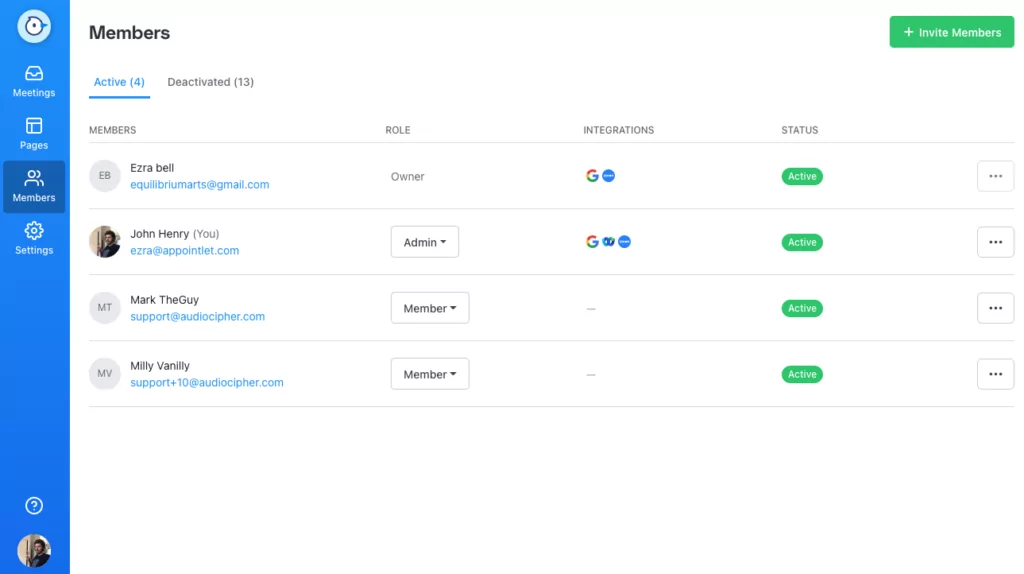
Appointlet is a simple scheduling tool that allows sales and consultancy teams to schedule appointments on the web in an easy way. It is a simple solution to replace Appointy if your requirements are limited only in terms of lead conversion and internal team scheduling optimization, not complex resource management.
Appointlet Features:
- Clean Booking Links: Copy and paste directly into websites, landing pages, and email signatures.
- Team Scheduling: Pool-based Availability and Round Robin Scheduling for teams.
- Custom Forms & Workflows: Create pre-meeting screening questions and custom confirmation pages.
- Automated Email Reminders: Confirmation and reminder emails are sent automatically.
- Video Conference Integration: Can integrate with Zoom, GoToMeeting, and Join. Me.
Appointlet Pros:
- Simplified for Sales: Ideal for rapid booking of demos, consults, and sales calls.
- Easy to Use Interface: Super simple for admin and clients with minimum configuration.
- Easy on the Pocket: The system is priced straightforwardly, and it’s quite cheap.
Appointlet Cons:
- No SMS: Doesn’t have built-in SMS reminders, which is a huge negative for cutting down on no-shows in service-based businesses.
- Key Service Features: Does not have advanced features set for resource, inventory, or complex service pricing.
Appointlet Pricing:
- Free: $0/ 0/month (Unlimited bookings, simple customization).
- Premium: $10/user/month (Everything, custom branding, and payment integration).
Appointlet Integrations:
Google Calendar, Office 365, Stripe, PayPal, Zoom, and Zapier.
Appointlet Support Channels:
Email, Live Chat.
Appointlet Ratings:
4.4/5
Appointlet Reviews:
“Very easy to use and does a ton… set invites and reminders; integrates with other calendars.”
“I left Acuity because Appointlet costs less… support is absolutely excellent—super quick and clear”
Source: Capterra
What Makes Emitrr the Best Alternative to Appointy
Communication, Not Just Reminders
Emitrr offers a full two-way texting, which Appointy does not. Clients can reply, confirm, reschedule appointments, or ask questions on the fly, minimizing no-shows and maximizing conversions.
HIPAA-Compliance Built-in
Emitrr is completely compliant and is ready to sign BAAs. It is the most secure alternative to Appointy for a healthcare clinic. Appointy’s SMS feature is only available for Enterprise Plans.
AI Agent Assist
Emitrr’s AI agent assist can automate booking, rescheduling, and answer missed calls 24/7, with scheduling far exceeding basic sync with your calendar.
Integrated Marketing and Reputation Management
Emitrr deals with review requests for HIPAA compliance, bulk SMS, and missed-call-to-text simultaneously. Emitrr is a justified payment for affecting the overall perceptions of your business.
Affordable and Transparent Pricing
Emitrr bundles all the communication and aspects within lower-tiered plans, offering better value than most competitors offering similar functions, and utilizes Appointy.
User-Friendly and Great Support
Emitrr is user-friendly with a clean dashboard and stellar support to help with onboarding for a team and clients.
Seamless Integrations
Emitrr integrates with 500+ CRMs and EHRs, which seamlessly fit into a business tech stack.
What Industries Does Emitrr Serve?
Real Estate
Automated follow-up texts, nurture leads, missed-call remediation
Education / Training
Class scheduling, reminders, notifications to stakeholders
Home Services
ETA texts, appointment confirmations, and obtaining feedback from customers.
Legal
Secure messaging, schedule, case updates
Staffing / Recruiting
Interview reminders, nudges for candidates, and communication for pipelines.
Health / Dental
Scheduling texting, reminders, instances, and collecting feedback
Frequently Asked Questions
Yes, Appointy’s free and Growth tiers work for solos and small teams. But if you need two-way texting, review requests, or HIPAA-grade workflows, consider alternatives like Emitrr (engagement + compliance), Setmore (great free plan), or Calendly (simple 1:1 scheduling).
For engagement-first scheduling, Emitrr stands out (two-way SMS, AI assistant, reviews, HIPAA readiness). For lightweight meeting booking, Calendly excels. For deep customization & packages, Acuity (Squarespace Scheduling) is strong. For POS-centric salons/spas, Square Appointments wins.
For totally free, try Setmore (free plan) or Calendly Free. For lowest paid tiers, Bookafy Pro and Zoho Bookings Starter are budget-friendly. If you want engagement + automation value, Emitrr Standard is competitively priced.
Appointy has a Free plan (1 staff, 5 services, ~100 appts/mo). Free alternatives include Setmore Free (unlimited appointments for up to 4 staff) and Calendly Free (1 event type, unlimited meetings).
Emitrr, Acuity (Powerhouse), SimplyBook.me (Premium), Square Appointments (multi-staff tiers), and Zoho Bookings (Premium) all support multi-location or multi-provider setups.
Conclusion
Although Appointy is a suitable solution for many service businesses, growing organizations require engagement, marketing, communication, and compliance features that Appointy does not offer. This is why they are looking for the best Appointy alternatives.
Emitrr is one of those alternatives, a combination of scheduling, two-way communication, automation, feedback, and industry-related tools for healthcare, legal, salons, and others. With scalable pricing, easy integrations, and high user ratings, it is more than a scheduling tool; it is an Appointy alternative built for modern growth powered by AI.
If you’re looking to transition more than just scheduling, book a demo with Emitrr today and find out why it is the best alternative to Appointy for businesses that need more.