
 4.9 (400+
reviews)
4.9 (400+
reviews)
Introduction
In the world of instant messaging and AI-driven conversation, you might be asking yourself if faxing is still a thing. If you are a small business (especially in healthcare, law, or finance), the answer is a hard yes. For secure, legally binding document transmission, Faxing still plays a key role. Indeed, those clunky fax machines that jammed with paper in the 1990s are nowhere to be found. That’s where online fax services come in: the digital, cloud-based alternative for the entrepreneur of today.
In this listicle guide, we will break down the top 10 fax services for small businesses to help you find a secure and affordable (yet still efficient) way to handle your documents.

What Are Online Fax Services?
Online fax services (which are sometimes referred to as e-fax or virtual fax) are a way for you to send and receive faxes through the internet, as opposed to using a physical phone line. Instead of dropping a piece of paper into a machine, you attach an electronic file (a PDF or Word document) to an email or upload it to a website.
The service translates (or decodes) this digital file in a format that can be read by traditional fax machines, and the other way around. It’s basically a bridge between old-school hardware and modern cloud technology.
Benefits of Fax Services for Small Businesses
A proper small business fax service offers more than basic faxing. Here’s why millions of small businesses are upgrading to modern fax solutions:
Faster, Paperless Communication
With a business fax service, you can email contracts, invoices, compliance forms, or vendor agreements anywhere from where your team is to instantly.
Lower Operating Costs
Small businesses are no longer interested in keeping those old fax machines; now they want cheap online fax service for small business solutions that’ll eliminate toner, paper, and maintenance costs.
Greater Security and Compliance
A secure fax service for small businesses protects sensitive data with encryption, audit logs, and access controls.
Unlimited Accessibility
A small business mobile fax service ensures your entire team can send and receive faxes wherever they’re working, whether that’s at home, in the office, or out at a client site.
Seamless Integrations
From CRMs to VoIP tools, a contemporary small business fax provider can seamlessly integrate with the platforms you’re already using.
Smooth Workflow Automation
Small business faxing automation tools to schedule, broadcast , and track faxes automatically.
How to Choose the Best Fax Service for Your Business
All fax services are not created equal. So, you want to get one that fits.
Your Monthly Fax Volume
To start with, look at how many fax pages your business is sending and receiving each month. Whether 10 pages or 1,000+, find a plan that fits your usage so you pay for what you use and never get hit with surprise overage fees and have predictable costs as your business expands.
Industry-Specific Requirements
So you’ve got different industries with different sets of compliance and security requirements.” If your company maintains records that contain sensitive data, like healthcare, legal, or financial information, you will need a fax service provider that complies with industry privacy regulations and keeps your confidential documents secure while they are being faxed.
Ease of Use
A fax service doesn’t have to make life more difficult – it should make life easier. If the platform isn’t easy to use, people won’t use it. Seek out intuitive dashboards, easy document uploads and a fewest clicks method of sending or receiving a fax so your team members will use it easily from day one.
Integration with Existing Tools
Your fax solution should integrate with your workflow. Investigate whether it plays well with the tools you’re already using, like Google Workspace, Microsoft 365, CRMs or EMR systems to minimize manual work and avoid rough spots in your workflows.
Key Features to Look For in Fax Services
To make sure you’re using a good product, be on the lookout for these “Must-Have” features:
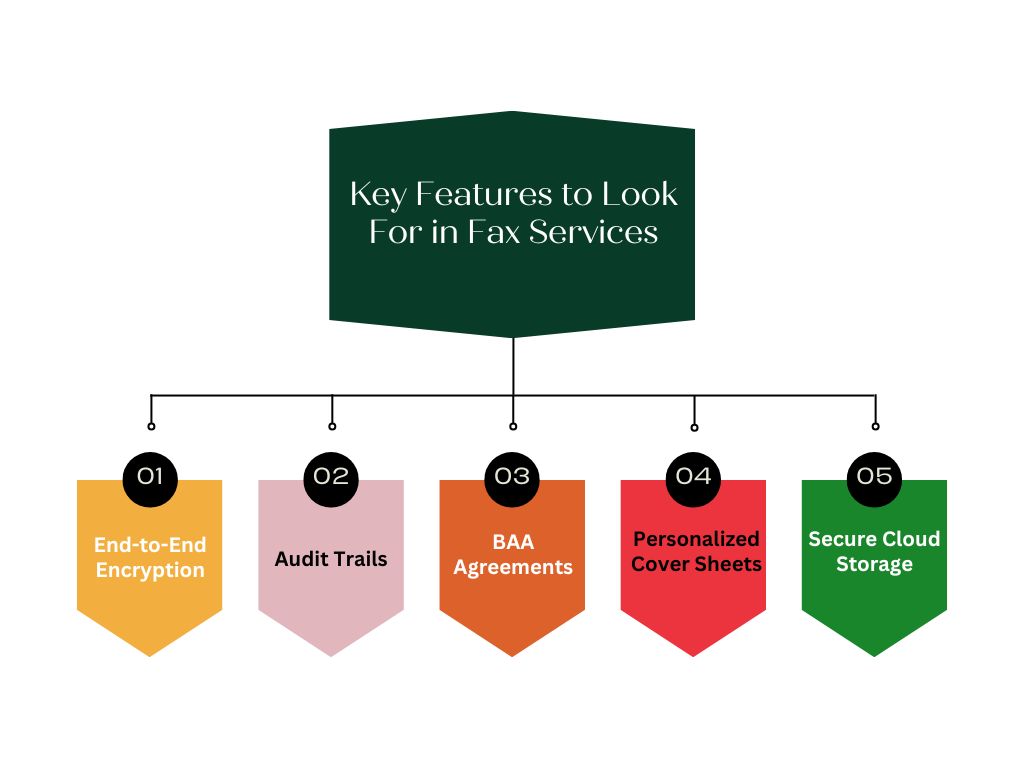
End-to-End Encryption
A reliable fax service should encrypt data from the moment it leaves the sender until it reaches the recipient. This ensures that documents remain protected during transmission and cannot be accessed by unauthorized parties.
Audit Trails
Every fax is logged, sent, received, and viewed. This helps with accountability, internal audits, and seeing what has been done with documents, should you need to review or verify communications.
BAA Agreements
If you work in regulated industries, a Business Associate Agreement (BAA) cannot be avoided. It also allows the fax service vendor to meet regulatory compliance.
Personalized Cover Sheets
Editable fax cover sheets enable you to add disclaimers, contact info, and branding. This not only maintains professionalism but also ensures recipients clearly understand the purpose and sensitivity of the document.
Secure Cloud Storage
A modern fax service should offer secure cloud storage for sent and received documents. This allows you to retain records safely for the required period—often several years—while enabling easy access and retrieval whenever needed.
Top 10 Online Fax Services for Small Business
1. Emitrr: Best Overall Option for Health Service Businesses
Overview:
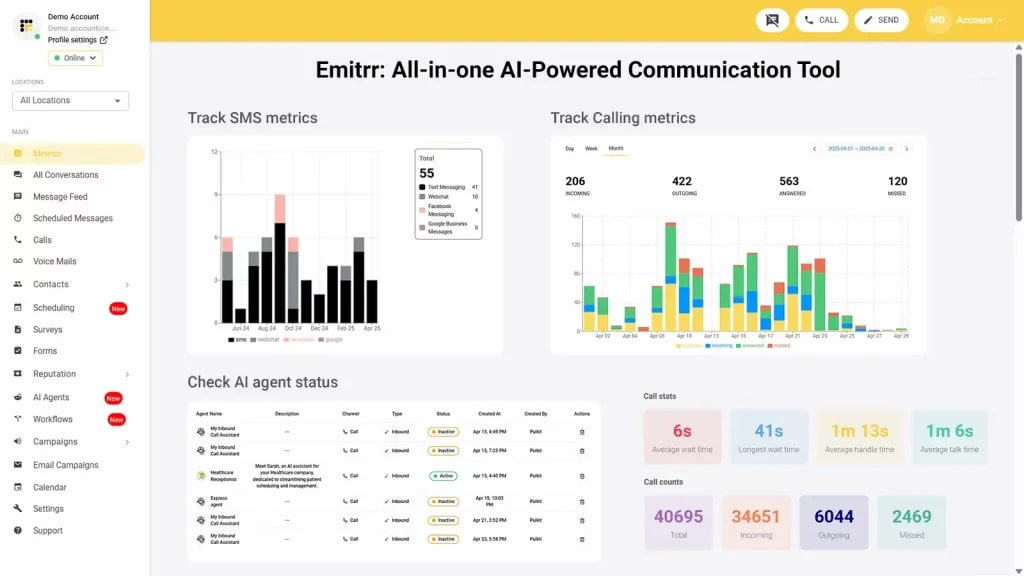
Emitrr is a HIPAA-compliant online faxing solution with a modern business focus, especially in the healthcare, finance, and legal sectors in mind. This online fax allows for virtual faxing, and it’s a user-friendly network that ensures your sensitive information stays confidential in compliance with HIPAA. Emitrr is the perfect solution for businesses in need of a secure, convenient, and user-friendly way to send and receive faxes while adhering to privacy regulations. Our cloud solution allows users to control and manage their faxes from anywhere.
Features of Emitrr:
- HIPAA Compliant: Emitrr is completely HIPAA-compliant, so you don’t have to worry about the privacy and safety of your faxes.
- End-to-End Security: Faxes are encrypted while they are sent, so your documents will remain safe against unauthorized access.
- Mobile and Web Access: Access anywhere, anytime, access the application from all resources for everywhere operation.
- Fax Scheduling: Automate repetitive faxes for better service.
- Safe Cloud Storage: Keep digital records perfectly in order for retention requirements.
- Fax-to-Email: Get all the faxes on your email – zero hardware requirements!
- EHR/CRM Integration: Can be seamlessly integrated with systems such as AthenaHealth and Dentrix.
Pros of Emitrr:
- Improved Security: Complete HIPAA compliance means you’re almost guaranteed to avoid those data breaches.
- Easy-to-use Platform: The user-friendly interface will reduce employee training time.
- Integration: Connect to the software you’re already using with tools to gather and pull data in through add-ons.
- Inexpensive: They offer competitive pricing and custom quotes.
Cons of Emitrr:
- Advanced Features Underway: Advanced features are in the process and will be live shortly
Emitrr Pricing:
Professional Plan: Starting at $30/user/month (billed annually).
Enterprise Plan: Custom pricing based on specific business needs.
Emitrr Integrations:
DrChrono, Dentrix, eClinicalWorks, AthenaHealth, EagleSoft.
Emitrr Support Channels:
Email/Help Desk, FAQs/Forum, Knowledge Base, Phone Support, 24 x 7 Live Chat.
Emitrr Ratings:
4.8
Emitrr Reviews:
“We love Emitrr! They are very responsive and listen to ideas of how we will use it and what additional features would be helpful.”
Emitrr customer service is unmatched! I don’t need help often, but when I do, it is handled quickly. The system is very user-friendly.”
Source: Capterra

2. eFax
Overview:
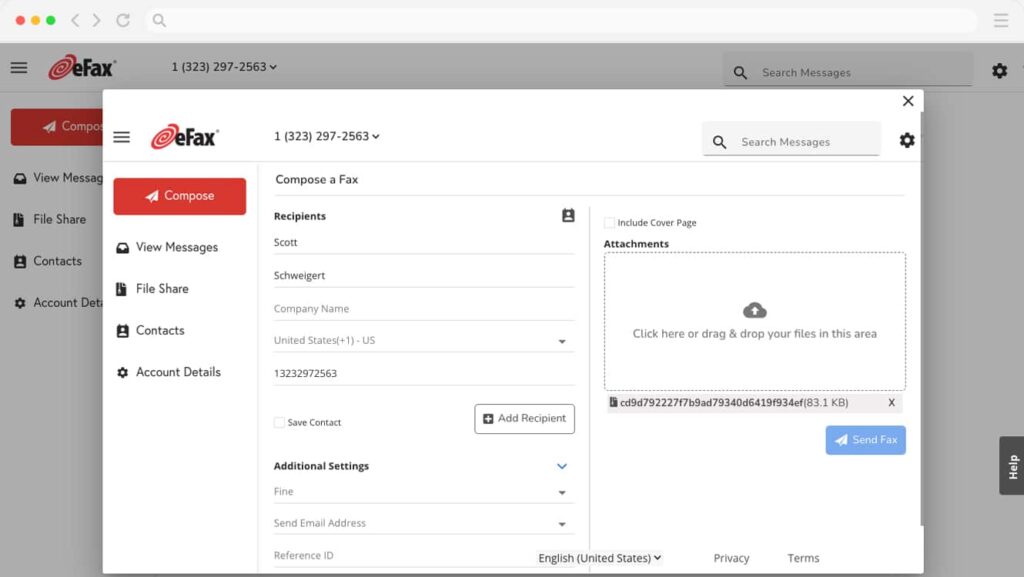
eFax is a HIPAA-compliant secure fax app that operates exclusively through the sending and receiving of faxes digitally and is among the leading corporate fax services. It is a cloud-based tool that is recommended by many in healthcare, legal, and financial sectors due to its strong security features. It is feature-rich, but it is often marketed as a premium service, which may be something to think about for very small businesses with lower volumes.
Features of eFax:
- Unlimited Cloud Storage: Offers safekeeping, organization, and retrieval for all the faxes you send or receive.
- Mobile App: Sturdy mobile app, nice for ‘faxing on the run’ with a smartphone or tablet.
- Fax to Email: Fax sent directly to your email, a convenient way for accessibility without the use of a fax machine.
- Customizable Cover Pages: Personalize your fax cover pages with professional branding, logos, and sender/receiver information.
- Big File Sending: Send artwork with flexible specifications, as well as other large files that are typically too big for regular email.
- E-Signature: Sign faxes (and anything else) securely right inside the platform so you never have to print and scan.
Pros of eFax:
- Usability: On-Demand Cloud portal and mobile app create rebel mobility for remote teams.
- Smart Document Library: By cloud syncing, all of your documents are digitized automatically.
- Regulatory Compliance: It has advanced security features that meet HIPAA-Compliant workflows.
Cons of eFax:
- Higher Pricing: Prices are higher than those of budget rivals, which can impact value for low-volume users.
- Minimal Customization: Certain users think the cover page templates are not advanced enough for sophisticated branding.
- Intermittent Delays: A few users have mentioned that delays can occur while sending very large files.
eFax Pricing:
- eFax Protect: $49.99 per month (HIPAA-compliant plan).
- eFax Corporate: Pricing is customized to deploy for extensive enterprises.
eFax Integrations:
Google Drive, Google Workspace, iCloud
eFax Support Channels:
Phone Support (24/7 Live rep), Email/Help Desk, Chat, Knowledge Base
eFax Ratings:
4/5
eFax Reviews:
“I especially love that incoming faxes are delivered straight to my email inbox, making it easy to access, save, and forward documents without any extra steps.”
“Great user-friendly product. Love that faxes come straight to my inbox.”
Source: Capterra
3. eGoldFax
Overview:
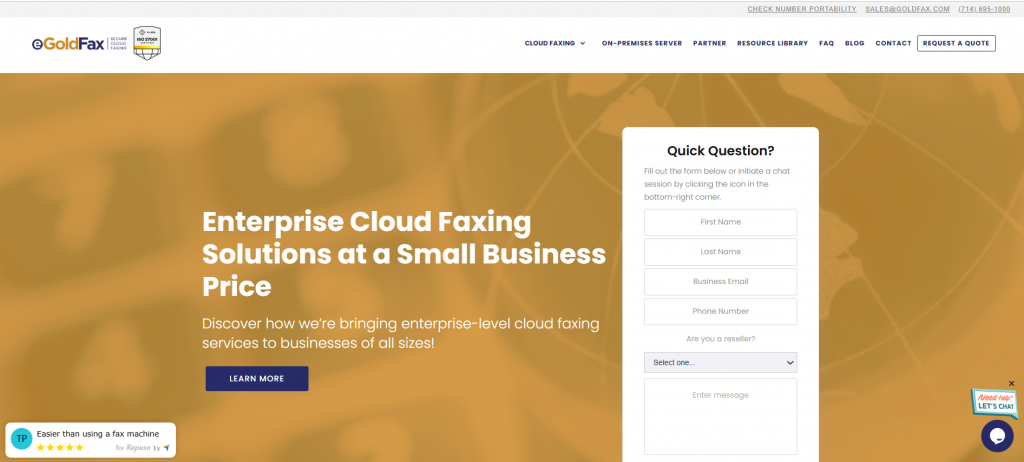
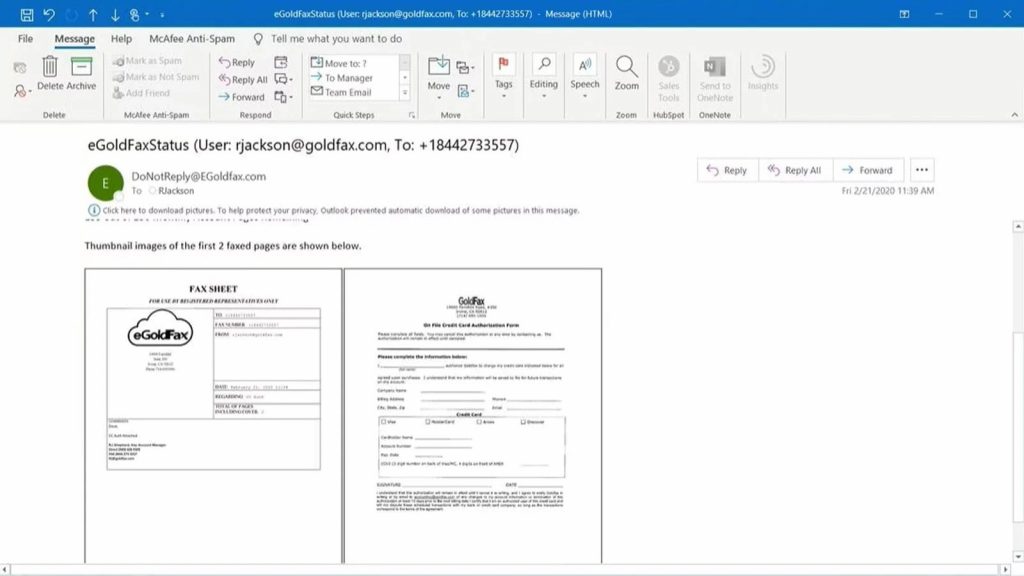
eGoldFax, a cloud fax solution for businesses that want secure, compliance-based, scalable faxing without the expense and hardware. It’s specifically designed to communicate with Multi-Function Printers (MFPs), so businesses can benefit from their current office equipment while migrating the actual transmission to a secure cloud service.
Features of eGoldFax:
- Universal Access: It lets users access the Fax Server from MFPs, desktops, or any mobile device.
- Security & Compliance: Utilizes multiple levels of encryption, including TLS and 256-bit AES.
- Free Archiving: Permanently stores memory for legal and professional compliance.
- No Hardware Needed: No fax boards; No dedicated analog phone lines.
- Scalable Design: It can manage small office requirements to enterprise-scale traffic with ease.
Pros of eGoldFax:
- Enterprise Features: Functions that work for small companies and large corporations.
- Seamless MFP Integration: Compatible with major brands such as Sharp, Kyocera, Xerox, and Canon.
- Safe Archiving: The 10-year retention is a major plus for legal and medical sectors.
Cons of eGoldFax:
- Learning Curve: Newcomers to cloud faxing may find the setup process challenging.
- Mobile Constraints: While the mobile app works, it doesn’t have some of the more complex capabilities available on desktop.
eGoldFax Pricing:
Starts at $29.99 per month.
eGoldFax Integrations:
Microsoft 365, Electronic Health Record (EHR) Systems, Multi-Function Products (MFPs)
eGoldFax Support Channels:
Email/Help Desk, Phone Support, FAQs/Forum, Chat
eGoldFax Ratings:
4.5/5
eGoldFax Reviews:
“We had eGoldFax for a few years and never had a problem. Nice people to work with… very convenient and affordable.”
“The setup was very quick, and end users had a very small learning curve. Support was helpful and responsive.”
Source: Capterra
4. Fax.Plus
Overview:
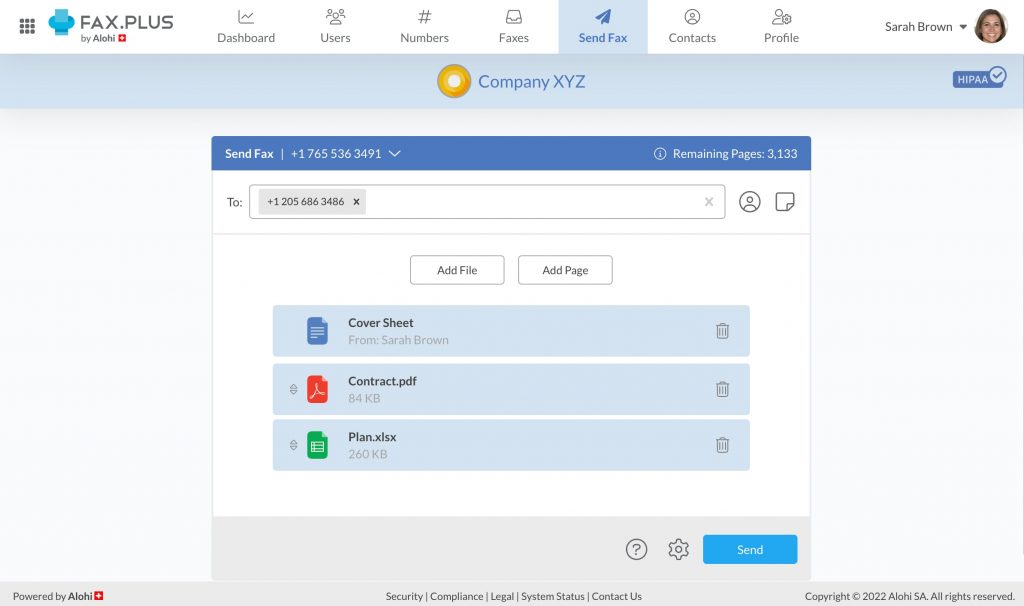
Fax. Plus is a super secure, easy-to-use modern cloud fax service that simply exceeds the industry. It is built for multi-platform access so that businesses can remain HIPAA and GDPR compliant while keeping an agile, fast-paced workflow.
Features of Fax. Plus:
- Available Everywhere: In your web browser, iOS, Android, and via email.
- Electronic Signature: A feature to electronically sign the documents before sending them through fax.
- Team Management: Build a team with role-based permissions and a user hierarchy.
- Data Residency: Enables enterprises to select the region where their data is kept for compliance.
- Slack Integration: Get notified about your faxes in Slack.
Pros of Fax. Plus:
- Intuitive UI: Known for having one of the cleanest and most user-friendly dashboards in the game.
- Maximum Security: Requires Two-Factor Authentication (2FA) and has end-to-end encryption.
- Customizable Pricing: Packages are designed for all levels, from freelancers to big businesses.
Cons of Fax. Plus:
- Limited Free Offering: A measly number of pages allowed at the free tier.
- Rare Lag Time: One or two claims of slow transmission for ultra-high-res files.
- Technical Integration: Advanced API integrations can use a developer’s magic.
Fax.Plus Pricing:
- Basic Plan: $8.99/month (200 pages).
- Premium Plan: $17.99/month (500 pages).
- Business Plan: $34.99/month (1,000 pages).
- Enterprise Plan: $99.99/month (4,000 pages).
Fax.Plus Integration:
Google Drive, Dropbox, Slack, Zapier
Fax. Plus Support Channels:
Email/Help Desk, Knowledge Base, Phone Support
Fax.Plus Ratings:
3.8/5
Fax.Plus Reviews:
“Fax. Plus is very efficient, easy to use, and makes remote faxing much simpler.”
“Interface and setup are straightforward, but customer support and some billing issues need improvement.”
Source: Emitrr
5. iFax
Overview:
iFax is a powerful, reliable online enterprise fax service for businesses of all sizes. One of the reasons that you may give for being attracted to this service is its international presence and how it’s capable of managing high-volume fax broadcasting across multiple sectors.
Features of iFax:
- Unlimited Cloud Storage: All faxed documents are stored safely in the cloud, with no capacity concerns.
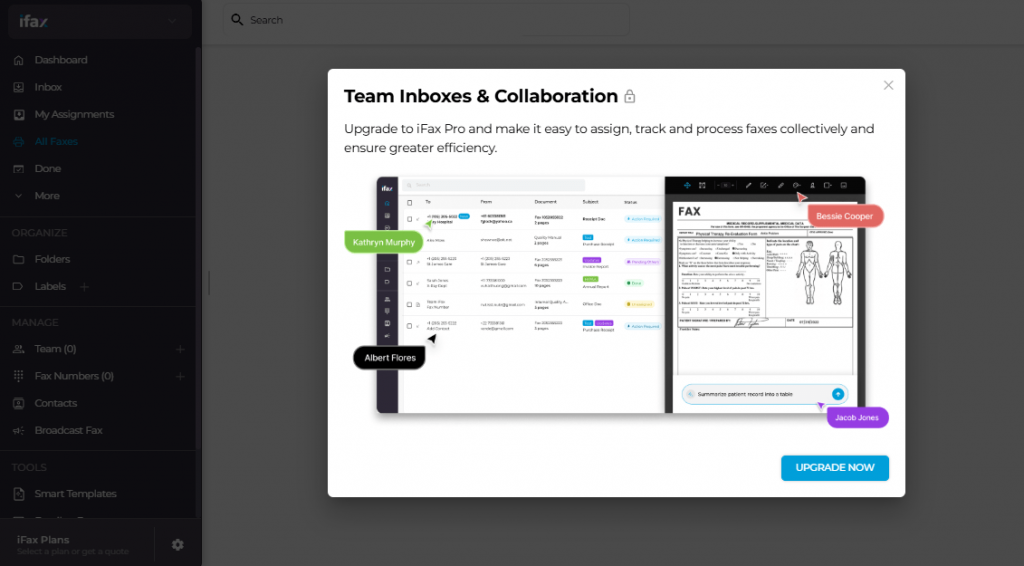
- Fax Broadcasting: Broadcast a single fax document to multiple recipients with just one click.
- Global Coverage: Exchange faxes directly with over 200 countries.
- OCR Function: Optical Character Recognition , which enables you to search for text within your received faxes.
- Custom Branding: Personalize cover pages with your logo and brand colors.
Pros of iFax:
- Simple Interface: Extremely user-friendly, some have even deemed it the easiest of any plug-and-play service.
- Cloud Efficiency: No more physical paper trails, making audits much simpler.
- Global Reach: Perfect for companies working with foreign clients.
Cons of iFax:
- Higher Pricing: Generally more expensive than general-purpose fax apps.
- Speed: Some users report that transmission times can be slower compared to competitors.
- Basic Plan Limits: Premium features, such as OCR, are restricted behind an additional paywall.
iFax Pricing:
- Plus: $16.67/month (500 pages).
- Professional: $33.33/month (1,000 pages).
iFax Integrations:
Zapier, Google Drive, Dropbox
iFax Support Channels:
Email/Help Desk, Knowledge Base, FAQs
iFax Ratings:
4.8/5
iFax Reviews:
“iFax is user-friendly, easy to implement, and straightforward.”
“I think customer service reps are bots. I tried to cancel during the free trial, but they still charged me — got robo-responses.”
Source: Capterra
6. Sfax
Overview:
Sfax is a HIPAA-compliant solution designed to meet the needs of the healthcare industry. It emphasizes the secure exchange of sensitive health data and has deep integrations with practice management systems and EHRs.
Features of Sfax:
- End-to-End Encryption: Corresponding with the encryption of the final draft, this ensures that a document is encrypted during transport and at rest.
- Comprehensive Audit Trails: Records who accessed, transmitted, and received each document.
- Print-to-Fax Driver: Enables you to “print” a document from within any application directly into Sfax.
- Role-Based Access: Limit which staff members get access to certain faxes.
Pros of Sfax:
- Healthcare Centric: Knows their medical privacy and BAA inside and out.
- Cloud Efficiency: Gone are the days of paper trails; these make for far easier audits.
- Safe Storage: Encrypted storage for long-term use is the norm.
Cons of Sfax:
- Pricier: More costly than multipurpose fax apps in general.
- Speed: Others say the transfer speed is not as fast as rivals.
- Learning Curve: Training is necessary to handle a HIPAA-compliant amount of data.
Sfax Pricing:
- Standard: $29.00/month (350 pages).
- Plus: $49.00/month (700 pages).
- Contender: $99.00/month (1,500 pages).
Sfax Integrations:
Electronic Health Records (EHR), Practice Management Software
Sfax Support Channels:
Email/Help Desk, Knowledge Base, FAQs
Sfax Ratings:
3/5
Sfax Reviews:
“Very user-friendly software. Also love that there is a driver option to print straight to Sfax.”
“EXTREMELY SLOW. Took so long for the fax to go through, and support said if someone else was using the number, it had to finish before mine went out.”
Source: Emitrr
7. CocoFax
Overview:
CocoFax is a HIPAA-compliant, secure electronic faxing system that’s designed to be the most convenient and your go-to fax service for businesses. It’s heavy Google integration -with Workspace, Docs, and Sheets.
Features of CocoFax:
- Email to Fax: Send a fax like emailing with an attachment.
- Google Workspace Integrations: Send faxes directly from Google Docs or Sheets.
- International Numbers: Get the local fax numbers in a large country list.
- Safe Archive: Cloud-based storage means all documents are searchable and safe.
Pros of CocoFax:
- Simple & Friendly Platform: No technical knowledge required to register or use LinoVideo.
- Reliability: Excellent success rates in sending to machines out of service.
- Fast Setup: Receive a fax number instantly and start sending faxes in minutes.
Cons of CocoFax:
- Overage Charges: Exceeding your monthly page limit can add up.
- Basic Plan Limits: The page limit on the lowest plan is too low to be useful for rapidly growing businesses.
CocoFax Pricing:
- Basic: $9.99/month (100 pages).
- Premium: $19.99/month (300 pages).
- Business: $39.99/month (500 pages).
CocoFax Integrations:
Slack, Google Docs/Sheets, Microsoft 365
CocoFax Support Channels:
24/7 Live rep, Chat, Email/Help Desk
CocoFax Ratings:
4.3/5
CocoFax Reviews:
“CocoFax provides a reliable way to fax documents when local fax services aren’t available — saves me time and travel.”
“CocoFax has a stable and fast user interface for secure transmissions, making business faxing efficient.”
Source: G2
8. MyFax
Overview:
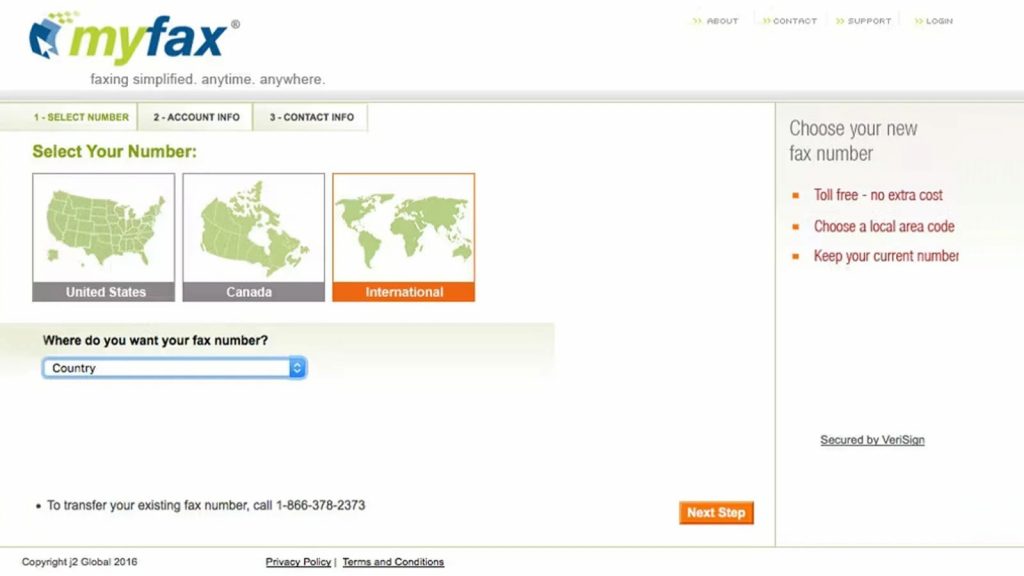
MyFax is an easy-to-use, budget-friendly online fax service that eliminates the need for a fax machine. If you are a small business that values how it works with emails, and just want an easy way of monitoring how you have delivered documents.
Features of MyFax:
- Delivery Tracking: Follow fax status as it happens with confirmation receipts.
- Email Enables up to 5 Addresses: Send and receive faxes through as many as five different email addresses on your account.
- Folders: Organize your faxes and file them in digital folders for easy access.
- Big File Support: Send files that are larger than the conventional fax machine can handle.
Pros of MyFax:
- Good Value: One of the cheaper options for home offices.
- Pros: Multi-email support is great for small teams who would like to share one fax line.
Cons of MyFax:
- Formatting: Sometimes recipients see the contents of documents differently than intended.
- Feature Anemic: It doesn’t have some of the more advanced automation that tools such as Emitrr offer.
MyFax Pricing:
- Home Office: ~$12.00/month.
- Small Business: ~$25.00/month.
MyFax Integrations:
Microsoft Outlook, Standard Email Clients
MyFax Support Channels:
Phone Support, Email, Knowledge Base
MyFax Ratings:
3.8/5
MyFax Reviews:
“One of my favorite products of ALL TIME!!! Easy to use, money saver, intuitive, customer service on point.”
“Long-term MyFax user — very satisfied with both usage and price; simple to utilize from Microsoft Outlook.”
Source: Capterra
9. ReplixFax
Overview:
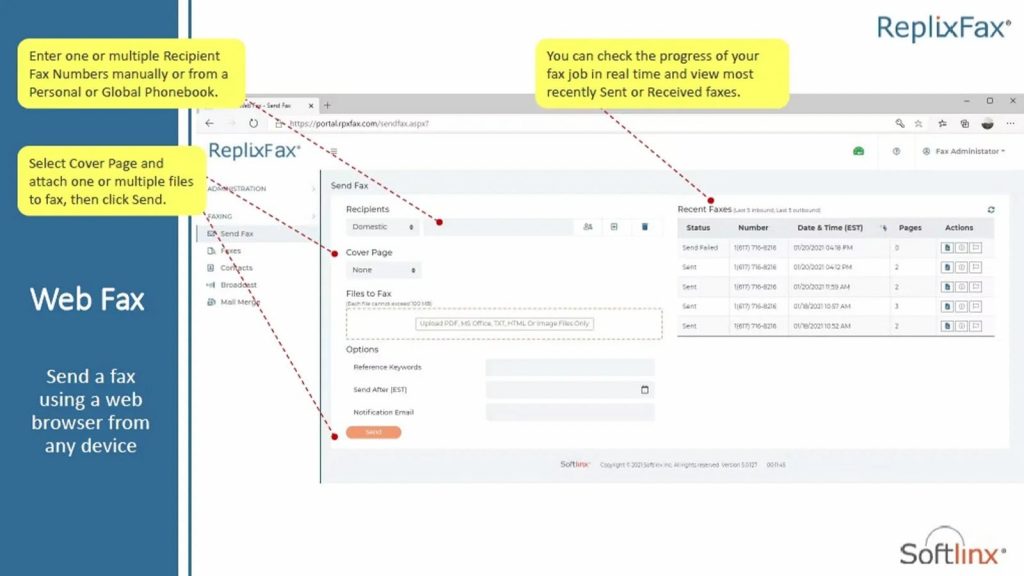
ReplixFax delivers a carrier-grade, high-availability cloud faxing service for the enterprise. It’s designed for those businesses where you can’t miss a transmission.
Features of ReplixFax:
- The High-Volume Solution: Capable of handling thousands of faxes per day without slowing down.
- API Security: Excellent developer capabilities to include faxing on custom applications.
- Intelligent Routing: Send faxes through the shortest route.
Pros of ReplixFax:
- 99.9% Uptime: Extremely reliable network.
- Scalability: Ideal for businesses with huge, seasonal fluctuations in fax volume.
Cons of ReplixFax:
- Interface: Some users may feel it is slightly tæchnical and less ‘consumer-friendly’ than other apps.
ReplixFax Pricing:
Customized quotes based on volume.
ReplixFax Integrations:
Orchard Software, talkEHR, Microsoft Office / Outlook, Major EHR/EMR Systems (via API)
ReplixFax Support Channels:
Email/Help Desk (help@softlinx.com), 24/7 (Live rep), Phone Support
ReplixFax Ratings:
4.2/5
ReplixFax Reviews:
“Amazing product and a reliable, fast fax server. It was hard to find one that fit our needs, but ReplixFax delivers good uptime.”
“Very happy with ReplixFax, wish we made the switch earlier. Easy to use, manageable, and reliable.”
Source: Capterra
10. mFax (Documo)
Overview:
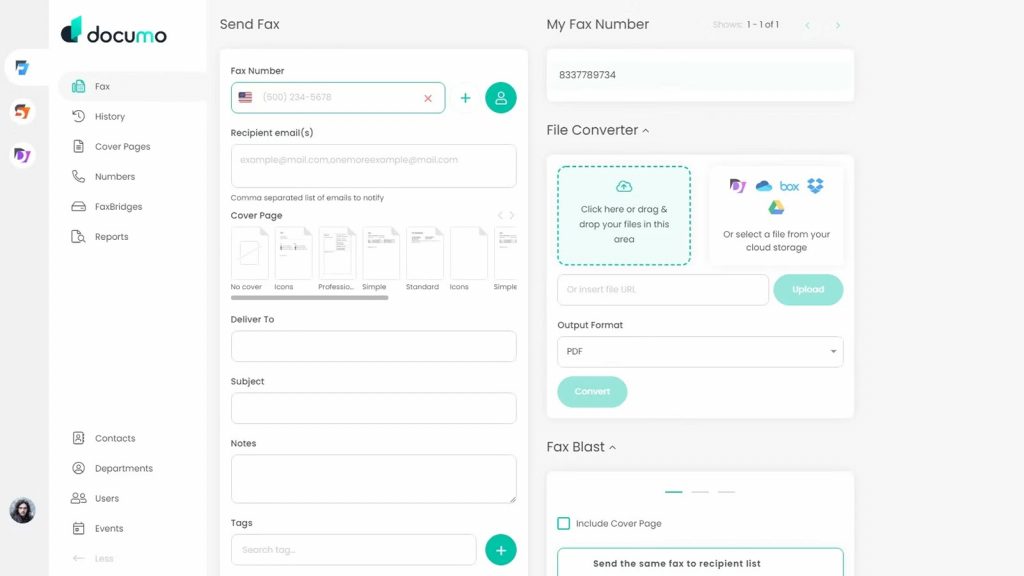
mFax by Documo is a next-generation, ultra-reliable fax service based on the user experience of modern digital documents. Companies that want a beautiful interface combined with a “carrier-grade” network, it says, widely use its services.
Features of mFax:
- Smart Retry Technology: If a fax fails due to a busy signal, mFax automatically retries the transmission at optimized intervals.
- Team Collaboration: Easily managed multiple users and shared inboxes.
- High-Level Security: Features multi-factor authentication and is SOC 2 compliant.
Pros of mFax:
- Exceptional UI/UX: Frequently cited as having the most modern and “cleanest” interface in the industry.
- The Design: Easily one of the nicest-looking and most responsive dashboards you can find.
Cons of mFax:
- Pricing: Fair pricing, not the costliest, but you get what you pay for, reliability.
mFax Pricing:
- Solo: $10.00/month.
- Team: $25.00/month.
- Business: $50.00/month.
ReplixFax Integrations:
Orchard Software, talkEHR., Microsoft Office/Outlook. Major EHR/EMR Systems (via API).
ReplixFax Support Channels:
Email/Help Desk (help@softlinx.com)., 24/7 (Live rep). Phone Support.
ReplixFax Ratings:
4.7/5
mFax Reviews:
“It’s extremely easy to use and set up — I like that faxes come directly to my email inbox, I never have to search for them.”
“There are too many steps to sending a fax.”
Source: Emitrr
Why Emitrr Is the Best Faxing Software for Small Businesses
End-to-End Encryption
Every document sent through Emitrr is protected with strong end-to-end encryption. This ensures your business communications remain confidential and secure during transmission. You can fax confidently, knowing your data is protected at every step.
Reliable, Professional-Grade Security
Emitrr is developed with enterprise-grade security to secure any of your sensitive information. With a security-first model, your documents are processed professionally and never available to unauthorized employees.
User-Friendly Design
Emitrr’s interface is clean and easy to use—no complex learning curve, no complicated menu items. From the moment you upload a document to pressing send, each step is instinctive and accomplishes digital faxing effortlessly for newbies.
Advanced Recipient Verification
To prevent misdirected faxes, Emitrr includes advanced verification features that ensure your document reaches the correct recipient. This eliminates accidental disclosures and keeps your workflows accurate and controlled.
Secure Cloud-Based Storage
Emitrr is a cloud-based fax solution that enables you to view your faxes at your own convenience, from any device. No more lost papers, no need for physical storage. All of that stuff is kept organized, searchable, and safe in the cloud.
Customizable Cover Sheets
With customizable cover sheets, Emitrr allows you to design fax covers according to your specific business needs. You can add disclaimers, instructions, company logos, or identification details such as the sender’s name and contact information to ensure clarity and professionalism. Emitrr provides 100+ free downloadable fax cover sheet templates, making it easy to choose the right format while maintaining a polished and consistent brand presence across all fax communications.
Seamless Integrations
Emitrr integrates smoothly with popular business tools and software systems. Whether you’re using CRM platforms, scheduling tools, or practice management systems, Emitrr blends into your workflow without disruptions.
Affordable Plans
Recognizing the fact that small businesses need flexible solutions, Emitrr provides accessible pricing plans. It gives you high-quality faxing functions from a reliable device, at the lowest possible price for your growing business or small work team.
24/7 Expert Support
Emitrr customer support is available 24 hours a day to answer any questions, help you set up your Emitrr account, or troubleshoot. Take a message or call your real experts every time your team calls out for help.
Built for Scalability
As your business grows, Emitrr grows with you. Whether you need higher faxing volume, more users, or additional integrations, Emitrr scales quickly and easily, ensuring it remains a long-term solution for your evolving operations.
Frequently Asked Questions
Yes, millions of companies still depend on faxing for secure document transfer, legal forms, finance, healthcare, real estate, and much more.
Yes, it is possible to fax digitally for small businesses through email, mobile apps, or web dashboards.
Most providers offer both a local fax number for small business users and a toll-free fax number for small business use cases.
Most top providers encrypt, control access, and back up data to the cloud; they are more secure repositories for data than physical machines.
Emitrr, FaxBurner and MetroFax come in as some of the cheapest fax services for small businesses.
Conclusion
Faxing is far from obsolete; it has simply evolved. A modern fax service for small businesses helps streamline communication, automate workflows, reduce costs, and support remote teams.
From all the providers, Emitrr stands out as the most complete, scalable, and user-friendly solution for small business owners who want reliability without complexity. Book a demo today.