
 4.9 (400+
reviews)
4.9 (400+
reviews)
Introduction
Faxing might seem old-school these days, but in healthcare, it’s still a lifeline. For Athenahealth practices, secure electronic faxing and HIPAA-compliant digital faxing isn’t just a nice-to-have; it’s mandatory. Faxing PHI securely in healthcare is a compliance requirement tied directly to patient privacy, operational integrity, and regulatory accountability.
This guide explains how to fax securely in Athenahealth with HIPAA compliance, what HIPAA-compliant faxing actually requires, where practices commonly fail, common risks in healthcare fax compliance, and how to reduce risk using secure electronic faxing workflows designed for modern healthcare environments. So let’s get started!!
HIPAA Requirements for Secure Faxing in Athenahealth
HIPAA does not ban faxing. Instead, it defines how protected health information must be handled, regardless of the communication method used.
Key HIPAA Rules That Apply to Faxing
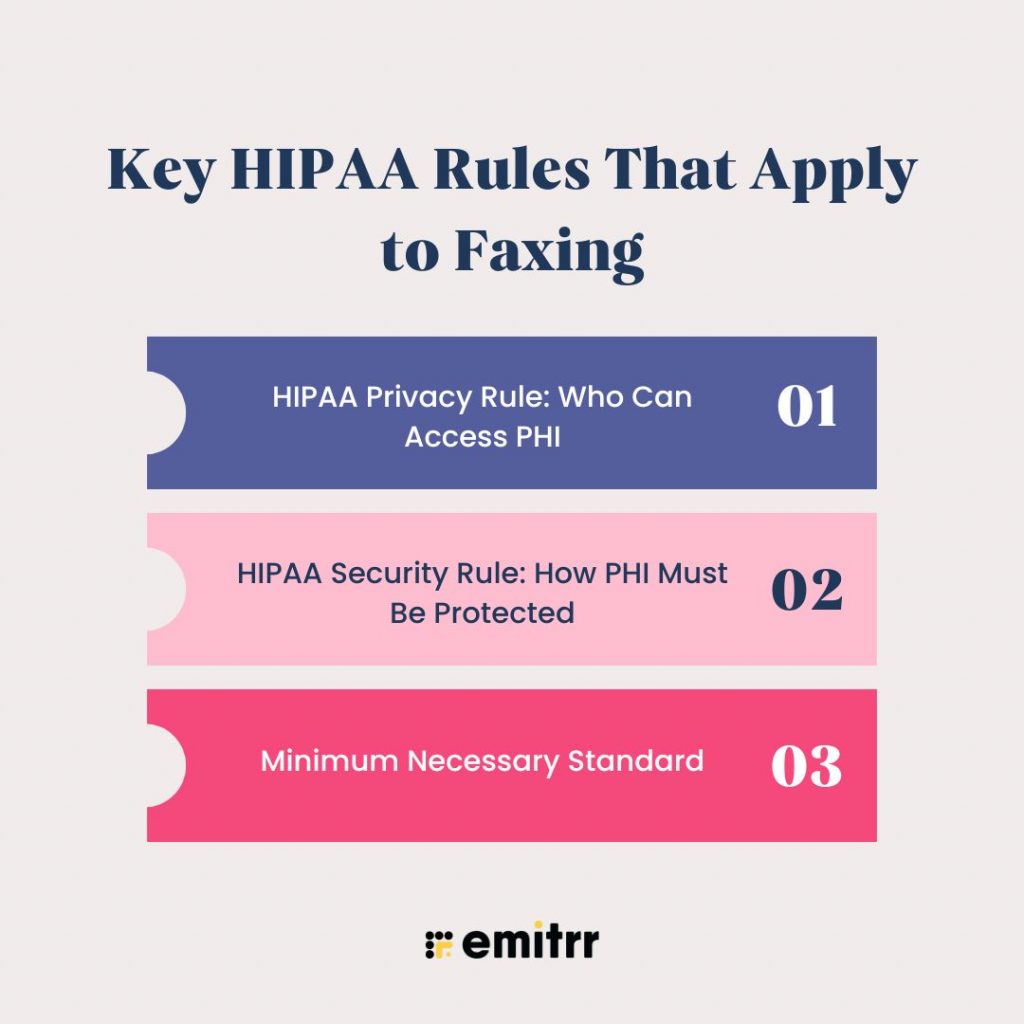
HIPAA Privacy Rule: Who Can Access PHI
The Privacy Rule limits access to PHI strictly to authorized individuals for legitimate purposes. In faxing, this implies that only authorized personnel may send, receive, or access faxed copies of documents, and that PHI is not to be revealed in common or public spaces.
HIPAA Security Rule: How PHI Must Be Protected
The Security Rule applies directly to electronic faxing in healthcare, where PHI transmission security and end-to-end encryption are mandatory. So, practices have to lock things down. They need real safeguards to keep patient info safe from any unauthorized access, modification, or interception. For any HIPAA-compliant faxing system, these security regulations are non-negotiable.
Minimum Necessary Standard
HIPAA specifies that only the minimum necessary information may be disclosed. Faxing the entire medical record when only a referral summary is required unnecessarily increases risk.
What HIPAA Does Not Prohibit
HIPAA is often misunderstood. Let’s clarify what it does not prohibit:
- Faxing PHI is allowed under HIPAA compliance
- Manual faxing is not automatically compliant
- Compliance depends on safeguards, controls, and documentation
HIPAA looks at process, not just intent. A practice can believe it is compliant and still fail an audit due to missing controls or a lack of documentation.
Common Faxing Risks in Athenahealth Practices
Many Athenahealth practices unintentionally create compliance gaps due to outdated or fragmented fax workflows. These risks are among the most common causes of HIPAA fax violations and failures in Athenahealth’s secure fax workflows.
Where Practices Go Wrong
Even well-run Athenahealth practices make mistakes when faxing isn’t standardized.
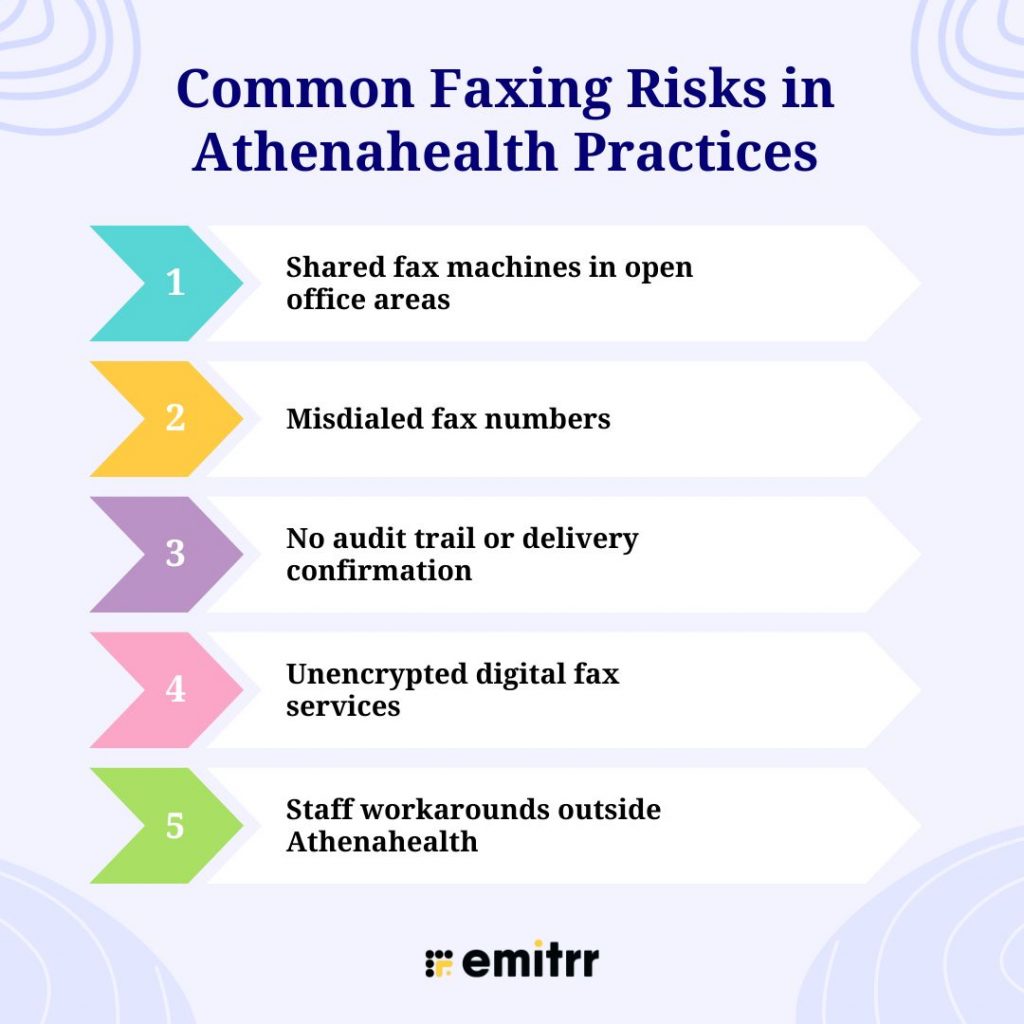
- Shared fax machines in open office areas: This is one of the most common mistakes made by healthcare practices, as anyone can easily see incoming PHI. This is one of the most common and preventable violations.
- Misdialed fax numbers: Following the manual process is highly error-prone as rvrn a single wrong digit can expose PHI to an unrelated organization or individual.
- No audit trail or delivery confirmation: Maintaining proper audit logs is vital when it comes to the healthcare industry, as practices cannot prove who sent a fax, when it was sent, or whether it was received during the HIPAA audit trail.
- Unencrypted digital fax services: Not all cloud fax tools are HIPAA-compliant, even if they claim to be “secure.”
- Staff workarounds outside Athenahealth: When faxing inside the EHR feels clunky, staff often resort to personal email, consumer fax apps, or screenshots, dramatically increasing risk.
Real-World Consequences
The consequences of HIPAA violations are multifaceted, and they can lead to
- Exposure of patient data to unauthorise individual or organization leading to misuse of data
- OCR investigations
- Loss of patient trust leads to reputational damage.
- Operational disruption during audits

HIPAA-Compliant Digital Faxing Options for Athenahealth: What Are Your Choices?
Before jumping into the faxing options in Athenahealth, you need to be informed that not all methods offer the same level of security or compliance.
Traditional Physical Fax Machines
Physical fax machines and Athenahealth just don’t mix. You end up scanning, uploading, or filing documents by hand, which means more chances for mistakes. Plus, these old machines don’t have encryption, audit logs, or role-based access controls. They lack encryption, audit logs, and role-based access controls, making them difficult to justify under modern HIPAA fax requirements.
Athenahealth-Integrated Fax Solutions
The way Athenahealth fax works is that it lets you fax straight from patient records, either through built-in tools or approved partners. This cuts down on manual work and makes things run more smoothly. However, reporting depth and configurability may vary depending on the setup.
Secure Digital Fax Services (Cloud-Based)
HIPAA-compliant digital fax services lock down your data with encryption, keep audit logs, and give you one place to manage everything. When you tie them into Athenahealth’s document tools, you cut risk and save time, which is a big win for any practice. These tools support HIPAA-compliant digital faxing, audit logs, and activity tracking, and secure fax transmission in healthcare environments.
What Makes a Fax HIPAA-Compliant in Athenahealth?
HIPAA-compliant faxing requires three layers of protection: security safeguards, administrative safeguards, and technical safeguards. Together, these safeguards ensure faxing PHI securely while maintaining HIPAA audit readiness.
Required Security Safeguards
Security safeguards protect PHI throughout the fax lifecycle.
End-to-End Encryption During Transmission and Storage
End-to-end encryption ensures that the data that is being faxed can not be intercepted or accessed by any other unauthorized parties. HIPAA-compliant fax tools like Emitrr encrypt the data while it is being transmitted and even when it is stored. Without encryption, faxing PHI securely is not possible.
User Authentication and Role-Based Access Controls
User-based access control is vital as it ensures that even front desk staff can only access faxed PHI necessary for their responsibilities and supports accountability. This supports access control mechanisms and reduces unauthorized access prevention failures.
Secure Document Storage With Access Restrictions
Faxed documents must be stored securely with access restrictions. Open folders or shared drives are common compliance failures that expose PHI long after transmission.
Automatic Session Timeouts
Session timeouts protect PHI when staff step away from workstations. This safeguard is critical in front-desk and shared environments.
Administrative Safeguards
Clear Access and Usage Policies
Practices also need to document who can fax PHI, what data and documents can be faxed, how recipient information is verified, and how errors are handled. Clear policies also help in reducing variation and error.
Ongoing Staff Training
To ensure complete compliance with HIPAA, the front desk staff should receive continuous training on HIPAA fax requirements, recognizing PHI, preventing misdirected faxes, and responding to incidents, as human error remains the main cause of HIPAA violations.
Business Associate Agreements (BAAs)
Any fax vendor who is handling PHI must sign a Business Associate Agreement. Using a fax provider without a BAA is a direct HIPAA compliance violation.
Documented Incident Response Procedures
HIPAA also requires practices to be prepared for faxing errors. Here is when documented procedures become important, as they ensure timely reporting, investigation, and mitigation of incidents.
Technical Safeguards
Technical safeguards provide proof of compliance.
Detailed Audit Logs
Audit logs record who sent or accessed a fax, when the activity occurred, and which documents were involved. These logs are essential during HIPAA audits. These logs are essential for OCR investigations and long-term healthcare regulatory compliance.
Transmission Records and Delivery Confirmations
Delivery confirmations verify that PHI reached the intended recipient. Transmission records support accountability and audit readiness.
Error Detection and Alerts
Error alerts notify staff of failed or misdirected faxes, allowing immediate corrective action before issues escalate.
HIPAA Fax Compliance Checklist for Athenahealth Practices
A HIPAA-compliant fax workflow should include:
- HIPAA-compliant fax provider for healthcare
- Signed Business Associate Agreement
- Encryption verified
- Role-based access controls for PHI
- Audit logs maintained
- Staff trained
Missing any of these increases compliance risk.
Best Practices for Secure Faxing in Athenahealth Practices
Beyond minimum requirements, best practices improve reliability and trust.
Operational Best Practices
Centralizing fax workflows is one of the most widely adopted best practices while faxing securely, as it improves visibility and reduces shadow IT. On one hand, reducing dependency on physical fax machines lowers exposure, and on the other, standardizing intake and routing prevents misfiling and delays.
Centralization also improves cross-channel communication visibility and reduces operational risk in healthcare workflows.
Compliance Best Practices
Regularly accessing reviews also ensures that user permissions remain accurate. Internal compliance audits identify gaps early, and continuous training keeps staff aligned with evolving HIPAA requirements.
Patient Trust Best Practices
When it comes to protecting PHI, clear communication is vital as it helps in building trust. Maintaining consistent standards across fax, SMS, and calls reduces any kind of confusion. Treating privacy as part of the patient experience strengthens loyalty.
How Modern Communication Platforms Support Secure Faxing
Modern healthcare communication platforms play a critical role when it comes to staying compliant, particularly when faxing intersects with broader patient communication needs.
Where Athenahealth Faxing Needs Support
Athenahealth handles clinical and administrative data well, but many practices still run into real issues like scattered patient communication tools, trouble keeping track of faxes, calls, and messages, and a lot of manual work that leads to mistakes, staying consistent with compliance rules across all these channels, and more!!
And here is when Emitrr excels as a HIPAA-compliant patient communication platform for healthcare, equipped with AI and built with compliance in mind. It does not come in as a replacement, but as complementary layers. This robust platform integrates secure faxing, HIPAA-compliant texting, and call tracking into a unified system that helps in creating unified audit trails, fewer staff errors, easier compliance management, and less tool sprawl.
How Emitrr Complements Secure Faxing in Athenahealth
Emitrr enhances secure faxing workflows by aligning them with modern, HIPAA-compliant communication standards:
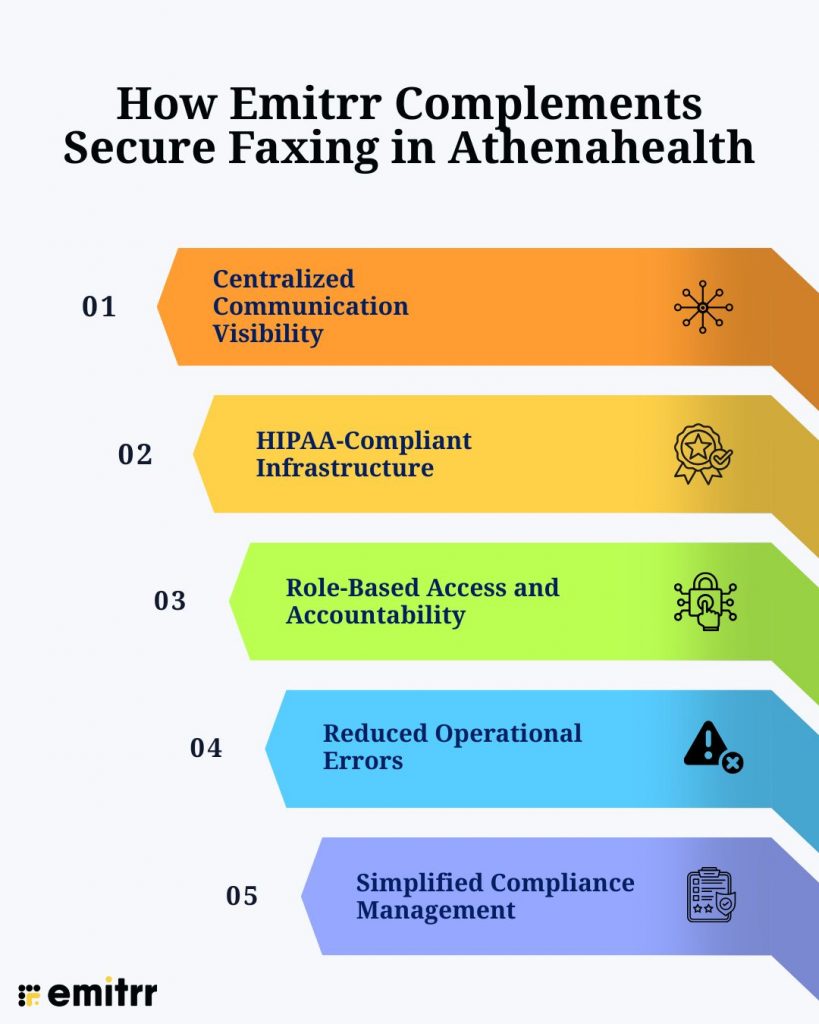
- Centralized Communication Visibility: Emitrr centralizes secure faxing, texting, calls, and all your patient communication, which also means no more scattered patient information across different channels. Keeping data in one place supports secure patient communication and reduces reputational risk.
- HIPAA-Compliant Infrastructure: Emitrr is built with healthcare compliance in mind and supports end to end encrypted communication, access controls, and secure data handling that is critical when fax workflows overlap with patient messaging or internal coordination.
- Role-Based Access and Accountability: Role-based access control is important when it comes to compliance, as with this, only the authorised person gets access to sensitive information, and Emitrr supports HIPAA’s accountability and minimum-necessary requirements.
- Reduced Operational Errors: When your team isn’t flipping between different tools for faxes, texts, and calls, you cut down the chances of misdirected documents, missed follow-ups, and compliance lapses.
- Simplified Compliance Management: Emitrr keeps your privacy standards consistent across fax, SMS, and voice. That means easier audits and less hassle when it’s time for an internal review.
Key Takeaways
- HIPAA lets you fax, but only with proper safeguards and documentation.
- Old fax machines and manual processes make compliance risky.
- Secure, cloud-based faxing integrated with Athenahealth is more reliable and scalable.
- Encryption, role-based access, audit logs, and BAAs aren’t optional; they’re required.
- The real weak spot is human error, so standardizing and training your staff matters.
- Emitrr works with Athenahealth to pull secure faxing, texting, and calls into one place.
- A unified communication system makes compliance easier, reduces mistakes, and keeps you ready for audits.
Frequently Asked Questions
Yes, Athenahealth can help you stick to HIPAA rules, but it really comes down to how you handle faxing. If you’re using old-school fax machines, shared inboxes, or outside vendors without a signed BAA, you’re still taking a risk. To stay compliant, you need to lock things down, use encryption, control who gets access, keep audit logs, and set up the right administrative safeguards for all your faxing.
Traditional fax machines come with a bunch of issues when it comes to HIPAA. These include faxes being printed in public or shared areas where anyone can access them. It’s way too easy to punch in the wrong number and accidentally send patient info to a stranger. There’s no easy way to track who sent what, or who picked up a fax. Plus, people also lose physical pages or toss them without shredding, which in turn puts patient privacy at risk.
That’s allowed under HIPAA, as long as you stick to a few rules, such as the system you are using is encrypted during transmission and storage, offers role-based access control, user authentication, audit logs, delivery confirmations, and a signed Business Associate Agreement (BAA).
HIPAA expects you to do more than just use the right and secure software. You need clear policies about who can fax what, and your staff should get regular training on handling patient info. There has to be a documented plan for what to do if something goes wrong. And you can’t forget about vendor management; every partner needs a BAA, no exceptions. Even the most secure fax system falls short if you skip these steps.
Errors are reduced when faxing is:
Centralized instead of spread across departments
Integrated into digital workflows rather than paper-based
Logged and monitored with real-time visibility
Supported by alerts for failed or misdirected transmissions
Standardization and visibility are key to preventing silent compliance failures.
Yes. Audit controls are a core HIPAA Security Rule requirement. A compliant fax workflow must maintain logs that show:
Who sent or received a fax
When the transmission occurred
Whether the delivery was successful
Who accessed the document afterward
These logs are essential for audits, investigations, and breach response.
Patients may never see your fax system, but they feel its effects. Lost records, repeated paperwork requests, or privacy incidents erode trust quickly. Secure, reliable faxing supports:
Faster care coordination
Fewer administrative mistakes
Stronger confidence in how patient data is handled
Conclusion
HIPAA-compliant faxing in Athenahealth isn’t just about sending documents. It’s about building a communication system you can control, track, and trust, one that keeps patient data safe every step of the way. Athenahealth gives you the clinical basics, but let’s be honest, a lot of practices still struggle with fragmented communication, manual workarounds, and limited visibility across communication channels. That’s where platforms like Emitrr play a critical role.
Emitrr layers onto Athenahealth as a central hub for HIPAA-compliant communication. You get faxing, texting, and calling, all in one secure workflow. This setup doesn’t just cut down on mistakes; it also locks in role-based access, tightens up your audit trail, and keeps privacy standards solid across every patient touchpoint.
Want to simplify HIPAA-compliant faxing without adding more tools or complexity? Book a demo with Emitrr today!!