
 4.9 (400+
reviews)
4.9 (400+
reviews)
Introduction
In healthcare, patient messages do not follow schedules. Some are urgent, others are routine, but every patient expects to know their message has been received. When responses are delayed, uncertainty builds quickly for patients and pressure increases for staff.
Auto-responses offer a simple way to handle this. By showing patients that their message has been received and explaining what happens next, they reduce uncertainty and repeated follow-ups. Let’s look at how to set up auto-responses in Athenahealth so practices can inform patients and give staff better control over daily message volume.
What is an Auto-Response?
An auto-response is a short message that lets patients know their message has reached the clinic. It gives them a quick confirmation and a simple idea of what will happen next. For many patients, this small acknowledgment makes communication feel more reliable and less uncertain.
As more patient conversations move online, auto-responses have become a common part of healthcare automation. Many practices now use AI for healthcare to send these messages automatically, so patients receive timely replies even when staff are busy.
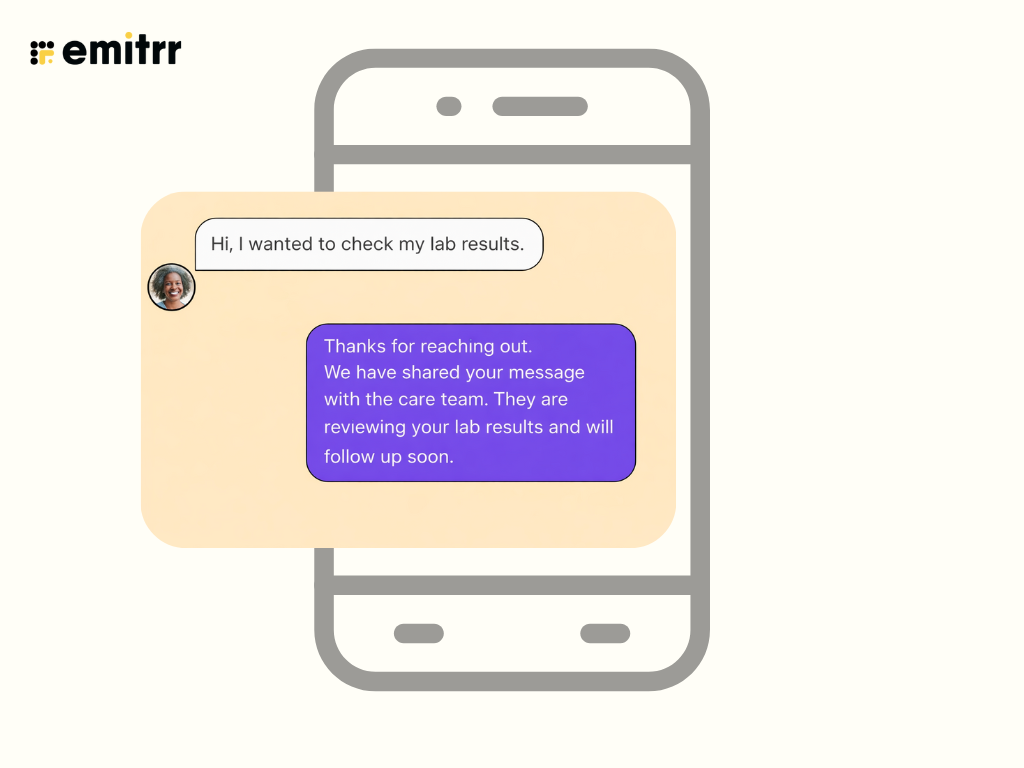
At this time, athenahealth does not offer auto-responses for every patient message on its own. Some notifications are automated, but full auto-replies depend on integrations with external communication tools. This is why understanding how to set up auto response in Athenahealth app often involves adding an integrated platform to support automated patient messaging.
Auto-Response Message Examples That Keep Patients Informed
Auto-responses work best when they answer the patient’s first question before it is even asked. A clear acknowledgment and a brief next step can reduce confusion and prevent patients from sending multiple messages for the same issue. Below are common use cases where auto-responses are most effective in healthcare settings.
- After-hours auto-reply
“Thanks for reaching out. Our office is currently closed. Your message has been received, and a member of our care team will review it during the next business day. If this is urgent, please call the clinic directly or seek immediate care.”
- Appointment request auto-reply
“We’ve received your appointment request. Our scheduling team will review it and contact you shortly with available options.”
- Billing or insurance auto-reply
“Thank you for your message. Our billing team has received your inquiry and will respond within one business day.”

- General patient message auto-reply
“Your message has been received and shared with the care team. Please allow time for review. If you have urgent symptoms, contact the clinic or visit the nearest care center.”
- Test results or follow-up auto-reply
“Thanks for your message. A member of our clinical staff will review your question and follow up after checking your records.”
Watch this video to find out the easiest way to text patients directly from Athenahealth:
How Auto-Responses Improve Patient Experience and Staff Efficiency
For providers who use Athenahealth, patient communication often runs alongside scheduling, clinical documentation, and billing tasks. Auto-responses bring more order to this process by confirming messages early and setting clear expectations for both patients and care teams.
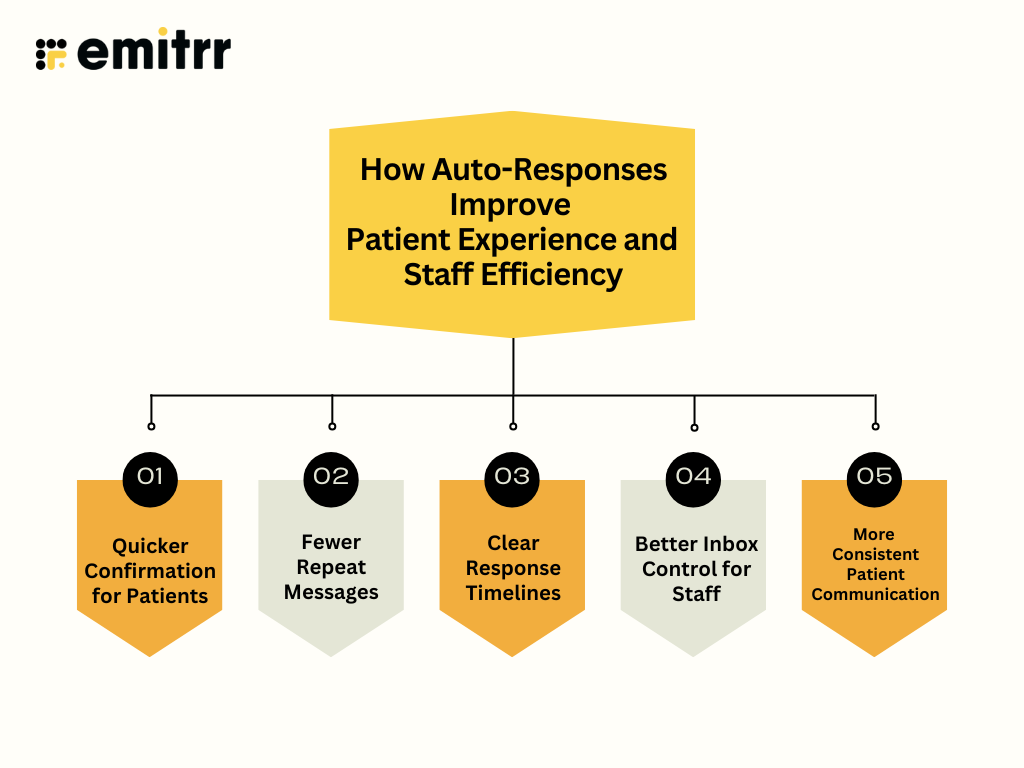
Quicker Confirmation for Patients
Auto-responses let patients know their message has reached the clinic. This immediate confirmation reduces uncertainty and reassures patients that their concern is in the right place.
Fewer Repeat Messages
When patients receive a clear auto-response, they are less likely to send follow-up messages asking for updates. This helps lower overall message volume.
Clear Response Timelines
Auto-responses explain what happens next and when a reply can be expected. This helps patients understand timelines and reduces frustration.
Better Inbox Control for Staff
By addressing common questions upfront, auto-responses allow staff to focus on messages that require direct action instead of sorting through duplicates.
More Consistent Patient Communication
Auto-responses ensure every patient receives the same clear message, even during busy hours or after hours, creating a more dependable communication experience.
Common Limitations of Auto-Responses in Athenahealth
Athenahealth primarily focuses on electronic health records and practice management systems. Its messaging tools support secure communication and documentation rather than real-time automation. As patient message volumes increase, native workflows alone often fall short. When integrating with Emitrr, AI-powered, healthcare-focused communication platforms extend Athenahealth’s capabilities by adding automation, intelligence, and flexibility.
For practices relying only on Athenahealth, these are the most common limitations:
- No true auto-reply for every incoming message: Athenahealth does not automatically send a reply for all patient messages. If a patient sends a general question through the portal, they may not receive any immediate confirmation until a staff member manually responds.
- Limited automation tied to specific workflows: Automated messages in Athenahealth are usually connected to specific actions like appointment confirmations or reminders. General patient inquiries, such as questions about referrals or test result timelines, are not covered by these automations. For example, if a patient sends a message asking when their lab results will be available. Since the message is not linked to an appointment or reminder workflow, no auto-response is sent. The patient follows up later the same day, assuming the message was missed, adding to the staff’s message load.
- No intent-based message handling: Messages are not automatically reviewed or categorized by urgency or topic, making it difficult to organise patient messages based on intent and often require manual effort from staff.
- Minimal personalization options: Responses cannot easily be changed based on patient type, message content, or timing. For example, the same message may go to a new patient and an existing patient, even though their needs and expectations are different.
- Manual routing still required: Staff often need to read each message and forward it to the right department, such as scheduling, billing, or clinical teams. This adds extra steps and slows down response times.
- Limited visibility into response performance: There is little insight into how long patients wait for replies, which messages are delayed, or where bottlenecks occur, making it harder for practices to improve communication workflows.
Enhance Athenahealth Auto-Responses With Emitrr AI
When integrated with Emitrr, Athenahealth’s messaging capabilities expand into a more complete patient communication solution. Practices gain the ability to respond faster, guide patients automatically, and manage conversations across multiple channels from one place. One of the biggest reasons healthcare teams prefer this setup is that conversations stay connected to the clinical context instead of living in separate tools.
With conversations logged back into Athenahealth and bi-directional data synchronization, patient interactions remain aligned with existing records and workflows.
By using AI-driven automation, patient messages no longer wait in inboxes for manual review. Instead, common questions receive timely responses, conversations are routed correctly, and staff can focus on tasks that need direct attention. Below are the key AI-powered features that make auto-responses easier to manage and patient communication more reliable.
Webchat to Text
When a patient starts a conversation on your website, webchat to text allows that chat to continue over SMS. This ensures patient questions do not drop off once they leave the site and gives teams more time to respond, preventing missed inquiries.
Missed Call to Text
With missed call to text, an unanswered phone call automatically triggers a text message. The message confirms the call was received and invites the patient to continue the conversation by text. This reduces repeated calls and reassures patients that their outreach was noticed.
AI SMS Agent
The AI SMS agent for healthcare responds to routine patient messages automatically. It handles common questions, shares basic information, and guides patients to the right next step. This reduces manual workload and ensures patients receive timely replies throughout the day.
Watch how Emitrr’s AI agent Sarah makes texting effortless:
AI Text Generator
This texting software for Athenahealth SMS integration offers a feature help staff create clear and consistent responses quickly. Instead of writing messages from scratch, teams can generate ready-to-send replies for common scenarios, improving response quality and saving time.
AI Appointment Scheduler
The AI appointment scheduler manages appointment conversations through automated texts. With schedule-based texting, patients can book, reschedule, or confirm appointments without long back-and-forth exchanges. This streamlines scheduling and improves appointment adherence.
Automated Appointment Confirmation
Automated appointment confirmations send timely texts to patients once appointments are scheduled or updated. These confirmations reduce uncertainty, minimize no-shows, and ensure patients have clear details well in advance.
AI Voicemail Transcription
Voicemails are automatically converted into text and added to the communication stream. Staff can review messages faster without listening to each voicemail, improving response speed and message visibility.
Suggest a Reply
This feature provides response suggestions based on incoming messages. Staff can review and send these suggested replies quickly, which shortens response times and supports consistent communication across teams.
Watch our detailed video to see how auto-responses are set up in Emitrr. The walkthrough shows how to configure replies, choose message triggers, and send timely responses to patients across different communication channels.
FAQs
To send a message in Athena:
Log in to the Athena patient portal
Go to Messages or Contact My Care Team
Select the reason for your message
Type your message and submit
For a step-by-step walkthrough, please read our detailed resource on how to send a patient message in athena.
Most patient portals, including Athenahealth, follow a simple flow:
Log in to your portal account
Open the Messages or Inbox section
Choose a topic (clinical, appointment, billing, etc.)
Send your message securely
Messages are logged in your medical record and reviewed by the care team based on priority.
Direct SMS texting is not always supported natively due to compliance requirements. Instead, you can:
Send an appointment request through the Athena patient portal
Use secure messaging provided by your healthcare practice
Respond to appointment-related messages if your provider enables texting through an integrated communication platform
This ensures your request is documented and handled securely.
To activate your Athena patient portal:
Use the activation link sent by your healthcare provider
Verify your identity
Create your login credentials
Sign in and complete your profile
For a complete setup guide and troubleshooting tips, refer to how to set up the Athenahealth patient portal.
Conclusion
How to set up auto-responses in Athenahealth that keep patients informed is less about sending more messages and more about sending the right message at the right time. Auto-responses provide immediate clarity, reduce repeat messages, and bring more structure to patient conversations as message volumes grow.
While native messaging covers basic notifications, integrating with Emitrr allows practices to deliver consistent auto-replies across calls, texts, and chats using AI-driven workflows. This creates a smoother experience for patients and a more manageable inbox for staff. Schedule a free demo to explore how Emitrr AI supports smarter auto-responses and patient communication.