
 4.9 (400+
reviews)
4.9 (400+
reviews)

Introduction to Radiologist Scheduling
Efficient scheduling in radiology practices and imaging centers isn’t just an operational task; it’s central to patient care and business success. A carefully managed radiologist schedule must balance patient demand, machine availability, specialist time slots, and emergency cases while ensuring a smooth experience for everyone involved.
Traditionally, manual scheduling methods like phone calls or emails were common. Yet these outdated processes often cause missed appointments, long waiting times, and workflow disruptions. Today’s patients expect fast, flexible booking options, while radiology teams need clear, conflict-free schedules to keep services running smoothly.
The rise of online radiology scheduler tools has revolutionized healthcare operations by providing real-time booking, automation, and intelligent appointment management. This guide explores why effective scheduling is crucial, highlights best practices, and explains how online scheduling can help radiology practices enhance patient care and operational efficiency.
Why Scheduling Is Crucial for Radiologists
A radiology department operates within complex workflows. Radiologists depend on accurate radiologist schedule planning to interpret images, consult with referring physicians, and coordinate with technicians.
Here’s why effective scheduling is essential:
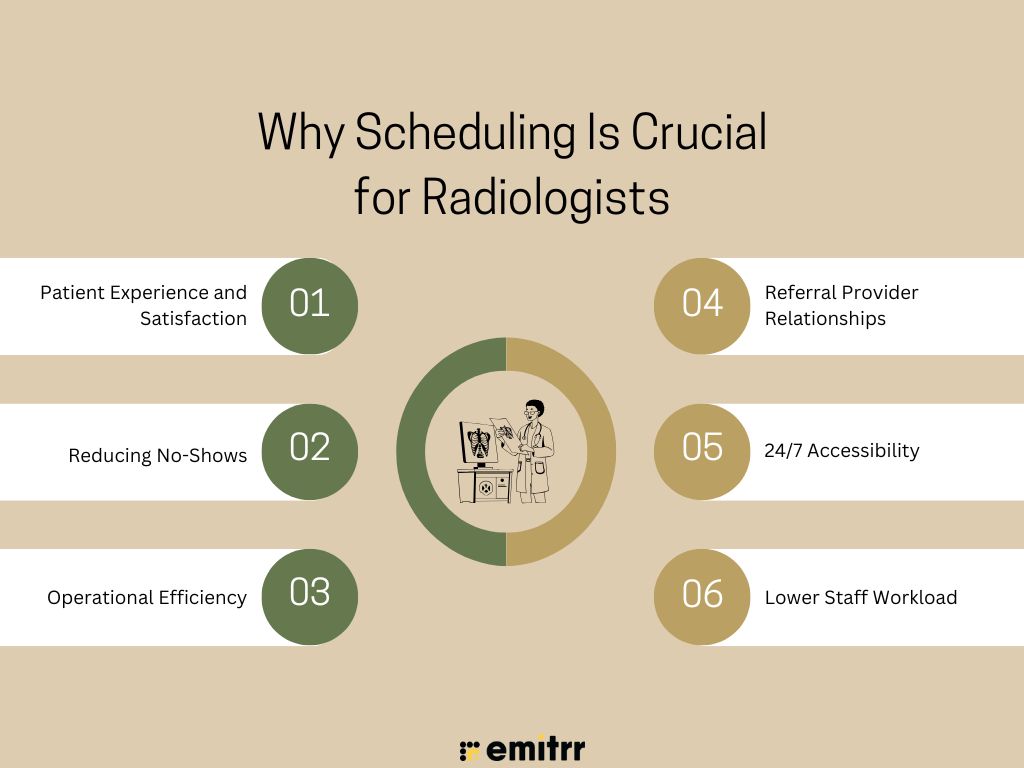
Patient Experience and Satisfaction
Patients increasingly expect convenience and flexibility. Online scheduling empowers them to book appointments at their preferred times, receive immediate confirmations, and avoid long phone queues, resulting in a smoother, patient-centered experience that boosts overall satisfaction.
Reducing No-Shows
Automated reminders and clear, timely communication help patients remember appointments and prepare correctly. This proactive approach significantly lowers missed appointments, ensuring better utilization of imaging equipment and maintaining consistent daily patient flow.
Operational Efficiency
Accurate, real-time scheduling coordinates radiologists, technicians, and equipment, reducing idle machine time and scheduling conflicts. This streamlined process increases daily throughput and helps radiology practices run more predictably and efficiently.
Referral Provider Relationships
When referring physicians know that patients can be scheduled quickly and reliably, it builds trust and encourages ongoing referrals. A smooth scheduling process reassures providers that their patients will receive timely care.
24/7 Accessibility
Allowing patients and referring doctors to book appointments anytime removes dependency on business hours. This flexibility captures more bookings, accommodates urgent needs, and enhances patient satisfaction by fitting into their schedules seamlessly.
Lower Staff Workload
Automation handles routine tasks like booking, reminders, and rescheduling, freeing administrative staff to focus on complex patient needs and in-clinic service. This improves staff productivity and reduces burnout.

Types of Scheduling for Radiology Practices
Radiology practices use a mix of traditional and digital scheduling methods to manage patient flow, reduce errors, and improve service. Each method offers unique advantages depending on practice size, technology adoption, and workflow needs.
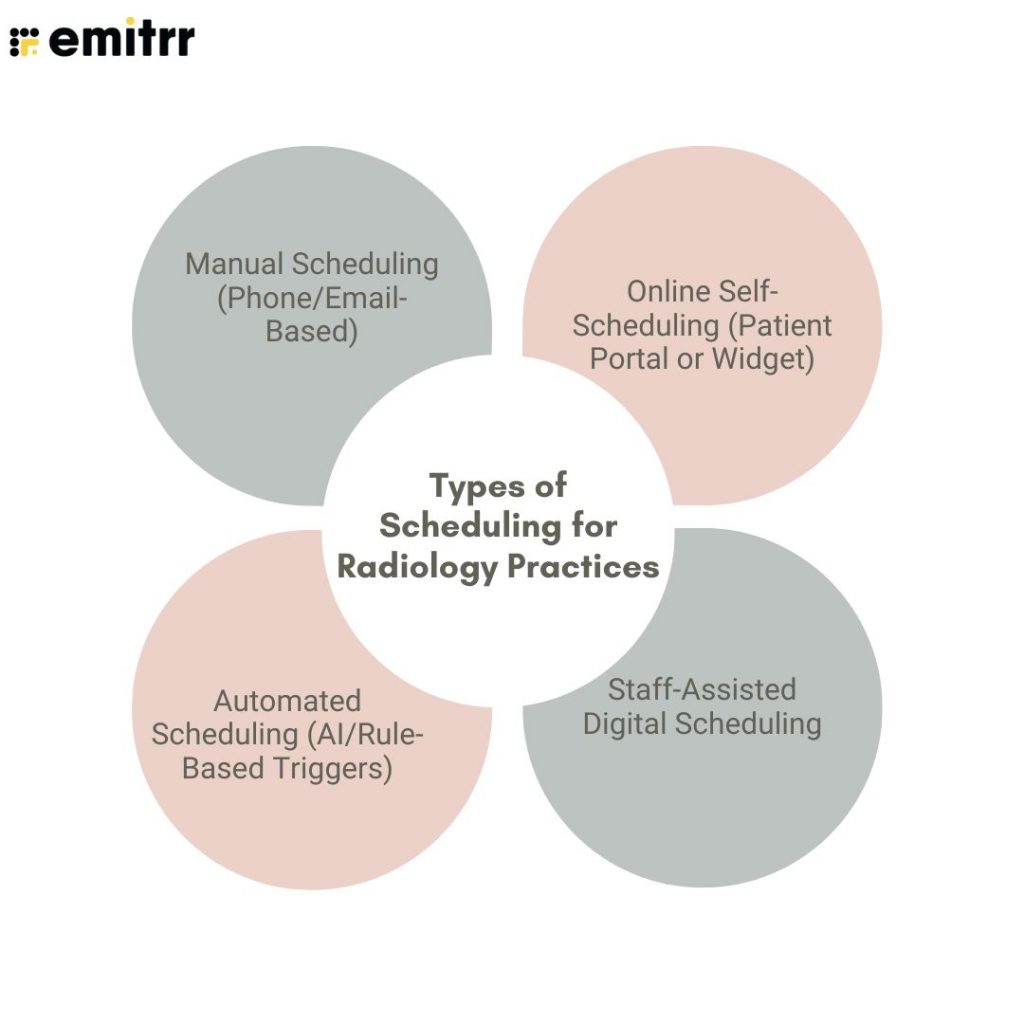
Manual Scheduling (Phone/Email-Based)
Many legacy systems still rely on manual coordination by phone or email. While familiar, this method increases risks of human error, double-bookings, and inefficiency, often leading to delays and frustration for patients and staff.
Online Self-Scheduling (Patient Portal or Widget)
Patients and referring doctors can directly book appointments through a website widget or patient portal. This self-service approach offers real-time availability, reduces staff workload, and improves patient convenience by enabling 24/7 booking access.
Automated Scheduling (AI/Rule-Based Triggers)
Rule-based systems automatically suggest or assign appointment slots based on scan type, urgency, and radiologist schedule availability. Automation improves accuracy, prioritizes urgent cases, and helps balance daily patient flow across modalities.
Staff-Assisted Digital Scheduling
Receptionists and administrative staff use smart radiology scheduler dashboards to book appointments. These tools apply rule logic, check machine availability, and align radiologists’ schedules, ensuring quick and error-free coordination for complex bookings.
Challenges in Radiology Scheduling
Even with modern tools, radiology scheduling remains complex due to multiple moving parts, equipment, patient readiness, urgent cases, and data systems all requiring precise coordination to keep the radiologist’s schedule accurate and efficient.
Overlapping Bookings
Manual scheduling errors can cause double-booked machines or conflicting radiologist appointments. This disrupts patient flow, delays imaging procedures, and increases stress on staff trying to resolve conflicts at the last minute.
Multi-Department Coordination
Radiology centers often manage CT, MRI, ultrasound, and other modalities simultaneously. Coordinating these resources requires accurate scheduling to prevent bottlenecks, ensure timely service, and balance the workload across technicians and radiologists.
Managing Urgent Cases
Emergency referrals and critical patient needs can arise unexpectedly. Practices must have systems in place to quickly identify and allocate urgent slots without significantly disrupting the planned daily radiologist schedule.
Patient Prep Requirements
Certain imaging procedures require patients to fast or prepare with contrast agents. Scheduling must align with these instructions, and staff must clearly communicate prep steps to avoid delays or the need to reschedule.
System Integration
A modern radiology scheduler should sync with RIS, PACS, and EMR systems. Without integration, duplicate records, scheduling errors, or missing patient data can create compliance risks and operational inefficiencies.
Last-Minute Changes
No-shows, late cancellations, or unexpected delays leave machines idle and reduce daily throughput. Automated rebooking and real-time updates help practices recover lost time and keep schedules optimized.
Use Cases for Radiologist Scheduling
Online scheduling extends far beyond basic appointment booking. Radiology centers can leverage a modern radiology scheduler to streamline complex workflows, enhance patient engagement, reduce administrative effort, and improve coordination across different imaging services and specialty radiologists.
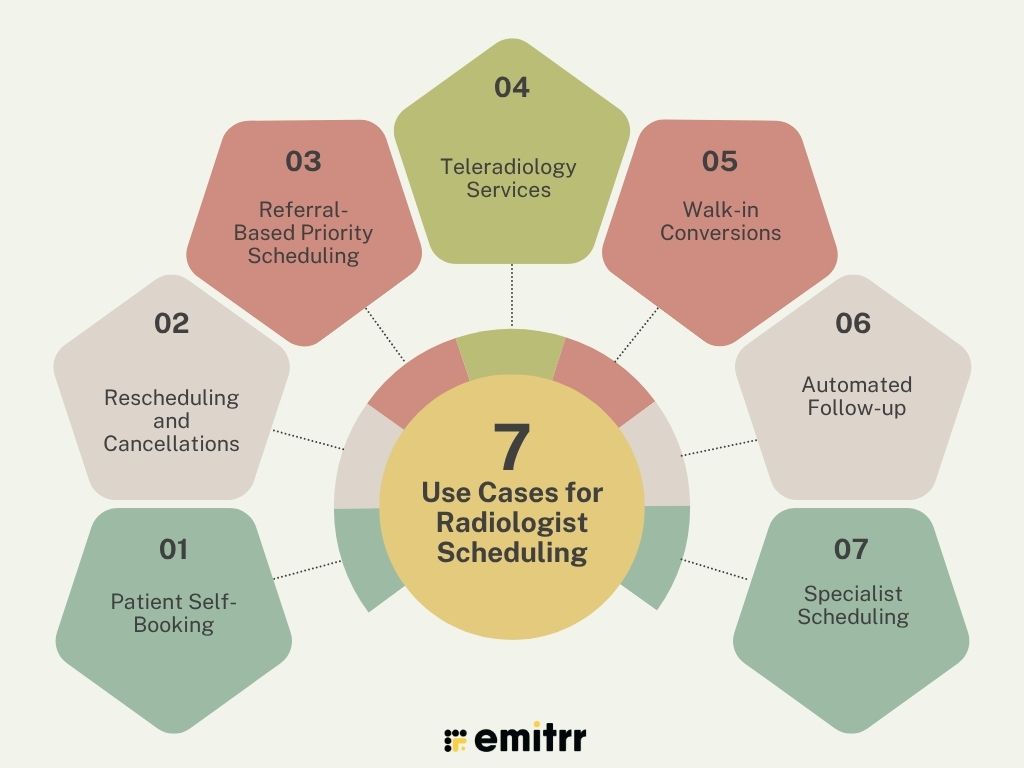
Patient Self-Booking
Patients can directly schedule imaging scans—such as X-rays, CT, MRI, and ultrasounds—from home using a patient portal or website widget. This self-service option increases convenience, ensures real-time availability, and helps keep the radiologist’s schedule balanced without manual staff intervention.
Rescheduling and Cancellations
Patients receive secure SMS or email links that let them reschedule or cancel appointments anytime, without calling the clinic. This flexibility lowers no-show rates, keeps the daily schedule updated, and reduces last-minute disruptions for radiologists and support staff.
Referral-Based Priority Scheduling
Referring physicians can flag urgent or time-sensitive cases, allowing the radiology scheduler to prioritize those patients automatically. This ensures critical diagnostics are completed faster, strengthens referral relationships, and improves patient outcomes by accelerating access to specialist imaging.
Teleradiology Services
Patients and remote providers can easily book teleconsultations or upload scans for review. Mobile-friendly scheduling supports seamless access to teleradiology, reducing geographical barriers and extending radiology expertise to underserved or rural communities.
Walk-in Conversions
When walk-in patients visit your website or portal, they can quickly check for and book an available slot. This feature reduces lost opportunities, fills open time slots, and helps maximize daily imaging capacity without additional manual coordination.
Automated Follow-up
After an initial scan, the radiology scheduler can automatically schedule follow-up appointments, such as repeat imaging or consultations. This proactive approach improves continuity of care, keeps patients engaged in their treatment plans, and reduces missed follow-up visits.
Specialist Scheduling
Patients or referring providers can book directly with specific specialists—like interventional, pediatric, or breast imaging radiologists—based on real-time availability. This ensures patients receive care from the right subspecialist and helps practices efficiently manage specialized imaging workflows.
Best Practices for Radiologist Appointment Scheduling
To keep the radiologist’s schedule patient-focused and efficient, radiology practices should combine automation, clarity, and real-time updates. These best practices reduce errors, improve patient satisfaction, and ensure smoother coordination across teams and equipment.
Provide Multiple Time Slots
Offering a variety of appointment times helps patients choose what fits their schedule best, improving convenience and reducing cancellations. It also helps imaging centers evenly distribute patient load and avoid overbooking during peak hours.
Automate Confirmations and Reminders
Automated SMS and email reminders confirm bookings and notify patients as their appointments approach. This proactive communication significantly lowers no-show rates and keeps both patients and staff informed without adding manual follow-up work.
Share Clear Prep Instructions
Automatically sending preparation instructions during booking ensures patients understand fasting, hydration, or contrast requirements. This reduces appointment delays, avoids unnecessary rescheduling, and helps keep the radiologist’s schedule running smoothly each day.
Sync Schedules
A modern radiology scheduler should sync radiologist, technician, and equipment calendars in real time. This integration prevents double-bookings, reduces manual updates, and ensures everyone involved has an accurate view of the daily schedule.
Support Multi-Modality Workflows
Many patients require multiple scans in one visit, such as CT and ultrasound. Enabling multi-modality scheduling in a single workflow saves patient trips, improves efficiency, and ensures better coordination between imaging teams.
Optimize Mobile Experience
A large share of bookings now happens from smartphones. Designing a mobile-friendly scheduling interface helps patients book, reschedule, or cancel appointments anytime, improving convenience and increasing overall engagement.
Enable Rescheduling Options
Allowing patients to reschedule online easily reduces no-shows and keeps the schedule full. Providing secure self-service options removes the barrier of phone calls, improving patient experience and saving staff time.
Monitor With Analytics
Tracking metrics like no-show rates, patient wait times, and staff workload helps identify patterns and areas for improvement. Analytics transform scheduling into a data-driven process, supporting continuous optimization of the radiologist schedule.
How to Set Up Online Scheduling for Radiologists Using Emitrr AI
Emitrr AI helps radiology practices streamline daily operations and enhance patient experience by bringing scheduling online. This secure, intuitive, and customizable solution supports real-time, automated, and patient-friendly workflows tailored specifically to radiology teams.
Step 1: Sync Provider Availability
Upload radiologist, technician, and machine schedules into the Emitrr dashboard. Include daily working hours, breaks, and holidays to create an accurate, conflict-free radiologist schedule accessible to both staff and patients.
Step 2: Embed Self-Scheduling Widget
Add Emitrr’s self-scheduling widget to your website or patient portal. This enables patients and referring doctors to book directly in real time, improving convenience and reducing manual scheduling tasks for administrative teams.
Step 3: Set Smart Rules
Define booking rules to reflect scan types, required patient prep, equipment limitations, and priority slots for urgent referrals. Smart rules ensure bookings match your resources, keep patient flow balanced, and avoid manual adjustments.
Step 4: Configure Reminders & Confirmations
Automate SMS reminders and email reminders, send scan prep instructions, and include secure reschedule or cancellation links. Clear communication keeps patients informed, reduces no-shows, and helps maintain an optimized radiologist schedule daily.
Step 5: Monitor and Optimize
Emitrr’s analytics tools let practices track no-show rates, patient wait times, and radiologist workloads. These insights support data-driven decisions to improve efficiency, patient experience, and utilization of imaging equipment.
Step 6: Integrate with Existing Systems
Emitrr AI integrates seamlessly with RIS, PACS, and EHR platforms. This ensures appointment data syncs across systems, reduces duplicate work, and keeps workflows HIPAA-compliant for data privacy and security.
Take a look at what more you can do with Emitrr AI:
Why Choose Emitrr AI?
A scheduling solution built specifically for healthcare, Emitrr AI combines flexibility, automation, and patient-centric features. It modernizes the radiology scheduler, supports specialty workflows, and reduces manual workload so staff can focus on care.
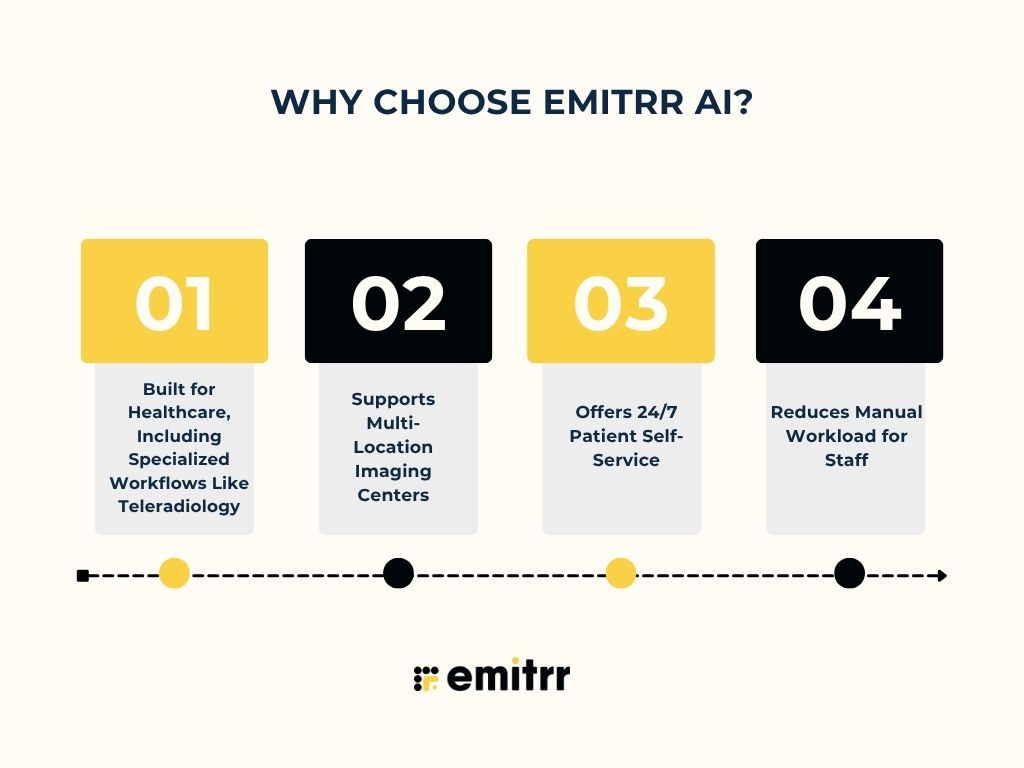
Built for Healthcare, Including Specialized Workflows Like Teleradiology
Emitrr AI handles complex imaging needs, urgent referrals, and teleconsultations. It adapts to different practice models—like outpatient imaging centers and teleradiology—offering tailored scheduling features for each.
Supports Multi-Location Imaging Centers
Manage multiple sites, machines, and radiologists within one platform. Centralized scheduling avoids duplication, keeps the radiologist’s schedule updated, and improves resource utilization across all locations.
Offers 24/7 Patient Self-Service
Patients and referring physicians can book, reschedule, or cancel anytime—even after office hours. This always-available option meets patient expectations and helps fill open slots faster.
Reduces Manual Workload for Staff
Automation of confirmations, reminders, and smart rules cuts down phone calls and emails. Staff can focus on patient support and complex coordination rather than routine booking tasks.
Frequently Asked Questions
A radiology scheduler is software that helps radiology practices manage patient bookings, optimize resources, reduce no-shows, and coordinate complex imaging workflows seamlessly.
It reduces manual work, improves patient convenience, lowers no-show rates, and keeps the radiologist’s schedule updated in real time for better operational efficiency.
Yes, using tools like Emitrr AI, patients can securely reschedule or cancel via SMS or email links without needing to call the clinic directly.
Absolutely. Emitrr AI integrates with RIS, PACS, and EMR systems, ensuring patient appointments sync across all platforms while staying HIPAA-compliant.
By sending automated reminders, clear prep instructions, and easy rescheduling options, Emitrr AI keeps patients informed and engaged, significantly lowering missed appointment rates.
Conclusion
Efficient scheduling isn’t just about saving time; it improves patient care, reduces no-shows, and keeps daily operations running smoothly. A reliable radiology scheduler helps radiologists stay focused on delivering timely, accurate diagnoses without administrative stress.
As patients expect online booking, moving from manual systems to automated, real-time scheduling empowers them while easing staff workload. Emitrr AI makes this shift simple with an intuitive, secure solution tailored for radiology practices.
Enhance patient experience and streamline your operations with a modern, healthcare-ready scheduling system. Ready to simplify scheduling? Schedule a demo with Emitrr today.