
 4.9 (400+
reviews)
4.9 (400+
reviews)
Overview of Medical Office Scheduling Software
Scheduling software is like the digital brain of your front desk. It replaces sticky notes, paper calendars, and endless phone calls with one clean, organised system. At its core, it helps you book, reschedule, and track appointments, but that’s just the start.
For medical offices, it goes a step further. It matches patients with the right provider, blocks time for specific services, and helps avoid double-booking. The best systems even let patients schedule themselves online, send automated reminders, and update in real time across your team. And here’s the thing – patients expect it. In fact, 76% say they’re more likely to choose a healthcare provider that offers online scheduling. It’s not just a nice-to-have anymore. It’s something that can influence where patients go for care.
Most tools also link up with your EHR, billing, intake forms, or insurance checks, so one action flows into the next. It’s all connected. And since most platforms are cloud-based, you can check your schedule from anywhere, even from your phone. So, medical scheduling software helps your team stay on top of every slot, every patient, and every change, without breaking a sweat.
Features to Look for in a Medical Scheduling Software
Choosing the right scheduling software comes down to picking the features that actually make your day easier. Here’s what to look for when choosing one:
Online booking and real-time updates
- Patient self-scheduling: Let patients book their own appointments anytime, from anywhere. It saves staff time and gives patients control.
- Live updates: Everyone sees changes in real time, whether a patient books online or your staff adjusts a slot at the desk.
- 24/7 access: No need for calls during business hours. Patients can schedule when it’s convenient for them.
Reminders, confirmations, and waitlists
- Automated reminders: Send texts or emails before the visit. Patients can confirm or reschedule in a click.
- Smart confirmations: Two-way messaging lets patients reply to confirm or cancel your system updates automatically.
- Waitlist tools: Fill cancellations fast by alerting other patients who want to come in sooner.
Custom calendar and provider views
- Multi-provider support: View schedules by doctor, room, or location. Easy to organise even complex workflows.
- Drag-and-drop rescheduling: Quickly shift appointments without starting from scratch.
- Colour coding: Use visual tags for appointment types, like red for emergencies, green for telehealth, etc.
Integrations with your tools
- EHR and billing sync: Your software should connect with your EHR, billing system, or CRM to avoid double work. Some of the popular payment systems are DrChrono Payments, CareCloud and ModMed.
- Telehealth support: Automatically send links for virtual visits after booking.
- Form and intake tools: Send patients forms ahead of time, no clipboards at check-in.
Flexible rules and control
- Custom scheduling rules: Set time buffers, cap the number of new patients, or block specific hours for certain visit types.
- Manual approval options: Approve complex bookings before they go live.
- Block time smartly: Schedule lunch breaks, prep time, or equipment use easily.
Security and compliance
- HIPAA-compliant design: Make sure data is encrypted and only accessible to authorised staff.
- Audit trails and user controls: Know who made changes and control who sees what.
- Safe messaging: Limit personal details in reminders and make sure you have patient consent.
Multi-channel communication
- Built-in texting and email: Use the platform to send updates, alerts, and even broadcast messages (e.g., “Flu shots available this week!”).
- Two-way chat: Let patients reply to ask questions or request changes, without needing a call.
- Consistent branding: Customise your messages with your practice name and tone.
Smart reporting and insights
- Simple analytics: See no-show rates, popular time slots, and provider availability at a glance.
- Scheduling trends: Learn how far in advance patients book or which days are underused.
- Better decisions: Use the data to tweak your schedule and improve efficiency.
Easy for everyone
- User-friendly for staff: Your team shouldn’t need a manual to use it. Look for drag-and-drop, clear menus, and quick access.
- Simple for patients: Fewer clicks, plain language, mobile-friendly design, these matter.
- High usability scores: Check reviews. Emitrr, for example, scores 4.9/5 on Capterra for ease of use.
Scalable and built to grow
- Multi-location ready: One dashboard, many calendars, helpful if you have more than one clinic.
- Add users easily: As your team grows, the system should grow with you.
- Central scheduling view: See the big picture across all your providers and sites.
Insurance and billing integration
- Insurance checks: Some AI-powered tools verify eligibility before the visit, no more surprise denials.
- Billing triggers: Mark visits complete to start the billing process automatically.
- Fewer admin steps: The more that happens behind the scenes, the less your team has to handle manually.
The best scheduling software fits into your day and not the other way around! Look for tools that solve your clinic’s real problems, save time, and make things easier for patients.
Make scheduling calls quick and hassle-free. Download professional appointment scheduling SMS templates for a medical office.
Security and Compliance Requirements for Medical Scheduling Software
When you handle patient appointments, you’re also handling private health data. That means your scheduling software needs to protect that data, not just for legal reasons, but to maintain patient trust. Here’s what to look for:
- HIPAA compliance and BAA: Make sure the software is HIPAA-compliant and the vendor is ready to sign a Business Associate Agreement (BAA). If they’re hesitant, that’s a red flag.
- Strong data encryption: The software should encrypt all data, both when it’s being shared online and when it’s stored. Think of it as locking up patient info with a digital key.
- User access controls: Not every staff member needs full access. Choose a tool that lets you set different permission levels based on roles.
- Audit trails: You should be able to track who made changes to appointments and when. This helps catch errors and maintain accountability.
- Patient communication consent: Always get consent before sending appointment texts or emails. And avoid including sensitive details in reminders.
- Avoid unsecured syncing: Don’t sync your schedule to public or non-secure calendars. Stick to trusted, healthcare-friendly integrations only.
- Staff training on privacy: Make sure your team knows the basics. Like logging out when stepping away, using strong passwords, and not discussing patient info out in the open.
- Data backup and recovery: Your vendor should have backups in place. Ask about their uptime guarantee and what happens if systems crash.
- Clear breach response plan: If there’s a data breach, you should know how the vendor will respond and what your office needs to do. Fast action makes all the difference.
- Secure in-app messaging: If your system includes texting or chat, it should be encrypted and secure. Avoid plain SMS for anything sensitive.
If you’re using a trusted tool like Emitrr, most of these features come built-in. But it’s still important to use them the right way. Privacy is more than a setting, it’s a habit.
Integrations Required for Medical Office Scheduling Software
Your scheduling software should work well with the rest of your tools. Here are the key integrations to look for:
- EHR and practice management systems: Sync appointments with your EHR so your providers see everything in one place. This avoids double-booking and manual entry. Tools like Emitrr connect with Epic, Athenahealth, eClinicalWorks, and more.
- Google Calendar or Outlook: Let your providers view their clinic schedule next to personal events. It helps avoid mix-ups and missed appointments.
- Texting and communication tools: If you use systems like OhMD, your scheduling software should trigger messages when appointments are booked or updated. Some tools already include built-in messaging, so you may not need extras.
- Telehealth platforms: Automatically send video links when patients book virtual visits. Integration with Zoom saves your team from sending links manually.
- Insurance verification systems: Some tools check insurance eligibility at the time of booking. This helps you catch issues early and avoid billing delays.
- Billing and payment software: When an appointment is marked as complete, the billing system can kick in. Some platforms also let you collect co-pays or deposits when patients book.
- Analytics and reporting tools: Export appointment data or connect with tools like Tableau or Power BI. This helps you track no-show rates, peak times, and clinic performance.
- Digital intake and referral tools: Tools like FormDr or intakeQ can send forms automatically after a patient books. You can also trigger referrals or reminders for follow-up care.
- Marketing platforms and online directories: Add “Book Now” buttons on your website or Google profile page. These connect directly to your schedule, making it easier for patients to book.
- CRM and patient profile sync: If you track patient activity in a CRM, make sure updates from the booking system reflect across both tools. This keeps contact info and history consistent.
A well-integrated system means fewer clicks, fewer errors, and a smoother experience for everyone. Emitrr, for example, offers 1,000+ integrations, making it easy to plug into your existing setup.
How Scheduling Software Helps Medical Offices
Without a proper scheduling system, even the most well-run clinic can feel chaotic. Here’s how the right software transforms the experience for your staff, your patients, and your bottom line.
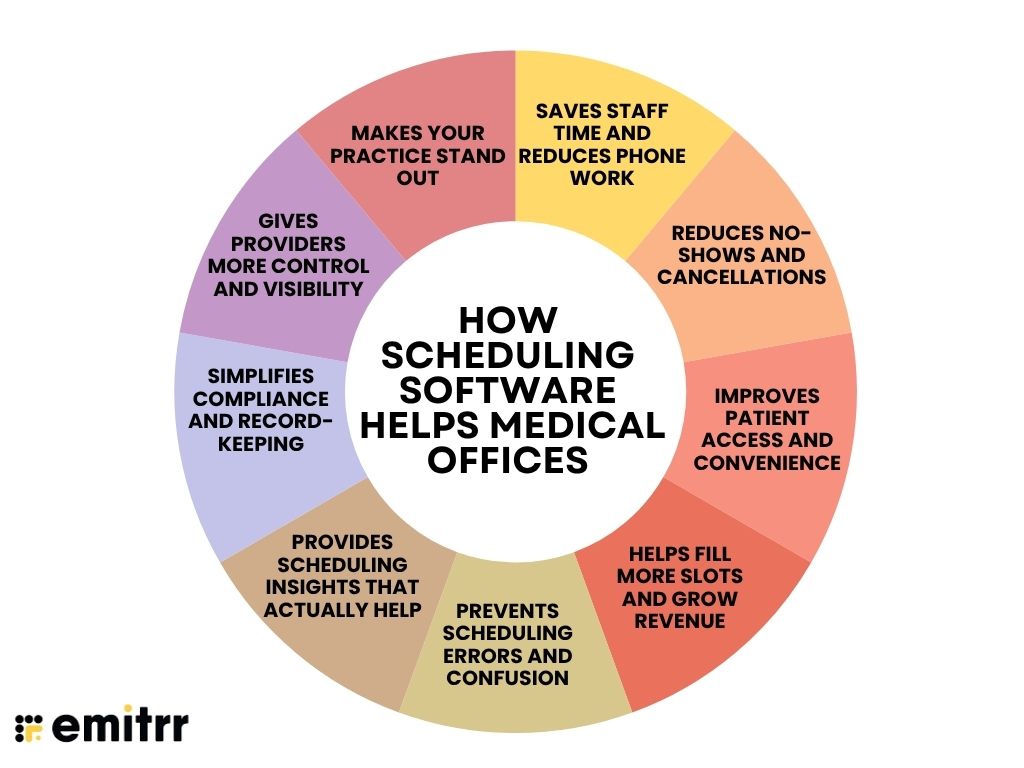
Saves staff time and reduces phone work
In a busy office, the front desk often spends hours answering calls just to book or confirm appointments. That means long hold times for patients and rushed interactions at check-in. With scheduling software, patients book their own slots and get auto-confirmations, so your team can focus on people walking through the door instead of the phone ringing off the hook.
Reduces no-shows and cancellations
No-shows are common. Patients forget or didn’t bother to call if plans changed. Each missed appointment means a wasted slot and lost revenue. With automated reminders and easy reschedule links, patients get timely nudges and can reply with a simple click. As a result, more people show up, and empty gaps start filling themselves.
Improves patient access and convenience
Booking by phone during clinic hours doesn’t always work. This is especially true for working patients or busy parents. Many simply put it off or forget. With online scheduling, they can book an appointment on their lunch break or at midnight in bed. It’s quick, easy, and fits into their routine.
Helps fill more slots and grow revenue
When patients cancel last minute, those slots often go unused. Staff may not have time to fill them. But with scheduling software, waitlisted patients are notified automatically, and open slots get filled faster. That means your providers see more patients in the same number of hours, and revenue doesn’t slip through the cracks.
Prevents scheduling errors and confusion
Manual scheduling can lead to double bookings, missed blocks, or the wrong service being slotted in. One mistake can throw off the entire day. A smart scheduler catches these issues in real time — it won’t let you book two patients in the same room, and it’ll remind you to block out lunch or vacation days before they’re accidentally booked.
Provides scheduling insights that actually help
It’s hard to spot trends flipping through a paper calendar. You don’t know which hours are underused or who’s getting overbooked. With software, you get data, which days need more coverage, when cancellations spike, or which provider has the most no-shows. That info helps you plan better, avoid burnout, and run more efficiently.
Simplifies compliance and record-keeping
Keeping track of past appointments and patient follow-ups manually is a lot of work. If a patient disputes an appointment or billing issue, finding proof can take time. With digital scheduling, every update is logged. You know who booked, who cancelled, when reminders were sent, all at your fingertips for audits, reports, or legal reviews.
Gives providers more control and visibility
Doctors often rely on staff to check or update their schedule, which can mean unnecessary back-and-forth. Without easy access, even simple changes get delayed. Scheduling software lets providers securely check or manage their calendar from home or their phone. If they need to block time for a meeting or open up an extra slot, they can do it themselves in seconds.
Makes your practice stand out
In a competitive market, the little things matter. If booking with you feels like calling the cable company, long holds, back-and-forth, limited timing, patients may look elsewhere. Offering fast, easy online scheduling shows patients you value their time. It builds trust and sets you apart from clinics still stuck in manual processes.
Using scheduling software, you create a smooth experience for everyone who walks through your door.

How to Choose the Right Scheduling Software for a Medical Office
Choosing scheduling software doesn’t have to feel like a research project. Here’s a practical, step-by-step guide to help you pick the one that actually fits your clinic.
Step 1: List your must-haves and nice-to-haves
Start by noting what features matter most. Do you need online booking, two-way texting, or multi-location support? Make a quick checklist based on your daily challenges. Knowing what’s essential helps filter out the noise.
Step 2: Make sure it fits your practice and can grow
Choose software that suits your clinic type, whether you’re a solo provider or a multi-specialty setup. Also, check if it can grow with you. If you plan to expand, you’ll want something that handles more users and locations without slowing down.
Step 3: Focus on features that match your workflow
Don’t fall for flashy tools with too many features you’ll never use. Look for something simple but powerful, with options like reminders, calendar syncing, and easy rescheduling that actually make life easier for your team and patients.
Step 4: Confirm integrations and compliance
Your scheduler should talk to your EHR, billing system, form tools, and texting apps. Also confirm it’s HIPAA-compliant, signs BAAs, and follows proper security protocols.
Step 5: Test it with your team
Always do a demo and, better yet, a trial. Let your front desk use it for real tasks. Is it easy to book and move things around? Can you find what you need in a click or two? Include the people who’ll use it daily.
Step 6: Understand the pricing clearly
Look at what’s included in the plan. Choose a pricing model that matches your budget but also delivers value. A good tool should pay for itself by saving time and filling more appointments.
Step 7: Check support and reputation
Try contacting support during your trial to check if they are responsive. Look at user reviews on sites like G2 or Capterra. See what real clinics say, especially ones similar to yours. You can also ask peers what they’re using and if it’s working for them.
At the end of the day, you want a tool that fits smoothly into your existing setup and makes scheduling feel less like a chore.
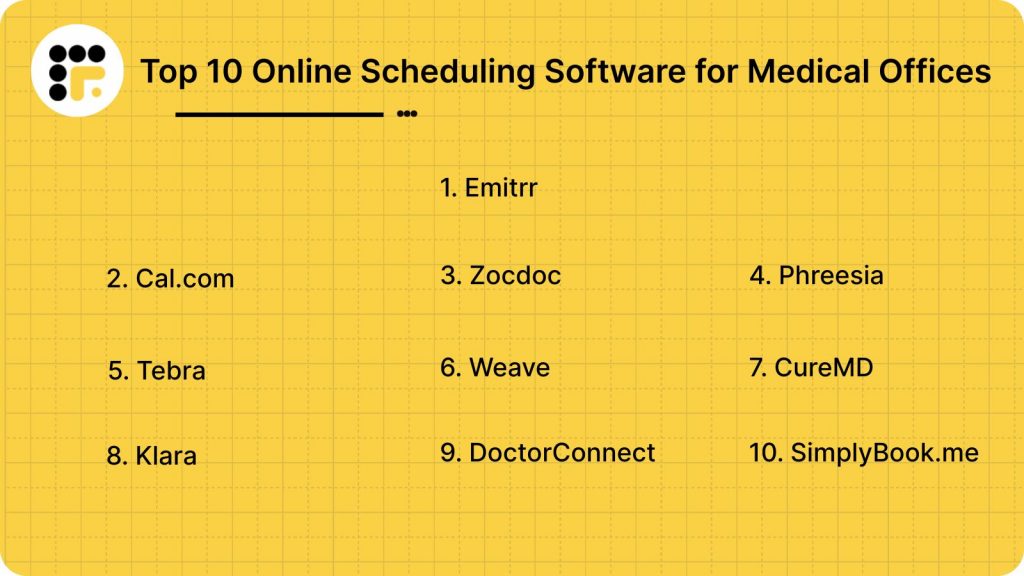
Top 10 Scheduling Software for Medical Offices in 2025
Here’s a detailed list of the best scheduling platforms for medical offices in 2025.
Each of these scheduling tools mentioned above can help you streamline your patient bookings, reduce no-shows, and create a better experience for both staff and patients.
1. Emitrr

What is Emitrr?
Emitrr is an AI-powered medical scheduling and communication platform built for clinics, solo practices, and multi-location healthcare groups. It automates everything from 24/7 appointment booking to smart reminders and two-way texting, helping your staff stay focused while keeping your calendar full. It also reduces no-shows and ensures patients get timely care without constant phone tag.
Key Features of Emitrr
- 24/7 online scheduling: Patients can book appointments anytime, from any device.
- Smart appointment reminders: Automated text, email, and voice reminders help reduce missed visits.
- Two-way texting with patients: Respond to questions, confirmations, or changes in real time, no need to call.
- EHR and tool integrations: Works with over 1,000 systems, including Epic, Dentrix, DrChrono, and Google Calendar.
- Waitlist and cancellation fills: Emitrr auto-notifies patients on your waitlist when a spot opens.
- Custom scheduling rules: Set time buffers, recurring appointments, and provider-specific slots.
- HIPAA-compliant messaging: All data is secure and fully compliant for US-based medical practices.
- Unified dashboard: Manage bookings, calls, and patient texts all in one easy-to-use interface.
Emitrr Pros
- Healthcare-specific design: Built for dental, medical, physio, and other outpatient clinics.
- Easy to use: Minimal training needed for staff; patients find booking seamless.
- Flexible pricing: Scales with solo and growing practices.
- Great support: 24/7 service with fast response times and setup help.
- Fewer no-shows: Practices report up to 90% drop in missed appointments.
- No lock-ins: Month-to-month plans with no hidden fees or long-term contracts.
Emitrr Cons
There are a few advanced AI-powered functionalities still in development.
Emitrr Pricing
Plans start at $30 per month.
Emitrr Ratings
- Capterra: 4.8/5
- G2: 4.7/5
Emitrr Customer Reviews
“AWESOME. I would recommend to anyone looking for a messaging platform. Especially love having a text friendly retail number that is the SAME as the number we’ve always had.“
“It’s very easy to use and the developers and team have an incredibly efficient and fast response time.“
Source: Capterra
Emitrr Support Channels
- Email: support@emitrr.com
- Phone: +1 (210) 941-4696
- Live chat: Available on the Emitrr website
- Knowledge base: Includes training resources, setup guides, and FAQs
- SMS support: Text the support line for assistance
2. Cal.com
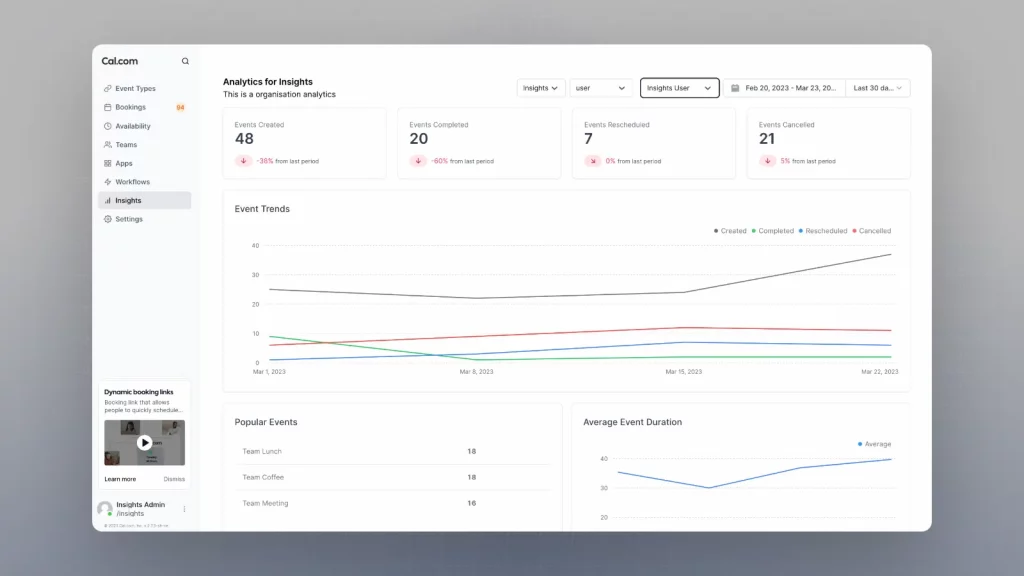
What is Cal.com?
Cal.com is a modern scheduling infrastructure built for medical practices that want complete control over their booking experience. It offers a HIPAA-ready platform that adapts to your practice’s actual operations. What sets Cal.com apart is its advanced workflows, which let you build appointment flows that meet your exact needs. The round-robin scheduling also automatically distributes appointments between relevant staff members.
Key Features of Cal.com
- HIPAA-compliant scheduling with signed BAAs: Your patient data is encrypted, secure, and handled in accordance with healthcare regulations.
- Beautifully designed booking pages: Cal.com’s booking pages are fully customizable to match your practice’s branding, giving patients a seamless, high-quality booking experience that builds trust.
- Patient self-booking 24/7: Patients can book appointments anytime through your website, with real-time availability that syncs across all your calendars.
- EHR and practice management integrations: Cal.com connects with major EHR systems, Google Calendar, Outlook, Zoom, Stripe, and 100+ other tools. The API-first architecture enables integration with any system you use.
- Multi-location and multi-provider support: Manage multiple clinics, providers, and rooms from a unified dashboard. Cal.com scales with your practice without adding complexity.
Cal.com Pros
- Granular access controls and audit logs: Control who can see what, track every scheduling change, and maintain complete compliance with healthcare data regulations.
- Fast setup and intuitive interface: Cal.com is designed for real-world use. Your staff won’t need extensive training, and setup takes minutes.
- Customizable to your exact workflow: Build the scheduling experience you need with custom forms, conditional logic, and automation rules. Cal.com adapts to your practice, not the other way around.
- Complete data ownership: With Cal.com, you control your scheduling infrastructure. Self-host for complete autonomy or use managed hosting with full data security.
Cal.com Cons
- Some healthcare-specific features require configuration: While Cal.com is highly customizable, certain advanced medical workflows may require setup time to be fully optimized.
- Not a full practice management system: Cal.com focuses on scheduling. If you need billing, charting, and EHR on a single platform, you’ll need integrations.
Cal.com Pricing
- Free: Robust free plan with unlimited event types and core scheduling features.
- Paid plans: Start at $15/month with advanced features like team scheduling, workflows, and priority support.
- Enterprise: Custom pricing with white-label options, SSO, dedicated support, and SLAs.
Cal.com Ratings
- G2: 4.6/5
- Capterra: Not Available
Cal.com Customer Reviews
At Navi, we help people access mental and behavioral health care. Protecting personal health information is A non-negotiable for us. So choosing Cal.com for scheduling just makes sense — Mica Friedland, CEO and Founder, Navi
Cal.com Support Channels
- Email support: help@cal.com
- Help center: Comprehensive documentation and setup guides
- Community support: Active community forums and Slack channel
- Enterprise support: Dedicated account managers for enterprise customers
Best For
Medical practices, clinics, medspas, therapy practices, multi-location groups, and any healthcare provider that values a professional, design-forward booking experience with complete HIPAA compliance.
3. Zocdoc
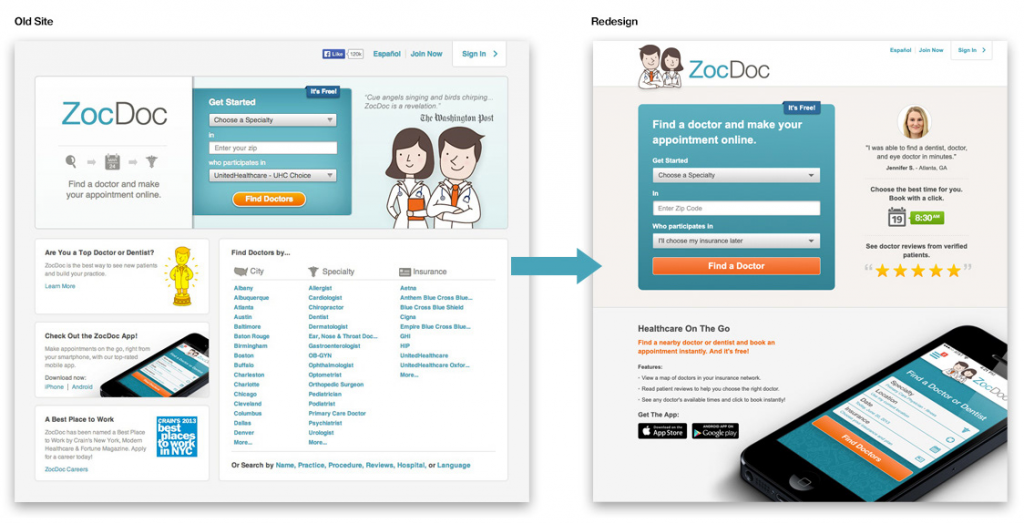
What is Zocdoc?
Zocdoc is a patient acquisition and appointment booking platform that helps new patients discover and schedule visits with healthcare providers online. It works like a searchable marketplace where patients can filter doctors by specialty, insurance, and availability, and then book instantly. It’s ideal for clinics looking to fill schedules and attract first-time patients.
Key Features of Zocdoc
- Online doctor directory: Lists your practice publicly so patients can find and book directly.
- Real-time scheduling: Syncs with your calendar or lets you manage availability via Zocdoc’s dashboard.
- Insurance matching: Patients only see providers who accept their insurance.
- Automated reviews: Requests feedback from patients post-visit to boost your online reputation.
Zocdoc Pros
- Great for new patient flow: Excellent tool for attracting first-time appointments.
- Strong brand presence: Patients trust and frequently use the Zocdoc app.
- Easy to set up: No complex software installation, just claim your profile and go.
- Marketing support: Essentially acts as a digital front desk and lead generator.
Zocdoc Cons
- Pay-per-booking model: Costs can add up quickly, especially in high-demand specialties.
- Not a full scheduler: Best used alongside your main EHR or scheduling system.
Zocdoc Pricing
No setup fee. Providers pay per new patient booking, depending on specialty and region.
Zocdoc Ratings
Ratings are not widely available on trusted websites like Capterra and G2
Zocdoc Customer Reviews
Very few reviews are available on trusted websites like Capterra and G2
Zocdoc Support Channels
- Live chat
- Help center
- In-app ticketing system via Zocdoc dashboard
4. Phreesia

What is Phreesia?
Phreesia is a comprehensive patient intake and engagement platform that also includes robust scheduling capabilities. It’s designed for clinics that want to digitize the entire front-desk workflow, right from booking to check-in to post-visit follow-up. While it’s most popular with larger medical groups, it can also support mid-sized practices looking to automate and scale.
Key Features of Phreesia
- Online scheduling and appointment requests: Lets patients book or request appointments directly from your site.
- Pre-visit digital intake: Automates forms, insurance verification, and co-pay collection before patients arrive.
- EHR integration: Syncs appointments with major EHRs, keeping your data streamlined.
- Patient communication tools: Built-in reminders, chat, and follow-up prompts to reduce no-shows and improve care continuity.
Phreesia Pros
- All-in-one intake + scheduling: Ideal for busy clinics that want to handle everything in one platform.
- Reduces admin time: Automates repetitive tasks like form collection and insurance checks.
- Customizable workflows: Supports different visit types, departments, and scheduling rules.
- Enterprise-ready: Built to support multi-specialty, multi-location practices.
Phreesia Cons
- Steep learning curve: Can take time to set up and train staff properly.
- Not ideal for very small clinics: May feel complex or overwhelming if your needs are basic.
Phreesia Pricing
They follow a custom pricing format, which is based on practice size and usage.
Phreesia Ratings
- Capterra: 4.3/5
- G2: 4.2/5
Phreesia Customer Reviews
“was not set up properly and had difficulties using it.”
“Certain fields do not currently transmit directly into our EHR (Greenway Primesuite).”
Source: Capterra
Phreesia Support Channels
- Support portal
- Live chat
- Customer success teams for onboarding
5. Tebra
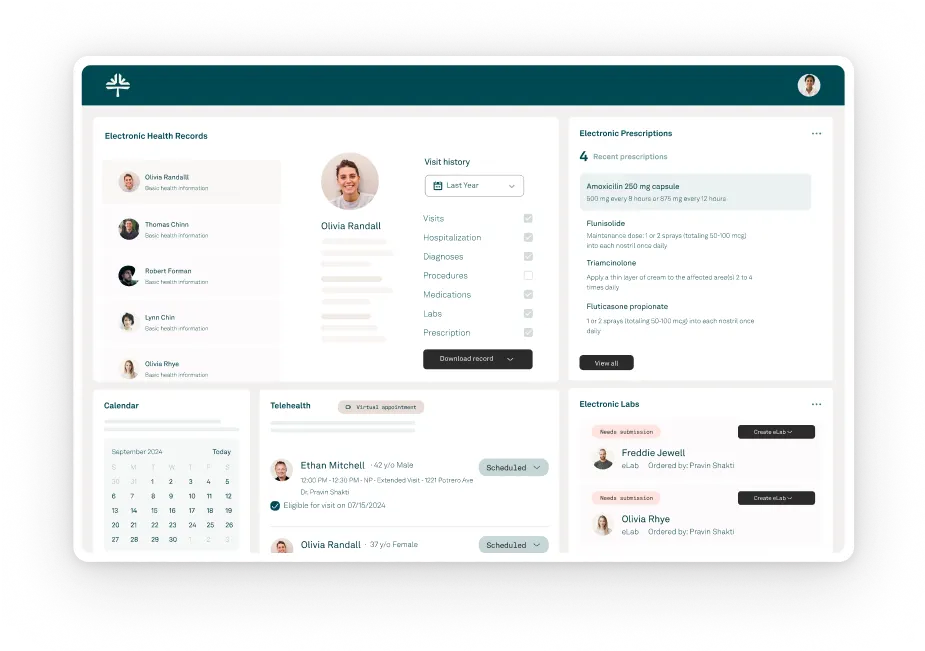
What is Tebra?
Tebra is an all-in-one healthcare platform formed from the merger of Kareo and PatientPop. It combines medical scheduling, EHR, billing, and patient engagement tools into one system. Built specifically for independent practices and growing clinics, Tebra’s scheduling features help manage appointments across providers and locations while also boosting online visibility and new patient bookings.
Key Features of Tebra
- Online self-scheduling: Patients can book appointments directly through your website, with filters for visit type, provider, and availability.
- Multi-provider calendar management: View and manage multiple schedules from a unified dashboard, reducing scheduling conflicts.
- Automated reminders: Sends appointment confirmations and reminders via text, email, or phone call.
- Telehealth integration: Tebra includes built-in support for virtual visits through Kareo Telehealth.
Tebra Pros
- All-in-one platform: Combines EHR, scheduling, and marketing tools in one place.
- Good online presence tools: Helps clinics improve visibility and reputation online.
- Customisable rules: Offers filters for visit types, new vs returning patients, and more.
- Website integration: Allows scheduling directly from the practice’s site.
Tebra Cons
- Higher cost: Pricing can be expensive for small clinics when bundled with other modules.
- Learning curve: Some users find the interface less intuitive, especially for first-time users.
- Occasional sync issues: Some reports of lag between calendar and system updates.
Tebra Pricing
Custom pricing based on clinic size and feature needs.
Tebra Ratings
- Capterra: 3.9/5
- G2: 4.0/5
Tebra Customer Reviews
“Cost. The application can be costly when you begin to grow your practice and add providers.”
EMR – each part of saop in a separate box, the template is very hard to work with PM software – financials esp with patients with more then one insurance gets confusing.”
Source: Capterra
Tebra Support Channels
- Support center with ticketing
- Help articles and user documentation
- Chat support
- Phone support
6. Weave

What is Weave?
Weave is a patient communication and scheduling platform built for healthcare practices. It offers online booking, smart reminders, two-way texting, and phone system features in one unified solution. Weave aims to streamline patient engagement while reducing no-shows and missed calls.
Key Features of Weave
- Online appointment scheduling: Patients can easily book available time slots online.
- Two-way texting: Chat with patients in real time for confirmations or rescheduling.
- Integrated VoIP system: Manage calls and appointments from the same platform.
- Automated reminders: Send out reminders via text, email, or voice.
Weave Pros
- Unified communication: Combines texting, calling, and scheduling in one place.
- Great for small clinics: Easy to use and set up with minimal IT support.
- Time-saving tools: Automations reduce phone time for staff.
- Modern interface: Clean design that’s friendly for both staff and patients.
Weave Cons
- Limited EHR integrations: Doesn’t sync natively with all practice systems.
- Price can rise: Additional features and users may increase monthly costs.
- Requires good internet: VoIP features depend on strong internet connectivity.
Weave Pricing
Starts around $125–$200/month. Pricing varies by feature set and number of users.
Weave Ratings
- Capterra: 4.3/5
- G2: 4.2/5
Weave Customer Reviews
“The customer support is lacking and the fact when you have a problem and there is no manager to talk to is not helpful.”
“I don’t love that it does not directly attach to the medical record.”
Source: Capterra
Weave Support Channels
- Phone and chat support
- Email help desk
- Training articles and tutorials are available in the support hub
7. CureMD
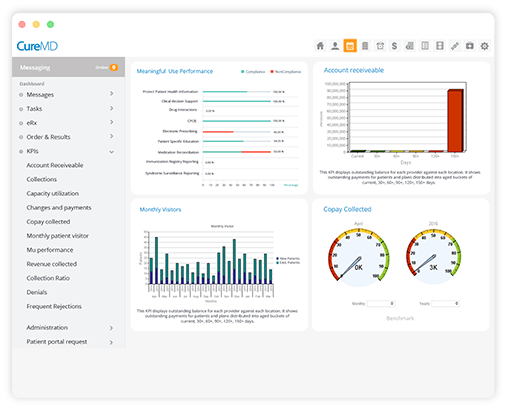
What is CureMD?
CureMD is a cloud-based EHR and practice management platform with robust medical scheduling capabilities. It’s designed for clinics, hospitals, and specialty practices that want to streamline appointment booking, patient flow, and resource allocation. CureMD’s scheduler is tightly integrated with its EHR and billing modules.
Key Features of CureMD
- Smart appointment scheduling: Book visits by provider, location, or service type.
- Integrated patient portal: Lets patients request appointments and view availability.
- Automated reminders: Sends confirmations and alerts via SMS, email, or call.
- Multi-location calendar: Manage provider schedules across offices in one view.
CureMD Pros
- End-to-end solution: Combines scheduling, EHR, and billing in one system.
- Strong speciality support: Works well for internal medicine, cardiology, pediatrics, and more.
- Role-based access: Staff see only what they need, improving data security.
- Claims and billing link: Syncs appointments to claims workflow for fewer errors.
CureMD Cons
- Interface feels dated: Some users report a less modern UI compared to newer tools.
- Setup can be complex: Onboarding takes time due to the all-in-one structure.
- Support wait times: Help desk response can be slow during peak hours.
CureMD Pricing
Plans start at $195 per month per user.
CureMD Ratings
- Capterra: 3.6/5
- G2: 3.5/5
CureMD Customer Reviews
“Technical glitches are harder to avoid at times. Customer service could also be better.”
“The service I recieved was subpar. The people dealing with my account could barely speak english. I was lied to while signing the contact, and had to pay 8,500 because I optioned not to use their service. I asked specifically about this issue and was lied to, do not use this company, they are aweful”
Source: Capterra
CureMD Support Channels
- Phone support
- Online help center
- Video training
- Ticket-based support via dashboard
8. Klara

What is Klara?
Klara is a HIPAA-compliant patient communication tool with smart scheduling capabilities built for medical offices. It focuses on simplifying patient interactions using two-way texting, online appointment requests, and team collaboration. It’s particularly popular with practices looking for seamless communication during scheduling.
Key Features of Klara
- Online appointment requests: Patients can submit preferred times via mobile or web.
- Team inbox and tagging: Route scheduling requests to the right staff automatically.
- Secure messaging: Communicate with patients in a HIPAA-compliant environment.
- EHR integrations: Works with systems like Athenahealth and Greenway Health.
Klara Pros
- Easy patient messaging: Reduces call volumes with efficient texting.
- Smooth intake flow: Gather info before scheduling via forms and chat.
- Works with your EHR: Supports major platforms to sync appointments.
- Shared team access: Everyone stays informed with real-time updates.
Klara Cons
- No self-scheduling yet: Patients can request appointments, but not directly book.
- Learning curve for tags: The workflow tagging system can take some time to master.
- Limited customisation: Fewer options to configure scheduling workflows.
Klara Pricing
Custom pricing, which is typically bundled with communication tools.
Klara Ratings
- Capterra: 4.6/5
- G2: 4.5/5
Klara Customer Reviews
“The video conferencing doesn’t support multiple service recipients (clients) at the same, such as for group sessions.”
“Intake, system errors, speed of support issues.”
Source: Capterra
Klara Support Channels
- Chat support
- Help docs and onboarding tutorials
- Account manager support for practices
9. DoctorConnect
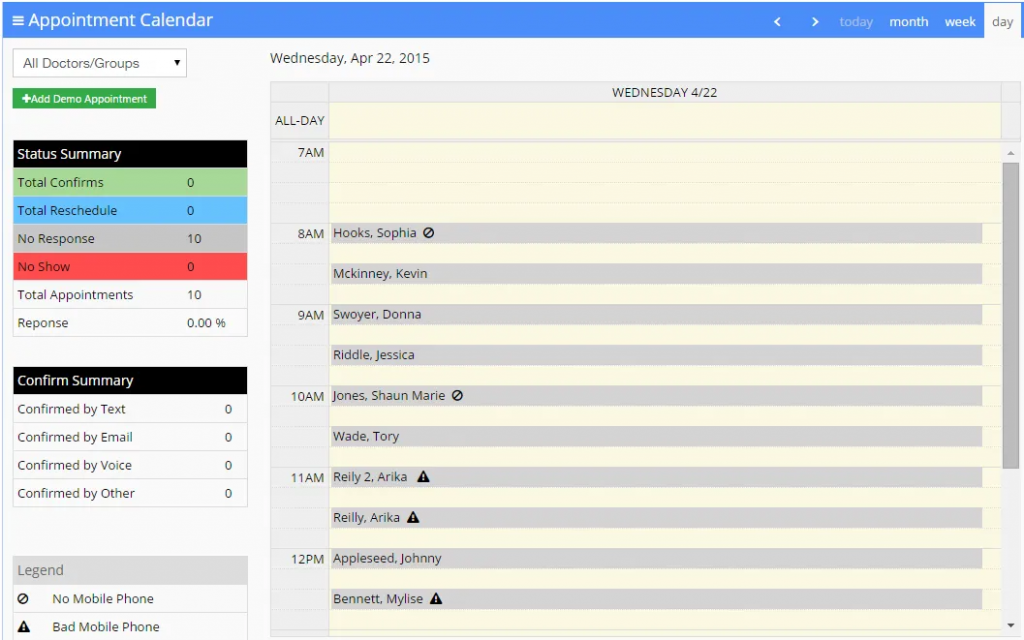
What is DoctorConnect?
DoctorConnect is a patient communication and scheduling software tailored for medical offices. It helps automate appointment confirmations, send reminders, manage waitlists, and streamline follow-ups. The platform is ideal for clinics looking to reduce no-shows and improve patient engagement without adding administrative overhead.
Key Features of DoctorConnect
- Appointment reminders and confirmations: Sends automated texts, calls, and emails to patients.
- Online scheduling interface: Lets patients book and reschedule appointments easily.
- Recall and follow-up messaging: Automates patient outreach for routine or overdue visits.
- Waitlist and cancellation management: Fills open slots by notifying patients on a waitlist.
DoctorConnect Pros
- Reduces admin burden: Automates daily communication tasks so staff can focus elsewhere.
- Easy to use: Designed for medical staff with simple setup and navigation.
- High patient engagement: Two-way messaging increases response rates.
- Robust reminder system: Multiple touchpoints help minimise no-shows.
DoctorConnect Cons
- Limited design customisation: Interface options can feel rigid for some users.
- No built-in EHR: Requires external system for full clinical integration.
DoctorConnect Pricing
Plans start at $210 per user per month. Custom pricing will apply for tailored plans.
DoctorConnect Ratings
- Capterra: 4.7/5
- G2: 4.6/5
DoctorConnect Customer Reviews
“Difficult to integrate with our current software system making more work.”
“Did not integrate into my existing EHR, though the Sales Rep assured me it would. I have had the software for 3 days and never used it. The sales rep refuses to issue a refund. He states I am locked in a 1 year contract.”
Source: Capterra
DoctorConnect Support Channels
- Phone support
- Live chat on website
- Help center with tutorials and guides
10. SimplyBook.me
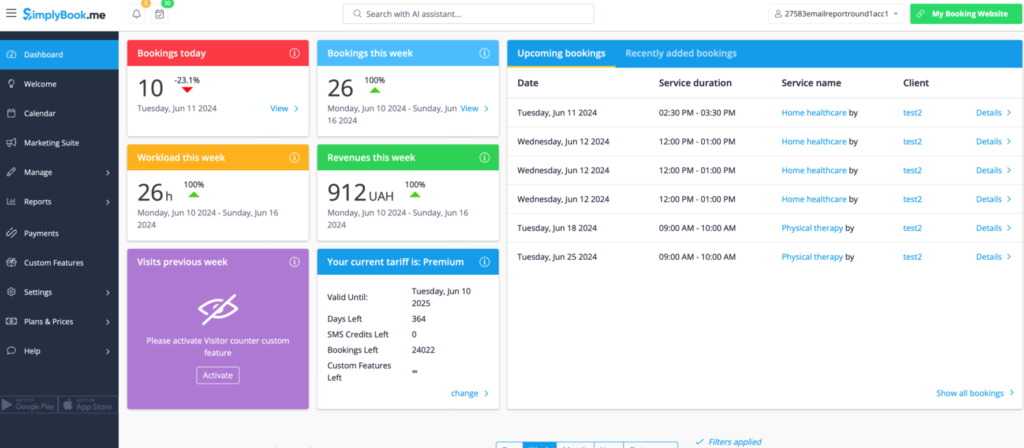
What is SimplyBook.me?
SimplyBook.me is an online booking platform that supports medical offices, wellness centers, and solo healthcare providers. It provides customisable scheduling tools, HIPAA-compliant setup, and marketing features, making it a versatile pick for small clinics and independent professionals.
Key Features of SimplyBook.me
- HIPAA-compliant scheduling: Secure booking and data handling for medical practices.
- Online patient self-booking: Easy booking through website, social media, or patient portal.
- Customisable booking rules: Control availability, time buffers, and approval settings.
- Payment and intake form integration: Collect fees or patient data during booking.
SimplyBook.me Pros
- Highly flexible platform: Adapts to different medical specialties and workflows.
- Great for solo providers: Ideal for small practices or mobile clinics.
- Integrated payments: Accepts payments at the time of booking if needed.
- Marketing-friendly features: Includes reviews, gift cards, and service promotions.
SimplyBook.me Cons
- Can be complex at first: Setup may take time for users new to booking platforms.
- Support limitations on lower tiers: Some support features are locked behind higher plans.
SimplyBook.me Pricing
Free plan available with basic features. Paid plans start at $9.90/month and scale based on bookings and users.
SimplyBook.me Ratings
- Capterra: 4.6/5
- G2: 4.5/5
SimplyBook.me Customer Reviews
“Frustrating to not receive decent service when the app doesn’t work properly.”
“I don’t like that I can’t over-book myself as an administrator, I think some of the options that you have to pay extra to use or choose as a feature are a little pedantic and could be included in the overall price, such as add-ons for services.”
Source: Capterra
SimplyBook.me Support Channels
- Live chat support
- Help center and knowledge base
Why Emitrr Is the Best Scheduling Software for Medical Offices
Emitrr is built to take the everyday pressure off your front desk and give patients a smoother way to book care. From reminders to real-time updates, here’s how it supports your practice behind the scenes:
- Online booking that works 24/7: Patients can book appointments anytime, even after clinic hours. That means fewer phone calls and more self-scheduled visits.
- Smart reminders and confirmations: Reduce no-shows with smart reminders via text, email, or voice, all automatically triggered and easy to customise.
- HIPAA-compliant scheduling and messaging: Every appointment, message, and patient interaction stays secure and compliant with healthcare regulations.
- Real-time calendar updates and staff visibility: Whether you’re a solo provider or a large clinic, Emitrr keeps everyone in sync with live calendar views and instant updates.
- Waitlist and cancellation fill-ins: When a patient cancels, Emitrr can automatically notify others on your waitlist, helping you fill gaps and avoid downtime.
- EHR and tool integrations: Easily sync appointments with your EHR, form tools, or telehealth platforms. No more double entry or jumping between systems.
- Multi-location and multi-provider support: Manage multiple clinics, provider schedules, and room availability, all from one central dashboard.
- Two-way texting with patients: Send quick reminders, answer patient questions, or handle reschedules directly through secure messaging, no separate platform needed.
- Custom scheduling rules: Set time buffers, appointment types, provider-specific slots, or recurring visits. This makes the schedule fit your actual workflow.
- Clear, user-friendly interface: Your staff won’t need extra training. Emitrr’s dashboard is built for real-world front desk use – simple, intuitive, and fast.
- Smart analytics and appointment trends: Get data on no-shows, booking times, or peak hours, so you can plan smarter and optimise provider availability.
- Fair pricing: Whether you’re just starting out or scaling up, Emitrr grows with you, no hidden fees or forced commitments.
- Responsive customer support: Emitrr’s support team is quick to address queries. Whether it’s onboarding or troubleshooting, help is available 24/7 across phone, chat, or email.
Emitrr isn’t just a scheduling software. It provides complete scheduling and communication solutions tailored for the way medical offices actually run. This can help you save time, reduce gaps, and give patients the smooth experience they expect.
FAQs
The biggest perk is time saved. Your front desk won’t be tied up with phone calls all day, and patients can book appointments anytime they want. It also helps reduce no-shows and keeps your day running smoother.
It’s actually pretty simple. You sign up, enter your office hours and services, and set a few preferences. Emitrr’s team can guide you through setup, and once you’re live, it runs quietly in the background, like a digital receptionist.
Most reputable scheduling software such as Emitrr is designed with patient confidentiality in mind, adhering to HIPAA regulations. This ensures that patient information is securely stored, accessed only by authorized personnel, and transmitted safely.
Conclusion
Running a busy medical office means juggling a lot. But your schedule doesn’t have to be one of the stressful parts. The right scheduling software helps you cut down on phone calls, avoid double-bookings, and keep your calendar full. Patients get better access. Your team gets more breathing room. And your day runs more predictably.
Emitrr was built with all of this in mind. It works like a digital assistant, helping your practice stay on schedule without needing constant oversight. Whether you’re a solo provider or running a multi-site clinic, it adapts to your workflow, saves hours every week, and helps your team deliver care more confidently.
Want to see what a smarter, stress-free scheduling setup looks like? Book a free demo with Emitrr and experience it firsthand!