
 4.9 (400+
reviews)
4.9 (400+
reviews)
Introduction to Texting for Pediatricians
Running a pediatric clinic is more than just appointments and check-ups. It’s a constant stream of communication – calls, voicemails, follow-ups, form requests, and those last-minute parent questions. Now, imagine if most of that could be handled through text. That’s exactly what modern patient text messaging services are built for. Whether you’re dealing with a worried new parent, reminding someone about a vaccine, or coordinating with a school nurse, texting gets the job done faster.
In recent years, texting in healthcare has become the go-to channel for practices of all sizes. And pediatricians, more than most, benefit from this shift. Parents are busy. Phone calls are missed. Portals are rarely checked. But texts? They’re opened almost instantly.
This guide will walk you through why texting matters for pediatric clinics, the benefits, the common use cases, how to stay HIPAA-compliant, and how tools like Emitrr can make your workflow easier, smoother, and far more parent-friendly.
Why Texting Matters in Pediatric Practices
Texting isn’t just a tech upgrade. It’s a communication shift that fits how modern families live and how pediatric clinics actually work.
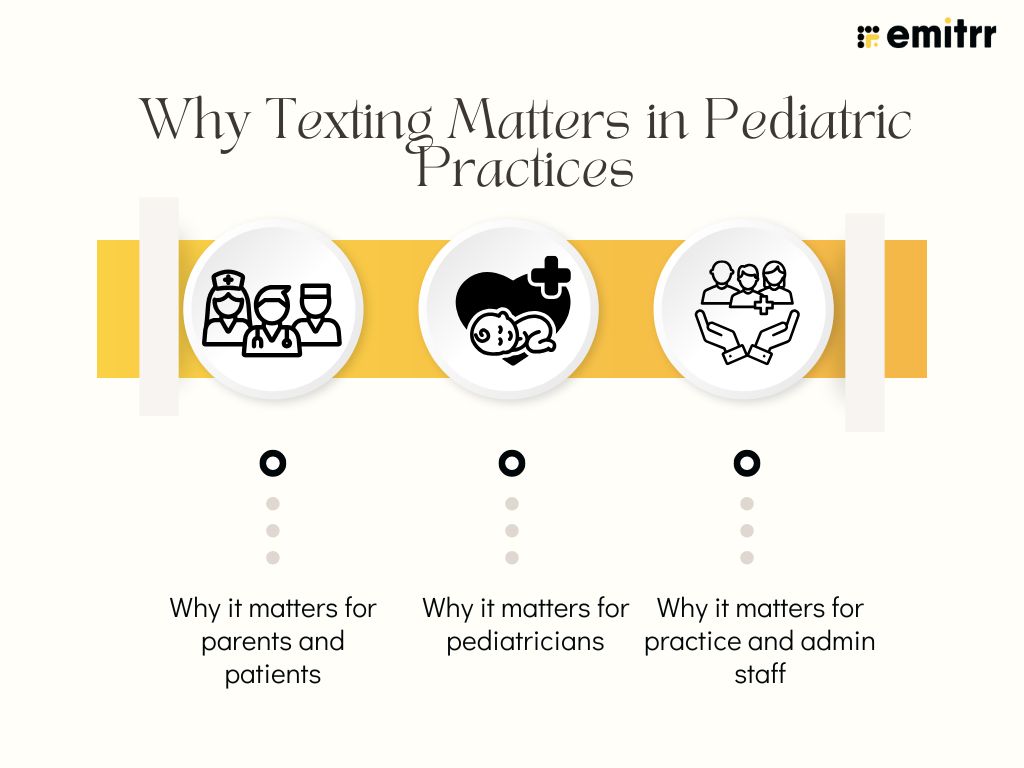
Why it matters for parents and patients
Parents today are juggling a hundred things – work, school drop-offs, groceries, and more. When their child needs to see a doctor, they don’t want to be stuck waiting on hold. Texting offers instant, direct communication that fits their lifestyle. With pediatrics online options rising, families now expect that level of ease in every interaction. A quick “Yes, 4 PM works” reply is far simpler than calling the front desk or navigating a portal.
Texting also puts anxious parents at ease. Got a newborn with a rash? Or a toddler who missed a vaccine? Being able to send a quick message and hear back fast means everything to a parent. It gives them peace of mind. And a bit of control when things feel hectic. Kids may not care how the appointment gets booked, but parents appreciate smooth, fast answers. It helps build trust in your clinic. And for younger patients, texting means fewer misunderstandings and clearer instructions shared with caregivers.
Why it matters for pediatricians
For pediatricians, communication is constant. Between appointments, charting, refills, and parent queries, the phone just keeps ringing. But here’s the thing: most of those calls don’t need to be calls. They can be short, clear texts. HIPAA compliant texting for pediatricians allow them to respond quickly, delegate to staff, or even set up automated replies. It creates breathing room without compromising care.
Using a secure system like HIPAA compliant texting with patients ensures you can communicate safely, too. No more chasing voicemails or getting stuck in phone tag. You can just send a quick reminder about vaccines, reply to a refill question, or answer a non-urgent concern, without it taking over your day. It’s less stress for you and more time to focus on care, not admin. When used well, texting is a tool that works for both you and your patients.
Why it matters for practice and admin staff
Let’s be honest, your front desk staff are often overwhelmed. The phone rings nonstop. There are forms to process, appointments to confirm, and parents asking the same questions repeatedly. That’s where healthcare text messaging really shines. Texting makes routine work quicker and simpler. Your team can reply when they’re free instead of rushing to grab every call.
Sending 20 reminders by text takes a minute, way easier than making 20 calls! And when a parent replies with a quick “Yes” or “No,” scheduling gets done without the back and forth. It also helps avoid misunderstandings, especially for multilingual families who might prefer written instructions. Admin teams love texting because it lowers stress and improves productivity. It frees them up to handle in-person needs better and deliver a smoother experience at the front desk.

Benefits of Texting for Pediatricians
Here’s how a texting platform can help your pediatric practice:
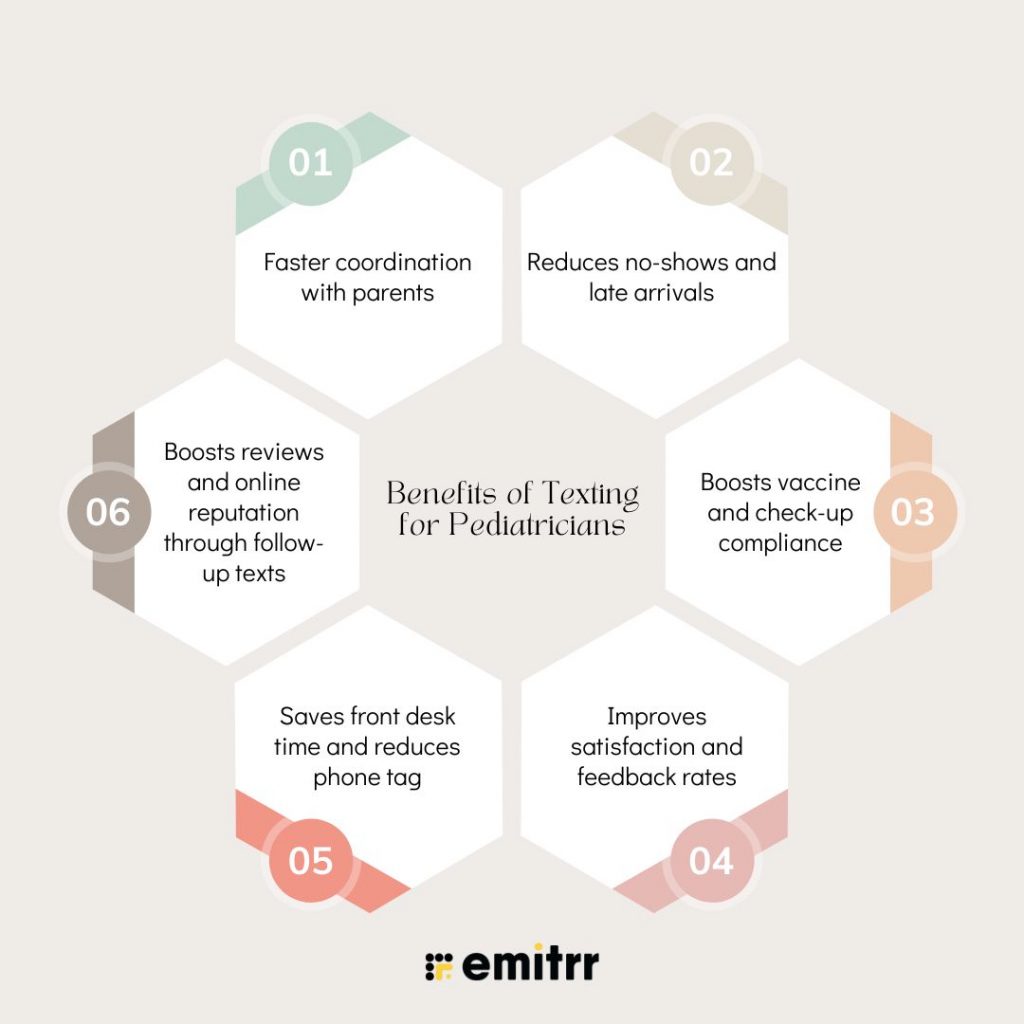
Faster coordination with parents
Clinic schedules can be unpredictable. A parent might be running late, a slot may suddenly open up, or a school nurse may call in a concern. In these moments, texting helps you move quickly. It’s much faster than calling, especially when parents can’t answer the phone during work or errands. Texting lets you confirm, reschedule, or follow up without the back-and-forth delays.
Many clinics now rely on a HIPAA compliant texting to patients platform to ensure these exchanges are safe and secure. It’s speed without compromise, and that’s what pediatric care often needs.
Reduces no-shows and late arrivals
Missed appointments affect every single one. The child doesn’t get care, your team loses time, and the schedule gets thrown off. Many no-shows simply happen because parents forget. But a well-timed reminder, sent via text, can solve that. Most parents check their phones constantly, so sending a message a day before and again on the morning of the visit greatly increases attendance.
Using a texting practice platform that automates reminders takes pressure off your front desk too. You don’t have to chase patients manually. Just schedule your texts and let the system do the rest. Some tools even allow parents to confirm or cancel with a tap. This helps you adjust your schedule and refill open slots if needed. Over time, it leads to a smoother, more predictable clinic day.
Boosts vaccine and check-up compliance
Routine immunisations and well-child visits are critical in pediatrics. But parents often forget when they’re due. A simple text reminder can prompt action. Many clinics now use texting to send alerts when a vaccine is upcoming or overdue. This improves public health and ensures your young patients are protected.
With tools like HIPAA compliant text messaging app, you can even set up automated campaigns. For example, a reminder can go out at 11 months for the 12-month check-up, or one month before a flu shot clinic. The easier it is for parents to stay on track, the more likely they are to show up. It’s proactive care made effortless. Texting keeps your clinic in sync with your patients’ needs.
Improves satisfaction and feedback rates
Parents appreciate convenience. And when a practice communicates well, especially through channels parents prefer, it builds loyalty. Texting allows you to follow up after visits, check if things went smoothly, and even ask for feedback. These short exchanges go a long way in making families feel cared for.
You can also use HIPAA compliant text messaging app to send post-visit surveys or satisfaction check-ins. These messages not only show you value patient input, but also uncover areas for improvement. It’s a win-win. Happy parents are more likely to return, refer others, and speak positively about your clinic. Texting helps you build stronger relationships, one message at a time!
Saves front desk time and reduces phone tag
Your front desk handles dozens of calls a day. Many of these are repetitive, “When is my appointment?”, “Can I get the school form?”, “Do you have flu shots today?” is the kind of queries that take up time but doesn’t require a live conversation. Texting answers these quickly and reduces call volume.
With a good healthcare text messaging system, your team can use pre-written templates for common questions. You can also automate things like check-in messages or form reminders. This keeps your phone lines open for urgent calls. Staff feel less overwhelmed and more in control of their day. It’s like having a smart assistant handle all the busywork in the background.
Boosts reviews and online reputation through follow-up texts
Today’s patients and parents check reviews before choosing a doctor. And the best time to ask for a review? Right after a good visit. A follow-up text with a review link sent via HIPAA compliant text messaging app makes it easy for happy families to share their experience. It only takes a few seconds and can boost your ratings significantly over time.
Platforms offering HIPAA compliant text messaging to patients allow you to send these requests securely. You can target those who had positive visits and avoid spamming others. It’s subtle, thoughtful, and effective. Many practices have doubled or tripled their online reviews just by using texting this way. And with more visibility comes more trust from new families exploring your clinic.
Use Cases of Texting in Pediatric Practices
Here’s where and how a quick text can make a big difference to your pediatric clinic:
Appointment reminders and confirmations
Appointment reminders are the most common use of texting, and for good reason. A quick reminder the day before (and a follow-up a few hours ahead) can dramatically reduce no-shows. Parents are constantly multitasking and might forget an appointment they booked weeks ago. A simple “Your child’s appointment is tomorrow at 3 PM” helps keep things on track.
HIPAA compliant text messaging app also makes it easy for parents to confirm with just a “Yes” or “No.” No calls, no hold music, just one tap. Most HIPAA compliant texting app allow you to automate this process, saving your front desk time. Confirmed appointments help clinics run more efficiently. It also gives you time to fill any last-minute cancellations by reaching out to waitlisted patients. Everyone wins.
After-hours questions from new parents
New parents are often anxious, especially during the first year. They may have questions that feel urgent to them, even if they’re medically routine. Instead of letting these concerns turn into stress or late-night phone calls, HIPAA compliant text messages gives them a softer, more manageable option. Some systems act like an online pediatrician 24/7, by offering auto-replies to reassure parents after hours.
Let’s say a parent texts about a mild fever at 8 PM. A quick auto-reply might say, “Thanks for reaching out. A provider will contact you in the morning. If urgent, please visit urgent care or call 911.” That response alone can bring relief. Texting reduces unnecessary panic and also cuts down on calls to your on-call staff. It’s about balancing care with boundaries.
Same-day waitlist fills via bulk text
Same-day cancellations are frustrating, but they’re also an opportunity. With bulk texting, you can instantly notify waitlisted families of an open slot. Many texting in healthcare tools let you create a list and send one message to all parents waiting for an earlier appointment. Whoever replies first can claim the slot.
It’s efficient, fast, and keeps your schedule full. And for families eager to be seen sooner, it feels like VIP treatment. No more calling down the list one by one. Bulk HIPAA compliant text messages help you manage demand smartly and turn empty spots into booked visits. This makes a big difference, especially during flu season or back-to-school physicals.
Pre-visit screening for seasonal contagious symptoms
During cold and flu season or times of outbreaks screening becomes essential. HIPAA compliant text messages let you ask basic questions before a child shows up at the clinic. You might send: “Has your child had fever, cough, or vomiting in the last 24 hours?” Parents can reply quickly, allowing your team to decide whether a visit should be delayed or moved to a sick room.
This helps protect other patients and your staff. It’s especially helpful during RSV waves or COVID flare-ups. Platforms offering hipaa compliant secure text messaging to patients can store these replies securely in your system. This kind of proactive screening improves safety and shows parents that your clinic takes infection control seriously.
Medication instructions and refill reminders
Clear medication instructions are vital, especially when dosing varies by age or weight. Texting allows you to reinforce what was said in the exam room. For example, “Call us if fever persists beyond 48 hours.” That kind of follow-up prevents confusion later.
You can also remind parents when it’s time for a refill or renewal. This is especially helpful for kids on ADHD medication or asthma inhalers. Using healthcare texting tools, you can automate these reminders based on prescription schedules. It saves staff time and ensures consistent treatment. Parents feel supported beyond the visit.
Managing school health forms and physical reminders
School and camp forms are a yearly ritual in pediatrics. But often, parents wait until the last minute. A reminder text in early summer or just before the school year starts can make a big difference like – “Need a school or sports physical form? Schedule your child’s check-up today.” That little nudge fills your schedule and helps families avoid a scramble.
You can also send digital links or pickup instructions via text. Parents love that they don’t have to call or come in unnecessarily. And your staff avoids chasing paperwork or fielding panicked calls the day before school starts. It’s one of those admin headaches that texting handles beautifully.
Coordinating care with specialists or therapists
Sometimes your patient needs to see a speech therapist, occupational therapist, or specialist. Parents often get overwhelmed by referrals and forget follow-through. Texting helps you stay in the loop. A short message like, “Don’t forget to book the ENT consultation. Let us know if you need help,” keeps things moving.
It’s also useful for follow-ups. These small check-ins matter. With the right texting practice tool, you can even track replies or schedule nudges automatically. It’s better continuity of care without making more calls. Parents feel like you haven’t forgotten about them, even weeks after the visit.
Notifying families of test results or normal labs
No one likes waiting for lab results, especially when it involves their child. But calling each family one by one takes time. If the results are normal, a quick text works great: “Your child’s lab results came back normal. No further action needed.” Parents feel informed and reassured.
This avoids unnecessary worry and reduces call volume. If results are abnormal, you can still text: “Please call us about your child’s bloodwork.” That flags urgency while keeping things private. Tools that support HIPPA-compliant texting for Pediatricians help make this safe, compliant, and stress-free for your team. It’s a modern way to keep parents in the loop.
Reducing no-shows during summer or school breaks
Summer break often leads to schedule chaos. Families forget appointments, travel plans pop up, and routines go out the window. But this is also a prime time for check-ups, sports physicals, and vaccines. Sending reminder texts a few days in advance helps avoid surprises. You can also use HIPAA compliant text messages to confirm travel dates and suggest alternate slots.
Some clinics send a friendly summer message like: “Planning a trip? Reschedule your appointment now and avoid last-minute conflicts.” This keeps your calendar full and parents happy. HIPAA compliant secure text messaging gives you flexibility in handling cancellations and filling open times. It’s a must-have during peak seasonal shifts.
Challenges of Texting for Pediatricians
Texting has huge benefits, but only when it’s done right. Let’s look at a few challenges pediatric clinics need to watch for.
Maintaining HIPAA compliance
One of the biggest concerns around text messaging in healthcare is patient privacy and SMS compliance. pediatric clinics are responsible for protecting sensitive information under HIPAA rules. That means you can’t just text lab results or patient details using your regular phone number. All communication must be secure and compliant. This is where a proper HIPAA compliant texting with patients platform comes in.
These tools use encryption, access controls, and audit logs to protect data. They also offer consent features, so you can document when a parent agrees to receive messages. Without this, your clinic risks legal trouble, even if the intent is good. It’s not about avoiding texting, it’s about doing it right. Pediatricians must be especially careful since many texts involve minors. A secure system ensures both compliance and peace of mind.
Managing replies and message overload
Texting is convenient, but it can get overwhelming quickly. Once parents know they can message the clinic, some may start overusing it. Your inbox fills up fast, and suddenly your staff is buried in replies. Without a good system in place, things can fall through the cracks. That’s why it’s important to use a patient texting tool with a shared inbox and triaging features.
Some platforms let you assign messages to team members or tag them for follow-up. Others offer auto-replies for common questions to reduce manual work. Setting clear expectations, like reply windows or message limits also helps. Texting should support your workflow, not add chaos to it. With the right structure, you can keep things under control while still being responsive.
Perceived spam and opt-out risks
No parent wants to feel like they’re getting spammed by their child’s doctor. If your texts are too frequent, too generic, or sent at odd hours, parents may opt out entirely. And once they opt out, you lose a key communication channel. That’s why timing and tone matter. Messages should feel helpful, not promotional.
It also helps to personalise where possible, use names, reference specific visits, and stay relevant. A good HIPAA-compliant texting app for Pediatricians lets you manage opt-ins easily. You can also track delivery and engagement rates to see what’s working. The goal is to be informative, not intrusive. When texts are used thoughtfully, parents are much more likely to stay engaged.
Handling multilingual patient base
In diverse communities, not all parents are fluent in English. If your messages don’t reflect that, they may be misunderstood or ignored. Some clinics try to manually translate texts, but that takes time and invites mistakes. Instead, look for a HIPAA compliant texting app that supports multilingual templates.
This lets you send the same reminder or instruction in a parent’s preferred language. It shows cultural sensitivity and improves care. It’s especially helpful for medication instructions, form requests, or screening questions. Multilingual texting builds trust and ensures important info isn’t lost in translation. It’s a small effort that makes a big difference in how families experience your clinic.
Juggling group messages without breaking privacy
Sometimes you need to message multiple caregivers about a child, like both parents, a grandparent, or even a school nurse. But group texting can create privacy concerns. You can’t reveal sensitive health info to someone who isn’t authorised. And if you accidentally include multiple recipients in a single message thread, it could be a HIPAA violation.
This is where a specialised HIPAA texting platform helps. It allows separate threads for each caregiver, while keeping all records tied to the same patient profile. You can also set permissions to control who sees what. It keeps communication clean and compliant. Always treat group messaging with care, it’s easy to slip up if you’re not using the right tools.
Communicating with multiple caregivers
In pediatrics, it’s common to deal with more than one decision-maker. Sometimes parents are divorced, other times one parent handles medical care while the other manages scheduling. Texting makes it easier to stay in touch with both, if done properly. But it also means more coordination, especially when preferences or instructions differ.
The key is to have a clear record of who’s authorised and what their role is. A HIPAA texting platform should let you store this info and manage communication channels accordingly. You can even tag messages by caregiver, so the team knows who said what. This avoids confusion and keeps everyone on the same page. It’s about communication with clarity, not just convenience.
Not all EHRs support SMS integration
Many clinics want their texting system to sync with their EHR, but not all EHRs offer that capability. This creates a manual gap where staff must copy and paste notes, or log messages separately. It’s inefficient and increases the risk of missed updates. A good texting in healthcare platform should offer integrations, or at least export options.
Emitrr, for example, integrates with over 500 systems, making it easier to keep everything connected. If your EHR doesn’t support direct SMS, you’ll need a texting tool that still keeps records aligned. Integration makes workflows smoother and reduces double work. It’s not essential to start with, but becomes more important as you scale your texting strategy.
Best Practices for Pediatric Text Messaging
If you want texting to really work for your clinic and your patients, a few small habits can go a long way. Here’s what matters most:
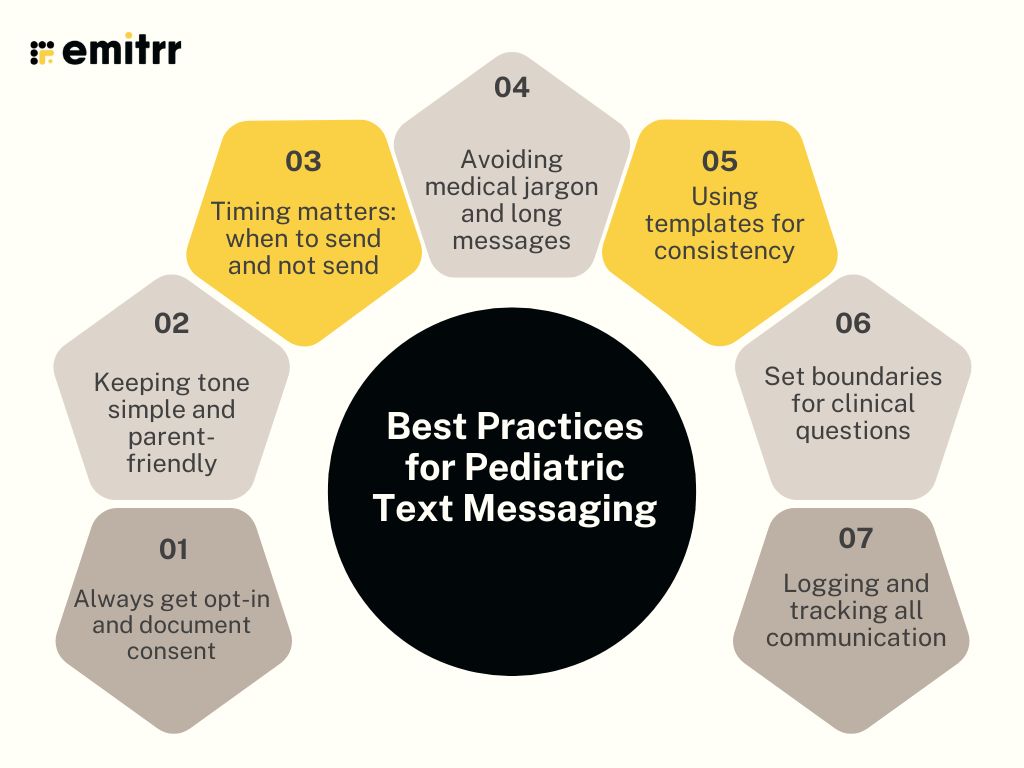
Always get opt-in and document consent
Before you text any parent, it’s important to get their permission. This is not just a polite gesture, it’s a legal requirement under HIPAA. Whether you collect it during intake, through your website, or on a paper form, make sure you have written proof of their consent. Most HIPAA compliant texting with patients platforms help you track and store these consents easily.
It’s also smart to let parents know what kinds of messages they’ll receive. For example, appointment reminders, vaccine alerts, or school form notices. Clear expectations help reduce confusion and prevent opt-outs later. You might even include a short note like, “We’ll text you about appointments and reminders, reply STOP at any time.” When parents know the why, they’re much more likely to stay subscribed.
Keeping tone simple and parent-friendly
Your patients are children, but your messages go to adults, usually busy, overwhelmed ones. That’s why your tone needs to be friendly, casual, and to the point. Avoid using medical jargon or overly formal language. Instead of saying, “Your child’s annual wellness visit is due,” try, “Time for [Name]’s check-up! Click here to schedule.”
Short sentences, clear instructions, and a warm tone work best. Many parents are reading these texts on the go, between school drop-offs or work calls. Simple language makes sure your message is read and understood quickly. Your tone reflects your practice. A thoughtful text makes families feel like they’re in caring hands, not a corporate system.
Timing matters: when to send and not send
HIPAA-compliant texting for Pediatricians works best when it respects a parent’s daily rhythm. Sending a reminder at 10 PM might get you an opt-out instead of a reply. Aim to send appointment texts during the day, early morning or early afternoon usually works best. Vaccine alerts or follow-ups can go out mid-morning, when parents are more likely to have time to act on them.
Avoid weekends and holidays unless it’s something urgent. HIPAA compliant texting solutions may let you schedule messages in advance, so you can plan wisely. Also, be mindful of different time zones if your clinic serves a wider area. When texts arrive at the right moment, they feel helpful. When mistimed, they feel intrusive.
Avoiding medical jargon and long messages
Parents are not medical professionals. So avoid using terms that need a Google search to understand. Instead of “otitis media,” just say “ear infection.” Break complex instructions into simple steps. Use everyday language like “fever,” “dose,” “pickup,” and “check-up.”
Also, try to keep texts under 160 characters when possible. Long texts get cut off on some phones or overlooked entirely. If more detail is needed, include a short message and link them to a secure patient portal or call back. Brevity matters in healthcare text messaging. Your goal is clarity, not complexity.
Using templates for consistency
Templates help you save time and stay consistent. Your front desk team doesn’t have to retype the same message over and over. Whether it’s a no-show follow-up, school form reminder, or flu shot invite, having pre-written messages speeds things up. Most patient text messaging service tools come with SMS template libraries you can customise.
Templates also reduce mistakes, no misspelled names or forgotten dates. And they help you keep your tone and phrasing uniform, even when different staff members are sending texts. It’s a good idea to review your templates every few months and update them as needed. A well-written text shows professionalism and care.
Set boundaries for clinical questions
Texting makes it easy for parents to ask questions, but not all questions should be answered over text. If a parent texts, “My child has a rash, what should I do?” you may need to redirect them to a call or appointment. Use texting for scheduling, reminders, forms, and general info. Avoid diagnosing or giving medical advice over text unless your system supports it securely.
Let parents know what types of messages are okay and which ones are not. A HIPPA texting platform can help by offering auto-replies or routing protocols. For example: “Thanks for your message! For clinical questions, please call us at [number].” This keeps communication safe, legal, and manageable.
Logging and tracking all communication
Every text you send or receive should be documented. Not only does this help with continuity of care, but it also protects your clinic in case of disputes. If a parent says, “No one told me,” you can check the record and confirm what was sent. Good texting in healthcare platforms log all messages automatically with time stamps and sender info.
This is especially helpful when multiple team members are involved in a conversation. You can also export records for audits or patient files. Avoid using personal phones or platforms like WhatsApp for clinic communication, it’s hard to track and not compliant. Proper documentation is part of good medicine, even in short text messages.
How to Set Up SMS for Pediatricians Using Emitrr
Setting up SMS in your pediatric clinic doesn’t have to be technical or time-consuming. Emitrr makes the process smooth even if your team isn’t tech-savvy. Here’s a simple step-by-step guide:
Step 1: Choose your clinic number
First, Emitrr helps you set up a texting number. You can either use your existing clinic number or get a new one. Most practices prefer keeping the same number so patients don’t get confused. Emitrr can text-enable your current phone line, which means you don’t have to manage multiple numbers. This number will be used for all appointment reminders, follow-ups, and other texts. Once active, it becomes your primary channel for patient communication.
Step 2: Set up your inbox and permissions
Emitrr’s HIPAA text messaging app gives you a shared inbox where your whole team can view and manage texts. You can assign conversations to specific staff, mark them as resolved, or set follow-up reminders. It’s perfect for busy clinics where multiple people handle communication. You can also manage who has access to what, so sensitive conversations are only visible to relevant staff.
Step 3: Import your patient list
You can sync Emitrr with your EHR or scheduling software. Emitrr integrates with over 500 systems, making the setup incredibly seamless. Once your list is in, you can segment parents by visit type, age, or location, great for targeted messages like vaccine alerts or form reminders. All your patient data stays encrypted and compliant with HIPAA.
Step 4: Set up templates for common messages
To save time, Emitrr lets you create and save message templates for reminders, check-ins, no-show follow-ups, and more. You can personalise each one using placeholders like the patient’s name or appointment date. For example: “Hi [Parent Name], [Child Name] is due for a check-up. Click here to book: [Link].” These templates can be reused anytime and updated seasonally or based on feedback.
Step 5: Automate your reminders and follow-ups
Emitrr’s automation tools are where the magic happens. You can create workflows that send texts at specific times like 48 hours before an appointment, 1 hour before, and a follow-up after the visit. You can also trigger messages based on patient actions, like booking a visit or missing one. Everything runs in the background, saving your staff from manual messaging every day.
Step 6: Monitor engagement and tweak as needed
Emitrr gives you real-time analytics so you can see which messages are being opened, responded to, or ignored. You can track opt-outs, delivery rates, and average response times. If one message gets more replies than another, you can tweak your templates accordingly. Over time, this helps you build the most effective texting practice possible for your clinic.
Case Study on Texting for Pediatricians
Let’s look at how one pediatric practice used Emitrr to completely change the way they handled patient communication and the results they saw within weeks.
Before: Too many missed calls and no-shows
Like many small pediatric practices, this clinic was relying mostly on phone calls and voicemails. Their front desk team was spending hours a day chasing parents for confirmations, rescheduling missed appointments, and following up on vaccine reminders. Many parents wouldn’t pick up, and voicemails often went unheard. The team felt stretched thin. No-shows were common, especially during school breaks and post-holiday weeks. Feedback and reviews were low, even though the quality of care was excellent. The clinic knew something had to change.
During: Switching to Emitrr and staff training
They decided to try a patient communication tool and chose Emitrr for its HIPAA compliance, easy setup, and focus on healthcare. The team started by setting up automated healthcare text messaging for appointment reminders and follow-ups. Emitrr helped them text-enable their main clinic number, so there was no need to share a new number with parents. Staff got trained on using templates and tagging conversations. Within days, parents started responding to texts that they’d typically ignore as voicemails. They even began texting questions about school forms or scheduling, which reduced call volumes dramatically. The clinic used Emitrr’s dashboard to track replies and assign messages internally so nothing got missed.
After: Reduced call load, more confirmations, and better reviews
Within the first month:
- Clinic saw a 60% drop in phone call volume
- The front desk had more time to focus on in-person check-ins and urgent matters
- No-shows dropped by nearly 40%, especially among first-time patients and working parents
- Vaccine follow-ups saw higher compliance because texts were opened and acted on quickly
- The clinic also began asking for reviews through Emitrr, which led to a big bump in their Google ratings – from 3.9 to 4.6 stars in just a few weeks
- Most importantly, the clinic felt less stressed
The technology didn’t replace their personal touch, it helped bring it forward in a way that felt easy and modern.
Frequently Asked Questions
Absolutely! Emitrr can send both automatically using pre-set schedules. It helps reduce no-shows and keeps kids on track for vaccines.
You can set auto-replies for after hours. These messages let parents know when you’ll respond or what to do next.
Yes of course! Emitrr follows all HIPAA rules. It’s built for healthcare and keeps messages secure and private.
Reminders, vaccine alerts, lab updates, and school form notices are all safe. Avoid sharing detailed clinical info.
Yes. Emitrr connects with over 500 EHRs. Your schedules and patient data stay synced.
Keep messages short, helpful, and not too frequent. Let parents know what kinds of texts they’ll receive when they opt in.
Conclusion
Texting isn’t optional anymore for pediatricians, it’s essential. Parents are juggling work, school runs, and a million other things. Calls get missed. But a quick text? That gets read and acted on. Whether it’s a vaccine reminder, lab update, or just a quick “form received” message, texting keeps your clinic connected and parents reassured.
If you’re exploring the best pediatric telehealth option, Emitrr is built just for that. It supports 24/7 pediatric care with secure, easy texting that saves time and reduces admin stress. Your team stays in control, and parents get the support they need, fast!
Want to see how Emitrr fits into your workflow? Book a free demo today and discover how better texting leads to better care!