
Introduction
Did you know that VoIP technology allows any internet-enabled device to function like a phone? That’s right! An entire generation today heavily relies on text messaging as their primary form of communication. According to multiple sources, text messaging has a 98% open rate, far surpassing email. It increases response rates to 45% and boosts customer satisfaction by 40%, making it 5 times more effective than email for engagement. With these trends, VoIP texting app online have the potential to replace traditional forms of communication like emails and calls.
Considering this growing dependence on messaging, VoIP texting apps offer a perfect solution for an organized and systematic communication channel, allowing businesses to reach customers on time, send automated reminders, schedule texts, and more. VoIP text messaging apps can easily integrate with other communication tools, like CRM systems, making them a powerful and flexible option for companies of all sizes.
In this article, we’ll explore the top software applications that provide the best VoIP texting apps to help boost your customer engagement and retention rates.
What is a VoIP Texting App?
A VoIP texting app is a tool that allows you to send and receive text messages using a VoIP phone number instead of a traditional cellular phone number. The VoIP texting app works over the internet and not your phone carrier. This means that you do not need to pick a mobile device; what you need to do is just not your phone carrier.
Watch this video to find out if VoIP is right for your business –
Features you should look for in a VoIP Text Messaging App
Here are some features you should consider while looking for a VoIP texting app that benefit your business:
Automation Features
Automation is essential in any VoIP texting app because it saves time and boosts efficiency. With automation, your VoIP texting app can schedule texts like appointment reminders, promotions, and birthday messages, without needing a person to put all these text messages min anually. This ensures timely communication and builds a stronger relationship with your customers through consistent messaging.
Two-Way Texting
A good VoIP texting app should support two-way texting, allowing you to send and receive text messages. This feature is critical for having real-time conversations with your customers, answering their queries, or resolving complaints quickly. A VoIP text messaging app that enables two-way communication keeps you connected and responsive to your clients’ needs.
Opt-in Consent
A really important part of using a VoIP texting app is making sure you get customers’ permission before sending them messages. Your app should have a simple way to collect their consent. This keeps you compliant with the law (like TCPA rules) and helps you avoid big fines. A TCPA-compliant VoIP texting app makes it easy to follow these rules.
Contact Management
Effective contact management is a core feature of a VoIP text messaging app. Your VoIP texting app should help you categorize and segment contacts into different groups for targeted campaigns. For example, you could segment customers based on their interaction history, like sending out delivery status text messages or while scheduling appointment reminders, and more. Use your VoIP texting app to send tailored messages to each group, which will eventually help boost engagement.
CRM Integration
A good VoIP texting app should easily connect with your CRM software. When a VoIP text messaging app integrates with your CRM, it helps you manage customer interactions smoothly. Everything gets synced, so you have a full view of each customer’s history, making follow-ups and communication much simpler and more effective. This improves your overall workflow and customer relationships.
Custom Templates
Creating consistent messages is simple when your VoIP texting app includes custom templates. A VoIP text messaging app that offers pre-built templates for different scenarios, like reminders or promotions which saves time and maintains a professional tone. Custom templates in your VoIP texting app also ensure that each text reflects your brand’s voice.
Text Analytics and Reporting
Analytics is a must-have feature in a VoIP phone texting app. Your VoIP text messaging app should provide data on delivery rates, open rates, and response times. With these insights, a VoIP texting app helps you optimize your messaging website and campaign strategy and measure the success of each campaign.
Voicemail-to-Text
A high-quality messaging website should include a voicemail-to-text feature. With this feature, a VoIP text messaging app converts voicemails into text, making it easy to read messages instead of listening to long recordings. This feature in a VoIP texting app enhances productivity and ensures no important message is missed.
Click here to learn more about how to convert voicemail to text:
TCPA Compliant
Make sure your VoIP texting app follows TCPA (Telephone Consumer Protection Act) regulations. A TCPA-compliant VoIP text messaging website protects your business from legal issues and keeps customer interactions smooth. This compliance feature in a VoIP texting app is critical for maintaining trust and avoiding fines.
Data Encryption and Security
Data security is a top priority. Your VoIP texting app should include encryption and security measures to protect sensitive information. A secure VoIP texting app ensures customer data stays private, protecting your business from breaches and building customer confidence.
Schedule Text Messages
A feature-rich VoIP texting app should allow you to schedule messages for specific dates and times. This scheduling option in a VoIP texting app is perfect for sending event reminders, seasonal promotions, or follow-up messages, ensuring that your texts reach customers at the right moment.
Benefits of Using a VoIP Text Messaging App
There are numerous benefits of using a VoIP texting app online, some of which are:
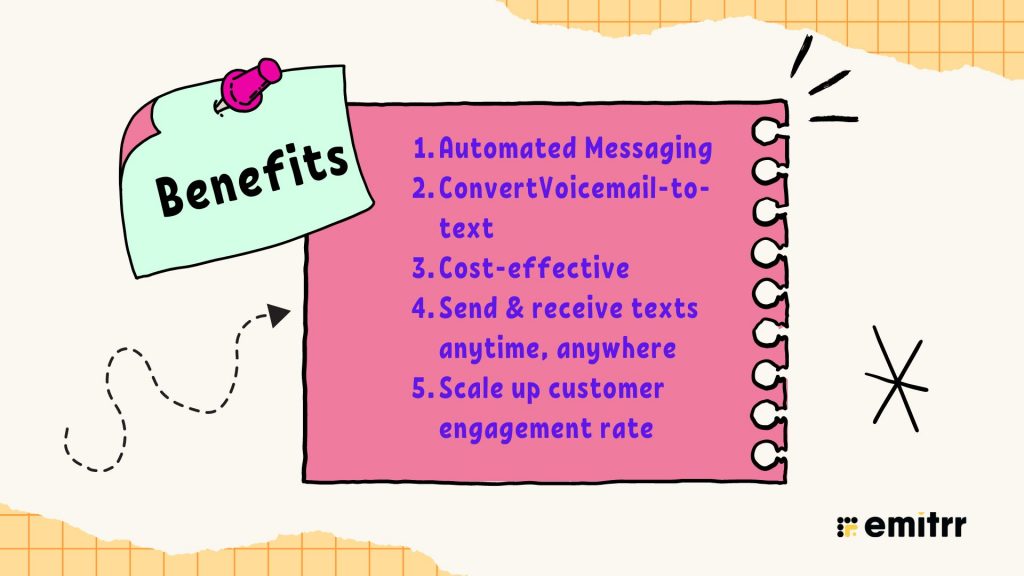
Automated Messaging
A VoIP phone texting app allows you to send automated text messages effortlessly. Whether it’s appointment reminders, confirmations, or promotional updates, the app handles it all without manual effort. This feature not only saves time but also enhances customer satisfaction by ensuring prompt communication. You can easily schedule bulk messages using a texting service for business, improving response times.
Convert Voicemail Into Text
One unique benefit of a VoIP text messaging app is the ability to receive voicemail transcriptions directly in your text inbox. Instead of listening to long voicemails, you can quickly read important messages. This feature, coupled with the flexibility of business text messaging, keeps you updated even if you miss a call. It streamlines communication by converting voicemail into easy-to-read texts via a text messaging service, saving time and improving accessibility.
Cost-Effective Solution Compared to Traditional Methods
Switching to a VoIP text app online or a VoIP text messaging app is more affordable than traditional phone and SMS systems. By leveraging SMS messaging and bulk text messaging services, businesses can cut down on costs while maintaining high engagement rates. Using a business texting app not only saves on phone bills but also enhances communication efficiency. With features like mass texting and texting software for business, companies can connect with more people at a fraction of the cost.
Send and Receive Texts Anytime, Anywhere
A VoIP text app online offers the convenience of sending and receiving text messages from anywhere, at any time. This flexibility allows businesses to stay connected with their customers regardless of their location. Using a text messaging service for business, you can manage communications on the go, ensuring no message is missed. Whether it’s sending a bulk text message or replying to a customer query, the app makes communication seamless, improving overall customer service.
Scale Up Customer Engagement Rates
By using a VoIP phone text messaging app, businesses can easily scale their customer engagement efforts. The ability to send mass text messages ensures that marketing campaigns, promotions, and important updates reach large audiences instantly. Features like text marketing and texting services allow businesses to target specific customer groups, increasing the effectiveness of engagement. A mass text message service combined with a business texting app can significantly boost customer interaction and loyalty.
You can check out this YouTube video for schedule-based texting more clarity:
How to Choose the Right Voip phone system for Therapists
Apart from the key features, you also need to consider the following things before making the final decision:
- Understand Your Practice Needs: You can start by identifying how you and your staff communicate and what features you need. do you need call routing, texting, group messaging, or video calls? Choose a system that fits your daily workflow.
- Check for HIPAA Compliance & Security: Ensure the VoIP provider signs a Business Associate Agreement (BAA) and uses end-to-end encryption to protect patient data.
- Evaluate Reliability & Call Quality: You also need to check the provider’s uptime guarantee and call quality ratings before committing.
- Look for Integrations: Choose a VoIP phone texting app that connects easily with your EHR, scheduling, or CRM software to reduce manual work.
- Consider Pricing & Scalability: Find a plan that fits your current budget and can grow as your practice expands — without steep add-on costs for new users or features.
- Customer Support: Responsive, knowledgeable support is crucial when you rely on the phone for client sessions. Look for 24/7 support via multiple channels.
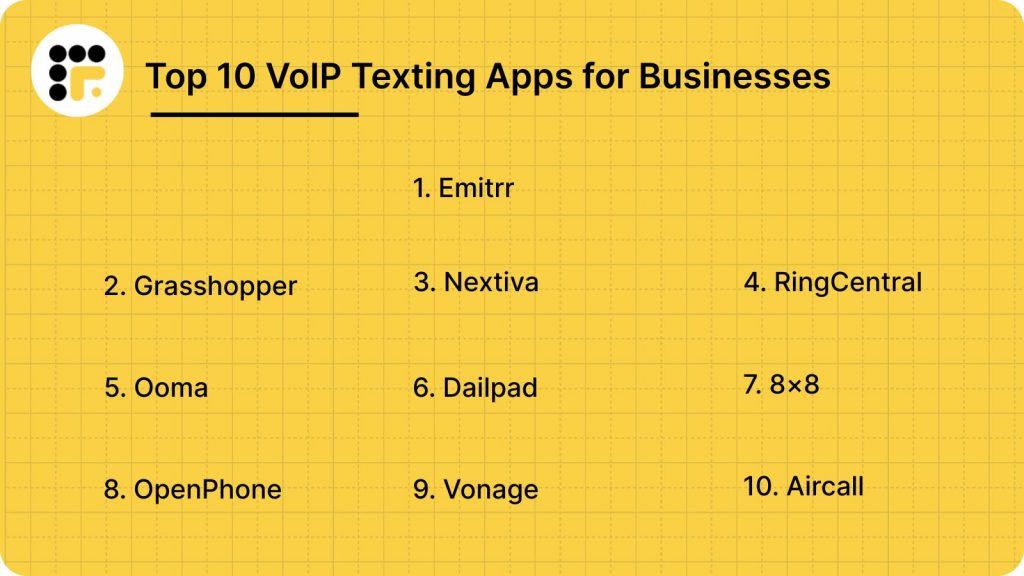
Top 10 VoIP Texting Apps: A Detailed Analysis
1. Emitrr
What is Emitrr?
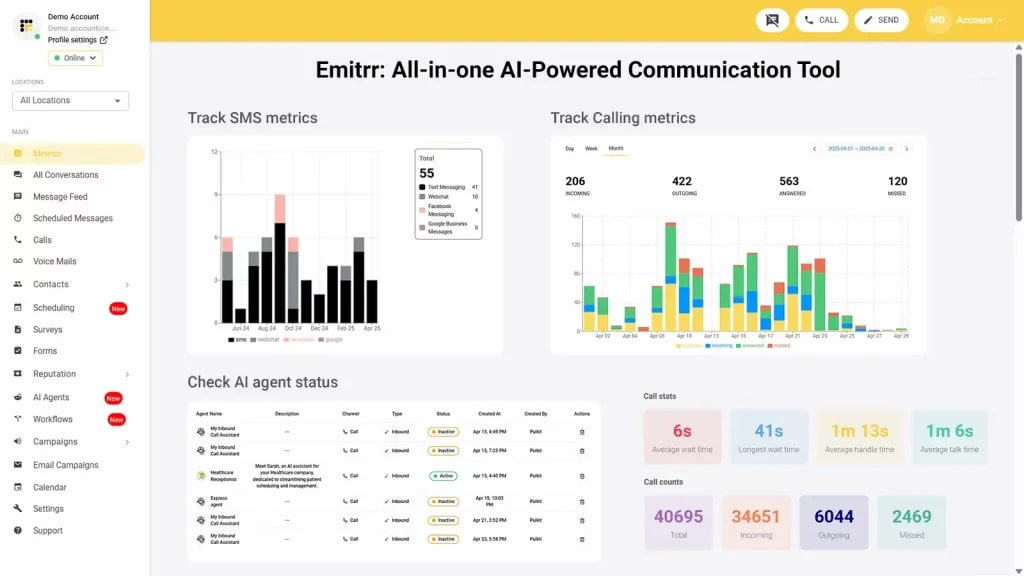
Emitrr is an innovative all-in-one communication VoIP texting app designed for businesses looking to enhance customer engagement through streamlined communication. This VoIP phone texting with text messaging offers supreme features that automate messaging and two-way texting, can send 1000+ messages at once, and provides insightful analytics. Emitrr, the best VoIP phone with text messaging, is ideal for businesses that prioritize customer interaction and aim to simplify their communication processes.
Emitrr Features
- Set up call trees: Create structured call flows to direct callers to the right department or individual.
- Set up call groups with multiple extensions/team members: Route incoming calls to specific groups of team members with shared extensions.
- Define call routing rules for each call queue group: Customize how calls are handled based on group priorities and availability.
- Set up multiple extensions: Assign unique extensions for different employees or teams to streamline communication.
- Define how your VoIP functions during and after hours: Configure distinct call handling settings for business hours and off-hours.
- Call recording settings – Enable or disable automatic recording of calls as per your requirements.
- Set up call forwarding rules for each user/extension: Designate where calls should forward when users are unavailable.
- Add new numbers, teams, or locations easily: Expand your VoIP setup by quickly adding additional numbers, teams, or office locations.
- Access Emitrr’s cloud phone on any desktop or app: Enjoy seamless communication without being tied to a physical phone system.
- Sync with internal team members using extensions with direct dial: Simplify internal communication with direct dialing through extensions.
- Leverage advanced analytics: Analyze metrics like average handling time, missed calls, and response times to enhance performance.
- Engage in one-on-one conversations with users: Communicate individually with customers for personalized interactions.
- Send group texts and mass texts to customers: Reach multiple customers at once with group or bulk text messaging.
- Allow customers to book their own appointments: Enable clients to schedule appointments online at their convenience.
- Set up SMS marketing campaigns: Launch targeted text message campaigns to promote your business.
- Engage in secure text messaging with recipients: Ensure safe and private communication with encrypted messaging.
- Schedule text messages for later: Plan and send messages at the most effective times for your audience.
- Assign conversations to team members and add notes for context: Delegate customer inquiries with added notes to provide full context.
- Send an automated text message whenever you miss a call: Notify customers instantly with a text when their call isn’t answered.
- Send review requests via text message: Request customer feedback with convenient SMS-based review prompts.
Emitrr Pros
- Excellent call quality: Ensure crystal-clear audio for seamless communication.
- Intuitive platform: Enjoy an easy-to-navigate interface designed for user convenience.
- Advanced texting capabilities: Utilize powerful text messaging features for personalized and efficient communication.
- Excellent support staff: Rely on responsive and knowledgeable customer service for timely assistance.
Emitrr Cons
- More advanced VoIP features are yet to be launched.
Emitrr Pricing
- For SMS, Emitrr offers a text-based pricing model that starts at $149 a month.
Emitrr Integrations
Emitrr offers 500+ integrations across different industries such as dental, recruiting, real estate, etc. with tools like:
- MailChimp
- Denticon
- AthenaHealth
- Zapier
- Salesforce
- HubSpot
- HouseCall Pro
- Slack
- And more!
Emitrr Customer Support Channels
- Live chat: Chat with Emitrr’s live representatives
- Phone: Call Emitrr at +1 (210) 941-4696
- Email: Send email to Emitrr’s support team at support@emitrr.com
- Knowledge base
- FAQs/forum
- SMS
Emitrr Ratings
- Capterra – 4.8 / 5
- G2 – 4.7 / 5
Emitrr Reviews
“AWESOME. I would recommend to anyone looking for a messaging platform. Especially love having a text friendly retail number that is the SAME as the number we’ve always had.”
“Great. One of the best communications tools that I have used.”
Source: Capterra
Meet your all-in-one AI-powered assistant designed to handle calls, schedule appointments, and engage customers effortlessly. Watch this video to see Emitrr’s AI Voice Agent in action.
2. Grasshopper
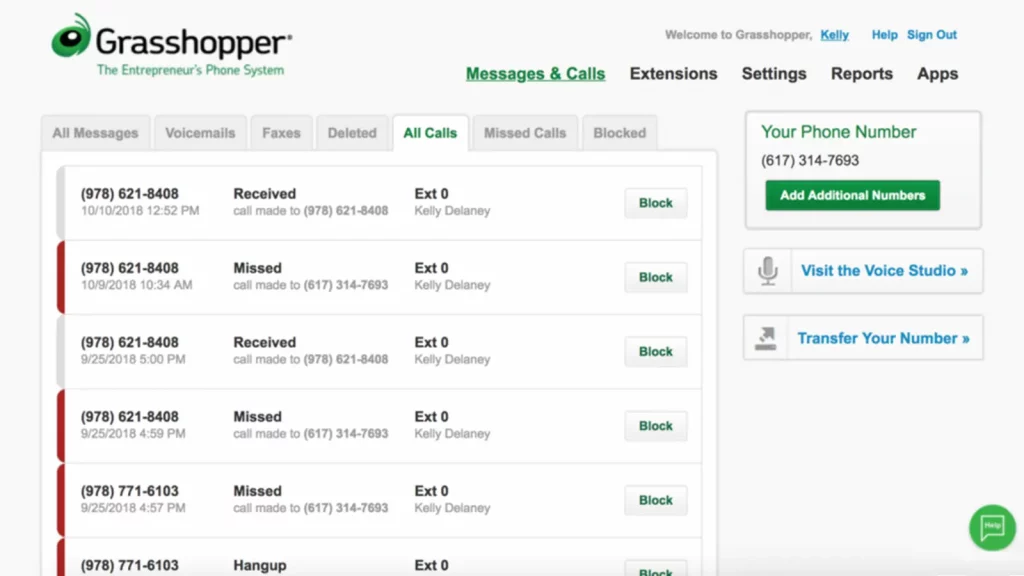
What is Grasshopper?
Grasshopper is a well-known VoIP texting app tailored for small businesses. This VoIP phone texting provides a virtual phone system that allows users to manage their business communications effectively. Here is a quick look at this VOIP phone with text messaging:
Grasshopper Features
- Call Center Management: Overseeing the operations of a call center, including staffing, performance tracking, and ensuring smooth workflows.
- Call Conferencing: Enabling multiple people to join a single call for group discussions or meetings.
- Call Logging: Recording call details such as time, duration, and participant information for tracking and analysis.
- Call Monitoring: Observe live calls to ensure quality control and provide assistance when needed.
- Call Routing: Direct incoming calls to the appropriate team member or department based on predefined rules or availability.
- IVR (Interactive Voice Response): A system that automatically answers calls and provides options for callers to interact with via voice or keypad input.
Grasshopper Pros
- Ease of use: The platform is simple to navigate, making it easy for users to manage their calls and messages.
- Affordable: This VoIP phone texting offers budget-friendly pricing compared to other communication platforms.
Grasshopper Cons
- Limited features: The platform lacks some advanced features that may be needed by more complex businesses.
- Outdated messaging features: Grasshopper’s messaging tools are not as modern or feature-rich as some of its competitors.
- Poor customer service: Customers report unsatisfactory support experiences, with delays and inadequate assistance.
Grasshopper Pricing
- Starts at $14
Grasshopper Integrations
This OpenPhone replacement integrates it with various third-party software:
- Zapier
- LiveChat
- Google Voice
- Smith.ai
- Kunversion+
- SkyCiv Structural 3D
- Bitium
- FirePoint
- Ingrid Cloud
Grasshopper Customer Support Channels
- FAQs/Forum
- 24/7 (Live rep)
- Phone Support
- Knowledge Base
- Email/Help Desk
- Chat
Grasshopper Ratings
- Capterra – 4.3 / 5
- G2 – 4.0 / 5
Grasshopper Reviews
“We used this to call our customers and text our customers. If they could get the glitches and kinks worked out, it would be a much better program. It was good to used for days when you have multiple calls per hour as it is hands free and you can just call from your computer. However, it is not one hundred percent reliable. The experience I had makes me not want to use it again, unless they were to fix everything so it functions like it should.”
“Stay away. There are much better pro
3. Nextiva
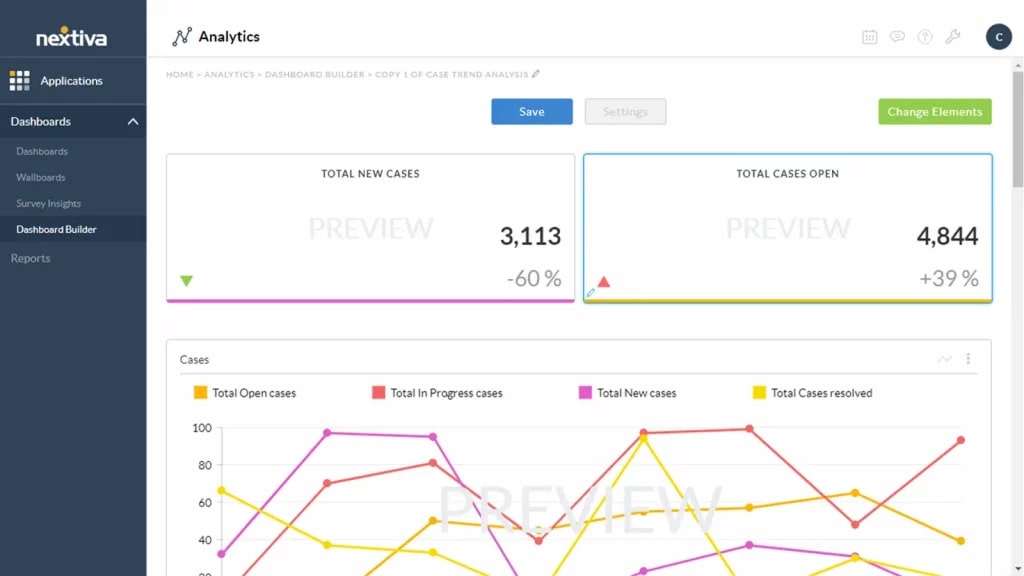
What is Nextiva?
Nextiva is a comprehensive communication platform that offers a powerful VoIP texting app. With features that include voice calls, video conferencing, and text messaging, Nextiva aims to provide a unified communication experience. Here is a quick look at this voip with texting platform:
Nextiva Features
- Call Center Management: Overseeing and optimizing the operations of a call center, including staff, workflows, and customer service processes.
- Call Conferencing: Enabling multiple participants to join a single call for group discussions or collaboration.
- Call Queues: Organizing incoming calls into a virtual waiting line, directing them to available agents based on specific rules or priorities.
- Call Recording: Automatically or manually recording calls for quality control, training, or compliance purposes.
- Multi-Channel Communication: Managing customer interactions across various channels like voice, text, email, and social media from a single platform.
- VoIP Connection: A communication system that uses the internet to make voice calls, offering cost-effective and scalable alternatives to traditional phone lines.
- Video Conferencing: Facilitating virtual meetings with video and audio components, enabling face-to-face communication remotely.
Nextiva Pros
- Diverse features: Offers a wide range of functionalities, making it adaptable to various business needs.
- Ease of use: The platform is user-friendly, allowing users to set up and manage their communication systems easily.
Nextiva Cons
- Complex Layout: The platform’s intricate design can be hard to navigate, especially for users unfamiliar with its structure.
- Cumbersome Dashboard: Managing multiple logins for different dashboards can be confusing and hinder operational efficiency.
- Difficult User Interface: Navigating Nextiva’s interface can be challenging, making it tough for users to find and use features effectively.
- Lackluster Customer Support: Nextiva’s support team has been criticized for being slow and unresponsive, leaving users feeling frustrated.
- Time-Consuming Setup: The setup process for Nextiva can be lengthy and requires significant effort to ensure the platform is properly configured.
Nextiva Pricing
Nextiva offers different pricing options:
- Essential – Starting at $23.95 per user/month
- Professional – Starting at $27.95 per user/month
- Enterprise – Starting at $37.95 per user/month
- Ultimate – Starting at $67.95 per user/month
Nextiva Integrations
Nextiva integration options include:
- HubSpot
- Salesforce
- Zoho
- Workbooks
- Act!
- Goldmine
Nextiva Support Channels
- Phone Support
- Email/Help Desk
- FAQs/Forum
Nextiva Ratings
- Capterra: 4.6 / 5
- G2: 4.5 / 5
Nextiva Reviews
“Not a very good one. We have been making it work but are very dissatisfied. It’s just not a fit for us and our practice.”
“The phone system was with a lot of technical problems. Auto attendant not working, CRM not working, SMS not working.”
Source: Capterra
4. RingCentral
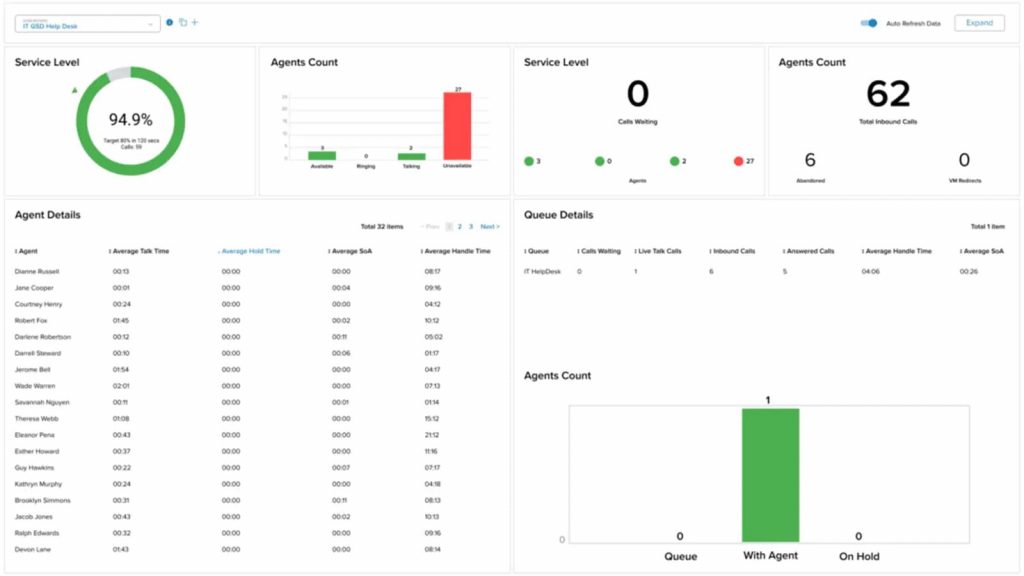
What is RingCentral?
RingCentral is a leading provider of cloud-based communication solutions, including its powerful VoIP texting app. This VoIP with SMS combines voice, video, and messaging into one platform, making it a go-to choice for businesses of all sizes. Here is a quick look at this VoIP with texting platform:
RingCentral Features
- Call Center Management: Oversees and optimizes the day-to-day operations of a call center to ensure efficient service and performance.
- Call Transfer: Allows agents to seamlessly pass a call to another team member or department for further assistance.
- Reporting/Analytics: Provides data-driven insights on call center performance to help identify trends and optimize operations.
- Caller ID: Displays the caller’s information, such as phone number and name, to help agents personalize their responses.
- Call Monitoring: Supervisors listen in on live calls to evaluate agent performance and ensure quality service.
- Call Recording: Automatically records calls for future reference, quality assurance, and compliance purposes.
- IVR/Voice Recognition: Automates call routing by offering menu options or recognizing voice commands for faster service.
- Call Routing: Directs incoming calls to the appropriate team or agent based on predefined criteria for efficient handling.
- Automatic Call Distribution (ACD): Distributes incoming calls to available agents based on factors like availability and expertise to improve call handling.
RingCentral Pros
- Extensive Integrations: Easily integrates with over 200 tools like Salesforce, HubSpot, Microsoft Teams, and Slack to streamline workflows.
- Comprehensive Communication Suite: A unified platform combining VoIP, video conferencing, messaging, and contact center features for efficient communication.
- Security and Compliance: Provides strong encryption, multi-factor authentication, and HIPAA compliance to safeguard sensitive data, particularly in regulated industries.
- Ease of Use: The platform’s intuitive interface and simple setup make it easy for teams of any size to use.
RingCentral Cons
- Integration Limitations: The system may not seamlessly integrate with niche or custom software, limiting its usefulness for businesses with specialized workflows.
- Customer Support Difficulties: Users experience long wait times and inconsistent answers from customer support, hindering quick issue resolution and causing potential disruptions.
- Complex Setup Process: Businesses lacking IT support may find the setup process challenging, with customization taking longer than expected, delaying full implementation.
- Occasional Call Quality Issues: Some users report dropped calls or poor audio, particularly during peak usage, which impacts communication effectiveness.
- Basic Analytics Tools: RingCentral’s analytics may not provide the in-depth reporting required by businesses needing advanced data insights.
- Mobile App Limitations: The mobile app is less user-friendly and prone to glitches, especially when compared to the desktop version.
RingCentral Pricing
This Openphone competitor offers a range of business communication plans:
- Essentials: Starting at $19.99 per user/month (limited to 20 users)
- Standard: Starting at $27.99 per user/month
- Premium: Starting at $34.99 per user/month
- Ultimate: Starting at $49.99 per user/month
RingCentral Integrations
Here are the integrations RingCentral offers:
- HubSpot
- Zendesk
- Zoho CRM
- Freshdesk
- Zendesk Suite
- LiveAgents
- Appy Pie
- And others
RingCentral Support Channels
- Knowledge Base
- Chat
- Email/Help Desk
- Phone Support
- 24/7 (Live rep)
- FAQs/Forum
RingCentral Ratings
- Capterra: 4.3 / 5
- G2: 4.0 / 5
RingCentral Reviews
“poor level of knowledge with agents on the phone, difficult to understand phone agents”
“Predatory billing, company failed to provide working phone after 3rd contact by the owner. Close account only to be billed a $25 phone charge for the non working phone. Today 8 days later we have mailed it back and they have charged another $31 for service left open until they feel like processing the returned phone that didn’t work that they couldn’t replace.”
Source: Capterra
5. Ooma
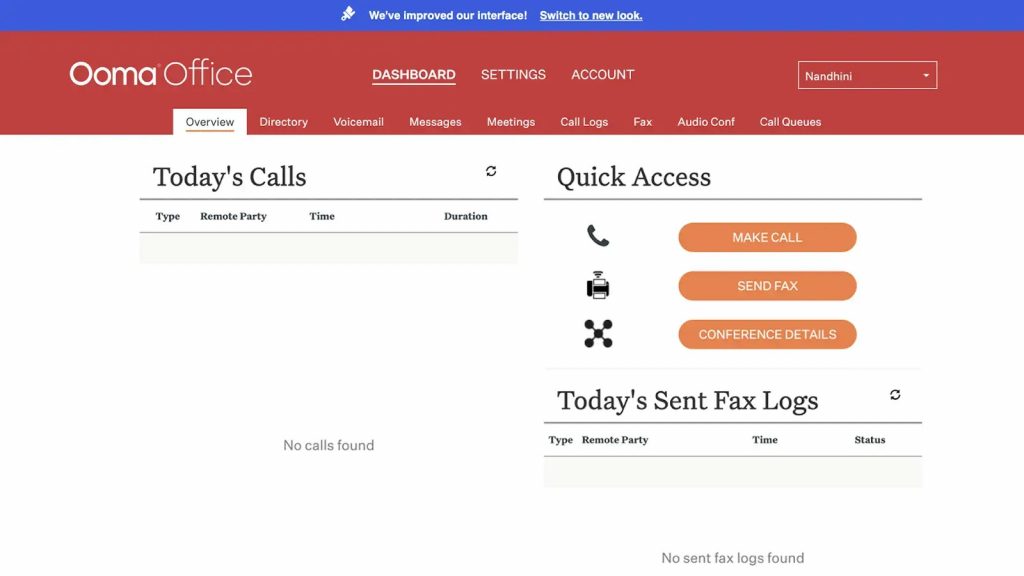
What is Ooma?
Ooma provides a versatile VoIP texting app that combines voice and text messaging services with advanced calling features. This VoIP with SMS is particularly suited for small to medium-sized businesses seeking a cost-effective communication solution. Ooma is known for its ease of use and quality service. Let’s have a quick look at this VoIP with SMS platform:
Ooma Features
- Call conferencing: Host group calls effortlessly to collaborate with multiple participants in real-time.
- Call routing: Direct incoming calls to the appropriate department or individual based on predefined rules.
- Call transfer: Seamlessly transfer calls to another team member or department without disruption.
- Call forwarding: Redirect calls to another number or device to ensure you never miss important calls.
- Voicemail transcription: Convert voicemail messages into text for quick and easy reference.
Ooma Pros
- Outstanding customer service: Ooma’s support team is praised for being proactive, supportive, and going the extra mile for customer satisfaction.
- Seamless integration and setup: The platform offers easy setup, number porting, and straightforward integration for businesses.
- Efficient virtual receptionist: The virtual receptionist feature simplifies call handling for businesses.
- Advanced messaging features: New SMS and text messaging capabilities add to the communication toolkit.
Ooma Cons
- Texting limited to higher tiers: Access to SMS and texting features is restricted to premium plans, which may not be ideal for all users.
- Poorly designed user interface: The platform’s design could be confusing or cumbersome, making it harder for users to navigate.
- Forced payment for unnecessary features: Users are paying for features like intercom calling and analog fax support that may not be needed, adding unnecessary costs.
- Extra cost for voicemail transcription and softphone: These features, like voicemail transcription and PC/Mac softphone, come at an additional charge, which can be frustrating.
- Login issues: Frequent password resets and login difficulties are causing inconvenience for users.
- Inconsistent call quality and outages: Poor call quality and service outages can disrupt communication and impact reliability.
Ooma Pricing
- Essentials: $19.95
- Pro: $25.95
- Pro Plus: $29.95
Ooma Integrations
Some of Ooma’s integrations are as follows:
- Salesforce
- Microsoft
- Zoho
- Freshdesk
- Chrome
- Zendesk
- Hubspot
- Jobber
Ooma Customer Support Channels
- Phone Support
- Email/Help Desk
- 24/7 (Live rep)
- Chat
- FAQs/Forum
Ooma Ratings
- Capterra – 4.5 / 5
- G2 – 4.6 / 5
Ooma Reviews
“Paying bills, adding lines were easy but the product overpromised and underdelivered.”
“Customer Service is the worst I have ever experienced”
Source: Capterra
6. Dialpad
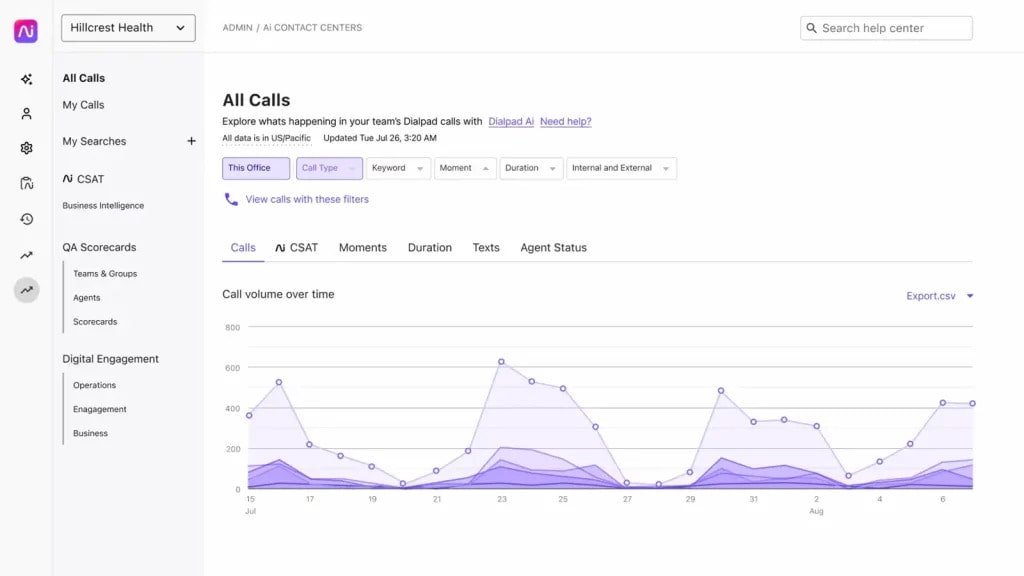
What is Dialpad?
Dialpad is an innovative VoIP texting app that uses AI to enhance communication experiences. This voip message platform provides voice, video, and text messaging features all in one platform, making it suitable for modern businesses. Here is a quick look at this VoIP message platform:
Dialpad Features
- Call routing: Direct incoming calls to the right department or individual based on set rules.
- Call monitoring: Observing calls in real-time to ensure quality and provide support when necessary.
- Call conferencing: Allowing multiple participants to join and communicate in a single call for collaborative discussions.
- Call recording: Capturing calls for review, training, or compliance purposes.
- Call center management: Overseeing call center operations, including staff, performance, and workflows.
- Voicemail: A system that allows callers to leave recorded messages when the recipient is unavailable.
- Custom IVR (Interactive Voice Response): Tailoring automated phone systems to guide callers through a menu based on their needs.
Dialpad Pros
- System sound clarity: Offers clear audio quality for both voice and video calls.
- Voice AI feature: Incorporates AI technology to enhance communication, such as transcribing calls and analyzing conversations.
- Ease of Use: User-friendly interface, making it easy for users to set up and navigate the platform.
- Precise transcription: Provides accurate transcriptions of calls for easy reference and documentation.
Dialpad Cons
- Integration issues: Challenges with connecting Dialpad to other software and systems.
- Limited features: Lacks some advanced functionalities available in competing platforms.
- False advertising: The platform’s marketing may not align with the actual features or services provided.
- Cancellation issues: Difficulties or complications when attempting to cancel the service.
- Hidden fees: Unexpected charges or fees not clearly disclosed during the sign-up process.
Dialpad Pricing
Dialpad offers three pricing options:
- Standard: $15/user/month
- Pro: $25/user/month
- Enterprise: Custom
Dialpad Integrations
Dialpad integrates with various CRM tools, including:
- Salesforce
- HubSpot
- Zendesk
- Pipedrive
- Zoho
- And more!
Dialpad Customer Support Channels
- 24/7 (Live rep)
- Knowledge Base
- Chat
- Email/Help Desk
- Phone Support
- FAQs/Forum
Dialpad Ratings
- Capterra: 4.2/5
- G2: 4.4/5
Dialpad Reviews
“Tactics DO Not Sign UP-Beware Deceptive Sales”
“Overcharged for Months with No Resolution – Terrible Customer Service!”
Source: Capterra
7. 8×8
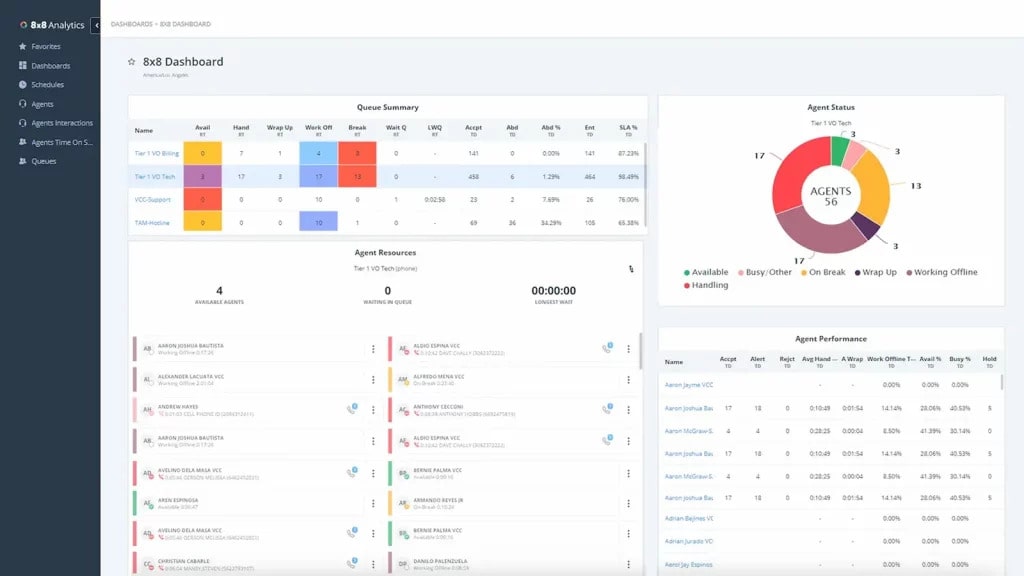
What is 8×8?
8×8 offers a complete VoIP texting app that combines voice, video, and messaging capabilities into one solution. It’s particularly well-suited for businesses seeking a cost-effective yet comprehensive communication system. This VoIP message platform is ideal for companies looking to improve their customer engagement through seamless communication. Let’s have a quick look at this VoIP message platform:
8X8 Features
- Automated Attendant: An automated system that greets and directs incoming calls to the appropriate department or person.
- Call Center Management: Tools that help monitor, control, and optimize call center operations for improved efficiency.
- Call Conferencing: A feature that allows multiple participants to join a single call for collaborative discussions.
- Call Logging: The process of recording details of every call made or received, including time, duration, and contact information.
- Call Recording Software: A tool that records phone conversations for quality assurance, training, or compliance purposes.
- Call Routing: The process of directing incoming calls to the right agent or department based on predefined rules.
- Mobile Access: The ability to access communication tools and services via mobile devices for flexibility and on-the-go management.
- Online Voice Transmission: The process of transmitting voice data over the internet, often using VoIP technology.
- IVR/Voice Recognition: Interactive Voice Response systems that use voice recognition technology to assist with call handling and navigation.
8X8 Pros
- Flexibility and Ease of Use: 8×8 offers a user-friendly hosted system that’s easy to set up and maintain while delivering high performance.
- Consistently Good Call Quality: The platform ensures crystal-clear calls, maintaining top-notch voice quality for every conversation.
- Robust Features and Reliable Connectivity: 8×8 provides powerful features and dependable connectivity, significantly enhancing business communication.
- Seamless Integration with Mobile App: 8×8’s smooth integration between VoIP handsets and mobile apps ensures a consistent and reliable communication experience.
8X8 Cons
- Terrible Customer Experience: The service provided resulted in one of the most frustrating customer experiences.
- Unwanted Charges: Despite attempts to address the issue, the customer’s card was charged again the following month without resolution.
- Unhelpful Auto-Response: The customer’s attempt to resolve the issue through email led to an automated reply that was not helpful.
- Poor Customer Support: The customer service team inaccurately blamed outdated phones for the issues, failing to offer a proper solution.
- Subpar Customer Service: Interactions with 8X8 support were marked by frustration and a lack of effective resolution.
- Unexpected Billing Issues: Recurring charges persisted despite customer attempts to rectify the situation.
- Unsatisfactory Automated Responses: Automated emails provided insufficient support and failed to address the customer’s concerns.
- Misdiagnosis and Ineffective Solutions: Support representatives incorrectly attributed issues to outdated devices, hindering the resolution process.
8X8 Pricing
- The 8X8 platform offers different subscription packages. The basic package starts at $24 per month for limited features.
8X8 Integrations
8X8 integration options include:
- Slack
- Microsoft Teams
- HubSpot CRM
- Freshdesk
- Zendesk Suite
- ServiceNow
- Microsoft Outlook
- Copper
8X8 Support Channels
- 24/7 (Live rep)
- Chat
- Email/Help Desk
- FAQs/Forum
- Knowledge Base
- Phone Support
8X8 Ratings
- Capterra: 4.0 / 5
- G2: 4.0 / 5
8X8 Reviews
“Horribly unreliable, inconsistent and no one is responding to our emails. The system its self worked okay without the integration but the inaccurate billing is wild to me.”
“Good VOIP phone service, but support has turned to garbage and apps are laggy”
Source: Capterra
8. OpenPhone
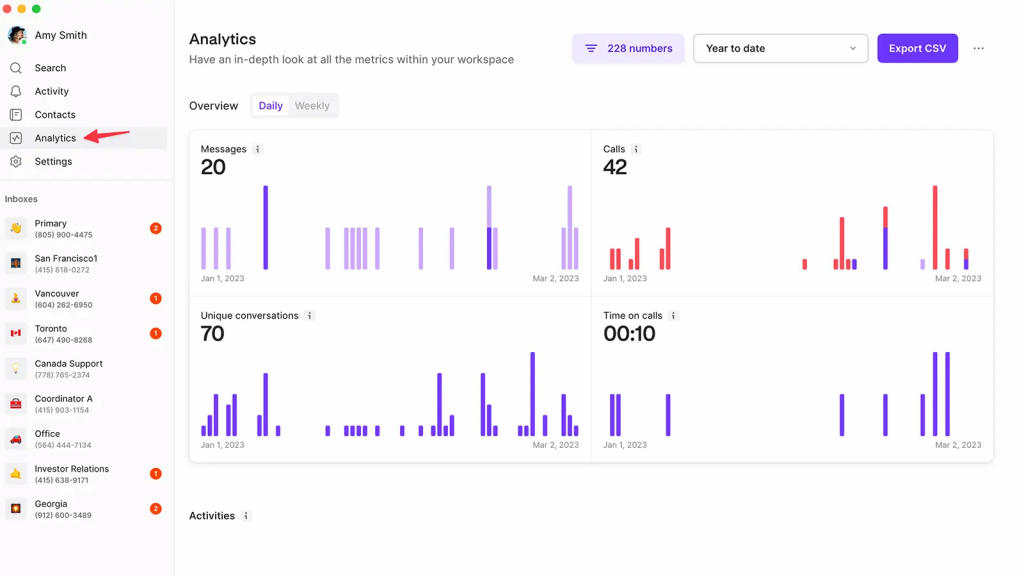
What is OpenPhone?
OpenPhone is another VoIP texting app that is specially designed to cater to business management and customer communication. This robust VoIP texting app offers features such as voicemails, call recording, call management and more!! Let’s have a quick look at this robust platform:
OpenPhone Features
- Automated Attendants: Help businesses streamline their operations by automatically directing calls to the right department or individual.
- Call Center Management: Provides tools for efficiently managing call center operations, ensuring smooth workflows and better customer service.
- Call Conferencing: Enables multiple participants to join a call, fostering collaboration and enhancing team communication.
- Call Logging: Tracks and records details of client interactions, helping businesses manage and follow up on potential leads.
- Call Recording: Captures important phone conversations, providing a reference for training, compliance, or future discussions.
- Call Routing: Directs calls to the appropriate team member or department, improving call handling efficiency.
- IVR/Voice Recognition: OpenPhone offers an IVR system that uses voice recognition to guide callers to the right service or department.
OpenPhone Pros
- Reasonable Pricing: Offers affordable plans, providing good value for businesses looking for budget-friendly communication solutions.
- Ease of Use: The platform is simple and intuitive, making it easy for users to navigate and manage communications.
OpenPhone Cons
- Poor Customer Service: Customer support can be slow and unhelpful, leading to frustrating experiences for users.
- Set Up Time Too Long: The setup process can be lengthy, requiring more time than expected to get the system up and running.
- Difficult to Integrate: Integration with other tools and platforms can be challenging, requiring additional effort for seamless functionality.
OpenPhone Pricing
OpenPhone offers different pricing options:
- Starter: $15 Per user/per month
- Business: $ 23 Per user/per month
- Enterprise: Custom Pricing
OpenPhone Integrations
OpenPhone integrates with other business software and apps which include, but are not limited to:
- Hubspot
- Gong
- Google Contacts
- Salesforce
- Slack
- Webhooks
- Zapier
- Mailchimp
- Trello
OpenPhone Support Channels
- Knowledge Base
- Phone Support
- Email Support
OpenPhone Ratings
- Capterra – 4.1 / 51
- G2 – 4.7 / 5
OpenPhone Reviews
“If you want a reliable long-term platform, this isn’t the one. They will shut you down in a heartbeat based on speculation. Customer service/retention means nothing to this company at all. I set it up for business use to contact and follow up with my customers however, that only lasted less than 2 days. Don’t be fooled by the price, you pay for what you get. I wouldn’t recommend this platform to my worst enemy…IT ABSOLUTELY SUCKS!!!!”
“Do NOT waste your time or business with OpenPhone – I’ve lost a lot of money“
Source: Capterra
9. Vonage
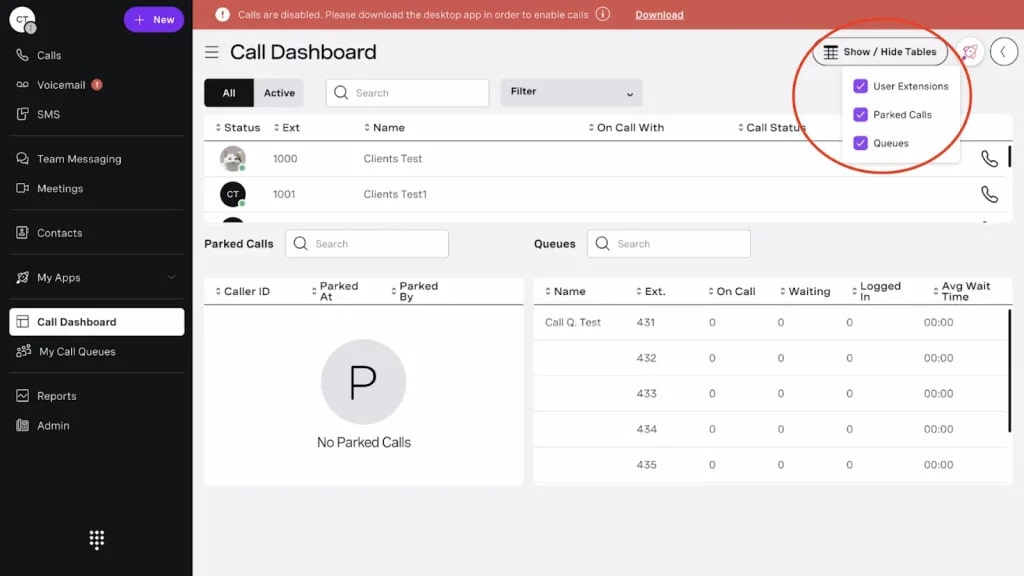
What is Vonage?
Vonage is a comprehensive business solution that provides plug-and-play service. This VoIP with texting software is a good option for small-, medium-, and enterprise-level businesses to help them streamline communication. Here’s a quick look at this platform:
Vonage Features
- Call center management: Overseeing the operations of a call center, including team coordination, performance tracking, and workflow optimization.
- Call routing: Direct incoming calls to the appropriate agent, department, or team based on predefined criteria.
- Call recording: Capturing phone calls for review, training, or compliance purposes.
- Call conferencing: Enabling multiple participants to join and communicate on the same call, often used for meetings or collaborative discussions.
- Call transfer: Moving an active call from one agent to another or to a different department without disconnecting the call.
- ACD (Automatic Call Distributor): A system that automatically distributes incoming calls to the most appropriate agent or team based on certain parameters (e.g., skill level, availability).
Vonage Pros
- Easy set up: Quick and straightforward installation process.
- Feature-rich: Offers a wide range of functionalities to meet various business needs.
Vonage Cons
- Bad customer support: Issues with slow or unhelpful customer service.
- Limited integrations: Lacks seamless integration with some third-party tools or platforms.
- The platform is not user-friendly: The interface may be confusing or difficult to navigate for some users.
- Compulsory long-term contracts: Requires users to commit to long-term agreements, which can be inconvenient.
- Expensive: The service may be cost-prohibitive compared to alternative solutions.
Vonage Pricing
Vonage offers different pricing options:
- Mobile: $19 per user per month
- Premium: $29 per user per month
- Advance: $39 per user per month
Vonage Integrations
Vonage integrates with various CRM tools, including:
- Salesforce Sales Cloud
- LiveAgent
- Microsoft Outlook
- Google Contacts
- QuickBooks Online Advanced
- Pipeline CRM
- Textline
- TenFold
- And more!
Vonage Customer Support Channels
- Phone Support
- Email/Help Desk
- FAQs/Forum
- 24/7 (Live rep)
Vonage Ratings
- Capterra: 4.0/5
- G2: 4.3/5
Vonage Reviews
“Disappointing SMS Services and Poor Customer Service from Vonage”
“Utterly unreliable and glitchy. Losing customers daily. Entire sales and tech support overseas and apathetic. I’m screaming into the void”
Source: Capterra
10. Aircall
What is Aircall?
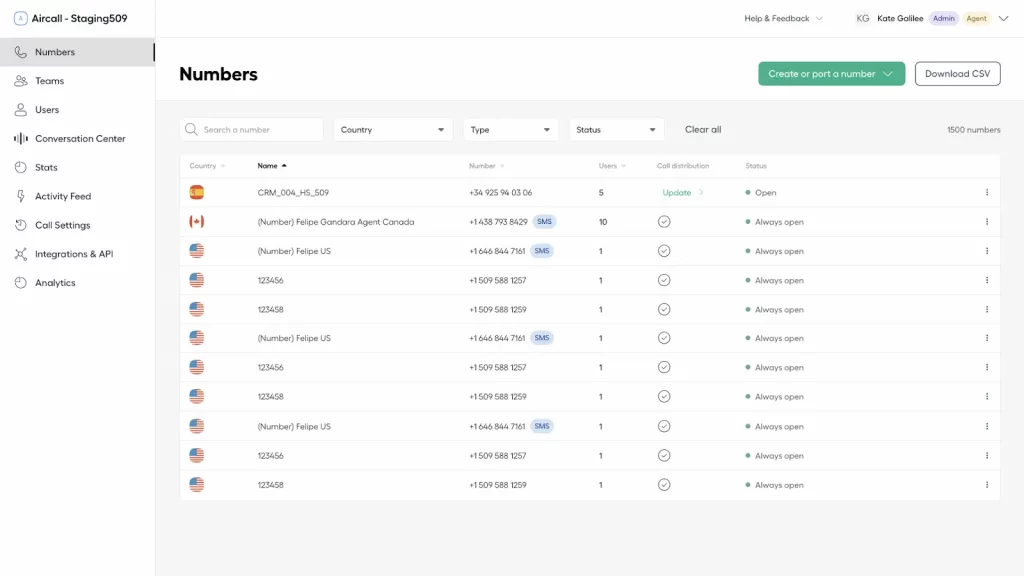
Aircall is a simple VoIP with a texting tool that simplifies customer communication and is also capable of seamless integration with your existing CRM. Let’s have a look at other details of this tool:
Aircall Features
- Call center management: Overseeing the operations of a call center, including staffing, workflows, and performance monitoring to ensure efficiency.
- Call conferencing: Enabling multiple participants to join and communicate in a single call, ideal for group discussions or team collaboration.
- Call queues: Organizing incoming calls into a waiting line and directing them to available agents based on priority or availability.
- Call recording: Capturing phone calls for later review, quality control, compliance, or training purposes.
- Real-time reporting: Providing live updates and analytics on call metrics, performance, and other key data to enable quick decision-making.
Aircall Pros
- Intuitive Design: Aircall’s simple and user-friendly interface makes it easy for users to manage communication seamlessly.
- Robust Customer Support Team: Customers appreciate Aircall’s responsive and knowledgeable customer support team, which provides efficient solutions.
- Organized Call Management: Features like call routing, logging, and queue management help optimize call handling for improved operational efficiency.
Aircall Cons
- Limited texting features: The platform offers a restricted set of text messaging options, limiting the scope of communication capabilities.
- On the costlier end: The service is priced higher compared to some alternatives, which may not be ideal for budget-conscious users.
- Binding contracts: Users are required to commit to long-term contracts, which may limit flexibility.
- Requires minimum users for each plan: Certain plans come with a minimum user requirement, restricting scalability for smaller teams or businesses.
Aircall Pricing
This platform offers several pricing plans:
- Essential: Starting at $29 per user/month
- Professional: Starting at $49 per user/month
- Custom (Enterprise): Custom pricing
Aircall Integrations
Aircall offers various integrations including:
- Slack
- HubSpot
- Shopify
- Salesforce
- Zapier
- Front
- and more!
Aircall Customer Support Channels
- FAQs/Forum
- 24/7 (Live rep)
- Knowledge Base
- Chat
- Email/Help Desk
- Phone Support
Aircall Ratings
- Capterra: 4.3/5
- G2: 4.3/5
Aircall Reviews
“Call quality is really bad, all of my colleagues complain about calls dropping or customers not being able to hear them.”
“Poor call quality, ridiculous pay terms and cancelation policy”
Source: Capterra
Why is Emitrr the Best VoIP Text Messaging App?
Emitrr is a top choice for a VoIP texting app for several great reasons. It combines advanced features, affordability, and excellent customer support, making it perfect for businesses that want to improve how they communicate through business text messaging and other channels.
AI SMS Agent
Emitrr goes beyond offering basic VoIP texting capabilities and also offers Sarah which is an AI SMS agent, making text communication seamless. From automating communication to responding to after-hours texts, it manages everything from promotion to collecting feedback.
Send 1000+ Text Messages in One Go
With Emitrr, you can send over 1,000 text messages at once! This feature is fantastic for bulk text messaging, marketing campaigns, alerts, or reminders. Whether you’re promoting a sale or notifying customers about appointments, Emitrr makes it easy to reach many people quickly through its text messaging service.
Advanced Texting Capabilities
Emitrr offers advanced texting capabilities that allow two-way messaging, automated responses, and SMS analytics. This means you can have real conversations with your customers and get insights into how your messages are performing. It’s a great way to build better relationships with your clients through effective texting services for business.
Cost-Effective Solution
Emitrr is very affordable, making it a great option for businesses of all sizes. You get a lot of features without breaking the bank, which is perfect for startups and established companies alike. With Emitrr, you can save money while still providing high-quality communication through its texting software.
Customizable Templates
Emitrr lets you create customizable message templates for different situations, like appointment reminders or promotional offers. This feature saves you time and helps you keep your branding consistent across all your communications. Custom templates ensure your messages always look professional and fit your business’s style, making it easy to manage your sms messaging needs.
Integrated Communications
Emitrr works well with almost 500+ CRM systems, helping you keep everything organized. By integrating your VoIP text messaging app with other communication tools, you can manage customer interactions more smoothly. This integration is important for providing a better experience for your clients, making Emitrr a reliable choice for your texting software for business.
Supreme Customer Service
Emitrr is known for its excellent customer service. If you have any questions or issues, their support team is quick to help you out. This commitment to helping customers makes using Emitrr a stress-free experience, ensuring you can rely on their text messaging service when you need it.
Frequently Asked Questions
When choosing a VoIP texting app, look for features like two-way texting, automation, advanced texting capabilities, customizable templates, contact management, and text analytics. Integration with CRM systems, security (such as data encryption), and compliance with regulations like TCPA are also essential for ensuring effective business text messaging. Emitrr as a platform for VoIP for text messaging apps has all the dedicated features needed for effective customer communications.
A VoIP text messaging app uses the internet to send messages, unlike traditional SMS services that rely on cellular networks. This makes it more flexible and cost-effective, especially for businesses that need to send mass text messages or handle two-way communications. It also allows for integration with other communication tools, making it more versatile for business use.
Yes, most VoIP texting apps offer CRM integration. This allows businesses to manage customer interactions more efficiently by syncing contacts, tracking communication history, and automating certain messaging tasks. Platforms like Emitrr offer integrations with 500+ CRM systems that enhance productivity and ensure a seamless communication experience for your team.
Emitrr is one of the best options for businesses looking for both texting and calling features. It offers advanced texting capabilities, cost-effective pricing, customizable templates, and great customer support. Other notable options include Nextiva, RingCentral, and Grasshopper, all offering VoIP text messaging and voice call services.
VoIP text messaging apps have the potential to turn around your customer interaction game. With features such as voicemail-to-text messaging, sending out 1000+ messages at the same time, automated and scheduled texts, and advanced texting capabilities, Emitrr checks out all the boxes for a perfect VoIP texting app. Book a demo to learn more and take your business to the next level!
Yes, many VoIP services like Emitrr allow you to send and receive text messages using an internet connection.
No, VoIP is a technology for making calls over the internet, but some VoIP services include texting features.
VoIP texting can be free or require a subscription, depending on the service provider.
Yes, TextNow is a VoIP app that provides calling and texting over an internet connection.
Conclusion
VoIP text messaging apps have the potential to turn around your customer interaction game. With features such as voicemail-to-text messaging, sending out 1000+ messages at the same time, automated and scheduled texts, and advanced texting capabilities, Emitrr checks out all the boxes for a perfect VoIP texting app. Book a demo to learn more and take your business to the next level!


 4.9 (400+
reviews)
4.9 (400+
reviews)