
Overview Of Texting Services for Pediatricians
Most parents today are constantly on the go. Between school runs, work meetings, and snack time negotiations, answering a clinic call in the middle of the day just isn’t always possible. Even voicemails can easily get lost in the shuffle.
Now picture two clinics.
Clinic A relies mainly on phone calls. The front desk spends the morning calling families to confirm appointments, hoping someone picks up. Clinic B sends a single group text: “Hi! Just a reminder, your child’s check-up is today. Reply YES to confirm.” Replies come in within minutes. The schedule is set, and the day moves smoothly.
That’s the edge texting brings. It’s faster, easier, and meets parents right where they are, on their phones! With a HIPAA-compliant texting app, your team can send reminders, vaccine alerts, and school physical follow-ups in seconds. Everything is logged, secure, and streamlined.
And the impact is real. One survey showed that 33.8% parents forget scheduled visits. A quick reminder text could be the nudge they need to stay on track. These tools also go beyond just “sending texts.” Many come with handy templates, auto-replies for common questions like “What time is my appointment?” or “Can I bring both kids?”, and two-way messaging that lets you have a quick back-and-forth without a phone call. The best part? They reduce your call volume and improve your clinic’s show-up rates. For families, it feels like their pediatrician is just a quick message away.
So if you’re still relying on voicemail and email alone, it might be time for an upgrade. Texting isn’t just convenient, it’s the kind of everyday communication families now expect. And for your practice, it means fewer no-shows, less phone tag, and happier parents.
Features To Look For In Pediatric Texting Software
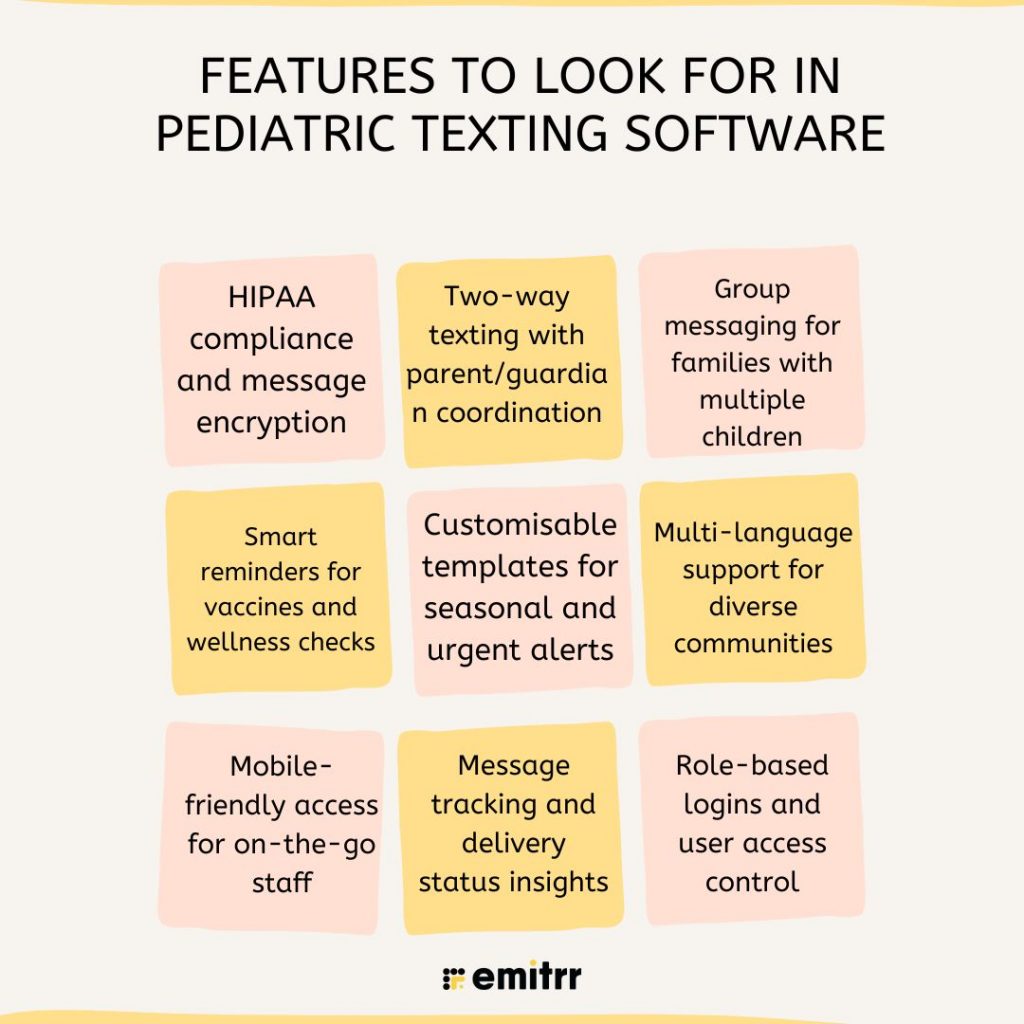
Picking texting software isn’t just about sending out reminders. It’s so important to pick a software that makes your day easier, keeps your patients happy, and is secure. Here’s what really matters when choosing the best texting software for pediatricians.
HIPAA compliance and message encryption
Let’s start with the big one, HIPAA compliant texting. If your platform doesn’t offer encrypted messages and strict access controls, it’s just not safe enough. Every message that goes out or comes in must be protected in transit and at rest. This is healthcare, after all, privacy isn’t optional, it’s mandatory. A HIPAA compliant texting app built specifically for medical use is your best bet.
Two-way texting with parent/guardian coordination
Gone are the days of no-reply messages. Today’s parents want to reply quickly, whether it’s to ask a question, change an appointment, or just confirm a time. Your platform should offer smooth, 2 way messaging software that keeps all replies in one place, even better if it can handle situations where both parents or guardians are involved. That way, everyone’s looped in and there’s no confusion about who said what.
Group messaging for families with multiple children
If you’ve got families with three kids, they don’t want three separate texts about the same thing. A great pediatric practice management software lets you send grouped messages, like “Your kids are due for flu shots this week.” It’s more efficient, keeps communication tidy, and saves your team a ton of time. Look for platforms that support family-based profiles or grouping options.
Smart reminders for vaccines and wellness checks
You already know how many things can slip through the cracks, especially when schedules get hectic. That’s where smart reminders come in. A solid secure messaging software should send automated texts based on things like patient age or the type of visit. It should also know who’s confirmed and who hasn’t, and follow up without any extra work from your front desk. Whether it’s a 4-month vaccine or a 12-year wellness check, nothing should be missed.
Customisable templates for seasonal and urgent alerts
Flu season, RSV waves, school form deadlines, it all comes fast. That’s why templates are your best friend. The software should let you send polished, pre-written messages in seconds. Bonus points if they come with ready-to-use templates you can tweak for your clinic.
Multi-language support for diverse communities
If your patient base includes families who speak Spanish, Mandarin, or anything else, language shouldn’t be a hurdle. Good texting platforms let you type messages in multiple languages or even auto-translate them. That kind of feature helps everyone feel seen and understood, and that goes a long way in healthcare.
Mobile-friendly access for on-the-go staff
Not everyone on your team sits at a desk all day. Nurses, doctors, and even front desk staff are always on the move. So your texting platform needs to work just as well on a phone or tablet. If someone gets a parent text while walking between rooms, they should be able to respond quickly without hunting for a laptop. Look for tools that offer a strong mobile app with real-time notifications, it makes staying connected way easier.
Message tracking and delivery status insights
Here’s something clinics often forget to check, did the message actually go through? With the right secure message software, you can see if a text was sent, delivered, and even opened. If a message bounces or is ignored, you’ll know and can follow up another way.
Role-based logins and user access control
Not every staff member needs access to every message. Your front desk doesn’t need to see doctor-only threads, and your nurse may only need access to certain conversations. The software should offer role-based logins so everyone gets exactly the right level of access, nothing more, nothing less. It keeps things secure, and also makes workflows smoother for the entire team.
Security & Compliance Requirements For Pediatric Texting Apps
When it comes to texting in healthcare, privacy isn’t a bonus, it’s a must. And for pediatricians, it gets even more sensitive. You’re dealing with minors, families, and strict rules. So the texting software you use has to follow the law and protect every message.
HIPAA, TCPA, and consent-based texting
Your texting platform must follow HIPAA and TCPA rules. HIPAA keeps patient information private. TCPA controls how and when you can text people. The software should store all messages securely and show clear proof of consent. That means parents need to agree before you start texting them. It’s not just good practice, it’s legally required.
Opt-in and unsubscribe options for parents
Parents should have full control. They need to know what they’re signing up for and be able to stop messages any time. Any ideal HIPAA compliant texting software should let you collect consent during intake and include an unsubscribe link in every message. This shows respect and keeps your clinic out of trouble.
Preventing PHI in outbound texts
Just because a parent gives consent doesn’t mean you can send anything. Avoid texting lab results, diagnoses, or anything too sensitive. A smart HIPAA compliant messaging software will flag risky content or block it altogether. You want your messages to be helpful, but never too detailed.
Logging message history for audits and compliance
Every message sent or received should be saved in one place. Not just for your own records, but for legal safety too. If there’s ever an audit or complaint, you need a full history. Good healthcare texting tools keep logs with dates, times, and even downloadable reports.
Protecting communication for minors and split households
Texting isn’t always one parent, one child. Sometimes both parents need updates. Other times, a teenager manages their own care. Your platform should handle these situations without mixing things up. Look for features that support multiple caregivers, while still keeping each message private and secure.

EHR and Platform Integrations Required For Pediatricians
Texting works best when it’s not doing all the heavy lifting alone. The real magic happens when your texting software connects with the tools your clinic already uses like your EHR, scheduling system, or billing software. That way, it’s not just about sending reminders. It becomes a seamless part of how your clinic runs every day.
Integration with common pediatric EHRs
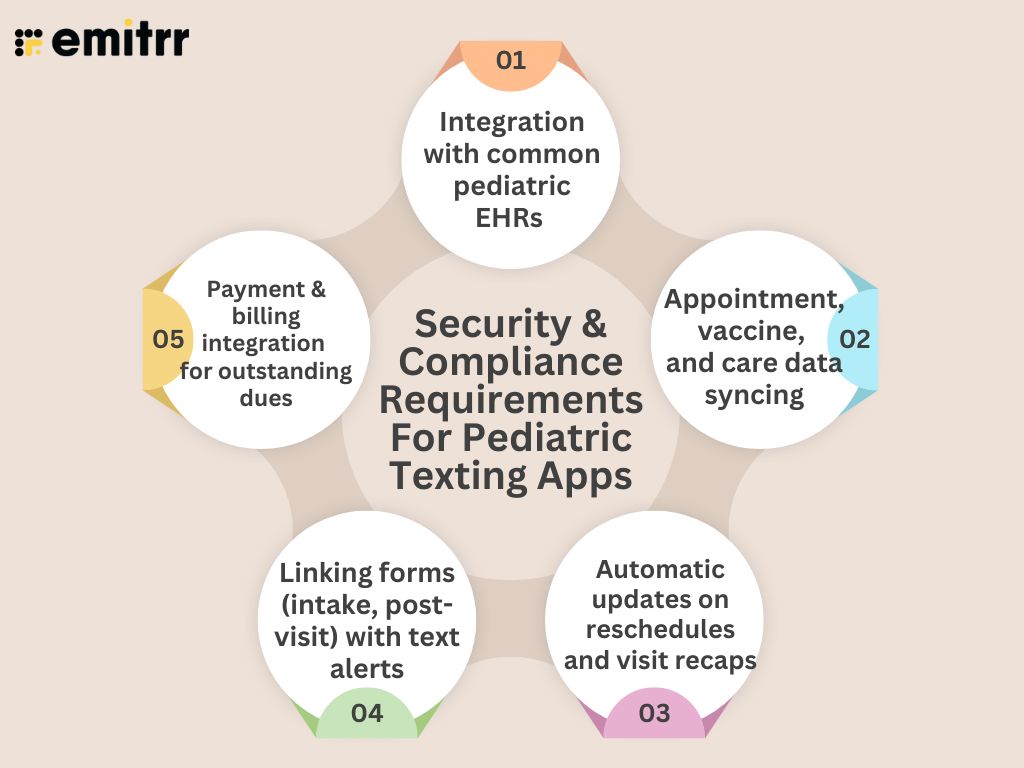
Let’s be honest, no one wants to switch screens all day or type the same info twice. That’s why it’s important that your HIPAA compliant chat software talks to systems like PCC, DrChrono, or eClinicalWorks. When your texting tool pulls data directly from your EHR, everything stays synced. You save time, avoid mistakes, and reduce double work.
Appointment, vaccine, and care data syncing
You shouldn’t have to dig through files to figure out which child is due for a check-up or a flu shot. A connected system already knows. It can send smart reminders based on the child’s age, visit history, or care plan automatically. That means fewer missed visits and better coverage for important milestones.
Automatic updates on reschedules and visit recaps
When a parent calls to reschedule, your front desk updates the calendar, but your texting platform should pick that up too. No need to resend a manual reminder. Some tools can also send post-visit summaries or feedback links after the appointment, pulling everything from your EHR. So your team stays focused on care, not chasing tasks.
Linking forms (intake, post-visit) with text alerts
Pre-visit forms, school forms, follow-up instructions, it’s a lot. But with the right patient messaging software, you can send these straight to parents via text. They fill them out at home, and your system logs it automatically. No paper trail. No morning rush with clipboards.
Payment and billing integration for outstanding dues
Billing calls are awkward for everyone. But a simple text reminder? Much easier. Good secure messaging software connects with your billing tool to send alerts for unpaid balances or insurance updates. Parents can click and pay online, without needing to call. It’s quick, private, and keeps things moving without stress on your front desk.
Download our ready-to-use SMS templates for pediatricians to improve communication with parents and reduce no-shows. Access the complete PDF guide here and start sending effective, patient-friendly messages today.
How Texting Software Helps Pediatric Practices
Pediatric clinics move fast. Parents are busy, kids get sick, and things change by the hour. Texting helps you keep up. It cuts the chaos, fills your schedule, and makes families feel cared for. All without adding extra work for your team! Here’s how:
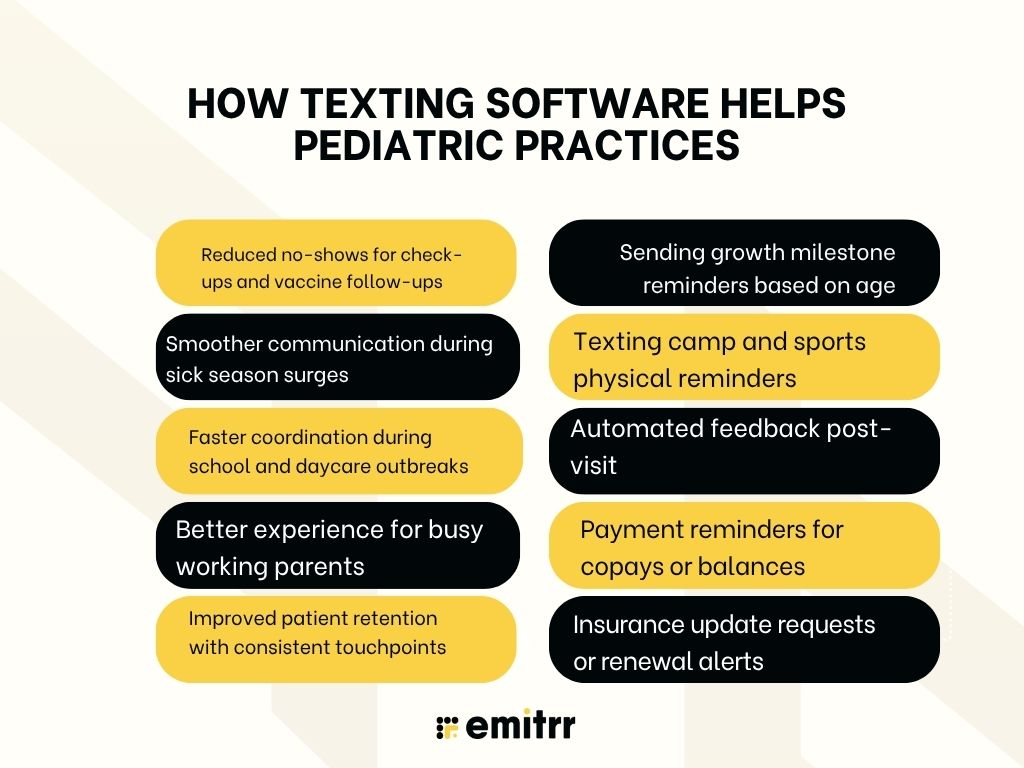
Reduced no-shows for check-ups and vaccine follow-ups
Imagine this: A parent books a well-check for their toddler, but life gets in the way, work meetings, errands, school runs. Without a reminder, the visit slips their mind. But a quick automated text the day before? It jogs their memory, they show up, and your schedule stays on track. That one text just saved you from an empty slot.
Smoother communication during sick season surges
It’s January. Flu season is going around. Your phone lines are backed up. Now picture being able to send one message to all parents: “Here’s what to look for, when to come in, and how to book a visit.” Instead of fielding 20 identical calls, your team can focus on care. Texting keeps the line moving, even when the waiting room’s full.
Faster coordination during school and daycare outbreaks
A local school emails you about a strep outbreak. You could wait for each parent to call, or, you send out a bulk text: “Exposure alert at [School Name]. Here’s what to watch for.” In minutes, hundreds of families are informed. That’s quick, calm, proactive care, and it only took one message.
Better experience for busy working parents
Picture a mum at work in back-to-back meetings. Your call goes unanswered. But a text? She sees it, replies during lunch, and confirms the visit. No voicemails, no missed connections. Two-way texting fits into her day, not the other way around. It shows you respect her time, and that goes a long way.
Two-way texting is powerful, but your homepage should make it easy to discover. Our audit of 20 pediatric practice website homepages highlights why. Check your own homepage with the checklist below.
Improved patient retention with consistent touchpoints
Let’s say you haven’t heard from a family in over a year. Instead of calling, you send a message: “Hi [Parent Name], it’s been a while! [Child Name] is due for a check-up. Want to book?” It’s casual, kind, and easy to respond to. That small nudge brings them back, before they drift off to another clinic.
Sending growth milestone reminders based on age
A child turns 9 months. Behind the scenes, your texting software knows this and sends a quick message: “Time for [Child Name]’s 9-month visit! Let’s keep them on track.” Parents feel supported, even when they forget timelines. It’s like having a helpful assistant keeping everyone organised.
Texting camp and sports physical reminders
It’s May. Camp forms and school sports sign-ups are in full swing. You send out a group message: “Need a physical for camp or sports? Book now before slots fill up.” Suddenly, your appointment calendar is packed, with families who are relieved they didn’t forget.
Automated feedback post-visit
A family leaves your clinic. Later that day, they get a friendly text: “Thanks for visiting today! Got a minute to share your thoughts?” One tap, and they leave a glowing review. That one message helped boost your online reputation, without your staff lifting a finger.
Payment reminders for copays or balances
A parent forgets a balance from last month’s visit. Instead of awkward calls, they get a polite reminder text: “Hi [Parent Name], there’s the balance on [Child Name]’s account. Click here to pay.” It’s discreet, convenient, and gets results. You collect faster, and they appreciate the nudge.
Insurance update requests or renewal alerts
Insurance expired? Happens all the time. But with texting, you catch it early: “Hi, your insurance is due for renewal. Please upload your new card before your next visit.” It saves you from billing delays and keeps everything running smoothly, without making a single call.
How to Choose the Right Texting Software for Your Pediatric Clinic
Looking for the best HIPAA compliant text messaging app does not mean simply picking the one with the most features. To choose the right patient texting software for your clinic you should first understand what your team of doctors, admin staff and patients need. Here’s how you can go about it:
Step 1: Understand your clinic’s needs
Start by asking your team, what do we need most? Is it appointment reminders? Less phone traffic? Better communication with parents? Get clear on your biggest pain points before diving into software options.
Step 2: Check for essential features
Your texting platform should support 2 way messaging software, automate reminders, support family group messages, and integrate with your EHR. If it can’t do these basics, it’s not worth your time.
Step 3: Prioritise HIPAA compliance
Don’t assume all messaging tools are safe for healthcare. Look for HIPAA compliant texting platforms with proper encryption, audit logs, and access controls. Protecting patient data especially for minors is critical.
Step 4: Test ease of use
Ask for a demo or free trial. Make sure the platform is easy for your front desk, nurses, and doctors to use. If it’s too complicated, your team won’t use it properly.
Step 5: Review support and scalability
Choose a platform that grows with you. It should offer training, responsive support, and options to add locations or users as your practice grows. A helpful support team makes onboarding smoother and problem-solving faster.
Step 6: Ask about integrations
The software should sync with your scheduling, billing, and EHR tools. If it doesn’t integrate, you’ll waste time on manual work. Confirm which systems it supports before signing on.
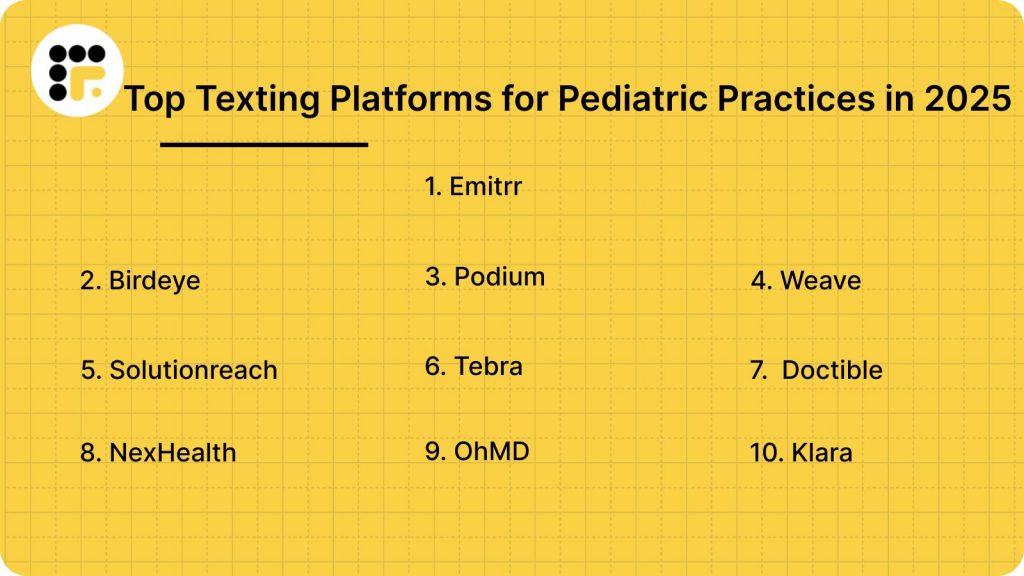
Top Texting Platforms for Pediatric Practices in 2025
Let’s dive straight into the top 10 platforms providing HIPAA-compliant texting for medical professionals
Each of these platforms has a lot to offer. So, let’s break them down one by one.
1. Emitrr : Best Texting Competitor
What is Emitrr?
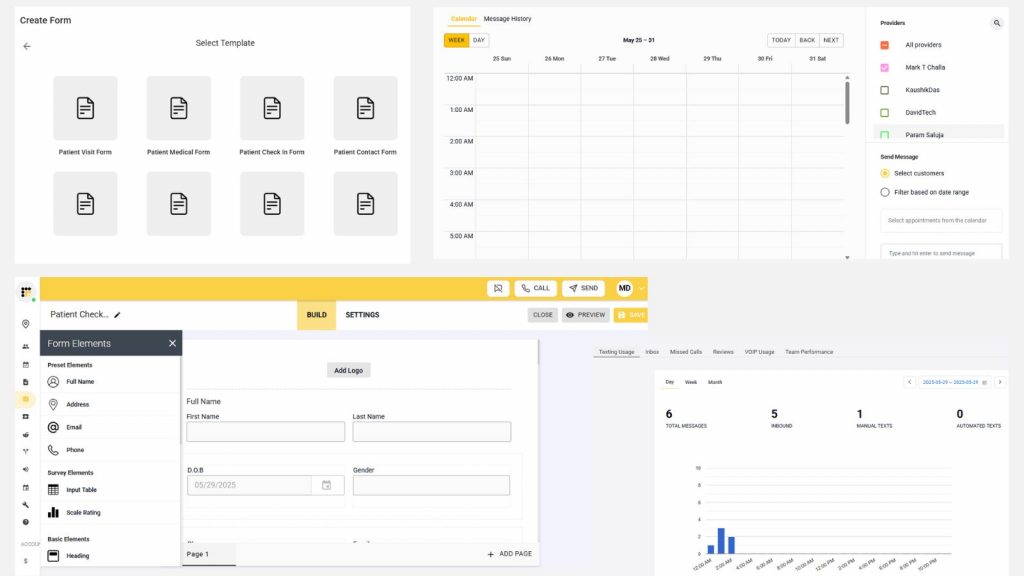
Emitrr is an all-in-one HIPAA compliant texting app built specifically for healthcare. It helps pediatricians send appointment reminders, vaccine alerts, school form reminders, and even review requests—all through a single shared inbox. Emitrr also supports two-way messaging with parents, auto-replies, missed-call texting, and EHR syncing. Whether you’re a solo pediatrician or managing multiple clinics, Emitrr reduces phone calls and streamlines your day-to-day operations with modern communication tools.
Key Features of Emitrr
- Shared team inbox: One central place for all incoming and outgoing patient texts
- Automated reminders: Set up appointment alerts, vaccine recalls, and follow-ups
- Missed-call texts: If a parent calls and no one answers, Emitrr auto-sends a text
- Group messaging: Send messages to families with more than one child
- Multi-language support: Communicate with diverse families in their preferred language
- Smart auto-replies: Instantly respond to FAQs like hours, location, or document requests
- Webchat-to-SMS: Convert website visitors into text threads
- Templates: Use ready-made or customised templates for recurring messages
- EHR integration: Sync with DrChrono, Kareo, PCC, and more
- Role-based access: Set permissions for front desk, nurses, and doctors
Emitrr Pros
- Built for pediatrics: Designed specifically for medical and paediatric clinics.
- Simple and intuitive: Staff can learn and start using it within minutes.
- Saves staff time: Handles repetitive queries without manual effort.
- Top-notch support: Known for fast and helpful customer service.
- Budget-friendly: Great pricing for small and mid-sized practices.
Emitrr Cons
There are a few AI-powered features which are still in development.
Emitrr Pricing
Starts at $30 per month. Custom plans available for larger practices.
Emitrr ratings
- Capterra: 4.9/5
- G2: 4.7/5
Emitrr customer reviews
“Exceptional! Friendly! The team at Emitrr handles your need promptly.”
“AWESOME. I would recommend to anyone looking for a messaging platform. Especially love having a text friendly retail number that is the SAME as the number we’ve always had.“
Source: Capterra
Emitrr support channels
- Email: support@emitrr.com
- Phone: +1 (210) 941-4696
- Live chat: Available directly on the Emitrr website
- Knowledge base: Includes extensive documentation, FAQs, and troubleshooting guides
- SMS support: Text for help
2. Birdeye

What is Birdeye?
Birdeye is a well-known secure messaging software that helps medical and dental practices manage reviews, reputation, and patient communication from one place. For pediatricians, Birdeye offers HIPAA-compliant texting, automated feedback requests, and review generation, all wrapped into a sleek dashboard.
Key Features of Birdeye
- Two-way texting: Parents can reply directly to your messages in real time
- Review requests: Automatically ask families for Google or Facebook reviews after visits
- Bulk messaging: Send updates or seasonal alerts to groups of parents at once
- Message tracking: Know when texts are delivered, opened, or replied to
Birdeye Pros
- Built-in texting tools: Supports two-way texting with parents alongside reviews.
- Smart feedback insights: Analyses text responses and reviews using AI.
- Mobile app: Let staff manage messages and reviews while on the move
Birdeye Cons
- More than you may need: Geared toward full marketing and may feel bulky for clinics focused only on texting.
- Premium pricing: On the higher end if you’re only using it for basic communication.
Birdeye Pricing
Plans typically start at $250 to $400 per month, depending on location count and features. Texting is included but bundled with other tools like surveys, chat, and review management.
Birdeye Ratings
- Capterra: 4.7/5
- G2: 4.6/5
Birdeye Customer Reviews
“Onboarding was a nightmare. Customer support sub-par. Most tools are not their own and they had to reach out to 3rd parties to get things resolved, which happened a lot.“
“There can be many issues/delays with updating auto-texts for different office hours or holiday hours. We are told we can call BirdEye to make these changes, but then we are always required to send an email to BirdEye Support with the updated hours we would like. Sometimes there is a delay with the auto-text hours being updated, the update request might be inaccurate for our auto-response, or the auto-texts are sent to clients at inaccurate times/outside of what was requested. It would be nice for better consistency with update requests or for businesses to be able to control editing their own auto-responses.“
Source: Capterra
Birdeye Support Channels
- Email and ticket support
- Live chat on website
- Help centre with how-to guides
- Onboarding and training included
3. Podium
What is Podium?
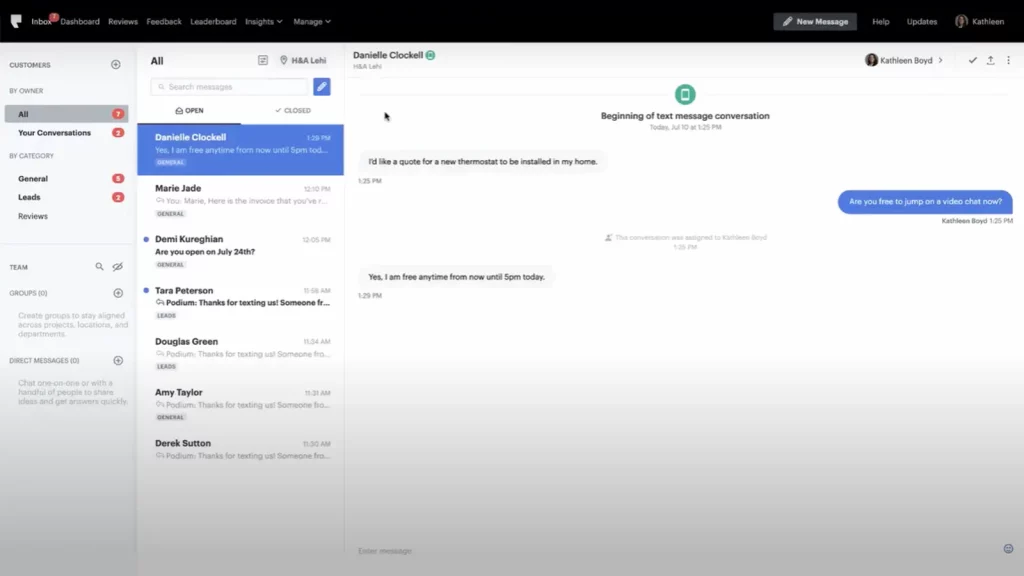
Podium is a popular HIPAA compliant texting software designed for local businesses, including healthcare clinics. For pediatricians, Podium makes it easy to handle patient conversations, gather reviews, and send reminders all from a single inbox. Its strength lies in combining messaging, web chat, payments, and reputation tools under one roof.
Key Features of Podium
- Text-enabled landline: Use your existing clinic number to send and receive texts
- Web chat to SMS: Convert website visitors into text conversations instantly
- Payment links via text: Let parents pay bills securely right from a message
- Review invites: Request reviews automatically after appointments
- Auto-responses: Set up replies for FAQs and after-hours queries
Podium pros
- Easy to use: The interface is clean and simple for teams.
- Boosts online reviews: Great for improving your Google ratings.
- Web chat integration: Website messages come in as texts for easy response.
Podium cons
- Steep pricing: These plans are slightly higher compared to some competitors.
- Limited EHR integrations: Doesn’t sync deeply with many medical systems.
- Not solely healthcare-focused: Not built specifically for medical practices.
Podium pricing
Plans start at around $399/month.
Podium ratings
- Capterra: 4.3/5
- G2: 4.2/5
Podium customer reviews
“Did not like the features, felt like customer service was lacking”
“It feels really expensive to me. At this point I might be able to get similar functionality for significantly less money, but nonetheless, because we’ve made the investment in it and trained our team on it, I selfishly don’t want to have to deplore another program and do another batch of training.”
Source: Capterra
Podium support channels
- Email support
- Live chat
- Online help center (guides, tutorials)
4. Weave
What is Weave?
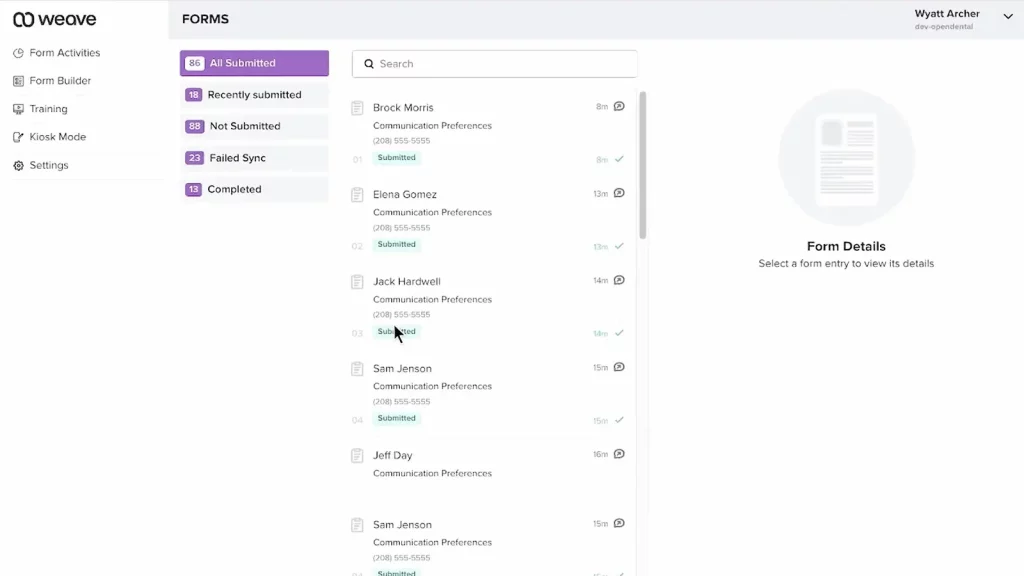
Weave is an all-in-one communication and phone platform designed for healthcare practices, including pediatric clinics. It blends VoIP phone systems with secure message software, allowing clinics to text, call, collect payments, and even manage online reviews, all from one dashboard. For busy pediatricians, Weave helps reduce call loads and keeps parent communication simple and organised.
Key Features of Weave
- Two-way texting: Text back and forth with parents using your clinic’s main number
- Smart call pop-ups: See patient info before picking up a call
- Automated text reminders: Send reminders for appointments, vaccines, or forms
- Mobile app: Let staff handle texts and calls on the go
- Payment requests: Send secure pay-by-text links for co-pays or balances
Weave Pros
- Unified texting and calling: Lets your front desk handle both from one dashboard.
- Smart auto-reminders: Sends scheduled texts to reduce missed visits.
- Syncs with EHRs: Works with many medical systems to pull patient info directly.
Weave Cons
- Phone switch required: You’ll need to adopt Weave’s VoIP system to use texting features.
- Setup can be lengthy: Onboarding takes time, especially with system transitions.
- Long-term commitment: Often sold through annual contracts rather than flexible monthly plans
Weave pricing
There’s not much details regarding their pricing plans on review websites.
Weave ratings
- Capterra: 4.3/5
- G2: 4.3/5
Weave customer reviews
“With Weave, it’s just a nightmare with the customer service and support. And guess what, any settings or setup you want to change, you only have to go through their customer support because whenever you make changes from their web portal, none of it gets actually reflected.”
“The customer support is lacking and the fact when you have a problem and there is no manager to talk to is not helpful.”
Source: Capterra
Weave support channels
- Phone support
- Online help center (Video guides, tutorials)
5. Solutionreach
What is Solutionreach?
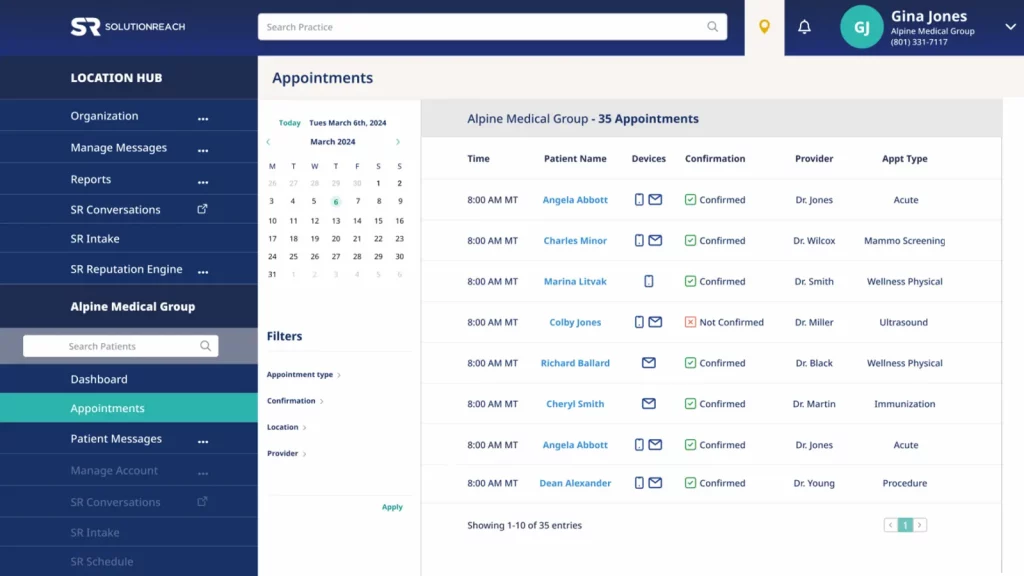
Solutionreach is a long-standing name in pediatric practice management software, offering tools for reminders, surveys, reputation, and two-way texting. It’s designed to improve front desk efficiency while making it easier for clinics to stay connected with families. pediatric practices use it to manage communication at scale, especially for follow-ups, vaccine recalls, and feedback collection.
Key Features of Solutionreach
- Automated appointment reminders: Text and email reminders with confirmation links
- Two-way texting: Chat with parents about forms, test results, or schedule changes
- Reputation tools: Request reviews after visits and track feedback
- Bulk announcements: Share clinic closures, seasonal alerts, or health notices
- Survey tools: Collect parent feedback post-visit
Solutionreach Pros
- Text-first communication: Keeps busy parents in the loop with reminders and updates.
- Multi-channel support: Lets your clinic use text, email, and voice, whatever parents prefer.
- Helpful for wellness follow-ups: Great for sending vaccine and growth check alerts.
Solutionreach Cons
- Interface feels dated: The dashboard design isn’t the most modern.
- Takes time to learn: Some staff may need extra training to use all features comfortably.
Solutionreach Pricing
Plans start around $329/month. Add-ons like surveys and reviews may increase costs.
Solutionreach ratings
- Capterra: 3.8/5
- G2: 3.7/5
Solutionreach customer reviews
“Can be difficult to maneuver from time to time due to updates/ modifications made to the programing.”
“Customer service. Is poor. If you have any issues, which all products will, don’t expect a quick resolution.”
Source: Capterra
Solutionreach support channels
- Email support
- Phone support
- Live chat for limited hours
- Knowledge base
6. Tebra
What is Tebra?
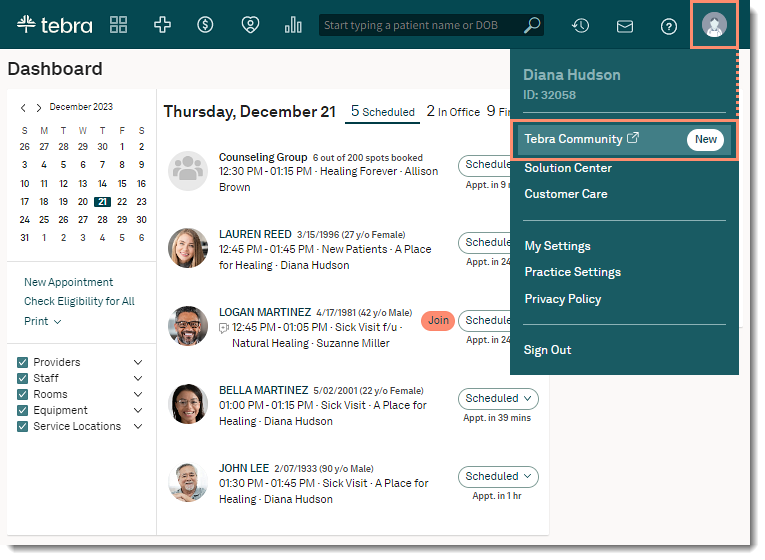
Tebra is a unified platform aimed at helping medical practices grow and operate more efficiently. It includes HIPAA compliant texting software for secure parent communication, online scheduling, and reputation management. pediatricians can use Tebra to streamline front desk tasks while improving parent experience with automated SMS tools.
Key Features of Tebra
- Two-way secure texting: Lets you message parents and receive replies within a HIPAA-compliant dashboard
- Online scheduling: Parents can book visits through a link and receive SMS reminders
- Reputation management: Send automatic review requests after appointments
- Digital intake forms: Allow families to complete paperwork before arriving
Tebra Pros
- All-in-one platform: Combines texting, scheduling, and marketing in one place.
- Front-desk support: Helps reduce calls by automating reminders and parent messages.
- Good for growing clinics: Scales well for multi-location pediatric practices.
Tebra Cons
- Can feel complex: Some features may be too much for smaller clinics.
- Takes time to learn: New users might need a longer onboarding period.
- EHR syncing varies: Integration depends on your existing system.
Tebra Pricing
Costs are not listed upfront. They could be based on your clinic’s size and needs.
Tebra Ratings
- Capterra: 3.9/5
- G2: 3.8/5
Tebra Customer Reviews
“Tebra presents itself as a comprehensive solution for providers, yet in reality, it falls short in every critical area. The clearinghouse consistently rejects claims, making the billing process inefficient and unreliable. Additionally, the requirement to download a desktop version just to conduct billing is outdated and inconvenient. To make matters worse, customer service is unresponsive, often taking days or even weeks to provide assistance. This platform fails to deliver on its promises, creating more frustration than solutions.”
Source: Capterra
Tebra Support Channels
- Email and phone
- Onboarding assistance
- Live chat available on website
- Help centre with guides and videos
7. Doctible

What is Doctible?
Doctible is a communication and automation platform built for small to mid-sized medical clinics. It offers two-way texting, smart reminders, and reputation management. For pediatricians, Doctible helps streamline parent communication while also automating routine front-desk tasks like check-ins and follow-ups.
Key Features of Doctible
- Two-way patient texting: Stay in touch with parents over SMS using a central inbox
- Smart reminders: Automatically send texts for upcoming appointments or overdue visits
- Digital forms: Let parents fill intake or consent forms before arriving
- Missed call textbacks: Automatically message parents if you miss their call
Doctible Pros
- User-friendly: Simple interface with easy setup and onboarding.
- All-in-one tool: Combines texting, reminders, reviews and forms in one place.
Doctible Cons
- Higher pricing tiers: May be costly for solo and very small peditric practices
- Contracts required: Typically includes term-based agreements.
Doctible Pricing
Starts at $249/month for the Gold Plan. The Gold Plus Plan with more features is $399/month.
Doctible Ratings
- Capterra: 4.7/5
- G2: 4.6/5
Doctible Customer Reviews
“They hold no responsibility for their errors in syncing with our Eaglesoft system. Patients are confirming appointments and then it doesn’t indicate on our schedule. They claim to have corrected this issue several times, but it keeps happening. Patients get aggravated that we call them to remind them of their appointments when they have already confirmed through Doctible, but Doctible didn’t change on our schedules.”
“This company offers poor integration with practice management software.”
Source: Capterra
Doctible Support Channels
- Phone
- Help Center
- Chat
8. NexHealth
What is NexHealth?
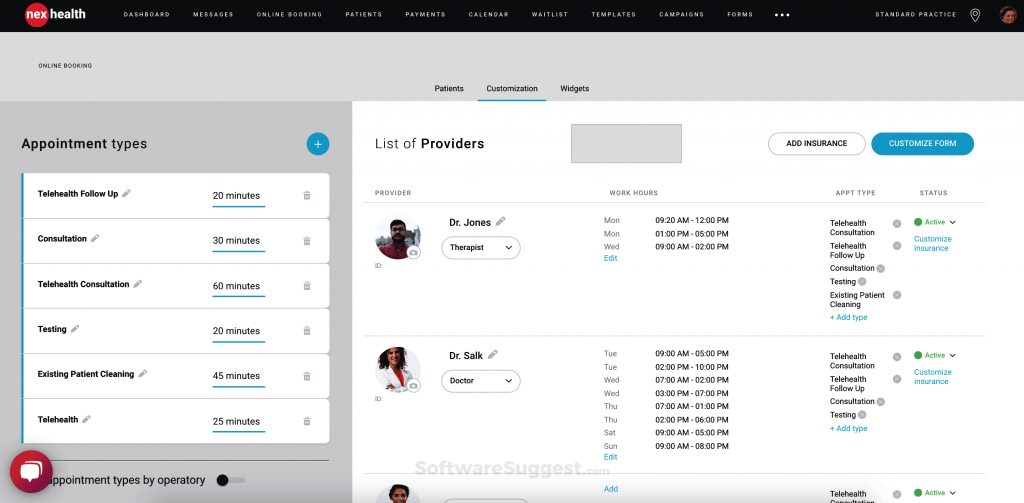
NexHealth is a patient messaging software that handles everything from booking and reminders to payments and two-way texting. Pediatric practices use it for its real-time sync with EHRs, clean user interface, and automated workflows that reduce front-desk load. It’s a solid choice if you want an all-in-one communication tool.
Key Features of NexHealth
- Real-time EHR sync: Updates schedules, reminders, and intake forms instantly
- Appointment reminders: Sends automatic texts with confirm/cancel options
- Digital forms: Parents can fill forms via SMS before the visit
- Integrated messaging: All texts and emails are tracked in one place
NexHealth Pros
- User-friendly design: Easy for staff and parents to navigate without training.
- Fewer no-shows: Automated texts and waitlist fill-ins help keep appointments on track.
- End-to-end messaging: Supports texting across booking, intake, and post-visit follow-ups.
NexHealth Cons
- Pricier option: Costs more than simpler texting tools.
- Takes setup time: Some features need configuration and onboarding.
- EHR dependent: Works best with supported EHR systems for smooth syncing.
NexHealth Pricing
Plans usually starts at $350/month.
NexHealth ratings
- Capterra: 4.7/5
- G2: 4.6/5
NexHealth customer reviews
“They make changes without adequate/any notification. They change workflow and functionality on the fly and expect the office to adapt. They placate, but do not listen to customers. LIMITED support hours. WEST coast centric mentality – east coast starts at 8am, but west coast support starts at 5am so they can fix issues before they impact the day.”
“Sometimes patients tell us that they recieved a notice with the wrong time, also patients that have cancelled for the day and have beeen removed from the schedule still get an appointment reminder for the day”
Source: Capterra
NexHealth support channels
- Email support
- Phone support
- Knowledge base
- Dedicated account manager for larger plans
9. OhMD

What is OhMD?
OhMD is a HIPAA compliant texting app made specifically for healthcare. It focuses on making texting easy for patients and providers, no need to download apps or create logins. For pediatricians, OhMD works well for parent updates, reminders, and even quick telehealth links via SMS.
Key Features of OhMD
- Two-way texting: Parents can reply directly to messages from the clinic
- Automated workflows: Set up vaccine follow-ups or check-up reminders in advance
- Web chat to SMS: Turn web inquiries into text conversations
- Simple EHR integrations: Syncs with over 80 EHRs
OhMD Pros
- Easy usability: Very easy for parents, no downloads needed
- Cost effective: Affordable for small pediatric practices
- Swift onboarding: Fast setup and helpful onboarding
OhMD Cons
- Limited integrations: Lacks voice calling or payment tools
- Some message glitches: A few users have reported message delays or occasional bugs.
- Full features on higher plans: Some tools like advanced automation may only come with premium packages.
OhMD Pricing
Starts around $7/month per user. Pricing may vary with team size and automation level.
OhMD ratings
- Capterra: 4.7/5
- G2: 4.7/5
OhMD customer reviews
“Some users do not like it because it is a separate app. I can’t figure out a way to delete old clients from my records. At times it seems to freeze. I then just sign out and sign back in which fixes it. I was told that I need to upgrade to a newer version, so that may be my problem.”
Source: Capterra
OhMD support channels
- Email support
- Live chat
- Knowledge base with guides
- Onboarding and training help
10. Klara
What is Klara?
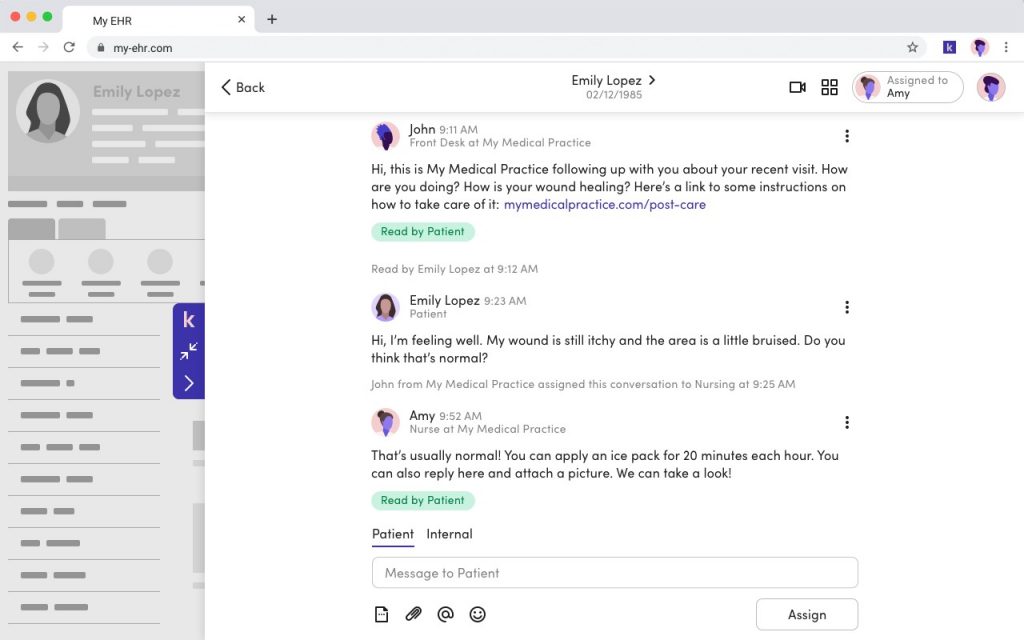
Klara is a secure messaging software built for healthcare teams that want to simplify communication. It lets clinics manage all patient messages, including texts, web chats, and appointment questions, from one dashboard. Klara also supports internal team messaging, which helps pediatric staff collaborate more easily.
Key Features of Klara
- Two-way texting: Communicate directly with parents and guardians
- Team chat: Coordinate care within your pediatric team securely
- Automated follow-ups: Send appointment or vaccine reminders without manual input
- Unified inbox: View messages from multiple channels in one place
Klara pros
- Good team collaboration: Assign chats, tag staff, and add notes internally.
- Simple and clean interface: Easy for staff and patients to use.
- No app required for patients: Patients can text back using regular SMS.
Klara cons
- No built-in payment feature: You’ll need a separate system for billing.
- Fewer automations: Doesn’t offer as many reminders or workflows as others.
- Limited reporting tools: Not ideal if you want detailed analytics.
- Steep pricing: Pricing can be on teh higher side for solo pediatricians and smaller clinics.
Klara pricing
The plans start around $300/month.
Klara ratings
- Capterra: 4.6/5
- G2: 4.4/5
Klara customer reviews
“Frequently receive error messages that a response cannot be sent to a number. Not sure if it is specific to a carrier. Also, despite the message, sometimes the families receive the response. Also a little pricey.”
“The video conferencing doesn’t support multiple service recipients (clients) at the same, such as for group sessions.”
Source: Capterra
Klara support channels
- Email and phone support
- Help center
- Chat support
- Customer success managers for onboarding
Access the complete PDF guide here and start sending effective, patient-friendly messages today.
Why Emitrr Is the Best Pediatric Texting Platform
If you’re looking for an all-in-one texting solution built for pediatric clinics, Emitrr ticks every box, here’s why it stands out:
- Built for healthcare: Designed specifically for medical, dental, and pediatric clinics.
- Easy for staff: Clean, simple dashboard with no learning curve.
- HIPAA compliant texting to patients: Messages are secure and privacy-compliant.
- Parent-friendly: Messages are clear, mobile-friendly, and quick to reply to.
- No missed messages: Auto-texts for missed calls mean no voicemails go unanswered.
- Templates for vaccines and check-ups: Ready-made reminders to boost compliance.
- Bulk texting made easy: Share seasonal alerts, RSV updates, or clinic timings in one go.
- Smart auto-replies: Instantly answer common questions like “When is our next visit?”.
- Review request automation: Boost ratings on Google and Facebook with minimal effort.
- Two-way messaging: Converse with parents in real time, no call-backs needed.
- Integrated web chat: Turn website visits into confirmed appointments via text.
- Mobile access: Manage and reply to messages anytime, anywhere.
- Multi-user logins: Let your full pediatric team collaborate through one shared inbox.
- Affordable pricing: Budget-friendly for pediatricians running solo or multi-site clinics.
- Live onboarding support: Set up quickly with real-time help from actual humans.
- Smart integrations: Syncs with your EHR, CRM, and scheduling tools.
- Missed-call textbacks: Follow up automatically when a parent can’t get through.
- Feedback and trends: Monitor parent sentiment and improve accordingly.
- Multi-language support: Helps you connect with families in their preferred language.
- Secure and reliable: Built to meet all HIPAA texting and compliance standards.
FAQs
Yes, Emitrr supports shared family profiles. You can send reminders that group siblings under a single parent contact.
Absolutely! Emitrr is a HIPAA compliant texting platform, so all messages are encrypted and secure.
Emitrr supports integration with popular billing tools, so you can send payment links and reminders via SMS.
Yes, consent is required. Emitrr helps you document opt-ins for full HIPAA compliance.
Definitely! Emitrr lets you schedule and send age-based reminders like vaccine due dates or growth check-ups.
Conclusion
Texting has changed the way pediatric practices communicate with parents. It’s faster, easier, and what modern families prefer. The right platform can reduce no-shows, improve reviews, and make your clinic run more smoothly every day.
Among the many options available today, Emitrr stands out with its simplicity, automation, and focus on healthcare texting. Whether you’re running a small pediatric clinic or managing multiple locations, Emitrr can help you deliver better care, reduce call loads, and stay connected with families in the most efficient way possible.
So, Book a free demo with Emitrr today and see how effortless parent communication can be!


 4.9 (400+
reviews)
4.9 (400+
reviews)