
Introduction to VoIP for Optometrists
Running an optometry practice means juggling endless calls. Patients just want quick answers, staff want things to run smoother, and doctors are hoping for fewer headaches along the way. Traditional landlines just can’t keep up! These systems come with limited lines, no texting, no links to records, and plenty of missed opportunities! That’s where VoIP phone systems for optometrist clinics come in.
VoIP (Voice over Internet Protocol) moves calls online. Think of it as turning your phone into software. You get a cloud-based hub where calls, texts, and voicemails all live together. It’s not a gimmick – it’s practical optometry technology that cuts costs and keeps you connected.
Calls sound clear, you can answer from a desk phone, computer, or even your mobile. No more busy signals, no more missed voicemails turning into missed appointments. Clinics are already modernizing with VoIP to streamline communication and improve patient care.
In this blog, we’ll break down why VoIP matters, its benefits, and how it helps patients, doctors, and your front desk team work better together.

Why VoIP Matters for Optometrists
Switching to VoIP isn’t just a tech upgrade. It changes the way your whole clinic connects. Patients, doctors, and staff all feel the difference.
Why it matters for patients
For patients, the optometrist phone number feels like a lifeline. When they dial in, they’re hoping for a real, friendly voice, not endless ringing or a voicemail that’s packed full. Miss that call, and many will simply move on and search for an optometrist online instead. VoIP helps make sure no one gets lost. Calls are routed, queued, or even followed up with a quick text if missed. From the very first “hello,” patients feel heard, valued, and cared for.
Why it matters for doctors
Most doctors don’t want to wrestle with clunky phone systems, they just want more time for patients. A VoIP phone system takes care of the busywork by linking with your EHR. The moment a patient calls, their details pop up, so you’re not scrambling to find charts. Mobile apps also mean you can answer calls wherever you are – between locations, at home, or even on the move, all while keeping your clinic number on display. And because everything runs on one system, you cut costs, simplify records, and ditch those IT headaches.
Why it matters for the front desk and staff
For the front desk team, the phone can feel like constant chaos. VoIP makes it manageable by pulling calls, texts, and voicemails into one easy-to-use dashboard. Auto-attendants for call management guide callers to the right department, while voicemail-to-text lets staff quickly scan and prioritise messages. The result? Fewer missed calls, less stress, and a calmer reception area. Patients get faster answers, and your team can actually breathe instead of juggling blinking lines all day.
Want to learn how a VoIP system can transform your business communication? Watch this YouTube video to explore all the benefits!
Benefits of VoIP for Optometrists
So what can VoIP actually do for your clinic? Honestly, a lot. Here’s where it makes the biggest difference.
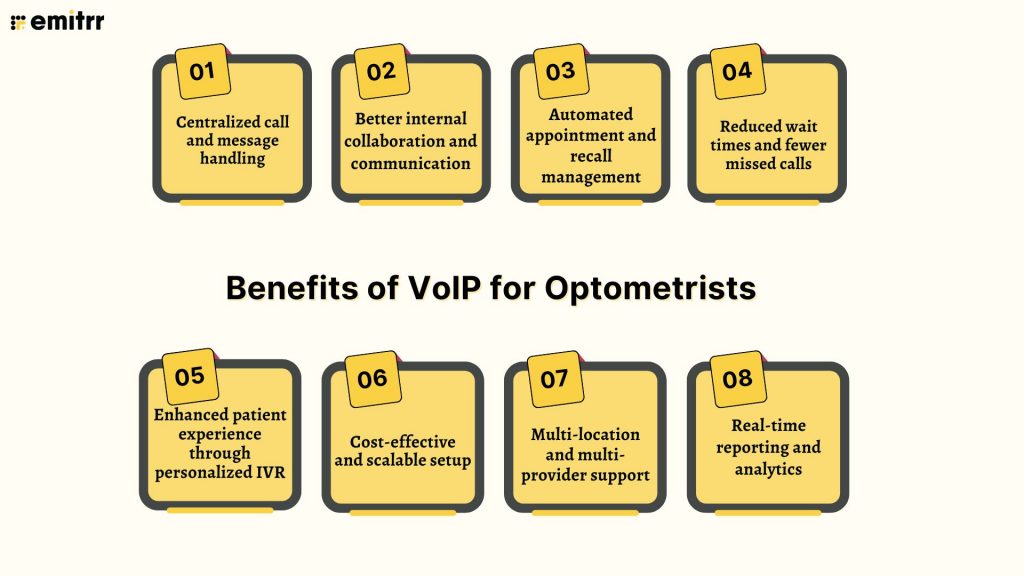
Centralized call and message handling
Think about how many places your messages come from – phone, voicemail, texts, even emails. It’s messy. With VoIP, everything lives in one neat dashboard. Your team doesn’t need to bounce between devices or worry about missing something important. Everyone can see, track, and respond in the same place. It’s simple, organized, and makes life easier for staff and patients alike.
Better internal collaboration and communication
Inside the clinic, VoIP feels like having a direct line to everyone. Need to transfer a call? Just click. Want to loop in another doctor? Start a quick conference without the old-school “hold” music. Staff can even message each other through the system while working on other tasks. And if you’ve got more than one office, VoIP connects them like they’re under one roof. The whole team feels closer, even when they’re miles apart.
Automated appointment and recall management
Nobody enjoys sitting and calling patients all day for reminders. With VoIP, that job is offloaded to the system. It can send out automated appointment reminders via calls or texts and even follow up later when it’s time to rebook. Patients get a friendly nudge, they show up more often, and your schedule stays full. All without your front desk lifting a finger!
Reduced wait times and fewer missed calls
You know those days when the phones won’t stop ringing? Traditional lines can only handle so much before patients get stuck on hold or sent to voicemail. VoIP doesn’t hit that wall. Calls can queue up, route to whoever’s free, or even trigger a quick text reply if no one answers. Even voicemails can be turned into text, so your team can sort through them fast. Patients feel cared for, and your staff doesn’t feel buried.
Enhanced patient experience through personalized IVR
Instead of the boring “please hold” message, VoIP lets you add a personal touch. You can create a menu that matches your clinic’s vibe and actually helps patients find what they need. Want to add a bilingual option? Easy. Want to include your hours or directions? Done. It’s like giving patients a friendly guide the moment they call, and it takes pressure off your staff, too.
Cost-effective and scalable setup
Traditional phone setups can be expensive and clunky. VoIP flips that around. Because it’s internet-based, you don’t need all the extra hardware or service providers. Adding a new line is literally a couple of clicks, which makes growing your practice a breeze. You pay for what you need, and you’re always ready for more.
Multi-location and multi-provider support
Got more than one office or several doctors? VoIP makes it simple. You can stick to one main phone number for optometrist clinics and route calls wherever they need to go. Doctors switching between locations can use the same number from their laptop or mobile app, so patients always see a consistent caller ID. Everything feels unified, no matter how spread out your team is.
Real-time reporting and analytics
Here’s where it gets smart. VoIP shows you exactly how your phones are being used. You can see when your clinic experiences high call volumes or how long people wait, and how many calls get through. It helps you plan staffing, tweak workflows, and even figure out if reminders are cutting down on patient questions. Basically, your phones start becoming a tool you can learn from.
Download ready-to-use voicemail scripts for appointments, after-hours calls, and prescription updates—built for eye care clinics.
Use Cases of VoIP in Optometry Clinics
So how does VoIP show up in everyday clinic life? Here are a few real-world situations where it really makes things easier.
Streamlining lab and referral communication
Eye care isn’t done in a bubble. You’re often calling labs about lenses or referring patients to ophthalmologists. With VoIP, those calls don’t feel clunky. Your staff can quickly set up a three-way call between the patient, the doctor, and the lab if needed, instead of juggling callbacks. Plus, all those important contacts like labs, suppliers, and referral partners can be saved in the system for one-click dialing. No more sticky notes with numbers floating around the desk. Everything feels faster, clearer, and way more reliable.
Handling allergy season spikes in patient demand
Spring hits, allergies flare up, and suddenly the phones don’t stop ringing. A regular phone system would get swamped, sending patients straight to voicemail or worse, giving them a busy tone. But an AI-powered VoIP system handles these surges more gracefully. Patients can be queued with an estimated wait time, routed to whoever’s available, or even forwarded to backup lines. You can also add a quick menu option like “Press 1 if you’re calling about allergy symptoms” to help them book right away. The result? Patients get help quickly, and your clinic doesn’t lose business during those crazy busy weeks.
Managing vendor and lens supply calls
Running a practice means dealing with suppliers for lenses, frames, and equipment almost daily. With VoIP, those calls don’t clog up your main patient line. You can set up a dedicated extension just for vendors, so your optician or inventory manager gets them directly. Long-distance calls to out-of-state suppliers are covered, too, so no surprise phone bills. And if you enable call recording, you’ll always have a record of what was ordered in case anything gets mixed up later. It keeps vendor communication organized while leaving your main line free for patients.
Coordinating tele-optometry and remote consults
Telehealth is becoming a part of eye care, whether it’s a quick video consult or a late-night call for urgent advice. VoIP is the backbone for this. Doctors can call patients from their mobile app, but the clinic number shows up, keeping things professional and private. If it’s a video visit, VoIP can tie in with your meeting platform or send the link straight to the patient. Some practices even use it for after-hours “virtual optometrist on-call” services, where urgent calls get forwarded to whichever doctor is covering that night. It’s a smooth way to extend care beyond the walls of your clinic.
Prioritizing urgent eye emergencies
Not every call is equal. Someone asking about dry eyes can wait, but a patient with flashes or floaters needs immediate attention. VoIP lets you build smart rules for this. Patients can press an emergency option that routes their call to a priority line, ringing straight to a trained staff member or the on-call doctor. Routine calls can still go to voicemail or a queue after hours, but emergencies cut the line. It’s like giving patients a fast track when it really matters, and it gives doctors peace of mind that nothing urgent gets missed.
Supporting billing and insurance queries
Billing calls can take up a surprising amount of front desk time. With VoIP, you can make these smoother and more organized. Calls about insurance or balances can go to a dedicated line or even straight to your billing specialist. If the system connects to your billing software, staff can see patient details as they’re on the call and answer right away. No more promising to “call back after checking” or losing track of sticky notes. Patients get their answers quickly, and your front desk isn’t buried under paperwork and reminders.
Best Practices for VoIP in Optometry Clinics
Getting VoIP up and running is step one. The real magic happens when you use it the right way. Here’s how to make it work for your clinic.
Keep it HIPAA-compliant from the start
Phones carry sensitive details too, not just charts. So your VoIP software for optometrists needs to lock things down. Pick a provider that’s HIPAA-compliant, make sure calls and texts are encrypted, and always get a Business Associate Agreement signed. That’s your safety net to prove your vendor is on the hook for protecting patient info. Don’t forget to set up basics like auto-logouts and staff access levels. Bottom line: treat your phone system like your EHR, secure and private from day one.
Train your team on phone etiquette and features
Even the fanciest phone setup won’t help if your staff doesn’t know what to do with it. Walk your team through the dashboard, show them how to transfer calls, set up voicemail greeting templates, and check texts without panic-clicking. It’s also a great excuse to refresh phone manners – cheerful hellos, clear communication, and smooth holds. A short training and maybe a cheat sheet go a long way in building confidence. When your staff feels comfortable, patients notice.
Set up smart call flows and routing
VoIP lets you design how calls move through your clinic, so use it. Build a menu that gets patients to the right place fast: appointments, billing, or optical. Also, change settings for after-hours so emergencies reach the right person, while routine calls get a polite message. The best part? You can tweak it anytime once you see real call patterns. A few smart routes can make the whole system feel effortless for both staff and patients.
Sync VoIP with your EHR and scheduling system
Here’s where things get smooth. When VoIP connects to your EHR, patient info pops up the second they call. If it links with scheduling, staff can click-to-call right from the calendar or log call results automatically. No more double-entry or hunting for details in three different tabs. Everyone has the same info in front of them, which means faster help for patients. Integrations may take a little setup, but they’re worth it for the daily time saved.
Use voicemail-to-text for missed calls
Nobody enjoys listening to voicemails one by one. With voicemail transcription, your team can scan messages quickly and spot what’s urgent. A patient calling to reschedule? That can wait. Someone worried about an eye injury? That’s a priority. Plus, reading messages means you don’t miss phone numbers or details. The recording’s still there if you need it, but most of the time, you’ll save minutes with every message. It keeps callbacks quick, and nothing gets lost.
Track call metrics to improve efficiency
VoIP gives you way more data than an old landline ever could. Look at when calls spike, how many go unanswered, and how long people wait. These numbers aren’t just fun stats. They tell you when to add staff, simplify menus, or tweak hold messages. Over time, you’ll spot trends like “Mondays are slammed” or “texts cut down call volume.” Some clinics even set goals like reducing missed calls each quarter and track progress with these reports. If you measure it, you can improve it.
Regularly update FAQs and call scripts
Your phone menu should never sound stale. If your hours change, update the greeting. If patients keep asking the same question, add it to the menu or prep a quick script for staff. Even little refreshes like updating your hold message can make the clinic sound sharp and current. It also keeps staff consistent, so no matter who picks up, patients get the same clear info. Think of it as giving your phones a tune-up now and then.
Challenges to Watch Out For (and How to Tackle Them)
VoIP truly is amazing, but like anything new, it comes with a few bumps in the road. Knowing what to expect makes those bumps way easier to handle.
Ensuring a stable internet connection
Since VoIP runs on the internet, a shaky connection means shaky calls. Nobody wants choppy audio or dropped patients mid-sentence. Before making the switch, check if your internet can handle calls alongside your usual browsing and software. A wired connection is usually more reliable than Wi-Fi, so plug in where you can. It also helps to set up your router so calls get priority over things like big downloads. And always have a backup plan, whether it’s call forwarding to cell phones or a second internet line.
Overcoming staff resistance
Let’s be honest, not everyone loves change, especially when phones are involved. Some staff will cling to the “old way” just because it feels familiar. The trick is to show them how VoIP actually makes their lives easier. Less manual dialing, fewer angry patients waiting on hold, and even the ability to take calls from home if needed. Get them involved early, give them hands-on training, and maybe appoint a “VoIP champion” who can answer day-to-day questions. Celebrate the quick wins, like the first time someone nails a transfer or saves a call with a text follow-up. Soon enough, the skeptics usually become the biggest fans.
Navigating pricing and hidden fees
VoIP is usually cheaper than old-school phone lines, but billing can get tricky if you’re not careful. Some providers sneak in charges for extra numbers, international calls, or premium features. When shopping around, always ask what’s included and what costs extra. Unlimited plans are often the safest bet if you expect lots of calls or texts. Also, check if there are fees to bring over your old number or set up new lines, many modern vendors waive them, but not all. Doing this homework upfront means no nasty surprises on your bill later.
Integrating with older EHR systems
Integration is where VoIP really shines, but it doesn’t always play nice with older software. If your clinic uses an older EHR, some of the cool stuff, like instant screen pops, may not be plug-and-play. That doesn’t mean you can’t make it work, many systems offer APIs or browser plugins for basic features. When choosing a vendor, ask about their integration roadmap. Chances are, they’re already working on new connections or beta features.
Addressing compliance and privacy concerns
With phones handling sensitive info, privacy is non-negotiable. Make sure your system is HIPAA-compliant, and remind staff not to leave dashboards open on shared computers. If you’re recording calls for training, always tell patients upfront. Keep voicemail greetings professional and never include personal health info. In short, treat VoIP with the same privacy mindset you use for paper charts or your EHR. The upside is that with encryption and audit logs, VoIP can actually be safer than traditional phones – as long as you use it the right way.
Managing dual workflows for retail and clinical sides
Optometry clinics often wear two hats – medical and retail. And the phone lines can get messy if those worlds collide. Patients calling about glasses orders shouldn’t tie up the line for medical appointments, and vice versa. VoIP helps by letting you split calls with simple menu options: “Press 1 for appointments, 2 for the optical store.” You can also track retail calls separately from clinical ones to see which side is busier. Training staff to handle basic crossover questions keeps things smooth, too. Done right, patients get exactly what they need without being bounced around, whether it’s booking an exam or checking on new frames.
How to Set Up VoIP for Your Optometry Clinic Using Emitrr
Ready to make the switch? Setting up VoIP may sound technical, but with providers like Emitrr, it’s surprisingly simple. Here’s a step-by-step path to get your phones upgraded.
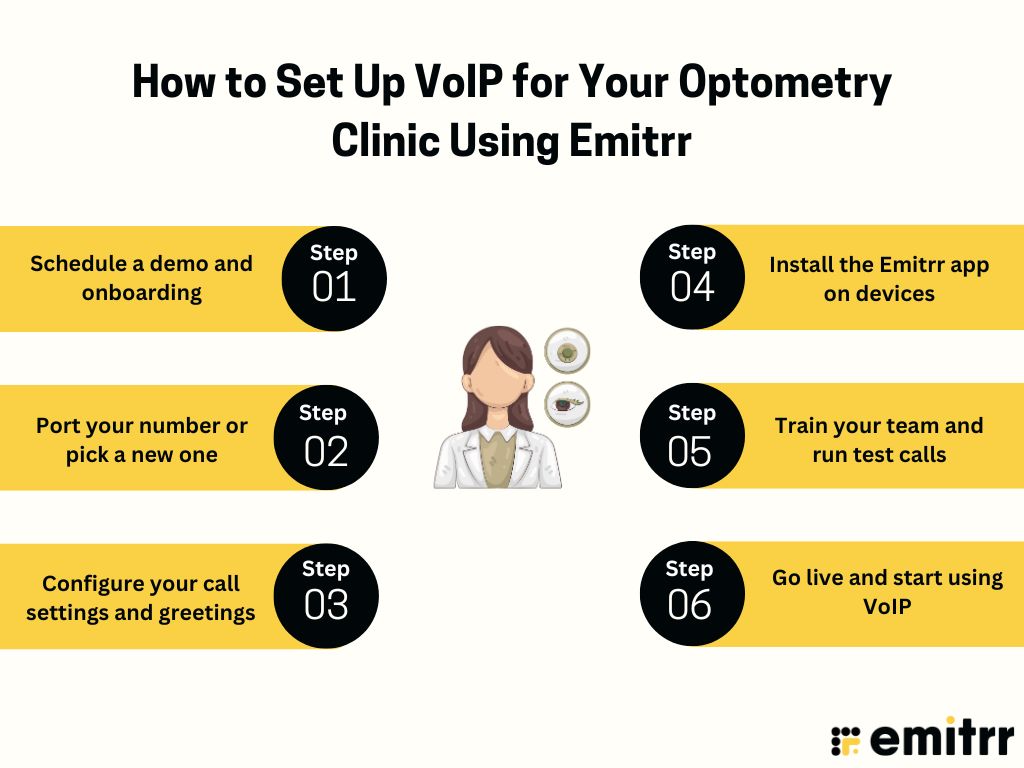
Step 1: Schedule a demo and onboarding
Reach out to Emitrr for a quick demo. They’ll walk you through features and help map out what your clinic needs. In onboarding, you’ll plan basics like lines, users, and call flows. Their team also ensures everything is HIPAA-compliant from day one, so you’re set up safely.
Step 2: Port your number or pick a new one
Most practices keep their existing office number, and Emitrr handles the porting. Calls can be forwarded during the switch, so nothing gets missed. Need a toll-free line or a number for a second office? You can pick one too. By the end, your optometrist phone number will live in your new VoIP system.
Step 3: Configure your call settings and greetings
Now make it your own. Set hours, greetings, and menus like “Press 1 for appointments.” Routing rules can send calls to certain staff or ring multiple phones at once. Each department can also have its own voicemail box. Emitrr usually walks you through this setup, so nothing gets overlooked.
Step 4: Install the Emitrr app on devices
Next, install the desktop app on your front desk computers and the mobile app on staff smartphones. This way, anyone can call or text patients using the clinic’s caller ID. A few quick test calls between staff confirm everything’s running smoothly.
Step 5: Train your team and run test calls
Before launch, gather the team for training. Show them how to answer, transfer, text, and check voicemails. Let them practice with each other, and keep a cheat sheet handy for the first couple of weeks. Test the system from a personal phone too, so you can tweak what patients experience.
Step 6: Go live and start using VoIP
Finally, flip the switch. Once the number ports fully, all calls run through Emitrr. It may feel new at first, but soon you’ll notice the perks: clearer calls, multiple lines at once, and patient names popping up instantly. Keep an eye on feedback, and remember, Emitrr’s support team has your back.
Case Study: Unique Insights from Real-World Optometry Clinics
To really show how VoIP makes a difference, here are a few everyday clinic scenarios where it’s had a big impact.
Integrated VoIP and CRM to cut double entry
One multi-location practice integrated VoIP and CRM patient software. When a patient called, their record popped up instantly, and notes from the call were saved right there. Staff didn’t have to write things on paper or update databases later. Patients loved not having to repeat themselves every time they called. It made everything smoother and freed up more time for actual patient care.
Screen pops with patient info on incoming calls
In a busy clinic, VoIP was tied into the EHR so patient info showed up on screen as soon as the call came in. The receptionist could greet people by name and even see upcoming appointments or balances due. No more spelling checks or digging for files while someone waited on hold. Calls felt quicker and more personal from the very first hello. Staff found it less stressful because all the context was right there.
Mobile apps to keep doctors connected on the go
One optometrist who moved between offices used the VoIP mobile app to stay connected. She could call or answer patients on her phone, but the caller ID still showed the clinic number. Patients did not know that she was not at her desk. It gave her freedom to travel, attend conferences, and still be there for urgent cases. Staff also used the app to check voicemails before opening hours, so they could hit the ground running each morning.
Multilingual IVR menus for patient access
A clinic serving a diverse community added bilingual menus to its VoIP. Spanish-speaking patients could press a number and get all prompts and hold messages in Spanish. It instantly made the experience more comfortable and welcoming. Bookings from Spanish-speaking patients increased, and callers stopped hanging up out of confusion. It was a small change that made the clinic stand out in the community.
Handling seasonal spikes without missing calls
During allergy season, one practice’s call volume used to jump so much that patients often got busy signals. After switching to VoIP, they created a special allergy queue and set up auto-texts to anyone they missed. Patients replied with their issue, and staff could follow up quickly. Suddenly, missed calls dropped, appointments rose, and patients commented that it was finally easy to get through! The front desk team felt more in control, even during the busiest months.
Automated text follow-ups to keep patients engaged
Some clinics started using VoIP’s texting feature for follow-ups. A few days after a visit, patients got a friendly message like, “Hope you’re loving your new glasses, let us know if anything feels off.” People often replied with quick questions, which staff could handle right away. It made patients feel looked after even after the appointment. The clinics saw fewer complaints and more positive online reviews. It became an effortless way to build stronger relationships.
Using recalls to boost optical sales
Another practice used VoIP to send out recalls for patients due for annual exams. Patients got a reminder call or text and booked their appointments. Many ended up needing updated prescriptions, which led to more glasses and contact lens sales. The system basically kept the schedule full and boosted shop revenue at the same time. Staff loved that it ran in the background without constant manual dialing. Patients appreciated the nudge, and the clinic grew its bottom line.
Frequently Asked Questions
Old landlines can only do so much. VoIP lets you handle more calls at once, text patients, connect with your software, and usually save money in the process.
Absolutely. Instead of patients getting a busy signal, calls queue up until someone’s free. And if no one can answer right away, the system can automatically send a text so patients still feel acknowledged.
Absolutely, as long as you pick a HIPAA-compliant provider! VoIP uses encryption, audit trails, and access controls to protect patient info. With the right setup and a signed BAA, it’s just as secure as your EHR.
Yes, it absolutely can. Emitrr connects with popular optometry EHRs and scheduling tools, so patient records pop up during calls and notes log automatically. It saves double work and keeps your systems talking to each other.
Definitely. Whether you have two offices or ten, Emitrr lets you manage them under one system with shared numbers, extensions, and easy call transfers. Everything feels unified, no matter where your team is working.
A big yes! Patients notice when hold times are shorter, calls actually get answered, and they can text if they prefer. Add in personal touches like being greeted by name, and the whole experience feels smoother and more caring.
Conclusion
Communication can make or break the patient experience in eye care. Switching from landlines to VoIP gives your practice modern tools that actually make life easier – smoother call handling, texting, reminders, and better coordination across the team. Patients feel cared for when their calls are answered and updates come through quickly, and staff love not having to juggle multiple phones or chase missed calls.
At the end of the day, VoIP isn’t just about saving money on phone bills. It’s about creating a smarter, more connected practice. With Emitrr, you get a HIPAA-compliant system built for eye care that helps you stay on top of every patient interaction. It even supports online optometrist services, so you can consult and connect with patients virtually without missing a beat. So, are you ready to see it in action? Book a free demo with Emitrr today!


 4.9 (400+
reviews)
4.9 (400+
reviews)