
Introduction
Faxing has been a trusted way to send documents for decades, especially in industries like healthcare, legal, and insurance. But as technology evolves, so do the tools we use to communicate. Today’s businesses need secure, flexible, and efficient solutions that go beyond traditional machines.
That’s where platforms like WestFax and iFax step in, bringing faxing into the cloud and onto your devices. But faxing alone isn’t always enough. Many teams need faster, more interactive ways to stay in touch with customers. And for that, there’s Emitrr, a modern alternative that focuses on real-time communication: texting, calls, reminders, automations, and more, all from one simple place!
So, in this blog, we’ll look at how WestFax and iFax stack up and show you where Emitrr comes in as a smart, all-in-one platform that does more than just send documents. It actually helps you connect with customers better.
Key Takeaways
- WestFax: Ideal for teams handling lots of sensitive documents, like in healthcare or law. It’s HIPAA-compliant, secure, and built for high-volume faxing with strong admin tools.
- iFax: Perfect for small teams or professionals who need easy, mobile-friendly faxing. No machines, just HIPAA-compliant faxing from your phone or desktop.
- Emitrr: A modern all-in-one tool for texting, calling, reminders, forms, and more. Great for service businesses that want to cut no-shows and keep every customer convo on track.
What is WestFax?
WestFax is a tool that helps businesses send and receive faxes without messing with old-school fax machines or paper. It’s more like an online fax service – you can fax straight from your email, a web portal, or even integrate it into your software, all while keeping everything digital. WestFax is built with security in mind. It’s HIPAA-compliant faxing, which makes it perfect for industries like healthcare, government, or law firms that handle sensitive information.
Using WestFax, you can upload a document and fax it off in seconds, no printing or dialing required. It gives you confirmations when a fax goes through and stores your sent/received faxes in the cloud so you can search and access them anytime. The best part? Your team can share fax numbers and manage faxes together, even if everyone’s working remotely. And if you ever need help, WestFax’s support team is available to assist you. So it’s basically like having a reliable, high-security fax machine in the cloud, accessible from anywhere and easy for anyone to use.
What is iFax?
iFax lets you send and receive faxes from your phone or computer – no fax machine needed. Its AI-powered faxing is great for businesses like clinics, law firms, and insurance agencies that still rely on fax but want to keep things digital and simple. With iFax, you can snap a photo of a document, upload a file, or even just type a message and fax it off from anywhere.
Despite ditching the bulky hardware, iFax keeps your faxes secure and HIPAA-compliant. It works globally too. So it doesn’t matter if you’re sending something to the clinic down the street or an office across the world, you’re covered without worrying about international phone codes. iFax even gives you your own dedicated fax number and sends you alerts when a new fax comes in. Basically, it’s like turning your phone or laptop into a smart, modern fax machine, minus the paper jams and screeching modem sounds. If you need to send sensitive information fast and without printing anything, iFax gets the job done with minimal fuss.
Key Differences Between WestFax and iFax
Let’s start with a quick snapshot of how WestFax and iFax stack up side by side:
| Aspect | WestFax | iFax |
| Primary Purpose | Enterprise-grade fax platform for secure, high-volume document transmission. | Cloud-based online fax service for sending/receiving faxes easily via the internet. |
| Core Functionality | Integration-focused (email-to-fax, web portal, API) with advanced admin controls and compliance features. | Convenience-focused (mobile and desktop apps) with tools for quick fax sending, receiving, and document Optical Character Recognition (OCR). |
| Target Users | Ideal for healthcare, legal, government, and large businesses that require strict compliance and multiple users. | Suited for individuals, small to midsize businesses, and professionals needing a simple fax solution (incl. HIPAA needs). |
| Compliance Focus | Fully HIPAA-compliant with BAAs. Designed for regulated industries and secure data handling. | Fully HIPAA-compliant with optional BAA. Built to safely transmit medical or legal documents. |
| Integrations | Offers integrations with enterprise systems (e.g., EHRs like Epic, Microsoft 365, print drivers) and a robust API for custom workflows. | Integrates with popular apps like Google Drive, Dropbox, Slack, and offers Zapier and API support for workflow automation. |
| Accessibility | Primarily web-based and email. Also supports printing to fax and has mobile access, but is geared toward desktop/office use. | Use it on iOS and Android, or install iFax for Windows and iFax for Mac for a seamless, cross-platform faxing experience. |
| Collaboration | Centralized administration with multiple users sharing fax lines under one account (admin controls who sees what). | Shared team inbox allowing multiple users to send/receive and manage faxes collaboratively in real time. |
| Document Handling | Handles digital documents via cloud, stores faxes with unlimited storage, offers audit trails and OCR for enterprise needs. | Handles scanned or uploaded documents, offers in-app annotations, e-signing, and OCR to search fax content easily. |
Key Similarities Between WestFax and iFax
They may serve different needs, but WestFax and iFax have a few important things in common, especially around secure, digital document handling.
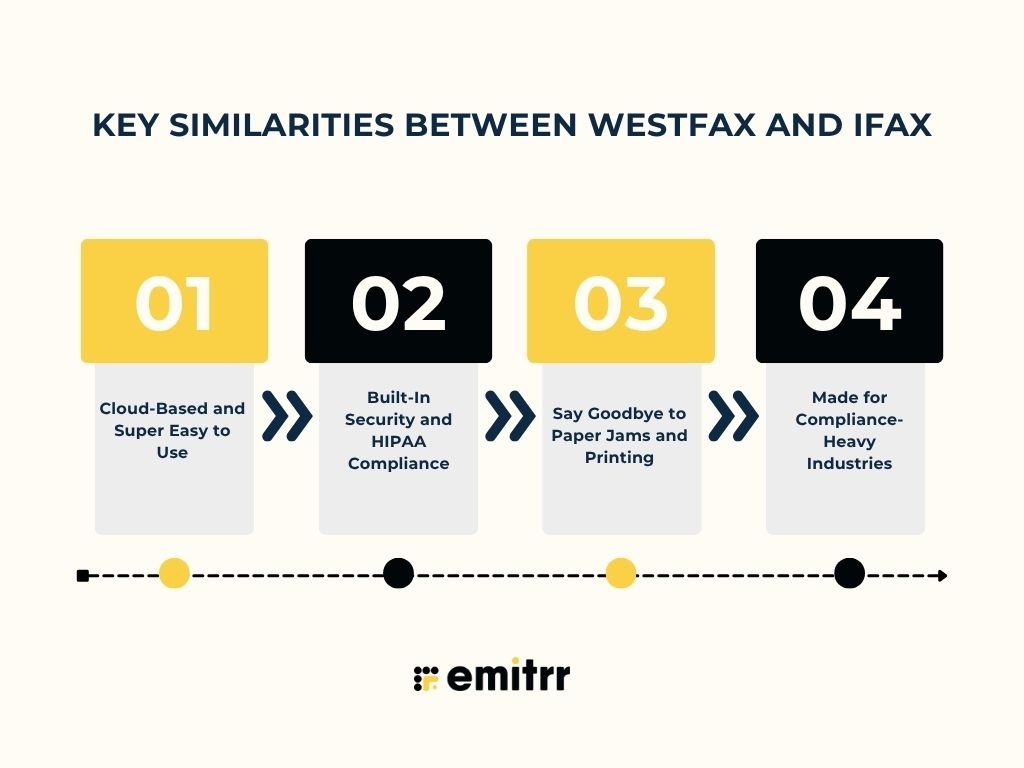
Cloud-Based and Super Easy to Use
Both WestFax and iFax let you fax online. No bulky machines or tech setup needed. You can sign up, log in, and start faxing from your phone or computer. It’s simple and quick, even if you’re not tech-savvy. Whether you’re sending contracts or prescriptions, everything happens in the cloud. That means no installations, no IT calls – just smooth, stress-free faxing.
Built-In Security and HIPAA Compliance
When it comes to privacy, both tools do it right. iFax app offers encrypted, HIPAA-compliant faxing with support for Business Associate Agreements (BAAs). WestFax also uses strong encryption and operates from secure, compliant data centers. So whether you’re sharing medical records or legal docs, your info stays safe and meets industry standards. You get peace of mind, no matter what you’re faxing.
Say Goodbye to Paper Jams and Printing
Faxing doesn’t have to mean scanning, printing, or standing by a noisy machine. iFax app and WestFax both move everything online. Just upload a file and hit send. It’s faster, cleaner, and a whole lot less stressful. You avoid the clutter, save time, and cut down on manual mistakes. It’s faxing made modern and way more manageable.
Made for Compliance-Heavy Industries
If you work in healthcare, finance, or legal, these platforms are made for you. iFax ensures secure, traceable faxing for things like patient info and claims. WestFax goes a step further with detailed logs and strong data retention policies. Both are designed for teams that can’t afford mistakes when it comes to records and compliance. Everything is trackable, secure, and reliable.
WestFax vs iFax: Compared
WestFax and iFax both let you fax online, but they’re built for different needs. WestFax is great for big teams with heavy fax loads and strict compliance needs. iFax is perfect for solo pros or small businesses who want something simple and mobile-friendly. Here’s how they stack up side by side:
Features
WestFax Features
- Online & Email Faxing: Send and receive faxes from your browser or email, no fax machine needed.
- Easy Integrations: Works with tools like Epic, Microsoft 365, and offers an API to connect with your software.
- Handles Big Volumes: Built for teams that fax a lot. Sends thousands of pages monthly with smart retries.
- HIPAA-Secure: Uses strong encryption and signs BAAs for healthcare compliance.
- Team-Friendly: Add multiple users, assign roles, and manage who can use which fax line.
- Delivery Alerts & Storage: Get instant send/receive confirmations and keep all faxes saved online.
- Smart OCR & AI: Converts fax images to text and auto-sorts or pulls data using built-in AI tools.
- Super Reliable: 99.9% uptime with backups and retries, so faxes almost always go through.
- Keep or Get New Numbers: Port your current number or get new local/toll-free number easily.
- Great Support: U.S.-based team with fast help via chat, email, or even 24/7 live support on higher plans.
iFax Features
- Fax from Any Device: Send and receive faxes from your phone, computer, or email. No machine needed.
- Works Everywhere: Use it on iOS, Android, iFax for Mac, Windows, or the web – super flexible.
- Email to Fax: Just send an email to fax a document. No special setup required.
- Big Plans Available: From a few to hundreds of pages, choose a plan that fits your fax volume.
- HIPAA-Secure: Built for healthcare with top-level encryption and optional BAA.
- E-Sign and Edit: Sign or mark up documents right in the iFax app before faxing them out.
- Searchable Faxes: OCR turns faxes into text, so you can search or copy from them easily.
- Shared Fax Inbox: Teams can share fax numbers and inboxes, perfect for group access.
- Bulk Faxing: Send one document to many people at once with just a click.
- Tech Integrations: Use the API and webhooks to fax directly from your own apps or systems.
Plans & Pricing
WestFax Pricing
- HIPAA Basic plan: Starts at $14.99/month. Includes 500 pages, email-to-fax, and is great for solo users or small offices.
- HIPAA 1500 plan: Priced at $39.95/month. Supports up to 5 users and 1,500 pages, ideal for small practices.
- HIPAA 3K plan: Costs $69.95/month. Covers 25 users and 3,000 pages; great for midsize healthcare or legal teams.
- Enterprise plan: Custom pricing for larger organizations. Includes extras like API access, FTP, SSO, and advanced admin controls.
- Free trial: WestFax offers a free trial and monthly billing with no long-term contracts required.
iFax Pricing
- Free tier: Offers limited fax pages, making iFax pricing good for testing basic functionality.
- Basic plan: Around $9.99/month per user with a modest monthly page allowance.
- Plus plan: Around $19.99/month with increased pages and HIPAA compliance included.
- Pro plan: Around $24.99/month. It adds API access, unlimited faxes, and 24/7 support.
- Flexible billing: iFax cost is flexible, offering month-to-month and annual plans with volume-based pricing.
Integrations
WestFax Integrations
- EHR systems: Easily fax from platforms like Epic, ideal for clinics syncing patient records.
- Microsoft 365 tools: Fax right from Outlook, Word, or even Microsoft Teams using the app.
- Office printers (MFPs): Turn your copier into a fax machine without phone lines using WestFax drivers.
- Cloud & SFTP storage: Auto-drop faxes into secure folders or back them up to your storage system.
- APIs & webhooks: Build your own fax workflows or get real-time fax alerts via webhooks.
- Enterprise extras: Supports SSO (like Azure AD) and can unofficially work with Zapier via API.
iFax Integrations
- Cloud storage: Connect Google Drive, Dropbox, or Box to send and store faxes easily with your iFax account.
- Slack alerts: Get instant Slack pings when a fax arrives. No more missed messages.
- Zapier automation: Set up smart workflows like faxing a doc when it hits a specific folder.
- Email add-ons: Send faxes straight from Gmail or Outlook with familiar tools.
- CRM/EHR via API: Use the API to hook your iFax account into tools like Salesforce or practice software.
- Full developer API: Build custom workflows or embed fax into your own apps with ease.
Pros & Cons
WestFax Pros
- Enterprise-Level Security: End-to-end encryption and HIPAA compliance make it a secure choice for sensitive files.
- Easy to Use: The interface is clean and intuitive, and you can access your dashboard instantly through your WestFax login, no fax machine hassle here.
- Great Value & Pricing: Offers rich features at a mid-range price point. No extra fees per fax or signature.
- Responsive Customer Support: Always-on customer service for urgent fax needs.
- Integration Friendly: Works smoothly with email, APIs, and tools like Microsoft 365.
- Reliable & Fast: High deliverability with quick send times and confirmation alerts.
- Unlimited Storage: Every plan comes with unlimited cloud fax storage and easy search.
- Multi-User Access: Lets you manage multiple users with role-based access, great for teams.
WestFax Cons
- Limited Self-Service for Settings: Some changes require contacting support instead of toggling it yourself.
- Initial Learning Curve: Admin tools and dashboard can take time to get used to.
- Cover Sheet Customization: Cover pages are template-based with limited design flexibility.
- Mobile App Experience: The Mobile app works, but isn’t as full-featured or slick as the desktop.
- Advanced Features Cost More: OCR, SSO, and analytics are only in higher-tier plans.
- Support Tiers: Entry-level plans don’t include live phone support or 24/7 help.
- Not a Household Name: Lesser-known brand with fewer online tutorials or community guides.
iFax Pros
- Simple Setup: Sign up and fax in minutes. No fancy tech skills needed.
- Cross-Platform Convenience: Use it on desktop, phone, or tablet seamlessly.
- Secure & Compliant: Fully HIPAA-compliant with strong encryption and BAAs.
- Budget-Friendly Options: iFax pricing start under $10 with solid features.
- Reliable Delivery: Instant fax confirmations and automatic retries if something fails.
- Feature-Rich Platform: Built-in e-signatures, annotation, and OCR. Smart and modern.
- 24/7 Customer Support: Round-the-clock help via chat or email for paid users.
- Scalable for Teams: Supports shared inboxes, multiple users, and multiple fax numbers.
iFax Cons
- Free Plan Limitations: Very limited pages, best for testing, not for regular use.
- Advanced Features Cost More: API, unlimited faxes, and OCR are only in Pro plans.
- Cost for Light Users: Even with the iFax cost starting around $10/month, it can feel high if you rarely fax, making it less ideal for occasional users.
- Occasional Delivery Delays: Big faxes or peak times may cause slight slowdowns.
- Basic In-App Editing: iFax app allows built-in editing for small changes, not full document fills.
- Fax Number Ownership: Numbers are rented. Cancel the plan, and you could lose it.
- Subscription Management: Auto-renews by default. Watch those trial periods closely.
Reviews & Ratings
WestFax Reviews & Ratings
- Capterra: 4.8/5
- G2: 4.7/5
“The interface can be a bit confusing at first, and you don’t have many options for customizing the fax cover sheet.”
“Cover pages are customizable to an extent, they use fillable fields, but you cannot move around the editable fields.”
Source: Capterra
iFax Reviews & Ratings
- Capterra: 4.8/5
- G2: 4.7/5
“I disliked how much iFax cost. It’s too expensive for me.”
“Extremely predatory practices when it comes to charging you for things. And they will show zero understanding of your situation after slapping a massive charge on your bank account.”
Source: Capterra
When to Use WestFax
Thinking WestFax might be the tool for your team? Here’s when it makes the most sense to use it:
When You Fax Frequently
If you’re sending dozens or hundreds of pages every week, WestFax saves serious time. Instead of feeding paper into a fax machine, you just upload files and send them digitally. It handles bulk faxing, auto-retries failed sends, and gives delivery receipts, so you always know what went through. For teams like hospitals or law firms, this takes the hassle out of faxing and keeps things moving fast.
When You Work in Regulated Industries
If you deal with sensitive information, like patient data, legal records, or financial reports, WestFax has your back. It’s fully HIPAA-compliant, signs BAAs, keeps everything encrypted and provides audit trails. Healthcare providers love it for sending prescriptions or medical records. Basically, if compliance is non-negotiable, WestFax gives you peace of mind.
When Your Whole Team Uses Fax
WestFax makes it easy for teams to collaborate on fax tasks. You can add multiple users under one account, assign roles, and track who sent what. If you’ve got a front desk team or back office staff who all need fax access, this setup keeps everyone organized. No more shared WestFax logins or guessing who sent a fax, WestFax makes it clean and manageable.
When You Want to Connect Faxing with Your Systems
Already use tools like EHRs, CRMs, or cloud drives? WestFax can plug right in. Its integrations and API let you send and receive faxes straight from other platforms, including Microsoft 365 and some multifunction printers. You can even access everything quickly through your WestFax login, making the workflow feel unified instead of scattered. This means no more bouncing between systems. If your goal is to streamline faxing into your workflow, WestFax makes it seamless.
When Support and Reliability Matter
Need a fax to go through every time? WestFax runs on a robust infrastructure that delivers high uptime and reliability. For teams where faxing is mission-critical, like sending time-sensitive medical or legal documents, this dependability really matters. You also get responsive support with humans on the phone if you need help. WestFax also has capabilities like chatbots for customer engagement.
When to Use iFax
Wondering if iFax is right for you? Here are the kinds of situations where it really shines:
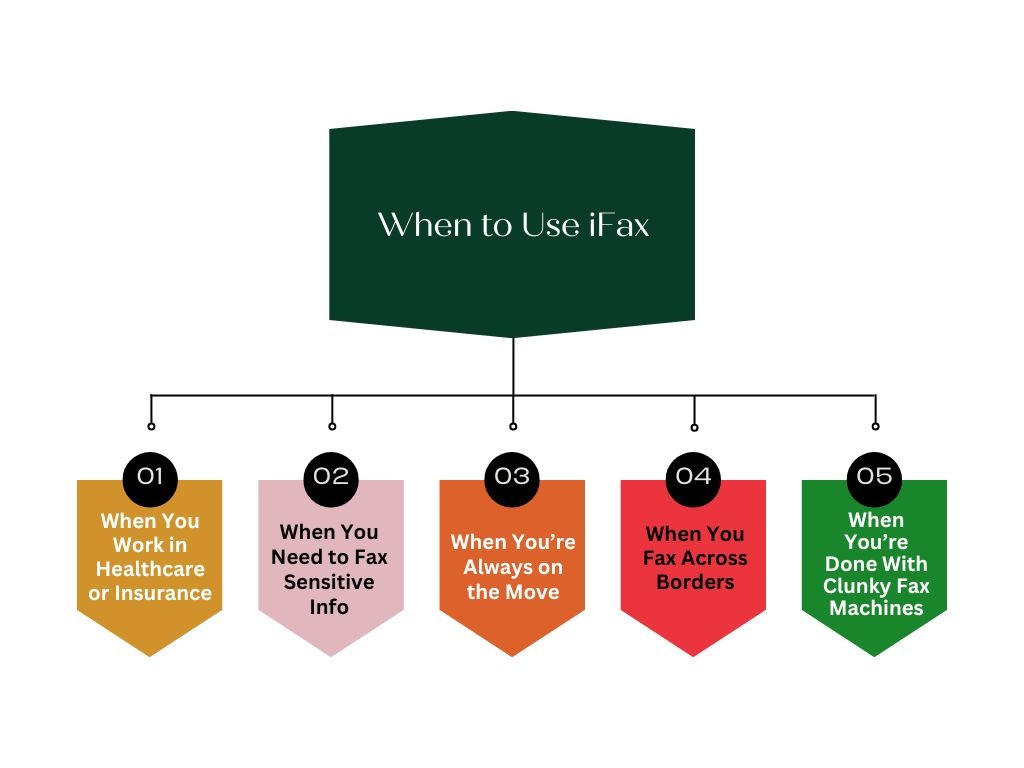
When You Work in Healthcare or Insurance
If you’re in a clinic, hospital, or insurance office, faxing is still a daily task. iFax is HIPAA-compliant and makes sending things like patient referrals or claim forms easy and secure. Doctors can fax prescriptions from a tablet, and agents can handle forms on the go. No training needed. It modernizes old-school faxing while still meeting all the industry rules.
When You Need to Fax Sensitive Info
Legal firms, accountants, HR teams, if you deal with private info, iFax keeps it protected. It uses strong encryption and secure servers, so documents like contracts, tax forms, or ID copies stay safe. You’re basically getting an encrypted delivery service that still works like a fax, and it’s trusted across industries.
When You’re Always on the Move
If you’re not tied to a desk, iFax travels with you. You can send or receive faxes right from your phone, tablet, or laptop. Realtors, contractors, or mobile healthcare staff love being able to fax from the field without running back to the office. You’ll even get instant notifications when a fax comes in, super convenient when you’re out and about.
When You Fax Across Borders
Need to fax internationally? iFax makes it just as easy as local faxing. No complicated country codes or crazy fees. You can even get fax numbers in other countries to appear more local to your clients. This is especially helpful for global businesses or those working with overseas partners.
When You’re Done With Clunky Fax Machines
Let’s be honest, fax machines are outdated, loud, and love to jam at the worst times. iFax replaces all of that with a clean, digital experience. You still get a fax number, but everything happens online. Faxes come in as PDFs, you can e-sign and annotate right in the app, and there’s no more wasted paper or busy signals. It’s faxing without the fuss.
Emitrr: The Better Alternative to WestFax & iFax
Faxing covers the basics, but today’s customers expect more. Emitrr steps in with real-time tools like texting, calls, and automation, giving your business a faster, smarter way to stay connected.
Emitrr Overview
Emitrr is a smart all-in-one communication platform designed to handle texts, calls, reminders, and customer feedback automatically. It’s HIPAA-compliant, making it great for healthcare, but also fits perfectly for small businesses like salons or service providers. Whether it’s reducing no-shows or replying to missed calls instantly, Emitrr keeps things running smoothly. Think of it as your digital front desk that works 24/7. It helps you stay connected and makes customer communication effortless.
Emitrr Key Features
- HIPAA-Compliant Messaging: Secure communication platform that’s fully HIPAA-safe, perfect for healthcare and regulated industries.
- Two-Way Texting: Text customers from your business number and keep the conversation going in one shared thread.
- Missed-Call Text Back: Automatically sends a follow-up text when you miss a call, so no lead slips away.
- Appointment Reminders: Sends automated texts (or calls/emails) to reduce no-shows and let clients confirm or reschedule easily.
- Bulk Text Campaigns: Send personalized messages, promos, or alerts to a whole contact list at once.
- VoIP Calling: Make and receive calls through the platform with voicemail drops, recordings, and shared phone lines.
- Unified Inbox: All your texts, voicemails, and even Google or Facebook messages in one place. No app juggling.
- Automation & AI: Smart follow-ups, FAQ responses, and review requests handled automatically to save your team time.
- Forms & Surveys: Share patient intake forms or feedback surveys via text and get responses instantly. No paper needed.
- Review Management: Collect and manage customer reviews from one dashboard to boost your online reputation.
- Reports & Analytics: See what’s working with data on reminders, responses, reviews, and customer satisfaction.
Emitrr Pricing
- Affordable Plans: Starts at around $30/month per user.
- Value for Money: Replaces multiple tools, so you’re saving by not paying for separate texting or review platforms.
- No Contracts: Month-to-month plans available with free demos and trials.
- Scales Easily: Plans grow with your team, offering more messages, features, and support as your business expands.
Emitrr Pros
- Mobile-Friendly: Use it on desktop or phone, so you’re never tied to the office.
- All-in-One Platform: Combines texting, calls, reminders, review management, and more. No need for separate tools.
- Scales for Multi-Locations: Manage multiple locations and teams easily from one dashboard.
- Easy to Use: Super intuitive design that even non-tech staff can learn quickly.
- Stellar Support: Live chat and phone support that actually helps and listens to feedback.
- Great Value: Saves time, reduces no-shows, and improves reviews, all at a cost that pays for itself.
- Built for Healthcare: Fully HIPAA-compliant and ready for use in clinics or dental offices.
- Real Impact: Proven to reduce no-shows and boost patient/customer satisfaction with smoother communication.
Emitrr Cons
- Still Evolving: Some advanced features are in progress and may not be as deep as older tools yet.
Emitrr Integrations
- CRM Connections: Works with CRMs like Salesforce and HubSpot to sync contacts and send automated texts based on deal updates.
- Zapier & API Access: Hooks into hundreds of apps via Zapier or direct API, so Emitrr fits easily into your current tools.
- EHR & Practice Management: Connects with tools like Open Dental and Athenahealth to send auto-reminders and log communication.
- Marketing Tools: Can integrate with platforms like Mailchimp or Calendly to trigger texts based on campaigns or bookings.
- Google & Facebook: Pulls in reviews and messages from Google and Facebook so you can reply from one place.
Emitrr Ratings
- Capterra: 4.9/5
- G2: 4.7/5
Emitrr Reviews
“Ease of texting to my customers, sending and receiving is fast and stable Easy template build outs for quick texting.”
“The customer service team is truly top notch, the product has been very well received by our team members, and its very easy and quick to use. Overall its been a perfect experience.“
Source: Capterra
Emitrr Customer Support Channels
- Email: support@emitrr.com
- Phone: +1 (210) 941-4696
- Live chat: Available directly on the Emitrr website
- Knowledge base: Includes extensive documentation, FAQs, and troubleshooting guides
- SMS support: Text for help
Frequently Asked Questions
Yes! iFax has mobile apps for iOS and Android, so you can send or receive faxes right from your phone. Perfect for on-the-go work.
Absolutely! WestFax is HIPAA-compliant and will sign a BAA, making it safe for faxing sensitive health data.
Yes, iFax is a reputable and widely used online fax service, but it has somewhat mixed reviews
On Trustpilot, several users claim misleading “free trial” terms and difficulty canceling.
According to iFax’s own pricing guide, their Basic plan is about US$ 8.33/month for 200 fax pages.
Yes, WestFax is HIPAA complaint and they sign a Business Associate Agreement (BAA) at no extra charge.
Yes, WestFax will sign a BAA at no additional cost for its HIPAA plans.
WestFax’s HIPAA Basic plan is $14.99/month for 500 pages. Higher-volume plans, such as HIPAA 1500 is $39.95/month, and HIPAA 3K is $69.95/month.
Yes, with WestFax you can send a fax by email: just send an email to faxnumber@westfax.com with your document attached.
Yes, WestFax is designed for healthcare and other regulated sectors because of its strong compliance, API, and audit features.
You can access your account through the WestFax login page by entering your registered email and password. Once logged in, you’ll be taken to your dashboard where you can send, receive, and manage your faxes easily.
You can reach iFax customer service through their in-app support or by calling the official iFax phone number listed on their website. If you prefer direct assistance, the iFax customer service number is also available inside your account dashboard. Mobile users can find the iFax app customer service number under the app’s Help & Support section for quick troubleshooting.
Conclusion
WestFax and iFax do a solid job if you still need to fax securely, efficiently, and without the bulky machines. WestFax is great for high-volume, compliance-heavy teams that rely on traditional faxing, while iFax brings that experience into a modern, mobile-friendly app that works well for smaller teams or solo pros.
But if your business is ready to go beyond fax and streamline everything from texting and calling to reminders and reviews, all under one roof, then Emitrr is your one-stop shop solution! Emitrr is built for any business that values fast, reliable, and effortless communication. Whether you run a dental clinic, salon, auto shop, or home services team, Emitrr helps you stay on top of calls, texts, reminders, reviews, and more, all from one simple dashboard.
So if you’re ready to stop switching between tools, reduce no-shows, and respond to every customer faster, Emitrr’s got your back! Book your demo with Emitrr AI today to see it in action!


 4.9 (400+
reviews)
4.9 (400+
reviews)