
Introduction
Reliable fax communication is still essential for thousands of businesses, especially those handling sensitive information in healthcare, finance, law, and government. While modern messaging tools exist, fax continues to remain a compliance-friendly and legally recognized document transmission method.
For many years, Hylafax has been a well-known open-source enterprise fax server used across organizations for self-hosted faxing. However, as digital communication evolves, businesses are shifting toward cloud-based, user-friendly, and automation-driven fax tools that eliminate technical complexity.
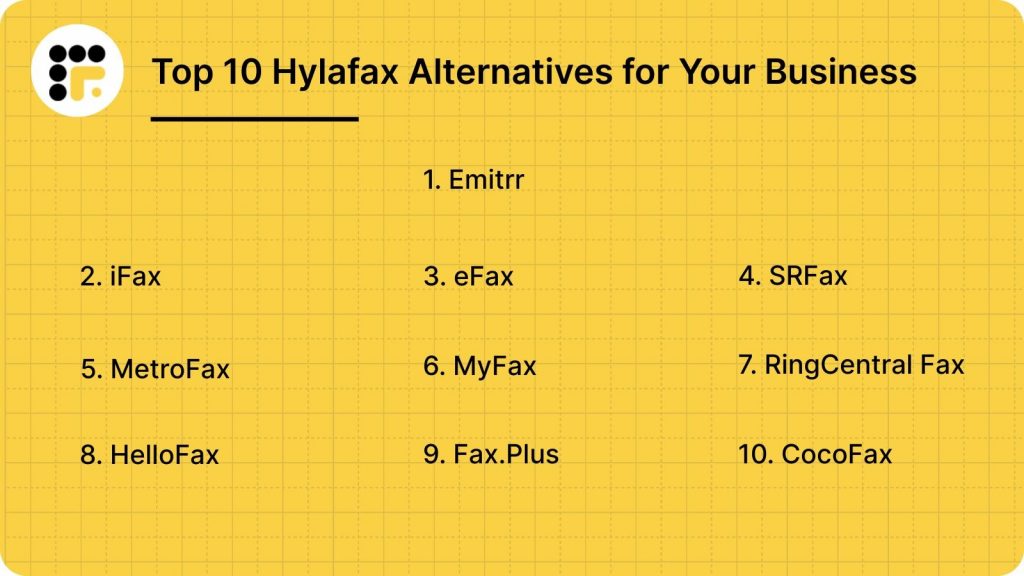
This is where Hylafax alternatives play a major role. This blog lists the Top 10 Hylafax alternatives with detailed comparisons—including features, pricing, pros, integrations, and use cases to help businesses choose the right solution.
What is Hylafax?
Hylafax is an open-source enterprise fax server that enables businesses to send and receive faxes through computer networks. Commonly installed on Linux/Unix systems, it supports multi-user faxing, modem management, queue handling, and automated fax operations. Designed primarily for technical teams, Hylafax eliminates the need for traditional fax machines but requires manual setup and ongoing server maintenance.
Hylafax Features
- Multi-User Faxing: Hylafax lets multiple users send and receive faxes simultaneously. It supports shared access, collaborative workflows, and centralized fax management across departments without needing separate fax machines.
- Command-Line & Web Interface: Users can manage fax operations through both command-line tools and a basic web interface. This provides flexibility for technical teams who prefer scripting or manual controls for fax tasks.
- Modem Pooling & Queue Management: Hylafax efficiently manages multiple modems and fax queues, ensuring smooth transmission and reduced wait times. It distributes workloads automatically to optimize fax sending and receiving across the system.
- Email-to-Fax & Fax-to-Email: The platform converts emails into faxes and delivers received faxes directly to inboxes. This simplifies workflows, improves document accessibility, and supports remote HIPAA-compliant communication without needing physical hardware.
Hylafax Pros
- Free and Open-Source: Hylafax costs nothing to use, making it ideal for organizations wanting a fully self-hosted fax server without licensing fees. Businesses only manage their own hardware, installation, and maintenance.
- Scalable for Enterprises: The system supports large-scale fax operations, multiple users, and heavy workloads. Its server-based architecture makes it suitable for enterprises needing consistent performance across departments and high-volume fax environments.
- Supports Multiple Modems & Queues: Hylafax efficiently manages several modems and fax queues simultaneously. This helps distribute workloads, reduce transmission delays, and maintain smooth performance even during peak fax traffic.
- Highly Customizable: Technical teams can modify scripts, workflows, integrations, and system behavior to match organizational needs. This flexibility makes it suitable for complex deployments requiring personalized configurations.
- Ideal for Technical Users: Hylafax offers full command-line control and scripting support, giving developers and IT teams the flexibility to build advanced workflows and maintain complete operational oversight of the fax system.
Hylafax Cons
- Complex Setup & Maintenance: Hylafax requires extensive installation, configuration, and ongoing server maintenance. IT teams must manage modems, drivers, scripts, and troubleshooting, making it unsuitable for businesses without strong technical resources.
- Outdated User Interface: The interface feels old, non-intuitive, and difficult for everyday users. Managing fax queues, logs, and settings requires technical knowledge, leading to slow onboarding and reduced operational efficiency.
- Limited Documentation: Beginner-friendly guides are minimal, and most solutions require searching community threads or experimenting manually. This makes learning, troubleshooting, and scaling the system more time-consuming for new users.
- No Cloud Accessibility: Hylafax offers no cloud access, remote login, or mobile capability. All operations depend on on-premise servers, limiting flexibility for hybrid teams or organizations working across multiple locations.
- No Native Integrations: There are no built-in integrations for CRMs, EHR, email platforms, or business tools. Connecting Hylafax to modern systems requires custom scripts, APIs, or manual processes, slowing workflows.
Hylafax Pricing
Hylafax is fully free and open-source. But instead of a hylafax pricing, it includes organizations managing all associated costs, including servers, installation, troubleshooting, security, hosting, and ongoing maintenance. With no SaaS option available, every expense and technical responsibility falls on internal IT teams.
Hylafax Integrations
Hylafax supports integrations through Linux/Unix systems, APIs, scripts, and custom server configurations, but lacks native connectivity with CRMs, EHRs, cloud platforms, communication tools, and helpdesk systems, making integration limitations a major reason businesses seek modern Hylafax alternatives.
Hylafax Customer Support Channels
Hylafax relies entirely on community-driven support through open-source forums, user groups, discussions, and technical documentation. It offers no dedicated customer service, live chat, ticketing system, or onboarding assistance, making troubleshooting slow and challenging for non-technical teams.
Hylafax Ratings
- Hylafax ratings information is not publicly available.
Why Do Businesses Seek a Hylafax Alternative?
Many organizations move away from Hylafax because it lacks cloud capabilities, modern usability, seamless integrations, and dedicated support—making it unsuitable for growing teams that need secure, scalable, and easy-to-manage fax operations.
Complex Setup Process
Hylafax requires advanced technical skills, including Linux command-line expertise, modem configuration, scripting, and manual troubleshooting. This makes setup and maintenance difficult for non-technical teams and increases dependency on IT staff for routine fax operations and issue resolution.
Lack of Cloud Support
There is no cloud dashboard, mobile access, or SaaS version. All operations must be managed through on-premise servers, limiting flexibility for remote teams and making it challenging for distributed workplaces to handle faxing efficiently.
Outdated Interface
The user interface is old, cluttered, and not intuitive for beginners. Everyday tasks like sending, tracking, or routing faxes require technical knowledge, slowing productivity and causing frustration for employees accustomed to modern, user-friendly tools.
Limited Integrations
Hylafax does not offer native integrations with CRMs, EHRs, practice management systems, or productivity tools. Businesses relying on automated workflows must build custom scripts, adding unnecessary complexity and limiting operational efficiency across teams.
What Features To Look For in a Hylafax Alternative?
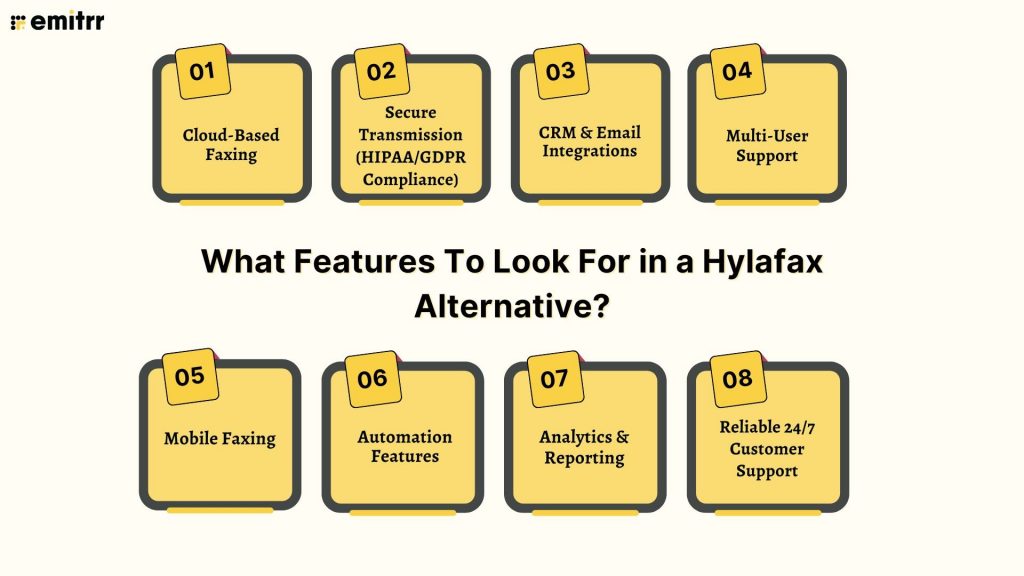
Businesses replacing Hylafax need modern, cloud-first fax solutions that simplify operations, enhance accessibility, support compliance, integrate with daily tools, and reduce IT dependency. The right alternative should offer automation, reliability, security, and strong customer support for mission-critical fax workflows.
Cloud-Based Faxing
Cloud faxing removes the burden of server installation, modem management, and hardware upkeep. It enables teams to access, send, and receive faxes from any location, ensuring flexibility, faster deployment, and convenient management without relying on on-premise infrastructure.
Secure Transmission (HIPAA/GDPR Compliance)
Industries like healthcare, finance, insurance, and legal require strict data protection. A reliable Hylafax alternative must offer encrypted transmission, audit logs, user permissions, and full HIPAA/GDPR compliance to ensure sensitive documents remain secure throughout the faxing process.
CRM & Email Integrations
Modern faxing becomes more efficient when integrated with tools like Gmail, Outlook, HubSpot, Salesforce, and EHR systems. These integrations streamline workflows, reduce manual uploads, improve traceability, and allow teams to manage communication directly within familiar platforms.
Multi-User Support
Growing teams need shared access, visibility, and collaborative workspaces. A good alternative allows multiple users to manage threads, track status updates, and organize documents together, ensuring smooth coordination across departments without needing separate accounts or complex configurations.
Mobile Faxing
Mobile-friendly fax apps enable teams to upload documents, sign files, send faxes, and review inbound messages directly from smartphones. This ensures uninterrupted operations, faster response times, and convenience for employees working remotely or outside the office environment.
Automation Features
Advanced automation—like auto-forwarding, smart routing, scheduled faxing, digital signatures, archiving, and real-time status tracking—reduces manual effort. These features streamline operations, prevent delays, and improve overall workflow efficiency, especially in fast-paced healthcare, legal, or enterprise setups.
Analytics & Reporting
Visibility into fax delivery rates, failures, response times, and user activity helps organizations optimize workflows. Detailed analytics help identify bottlenecks, improve reliability, maintain compliance, and ensure consistent document communication across the business.
Reliable 24/7 Customer Support
For mission-critical faxing, timely assistance is essential. A strong alternative should offer round-the-clock support through chat, email, or phone, ensuring quick issue resolution and reliable guidance during setup, scaling, or troubleshooting.
Want to learn all the essentials of HIPAA and why it matters? This insightful video explains everything you need to know. Watch now:
Top 10 Hylafax Alternatives
Here are the 10 best Hylafax alternatives offering modern, cloud-based faxing, better usability, automation, and seamless integrations ideal for businesses looking to replace outdated server-based fax systems with secure, scalable solutions.
1. Emitrr: Best Hylafax Replacement
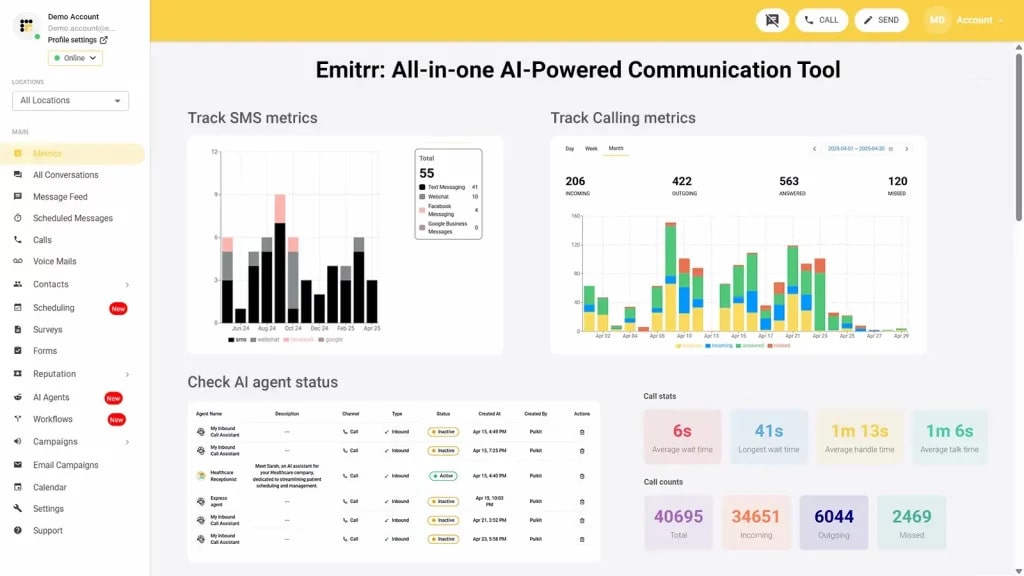
What is Emitrr?
Emitrr is a cloud-based fax and communication automation software designed for healthcare, legal, finance, and enterprise teams. It offers HIPAA-compliant faxing, SMS, calling, reminders, and workflow automation in one platform. Emitrr eliminates servers, modems, and complex setups, making faxing simple, secure, and fully remote-accessible.
Key Features
- HIPAA-Compliant Faxing: Encrypts all fax transmissions, stores documents securely, and supports BAA execution, ensuring safe handling of PHI for healthcare and compliance-driven industries.
- All-in-One Communication Suite: Offers fax, SMS, calling, reminders, chat automation, and surveys—reducing dependency on multiple communication platforms.
- Cloud-Based Faxing: Provides instant fax sending/receiving without servers, modems, or Linux setup; works entirely online from any device.
- Workflow Automation: Automates routing, tagging, notifications, and failed-fax alerts, saving hours of manual administrative effort.
- Integrations: Connects with CRMs, EHR/EMR, dental PMS, and scheduling platforms for effortless document routing.
Pros
- Offers complete communication and fax automation in one platform.
- Provides true HIPAA compliance with encryption and secure storage.
- Eliminates server maintenance with fully cloud-based operations.
Cons
- More advanced features are being added continuously.
Pricing
- Standard Plan ($20/user/month): Best for small to mid-sized practices, offering HIPAA-compliant faxing, scheduling, automated reminders, secure messaging, and essential integrations for smooth communication.
- Professional Plan ($35/user/month): Ideal for larger or multi-location organizations, adding advanced analytics, AI-powered automation, and deeper CRM/EHR integrations for enhanced efficiency and compliance.
Ratings
Support Channels
- 24/7 chat, phone, email, and onboarding assistance.
2. iFax
What is iFax?
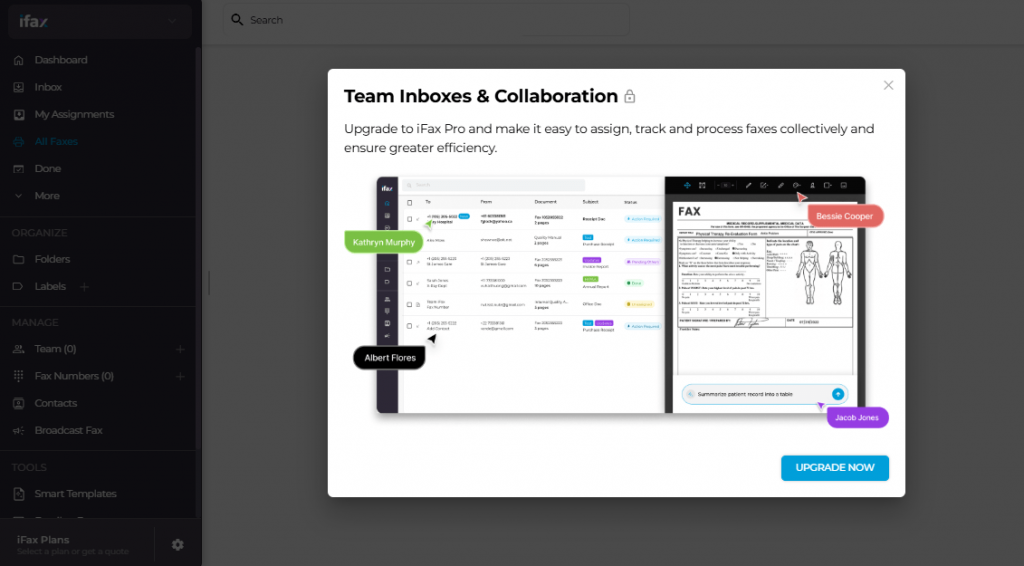
iFax is a cloud-based fax software that lets users send and receive faxes through mobile apps, desktop platforms, and email, eliminating the need for fax machines or servers. It supports HIPAA compliance, encrypted faxing, dedicated fax numbers, and device-wide accessibility, making it a reliable Hylafax alternative for modern teams.
Key Features
- Multi-Device Faxing: Send and receive faxes through iOS, Android, Windows, Mac, or email, enabling highly flexible and remote-friendly workflows.
- Dedicated Fax Numbers: Choose local, toll-free, or vanity fax numbers to support branding needs and professional communication.
- Cloud & Storage Integrations: Connect Google Drive, Dropbox, Box, and other storage platforms to attach and manage fax documents effortlessly.
- Secure Transmission & Compliance: Encrypted faxing with HIPAA support ensures safe handling of sensitive medical, legal, and financial documents.
Pros
- Works smoothly across mobile, desktop, and email for complete anytime fax access.
- Integrates with leading cloud storage tools for simplified document management.
- HIPAA-compliant, secure faxing suitable for healthcare and regulated industries.
- Flexible pricing plans support both low- and high-volume business needs.
Cons
- High-volume plans cost more compared to some competing fax solutions.
- Limited advanced communication features outside fax functionality.
- Some users experience occasional app or email integration inconsistencies.
Pricing
iFax pricing consists of the following plans:
- Basic ($12.49/month): 200 pages per month, mobile/desktop access, HIPAA compliance—ideal for low-volume secure faxing.
- Plus ($24.99/month): Includes Basic features, dedicated fax number, cross-platform apps, secure transmission, and priority features.
- Pro ($33.33/month): Adds SOC 2 + ISO 27001 compliance, templates, scheduled faxing, team inbox, WebFax, EHR integrations, OCR, AI tools, and 24/7 chat/email support.
- Enterprise (Custom Pricing): Includes Pro features with enterprise admin controls, advanced automation, multi-site support, SSO, and 99.95% uptime SLA.
Ratings
Support Channels
- Live chat, email, phone support, plus a comprehensive knowledge base and help center.
3. eFax
What is eFax?
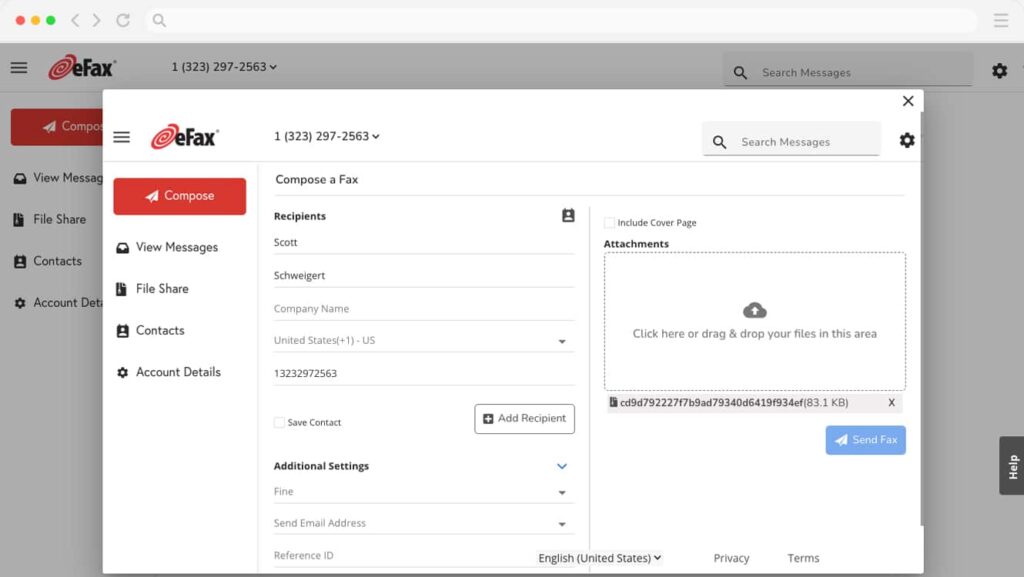
eFax is a leading online fax service that enables users to send and receive faxes through email, web, or mobile devices. Known for its reliability and wide adoption, eFax caters to individuals, small businesses, and enterprises seeking a secure, paperless faxing experience with robust storage, electronic signature, and mobile accessibility.
Key Features
- Email-to-Fax and Fax-to-Email: Send and receive faxes directly via email attachments, with support for multiple file formats and secure delivery.
- Cloud Storage: Automatically stores sent and received faxes in the cloud, making it easy to access, search, and download files anytime.
- Electronic Signatures: Add legally binding e-signatures to documents before sending, reducing the need for manual signing and scanning.
- Mobile App Access: Manage faxing tasks on the go using iOS and Android apps for convenient, flexible business communication.
- Large File Sharing: Share large files (up to 3GB) securely without using third-party storage tools or email limits.
Pros
- Easy to use with reliable cloud storage.
- Offers secure and legally binding electronic signatures.
- Mobile-friendly, ideal for remote and hybrid workers.
- Suitable for both individuals and enterprises.
Cons
- Slightly higher pricing compared to newer competitors.
- Limited automation and integration options.
- Occasional delays in fax transmission during peak times.
- Customer support can be inconsistent across regions.
Pricing
eFax pricing consists of the following plans:
- eFax Plus ($18.99/month for up to 5 users): Ideal for small teams, offering 150 pages sent and 150 pages received with basic online faxing features.
- eFax Pro ($24.99/month): Suitable for growing businesses, includes 200 pages each way, cloud storage, and electronic signature support for efficient digital faxing.
- eFax Protect ($50/month for 5 users): Designed for security-focused organizations, offering encrypted faxing, advanced privacy protection, and compliance-ready document handling.
Ratings
Support Channels
- Support is available via live chat, phone, email, and a detailed help centre with guides, tutorials, and troubleshooting resources.
4. SRFax
What is SRFax?
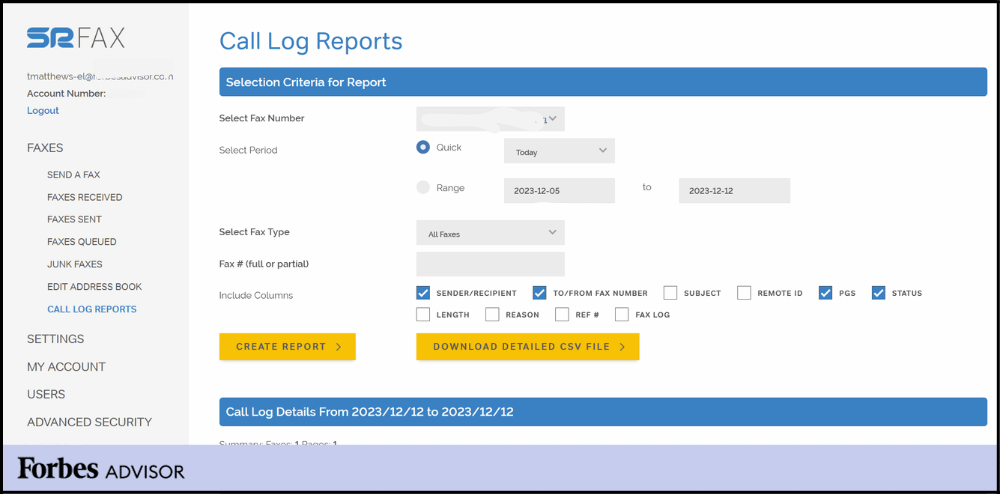
SRFax is a secure, cloud-based faxing solution built for businesses and healthcare organizations requiring HIPAA-compliant document exchange. It supports email-to-fax, fax-to-email, encrypted storage, and multi-user access, making it a strong fit for regulated industries. Known for affordability and reliability, SRFax simplifies digital faxing without compromising security.
Key Features
- HIPAA-Compliant Faxing: Delivers fully encrypted, compliant fax transmission ideal for healthcare, finance, and legal organizations handling PHI or sensitive data.
- Email-to-Fax / Fax-to-Email: Allows sending and receiving faxes directly through email, enabling fast, simple, and paperless workflows for busy teams.
- Encrypted Cloud Storage: Stores all fax documents securely in encrypted cloud storage, ensuring safety and easy access from any authorized device.
- Custom Cover Pages: Provides professional, secure HIPAA-compliant fax cover sheets to ensure proper identification and transmission safety.
Pros
- Strong HIPAA compliance makes it ideal for healthcare and other regulated sectors.
- Reliable uptime with secure encryption ensures consistent, safe fax delivery.
- Affordable plans offer high page limits with low additional usage fees.
- Simple email-based faxing improves workflow efficiency for teams.
Cons
- Outdated user interface compared to modern faxing platforms.
- Limited third-party integrations restrict workflow automation potential.
- Mobile app functionality is basic and lacks advanced features.
- International faxing capabilities are less extensive than competitors.
Pricing
- Lite ($12.60/month): 200 pages; multi-user access; authorized email management; $0.05/additional page.
- Basic ($16.05/month): 500 pages; secure faxing; multiple users; 15% annual savings; $0.05/additional page.
- Basic Plus ($22.95/month): 800 pages; unlimited authorized emails; $0.05/additional page.
- Standard Plus ($68.95/month): 2,500 pages; ideal for mid-sized teams; consolidated billing; $0.05/additional page.
- Professional ($137.90/month): 5,000 pages; scalable for high-volume operations.
- Professional Plus ($275.75/month): 10,000 pages; enterprise-ready; $0.045/additional page.
Ratings
- Rating unavailable across major review platforms.
Support Channels
- Support available via email, phone, and live chat during business hours, along with an online knowledge base.
5. MetroFax
What is MetroFax?
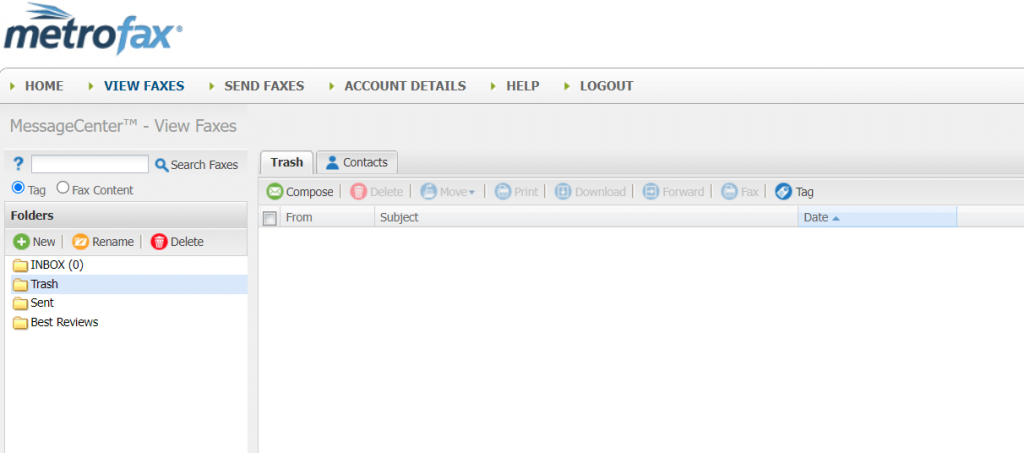
MetroFax is a cloud-based faxing solution designed for small and mid-sized businesses needing secure, affordable digital faxing. It supports email-to-fax, mobile app faxing, cloud storage, and multiple fax numbers. With simple workflows and reliable delivery, MetroFax is a practical alternative to traditional fax machines and legacy fax systems.
Key Features
- Email-to-Fax / Fax-to-Email: Allows sending faxes from email and receiving them as PDF attachments, simplifying document workflows and reducing dependence on physical machines.
- Mobile App Access: iOS and Android apps let teams send, receive, and track faxes remotely, ensuring smooth communication on the go.
- Cloud Storage: Stores incoming and outgoing faxes securely in the cloud, enabling easy retrieval, archiving, and compliance-friendly documentation.
- Multiple Fax Numbers: Provides local or toll-free fax numbers for multiple departments or users, enhancing professional communication and workflow segmentation.
Pros
- Simple interface with quick setup suited for small and mid-sized businesses.
- Strong mobile accessibility for teams working remotely.
- Supports multiple users and fax numbers for better departmental organization.
- Affordable pricing structure for low- to mid-volume faxing needs.
Cons
- Lacks the advanced workflow automation features modern fax platforms provide.
- Limited CRM and integration options restrict scalability.
- Not suitable for organizations needing high-volume fax processing.
- Reporting and analytics tools are basic and limited.
Pricing
- Pricing details are not publicly available. Businesses must visit MetroFax’s official website for plan details, custom options, and updated rates.
Ratings
- Rating is not Unavailable
Support Channels
- Support is offered via phone, email, live chat, and a help center with FAQs, tutorials, and troubleshooting guides.
6. MyFax
What is MyFax?
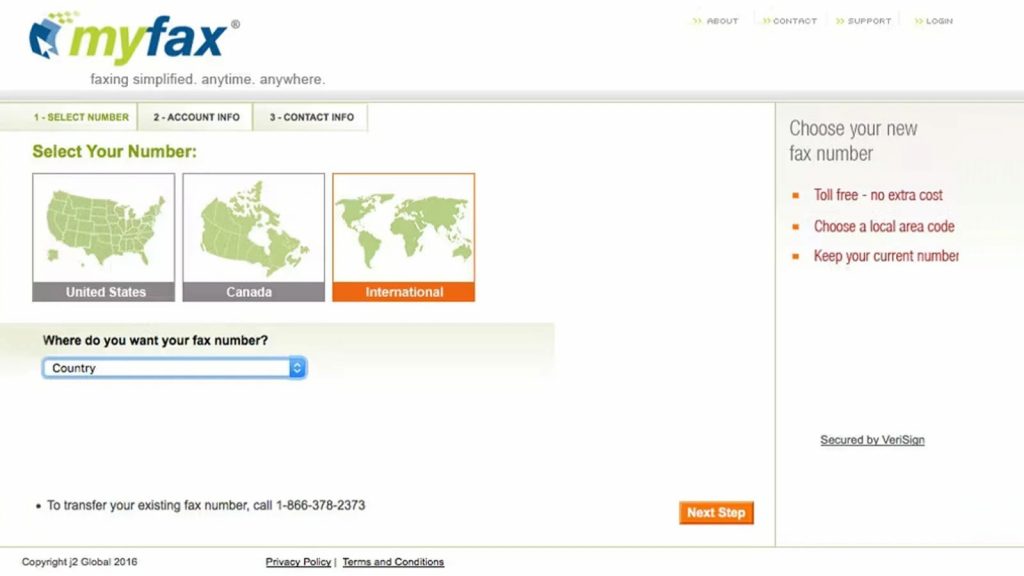
MyFax is an online faxing software that lets businesses send and receive faxes through email, mobile apps, or a web dashboard, eliminating fax machines and phone lines. It supports cloud storage, digital records, dedicated fax numbers, and simple workflows, making it suitable for small businesses and remote teams needing secure fax communication.
Key Features
- Online Faxing: Send and receive faxes through a secure online portal, reducing paper usage and eliminating hardware or phone line requirements.
- Email-to-Fax / Fax-to-Email: Fax documents by attaching files to an email, while incoming faxes arrive as PDFs for quick access and easy sharing.
- Mobile App Access: Android and iOS apps allow users to send, receive, and manage faxes on the go—ideal for remote teams and mobile professionals.
- Document Storage: Cloud-based storage keeps all faxed documents organized, backed up, and easily retrievable for workflow continuity and compliance.
Pros
- Intuitive interface makes faxing simple for all users and reduces training time.
- Mobile apps support modern remote teams with flexible on-the-go faxing.
- Fully paperless workflow reduces costs and simplifies document management.
- Multiple plans available for varied business sizes and usage needs.
- Reliable delivery ensures secure, consistent fax transmission every time.
Cons
- Pricing is higher compared to more advanced and affordable fax solutions.
- Limited integrations restrict workflow automation and data syncing.
- Interface feels outdated compared to modern faxing platforms.
- Customer support response times can be slow and inconsistent.
- Lacks deep compliance features needed for regulated industries.
Pricing
MyFax pricing consists of the following plans:
- Home Office Plan ($12/month): Best for individuals and small home offices. Includes 100 sent pages and 100 received pages monthly, cloud faxing, email-to-fax, and a dedicated fax number. First-month pricing is reduced to $5.
- Small Business Plan ($25/month): Ideal for small teams needing moderate fax volumes. Offers 300 sent pages and 300 received pages, online fax management, and mobile app access. First-month pricing is discounted to $10.
- Power User Plan ($45/month): Designed for higher-volume fax users. Includes 600 sent pages and 600 received pages, expanded storage, and priority fax handling. First-month pricing is reduced to $15.
Ratings
- Rating is not Unavailable
Support Channels
- Support is available through email, live chat, and an online knowledge base. Some users report delayed responses and limited real-time troubleshooting.
7. RingCentral Fax
What is RingCentral Fax?
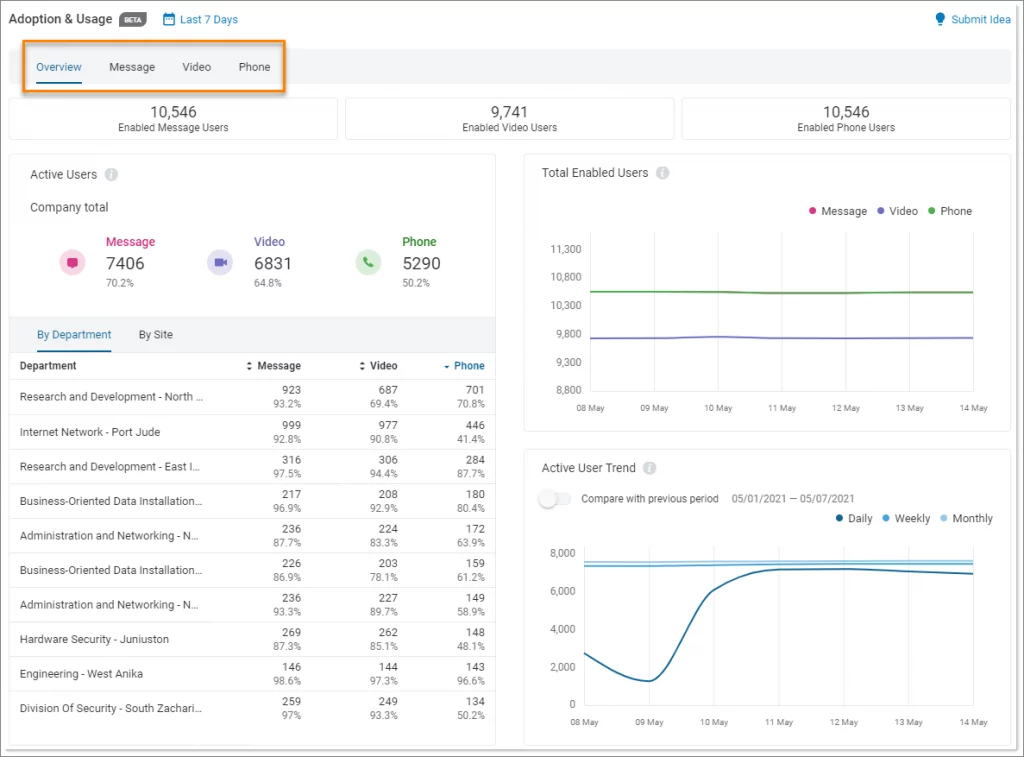
RingCentral Fax is a cloud-based faxing solution that allows businesses to send and receive faxes through email, web, or mobile apps—eliminating traditional fax machines. It supports secure transmission, integrates with cloud storage platforms, and offers dedicated fax numbers, making it suitable for teams operating within remote or hybrid environments.
Key Features
- Multi-Device Faxing: Send and receive faxes from desktop, mobile, or email, enabling flexible and remote-friendly communication.
- Cloud & Storage Integrations: Attach documents directly from Google Drive, Dropbox, Box, and other cloud platforms for streamlined workflows.
- Custom Fax Numbers: Choose local, toll-free, or vanity fax numbers to support professional branding and department-level routing.
- Secure Transmission & Compliance: Encrypted faxing supports security standards suitable for regulated industries, providing safe document handling.
Pros
- Multi-device access ensures smooth faxing across web, mobile, and email.
- Integrates easily with major cloud storage platforms.
- Secure and compliant transmission for regulated sectors.
- Scalable as part of RingCentral’s full communication suite.
Cons
- Pricing can be higher than standalone fax-only services.
- Set up and number porting may take time for some users.
- Fax-only needs may feel overshadowed by full UCaaS features.
- Users report occasional billing and support difficulties.
Pricing
Ringcentral pricing consists of the following plans:
- Core ($20/month): Includes business SMS/MMS, unlimited domestic calling, an AI assistant for transcription, multiple device support, and essential communication tools for small teams.
- Advanced ($25/month): Adds auto call recording, enhanced call summaries, multi-site support, and advanced team collaboration features.
- Ultra ($35/month): Includes deeper analytics, 12 months of reporting history, HD video meetings, AI-powered SMS tools, device insights, and extended cloud storage.
Ratings
Support Channels
- Support is available via live chat, phone, and email. RingCentral also provides a comprehensive knowledge base, tutorials, and troubleshooting guides for fax and communication tools.
8. HelloFax
What is HelloFax?
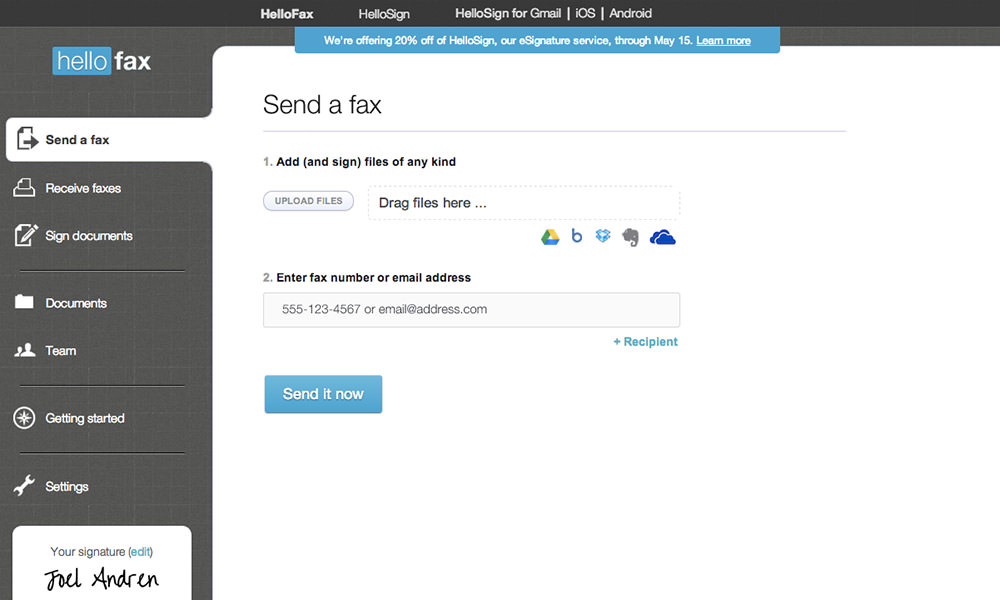
HelloFax is a cloud-based digital faxing tool that lets users send, receive, and sign documents online without relying on traditional fax machines. It integrates deeply with platforms like Google Drive, Dropbox, and OneDrive, making it ideal for small and medium businesses seeking paperless workflows, secure transmission, and simple team collaboration.
Key Features
- Cloud Integration: Connects with Google Drive, Dropbox, OneDrive, and Box for seamless document access, storage, and faxing directly from cloud folders.
- Electronic Signatures: Allows users to digitally sign documents before sending, removing the need for printing and scanning while maintaining legal compliance.
- Team Management: Supports multi-user accounts, activity tracking, and role-based permissions to streamline team workflows.
- Secure Faxing: Uses encrypted transmission and secure document storage to protect sensitive information and ensure data privacy.
Pros
- Simple, modern interface with strong usability.
- Deep cloud storage integrations enhance workflow convenience.
- Supports legally binding digital signatures.
- Good team management and multi-user access features.
Cons
- Mobile app offers limited capabilities.
- Not ideal for very high-volume fax usage.
- Lacks advanced automation features found in newer tools.
- Pricing increases quickly for heavy fax users.
Pricing
HelloFax pricing consists of the following plans:
- Free Plan: Includes 5+ free fax pages, 1 sender, cloud integrations, edit & sign features, and secure storage.
- Home Office ($9.99/month): Supports 300+ pages, up to 5 senders, email-to-fax, fax receiving, multiple recipients, and cloud integrations.
- Professional ($19.99/month): Includes 500+ pages, 10 senders, cloud storage integrations, fax number porting, email-to-fax, and secure storage.
- Small Business ($39.99/month): Offers 1,000+ pages, up to 20 senders, full cloud integrations, multi-user access, fax receiving, and number porting.
Ratings
Support Channels
- Support available via email, live chat, and an online help center with guides, tutorials, and troubleshooting resources.
9. Fax.Plus
What is Fax.Plus?
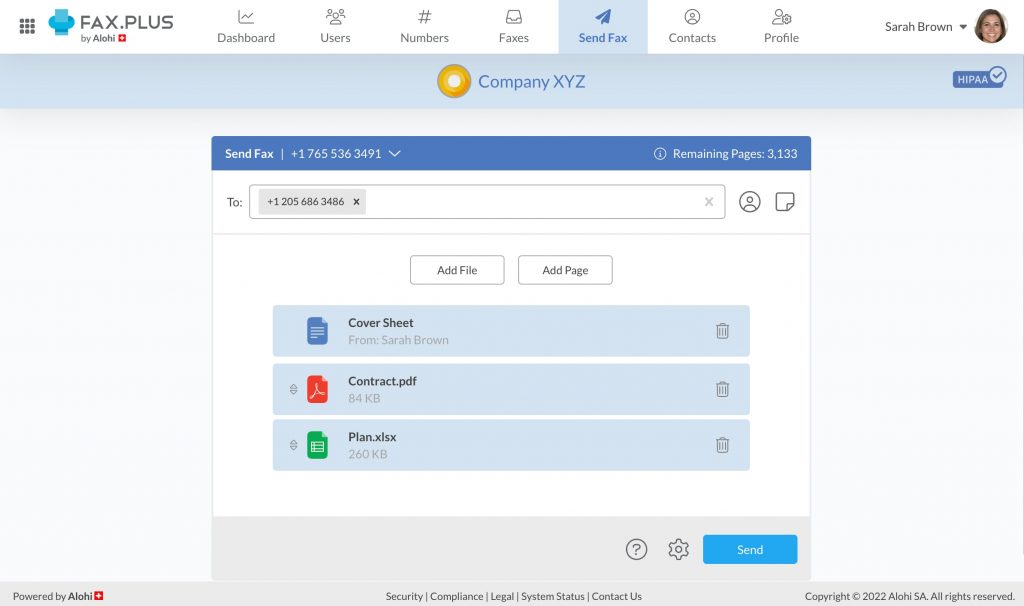
Fax.Plus is a secure, cloud-based online fax service designed for individuals, small businesses, and enterprises. It enables users to send and receive faxes via web, email, or mobile apps without the need for a physical fax machine. With compliance to HIPAA, ISO 27001, and SOC 2 standards, Fax.Plus is suitable for industries like healthcare, legal, and finance.
Key Features
- Email-to-Fax & Fax-to-Email: Send and receive faxes directly from your email inbox, supporting Gmail, Outlook, and other major providers.
- Mobile App Access: Manage faxes on the go with iOS and Android apps, allowing you to send, receive, and sign documents remotely.
- Cloud Storage Integration: Integrate with Google Drive, Dropbox, and Microsoft OneDrive to store and access your faxed documents securely.
- Team Collaboration: Assign multiple users and manage permissions, making it ideal for businesses with multiple departments or teams.
Pros
- User-friendly interface suitable for both individuals and businesses.
- Supports international faxing without additional fees.
- Offers a free plan with up to 10 pages per month.
- Provides robust security features for sensitive information.
Cons
- Additional pages beyond the plan limit incur extra charges.
- Some advanced features are only available in higher-tier plans.
- Custom fax numbers may require an additional one-time fee.
Pricing
Fax.Plus pricing consists of the following plans:
- Basic Plan ($6.99/month): Designed for individuals and small teams, this plan includes 200 free pages per month, one fax number, one member, and unlimited fax storage. Additional pages cost $0.10 each.
- Premium Plan ($13.99/month): Ideal for professionals and growing businesses. Includes 500 free pages per month, toll-free fax numbers, fax number porting, CSV export, and up to 90 pages per fax. Extra pages cost $0.07 each.
- Business Plan ($27.99/month): Suitable for teams, offering 1,000 free pages per month, multiple fax numbers, five members, team setup, admin console, Slack integration, and fax number management. Extra pages cost $0.05 each.
- Enterprise Plan ($79.99/month): Built for large organizations needing advanced security and scalability. Includes 4,000 free pages per month, unlimited members, SSO, HIPAA compliance with BAA, Fax.Plus API, data residency, and Zapier integration. Extra pages cost $0.03 each.
Ratings
Support Channels
- Support is available via email, live chat, help centre, and community forum for all users.
10. CocoFax
What is CocoFax?
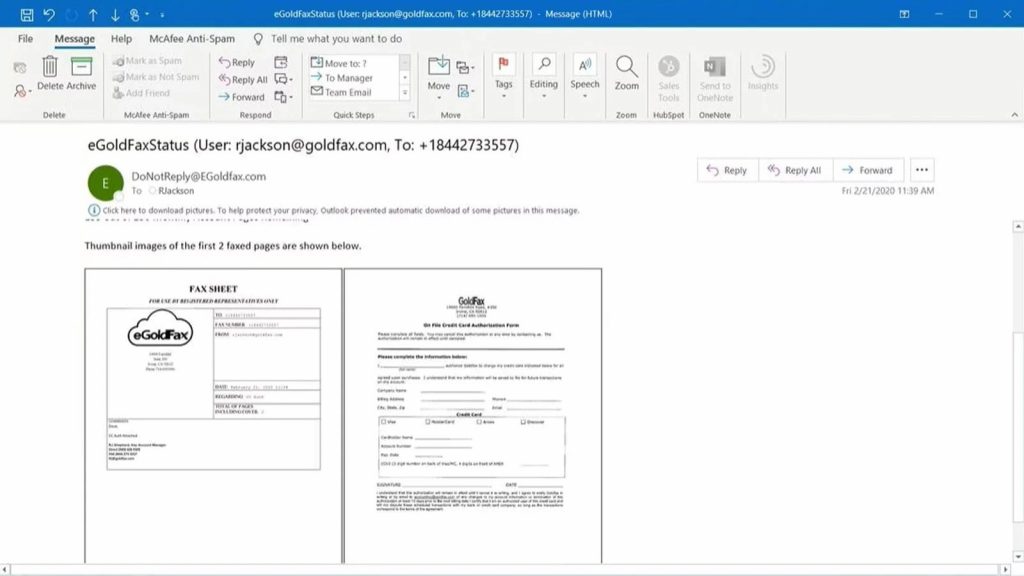
CocoFax is a reliable, cloud-based online fax service that enables individuals and businesses to send and receive faxes securely through email, web, or mobile devices. Known for its HIPAA compliance, encryption, and seamless integrations with cloud platforms like Google Drive and Dropbox, it’s ideal for modern, paperless communication.
Key Features
- Cloud Faxing: Send and receive faxes instantly via web, email, or app without needing traditional fax machines.
- HIPAA Compliance: Ensures security with encryption, audit logs, and compliance suitable for healthcare, finance, and legal industries.
- Cloud Integrations: Connects seamlessly with Google Drive, Dropbox, and OneDrive for document access and sharing.
- Multiple Fax Numbers: Supports multiple fax numbers for different departments or users under one account.
Pros
- Secure and HIPAA-compliant for regulated industries.
- Easy integration with major cloud storage platforms.
- Multi-device access for flexible remote faxing.
- User-friendly setup with reliable delivery tracking.
Cons
- Limited team collaboration tools.
- Some features only available in higher-tier plans.
Pricing
Cocofax pricing consists of the following plans:
- Lite Plan ($9.99/month: Includes 60 pages, email-to-fax, mobile apps, and 24/7 customer support for basic faxing needs.
- Basic Plan ($14.99/month): Offers 200 pages, unlimited secure storage, email and mobile faxing, and international coverage.
- Premium Plan ($24.99/month): Provides 400 pages, Slack and G Suite integrations, fax number porting, and SMS notifications.
- Business Plan ($34.99/month): Delivers 1,200 pages, admin controls, multi-user access, two-factor authentication, and advanced team management.
- Enterprise Plan (Custom pricing): Designed for large teams with unlimited members, CocoFax API, advanced compliance, and robust data security options.
Ratings
Support Channels
- Support is available via live chat, email, and online help centre for users worldwide.
What Makes Emitrr the Best Hylafax Alternative?
Emitrr stands out as the strongest Hylafax alternative because it replaces outdated, server-based faxing with a modern, cloud-powered, automation-driven communication system.
True HIPAA Compliance
Emitrr ensures fully secure faxing with encrypted transmission, protected cloud storage, PHI safeguards, and a legally binding BAA for healthcare partners. It supports clinics, dental practices, hospitals, labs, and billing teams, giving them a compliant, reliable, and audit-ready faxing environment that meets strict regulatory requirements.
All-in-One Communication Platform
Emitrr goes beyond faxing by combining SMS, phone services, chat automation, reminders, and surveys in one dashboard. This eliminates the need for multiple communication tools, simplifies workflows, and ensures organizations manage all patient or client communication from a single, unified, and highly efficient platform.
Cloud-Based Modern Faxing
Emitrr removes all the pain of server setups, Linux commands, and modem hardware. Its cloud-based faxing lets teams send, receive, and manage documents from anywhere. No installations, no maintenance, and no login complexity, just a clean, modern dashboard accessible from any device.
Automations Built for Workflows
Emitrr automates repetitive fax processes through smart routing, real-time alerts, document tagging, and customizable workflows. Incoming faxes automatically reach the right department, while failed faxes trigger instant notifications. These workflow automations eliminate manual effort and help teams operate faster and more accurately.
Easy Integrations
Emitrr connects effortlessly with leading EHR/EMR systems, dental PMS platforms, CRMs, and scheduling software. These integrations ensure smoother document movement, better patient or client coordination, and reduced administrative burden—making faxing a seamless part of your daily workflow instead of a disconnected manual task.
Round-the-Clock Support
Emitrr offers 24/7 customer assistance through chat, phone, and onboarding support—something Hylafax cannot provide. Whether during setup or troubleshooting, expert help is always available, ensuring businesses never face downtime or confusion when managing mission-critical fax and communication operations.
Watch how Emitrr’s AI Agent Sarah makes client communication, bookings, and follow-ups effortless with smart, automated texting and multi-channel engagement.
Which Industries Are Catered to by Emitrr?
Emitrr serves industries that require secure, compliant, and automated communication workflows. Its cloud-based faxing, messaging, and workflow automation make it ideal for organizations handling sensitive documents and high-volume operational processes.
Healthcare
Emitrr delivers HIPAA-compliant faxing, digital patient forms, lab report sharing, automated reminders, and secure medical documentation workflows—perfect for clinics, dental practices, hospitals, labs, and billing teams.
Finance
Financial teams use Emitrr for secure transmission of tax papers, audits, loan documents, and encrypted storage, with smooth multi-user workflows that maintain regulatory compliance.
Legal
Legal firms rely on Emitrr for secure handling of case files, client documents, contracts, signatures, and audit-ready workflows that protect confidentiality and improve efficiency.
Real Estate
Emitrr helps real estate teams share agreements, contracts, disclosures, and identity documents securely while automating messaging and ensuring timely communication with clients and partners.
Government & Education
Emitrr supports government and educational institutions with secure document routing, encrypted workflows, and compliance-driven communication for forms, approvals, applications, and public records.
Frequently Asked Questions
Yes, but mostly by technically skilled IT teams that prefer self-hosted fax servers. However, many organizations are moving to cloud-based faxing for easier access, reduced maintenance, and better scalability.
Emitrr is the strongest alternative because it offers HIPAA-compliant cloud faxing, automation, secure communication, and seamless EHR integrations—ideal for clinics, hospitals, dental practices, labs, and medical billing teams.
Yes. Emitrr eliminates the need for servers, modems, Linux configuration, or manual maintenance by offering a fully cloud-based, modern faxing and communication platform accessible from any device.
Yes. Emitrr integrates with major CRMs, EHRs, PMS systems, and productivity tools, enabling smooth data flow, automated workflows, and unified communication across departments.
Yes. Emitrr follows strict security guidelines, including encryption, secure storage, user permissions, and BAA availability, ensuring full compliance with HIPAA, GDPR, and other data protection frameworks.
Conclusion
Choosing the right fax solution is crucial for efficiency, compliance, and workflow automation. While Hylafax served businesses for years as a reliable open-source fax system, it no longer matches the needs of modern organizations that require cloud access, user-friendly interfaces, automation, and integrations.
Emitrr stands out as the most advanced and practical Hylafax alternative thanks to its HIPAA compliance, cloud-based accessibility, automation-powered faxing, and all-in-one communication platform. From healthcare to legal and finance industries, Emitrr ensures secure, effortless, and seamless fax communication across teams. Ready to upgrade? Schedule a demo today.


 4.9 (400+
reviews)
4.9 (400+
reviews)