
Introduction
Efficient visitor management is now a core part of workplace operations, especially for businesses prioritizing security, compliance, and seamless front-desk experiences. While traditional visitor logs or manual check-in processes were once sufficient, modern workplaces require digital-first systems that provide automation, real-time tracking, and detailed oversight.
For years, Lobbie has been recognized as a digital sign-in and visitor management solution used by offices, coworking spaces, clinics, and corporate environments. But as operational needs evolve, businesses are looking for visitor management platforms that offer greater flexibility, deeper automation, better integrations, and centralized control.
In this blog, we list the Top 10 Lobbie alternatives, complete with detailed comparisons — including features, pricing, pros, integrations, and use cases — helping your business choose the right visitor management solution.
What is Lobbie?
Lobbie is a visitor management system designed to streamline front-desk check-ins for offices, clinics, and coworking spaces. It enables guests to sign in through digital kiosks or tablets, reducing manual paperwork and improving record-keeping accuracy for front-desk teams.
The platform supports basic appointment management, visitor badge printing, and simple compliance workflows. It helps organizations track who enters the premises, log visitor information digitally, and create a more structured reception experience.
Designed primarily for small to mid-sized workplaces, apps like Lobbie replace manual logbooks with a digital sign-in system. However, the platform’s limited integrations, basic workflow capabilities, and lack of advanced automation often push growing teams to explore modern alternatives.
Lobby Features
- Digital Visitor Check-In: Allows guests to sign in via tablet or kiosk, replacing manual entry logs and improving accuracy.
- Badge Printing: Generates digital or physical visitor badges for easy identification during on-site visits.
- Appointment Scheduling: Supports basic appointment management for pre-registered guests and walk-in visitors.
- Visitor Logs & History: Stores visitor data digitally for audit purposes, compliance checks, and internal reporting.
- Notifications: Sends alerts to hosts when their visitors arrive, helping streamline communication.
Lobbie Pros
- Simple, easy-to-use visitor check-in interface suitable for small teams.
- Reduces manual paperwork and improves record accuracy.
- Works well for basic check-ins and front-desk digitization.
- Affordable option for small offices transitioning from paper-based workflows.
Lobbie Cons
- Limited automation, making it less suitable for high-volume or multi-location environments.
- Few integrations with CRMs, security systems, PMS platforms, or communication tools.
- No advanced workflows for routing, compliance, or industry-specific needs.
- UI/UX feels outdated compared to modern visitor management solutions.
- Lacks deep reporting and analytics features required by enterprise teams.
Lobbie Pricing
Lobbie pricing is not publicly listed. Businesses must request a custom quote, which can make comparison difficult for small teams and startups evaluating alternatives.
Lobbie Integrations
Lobbie offers limited integrations. It supports basic connections with calendar tools and email notifications, but lacks native integrations with CRM systems, HR tools, access control systems, or enterprise platforms — making it difficult to build automated visitor workflows.
Lobbie Customer Support Channels
Lobbie provides customer support through email and support tickets. Onboarding resources and documentation are available, but real-time support options such as live chat or phone assistance are limited.
Lobbie Ratings
Ratings are not publicly available across major review platforms.
Why Do Businesses Seek a Lobbie Alternative?
Many organizations move away from apps like Lobbie because they lack the automation, integrations, and scalability required for modern workplaces, especially those managing multiple locations or high visitor volumes. As teams grow, they need a visitor management system that fits into a broader operational ecosystem rather than standing alone.
Below are the core reasons businesses start exploring Lobbie alternatives:
Complex Setup Process
Although Lobbie is positioned as a simple visitor check-in tool, its setup often requires manual configuration and limited customization capabilities. Businesses cannot easily tailor workflows for compliance, visitor routing, multi-department notifications, or industry-specific requirements.
This becomes challenging for teams without technical resources, who need a plug-and-play system with flexible automation and seamless onboarding.
Lack of Cloud-First Flexibility
Lobbie offers basic cloud-hosted functionality but lacks the depth modern organizations expect, especially remote visibility into visitor analytics, centralized monitoring across multiple locations, and cross-department collaboration.
Teams operating hybrid offices or multi-site facilities require real-time dashboards, unified controls, and automated alerts accessible from any device.
Outdated Interface
Lobbie’s interface is functional but not optimized for speed, clarity, or intuitive workflows. Front-desk staff often struggle with slow navigation, limited customization, and a static design that fails to support high-volume foot traffic.
Modern visitor management tools emphasize responsive design, fast controls, smart routing, and minimal touch-points to streamline patient experiences.
Limited Integrations
Lobbie does not offer native integrations with CRMs, HR platforms, access control systems, appointment tools, communication suites, or security systems. This creates unnecessary manual work, silos, and inconsistent data between platforms.
Businesses now expect visitor management tools to plug directly into systems such as:
- Google Workspace
- Office 365
- Slack
- Access control systems
- CRM or PMS software
- Internal communication suites
The lack of integrations makes Lobbie difficult to scale and prevents organizations from automating their front-desk operations efficiently.
What Features To Look For in a Lobbie Alternative?
Businesses replacing Lobbie need visitor management platforms that are built for modern operations — tools that go beyond simple digital check-ins and offer automation, security, intelligence, and seamless integrations. The right Lobbie alternative should support multi-location teams, compliance requirements, front-desk efficiency, and real-time oversight across the organization.
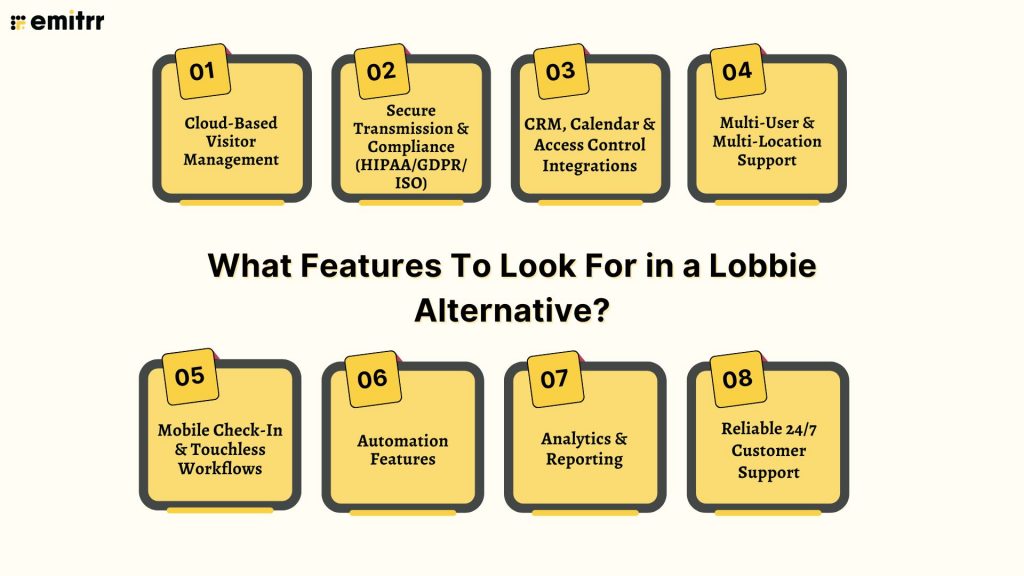
Below are the key features to evaluate when choosing a Lobbie alternative:
Cloud-Based Visitor Management
A cloud-first system eliminates complicated setups, manual configurations, and device-dependent workflows. Businesses can access dashboards, visitor logs, appointment lists, and analytics instantly from any location or device.
Cloud-backed tools also enable:
- Instant deployment
- Remote visibility
- Easier scaling across locations
- Zero hardware maintenance
This flexibility is essential for hybrid and distributed workplaces.
Secure Transmission & Compliance (HIPAA/GDPR/ISO)
Industries such as healthcare, finance, education, and government require strict compliance with security standards. A strong Lobbie alternative should support:
- Encrypted visitor data
- Audit trails
- User permissions
- Visitor agreements or consent forms
- HIPAA / GDPR / ISO controls
- Secure cloud storage
CRM, Calendar & Access Control Integrations
Modern visitor management only works when it functions within the existing operational ecosystem. Look for tools that integrate natively with:
- Google Calendar / Outlook
- CRMs (Salesforce, HubSpot, Zoho)
- Access control systems (Kisi, Brivo, HID)
- HR and employee databases
- Communication tools (Slack, Teams)
These integrations automate check-ins, sync host notifications, streamline routing, and reduce manual inputs.
Multi-User & Multi-Location Support
Growing teams need collaborative platforms with shared access and unified oversight. A strong visitor management solution allows:
- Multiple admin roles
- Department-level routing
- Multi-location dashboards
- Shared visitor logs
- Consolidated reporting
- Centralized policy controls
This ensures operational consistency and reduces dependency on individual staff members or isolated systems.
Mobile Check-In & Touchless Workflows
Visitors expect fast, seamless entry. Leading platforms offer:
- QR code check-ins
- Mobile pre-registration
- Touchless badges
- Instant host notifications
- Remote approval or denial
Mobile-first workflows support convenience, reduce wait times, and enhance security.
Automation Features
Automation reduces pressure on front-desk staff and eliminates repetitive tasks. Look for:
- Auto host notifications
- Smart visitor routing
- Document or ID capture
- Pre-screening questionnaires
- Compliance form collection
- Badge auto-printing
- Real-time alerts for unexpected activity
Automation ensures smooth operations even during peak visitor hours.
Analytics & Reporting
Modern visitor management platforms should provide insights into:
- Visitor volume
- Peak hours
- Host activity
- Repeat visits
- Compliance records
- Location usage
These analytics support better staffing decisions, operational planning, and compliance audits.
Reliable 24/7 Customer Support
Visitor management tools are mission-critical. Downtime at the front desk creates operational disruptions and security gaps. Strong Lobbie alternatives must offer:
- 24/7 chat or phone support
- Onboarding help
- Quick troubleshooting
- Detailed documentation
This ensures smooth deployment and uninterrupted operations.
10 Best Lobbie Alternatives
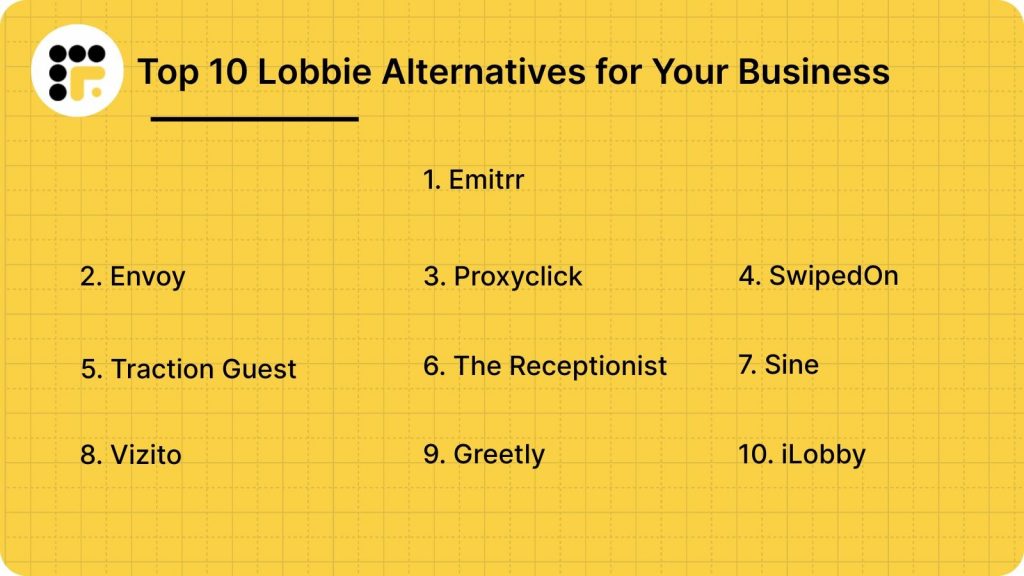
Here are the Top 10 Lobbie alternatives that you can choose from:
1. Emitrr
What is Emitrr?
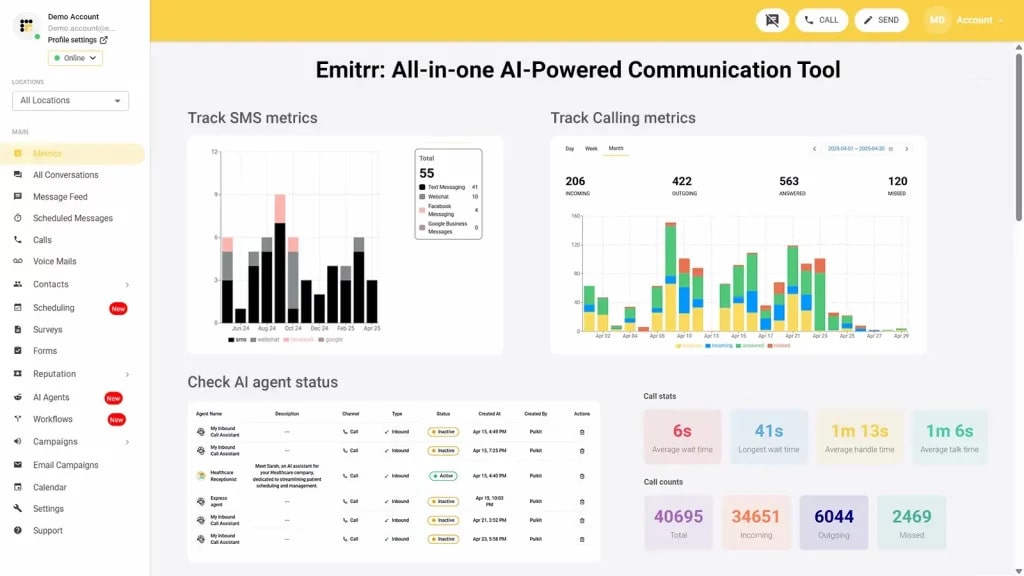
Emitrr is a comprehensive front-desk automation and communication platform designed for clinics, offices, property managers, and enterprise teams. It offers a modern, cloud-based visitor management system alongside SMS, reminders, calling, and multi-channel communication — allowing businesses to centralize operations without relying on manual workflows or outdated check-in systems.
Built for high-volume, multi-location environments, Emitrr eliminates manual logs, kiosk-only check-ins, and inconsistent front-desk processes. Its automation engine routes visitors intelligently, notifies hosts instantly, and syncs visitor data with your existing tools.
Key Features
- Touchless visitor check-ins with QR codes and mobile workflows
- Automated host notifications across SMS, email, and app
- Pre-registration links for upcoming appointments
- Compliance forms, ID capture, and digital document collection
- Centralized multi-location dashboards with analytics
- Cloud-based audit logs and secure visitor recordsIntegrations with CRMs, EHR/PMS systems, and scheduling tools
Pros
- All-in-one visitor + HIPAA-compliant communication automation in a single platform
- Deep compliance support across healthcare, financial, and legal sectors
- Zero manual effort due to automation and smart routing
- Scalable across multiple departments and locations
- Patient reminders reduce no-shows.
Cons
- Some advanced automation flows require setup support
- New features roll out frequently — ongoing updates may require training
Pricing
- Standard Plan ($20/user/month): Visitor management, SMS, reminders, and essential integrations
- Professional Plan ($35/user/month): AI-powered automation, deep analytics, advanced integrations
- Custom plans available for multi-location teams
Ratings
- 4.8 out of 5 stars on G2
Support Channels
- 24/7 chat, phone, email, and dedicated onboarding assistance
Watch how Emitrr’s AI Agent Sarah makes client communication, bookings, and follow-ups effortless with smart, automated texting and multi-channel patient engagement.
2. Envoy
What is Envoy?
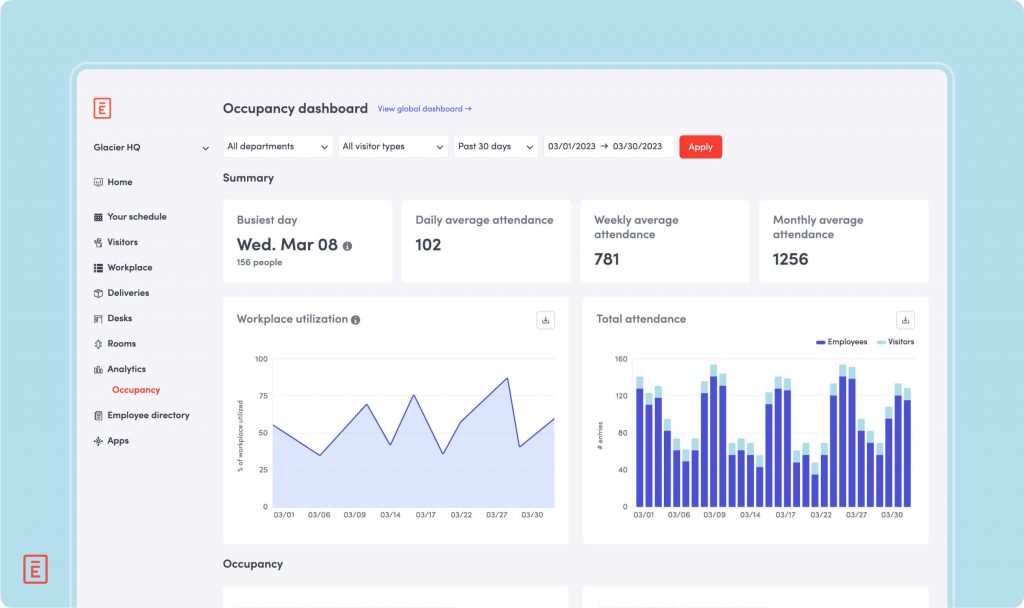
Envoy is one of the most widely used visitor management platforms, offering tools for workplace check-ins, employee scheduling, mailroom automation, and access control workflows. Designed for modern offices and enterprises, Envoy provides a polished, app-first interface with flexible sign-in workflows for guests, contractors, and employees.
Envoy focuses heavily on workplace security and compliance, offering integrations with access systems and identity platforms.
Key Features
- Customizable visitor flows with pre-registration
- Access control integrations (Kisi, Brivo, Openpath)
- NDA signing, document upload, and compliance workflows
- Employee scheduling and capacity management tools
- Real-time host alerts via mobile and Slack
- Badge printing and contractor-specific workflows
Pros
- Highly polished interface with enterprise-grade experience
- Strong access control and identity integrations
- Flexible workflows for contractors, guests, and delivery management
- Ideal for large corporate offices
Cons
- Pricing increases quickly with add-ons
- Can feel complex for small teams or single-location offices
- Some features require additional Envoy modules
Pricing
- Plans start at $99/location/month
- Add-ons (Desks, Rooms, Protect) priced separately
- Enterprise pricing available on request
Ratings
4.6 out of 5 stars on G2
Support Channels
Email, in-app chat, help center, and onboarding resources
3. Proxyclick (by Eptura)
What is Proxyclick?
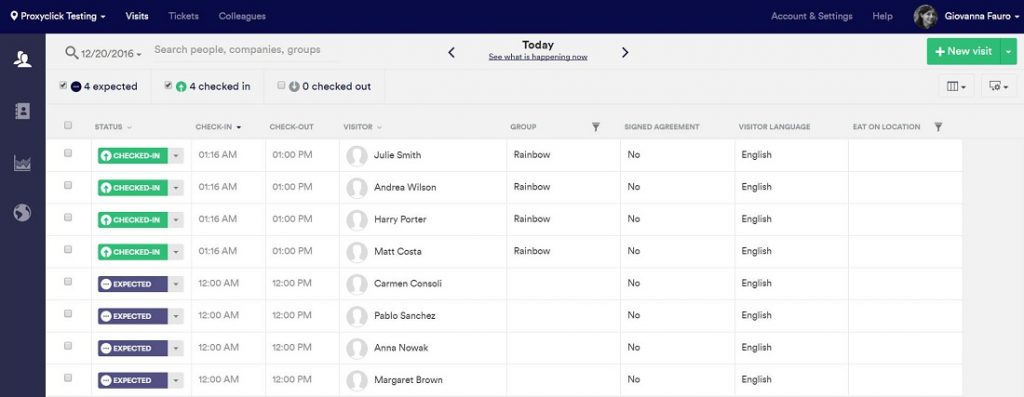
Proxyclick is an enterprise-grade visitor management platform built for organizations that prioritize security, compliance, and large-scale visitor operations. Known for its deep access control integrations and strict data governance, Proxyclick is preferred by regulated industries and multinational companies.
It automates check-ins, identity verification, and visitor documentation, ensuring that security and compliance requirements are met at every step.
Key Features
- Pre-visit invitations with QR codes
- Identity verification and watchlist screening
- Deep access control integrations (Lenel, HID, Honeywell)
- Visitor document workflows (NDAs, safety videos, onboarding)
- Multi-location dashboards and global configuration
- SOC II, GDPR, ISO-compliant workflows
Pros
- One of the strongest security-focused platforms in the category
- Ideal for enterprises with strict compliance requirements
- Advanced access control and identity verification options
Cons
- Overkill for small teams with simple visitor needs
- Pricing is high compared to SMB-focused tools
- Setup requires IT support in many cases
Pricing
- Proxyclick does not publicly list pricing. Enterprise quotes are custom and typically higher-tier.
Ratings
- 4.5 out of 5 stars on G2
Support Channels
- Email, chat, enterprise onboarding, security documentation
4. SwipedOn
What is SwipedOn?
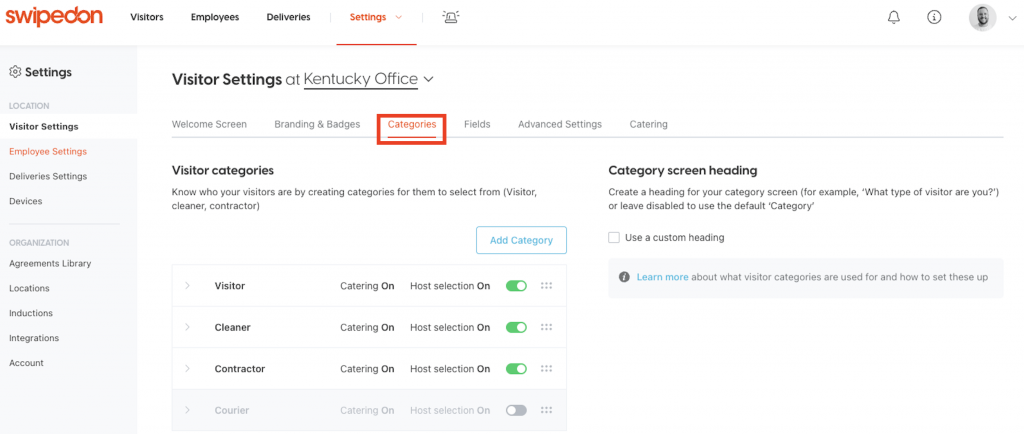
SwipedOn is a simple, user-friendly visitor management system designed for small and mid-sized workplaces. It offers digital check-ins, employee in/out tracking, and basic compliance workflows through a tablet-based interface.
SwipedOn is popular among offices, schools, logistics hubs, and hospitality businesses looking for an affordable and easy-to-manage visitor tracking solution.
Key Features
- Visitor and employee sign-in/out via tablet or mobile app
- Badge printing and ID capture
- Simple pre-registration workflow
- Emergency evacuation lists and roll calls
- Basic document signing and policy acknowledgment
- Multi-location management options
Pros
- Very easy to set up and use
- Affordable compared to larger enterprise tools
- Strong for SMBs needing basic visitor workflows
- Clean and intuitive UI
Cons
- Limited automation or advanced workflow capabilities
- Few deep integrations with CRMs or access control tools
- Reporting and analytics are basic
Pricing
- Plans start at $59/location/month
- Additional employee sign-in features available in higher plans
Ratings
- 4.7 out of 5 stars on G2
Support Channels
- Email support, chat assistance, and a detailed help center
5. Traction Guest
What is Traction Guest?
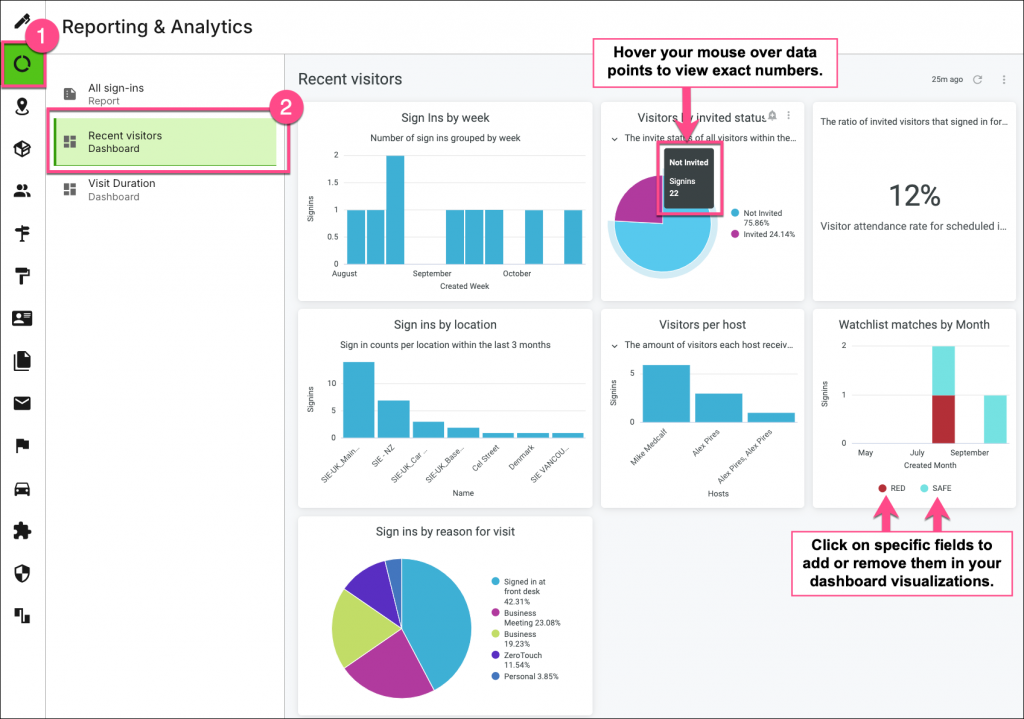
Traction Guest is an enterprise-grade visitor management platform designed for organizations that require high-security, multi-step check-in workflows. Particularly strong in manufacturing, pharmaceuticals, logistics, and global corporate environments, it offers advanced compliance features and detailed visitor identity management.
Its platform centralizes visitor screening, badge access, security approvals, and emergency readiness — making it ideal for regulated industries.
Key Features
- Pre-registration and advanced visitor screening
- Identity verification and custom questionnaires
- Emergency mass notifications and evacuation management
- Access control integrations with industry-leading systems
- Multi-location control with global visitor oversight
- SOC 2, GDPR, and ISO-compliant workflows
Pros
- Extremely strong compliance and security capabilities
- Built for enterprise environments with complex visitor flows
- Powerful multi-location management
Cons
- Not suitable for SMBs or simple visitor workflows
- Higher pricing compared to most competitors
- Requires IT involvement to configure advanced features
Pricing
- Pricing is not publicly listed; Traction Guest offers custom enterprise quotes based on workflow complexity and industry requirements.
Ratings
- 4.6 out of 5 stars on G2
Support Channels
- Email, dedicated account managers, enterprise onboarding, and security documentation
6. The Receptionist
What is The Receptionist?
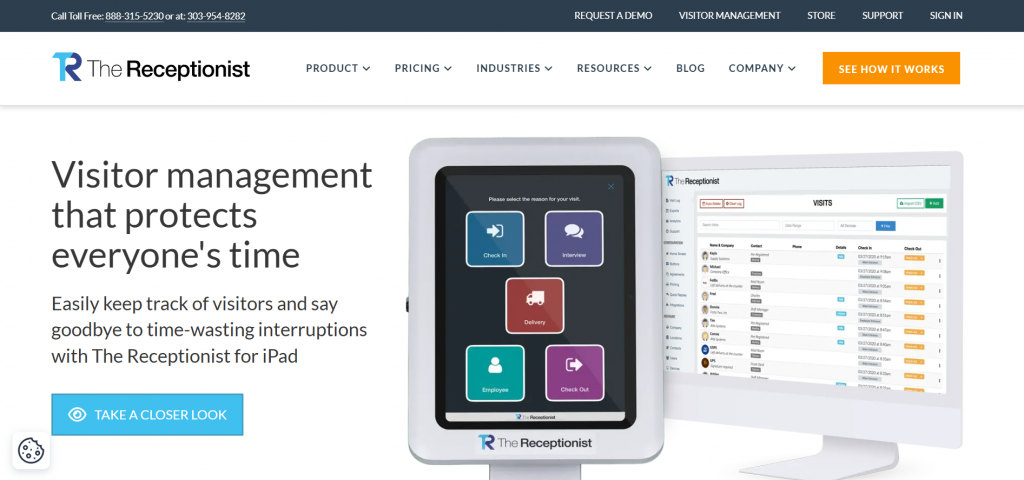
The Receptionist is a visitor management system designed for small and mid-sized businesses that want a simple, customizable, tablet-based check-in experience. Known for its “button-based” workflow builder, it allows organizations to create tailored check-in flows for visitors, contractors, and interview candidates with minimal setup.
It’s particularly popular among coworking spaces, clinics, production studios, and corporate offices that need a friendly, approachable check-in tool.
Key Features
- Customizable check-in buttons and workflows
- Instant host notifications via text, email, or Slack
- Digital document signing (NDAs, waivers, consent forms)
- Badge printing and visitor photo capture
- Two-way messaging between hosts and visitors
- Emergency notifications and evacuation lists
Pros
- Highly flexible and easy-to-customize workflows
- Very intuitive interface for guests
- Strong communication features with two-way messaging
Cons
- Limited enterprise-level features
- Few integrations beyond communication tools
- Analytics and reporting capabilities are basic
Pricing
- Plans start at $99/month for one iPad kiosk
- Additional features and kiosks require higher-priced plans
Ratings
- 4.8 out of 5 stars on G2
Support Channels
- Email support, live chat, knowledge base, and onboarding guidance
7. Sine (by Honeywell)
What is Sine?
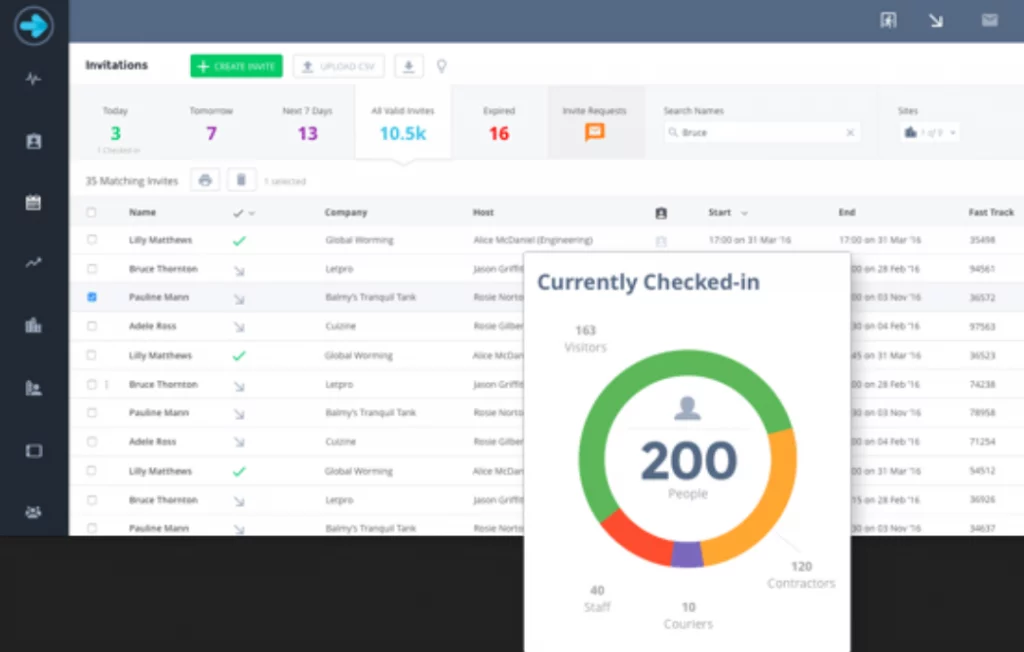
Sine is a global visitor and contractor management solution acquired by Honeywell, designed for industries that require high operational visibility and compliance — including construction, aviation, education, healthcare, and logistics.
Its strength lies in mobile check-ins, contractor workflows, geofence-based attendance, and integration with Honeywell’s broader security ecosystem.
Key Features
- Mobile check-ins with QR codes and geofencing
- Contractor management and compliance workflows
- Induction workflows for training and safety requirements
- Real-time workforce visibility across multiple sites
- Access control integrations and Honeywell ecosystem support
- Visitor and contractor activity reporting with audit trails
Pros
- Excellent for contractor-heavy environments and industrial sites
- Strong mobile and geolocation capabilities
- Deep safety and compliance workflows
Cons
- UI feels more industrial than office-friendly
- Several features require Honeywell integrations
- Not ideal for small offices or minimal check-in needs
Pricing
- Sine does not publish pricing; enterprise and industry-specific quotes available on request.
Ratings
- 4.5 out of 5 stars on G2
Support Channels
- Email, chat, extensive documentation, onboarding support, and enterprise service options
8. Vizito
What is Vizito?
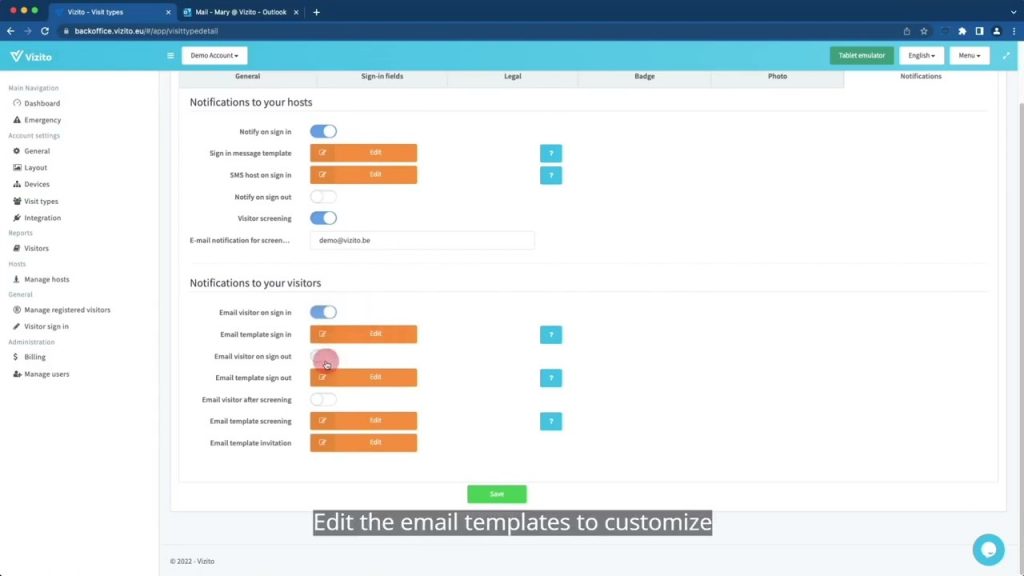
Vizito is a customizable visitor management tool offering digital check-ins for guests and employees. Its cloud-based system allows organizations to configure check-in workflows, collect digital signatures, and manage visitor records through an intuitive mobile and tablet interface.
Vizito is popular among small businesses, agencies, schools, and shared office spaces looking for an affordable, flexible solution.
Key Features
- Fully customizable check-in screens and workflows
- Multi-language support for international visitors
- Digital signatures, ID capture, and document uploads
- SMS/email host notifications
- Cloud-stored visitor logs with secure access
- Simple analytics for visitor insights
Pros
- Very flexible and customizable workflows
- Affordable pricing with unlimited devices
- Multi-language support ideal for diverse workplaces
Cons
- Lacks deeper integrations with access control or CRMs
- Interface feels plain compared to more modern competitors
- Limited automation features
Pricing
- Plans start at $49/month with unlimited devices
- Higher tiers available for additional features and support
Ratings
- 4.6 out of 5 stars on G2
Support Channels
- Email support, online knowledge base, onboarding documentation
9. Greetly
What is Greetly?
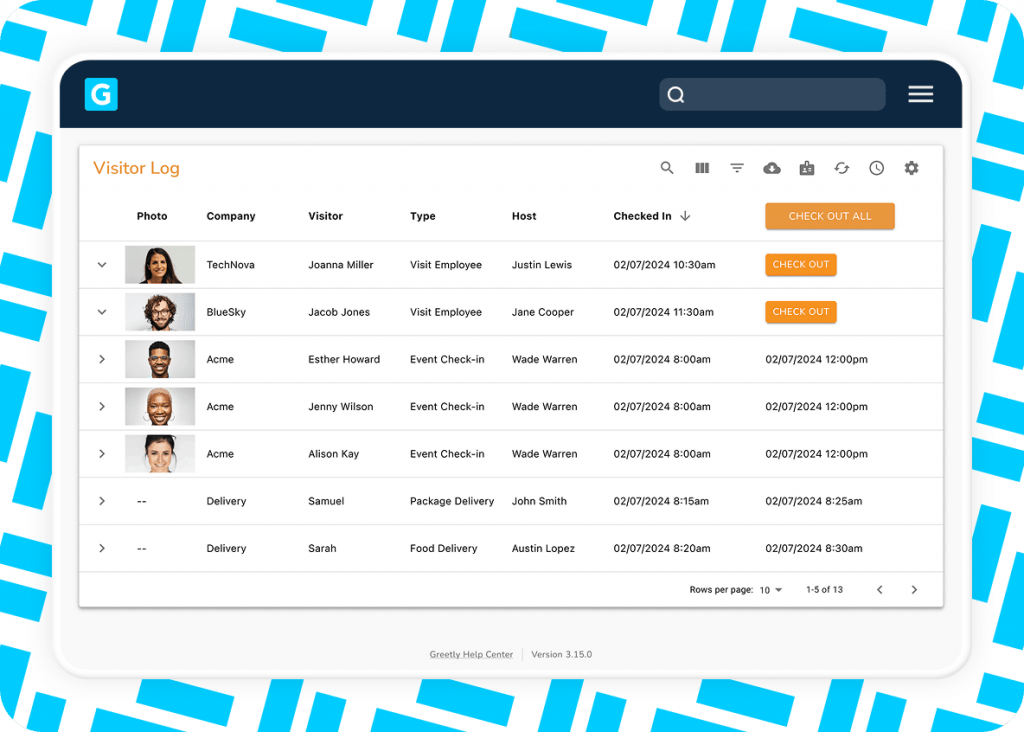
Greetly is a customizable, cloud-based visitor management system designed for modern offices, coworking spaces, agencies, and administrative environments. It focuses on creating a branded, seamless, self-service check-in experience for visitors while automating notifications, badge printing, and digital document signing.
What makes Greetly unique is its strong emphasis on personalization — organizations can fully tailor the check-in flow, choose from multiple sign-in types, and match the experience to their brand identity.
Key Features
- Fully customizable visitor workflows and branding
- Digital document signing (NDAs, policies, waivers)
- Instant host notifications via SMS, email, phone, and apps
- Photo capture, badge printing, and multi-language support
- Emergency evacuation lists with real-time roll calls
- Cloud-based visitor logs with exportable reports
Pros
- Highly customizable and brand-friendly visitor experience
- Strong communication and alert features
- Suitable for front-facing environments like agencies and coworking spaces
Cons
- Limited enterprise-level compliance features
- Access control integrations not as deep as competitors
- UI feels less modern compared to newer platforms
Pricing
- Starting at $49/month, with additional features available in higher-tier plans
- Enterprise plans quoted on request
Ratings
- 4.8 out of 5 stars on G2
Support Channels
- Email, chat, help center resources, and onboarding documentation
10. iLobby
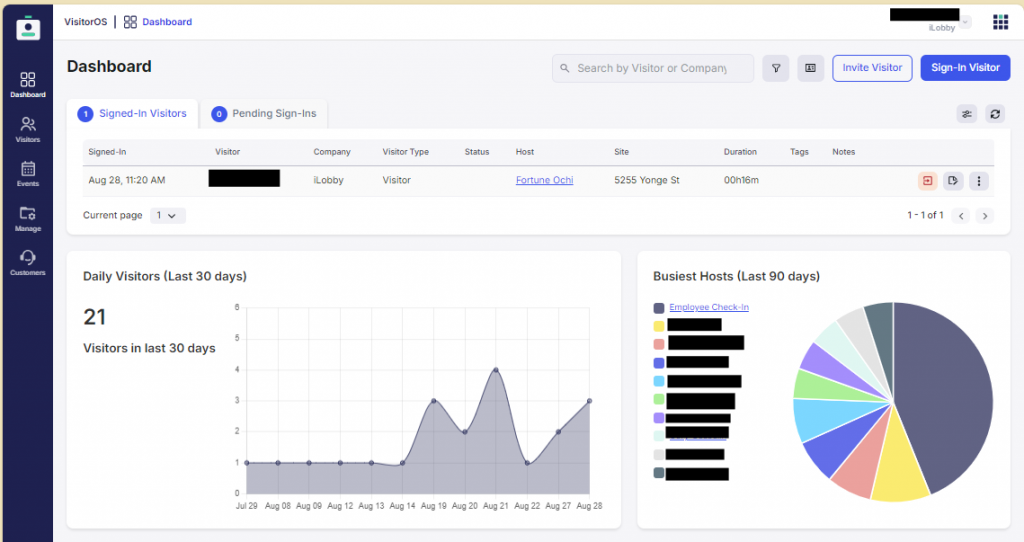
What is iLobby?
iLobby is an enterprise visitor and facility management solution designed for high-security environments such as manufacturing plants, logistics hubs, airports, and government buildings. It prioritizes compliance, identity verification, and building security, offering advanced workflows for screening and managing large volumes of visitors, contractors, and vendors.
Known for its access control and compliance depth, iLobby provides end-to-end facility management that goes beyond simple visitor sign-ins.
Key Features
- Identity verification and watchlist screening
- Pre-registration workflows with compliance checks
- Access control integrations (Lenel, Honeywell, Brivo, and more)
- Contractor and vendor management workflows
- Emergency alerts and evacuation reports
- Multi-location oversight and centralized dashboards
Pros
- Extremely strong compliance and security frameworks
- Built for industrial, logistics, and regulated environments
- Integrates deeply with enterprise facility systems
Cons
- Not designed for simple office check-ins
- Higher cost than SMB-focused tools
- Initial setup may require IT and facility teams
Pricing
- Pricing is not publicly available; enterprise quotes are tailored to industry and facility requirements.
Ratings
- 4.7 out of 5 stars on G2
Support Channels
- Enterprise support, onboarding specialists, ticketing, and documentation
What Makes Emitrr the Best Lobbie Alternative?
Emitrr stands out as the strongest Lobbie alternative because it replaces basic check-in tools with a modern, automation-driven, cloud-powered visitor and communication platform. Unlike traditional systems that focus only on sign-ins, Emitrr centralizes end-to-end front-desk operations — from visitor management to SMS, reminders, calls, and document workflows — making it a unified system for business efficiency.
Below is how Emitrr delivers a superior, modern visitor management experience:
True Compliance & Security
Emitrr ensures fully secure visitor management with encrypted data transmission, protected cloud storage, HIPAA-compliance audit-ready logs, digital patient intake and industry-grade compliance features. Whether it’s healthcare, finance, education, or legal environments, Emitrr supports HIPAA, GDPR, and other regulatory requirements — giving organizations complete confidence in handling sensitive visitor information.
Its security framework enables:
- Encrypted visitor records
- Permission-based access
- Compliance document collection
- Audit trails for regulatory reviews
- Secure cloud-based storage with backups
This makes Emitrr suitable for businesses that prioritize data protection and operational integrity.
All-in-One Communication Platform
Unlike Lobbie — which only addresses visitor check-ins — Emitrr offers a consolidated communication platform that includes:
- Visitor check-ins
- SMS and calling
- Appointment reminders
- Two-way messaging
- Chat automation
- Document collection
- Surveys and patient feedback flows
This all-in-one infrastructure eliminates the need for multiple disconnected tools, giving teams a single source of truth for managing visitors, clients, patients, and internal coordination.
Cloud-Based Modern Visitor Management
Emitrr removes all the limitations of kiosk-only or device-dependent systems. Its cloud-based visitor management offers:
- Access from any device
- Real-time visitor logs
- Multi-location visibility
- Instantly deployable workflows
- Zero hardware or server maintenance
- Remote management for hybrid teams
This modern cloud architecture brings consistency, accessibility, and speed to your front-desk operations.
Automations Built for Front-Desk Workflows
Emitrr automates repetitive and manual visitor management tasks through smart routing, form collection, host notifications, and real-time alerts. These automations help teams move away from reactive manual processes and toward proactive, seamless operations.
Key automation capabilities include:
- Auto-routing visitors to the right department
- Automated host notifications via SMS, email, or app
- Digital forms, ID capture, and pre-visit workflows
- Automated follow-ups and alerts for required actions
- Smart tagging for visitor categories and compliance
With automated workflows, front-desk teams save hours of manual workload every week.
Easy Integrations
Emitrr connects effortlessly with major CRMs, EHR/PMS systems, access control platforms, and scheduling tools. Its integration ecosystem ensures:
- Smooth visitor data movement across platforms
- Streamlined appointment coordination
- Automated compliance workflows
- Unified communication systems
- Seamless multi-department collaboration
This interoperability eliminates manual data entry and reduces operational friction.
Round-the-Clock Support
Emitrr offers 24/7 support through chat, phone, and onboarding specialists. Whether it’s workflow setup, troubleshooting, or integration guidance, teams receive immediate assistance — something many visitor tools, including Lobbie, do not provide.
Support includes:
- Real-time chat
- Phone support
- Email support
- Guided onboarding
- Workflow optimization help
This ensures uninterrupted visitor operations and a reliable front-desk experience.
Which Industries Are Catered by Emitrr?
Emitrr serves industries that require secure, compliant, and automated communication workflows integrated with modern visitor management. Its cloud-based check-ins, messaging, scheduling, and workflow automation make it ideal for organizations handling sensitive information, high visitor volume, and complex operational processes.
Below are the primary industries that rely on Emitrr:
Healthcare
Emitrr AI for healthcare delivers HIPAA-compliant visitor management, digital patient intake, automated reminders, lab result communication, and secure documentation workflows. Perfect for:
- Clinics
- Dental practices
- Hospitals
- Labs
- Diagnostic centers
- Medical billing teams
With Emitrr, patient check-ins become faster, safer, and fully automated, reducing paperwork, boosting patient retention, and improving operational efficiency.
Want to learn all the essentials of HIPAA and why it matters? This insightful video explains everything you need to know. Watch now:
Finance
Financial institutions use Emitrr to manage secure visitor check-ins, tax document workflows, audit support, and encrypted storage. Ideal for:
- Tax consultants
- Accounting firms
- Financial advisors
- Wealth management offices
Emitrr ensures compliance with strict data standards while improving communication and visitor flow.
Legal
Law firms rely on Emitrr for secure handling of case-related visitor records, document delivery, client appointments, and automated communication reminders. Useful for:
- Law practices
- Litigation teams
- Legal consultancies
- Paralegal offices
Its secure audit trails and document automation help maintain legal confidentiality and efficiency.
Real Estate
Emitrr helps real estate teams manage in-person client visits, property walk-in registrations, agreement sharing, and communication workflows. Used by:
- Property management companies
- Real estate developers
- Brokerages
- Leasing offices
Visitors can check in digitally, receive automated follow-ups, and move through a streamlined onboarding process.
Government & Education
Emitrr supports government bodies and educational institutions with secure document routing, visitor check-in tracking, approvals, and form workflows.
Suitable for:
- Municipal offices
- Licensing departments
- Educational institutions
- Administrative boards
Its compliance-first environment ensures secure handling of public records and administrative processes.
Frequently Asked Questions
Yes — Lobbie is still used by small offices, coworking spaces, and administrative teams that prefer a simple, tablet-based check-in system. However, many organizations are now moving to more modern, cloud-based visitor management tools that offer greater automation, deeper integrations, and stronger compliance features.
Emitrr is the strongest alternative for healthcare workflows because it offers HIPAA-compliant visitor management, automated patient reminders, secure messaging, and deep integrations with EHR/PMS systems. It’s designed specifically to handle sensitive information and high-volume patient traffic.
Yes. Emitrr eliminates the need for manual sign-in sheets, kiosk-only systems, or standalone visitor tools by offering a fully cloud-based, automated visitor management platform accessible from any device — complete with communication, workflows, and compliance.
Yes. Emitrr integrates with major CRMs, scheduling tools, EHR/PMS platforms, and productivity systems, enabling seamless data flow and unified front-desk operations across departments.
Yes. Emitrr follows strict security guidelines, including encryption, secure cloud storage, permissions, audit logs, and BAA availability — ensuring full compliance with HIPAA, GDPR, and other regulatory frameworks.
Conclusion
Choosing the right visitor management solution is essential for improving front-desk efficiency, enhancing security, and creating a seamless experience for guests, clients, and staff. While Lobbie has supported businesses with basic digital check-ins, it no longer aligns with the needs of modern organizations that require automation, deeper integrations, compliance support, and multi-location visibility.
Emitrr stands out as the most advanced and practical Lobbie alternative thanks to its cloud-based visitor management, workflow automation, communication suite, and industry-grade compliance. From healthcare to legal, finance, real estate, and enterprise operations, Emitrr ensures a secure, efficient, and fully modern visitor experience across teams.Ready to upgrade your visitor management? Schedule a demo today!


 4.9 (400+
reviews)
4.9 (400+
reviews)