
Introduction
When you think of faxing, you might picture an old machine from the ‘80s collecting dust in the corner of an office. But guess what? Fax is far from dead. In fact, the global fax services market was valued at $3.3 billion in 2024, and it’s still growing.
Surprised? So were we. But there’s a reason why businesses across healthcare, legal, finance, and more continue to use fax every day. It’s reliable, secure, and with digital faxing, it’s now easier than ever to use. No bulky machines or phone lines needed.
Before we dive into how digital fax can make your life easier, let’s take a quick step back. What exactly is fax transmission? Why do businesses still use it, and how has it changed over the years?
What Is Fax Transmission and How It Works
Okay, so let’s break this down. Faxing is basically sending a copy of a document from one place to another – like mailing paperwork, but way faster. With traditional fax machines, you’d scan a document, and it would send the info through a phone line. On the other end, it prints out the exact same thing. That’s why it’s called “fax” – short for “facsimile,” which just means an exact copy.
Now, we’ve got digital faxing, which makes life a lot easier. Instead of using a machine and a phone system, you can just send a file, like a PDF, from your computer or phone using the internet. The person on the other end gets it either in their email or through their fax setup, depending on what they use.
Bottom line? Faxing is still about getting a secure, clean copy of your document to someone fast. It just doesn’t always need a big clunky machine anymore.
Why Fax Transmission Still Matters for Businesses
So yes, faxing might sound like a throwback, but it’s still hanging around for good reason. A lot of industries like healthcare, law, and finance still lean on it because it’s surprisingly reliable, secure, and just works! Let’s dig into why fax still gets the job done in today’s tech-heavy world.
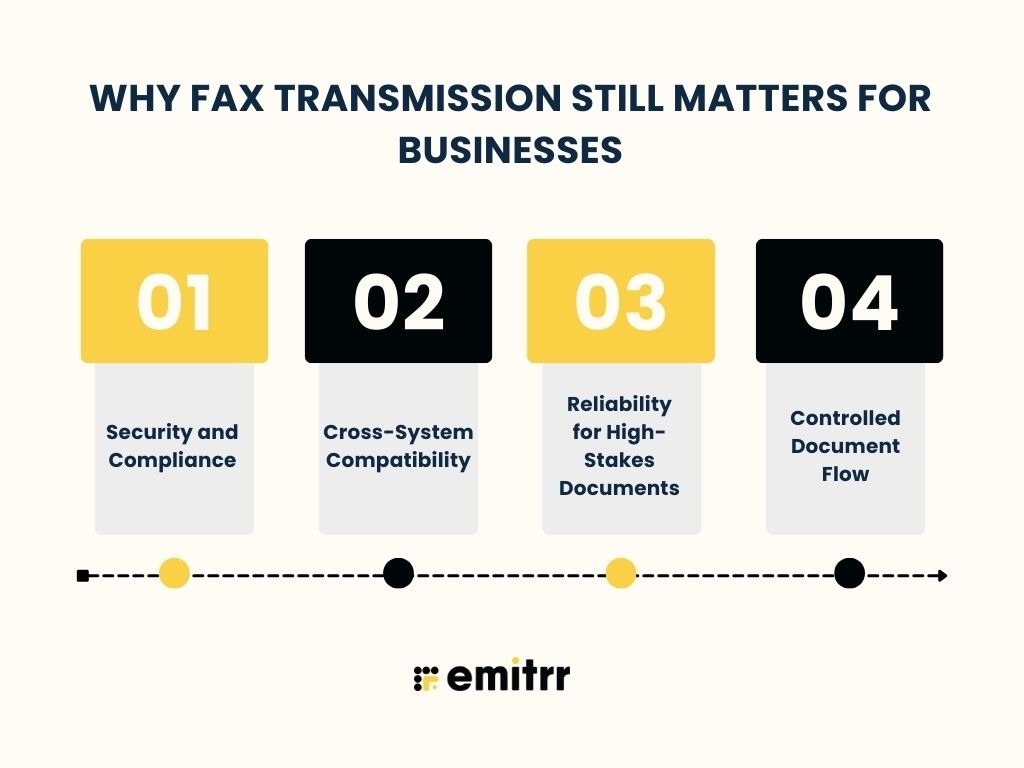
Security and Compliance
Security is a big one. Faxing is still one of the safer ways to send sensitive info. Why? Because it’s a direct line, no sneaky hackers sliding into your email mid-way. That’s why rules like HIPAA still give fax a thumbs up for medical stuff. And with modern digital faxing, you get encryption software, secure channels, and even logs showing who sent what and when. Basically, it’s got the kind of audit trail businesses need to stay compliant.
Cross-System Compatibility
Here’s another win: Fax doesn’t care what software you use. You could be on some old-school system, and the other person could be using something brand new. Doesn’t matter. As long as you both can fax, it just works. That’s a lifesaver in places like hospitals or legal firms where tech systems don’t always play nice together. Fax is like the universal language everyone understands.
Reliability for High-Stakes Documents
Fax is also great when it absolutely has to get there. Unlike emails that vanish into spam folders or go unread, fax gives you a delivery confirmation. You know it was received. That’s why people still fax contracts, invoices, or time-sensitive stuff. It’s direct, it’s trackable, and it’s dependable.
Controlled Document Flow
And finally – control. When a fax comes in, it’s usually routed to one secure place, not floating around someone’s inbox. That means fewer chances of things being forwarded, missed, or seen by the wrong person. With digital fax tools, you can even set who’s allowed to send or receive faxes. For teams handling private info, that control really matters.
Digital Fax vs Traditional Fax
So, if you’ve ever wondered how digital fax stacks up against that old-school fax machine gathering dust in the corner, you’re not alone. The goal is still the same: get your documents sent securely. But the way they do it? Totally different. So, let’s break it down with a side-by-side look at traditional faxing vs the newer, digital kind.
| Aspect | Traditional Fax | Digital Fax |
| Equipment Needed | Fax machine, a phone line, paper, and toner/ink. | No physical fax machine required – just an internet connection and a device (computer, smartphone). |
| Transmission Method | Analog signals over telephone lines (one fax at a time). | Data sent over the internet (can send multiple faxes concurrently). |
| Speed and Convenience | It can be slower. You often have to wait for dialing and for each page to transmit. Only accessible at the fax machine’s location. | Instant or near-instant sending. Fax from anywhere via web or mobile app, no need to stand by a machine. |
| Security | Point-to-point over phone line (not internet-connected, so immune to online hacks), but anyone near the machine can read incoming pages. | Encrypted transmission and password-protected accounts. No papers lying around. You log in to see documents. |
| Costs | Ongoing costs for paper, ink, maintenance, and a dedicated phone line. | Usually, a monthly service fee. No hardware upkeep or consumables needed, often resulting in lower overall cost. |
Advantages of Modern Fax Transmission
Digital faxing isn’t just some outdated feature hanging around. It’s evolved into something way more useful and reliable. Here’s why modern faxing deserves a spot in your workflow:
It’s Fast and Just Works
No more standing next to a clunky machine waiting for pages to go through. With digital fax, documents are sent almost instantly, and you’ll get real-time updates too. And if it doesn’t go through on the first try? It retries automatically, so you’re not stuck resending things manually. Think of it like sending a text instead of mailing a letter. It’s really that kind of speed jump. Perfect when you’re under a deadline and can’t afford delays. Plus, no busy signals.
It’s Super Secure (Like, Really Secure)
Sending sensitive stuff like medical records or legal forms? Digital fax uses encryption to lock everything down tight. You also get audit trails and access logs, so it’s easy to prove who sent or received a document. It’s a level of transparency and control that email can’t always offer. And if you’re in a regulated industry, this kind of security is a must. Faxing really holds its ground when privacy is non-negotiable.
No Machines, No Clutter
Forget about fixing paper jams or replacing toner. With digital fax, you’re off the hook. All you need is a device – your phone, your laptop, and you’re good to go. Got team members working remotely? No worries, they can send faxes from anywhere, too. It’s faxing that fits how we actually work today. No more fighting over who jammed the office machine.
It Plays Nice With All Kinds of Files
Got a PDF, a scanned image, or even a Word doc? You can fax them all with zero hassle. The system takes care of converting the files into something the recipient’s machine or inbox can read. Even if the person on the other end is using a dinosaur of a fax machine, your message will still get there clean and clear. It’s like being fluent in every document language.
Your Faxes Stay Organised
You won’t be digging through stacks of paper ever again. Every fax you send or receive is saved automatically. Need to find a client’s signed form from last month? Just type in their name and it’s there. Plus, digital fax services often back up your data, so even if your device crashes, your documents are safe. It’s basically a tidy file cabinet you never have to clean.
It’s Cheaper in the Long Run
Running a physical fax machine racks up costs – paper, ink, maintenance, and don’t forget that phone line. Digital fax skips all that and usually just charges a simple monthly fee. Over time, you save money and stop worrying about fixing hardware or running out of supplies at the worst moment. Your finance team will probably thank you.
You Know Exactly What’s Happening
No more “Did you get my fax?” phone calls. Digital fax tells you if your document was delivered, delayed, or failed right away. Some services even email or ping you when things go through. It takes the mystery out of faxing, and you get to keep your peace of mind. Plus, you’ll always have proof if anyone needs it.
You Can Fax From Anywhere
On the road? At home in your pyjamas? No problem. You can send and receive faxes from wherever you are. As long as you’ve got internet, your phone or laptop becomes your personal fax machine. It’s super convenient for remote teams or anyone who doesn’t want to be tied to the office. Faxing on your terms, that’s the win.
It Can Handle a Ton of Docs
Got 100 invoices to send before lunch? A modern fax system can batch-send them all at once. There’s no need to feed pages into a machine one by one. It’s click and done. It’s great for busy offices that deal with loads of paperwork every day and need something that can keep up. You’ll seriously cut down turnaround time.
Fewer Mistakes, Fewer Headaches
Mistyped numbers, lost pages, and traditional faxing could be a bit of a mess. Digital fax lets you store contacts, reuse templates, and send directly from your files, so errors go way down. And if something does slip through the cracks, you’ve got a full record and backup ready to go. It just takes the stress out of the process. Less chaos. More control.
Features to Look for in a Fax Transmission Solution
If you’re looking for a modern fax tool, it shouldn’t just work. It should actually make life easier for your team. Here’s a quick list of what to look for, so faxing feels like less of a chore and more like a breeze.
Simple, Clean Interface Anyone Can Use
Let’s face it, nobody wants to fumble through a manual just to send a fax. Whether it’s your front desk team, your bookkeeper, or even a new intern, everyone should be able to jump in and get the job done without needing tech support. Picture this: sending an invoice or a signed contract in under 30 seconds, as easily as firing off an email. That’s what a clean, intuitive interface does. It keeps things simple, fast, and stress-free. Because if the tool feels confusing, chances are your team will avoid using it altogether (or use it wrong). And that just slows everyone down.
Access from Any Device, Anywhere
What if you could fax a document while sipping coffee at your kitchen table? Or approve a signed agreement from your phone in the parking lot? With multi-device support, you’re not tied to one computer in the office. This flexibility is a game-changer for busy teams, remote workers, and anyone who’s ever said, “I’ll take care of it when I’m back at my desk.” Faxing should fit your schedule, not the other way around.
End-to-End Security for Peace of Mind
Sensitive info like legal documents, contracts, or patient records needs serious protection. That’s where strong encryption and secure storage come in. For example, if your clinic needs to send lab results or a signed consent form, you want to be sure no one else can sneak a peek. With end-to-end encryption and secure access controls, your files stay locked down and HIPAA compliant.
Real-Time Delivery Updates and Logs
Ever wonder if your fax actually made it? With a digital solution, you’ll get real-time status updates – “sent,” “delivered,” or “failed”, so there’s no second-guessing. Let’s say you’re sending a signed lease agreement. You’ll know within seconds if it went through, and if not, you’ll know why. Plus, you’ll have a full history log to fall back on for recordkeeping or troubleshooting.
Built to Work with Your Other Tools
Imagine sending a fax straight from your EHR or CRM. No downloads. No juggling tabs. That’s the beauty of software integrations. If you’re in healthcare, it might be your EHR. If you’re in sales, it’s your CRM. Integrations cut out double data entry and let you fax directly from the systems your team already uses. That means fewer mistakes and faster workflows.
Sends All the File Types You Need
Have a client who sent you a JPEG, but you only have a Word doc to send back? No problem. A good fax solution supports all kinds of file formats – PDFs, DOCX, PNGs, and even spreadsheets. Whether you’re sharing legal forms, financial reports, or signed contracts, you won’t waste time converting or reformatting documents just to make them fax-compatible.
Cloud Storage That Keeps Things Organised
No more rifling through filing cabinets or wondering if someone tossed the wrong page. With cloud storage, everything’s saved automatically and right where you need it. Picture this: a law firm tags every incoming client fax by case number, so it’s easy to find months later. Organised storage means less stress when someone asks, “Hey, do we still have that fax from March?”
Sign and Send Without Printing
We’ve all had to print something just to sign it and scan it back. With electronic signature support, that’s in the past. Let’s say you’re finalising a vendor contract, just sign it on your screen and hit send. Done. You save time, reduce paper use, and avoid the annoying printer/scanner dance.
Keep Your Old Number or Get a New One
Already have a fax number that your customers know by heart? No problem, you can bring it with you. Look for a service that lets you keep your current number so everything stays business as usual. Starting from scratch? You can get a brand-new fax number that’s just for you, or even separate numbers for different teams like sales or support. It’s all about what works best for how you run things.
Send to Dozens (or Hundreds) at Once
Need to send out an announcement to your whole client list? Bulk faxing has your back. Instead of faxing one by one, you can send your message to hundreds of people in just a few clicks. Whether you’re a school sharing schedule updates or a clinic sending patient forms, this feature saves serious time.
Control Who Can Access What
Not everyone on your team needs to see every fax. With role-based permissions, you can decide who gets access to what. Maybe your finance team should handle invoices, and HR gets job applications. It keeps things neat, avoids accidental mix-ups, and makes sure sensitive info stays in the right hands.
Logs That Help You Stay Compliant
If you work in a regulated industry like healthcare or law, you need clear records of what happened, when, and by whom. Audit trails give you exactly that. Imagine being able to pull up a full log of every action tied to a patient referral or legal contract in seconds. Whether it’s for an internal review or an external audit, having those trails keeps you protected.
A Handy App for On-the-Go Faxing
Your phone should be your office when you need it to be. A solid mobile app lets you snap a photo of a form, send it out instantly, and get notified when it’s delivered, all from your phone. It’s ideal for real estate agents, delivery teams, or mobile healthcare providers who need to work while out and about.
Automatic Retries So You Don’t Have To
Now, there could be times when your fax won’t go through on the first try. It could be a busy line or a connection glitch. Instead of manually resending, the system should auto-retry. Imagine sending 20 patient intake forms. If one bounces, you don’t want to babysit it. Auto-retry gives you peace of mind that everything’s still moving forward.
Cover Sheets and Templates That Save Time
If you send the same kinds of documents over and over, like billing forms or intake sheets, templates are a huge time-saver. You can also customise your fax cover sheet with your logo and company info so your faxes look polished and professional. It’s like having branded letterhead, but for fax. And yes, it absolutely makes a difference to the person receiving it.
Fax Transmission Use Cases Across Industries
Faxing isn’t just alive, it’s thriving in all kinds of industries where secure, reliable communication still matters.
Healthcare
Healthcare still leans heavily on fax. Doctors, clinics, and hospitals send records, referrals, and prescriptions every day. Why? Because faxing is secure and HIPAA-compliant. Even if two systems can’t talk to each other electronically, they can still fax. Digital fax makes this easier — staff can send documents straight from their EHR with just a click. It feels familiar, but it works way faster.
Legal
Law firms and courts often use fax to send contracts, filings, or signed agreements. A faxed signature is usually considered legally valid, and the confirmation slip gives peace of mind. You always know it went through. Plus, for clients who still prefer paper, fax is a solid option. Now, lawyers can fax case files securely right from their computer, skipping the slow old-school machine.
Finance and Insurance
Faxing is big in banking and insurance. Think of loan documents, claim forms, or signed authorisations. It’s fast, secure, and fits compliance needs. In fact, many prefer fax over email when sending sensitive financial info. And now, instead of printing and scanning, brokers or agents can just fax a PDF from their computer in seconds.
Real Estate
Deals move fast in real estate, and fax helps keep up. Agents use it to send contracts or disclosures quickly, sometimes even during a house showing. It’s a simple way to get signatures and paperwork out fast, especially when the other party isn’t tech-savvy. With digital fax, you can send everything straight from your phone or laptop without needing a scanner.
Education and Universities
Schools still fax transcripts, recommendations, and approvals. It’s all part of the workflow. One registrar might fax a student record to another school or a job reference to a company. Digital fax helps them send and organise everything digitally while still playing nicely with older systems that rely on fax. It’s a useful bridge for admin work.
Manufacturing and Supply Chain
Factories and suppliers use fax for purchase orders, invoices, and shipping schedules. If something’s urgent, they’ll fax it to avoid delays. Even overseas, customs documents often go by fax. With cloud faxing, teams can send and track paperwork faster, no more waiting by the machine or worrying about whether it arrived.
Human Resources and Recruiting
HR handles a lot of sensitive stuff like tax forms, contracts, and new hire paperwork. Faxing helps keep this secure and organised. For example, a recruiter might fax an NDA to a candidate, or an HR rep might send benefit forms to a provider. With digital fax, everything stays secure and goes straight into the employee’s file.
Nonprofits and Community Organisations
Nonprofits often fax documents to clinics, government offices, or other agencies. It helps them share referrals or paperwork fast, even if the other party still uses older systems. Digital fax lets them stay part of the conversation. No bulky machines, no extra costs.
Logistics and Transportation
Trucking and shipping companies move fast, and so does their paperwork. They fax delivery confirmations, bills of lading, or updates to drivers. A dispatcher might send a route change to a truck stop that still uses a fax machine. With digital tools, they can now do all this from their computer or phone.
Hospitality and Travel
Hotels and travel agencies still use fax more than you’d think. A hotel might ask for a credit card form by fax because it feels more secure than email. Or a travel agency might fax a booking form to a remote resort. Digital fax helps them do this smoothly – without printers or waiting around.
Common Fax Transmission Challenges
Even with all the benefits faxing offers, it’s not totally hassle-free. Here are some of the most common issues people still run into:
Failed or Partial Transmissions
Ever sent a long fax and found out only half of it made it through? That’s a classic problem. Maybe the connection drops after five pages, or you get a busy signal and nothing goes out at all. It’s frustrating, especially when time is tight. While modern digital fax tools help by auto-retrying or letting you send multiple files in one go, things can still go wrong.
File or Scan Quality Issues
Faxes can turn a clear document into something that looks like it’s been photocopied ten times. Blurry text, smudged signatures, missing details, sounds familiar? This usually happens when the original scan is poor or if the document has tiny print or messy handwriting. Even with digital faxing, uploading a fuzzy photo or a bad scan can cause issues. If your recipient can’t read it, they’ll either ask for a clearer copy or just ignore it.
Wrong Recipient Errors
Typing the wrong fax number is a small mistake that can cause big problems. Unlike email, where a bad address might bounce back, a mistyped fax number might actually reach someone, and that someone could see sensitive information. That’s a major privacy risk in industries like healthcare or law. A quick review can save a lot of trouble.
Hardware and Line Failures
Old-school fax machines jam, run out of ink, or stop working altogether. And let’s not forget phone line issues that can totally block a fax. Even if your fax goes through, the other machine might be out of paper or broken, meaning your message just disappears into the void. Digital fax cuts out most of these issues, but no tech is perfect. Having a backup plan can help keep things moving when the unexpected happens.
How to Prevent Fax Transmission Issues
Faxing doesn’t have to be frustrating. A few simple habits and tools can save you a lot of time. Here’s how to avoid common fax problems before they happen:
Double-Check Numbers and Recipients
One wrong digit can send your fax to a complete stranger. Always take a few seconds to double-check the number before hitting send. If you’re using a digital fax service, take advantage of saved contacts. Selecting a name is way safer than manually typing numbers. Cover sheets are also a good move, especially in offices with shared inboxes. They help the right person spot your fax right away.
Make Sure the Document Is Clear
If you’ve ever squinted at a fax and thought, “What does that say?”, you know how important clarity is. Start with a clean, easy-to-read document. Scan in high resolution when possible, and avoid faint handwriting or blurry photos. Using a mobile fax app? Make sure there’s good lighting and the full page is in view. A few extra seconds prepping your file means fewer questions and resends later.
Go Digital Where You Can
Digital fax tools do a lot of the heavy lifting for you. They’ll automatically retry if a fax doesn’t go through, and send alerts if something fails. No paper jams, no toner drama, no “busy signal” frustration. Plus, you can fax straight from your computer or phone. It’s like upgrading from a landline to a smartphone, way more convenient, with fewer moving parts to mess up!
Keep Machines Healthy, Or Go Fully Cloud
Still using a physical fax machine? Make sure it’s running smoothly: Check the phone line, keep it stocked with paper and ink, and get it serviced if it’s acting up. That said, the easiest way to dodge hardware headaches is to move to the cloud. Cloud communication and faxing tools don’t rely on machines or landlines, so they’re always on, always accessible, and way less prone to surprise breakdowns.
Best Practices for Smooth Fax Workflows
Want your fax process to run like clockwork? Here are a few simple habits that can save time and keep things running smoothly:
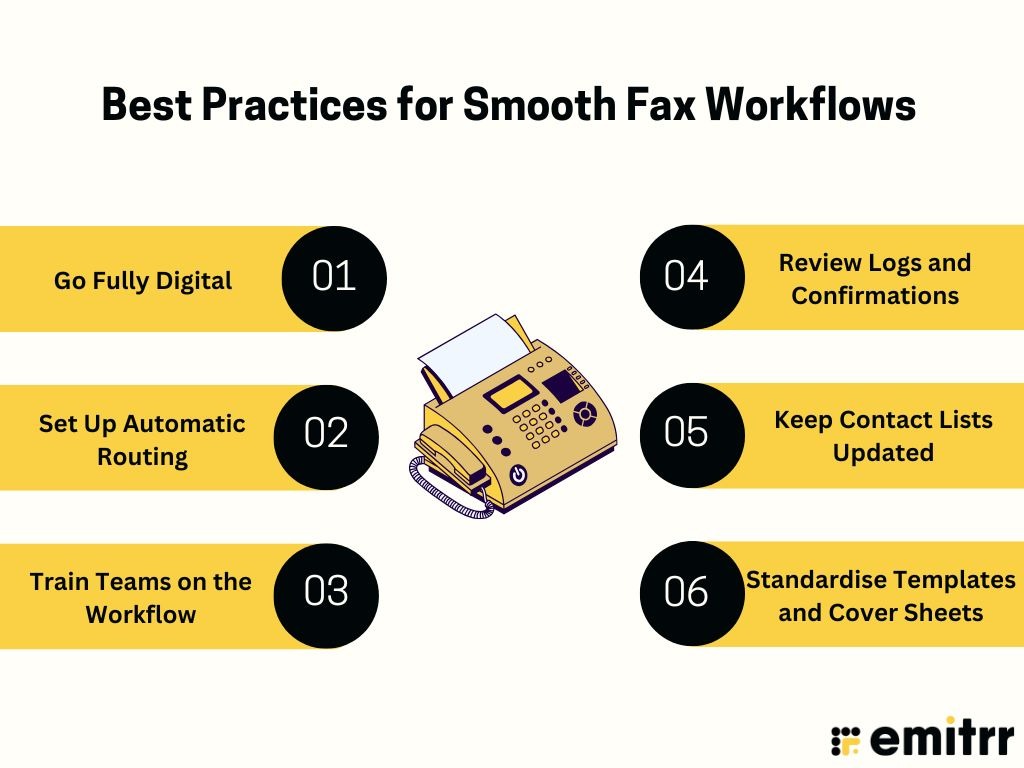
Go Fully Digital
Still using an old-school fax machine? If you can, make the jump to internet faxing. It means no more paper jams, busy tones, or late-night toner runs. You’ll send and receive faxes right from your computer or phone, and storing files becomes as easy as searching your inbox. It’s faster, cleaner, and way more convenient. Think of it as faxing, upgraded.
Set Up Automatic Routing
Don’t waste time manually forwarding faxes. With digital fax services, you can route incoming faxes directly to the right person or department. For example, HR faxes can land straight in the HR team’s email folder. It’s like having a digital mail sorter that keeps everything organised and out of your inbox pile.
Train Teams on the Workflow
Even the best tools are only as good as the people using them. Make sure your team knows exactly how to send, receive, and manage faxes in your system. Who checks for incoming faxes? What happens if one fails? A short training session clears up confusion and helps everyone stay on the same page.
Review Logs and Confirmations
Think of fax logs like delivery tracking. They show you whether a fax was delivered, failed, or is still pending. Make it a habit to check these logs, especially for important or time-sensitive documents. That little “delivered” status gives peace of mind and can help you catch any issues before they turn into bigger problems.
Keep Contact Lists Updated
Ever sent a fax to the wrong number? It happens. Avoid it by keeping your fax contact list updated. When someone changes their fax number or you start working with a new partner, update it right away. Having the right numbers saved saves time and avoids awkward misfires.
Standardise Templates and Cover Sheets
Don’t reinvent the wheel every time. Set up standard fax templates and branded cover sheets with your company info. It’s faster and makes your faxes look professional. Whether you’re sending a referral form, an invoice, or a request, you’ll have everything formatted and ready—just fill in the blanks and hit send.
Why Emitrr Is the Best Modern Fax Transmission Solution
Faxing doesn’t have to feel stuck in the past. With Emitrr, it’s modern, simple, and built to fit the way your business works today.
All-In-One Communication Platform
Emitrr isn’t just for fax – it also includes texting, calling, and other AI-powered communication tools in one platform. That means you can handle all your customer communications under one roof without juggling multiple apps. Imagine having everything you need for client conversations, right from messages to faxes – in one clean dashboard. It saves time and keeps your communication streamlined!
Tracking and Confirmations
Emitrr provides real-time tracking for every fax you send. You’ll know when a fax is delivered successfully, and if one ever fails, Emitrr will alert you. The platform logs all your fax activity, so you can easily pull up a history of sent/received faxes, complete with timestamps and status. No more guessing or waiting by the machine, you’re kept in the loop automatically.
Works Across Devices
Because Emitrr is cloud-based, you can use it on any device – computer, tablet, or smartphone. Whether you’re at your desk or on the go, you have full access to send and check faxes. It’s especially handy for remote teams or anyone who needs to keep business moving while on the move.
Helpful Support Team
Emitrr has a friendly support team ready to help if you have any questions or run into an issue. You can reach out anytime for assistance, which is great if you need a little guidance or a quick fix. Their team understands the value of fast, human help.
No Hardware or Phone Line Needed
Because Emitrr is completely digital, you won’t need a fax machine or a dedicated fax phone line at all. Everything runs through your internet connection. That means no more maintenance, no paper jams, and no extra phone bills for fax. It’s faxing without the old-school baggage – just the results.
Easy Integrations With EHRs, CRMs, and More
Emitrr can play really well with other software you might already be using. It can integrate with practice management software, customer relationship management tools, and 500+ other business apps. For example, a clinic can have incoming faxes (like lab reports) go straight into the patient’s EHR file via Emitrr. Or a sales team could fax a contract and have it automatically logged in their CRM. These integrations save time and reduce manual data entry.
HIPAA-Compliant and Privacy-Focused
If you’re in healthcare or any field dealing with personal data, Emitrr has you covered. It’s fully HIPAA-compliant, meaning it meets strict healthcare privacy requirements. Emitrr will sign a Business Associate Agreement (BAA) for healthcare clients, and it implements all the needed safeguards (encryption, access controls, audit logs) to keep patient information secure. Basically, it’s designed with privacy in mind, which is peace of mind for you.
Automated Workflows and Routing
Emitrr allows you to automate parts of your fax process. You can set up rules so that incoming faxes get automatically routed to the right person or department (no manual forwarding needed). You can even create workflows where a received fax triggers an action – for instance, automatically sending a confirmation text to a client. This kind of automation means less repetitive work for your team and faster response times.
Centralized Inbox for All Communications
Emitrr puts all your messages (faxes, texts, calls, etc.) into one unified inbox. This means you have full context when communicating – all interactions are visible in one place, so nothing gets lost or overlooked across different channels. It’s perfect for teams that need to stay on top of multiple conversations at once.
Multi-Location Management
If your business has multiple offices or locations, Emitrr makes it easy to manage faxing and other communications across all of them. You can have separate fax numbers for different locations, but control them from one account. This way, each office can have its own fax line, yet you, as an admin, can oversee all fax activity centrally. It’s perfect for healthcare groups, franchises, or any multi-branch organization.
Role-Based Access and Permissions
Emitrr lets you decide who on your team can do what. You can give managers access to all faxes while limiting other staff to only see certain folders or departments. You can restrict sending permissions to specific people. By tailoring access levels, you ensure that confidential information is only seen by the appropriate team members, bolstering security and compliance.
Mobile App for On-the-Go Faxing
Emitrr has a mobile app for your smartphone, allowing you to send and receive faxes anywhere. You can even use your phone camera to scan a document and fax it on the spot, and you’ll get instant notifications of incoming faxes on your device. It’s perfect for business on the move – no desk required.
How to Set Up Digital Faxing With Emitrr
Setting up digital faxing with Emitrr is pretty simple. Here’s a quick step-by-step to get you started:
Step 1: Sign Up for Emitrr
Head to Emitrr’s website and create your account. You can start with a free trial or schedule a demo. Once you’re in, you’ll land on the dashboard where all your digital faxing begins.
Step 2: Choose or Port Your Fax Number
Pick a new local or toll-free number from the platform. If you already have a fax number, Emitrr can help you port it over so your faxes continue coming to the right place.
Step 3: Configure Your Settings
Customise your account settings to fit your business. Add team members, set roles and permissions, upload a logo for cover sheets, and save frequently used templates for quick access.
Step 4: Connect Your Tools (Optional)
Integrate Emitrr with your EHR, CRM, or other business software if you want to automate your workflows. Setup is usually easy with a few clicks or an API key.
Step 5: Send a Test Fax
Try out the system by sending a test fax. Just upload a document, enter a fax number, add a message if needed, and hit send. Watch real-time status updates and receive confirmation when it’s delivered.
Step 6: Receive and Manage Faxes
Incoming faxes show up in your Emitrr inbox. You’ll get notified via email or app. View, download, forward, or respond to them, all from any device. Everything is stored and searchable for future reference.
Frequently Asked Questions
Faxing is just sending a copy of a document from one place to another – kind of like email, but often more secure. Industries like healthcare and law stick with it because it’s reliable, confirmed, and keeps sensitive info private.
Yes! Emitrr keeps you in the loop with real-time updates. You’ll get notified if your fax goes through, gets delayed, or fails. The best part? It’ll even retry automatically if something goes wrong.
In most cases, yes. Especially with tools like Emitrr that use strong encryption. Faxes go through secure channels and need login access, so your private documents stay private.
Absolutely! Whether you’re on your phone, laptop, or tablet, you can send and receive faxes anytime. It’s as easy as sending an email, just log in and go.
Yes, it does! Emitrr is built with healthcare in mind – it meets HIPAA requirements and even offers a signed BAA to keep patient data safe and sound.
100%. With Emitrr, you can fax without a machine, paper, or phone line. It does everything your old fax did – but digitally, faster, and with way less hassle.
Conclusion
Faxing might have started decades ago, but it’s far from outdated. As we’ve seen, it’s evolved into something fast, secure, and super practical for today’s business world. Digital faxing gives you all the reliability of traditional fax, minus the paper jams and clunky machines.
Whether you’re running a clinic, law office, or any business that deals with sensitive paperwork, switching to a cloud-based fax solution like Emitrr can seriously simplify your workflow. It’s a smart move that saves time, cuts costs, and makes communication smoother across the board.
Ready to modernise how you fax? Book a demo with Emitrr and see just how easy and powerful digital faxing can be!


 4.9 (400+
reviews)
4.9 (400+
reviews)