
Introduction
Porting a fax number has become essential for businesses transitioning from traditional fax machines to modern cloud fax systems. Companies are moving away from analog phone lines, bulky hardware, and unreliable fax delivery. Instead, they want digital solutions that offer speed, better uptime, and lower operational costs. Fax number porting allows organisations to keep their existing fax identity while upgrading to a more efficient, cloud-based workflow.
In this guide, you’ll learn everything about how to port a fax number, what fax number porting means, and how the entire process works from start to finish. You’ll also understand the documents required, common issues that can delay approval, and the typical timeline for a successful port. Finally, we’ll highlight the benefits of moving to a cloud fax provider like Emitrr, ensuring uninterrupted communication, improved reliability, and a smoother, more modern fax experience—all while keeping the same fax number your customers already trust.
What is Fax Number Porting?
Fax number porting is the process of transferring your existing fax number from one service provider to another, usually from a traditional phone line carrier to a digital or cloud fax platform. This allows businesses to keep the same fax number while upgrading to a more modern, reliable system.
How the Porting Process Works
- Submit a Porting Request – Provide your new fax provider with the required documents, such as the LOA, recent bill, and business details.
- New Provider Sends Port-Out Request – The new provider initiates the port-out process with your current carrier.
- Carrier Verification – The losing carrier checks ownership, service address, account number, and other details to validate the request.
- Approval and Scheduling – Once verified, the carrier approves the transfer and schedules a port date.
- Number Transfer and Fax Continuity – The number is moved to the new system with minimal or no downtime, ensuring smooth inbound vs outbound faxing throughout the transition.
Porting vs Forwarding
- Porting: Permanently transfers your fax number to a new provider. Full ownership shifts, ensuring better reliability and no extra charges.
- Forwarding: Keeps the number with the old provider but redirects faxes to another number. This can cause delays, failures, and additional monthly fees.
Why Do Businesses Choose to Port Their Fax Number?
Porting a fax number allows businesses to upgrade to modern digital systems while keeping their existing identity. It ensures continuity, reduces operational friction, and delivers smoother, more cost-effective HIPAA-compliant communication without changing the fax number customers already trust.
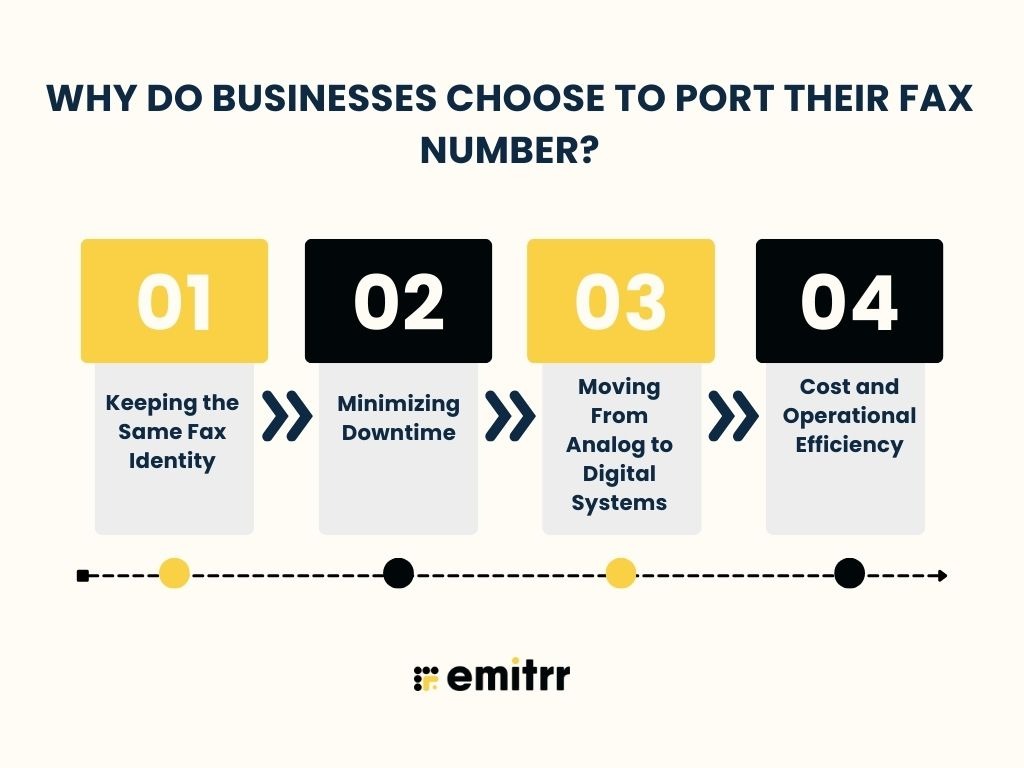
Keeping the Same Fax Identity
Porting helps businesses maintain the fax number their customers already recognize, reducing confusion and communication gaps. It prevents the need to update business cards, signage, websites, or online listings, making the transition seamless while preserving brand consistency across all communication channels.
Minimizing Downtime
A properly managed fax number port ensures the transition happens with almost no service interruption. Businesses can continue sending and receiving important documents without delays, allowing smooth operations and uninterrupted communication during the porting process, especially when moving from traditional lines to a cloud-based platform.
Moving From Analog to Digital Systems
Porting enables businesses to shift from outdated fax machines and analog phone lines to efficient cloud fax systems. Digital HIPAA-compliant faxing eliminates hardware dependency, costly maintenance, and manual troubleshooting, offering faster delivery, higher accuracy, and better reliability for teams handling frequent document communication.
Cost and Operational Efficiency
Cloud-based faxing reduces monthly telephone line charges and eliminates expenses tied to hardware repairs, paper, ink, and maintenance. With higher uptime, automated workflows, and more reliable delivery, businesses achieve significant long-term savings while improving the efficiency and accuracy of their fax operations.
Want to learn all about HIPAA and why it matters? This insightful video has you covered—watch now!
Requirements Before Starting the Fax Porting Process
Before beginning the fax number porting process, businesses must prepare specific documents and verify key details. Having accurate information ready helps avoid delays, rejections, and unnecessary back-and-forth with your current carrier.
Proof of Ownership
You must provide a recent bill or invoice that clearly displays the fax number you want to port. This document confirms ownership and verifies that the number is currently associated with your business account.
Business and Account Details
Ensure the exact legal business name, service address, and billing address match the information on record with your existing carrier. Even small discrepancies can cause rejections during the validation phase.
Account Number / PIN
Some carriers—especially VoIP fax or telecom providers—require an account PIN, passcode, or CSR (Customer Service Record) to authorise the release of the fax number. Make sure this information is accurate and up to date.
Fax Number Must Be Active
The fax number you want to port must remain active throughout the process. If the line is suspended, disconnected, or canceled prematurely, the port request will fail and may require reactivation.
Carrier Limitations
Certain carriers, particularly those serving rural or specialised VoIP markets, may impose restrictions on porting. Some numbers may require additional verification or may not be eligible for transfer due to carrier-specific limitations.

Steps to Port a Fax Number
Porting a fax number involves a series of verification, documentation, and carrier approval steps. Following the correct process ensures a smooth transition with minimal disruption.
1. Verify Eligibility
Start by checking whether your fax number is eligible for porting. Some carriers or regions may have restrictions. Additionally, verify whether your number is classified as local or toll-free, as each follows slightly different porting rules and timelines.
2. Gather Necessary Documents
To begin the porting request, you’ll need specific documents that confirm ownership and identity. These typically include:
- LOA (Letter of Authorisation) signed by the account owner
- Proof of ownership, such as a recent bill or invoice
- Accurate business details, including legal name, service address, and billing information
Ensuring everything matches the current carrier’s records helps avoid delays.
3. Submit a Porting Request
Once the required documents are ready, submit your port request to the new HIPAA Compliant fax service provider. Include all essential details such as business name, account information, and the fax number(s) to be ported. Complete and accurate information ensures faster carrier processing.
4. Carrier Validation Phase
During this stage, the losing carrier reviews the port-out request and verifies:
- Business name and address
- Account number and PIN (if applicable)
- Ownership details
- Matching billing records
Common Reasons for Rejections
- Incorrect business name or address
- Billing mismatches
- Wrong account number or PIN
- Inactive fax number
- Carrier freezes or locks on the account
Ensuring your documents are accurate helps prevent these issues.
5. Completion of the Porting Process
Once approved, the carrier schedules a transfer date. The entire porting process typically takes 7–14 business days, depending on carrier response time and the number type.
During the transition, your fax number usually remains active, so there is minimal or no disruption. Once porting is complete, the number becomes fully functional on the new fax platform.
Common Issues During Porting and How to Avoid Them
Fax number porting can sometimes face delays due to mismatched details, inactive lines, or carrier-level restrictions. Understanding these common issues in advance helps businesses prevent rejections and ensures a smooth, uninterrupted transition to the new fax service.

Incorrect Account Information
The most common reason for port rejections is incorrect or inconsistent account information. Ensure the details on your bill, business name, service address, and account number match exactly with what you enter on the LOA. Even a minor mismatch can stop the porting process.
Inactive Numbers
An inactive or disconnected fax number cannot be ported under any circumstances. If your line has been suspended or turned off, it must be reactivated with your current carrier before submitting a port request. Keeping the number active throughout the process prevents unnecessary delays.
Carrier Locks/Freezes
Some carriers place “port protection” or “account freezes” to prevent unauthorized transfers. Before initiating the port, contact your existing provider to confirm whether any locks are active. Removing these restrictions in advance ensures your port request isn’t automatically rejected.
Mismatched Billing Details
Even small inconsistencies, such as abbreviations, punctuation, or spacing differences between your billing statement and LOA, can trigger a rejection. Double-check that your business name, address, and account number appear in the same format to avoid time-consuming corrections.
Toll-Free vs Local Ports
Toll-free fax numbers sometimes require additional verification steps or documentation, depending on the carrier. Processing times can be slightly longer compared to local numbers. Understanding these additional requirements helps you prepare the right information and avoid any unexpected delays.
To ensure the privacy of sensitive information during transmission, these cover sheets clearly mark documents as confidential:
Top Secret Fax Cover Sheet
Confidential Fax Cover Sheet
Urgent Fax Cover Sheet
Disclosed Fax Cover Sheet
Secure Fax Cover Sheet
How Long Does Fax Number Porting Usually Take?
Fax number porting typically follows a structured timeline; however, the exact duration can vary depending on carrier processes, the type of number, and the accuracy of the documents. Understanding these factors helps businesses plan the transition without unexpected delays or service interruptions.
Standard Timelines
Most fax number ports are completed within 7–14 business days, depending on carrier responsiveness and number type. Local numbers often move faster, while toll-free lines may take slightly longer. Timely submission of correct documents also helps keep the porting process within this standard window.
What Affects the Timeline
Several factors can influence the porting duration, such as mismatched business details, missing documents, carrier freezes, regional restrictions, or high-volume processing periods. Ensuring your LOA, billing information, account number, and service address are accurate significantly reduces delays and speeds up approval.
What Customers Experience During the Wait
During the waiting period, your fax number usually remains active with minimal interruption. Customers can continue sending and receiving faxes without major impact. You may receive occasional status updates or requests for clarification from the new provider until the port is fully completed.
Benefits of Porting a Fax Number to Emitrr
Porting your fax number to Emitrr modernises communication with cloud-based reliability and speed. By understanding how internet faxing works, businesses gain faster delivery, fewer failures, and a smoother, hardware-free fax experience.
Retain Existing Number With No Disruption
Emitrr lets you keep your current fax number, ensuring uninterrupted communication with customers, vendors, and partners. There’s no need to update materials or listings, and with built-in HIPAA fax disclaimer support, your fax communication stays compliant, secure, and fully protected throughout the transition.
Access to Cloud-Based Faxing
By moving your fax number to Emitrr, you gain access to a secure, cloud-based fax platform that eliminates analog limitations. You can send and receive faxes digitally from any device, enjoy better flexibility, faster processing, and modern features unavailable in traditional setups. This also enables how to fax medical records in a HIPAA-compliant way, ensuring sensitive patient information is transmitted securely with encryption, access controls, and HIPAA compliance audits trails, keeping your healthcare communications fully protected and compliant.
Faster Sending/Receiving
Emitrr speeds up fax transmission by removing the delays of analog lines. Documents are delivered quickly and reliably through digital channels. This ensures your team receives important information on time and can send critical documents without worrying about busy tones or failed attempts.
Better Uptime and Reliability
Cloud faxing with Emitrr offers significantly higher uptime than physical fax machines and phone lines. The system is built for consistent delivery, fewer failures, and stronger performance, ensuring your communication remains stable even during high-volume periods or unexpected outages. Additionally, with HIPAA-compliant virtual fax, healthcare organizations can securely send and receive sensitive documents without risking downtime or data breaches, combining reliability with full compliance for medical and confidential information.
Hardware-Free Operations
Emitrr removes the need for fax machines, telephone lines, maintenance contracts, and consumables like toner or paper. Everything runs digitally, allowing your business to operate more efficiently while saving space, reducing manual tasks, and improving overall workflow.
Cost Savings
By eliminating analog lines, hardware repairs, and paper-based expenses, Emitrr helps businesses save significantly on monthly operational costs. Cloud-based faxing reduces downtime, improves efficiency, and offers long-term financial benefits. Emitrr also provides access to 100+ downloadable HIPAA Compliant fax cover sheet templates, making document preparation even easier.
Take a look at what more you can do with Emitrr AI:
Frequently Asked Questions
To port a fax number, submit your LOA, recent bill, and accurate business details to your new fax provider. They coordinate with your current carrier and complete the transfer on your behalf.
Numbers tied to certain rural carriers, VoIP-restricted services, or disconnected and inactive lines often cannot be ported. Eligibility depends on carrier rules, regional limitations, and number ownership status.
A fax port is the process of transferring your existing fax number from one provider to another. It lets you keep your established fax identity while upgrading to a better communication platform.
Yes, fax numbers can be forwarded, but forwarding often causes delays, reliability issues, and extra fees. Porting is generally preferred because it offers faster delivery and full control over the number.
Yes, many fax service providers let you send and receive faxes directly through Gmail. You attach your document, enter the fax number, and the provider converts it into a fax automatically.
For US fax number format, adding +1 is often required for international, VoIP, or digital faxing. It ensures accurate routing and prevents transmission errors when using cloud-based fax services.
Conclusion
Porting a fax number is one of the simplest ways for businesses to modernise communication without losing their established identity. By moving from traditional analog lines to a cloud-based fax system, you gain faster delivery, better uptime, hardware-free operations, and long-term cost savings. Keeping your existing number ensures a smooth transition with no disruption to customers or partners. If you’re ready to upgrade to a more reliable and efficient fax solution, Emitrr makes the entire porting process seamless.
Schedule a demo with Emitrr today and experience a smarter, more powerful way to manage your fax communications.


 4.9 (400+
reviews)
4.9 (400+
reviews)