
Introduction
Patient messages never seem to slow down. Front desks, billing teams, and clinical staff open their inboxes each morning to dozens of new requests. By midday, that number often reaches the hundreds. Appointment changes, billing questions, and refill requests all arrive together, each expecting a timely response.
In the Athenahealth hub, patient messaging makes communication easier for patients, but harder for teams to manage at scale. Messages from the patient portal are routed to shared queues, where staff must review each request to understand the patient’s needs. Scheduling, billing, and refill messages look the same at first glance, which adds pressure and slows action.
The problem is not effort. Teams work hard to keep up. The problem is organization. Without clear separation by purpose, messages require manual review and reassignment. Over time, response times stretch, important requests wait longer, and teams feel the strain.
This guide explains how patient messages work today and how Emitrr’s integration helps organize intent across growing message volumes!
What Does “Message Intent” Mean?
Message intent refers to the reason a patient sends a message to a healthcare practice. It describes what the patient needs, such as an appointment change, a billing question, or a prescription refill. Identifying intent early helps teams decide who should handle the message and response priority.
In Athenahealth, patients send messages through the Athenahealth Patient Portal, and those messages appear in the athena clinical inbox for staff review. Teams must open and read each message to understand the request before taking action. At this stage, Athenahealth does not automatically label messages by intent, so scheduling, billing, and refill requests appear the same at first glance, increasing review time and delaying responses.
This is why message intent is critical. A scheduling request should move to the front desk, a billing question belongs with the billing team, and a refill request often requires clinical review. When intent is clear, messages reach the right team more quickly, response times improve, and internal handoffs are reduced.
Check out this video to discover the easiest way to text patients directly from AthenaHealth –
Challenges Teams Face With Patient Messaging
Patient messaging places constant pressure on healthcare teams. Messages arrive throughout the day and often require timely action. Scheduling requests, billing questions, and prescription refill messages all reach the same inbox, which forces staff to read and interpret each message before taking the next step. This manual process slows response times and increases the risk of misrouting.
These challenges surface differently across teams, depending on the type of patient message involved.
Scheduling Messages
Patients frequently contact practices to schedule an appointment on Athena or request changes to existing visits. These messages arrive alongside other patient inquiries, which makes prioritization difficult for front-desk teams.
- Appointment requests mixed with non-scheduling messages
- Same-day or urgent requests are easy to miss
- Manual review required to determine scheduling intent
- Delays when messages are routed to the wrong team

Billing Messages
Questions related to Athenahealth patient billing often require specialized attention. However, billing messages are not separated from other patient communications, which adds friction to billing workflows.
- Billing questions are buried under general patient messages
- Manual identification before routing to billing teams
- Delays in responses about balances, statements, or insurance
- Increased follow-ups due to slower resolution
Prescription Refill Messages
Patients use the portal to request prescription refills using Athenahealth, but refill messages still depend on manual sorting and clinical review. These messages often carry higher urgency but compete with administrative requests.
- Refill requests mixed with non-clinical messages
- Manual routing to clinical teams or providers
- Delays caused by approval dependencies
- Additional patient follow-ups when refills take longer
Not only messages but refill-related calls strain teams. Watch this video to see how call volumes drop by 40% with AI-powered refill automation –
How Intent-Based Organization Improves Patient Message Management
Organizing patient messages starts with separating them by purpose rather than source. Instead of treating all incoming messages as a single queue, practices benefit from a clear structure that identifies whether a message relates to scheduling, billing, or prescription refills. This approach reduces manual review and brings clarity to daily workflows in patient messaging in Athena.
In Athenahealth, messages are not automatically grouped by intent. Teams rely on manual review and internal workflows to determine where each message should go. When an AI-powered communication platform like Emitrr is connected to the EHR, message classification and routing become more streamlined, which eases front-desk workload and improves response flow.
A structured approach to message organization typically includes:
- Defining clear intent categories such as scheduling, billing, and refills
- Assigning ownership for each category to the appropriate team
- Applying consistent routing rules so messages reach the right queue
- Setting priority guidelines for urgent and routine requests
When intent is identified early, front-desk teams can focus on appointment-related messages, billing teams can respond more quickly to financial questions, and clinical staff can address refill requests without unnecessary delays. This reduces message reassignment, limits back-and-forth, and improves response consistency.
As message volume grows, manual processes become harder to sustain. Automation enables intent recognition and routing at the point of entry, which shortens response times and supports a more manageable patient messaging workflow.
Integrate Athena with Emitrr for Smarter Patient Messaging
EHR systems hold patient data, clinical notes, schedules, and the essentials of daily care, but they rarely offer the kind of fast, flexible communication tools that today’s clinics require. AthenaHealth is no exception. Its portal-based messaging works for secure updates, yet most clinics need quicker outreach, easier follow-ups, and a way to contact patients who never log into the portal.
Emitrr adds a dedicated communication layer on top of AthenaHealth. It enables teams to reach patients by text, automate routine conversations, and maintain HIPAA-compliant communication across multiple touchpoints. Its AI analyzes message intent to determine when it can respond automatically and when a request requires staff involvement, ensuring complex or sensitive conversations reach the right team. With this approach, clinics reduce manual effort, maintain consistent communication, and deliver a smoother experience for both staff and patients.
Now let’s look at the specific features that make Emitrr a strong companion to AthenaHealth.
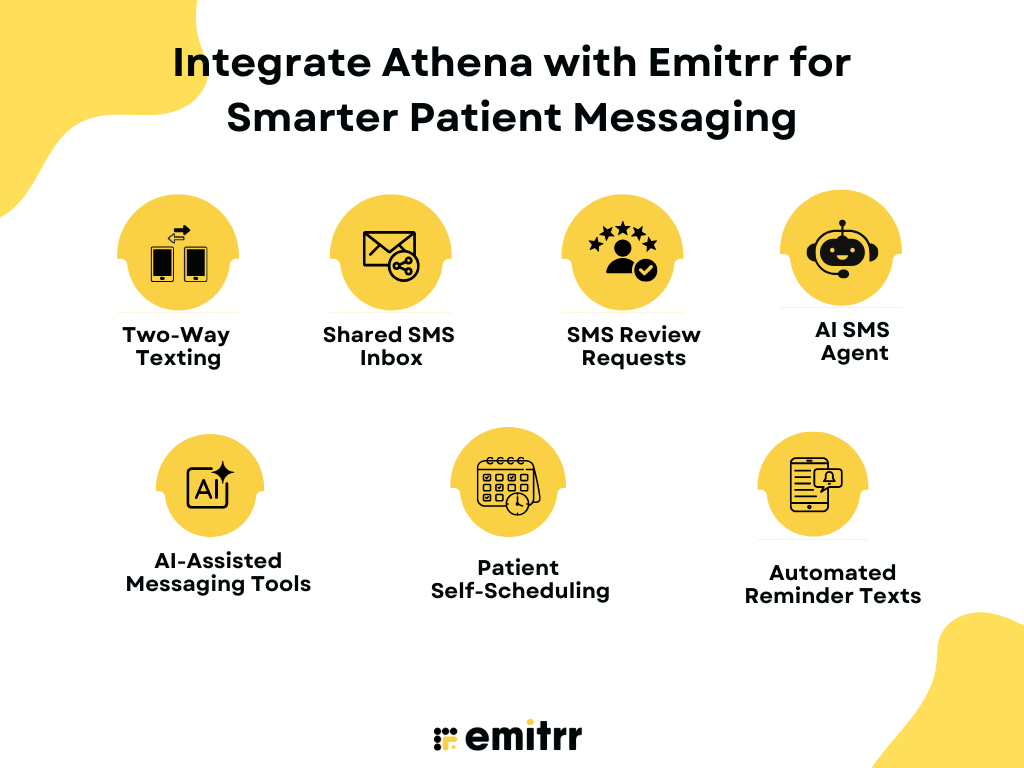
Two-Way Texting
Emitrr gives clinics a direct channel to reach patients through two-way texting. Patients reply through regular SMS, and staff see every message in one place. This creates quick, natural conversations and removes the delay caused by portal logins.
Shared SMS Inbox
Your entire team can view and respond to patient messages from a shared SMS inbox. This avoids missed messages, removes siloed communication, and ensures every patient receives timely support. Since Emitrr is an official partner integration with AthenaHealth, staff do not have to switch between platforms and can send texts directly through Emitrr as part of the Athena workflow.
SMS Review Requests
Emitrr sends automated SMS review requests or short surveys after appointments. Clinics gather feedback faster, boost online reputation, and understand patient sentiment with minimal staff involvement.
AI SMS Agent
Emitrr’s AI SMS Agent handles common patient questions, appointment actions, and basic triage. It responds instantly and reduces the load on front-desk teams that would otherwise spend hours on routine messaging. When a patient delays a reply, the AI chatbot for healthcare sends gentle, context-aware nudges that prompt action.
Watch how Emitrr’s AI agent Sarah makes texting effortless:
AI-Assisted Messaging Tools
Emitrr offers a suite of AI features that help clinics craft better messages with less effort. AI-generated replies create patient-ready responses in one click, and the AI Message Enhancer refines tone, clarity, and professionalism. With AI conversational tools, teams can ask the system to write a full reply, suggest the best response, shorten or tune a message, or add empathy for sensitive situations. These tools support fast, accurate patient communication and reduce the workload on staff handling active patient threads.
Patient Self-Scheduling
Emitrr gives patients the ability to schedule, confirm, or adjust appointments directly through text. This patient self-scheduling feature removes the need for phone calls and cuts the back-and-forth that slows down staff. With AI scheduling, the system recommends the best time slots, routes requests correctly, and fills openings quickly.
Automated Reminder Texts
Emitrr automates reminders for upcoming visits, preparation instructions, follow-ups, and overdue appointments. These reminders adapt to patient type, visit type, or appointment status and reduce no-shows across the clinic.
FAQs
In Athenahealth, staff can send messages to patients through the Message Center by selecting the patient record, composing a secure message, and sending it via the patient portal.
Messages sent through the Patient Portal are initiated by patients or staff and appear in the Athenahealth Message Center, where care teams can review, respond, and route them as needed.
Patients are messaged securely using Athenahealth’s built-in messaging tools, which allows practices to communicate directly through the portal instead of email or phone calls.
Athenahealth supports patient communication through secure portal messaging, appointment-related messages, and follow-ups, ensuring conversations remain documented within the patient record.
Patients log into the athena Patient Portal to send messages, request appointments, view health information, and manage prescription-related requests. All messages are securely delivered to the practice through Athenahealth.
Conclusion
Patient messaging becomes easier to manage when messages are organized by purpose rather than volume. Clear separation between scheduling, billing, and refill requests reduces delays, limits handoffs, and brings consistency to daily patient communication. By adding automation on top of Athenahealth, Emitrr adds intelligence to patient messaging. Messages are automatically categorized, routed, and prioritized, so that teams respond faster and focus on patient care instead of inbox sorting.
Schedule a demo with Emitrr AI to experience faster, smarter patient messaging through integration.

 4.9 (400+
reviews)
4.9 (400+
reviews)