
Introduction
Faxing has come a long way from noisy machines and dedicated phone lines. Beginning as an analog method of transferring documents, faxing has become a secure cloud-based network able to process millions of pages per day. Organizations today demand more than just secure transport from digital faxing solutions; they want intelligent workflows, seamless integrations, and real-time collaboration.
In today’s time, businesses no longer evaluate fax solutions in isolation. They need secure document exchange, but also automation and AI-driven data extraction, as well as unified communication. Though Etherfax is recognized for its carrier-grade security, several teams now look for alternatives to Etherfax that are easier to use, more transparent in billing, and better-suited to the way they work today.
This guide provides a curated list of the best Etherfax alternatives, solutions that are inherently more user-friendly, flexible, and transparent in pricing than Etherfax; higher in AI-powered functionality, and yet are highly secure for all compliance-driven situations.
What Is Etherfax?
Etherfax is a secure transmission service that uses its Secure Exchange Network for document delivery and the cloud. Rather than depending on PSTN phone lines, Etherfax securely allows for the exchange or delivery of documents over its private network. The service is targeted at big businesses in verticals such as health care, legal, and finance, which are highly regulated industry segments. Etherfax is designed for big enterprises needing robust infrastructure support, more compliance checking, and greater throughput.
Etherfax Features:
- SEN-to-SEN Delivery: High-speed, end-to-end encrypted document delivery within the Etherfax ecosystem.
- Generative AI Insights: Integration of AI to understand and summarize document contents during transport.
- Omnichannel Support: Supports fax-to-email, web portals, and mobile app delivery.
- Compliance: Native compliance capabilities for HIPAA, PCI DSS, SOC 2, and FedRAMP (GovCloud).
- Extensive Hardware Support: Out-of-the-box support for the leading MFP manufacturers such as Lexmark, Ricoh, and Xerox.
Etherfax Pros:
- Superior Security: KLAS Level 4 validated for the highest level of secure document exchange.
- Stable Connection: Same high-quality audio connection as conventional PSTN and digital lines without echo and distortion.
- Scalability: Designed to handle massive volumes for global corporations without performance lag.
- Interoperability: Robust “off-ramp” for legacy systems to migrate into contemporary digital workflows.
Etherfax Cons:
- Lack of Pricing Transparency: Strictly quote-based, making it difficult for SMBs to budget without lengthy sales calls.
- Complex to Implement: Usually needs technical onboarding or IT supervision for setup.
- Mobile Experience: The mobile browser experience is disparaged as not being as user-friendly as current ‘mobile-first’ cloud fax apps.
- One-Feature Focus: Great for transport, if a bit short on the wider “customer engagement” tools (e.g., SMS or VoIP) you take for granted with the modern alternatives.
Etherfax Pricing:
- Quote-Based Model: Individually priced depending on volume, industry-specific compliance requirements, and the complexity of infrastructure.
- Enterprise Tiers – Typically tailored to high-volume users; some may have an initial setup fee and an ongoing platform fee.
Etherfax Integrations:
Strong integration to Epic, Cerner, and other leading EHRs. Microsoft 365 and Google Workspace. Reads directly from Cisco-based communication structures.
Etherfax Support Channels:
Enterprise Support Portal /Netflix or Phone & Email/Partner support
Etherfax Ratings:
4.1/5
Etherfax Reviews:
“Whether it is using EtherFAX as a gateway for an existing fax server or using DirectFAX Teams integration, it is always easy to set up, administer, and support. The etherFAX support team is stellar in resolving issues quickly and professionally.”
“Reliability and extensive security are the key features. It is also product-agnostic. Some administrative portal functions are disabled and require assistance from the technical support team. The support team is excellent.”
Source: Capterra

Why Do Businesses Seek An Etherfax Alternative?
Cost Savings
Etherfax’s custom, enterprise-first pricing model often becomes a barrier for small and mid-market organizations. The lack of transparent, self-serve pricing makes it difficult to forecast monthly spend, get quick internal approvals, or scale usage confidently. For many teams, what starts as a secure faxing need quickly turns into a costly long-term commitment that feels disproportionate to actual usage.
All-in-One Tools Required
Modern businesses no longer want faxing as a standalone system. Teams expect a true “Single Pane of Glass” where fax, SMS, voice calls, voicemails, and communication history live together. When fax sits in a silo, as it does with Etherfax, teams are forced to juggle multiple platforms, leading to context switching, missed follow-ups, and slower operational workflows.
Ease of Use
There is a strong shift toward plug-and-play solutions that business users—not IT teams, can configure and manage. Etherfax implementations often require technical onboarding, network configuration, and ongoing IT oversight. In contrast, companies now favor intuitive, self-serve platforms that can be deployed quickly, adjusted easily, and adopted across teams without specialized technical knowledge.
Modern AI Workflows
Companies are seeking more than secure document transport, they want intelligence built into the workflow. While Etherfax focuses primarily on moving documents securely, modern alternatives offer Intelligent Document Processing (IDP) that automatically classifies faxes, extracts key data, validates information, routes documents to the right teams, and triggers follow-up actions. This shift reduces manual effort and accelerates decision-making across the organization.
Reliability & Connectivity
The device-based setup can fail if the device or network is unable to reliably reach the Etherfax HTTPS server endpoint (a common scenario in real-world environments). When this happens, teams often spend hours troubleshooting network settings, firewall rules, or configuration issues, leading to downtime and operational frustration.
Support Experience
It used to be possible to call support for portal/visibility issues, and helpful people would come back with a response if it was not an Etherfax issue. This resolves longer and is frustrating, according to some users.
Compatibility & Security Changes
Organizations relying on older security protocols may experience disruptions when TLS requirements change (such as mandatory TLS 1.2 upgrades). These shifts can force unplanned infrastructure updates and additional IT work, creating unexpected costs and delays.
What Features To Look for In an Etherfax Alternative?
HIPAA & SOC 2 Compliance
If you’re working with PHI and sensitive documents (for healthcare, legal, or financial purposes), end-to-end encryption, audit trails, role-based access, and compliance certifications are a must.
Unified Inbox (True Single Pane of Glass)
The shared inbox has faxes, SMS, voicemails, and call logs all displayed in one continuous stream, so team members don’t have to jump from tool to tool or portal to portal.
AI Data Extraction (Advanced IDP)
OCR + AI that not only converts the fax to PDF, but also extracts key fields (patient name, DOB, policy number, order type, and signatures) and then pushes them straight into CRM or EHR.
AI Agent & Workflow Automation
It includes AI agents that will automatically classify documents, find missing details and flag errors, route faxes to the correct team/department, receive confirmation of client receipt (follow-ups), request consent scheduling appointments, all without human intervention.
Two-Way Communication
Secure two-way SMS, text-back, or messaging from faxes received and staff can immediately follow up on missing details instead of having to phone.
Two-Way Faxing (Inbound and Outbound)
Complete fax support when sending or receiving digitally, no more machines needed, via the web app, without a physical machine, and directly to your CRM or EHR.
Fax-to-Email & Email-to-Fax
Routing received faxes to email inboxes and sending faxes through email for teams that rely heavily on their inbox.
Scheduled Faxing
Schedule faxes to be sent by a certain date/time; great for compliance-based needs, after-hours, or time zone-based needs.
Multi-Recipient & Broadcast Faxing
Send one fax to many recipients or broadcast it to all your contacts with a dedicated list, great for referrals, policy updates, or mass notifications.
Big File & Hi-Resolution Support
Robust performance of handling large attachments, scanned images, and multi-page files without stalling, freezing, or quality degradation.
Professional Cover Sheets
Create a custom fax cover page with sender/recipient info, notes, and your company logo to ensure a professional image and protect sensitive information.
Transparent Pricing
No overages, no surprise charges , and no required sales calls, making budgeting easy for SMB and mid-market teams.
Self-Serve Admin Controls
Plug-and-play setup, with number provisioning, user control/operator management, routing rules, permissions, and reporting, all without relying on IT or vendor support.
Reliable, Monitoring & Alerts
Real-time delivery status, retry logic, failure alerts, and full details logs ensuring teams can rely on sending faxes without manual verification.
10 Best Etherfax Alternatives in 2026
1. Emitrr – Best Etherfax Alternative
Overview:
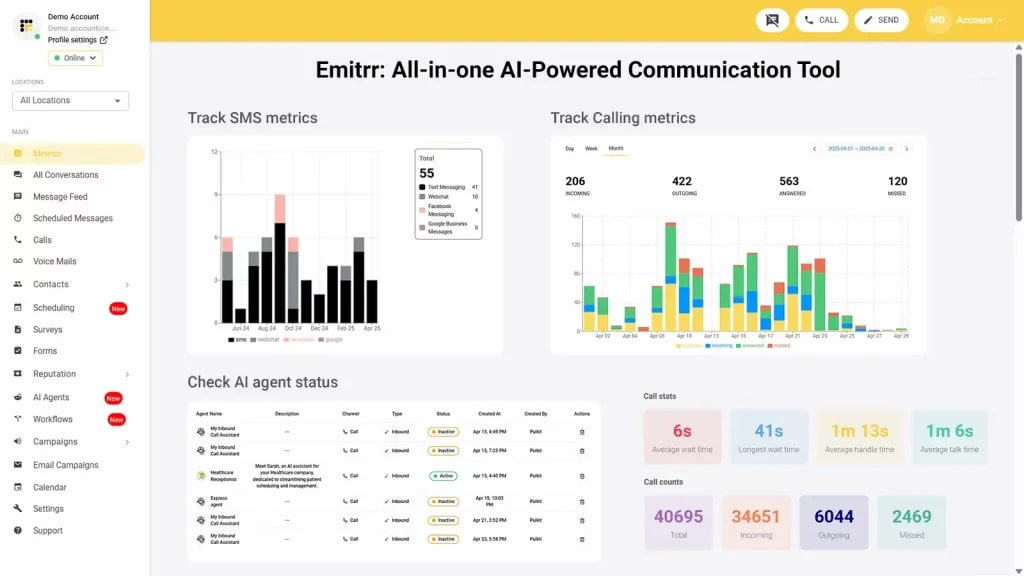
Emitrr is the highest rated alternative to Etherfax, which includes a contemporary digital fax service integrated into a robust suite of customer engagement tools. Unlike traditional transport layers, Emitrr consolidates fax, two-way texting, AI automation , and VoIP into a single dashboard. It is the ideal solution for teams who wish to stay secure but consolidate their tools into a single suite of premium solutions.
Emitrr Features:
- Inbound/Outbound Faxing: Fax online through email on any device without needing a fax machine.
- Fax-to-Email/SMS: Get your faxes in your inbox and receive SMS alerts for new arrivals.
- Schedule Faxes: Schedule faxes to be sent on certain dates/times.
- Multi-Recipient & Broadcast: Transmit faxes to multiple recipients or the entire contact list with just a few taps.
- Supports Large Files: Supports high-resolution files up to 30MB.
- Professional Cover Sheets: Custom, branded templates for a professional look.
Emitrr Pros:
- Fax and Text Integration (SMS / Call / Fax / Reviews).
- Powerful HIPAA compliance with advanced workflow automation supported by AI.
- Intuitive, mobile-first dashboard.
- Flat transparent pricing for startups and enterprises.
- Unmatched 24/7 proactive customer support.
Emitrr Cons:
- Some of the advanced features are still in process and will be live soon.
Emitrr Pricing:
- Standard: ~$25/month.
- Professional: ~$35/month.
Note: Pricing is typically bundle-based with no per-page overages.
Emitrr Integrations:
Salesforce, HubSpot, AthenaHealth, Denticon, Mailchimp, Zapier, and large EMR/EHR systems.
Emitrr Support Channels:
Live chat, email, phone , and an extensive knowledge base.
Emitrr Ratings:
4.8/5
Emitrr Reviews
“Very easy to implement, and support is excellent.”
“Best alternative to Etherfax with far more automation.”
Source: G2
2. iFax
Overview:
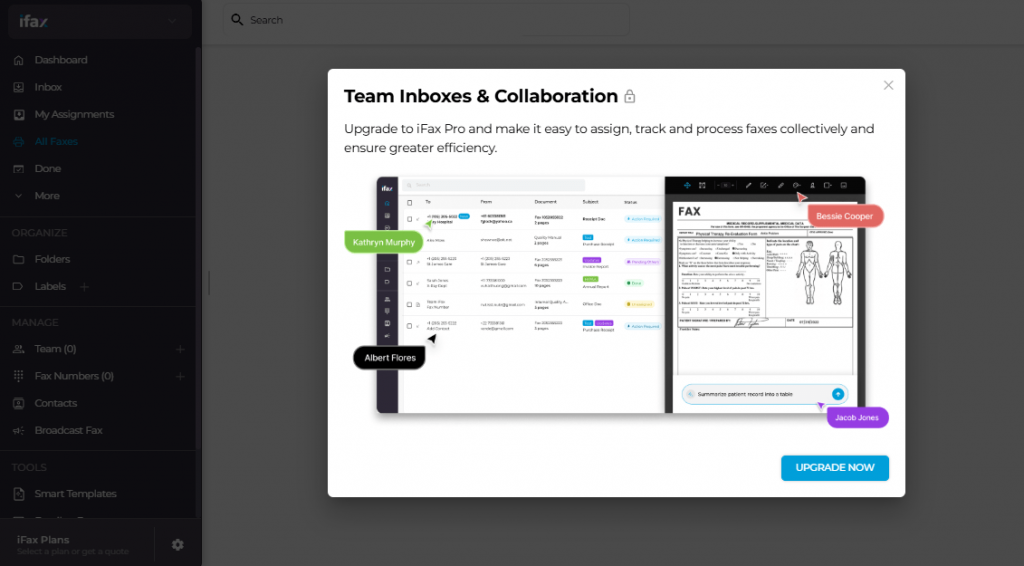
In Etherfax vs iFax, the latter has grown to be one of the most powerful tools for professionals who are always on the move and require a universal faxing tool. Famous for its award-winning mobile interface, it is the most convenient way to use a fax on your phone. It’s one of the most powerful and integrated e-signature solutions, as well as “iFax AI,” which automatically categorizes incoming documents.
iFax Features:
- In-App E-Signing: Add your signature to any document directly within the app and send it off.
- OCR & AI Scanner: Turn image to text (OCR) with high-quality scanning, recognize text from scanned images in multiple languages, and edit PDF or scanned documents and contracts.
- Cloud Sync: Save your documents in Google Drive, Dropbox, or iCloud.
- Local/International Numbers: Add a dedicated fax number in the US, UK, Canada, or 20+ other countries.
- HIPAA & GDPR Compliant: Messages are encrypted to meet HIPAA and GDPR standards.
iFax Pros:
- Top-of-the-line mobile app (iOS & Android).
- No setup charges and instant activation.
- Intuitive, minimalist interface, no training required!
- Personal & small-team productivity with strong emphasis on focus and well-being.
iFax Cons:
- The admin controls for enterprise can be more limited compared to eFax.
- Response times for support can be on the slower side, at least with their basic plans.
iFax Pricing:
iFax pricing consists of the following plans:
- Basic: ~$8.33/month.
- Plus: ~$16.67/month.
- Professional: ~$25.00/month.
iFax Integrations:
Google Workspace, Microsoft 365, Dropbox, Box, and Zapier.
iFax Support Channels:
Email, ticket system , and 24/7 web-based help center.
iFax Ratings:
4.6/5
iFax Reviews:
“eFax Corporate is readily usable throughout the organization to assist with document control remotely. It’s very secure.”
We utilize eFax to fax out and receive faxes from numerous outside organizations. It’s stable and has no match for volume.”
Source: Capterra
3. eFax Corporate
Overview:
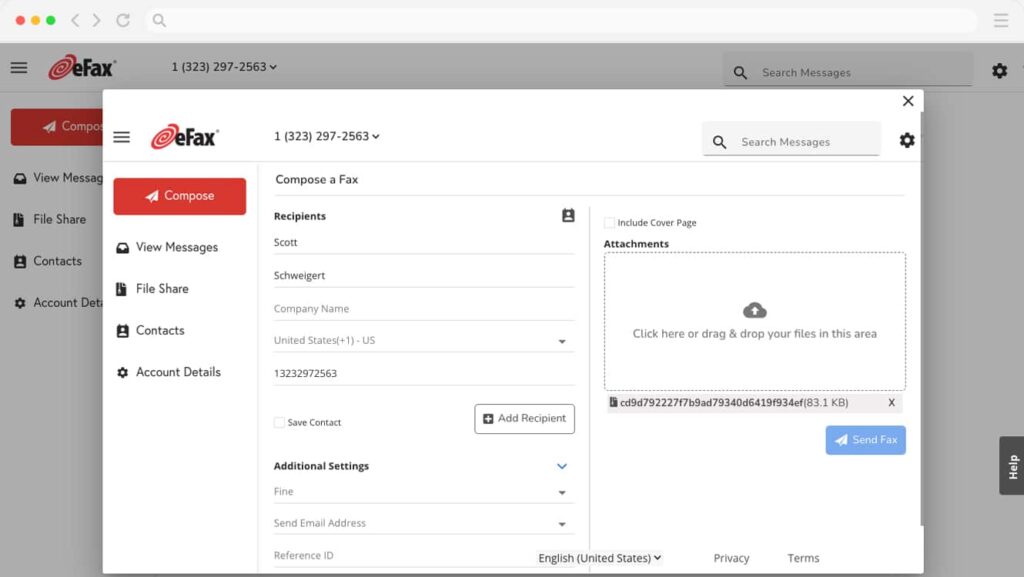
eFax Corporate is the “gold standard” for high-volume businesses and secure facilities. It’s intended as a massive, global transport layer for those organizations that require military-grade security. Its cloud fax network replaces traditional, hard-to-maintain fax servers and complicated telco infrastructure with an easy-to-use, “always-on” system.
eFax Corporate Features:
- 256-bit AES Encryption: Best-in-class security for your data at rest and in transit.
- Admin Management Portal: Admins can manage per-user permissions and fax numbers for all users in different departments.
- Safe Archive: Retain faxes as long as the user needs for lifetime storage in a retrievable, searchable, and secure cloud database.
- High-Volume Loading: Process up to thousands of faxes per hour with no wait.
eFax Corporate Pros:
- Unmatched reliability for high-volume corporate users.
- Great support for HIPAA compliance through BAA (Business Associate Agreement).
- International reach, with local numbers in most of the major cities around the world.
eFax Corporate Cons:
- Interface seems a bit ”legacy” vs Emitrr/Fax. Plus.
- Pricing is on the much more expensive side and may involve a commitment to long-term or a contract.
eFax Corporate Pricing:
eFax pricing consists of the following plans:
- Custom Quote: Usually, we need a consultation for enterprise volume.
- Standard Business: For smaller teams, you can start at ~$19.95 per user per month.
eFax Corporate Integrations:
SAP, Oracle, Salesforce, and custom API hooks for ERP software.
eFax Corporate Support Options:
24/7 Phone support, account managers, and email.
eFax Corporate Ratings:
4.7/5
Fax.Plus Reviews:
“It was very easy to set up and port existing numbers. The cost is affordable compared to many other cloud solutions.”
“Fax. Plus, it helped to streamline our communication securely and helped get our company to be less paper-reliant.”
Source: Capterra
4. Fax.Plus
Overview:
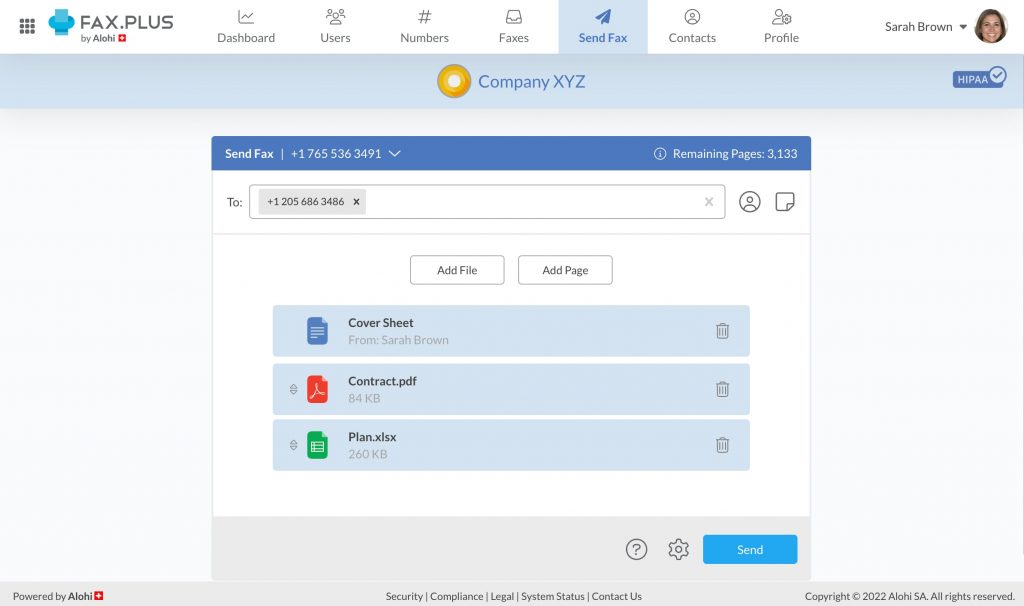
Based in Switzerland, Fax. Plus prioritizes data privacy above all else. It is a modern, sleek solution that adheres to the strictest Swiss privacy laws. For companies that require a “zero-knowledge” security approach (as in the case when not even the service provider can process the content of the fax), Fax. Plus is the leading choice.
Fax.Plus Features:
- Swiss Data Residency: All data held in high-security Swiss bunkers.
- Two-Factor Authentication (2FA): Required security controls to access Search.
- Slack Integration: Get fax notifications and documents in your Slack channel.
- E-Signature: Preview and approve fax documents on your device.
Fax.Plus Pros:
- Exquisite, modern user interface (very easy to use).
- Compliant with SOC 2 Type 2, ISO 27001, and HIPAA.
- “Zero-knowledge” encryption architecture.
Fax.Plus Cons:
- Support is via email (no phone support on entry packages).
- Basic plans offer only minimal personalization of cover sheets.
Fax.Plus Pricing:
Fax.Plus pricing consists of the following plans:
- Basic: Free (10 pages total).
- Premium: ~$14.99/month.
- Business: ~$24.99/month.
- Enterprise: ~$59.99/month.
Fax.Plus Integrations:
Slack, Zapier, Google Workspace, Microsoft 365, and more with Single Sign-On (SSO).
Fax.Plus Support Channels:
Ticket system portal and a self-service FAQ.
Fax.Plus Ratings:
4.6/5
Fax.Plus Reviews:
“It was very easy to set up and port existing numbers. The cost is affordable compared to many other cloud solutions.”
“Fax. Plus, it helped to streamline our communication securely and helped get our company to be less paper-reliant.”
Source: Capterra
5. Documo (mFax)
Overview:
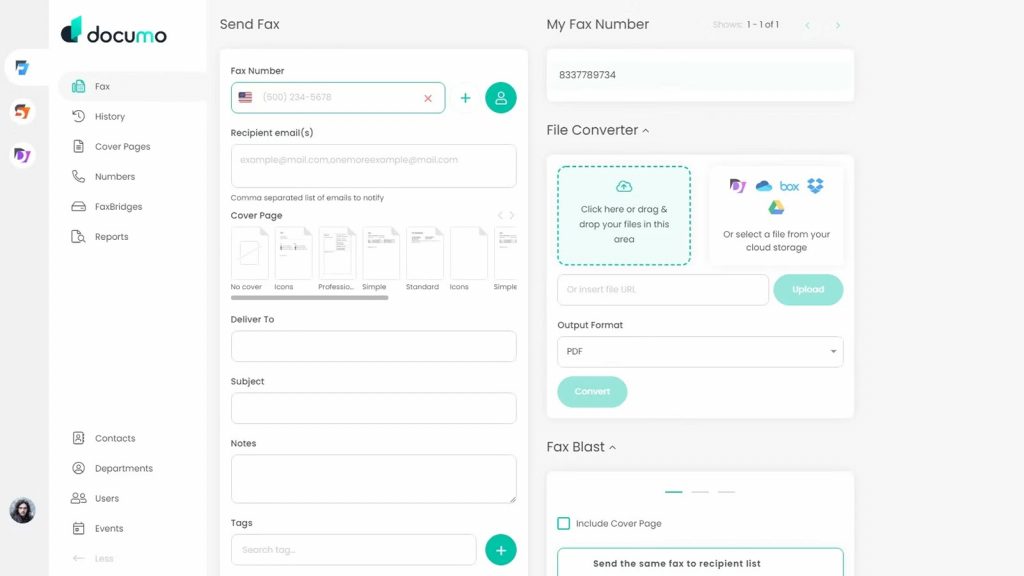
Documo (and its original product, mFax) was made for the modern IT person. It has one of the most dependable Tier-1 carrier networks in North America, all but eradicating the “failed fax” plague. It’s especially well-liked by developers who need to bake fax capabilities into their own, custom-made software.
Documo Features:
- Tier-1 Carrier Network: Sends faxes by bypassing slow ISPs and lowers the failure rate to 80%.
- Powerful API: Comprehensive documentation to build your own fax integrations.
- Print-to-Fax: Send faxes directly from any Windows or Mac application using a virtual driver.
- Safe Cloud Storage: Auto backup, search with easy filters.
Documo Pros:
- Industry-leading deliverability and reliability.
- Very technical, passionate, and responsive support based in the US.
- Page-based pricing without hidden costs is very transparent.
Documo Cons:
- The mobile app is functional but lacks the “polish” of iFax.
- The web portal can feel overwhelming for non-technical users.
Documo Pricing:
- Solo: ~$15/month.
- Team: ~$40/month.
- Business: ~$100/month.
Documo Integrations:
Salesforce, Google Drive, Dropbox, Box, and a world-class REST API.
Documo Support Channels:
24/7 Live US-based phone support, email, and live chat.
Documo Ratings:
4.8/5
Documo Reviews:
“The software is very intuitive; I barely had to show users how to use it. Our office manager and doctors love it.”
“Reliable eFax solution with great MSP resale potential. It’s easy to set up and extremely reliable.”
Source: G2
6. Upland InterFAX
Overview:
Upland InterFAX is a powerhouse for businesses that need to send faxes to thousands of recipients simultaneously. It provides a 100% cloud-based API and email-to-fax system, which is highly scalable for all business sizes, which is why it’s the first choice for companies like marketing agencies, logistics organizations, and global finance.
Upland InterFAX Features:
- Mass Broadcasts: Send to thousands of numbers at once, importing it from a CSV.
- PCI DSS Compliance: As secure as processing credit card information by fax.
- Email-to-Fax: Send faxes from any email application without the need for a portal.
- Developer Sandbox: A cost-free space for testing API integrations.
Upland InterFAX Pros:
- Nothing to install, no hardware or software provisioned; 100% cloud.
- Enjoy great worldwide coverage with lower rates when traveling internationally.
- Strong focus on automated, high-volume workflows.
Upland InterFAX Cons:
- The front end for handling the history of faxes is a little crude.
- Learning to set advanced broadcasting lists can be challenging.
Upland InterFAX Pricing:
- Small: ~$15/month (250 pages).
- Large: ~$70/month (1,250 pages).
- Volume: Custom prices for bulk broadcasting.
Upland InterFAX Integrations:
Microsoft Outlook, Gmail, SAP, etc., or work off of custom APIs.
Upland InterFAX Support Channels:
Support via phone, email, and online developer documentation.
Upland InterFAX Ratings:
4.6/5
Upland InterFAX Reviews:
“Interfax is very straightforward. Users can easily send outbound faxes directly from Outlook by simply attaching a document.”
“It is very user-friendly and easy to navigate. It allows my team to get over confidential documents quickly.”
Source: Capterra
7. SRFax
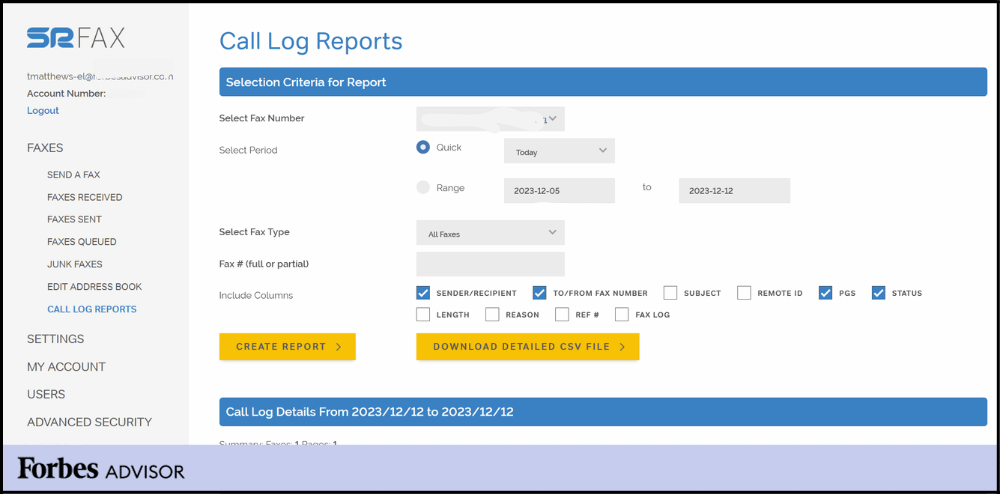
Overview:
SRFax is a Canadian service that has become a cult of the medical industry due to its unrelenting focus on maintaining full compliance with HIPAA and PHIPA at a price point accessible for small business owners. It’s a “no-frills” app that does one thing, secure faxing, extremely well.
SRFax Features:
- PGP Encryption: Same as SSL/TLS, but provides another level of encryption.
- Junk Fax Filter: Filter out and block unwanted advertising faxes automatically.
- Protection of PHI: Tailored to work specifically for Protected Health Information.
- Unlimited Storage: Keep PostGrid Fax faxes forever, with no limits on how many faxes you archive.
SRFax Pros:
- Some of the least expensive healthcare-compliant plans anywhere.
- Reliable email-to-fax delivery.
- Great reputation for privacy in health care.
SRFax Cons:
- Dated design of the web portal (it is designed in the style of the 2000s).
- No mobile app of its own (depends on email or browser).
SRFax Pricing:
- Standard: ~$11.45/month.
- Healthcare Lite: ~$12.60/month.
- Healthcare Professional: ~$32.95/month.
SRFax Integrations:
Primarily through Email-to-Fax and API for proprietary healthcare software.
SRFax Support Channels:
Phone support, email, and a useful knowledge base.
SRFax Ratings:
4.5/5
SRFax Reviews:
“SRFax has exceeded my expectations for reliability and value. I wonder why I waited so long to switch.”
“Email to fax has never been easier from my PC! It offers peace of mind for my home health care company.”
Source: Capterra
8. WestFax
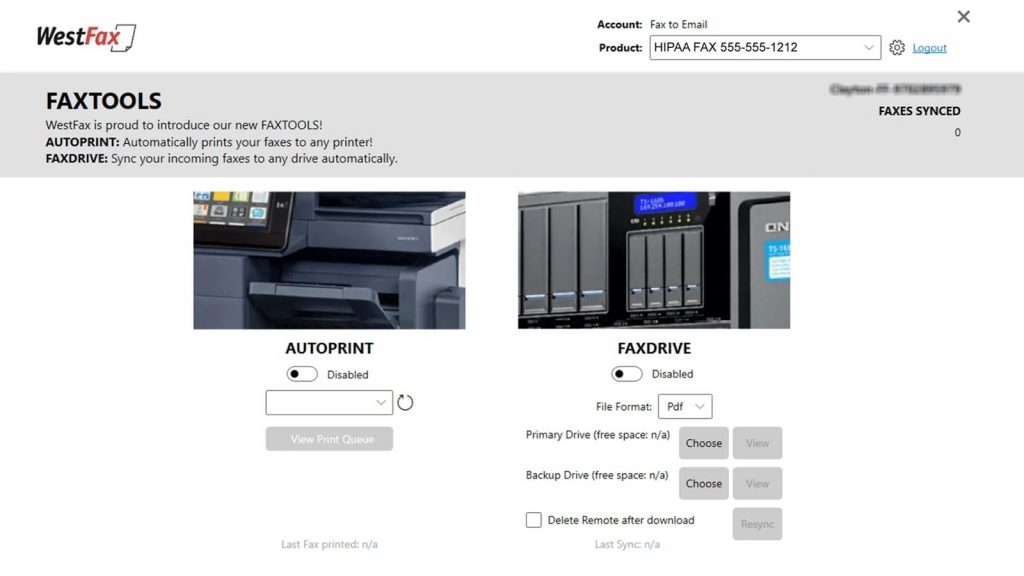
Overview:
WestFax is a direct competitor to Etherfax’s transport layer, specifically targeting the healthcare industry. They offer unique features like “Print-to-Fax” and specialized EHR integrations that make them a favorite for large hospital systems and medical clinics that still rely heavily on paper-based documents.
WestFax Features:
- WestFax Comprehend: AI-driven OCR to pull challenges off faxes and automatically enter them into your EHR.
- Direct EHR Integration: Integrates directly with EHRs such as Epic, Cerner, and NextGen.
- HIPAA Basic & HIPAA Plus: Levels of coverage based on the number of med/pro patients.
- Fax-to-FHIR: Instantly transforms faxes into modern healthcare data formats.
WestFax Pros:
- Highly specialized and focused on medical document automation.
- US-Based medical billing/admin support.
- Extremely high deliverability to other professional medical organizations.
WestFax Cons:
- The web portal may be slow when working with very large files.
- The administrator interface is slightly clunky for non-IT staff.
WestFax Pricing:
WestFax pricing consists of the following plans:
- HIPAA Basic: ~$14.99/month.
- HIPAA 1500: ~$39.95/month.
- HIPAA 3K: ~$69.95/month.
WestFax Integrations:
Microsoft Teams, Epic, Cerner, AthenaHealth, and Microsoft 365.
WestFax Support Channels:
Live U.S. phone support, email, and technical chat.
WestFax Ratings:
4.9/5
WestFax Reviews:
“The ease of use and the fact that we have zero fax issues now is incredible. We had problems with SIP faxing before WestFax.”
“WestFax has been phenomenal for our large medical practice. It allows us to view faxes digitally instead of printing.”
Source: G2
9. Medsender
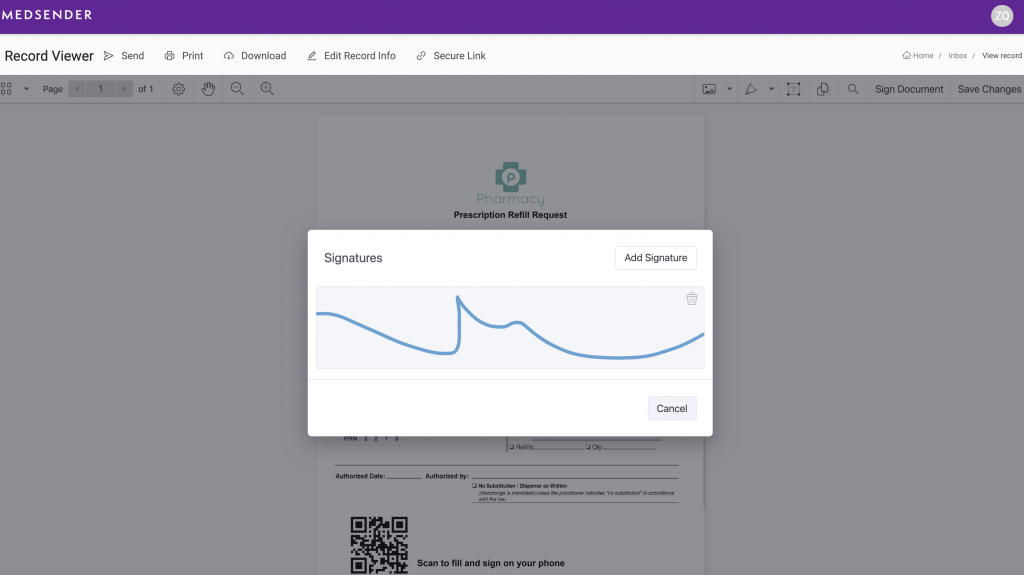
Overview:
Medsender is more like an “AI assistant for medical records” than a “fax machine for medical records. While it sends and receives faxes, its core value is its ability to read incoming faxes, identify the patient, and automatically upload the document to the correct patient chart in an EHR—all without human intervention.
Medsender Features:
- Auto-Indexing AI: Automatically determines patient names and DOBs from faxes, then links them with your records.
- E-Sign for Patients: Fax a document to patients that they can sign on their phone and fax back from their phone instantly.
- Smart Labelling: AI classifies docs as “Labs,” “Referrals,” or “Prescriptions.
- Direct EHR Sync: One tap sync to 50+ EMR/EHR systems.
Medsender Pros:
- Saves time from having to manually enter administrative data.
- The amazing modern interface looks and is easy to use in the clinic.
- Good security with BAA available in all plans.
Medsender Cons:
- AI tech makes this the most expensive option on our list.
- Overkill for businesses that don’t need patient document indexing.
Medsender Pricing:
- Custom Quote: Typically priced per provider/seat rather than just by page.
Medsender Integrations:
Kareo, AdvancedMD, DrChrono, AthenaHealth, and most web-based EHRs.
Medsender Support Channels:
Dedicated success managers, email, and live chat.
Medsender Ratings:
4.8/5
Medsender Reviews:
“MAIRA (the AI) has been a game-changer. It removed busy work for my front office and gave them time back.”
“It cuts the process from 10 steps to 4. We can access it anywhere, so we never miss important documents.”
Source: G2
10. CocoFax
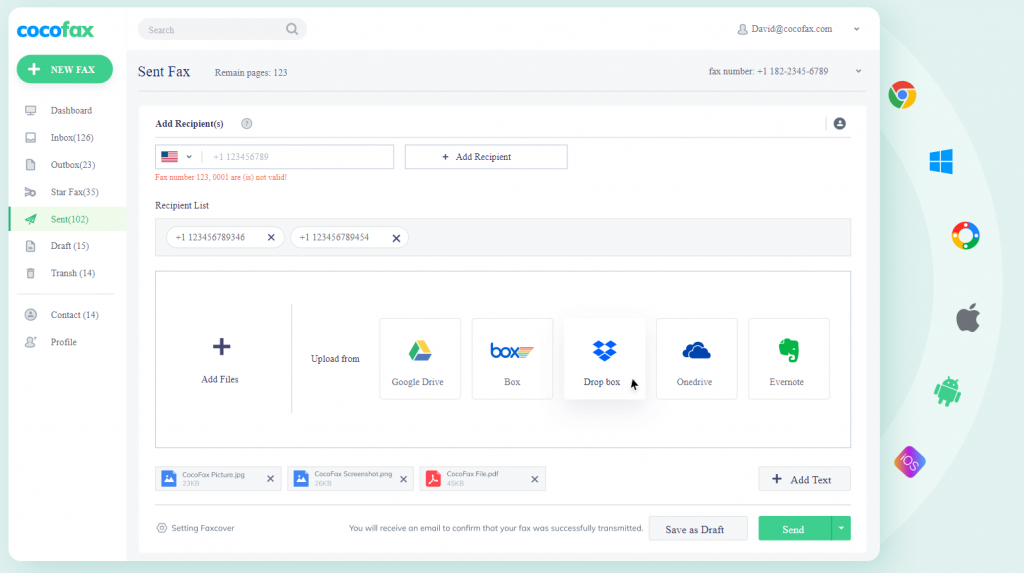
Overview:
CocoFax is a lightweight, easy-to-deploy solution that is perfect for small businesses and individual contractors. It became popular due to its “no-credit-card-required” free trial and ease of use with the Google ecosystem. If you just need a fax number in five minutes, CocoFax is the answer.
CocoFax Features:
- Google Workspace Add-on: Send a fax directly from Google Docs or Google Sheets.
- Email-to-Fax: Supports Gmail, Outlook, Yahoo.
- 2FA & TLS Encryption: Secure normal for protected document delivery.
- Global Coverage: Send faxes to more than 180 countries.
CocoFax Pros:
- Extremely fast setup process (minutes).
- Value for money for low to medium volume users.
- Actual free trial, no card to test the service.
CocoFax Cons:
- Missing advanced AI capabilities (such as Medsender or Emitrr).
- Some occasional reports of high-out queues being delayed.
CocoFax Pricing:
Cocofax pricing consists of the following plans:
- Lite: ~$12.99/month.
- Basic: ~$19.99/month.
- Business: ~$29.99/month.
CocoFax Integrations:
Google Drive, Slack, Microsoft 365 , and Zapier.
CocoFax Support Channels:
24/7 Chat, email, and video tutorials.
CocoFax Ratings:
4.8/5
CocoFax Reviews:
“I love the flexibility of being able to stop, fax, and move on with my day. I can snap a picture and fax it over.”
“Its practicability is what impressed me most. I can now easily manage files and check them more conveniently.”
Source: Capterra
Why is Emitrr the Best Etherfax Alternative?
While Etherfax is widely recognized for secure document transport at the enterprise level, Emitrr is purpose-built for how businesses actually operate today. Emitrr goes beyond fax delivery by combining compliant faxing with unified communication, AI-powered automation, transparent pricing, and deep CRM/EMR integrations in a single, easy-to-use platform. Instead of treating fax as a standalone utility, Emitrr embeds faxing into end-to-end business workflows, helping healthcare, legal, and service-driven organizations reduce manual effort, improve response times, and scale operations without added complexity or IT dependence.
Unified Communication Platform
Unlike Etherfax, which is concentrated on fax transport as its primary purpose, Emitrr is developed with an all-in-one communication center as the intended use case. Fax, SMS, and voice calls are all in the same place as voicemail, and automation lives on your dashboard, goodbye to tool sprawl, yet to the ‘single pane of glass’ problem known to devour modern business. Teams no longer require three different systems for faxing, texting, and calling, leading to fewer missed follow-ups and operational friction.
HIPAA Compliant for Sensitive Industries
Emitrr is built for health care and legal industries where compliance isn’t an option. Simply put, remove the risk and uncertainty of users encountering changes in compatibility or security protocol (TLS updates, etc.), emitting with HIPAA-compliant Faxing, Secure Messaging, audit trails, and role-based access for our Etherfax Users.
AI-Enabled Workflow Automation
Whereas Etherfax focuses on document transfer, Emitrr takes it a step beyond with AI-based Intelligent Document Processing (IDP). AI instantly categorizes incoming faxes, identifies relevant information in all the right places so documents can be routed to the appropriate team, and follow-up can immediately begin, bypassing dozens of manual hours spent sorting, labeling, and entering data that Etherfax customers still face.
Easy to Understand Pricing (No Per Page Fees)
One of the biggest complaints we hear from Etherfax users is that they don’t know how much each fax that gets sent or received is going to cost. Emitrr solves this by offering simple, transparent, flat-rate pricing with no per-page charges and no hidden overages, all while staying affordable for small and mid-market businesses.
Real-Time Support & Migration
Etherfax customers frequently complain about lengthy issue resolution times or hearing the phrase “it is not a vendor problem” from their provider. Enter Emitrr that onboards hands-on, supports live, and guides migration from day 1 – leaving you with no learning curves or long troubleshooting cycles for a hitch-free implementation without breaking the bank by being dependent on your existing ITs.
Robust CRM & EMR Integrations
In a few clicks of a button, Emitrr can integrate bi-directionally with software such as Salesforce, HubSpot, and AthenaHealth. We don’t simply send you the fax data; it syncs directly to your CRM/EHR platforms, allowing for true end-to-end automation and eliminating all of the manual handoffs that come with Etherfax.
Hassle-Free Modern Faxing Experience
Emitrr removes all the frustrations associated with faxing via a device. And with inbound and outbound faxing, fax-to-email routing, scheduled faxing, broadcast send, computer and web browser support to manage faxes digitally across the organization—all of it is an efficient experience for users that doesn’t require worrying about failed network connections, hardware components, or complex settings.
Which Industries Are Catered By Emitrr?
Healthcare
Emitrr is designed for healthcare communication workflows, combining HIPAA-compliant virtual faxing with secure texting, audit-friendly logs, and automated reminders/confirmations to reduce no-shows and speed up document exchange (records, referrals, prescriptions, billing). It’s especially valuable for multi-location clinics that need consistent, compliant communication and a centralized inbox for staff.
Legal
Law firms and legal departments benefit from secure document exchange plus traceability sending/receiving sensitive documents via fax, coordinating updates through SMS/voice, and maintaining accountability with logs and role-based access. This helps with contracts, notices, and time-sensitive filings where proof of transmission and a clear communication trail matter.
Real Estate
Real estate teams can send and receive contracts/addendums via digital fax while keeping clients informed with automated SMS updates (appointments, document requests, signing reminders). The unified communication approach is useful when multiple parties (buyers, sellers, lenders, title offices) need fast coordination and consistent follow-ups.
Education
Schools, colleges, and training organizations can securely distribute documents, run bulk notifications, and handle two-way texting for urgent updates (closures, scheduling changes, compliance notices). Centralized messaging helps staff communicate faster during time-sensitive situations while maintaining control over access and records.
Home Services
Home service businesses (HVAC, plumbing, cleaning, pest control) use Emitrr to streamline high-volume customer communication, appointment booking, confirmations, missed-call text-back, job updates, and invoicing follow-ups, so office staff can manage calls and messages from one place and reduce missed leads.
Frequently Asked Questions
EtherFAX alternatives are contemporary online messaging and communication technologies featuring cloud facsimile, usability-oriented user interface, up-front pricing without hidden fees, and SMS/voice/bots workflow capabilities. Comparing EtherFAX to those businesses that offer support for: HIPAA compliance, CRM/EHR integrations, AI-powered workflows, and unified inbox capabilities
The best internet fax service will be one that offers the highest delivery success rates, constant real-time status visibility, redundancy, strong security protocols, and responsive customer support. Enterprises are typical users of digital-first services that remove reliance on physical fax machines.
The closest alternative to eFax is a service that does more than just basic fax transmission and provides unified communication, messaging applications with two-way capabilities, transparent costs, and automation of workflow. Lots of companies move from eFax to tools that include faxing with SMS, calling, and AI data extraction and CRM/EHR integration.
Yes, there are several EtherFAX replacement options which are completely HIPAA compliant and focused on the medical & legal industries. These platforms have things like secure faxing, audit logs, access controls, and secure messaging—and frequently also include automation and integrations that eitherFAX doesn’t include out of the box.
Businesses are driven away from etherFAX by such reasons as enterprise-style pricing, absence of an all-in-one communication dashboard, poor AI automation features, device/network dependence problems, and delayed support resolutions. Sleek alternatives prioritize ease of use, predictable pricing, AI-driven workflows, and all-inclusive communications.
Conclusion
Though Etherfax is a frontrunner as far as secure document transportation goes, the future business landscape will require something more. Businesses seek solutions that incorporate faxing as part of a larger communication, automation, and engagement process. For businesses searching for a service better than Etherfax (more flexible, more intelligent, and more cost-effective), Emitrr is the obvious choice. Book a demo today.


 4.9 (400+
reviews)
4.9 (400+
reviews)