
Introduction
Think faxing is dead? Not even close. Surprisingly, in 2026, faxing is still a go-to for many businesses – especially in industries like healthcare, legal, finance, and government. It’s fast, reliable, and most importantly, secure. And if you’re using iFax, you already know how convenient digital faxing can be. But here’s the thing: just because something works doesn’t mean it can’t work better.
Maybe iFax does the job, but what if there’s a tool out there that’s faster, easier to use, and just fits better with how your team works? Whether it’s smoother collaboration, better automation, or deeper integrations you’re after, some great alternatives are waiting to be discovered. So let’s explore what’s out there and give your everyday faxing a serious upgrade!
What is iFax?
iFax is basically a cloud-based fax app that lets you send and receive faxes from your computer, phone, or tablet. No old-school fax machine needed. It’s designed with security in mind and gives users encrypted, end-to-end faxing. For businesses dealing with sensitive data, iFax provides audit trails and options for integration with EHR/EMR systems and even multi-function printers. In short, iFax is an online fax service aimed at making faxing easy and secure for modern teams.
iFax Features
- Send & Receive from Any Device: iFax enables two-way faxing via web, email, or mobile apps, so you can fax anywhere without a physical machine.
- Encryption & HIPAA Compliance: It uses end-to-end encryption and offers HIPAA-compliant workflows with the option for BAAs, keeping sensitive documents secure.
- Email-to-Fax and Fax-to-Email: You can send a fax straight from your email and receive incoming faxes in your inbox, which saves time and paper.
- Mobile and Desktop Apps: iFax has award-winning apps for iOS, Android, Mac, and Windows, so whether you’re at your desk or on the go, you can manage faxes easily.
- Delivery Tracking: The service provides fax delivery confirmations and status tracking, alerting you when a fax is sent or if it fails. It’s great for peace of mind with important docs.
- OCR and Searchable Archive: iFax includes OCR (optical character recognition) to make faxed documents searchable, and it stores your faxes in the cloud so you can find past communications by keywords.
iFax Pros
- Easy to Use: Users often praise iFax for its intuitive interface and simple setup – you can sign up and start faxing in minutes without any special training.
- Cross-Platform Convenience: The experience is seamless across devices. You can start a fax on your computer and later check it on your phone. The mobile apps and desktop access are super handy for on-the-go work.
- Secure and Compliant: iFax offers strong security and is built to meet regulations like HIPAA and more, which is a big plus for healthcare, legal, or finance teams that require compliance.
- Integrations & API: iFax can integrate with popular tools like Google Drive, Dropbox, or even Slack for fax alerts. There’s also a developer-friendly API, so tech-savvy businesses can plug iFax into their own software workflows.
- 24/7 Customer Support: On paid plans, iFax provides around-the-clock customer support via chat or email.
iFax Cons
- Limited Free Tier: iFax does offer a free option, but it’s extremely limited. It’s really just for testing or very occasional faxing. Anyone faxing regularly will need a paid plan.
- Costs Can Add Up: Some users feel iFax gets expensive at scale. If you only fax sparingly, costs might feel high, and heavy users can face overage fees.
- Basic Collaboration Tools: iFax allows multiple users and shared inboxes, but it lacks more advanced team collaboration features.
- Custom Branding Limitations: There’s only basic cover sheet customization. You can use iFax’s templates, but you can’t fully white-label the interface or emails.
- Delivery Logs & Audit Trails: iFax does provide confirmation notifications, but exporting detailed audit logs isn’t as robust or user-accessible.
iFax Integrations
- Zapier Integration: Connect iFax to apps like Google Drive, Slack, and Trello using Zapier automation.
- Email Add-Ons: Fax directly from Gmail or Outlook using iFax email extensions.
- Cloud Storage: Works with Dropbox, Google Drive, and Box to send or store faxed documents.
- Open API Access: Developers can build custom integrations with CRMs, EHRs, or internal tools.
- Some Setup Needed: For advanced workflows, you may need Zapier or tech support to get everything running smoothly.
iFax Pricing
iFax pricing consists of the following plans:
- Free trial: Limited trial available for new users.
- Paid plans: Monthly plans start around $9.99 and grow as per usage.
- Page limits: Higher usage requires higher plans.
iFax Ratings
- Capterra: 4.8/5
- G2: 4.7/5
iFax Reviews
“The customer service is absolutely terrible. It is extremely frustrating to try to get any kind of respectful, intelligent response from their support team. If there is any issue or question whatsoever, you can guarantee it will not be addressed. I’m so saddened by the lack of responsiveness and lack of helpfulness. Very, very disappointing.”
“It doesn’t work, does not accept cancellation requests and takes my money anyway.”
Source: Capterra
iFax Support Channels
- Help Center & FAQ: Includes guides, setup tips, and answers to common questions.
- Email Support: Available to all users for basic troubleshooting and general help.
- Live Chat & Phone: 24/7 access for Plus and Pro plan users to reach a real person anytime.
- In-App Chat: Quickly get support while using the platform, especially useful during fax issues.

Why Do Businesses Seek an iFax Alternative?
iFax is a solid service, but it’s not one-size-fits-all. As businesses grow or have unique needs, they often start looking for an alternative to iFax for a variety of reasons:
Limited Automation for Business Workflows
Modern businesses love automation. iFax lets you send and receive easily, but it has limited automation beyond basic scheduled faxes. Companies might want automatic fax routing, fax broadcast campaigns, or triggers that send a fax when something happens in another system. Implementing those with iFax often isn’t as straightforward (it may require custom API work or Zapier). So an alternative that has built-in workflow automation can save you a ton of time.
No Built-In Team Collaboration or Assignment
Faxing is often a team activity in businesses. iFax does allow multiple users, but it lacks collaboration tools like assigning a fax to a teammate, leaving internal notes on a fax, or marking statuses. So for companies where faxes need follow-up by different staff, this is a pain point. Teams end up manually coordinating. Alternatives with team collaboration features help departments work together on faxes without things slipping through the cracks.
Can Get Expensive at Scale
Cost is a big factor! iFax’s per-user, per-month pricing and page limits can get expensive as you scale up your fax usage. For a solo user sending a few pages, $10-$20 a month is fine. But imagine a company with 10 users faxing hundreds of pages – costs can balloon with iFax’s plans and any overage fees. Some businesses find that as they grow, iFax ends up costing more than they anticipated.
Basic Role-Based Access Control
iFax does have admin controls and the ability to add team members, but it’s pretty basic in terms of roles/permissions. Large organizations might want more nuanced access control. That’s when businesses look for alternatives that often have richer role-based access, letting you fine-tune permissions.
Lacks Deep CRM/EHR Integration
Sure, iFax can integrate via Zapier or API, but it doesn’t offer native deep integration with popular CRM (Customer Relationship Management) or EHR (Electronic Health Records) systems. For example, a medical office might want incoming faxes (lab results, referrals) to automatically attach to a patient’s record in their EHR. Or a sales company might desire faxes to log in to Salesforce. If iFax can’t plug directly into those systems, it becomes a task! So businesses end up seeking alternatives that come with ready-made integrations or plugins.
Limited Custom Branding Options
For client-facing communication, branding matters. With iFax, the interfaces and even cover sheets are mostly standard. You can’t heavily customize. So, businesses that want a fully branded experience (so that recipients see the fax as coming directly from “Your Company”, not a generic service) might look for alternatives that support custom branding. This could mean white-label portals, branded fax emails, or customizable cover sheet templates where you have more design control.
Lacks Full Audit Trails and Delivery Logs
While iFax confirms that a fax was delivered, it’s not an audit trail powerhouse. In highly regulated fields, companies need detailed logs – not just that the fax was sent, but who viewed it, if it was downloaded, etc. They may also need to easily export these logs for compliance audits. iFax’s logging is adequate for basic needs, but if a business needs to prove a chain of custody for faxed documents, they might require an alternative that offers more comprehensive audit trails and reporting dashboards.
What Features to Look for in an iFax Alternative?
When you are exploring an iFax alternative, you are really looking for something that makes faxing feel less like a chore and more like a smooth, modern workflow. Here are the key things you should keep an eye on as you compare options:
Centralized Dashboard for All Fax Activity
You should not have to hunt for your faxes. A strong iFax alternative gives you one simple dashboard where everything lives. Incoming faxes, outgoing faxes, drafts, and delivery status are all visible in one place. When you log in, you instantly know what came in, what went out, and what still needs attention. If you work with a team, this becomes even more useful because everyone can see the same information without forwarding emails or checking multiple inboxes.
Delivery Status with Read or Fail Alerts
After you send a fax, the last thing you want is uncertainty. A good alternative keeps you informed every step of the way. You should see clear delivery updates that tell you whether the fax was delivered, failed, or is being retried. Some tools even let you know when the fax is opened on the other end. Instead of guessing or calling to confirm, you get a clear success or failure alert so you can act right away if something goes wrong.
HIPAA Compliant Security with End-to-End Encryption
If you fax sensitive information, security is non-negotiable. You want a platform that takes privacy seriously, with HIPAA compliance where required and strong encryption for both sending and storing faxes. Even if you are not in healthcare, these standards are a good sign that the platform follows best practices. Features like encrypted transmission, secure storage, and compliance documentation give you confidence that your data and your clients’ data are protected.
Team-Based Access and Fax Routing
If more than one person touches your faxes, team support is a must. You should be able to add multiple users, assign roles, and manage everything from one account. Even better, look for fax routing features that automatically send incoming faxes to the right person or department. This means sales faxes go to sales, HR documents go to HR, and nothing gets stuck with one person acting as the gatekeeper. It keeps your workflow moving and avoids delays.
CRM and EHR Integrations with Open API
Your fax tool should not exist in a bubble. The best iFax alternatives connect easily with the tools you already use. If you rely on a CRM, you should be able to log faxes directly against contacts or deals. If you are in healthcare, EHR integrations can save hours of manual work. An open API is a big plus because it lets you build custom workflows or connect through tools like Zapier. The goal is simple. Your fax solution should fit neatly into your existing setup, not force you to change how you work.
Fax, Voice, and SMS in One Platform
Some modern platforms go beyond fax and bring voice and SMS into the same system. For you, this can mean fewer tools, fewer logins, and a more connected way to communicate. Instead of juggling separate providers for faxing, calling, and texting, you manage everything from one place. You may start by replacing iFax, but end up simplifying your entire communication stack and saving money along the way.
Custom Cover Sheets and Reusable Templates
Your fax cover sheet is often the first thing the recipient sees, so it should look professional. A good alternative lets you create custom cover sheets with your branding, logo, and standard messages. Fax cover sheet templates are just as important. If you send the same types of documents often, templates help you move faster without recreating the same layout every time. This small feature can make a big difference in how polished and efficient your faxing feels.
Fax Search by Contact, Tag, or Metadata
As your fax history grows, finding old documents should not feel like scrolling through a maze. You should be able to search faxes by contact name, fax number, tags, date range, or status. Some platforms even let you search inside the document text using OCR. With strong search and organization tools, you can pull up a fax from months ago in seconds instead of wasting time digging through archives.
Task Assignment and Internal Notes
Faxing often leads to follow-up work. That is why task assignment and internal notes are so valuable. You should be able to assign a fax to a teammate, add notes, and track what needs to happen next. This turns each fax into an actionable item instead of a static document. When everyone can see notes and status updates in the same place, nothing falls through the cracks.
Real Time Alerts and Usage Analytics
Finally, your fax platform should keep you informed and give you visibility into how it is being used. Real-time alerts make sure you never miss an incoming fax or a delivery issue. Usage analytics help you see patterns, such as how many faxes you send, which departments use fax the most, and whether your current plan fits your needs. For you, this means better planning, better resource allocation, and fewer surprises on your bill!
Top 10 iFax Alternatives
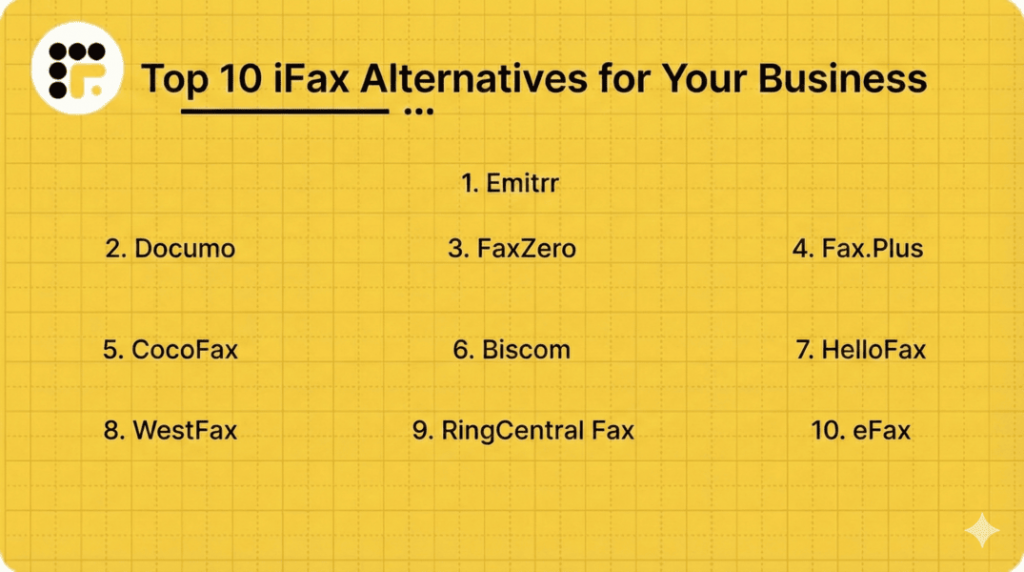
Choosing the right iFax alternative comes down to how well it fits into your daily workflow. Here are the top 10 iFax alternatives you can choose from:
Let’s explore each alternative in depth.
1. Emitrr | Best iFax Alternative
Emitrr Overview
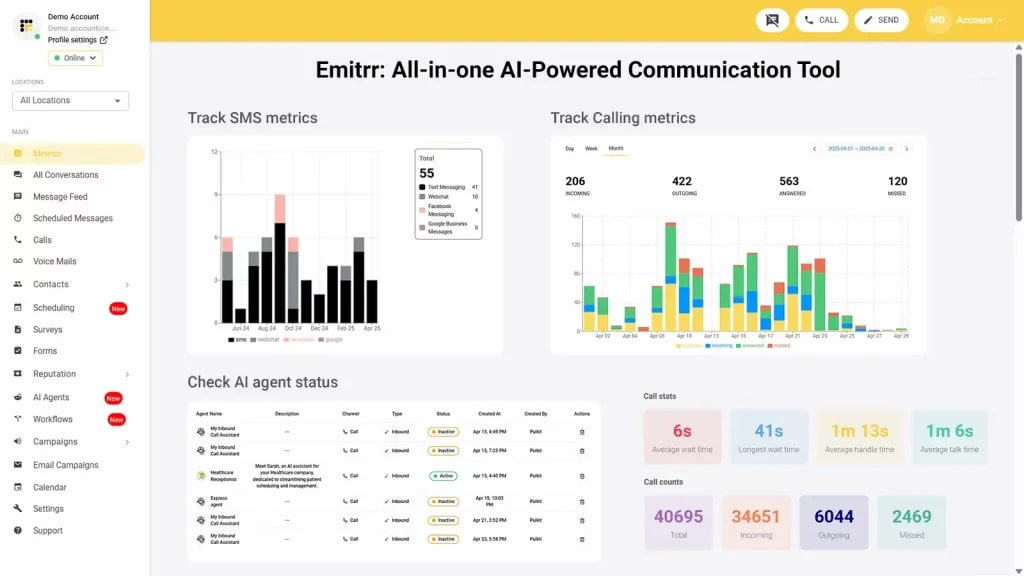
With Emitrr, you do much more than just fax. It brings faxing, calls, and text messages together in one clean, easy-to-use system. Basically en entire communication ecosystem! You can send a secure fax, follow up instantly with a text, or respond to a missed call without hopping between tools. That is exactly why healthcare, dental, and local service teams rely on it to manage busy, multi-channel conversations every day.
Emitrr Features
- Inbound and outbound faxing: Send and receive faxes from a single dashboard using a dedicated fax number with complete activity logs.
- Fax to email: Automatically receive every incoming fax in your email inbox as a PDF.
- Scheduled and broadcast fax: Schedule faxes for later or send one fax to multiple recipients at once.
- Large file support: Fax long contracts and high-resolution documents without quality or size issues.
- Cover sheets and templates: Create branded cover sheets and reuse templates for faster, consistent faxing.
- Voice and SMS integration: Manage fax, calls, and text messages from the same platform.
- Smart call routing: Route incoming calls to the right team using auto attendants and rules.
- Multi-recipient faxing: Add several fax numbers to one send instead of repeating the same task.
- Secure storage and search: Store faxes securely and search them by contact, tag, or history.
- Analytics dashboard: Track fax usage, delivery success, and overall communication activity.
Emitrr Pros
- All-in-one communications: Replace separate fax, phone, and SMS tools with one platform.
- Easy to use interface: Navigate a clean, modern dashboard without technical complexity.
- Advanced texting and automation: Automate reminders, follow-ups, and two-way texting alongside faxing.
- Responsive support: Get fast and reliable help through 24/7 customer support.
- Unified tech stack: Reduce software clutter by managing all communications in one system.
- Multi-location friendly: Manage multiple teams, numbers, and locations from a central account.
Emitrr Cons
- Some advanced tools and AI capabilities are still being introduced and will continue to expand over time.
Emitrr Integrations
- EHR/EMR systems: Works with Athena, Epic, and Dentrix for secure patient document sharing.
- CRM tools: Integrates with Salesforce, Zoho, and HubSpot to automatically track communication.
- Productivity apps: Syncs with Google Workspace, Outlook, Dropbox, and Office 365.
- Zapier automation: Easily connect Emitrr with thousands of other tools to streamline tasks.
Emitrr Pricing
The plans start at $30/month per user.
Emitrr Ratings
- Capterra: 4.9/5
- G2: 4.8/5
Emitrr Customer Reviews
“Exceptional! Friendly! The team at Emitrr handles your need promptly”
“Overall very positive. The service works like I need it to, the customer service is amazing, up-time is great, and changes made seem to be well thought out and well, not just changes for change sake.“
Source: Capterra
Emitrr Support Channels
- Email: support@emitrr.com
- Phone: +1 (210) 941-4696
- Live Chat: Directly available on the Emitrr website
- Knowledge Base: Detailed guides, FAQs, and troubleshooting articles
- SMS Support: Text for help anytime
2. Documo | Documo vs iFax
Documo Overview
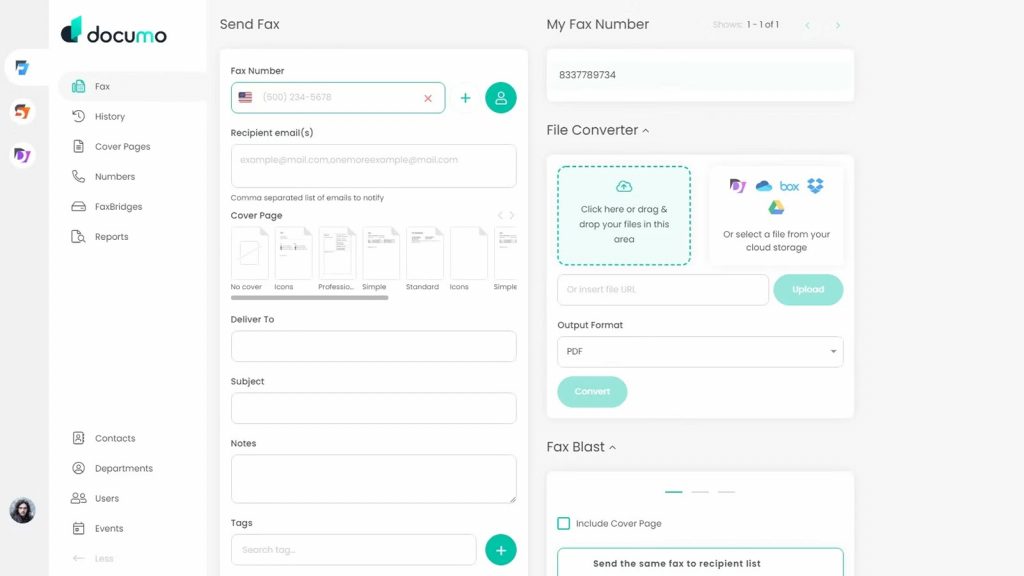
Documo is a cloud-based fax and document workflow platform designed for organisations that handle high volumes of sensitive documents every day. It focuses heavily on security, compliance, and reliability rather than basic faxing. The platform is commonly used in regulated industries like healthcare and finance, where audit trails matter. For teams that need structured, enterprise-grade fax workflows, Documo fits well.
Documo Key Features
- Fax automation workflows: Automates inbound and outbound fax handling to reduce manual effort.
- Cloud faxing: Send and receive faxes digitally without machines or on-premises servers.
- Secure document handling: Uses encryption software and compliance controls for sensitive data.
- Intelligent routing: Routes incoming faxes automatically to the right team or system.
- API first platform: Offers deep API access for custom and enterprise integrations.
- High volume faxing: Handles large-scale fax traffic reliably.
Documo Pros
- Enterprise-grade security: Built for regulated industries like healthcare and finance.
- Automation-focused: Reduces repetitive manual fax processes.
- Scalable infrastructure: Grows easily with increasing fax volume.
- Developer-friendly: Supports advanced custom integrations through APIs.
- Healthcare ready: Designed with HIPAA-compliant workflows in mind.
Documo Cons
- Not SMB focused: May feel complex for small teams with basic fax needs.
- Limited communication channels: Focuses on fax and document workflows only.
- Custom pricing model: Costs are not always clearly published upfront.
Documo Integrations
- EHR systems: Integrates with clinical and healthcare record platforms.
- Enterprise software: Connects with ERP and document management tools.
- Custom applications: API enables tailored integrations.
- Cloud storage platforms: Works with secure document storage systems.
Documo Pricing
Plans start around $300, but the final price may vary as they follow a custom pricing model. Prices are based on fax volume, integrations, and compliance needs.
Documo Ratings
- Capterra: 4.6/5
- G2: 4.5/5
Documo Customer Reviews
“There are too many steps to sending a fax.”
“While sending and receiving faxes is a very smooth process, it was somewhat cumbersome to personalize our fax cover page to include our clinic logo and not have it look like cookie-cutter template.”
Source: Capterra
Documo Support Channels
- Email support
- Account management
- Knowledge base
3. FaxZero | FaxZero vs iFax
FaxZero Overview
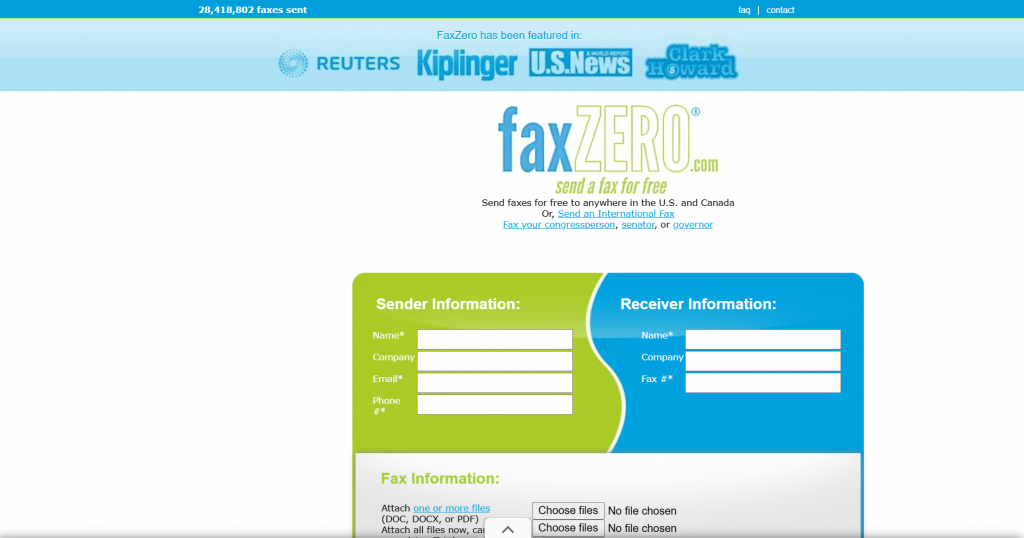
FaxZero is a lightweight internet faxing tool built for people who fax only once in a while. It is extremely simple to use and does not require a monthly subscription, which makes it appealing for one-off or emergency fax needs. You can send a fax directly from the web or email without installing software or learning a new system. However, it is clearly designed for basic use rather than ongoing business workflows or team collaboration.
FaxZero Key Features
- Free fax sending: Send a small number of faxes for free without signing up for a plan.
- Pay per fax option: Pay only when you need to send additional pages.
- Email to fax: Send faxes directly through email without a dashboard login.
- Web-based sending: Upload documents and fax them through a simple browser form.
- International faxing: Send faxes to select international numbers.
FaxZero Pros
- No subscription needed: Ideal if you fax very occasionally.
- Fast setup: Start faxing within minutes.
- Low-cost option: Works well for tight budgets or rare use.
- Very easy to use: Minimal learning curve.
FaxZero Cons
- No fax receiving: You cannot receive incoming faxes.
- Strict page limits: Free usage is very limited.
- No team features: Not suitable for business collaboration.
- No integrations: Does not connect with other tools.
FaxZero Integrations
- Email services: Works with standard email platforms for fax sending.
FaxZero Pricing
FaxZero pricing consists of the following plans:
- Free usage: Limited pages with FaxZero branding.
- Paid faxes: Small fee per fax for higher limits.
FaxZero Ratings
- Capterra: 4.8/5
- G2: 4.7/5
FaxZero Customer Reviews
“I wish I could use my company logo on my cover letters. I also wish they change the user interface design.”
Source: Capterra
FaxZero Support Channels
- Help pages
4. Fax.Plus | Fax.Plus vs iFax
Fax.Plus Overview
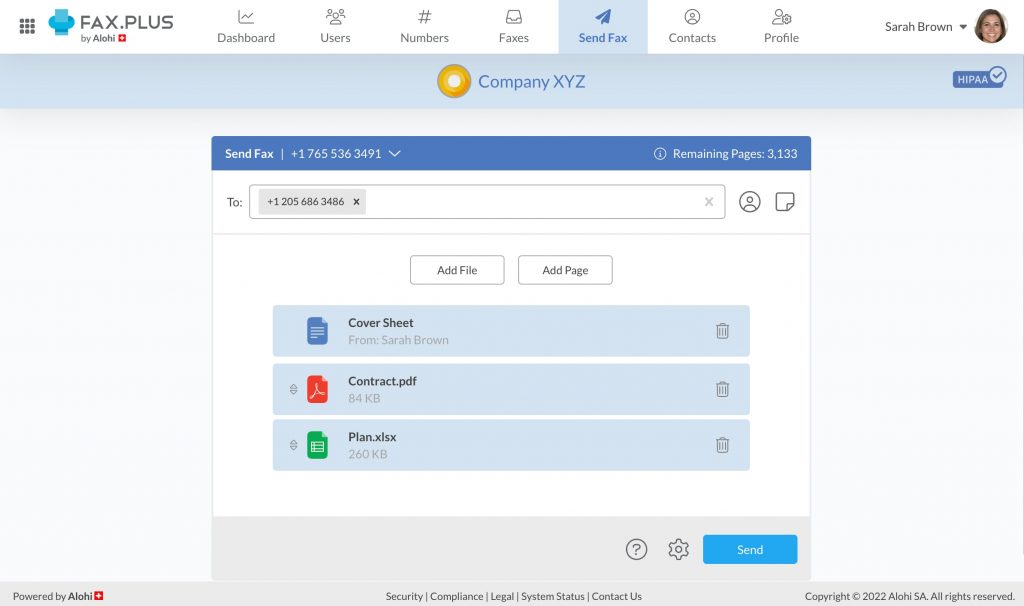
Fax.Plus is a modern cloud fax solution designed for freelancers, small businesses, and growing teams. It balances simplicity with practical business features like mobile apps and team access. You can send and receive faxes from your browser, email, or phone without relying on physical machines. Compared to very basic virtual fax services, it offers better organisation and security while still being easy to use.
Fax.Plus Key Features
- Inbound and outbound faxing: Send and receive faxes digitally across devices.
- Mobile apps: Fax on the go using iOS and Android apps.
- Fax to email: Receive faxes directly in your inbox.
- Digital signatures: Sign documents before faxing.
- Secure encryption: Protects fax data in transit and storage.
Fax.Plus Pros
- Clean interface: Easy for individuals and teams to navigate.
- Strong mobile experience: Better mobile support than many fax tools.
- Team-friendly: Suitable for small teams that share fax access.
- Flexible plans: Works for light to moderate fax volumes.
Fax.Plus Cons
- Feature limits on lower plans: Advanced tools require upgrades.
- Limited automation: Not ideal for complex workflows.
- No SMS or calling: Fax-only platform.
Fax.Plus Integrations
- Email platforms: Works with Gmail and Outlook.
- Cloud storage: Integrates with Google Drive and Dropbox.
- Zapier: Enables basic automation.
Fax.Plus Pricing
Fax.Plus pricing consists of the following plans:
- Free plan: Limited pages with basic features.
- Paid plans: Starts at around $6.99/month (billed annually). You get 200 pages. Great if you only fax occasionally.
Fax.Plus Ratings
- Capterra: 3.9/5
- G2: 3.8/5
Fax.Plus Customer Reviews
“I could not send or receive any faxes after activating the account. When I tried to contact customer service, it turns out they are a company based in Europe and no one was available. I was unable to receive a bunch of time sensitive documents for the better part of 8 hours. By the time I received them, the deadline had already passed. I could not figure out why the account was not working. It wasn’t until they looked into it that the account started working.”
“Just a very basic and no frills service.Customer service non-existant.Deceptive Auto-Renew feature that I never signed up for an charged me without permission.”
Source: Capterra
Fax.Plus Support Channels
- Email & Ticket Support
- Help centre (Guides & FAQs)
5. CocoFax | CocoFax vs iFax
CocoFax Overview
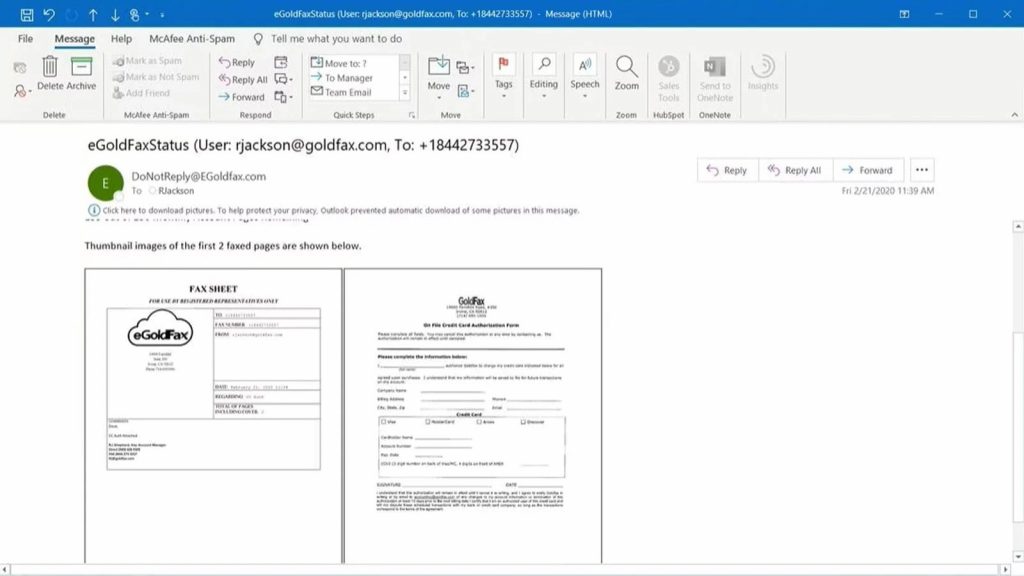
In comparing CocoFax vs iFax, the former is a straightforward digital faxing tool built for professionals and small businesses that want quick, no-hassle digital faxing. It removes the need for fax machines and complex software, letting you fax directly from email, browser, or Google Docs. Setup is fast, and the interface is intentionally simple. If your goal is to send faxes without overthinking features, CocoFax fits that bill well.
CocoFax Key Features
- Fax via email: Send and receive faxes using Gmail, Outlook, or other email clients.
- Google Docs integration: Fax directly from Google Docs and Sheets with an add-on.
- Web dashboard: Manage sent and received faxes online.
- Multiple file formats: Supports PDF, DOCX, JPG, and more.
- Delivery confirmation: Get status updates for sent faxes.
- Custom fax number: Choose a local or toll-free fax number.
CocoFax Pros
- Easy setup: Start faxing within minutes.
- Flexible sending options: Email, browser, or Google Docs.
- Good for solo users: Works well for freelancers and consultants.
- International faxing: Supports global fax delivery.
- Free trial available: Test before committing.
CocoFax Cons
- Limited team features: Not ideal for multi-user collaboration.
- Fax only platform: No SMS or calling features.
- Mixed reliability feedback: Some users report delivery issues over time.
CocoFax Integrations
- Email platforms: Gmail, Outlook, Yahoo Mail.
- Google Workspace: Docs and Sheets integration.
- Cloud storage: Google Drive, Dropbox, OneDrive.
- Zapier: Automation-based notifications.
CocoFax Pricing
Cocofax pricing plans start around $9.99 per month, with higher tiers for more pages.
CocoFax Ratings
- Capterra: 4.3/5
- G2: 4.2/5
CocoFax Customer Reviews
“There is no response from the sales team or customer services”
“Customer Support: I accidentally selected the annual plan when paying for the service. I reached out to support multiple times. Zero response. Functionality: Buyer beware. Even if you do not care about customer response, you will be incredibly frustrated with the countless times the faxes drop. Happens probably 20% of the time.”
Source: Capterra
CocoFax Support Channels
- Email support
- Live chat
- Help centre
- Community forum
6. Biscom | Biscom vs iFax
Biscom Overview
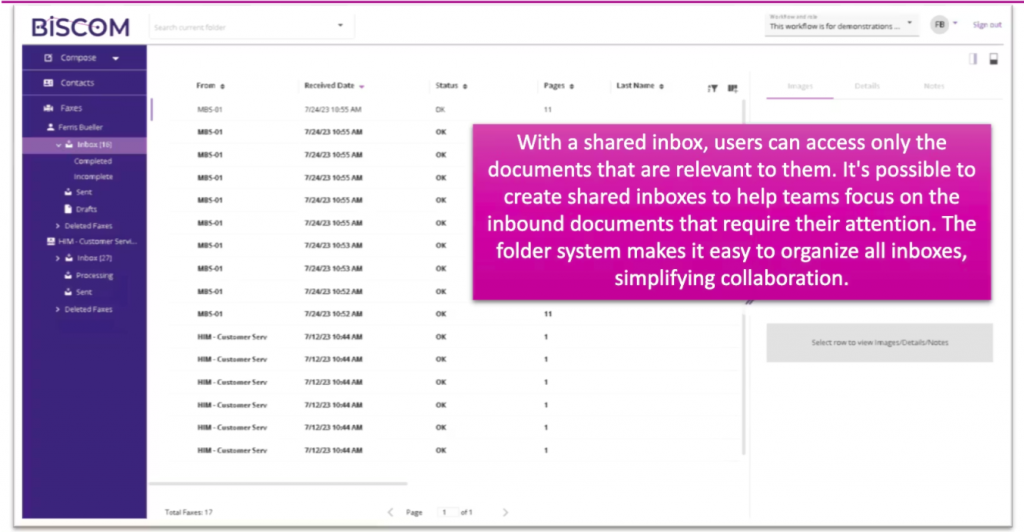
Biscom is an enterprise-focused fax and secure file transfer platform designed for organisations with strict compliance needs. It is commonly used in healthcare, government, and financial services where security and audit trails matter more than simplicity. Biscom is a cloud communication platform that also supports on-premises deployments.
Biscom Key Features
- Enterprise faxing: Supports high-volume inbound and outbound fax traffic.
- On-premises and cloud options: Flexible deployment based on IT requirements.
- Secure file transfer: Adds encrypted document exchange beyond fax.
- Compliance controls: Designed for regulated industries.
- Detailed audit trails: Tracks every fax and document action.
Biscom Pros
- Strong security posture: Ideal for compliance-heavy industries.
- Deployment flexibility: Cloud or on premise support.
- High reliability: Built for mission critical fax operations.
- Enterprise integrations: Fits into large IT ecosystems.
Biscom Cons
- Complex setup: Requires IT involvement and planning.
- Not SMB friendly: Overkill for small teams.
- Higher cost: Enterprise pricing compared to lightweight fax tools.
Biscom Integrations
- Enterprise systems: Active Directory and internal platforms.
- Healthcare systems: Clinical and compliance workflows.
- Custom apps: API based integrations.
Biscom Pricing
- Pricing is based on deployment type and usage.
Biscom Ratings
- Capterra: 4.6/5
- G2: 4.5/5
Biscom Customer Reviews
“I think that there are many things that could have been improved over the years but the product really hasn’t changed. The price is good for what you get but we would be willing to pay more if it was easier to use.”
“Training our staff was extremely difficult. The process for taking an electronic fax and importing it into our electronic record system was extremely cumbersome and required hiring additional staff.”
Source: Capterra
Biscom Support Channels
- Email support
- Phone support
- Documentation
7. HelloFax | HelloFax vs iFax
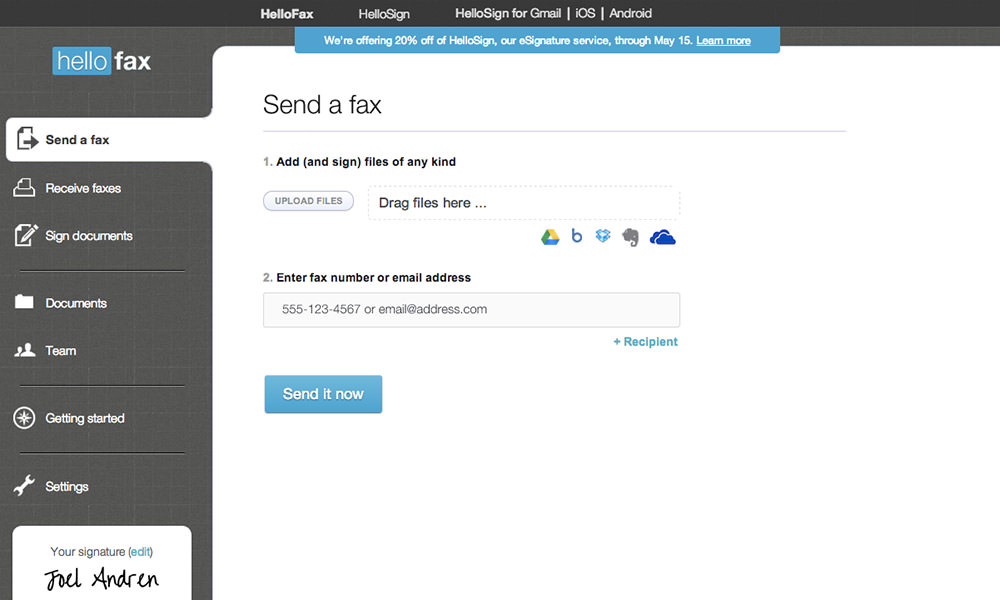
HelloFax Overview
HelloFax (now known as Dropbox Fax) is a clean and minimal online fax tool built for individuals and small teams that want simplicity over complexity. It focuses on sending and receiving faxes digitally without hardware or steep learning curves. The platform works well if you already live inside Google Workspace and want faxing to feel familiar.
HelloFax Key Features
- Online fax sending and receiving: Send and receive faxes through a web-based interface.
- Google Workspace integration: Fax directly from Google Docs and Gmail.
- Digital signatures: Sign documents electronically before faxing.
- File uploads: Fax PDFs, DOC files, and images easily.
- Cloud storage sync: Save faxes automatically to cloud storage.
HelloFax Pros
- Very easy to use: Simple layout with minimal setup.
- Google-friendly: Ideal if your team already uses Google tools.
- Good for small teams: Basic collaboration without complexity.
- Paperless workflow: Strong focus on digital documents.
HelloFax Cons
- Limited advanced features: Not built for automation-heavy workflows.
- Basic team controls: Lacks deep role or routing options.
- No SMS or calling: Fax-only platform.
HelloFax Integrations
- Google Workspace: Docs, Gmail, Drive.
- Cloud storage: Dropbox, Google Drive, Box.
HelloFax Pricing
Free trials are available for HelloFax pricing. Paid plans start at $9.99/month.
HelloFax Ratings
No public ratings on major platforms like Capterra and G2.
HelloFax Customer Reviews
Very few public reviews are available on sources like Capterra and G2.
HelloFax Support Channels
- Email support
- Help centre with tutorials
- No live chat or phone for basic plans
8. WestFax | WestFax vs iFax
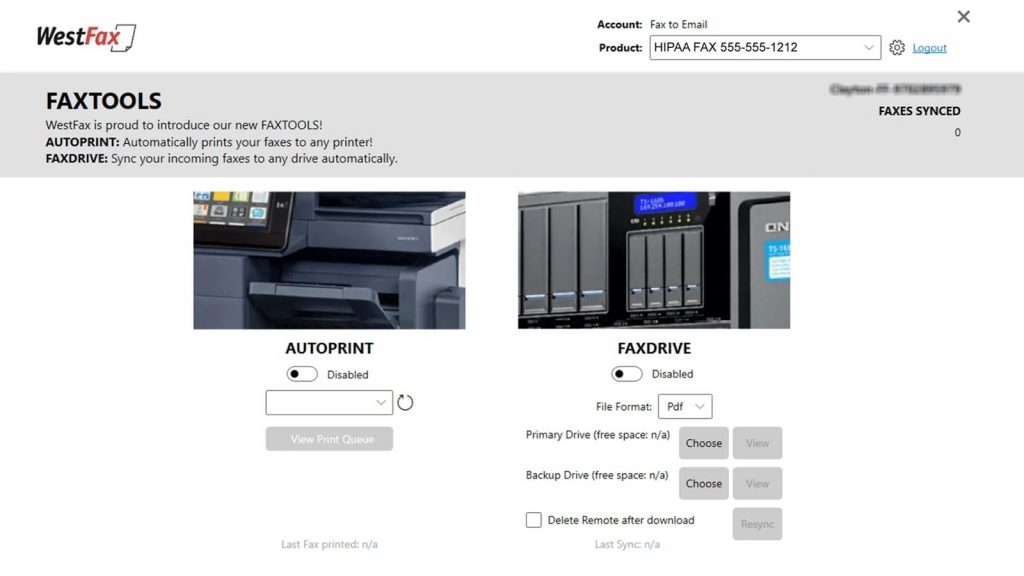
WestFax Overview
WestFax is a cloud fax solution designed primarily for healthcare and compliance-focused organisations. It places strong emphasis on security, HIPAA compliance, and reliable fax delivery. WestFax is often used by clinics, hospitals, and medical offices that still rely heavily on fax. Compared to iFax, it is more industry-specific and compliance-driven.
WestFax Key Features
- Cloud-based faxing: Send and receive faxes without on-premises hardware.
- HIPAA compliance: Designed specifically for healthcare environments.
- Fax to email: Receive faxes directly in your inbox.
- Dedicated fax numbers: Local and toll-free numbers available.
- High reliability delivery: Built for clinical fax volume needs.
WestFax Pros
- Healthcare focused: Strong fit for medical practices and clinics.
- Compliance ready: Meets HIPAA and security requirements.
- Reliable delivery: Consistent fax performance for daily use.
- Simple setup: Easier than enterprise fax servers.
WestFax Cons
- Limited non-healthcare appeal: Less flexible for other industries.
- No modern communication tools: No SMS or voice features.
- Basic interface: Functional but not very modern.
WestFax Integrations
- EHR systems: Works with clinical record platforms.
- Email platforms: Standard fax-to-email support.
WestFax Pricing
WestFax pricing is based on fax volume and healthcare needs.
WestFax Ratings
- Capterra: 4.8/5
- G2: 4.7/5
WestFax Customer Reviews
“Cover pages are customizable to an extent, they use fillable fields, but you cannot move around the editable fields.”
Source: Capterra
WestFax Support Channels
- Phone
9. RingCentral Fax | RingCentral Fax vs iFax
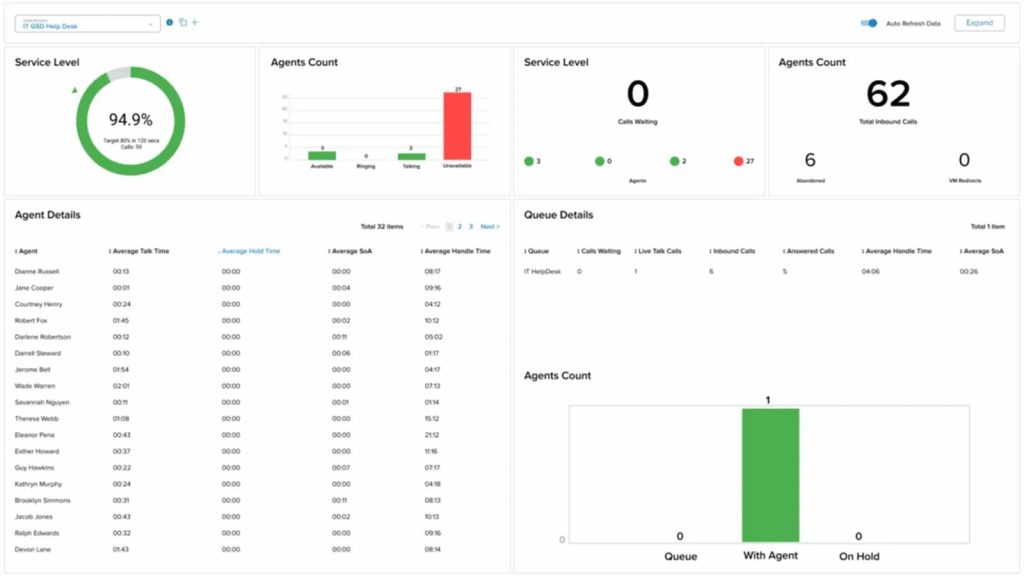
RingCentral Fax Overview
RingCentral Fax is part of RingCentral’s broader business communications ecosystem and is designed for teams that already rely on cloud-based calling and messaging. It offers secure online faxing without physical machines and fits naturally into unified communication setups. Businesses often choose it to keep faxing within the same vendor as their phone system.
RingCentral Fax Key Features
- Inbound and outbound faxing: Send and receive faxes digitally from the web and apps.
- Fax to email: Receive incoming faxes directly in your inbox.
- Cloud-based access: Fax from desktop or mobile without hardware.
- Enterprise security: Encryption and compliance-focused infrastructure.
- Fax scheduling: Schedule outgoing faxes in advance.
RingCentral Fax Pros
- Unified communications: Works well if you already use RingCentral for calls.
- Enterprise reliability: Stable infrastructure for daily business use.
- Team-friendly: Shared access and permissions supported.
- No hardware needed: Fully cloud-based faxing.
RingCentral Fax Cons
- Best with RingCentral stack: Less appealing as a standalone fax tool.
- Higher pricing: More expensive than fax-only providers.
- Limited fax innovation: Fax features are basic compared to specialist tools.
RingCentral Fax Integrations
- RingCentral platform: Native integration with calling and messaging.
- Email systems: Standard fax-to-email support.
- Business apps: Works within enterprise IT environments.
RingCentral Fax Pricing
Ringcentral pricing consists of the following plans:
- Bundle-based plans: Fax is included with RingCentral communication plans.
- Monthly pricing: Plans usually start higher than standalone fax tools.
- User-based costs: Pricing scales as you add more users.
RingCentral Fax Ratings
There are limited ratings specifically for RingCentral’s fax capabilities, as fax is part of its broader communications platform.
RingCentral Fax Customer Reviews
Most user feedback focuses on RingCentral’s overall communication suite, with fewer reviews calling out fax features on their own.
RingCentral Fax Support Channels
- Phone support
- Live chat
- Help centre
10. eFax | eFax vs iFax
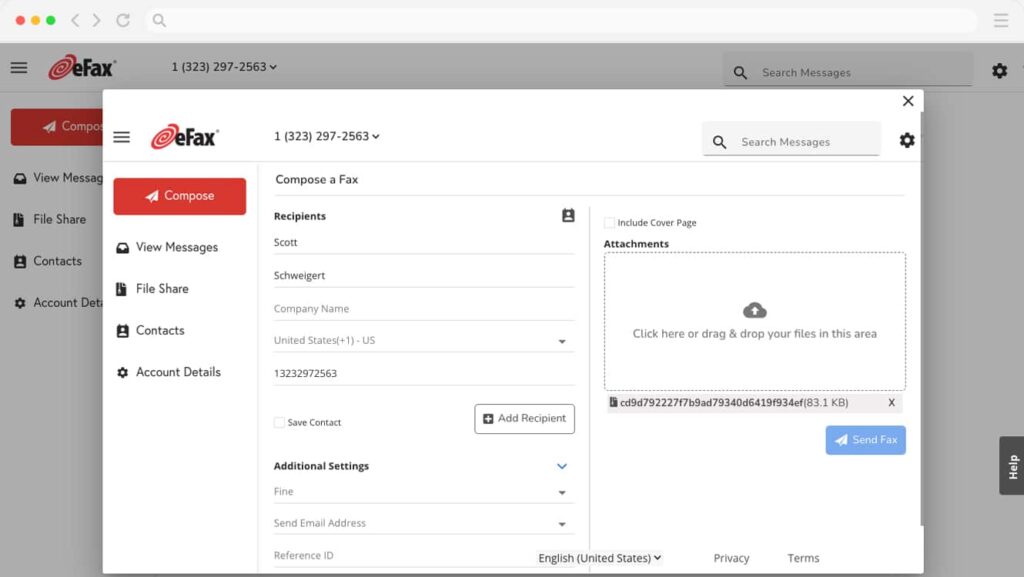
eFax Overview
eFax is one of the most well-known digital fax providers and has been around for a long time. It offers global faxing with local numbers in many countries and is commonly used by individuals and businesses alike. The platform focuses on reliability and international reach. Compared to iFax, eFax has wider brand recognition but a more traditional feature set.
eFax Key Features
- Inbound and outbound faxing: Send and receive faxes digitally worldwide.
- Global fax numbers: Choose local numbers across multiple countries.
- Fax to email: Receive faxes as PDFs in your inbox.
- Mobile apps: Send and view faxes on mobile devices.
- Secure transmission: Uses encryption for fax delivery.
eFax Pros
- Global reach: Strong international faxing support.
- Established brand: Long-standing presence in online faxing.
- Mobile access: Fax from anywhere using apps.
- Reliable delivery: Consistent fax transmission.
eFax Cons
- Higher pricing: Costs more than many newer competitors.
- Dated interface: User experience feels old compared to modern tools.
- Limited team workflows: Collaboration features are basic.
eFax Integrations
- Email platforms: Works with standard email services.
- Mobile devices: Native mobile app support.
eFax Pricing
eFax pricing plans start at $18–$20/month, with additional fees for extra pages.
eFax Ratings
- Capterra: 4.0/5
- G2: 3.9/5
eFax Customer Reviews
“I feel like it could use some updating. I don’t like that you have to click a million things before the actual document will open up.”
“I wish fax cover sheets were customizable. I also wish that faxes were archived in system for longer than 90 days”
Source: Capterra
eFax Support Channels
- Email support
- Phone support
- Help centre
Why Emitrr Is The Best iFax Alternative?
If faxing is a part of your workflow, Emitrr makes sure it actually works the way modern businesses do today, faster, smarter, and fully connected.
Role-Based Fax Permissions and Team Routing
With Emitrr, you stay in control of who sees what. You can assign role-based permissions so each team or department only accesses relevant faxes. Incoming faxes can be automatically routed to the right inbox instead of landing with one overwhelmed person. This reduces internal back and forth and prevents delays. For growing teams, it brings clarity and accountability to fax handling.
Centralised Inbox with Smart Search
Emitrr gives you one clean inbox for all fax activity across your team. Every fax is stored securely and organised by contact, date, or status. Smart search lets you find old faxes in seconds using keywords, tags, or sender details. No more scrolling endlessly or digging through email attachments. Everything stays easy to access, even months later.
All-in-One Platform for Voice, Text, and Fax
Unlike fax-only tools, Emitrr brings fax, calling, and texting into one platform. You can fax a document, follow up with text, and handle a call without switching systems. This keeps conversations connected instead of fragmented. Your team sees full context across channels, which leads to faster responses and better customer experience. It feels like one conversation, not three tools.
Automated Workflows with Delivery Tracking
Emitrr helps you automate what usually eats up time. You get real-time delivery confirmations, failure alerts, and retry visibility for every fax. You can also trigger follow-ups, like sending a text once a fax is received. This removes guesswork and manual checking. Your team always knows what was sent, received, or is still pending.
CRM and EHR Integrations with API Access
Emitrr fits into your existing systems instead of forcing changes. It integrates with CRMs and EHRs, so fax activity is logged against the right contact or patient record. For advanced needs, API access allows custom workflows and deeper automation. This is especially valuable for healthcare, legal, and service teams. Faxing becomes part of your data flow, not a disconnected task.
HIPAA Compliant and Audit Friendly
Security is built into Emitrr, not added on later. The platform supports HIPAA compliance, encrypted fax transmission, and secure storage. Detailed logs and audit trails show when documents were sent, received, and accessed. This makes compliance reviews and internal audits much easier. You fax confidently, knowing sensitive data is protected.
Affordable for Solo, SMB, and Multi-Location Teams
Emitrr scales with you. Solo users get powerful features without enterprise complexity. SMBs benefit from team tools without paying for bloated systems. Multi-location businesses can manage all numbers and teams centrally. Instead of pricing you out as you grow, Emitrr grows alongside your business.
Setup in Minutes with Friendly Onboarding
Getting started with Emitrr is refreshingly simple. Setup takes minutes, not days, and number porting is handled smoothly. The interface is intuitive, so teams do not need long training sessions. When help is needed, friendly onboarding and support teams guide you through it. You are up and running fast, without disruption.
Industries That Love Emitrr for Faxing
Emitrr works across many industries, and these industries consistently see the most value from combining secure faxing with texting and calling in one place.
Healthcare and Dental Clinics
Healthcare and dental teams rely heavily on fax for referrals, records, and insurance paperwork. Emitrr fits naturally into this environment by combining HIPAA-compliant faxing with automated texts and call management. Clinics can fax sensitive documents, text patients about next steps or appointments, and manage follow-ups without switching tools. Automated reminders reduce no-shows, while audit trails keep everything compliant. For busy practices, it feels like replacing multiple systems with one calmer workflow.
Legal, Financial, and Insurance Firms
These firms deal with document-heavy workflows where accuracy and records matter. Emitrr lets teams fax contracts and forms securely while keeping delivery confirmations and logs. What really helps is context. When a client calls, the team can instantly see previous faxes and texts in one view. Lawyers and advisors love faxing formal documents and then sending quick text updates like received or filed. It keeps communication professional, compliant, and efficient.
Real Estate and Property Management
Real estate teams juggle applications, leases, tenant issues, and constant client communication. Emitrr gives them one hub to manage it all. A faxed application can be followed by a confirmation text in seconds. Tenants can text maintenance requests, owners can call for updates, and official notices can still be faxed when required. Having everything tied to one contact makes agents look organised and responsive in a fast-moving industry.
Staffing and Recruiting Agencies
Recruiters move fast and handle high volumes of conversations and documents. Emitrr helps them keep candidates and clients aligned. Contracts can be faxed, interview details texted, and confirmations handled through calls, all logged automatically. Automated reminders reduce no-shows and missed steps. With sensitive personal data involved, secure faxing adds confidence. Teams appreciate how nothing gets lost, even during busy hiring cycles.
Home Services and Contractors
Home service businesses rely on calls and texts, but still deal with paperwork like permits and insurance forms. Emitrr blends both worlds smoothly. Teams can send appointment reminders and on-the-way texts while faxing documents to offices or authorities when needed. All interactions stay visible, so anyone answering a call has full context. For small teams and field staff, managing everything from a phone is a huge advantage.
SMBs and Growing Franchises
Small businesses and franchises love Emitrr because it scales easily. Multiple locations, users, and numbers can be managed from one dashboard. As teams grow, they add users instead of tools. Many SMBs replace separate fax, phone, and texting services with Emitrr and reduce both cost and complexity. For growing businesses, that flexibility and control make a big difference.
Educational Institutions
Schools and colleges still fax transcripts and forms while needing quick communication with parents and students. Emitrr allows secure faxing alongside mass texts and calls for alerts or reminders. Administrators value delivery logs and accountability. Instead of relying only on slow channels, schools can text first for urgency and fax for official records. It brings modern communication into a traditional setup.
Frequently Asked Questions
Absolutely! Emitrr is built for high volume, team-based faxing with multiple numbers, smart routing, and role-based access. Each department sees only what matters to them, and admins get full visibility across teams.
Start by mapping your needs, such as automation, team access, or mobile use. Then you can plan a short overlap to avoid missed faxes, and train your team on new features for a smooth transition.
Yes. Emitrr works seamlessly on mobile, letting you send faxes, view incoming documents, and get notifications on the go. You can even scan documents using your phone camera.
Absolutely. You can tag faxes, add internal notes, assign them to team members, and track status like processed or needs follow-up. This turns each fax into a manageable task, not just a document.
Yes! Emitrr stores all fax history securely and lets you search by contact, tag, date, or even document content. Finding old faxes takes seconds, not scrolling or guesswork.
Conclusion
Faxing is not outdated. Clunky faxing is. The right tool can turn fax from a slow, standalone task into a smooth part of how your business already communicates. While iFax works fine for basic needs, today’s alternatives give you more control, better visibility, and workflows that actually save time instead of creating extra steps.
And if you want faxing to work alongside calls, texts, and automation, Emitrr clearly stands out. Other tools fit specific needs, like simple one-off faxing or compliance-heavy environments, but Emitrr brings everything together in one place, so your team can move faster and stay connected. Ready to modernise the way you fax and communicate? Book a demo with Emitrr today!


 4.9 (400+
reviews)
4.9 (400+
reviews)