
Introduction
Missed appointments and no-shows can significantly disrupt a business. Every canceled or forgotten appointment represents lost revenue, wasted staff time, and frustration for both clients and employees. For many businesses, relying on phone calls for confirmations and reschedules is no longer efficient. Clients often ignore calls, staff get tied up trying to reach them, and schedules slip out of control.
The solution lies in automating appointment confirmations, reminders, and reschedules. By leveraging automated appointment reminders, businesses can ensure that clients are informed, engaged, and able to reschedule without a single phone call. Automated appointment confirmations not only reduce no-shows but also enhance client experience, save time, and allow teams to focus on high-value tasks rather than manual follow-ups.
In this blog, we are going to explore how automating appointment confirmation and reschedules without phone calls can transform your business, step-by-step workflows for confirmation and rescheduling, best practices, and how Emitrr can help you implement a complete no-call system.
What Is Appointment Confirmation and Rescheduling Automation?
Appointment automation refers to the use of a tool or software that automatically manages appointment-related communication without any manual intervention. This includes automated appointment confirmations, appointment reminders, appointment rescheduling, calendar and CRM synchronization, and more!!
With these healthcare practices, instead of calling patients for appointments, use SMS appointment confirmations, appointment reminders, and self-serve rescheduling links that update systems in real time.
Best Channels for Automating Appointment Confirmations
SMS Appointment Confirmations
SMS is the most effective channel for appointment automation due to its extremely high open rates. Text messages are read within minutes, making them ideal for confirmations, reminders, and rescheduling.
SMS appointment confirmation software allows customers to respond instantly, increasing confirmation rates and reducing no-shows.
Email Appointment Reminders
Email works well for longer messages that include appointment details, preparation instructions, or calendar invites. While email open rates are lower than SMS, it complements text messaging in a multi-channel appointment automation strategy.
Automated Voice Calls (Optional)
Some businesses still use automated voice calls for customers who prefer phone communication. These calls are pre-recorded and triggered automatically, eliminating the need for live staff involvement.
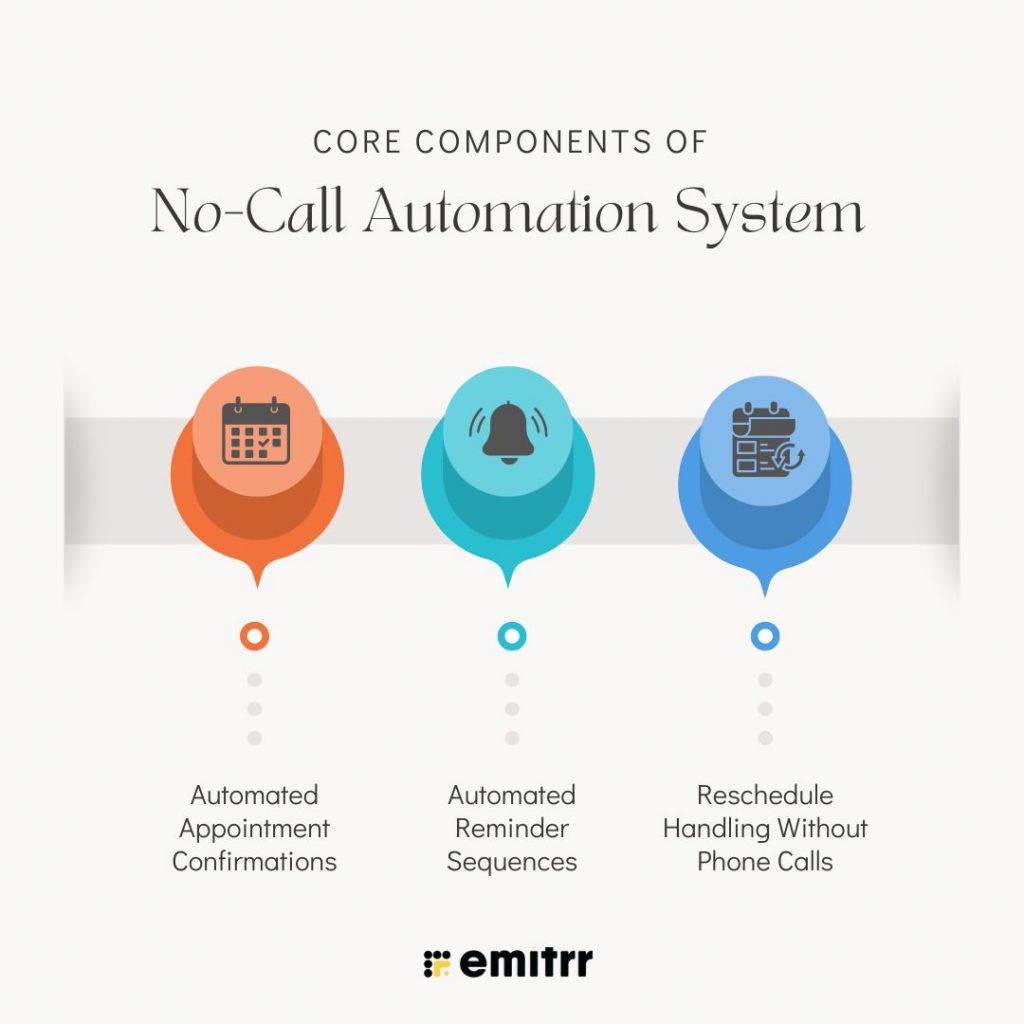
Core Components of a No-Call Automation System
Automated appointment confirmations and rescheduling include various components. A complete and automated system ensures that clients are confirmed, reminded, and rescheduled efficiently without ever picking up the phone.
Automated Appointment Confirmations
Automated appointment confirmations notify clients immediately after booking. These messages can be sent via SMS or email and include essential details such as appointment date, time, location, and service type.
A typical confirmation message may include:
- Client name
- Appointment date and time
- Service location or virtual meeting link
These confirmations reassure clients that their appointment is scheduled and help reduce confusion or forgotten appointments. Using appointment management software to send automated appointment confirmations ensures that every client receives timely patient communication without adding extra work for your staff.
Automated Reminder Sequences
Appointment reminders are a crucial part of appointment management automation. Sending reminders before appointments not only increases attendance and minimizes last-minute cancellations but also reduces no-shows. You can send patient appointment reminders 24, a few hours prior, 10–15 minutes before the appointment.
The reminder should also include
Automated reminders should include all relevant details, as well as links for clients to easily reschedule or cancel if needed. Personalizing reminders with the client’s name, service type, and location increases patient engagement and ensures higher confirmation rates.
Reschedule Handling Without Phone Calls
Even with reminders, some clients may not be able to attend their scheduled appointments. Automated reschedules allow clients to select a new appointment time without requiring a staff member to call them.
Here’s how rescheduling automation works:
- If a client misses an appointment or cancels, they automatically receive an SMS or email with available times to reschedule.
- The client clicks the link and selects a new time, which updates the calendar automatically.
- The system logs the reschedule in your appointment management software, keeping all records up-to-date.
This frictionless approach ensures that even missed or canceled appointments are quickly recovered, helping businesses maintain a full schedule and minimize revenue loss.

Automating Without Phone Calls: Workflow Examples
A no-call automation workflow ensures clients receive confirmations, reminders, and reschedules seamlessly. Here’s a typical setup:
Confirmation Workflow
- Trigger: Appointment booked
- Actions:
- Send automated text messages and email confirmations
- Log the confirmation in CRM or appointment management software
- Notify staff internally if needed
- Tag the appointment for tracking
Reminder Sequences
- Automated reminders are sent 24 hours, 1 hour, and optionally 10 minutes before the appointment
- Include links for rescheduling or canceling
- Skip reminders if the client has already confirmed
No-Show and Canceled Appointment Reschedules
- If a client misses an appointment:
- Automatic SMS/email with reschedule link
- Follow-up reminders after 12–48 hours if no response
- If a client cancels:
- Notify the client automatically
- Offer open slots to reschedule
- Stop messages once a client responds to avoid over-messaging
Why Automate Appointment Confirmations and Reschedules
Manual appointment confirmations and reschedules are time-consuming and prone to errors. Staff may forget to call a client or may be unable to reach them, resulting in no-shows that impact revenue. Businesses that rely on phone calls alone often experience missed opportunities and inefficient schedules.
The Cost of Manual Processes
Staff time spent calling clients could be used more effectively elsewhere. Every phone call to confirm an appointment takes several minutes, and even if each appointment is confirmed, clients may forget or cancel at the last minute. Manual appointment management leads to missed revenue and unnecessary stress. Automated appointment confirmations and reminders remove this burden by notifying clients automatically, keeping your schedule full, and reducing reliance on phone calls.
Data-Backed Benefits of Automation
Automated appointment reminders have a measurable impact on reducing no-shows. Studies show that sending SMS appointment reminders can reduce missed appointments by up to 40%. Multi-step automated sequences, which combine SMS and email reminders, can further lower no-shows by as much as 70%. Clients are more likely to engage with a text or email than to answer a phone call, making appointment scheduling automation a reliable tool for businesses of all sizes.
Additional Advantages
Beyond reducing missed appointments, automated appointment confirmations and reschedules offer multiple benefits:
- They improve client experience by providing timely notifications and convenient reschedule options.
- They help optimize staff schedules, ensuring no gaps due to forgotten appointments.
- They allow businesses to track attendance patterns and refine scheduling strategies.
- They free staff to focus on more critical tasks instead of chasing clients.
Best Practices for Automating Confirmations and Reminders
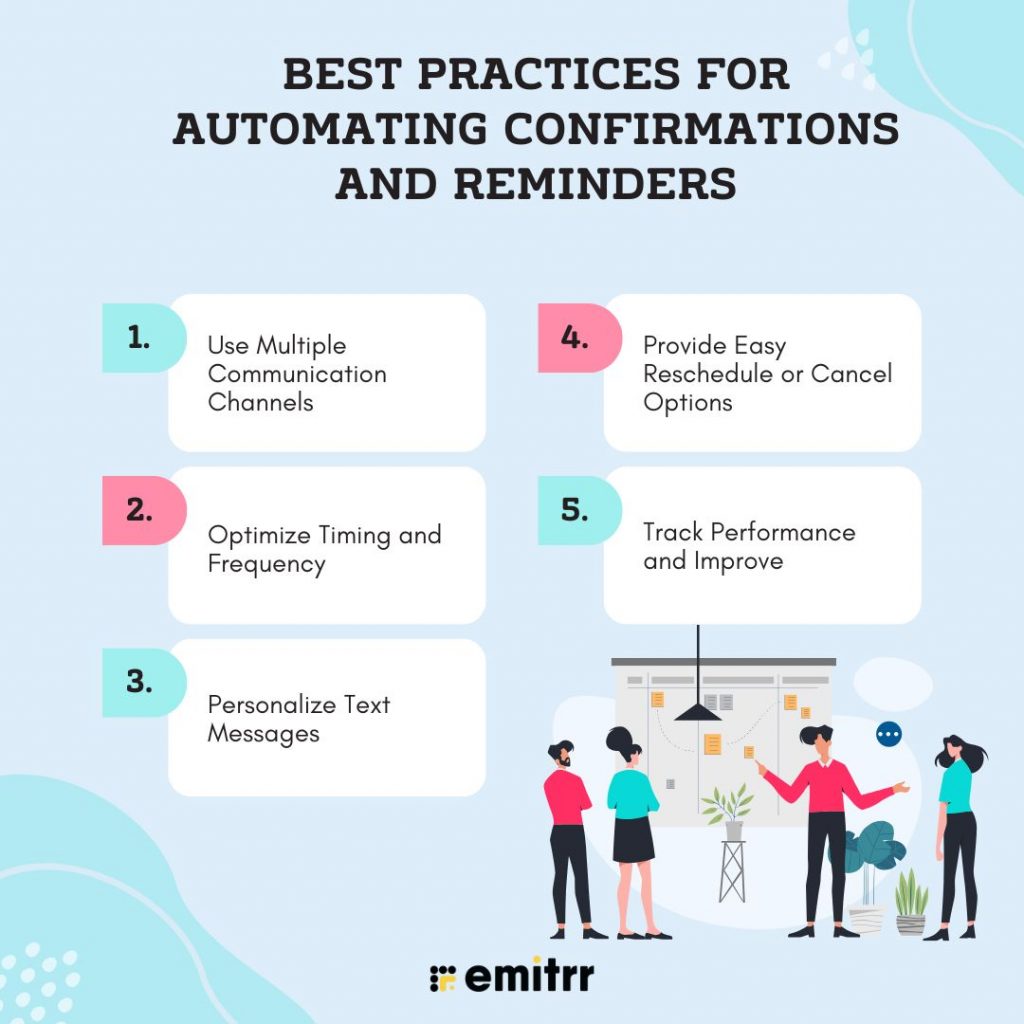
Implementing automated appointment reminders effectively requires following best practices.
Use Multiple Communication Channels
Combining SMS and email reminders maximizes reach. SMS messages have higher open rates, while email can provide additional details like directions or service instructions. Using multiple channels increases the likelihood that clients will see the reminder and confirm attendance.
Optimize Timing and Frequency
- Send reminders 24 – 48 hours before the appointment and again a few hours prior.
- Avoid excessive messaging, as too many reminders may annoy clients.
- Adjust the timing based on client behavior, industry norms, or past attendance patterns.
Personalize Text Messages
You should add the name of the patient, appointment information, treatment information, or type of reminders to make it more personalized, as it will increase the engagement rate. Personalized text messages will make the client feel less automated and more noticed that will increase the trust of the client.
Provide Easy Reschedule or Cancel Options
Always include a direct link to reschedule or cancel appointments. The easier it is for clients to manage their schedules, the more likely they are to respond and the less likely they are to miss appointments.
Track Performance and Improve
Use your appointment management software to monitor confirmation rates, reschedules, and no-show rates. Tracking these metrics allows businesses to fine-tune reminder frequency, timing, and messaging for maximum effectiveness.
How Emitrr Transforms Healthcare Appointment Management
Emitrr is a robust solution for automated appointment confirmations, reminders, and reschedules. It allows businesses to automate appointment scheduling processes entirely, eliminating the need for manual phone calls.
Key Features of Emitrr
- Online Appointment Scheduling (Self-Service Booking): Patients can securely book appointments through a branded portal at any time.
- Group Appointments / Class Scheduling: Allows multiple participants to join sessions safely without exposing patient information.
- Multi-Location Scheduling: Manage appointments for multiple branches or clinics from a single interface.
- Slot Management: Set provider availability, buffers, and block times efficiently.
- Automated Appointment Reminders: Send HIPAA-compliant reminders via SMS to reduce no-shows.
- Autoresponders: Automatically confirm bookings or respond to rescheduling requests instantly.
- Automated Recall: Promptly send patients follow-up care or routine check-ups.
- Follow-Up Surveys / Feedback: Collect patient feedback or limited health information after visits securely.
- CRM / EMR / EHR Integration: Sync appointments directly with patient records for seamless workflows.
- Custom Booking Pages / Branded Links: Maintain consistent branding while managing appointments securely.
- Patient Portal: Patients can view upcoming and past appointments in a secure interface.
- Digital Intake Forms / Pre-Appointment Questionnaires: Collect necessary health information before the visit safely and efficiently.
- Metrics & Reporting: Track no-shows, cancellations, and appointment utilization without exposing patient data.
- HIPAA-Compliant Scheduling & Intake: Platform built with HIPAA regulations in mind to ensure complete patient privacy.
- Intelligent Scheduling: Smart system optimizes booking and rescheduling to reduce staff workload.
Frequently Asked Questions
Automated appointment reminders keep the patient informed about their upcoming appointment, which helps in reducing no-shows or missed appointments.
Yes, with appointment scheduling automation, clients are sent a secure link through email that allows them to choose appointment timing as per their convenience. The system updates the calendar automatically, eliminating the need for phone calls.
A no-call appointment management system uses automated confirmations, reminders, as well as rescheduling links to manage the complete appointment management through different communication channels such as SMS or email.
Most businesses see the best results by sending reminders 24–48 hours before the appointment and again a few hours prior. Optional last-minute reminders can also be used depending on the industry and appointment type.
Yes. Text and email reminders have much higher open and response rates than phone calls. Clients are more likely to read a message than answer an unknown call, making automated reminders more effective and less disruptive.
Absolutely. Automated appointment scheduling is especially effective for high-volume environments like healthcare clinics, wellness centers, and service-based businesses, where manual confirmation calls become unmanageable.
Yes. When implemented using a HIPAA-compliant platform, appointment automation is safe and effective for healthcare practices, helping reduce no-shows while protecting patient privacy.
In case of a missed appointment, Emitrr can automatically send a follow-up message with rescheduling options. This gives patients the convenience of book the appointment at their own convenience and also keeps the schedule full without any manual intervention.
Yes. Modern appointment management platforms like Emitrr integrate with CRM, EHR, and scheduling systems, ensuring all appointment data stays synchronized across tools.
When it comes to measuring the success of appointment confirmation and rescheduling, automation, practices can track metrics such as no-show rates, confirmation rates, reschedules, cancellations, and appointment utilization.
Conclusion
Automating appointment confirmations, reminders, and reschedules without phone calls is no longer a luxury; it’s essential. By implementing appointment scheduling automation and following best practices, businesses can reduce no-shows, improve client satisfaction, and optimize staff time.
Emitrr makes it simple to implement automated appointment confirmations, reminders, and reschedules, providing multi-channel communication, two-way communication, and real-time analytics. By integrating Emitrr into your workflow, businesses can ensure a seamless, efficient, and client-friendly appointment management system. Want to see it in action? Book a demo now!!


 4.9 (400+
reviews)
4.9 (400+
reviews)