
Introduction to Comcast Business VoiceEdge Pricing
Comcast Business VoiceEdge is a cloud-based phone system that helps small and mid-sized businesses handle calls more professionally without relying on traditional landlines. When people look into Comcast Business VoiceEdge Pricing, they’re usually trying to understand the real cost, what they’re actually paying for, and whether the included Business VoiceEdge features fit their day-to-day needs.
Since Comcast Business VoiceEdge pricing is based on a per-line model and can vary by contract, add-ons, and location, the final cost isn’t always obvious upfront, especially when comparing Pricing with the Advanced plan. Because of that, some businesses end up switching to Emitrr for simpler pricing and more modern, all-in-one communication tools that go beyond basic calling.
Comcast Business VoiceEdge Pricing
Comcast Business VoiceEdge Select Plan- Normal Pricing
Price: Typically $20–$30 per line/month
This is Comcast’s entry-level business VoIP plan, best suited for teams that need reliable calling and basic business phone features without advanced call management.
Best for:
- Small businesses
- Offices with low to moderate call volume
- Teams that don’t need call recording or detailed call analytics
What you get:
- Unlimited nationwide calling
- Voicemail with voicemail-to-email
- Basic auto attendant
- Call forwarding, transfer, and hold
- Mobile and desktop softphone apps
- Web-based admin portal
- E911 emergency calling
Comcast Business VoiceEdge- Advanced Plan
Price: Typically $30–$40+ per line/month
This plan is designed for businesses that handle higher call volumes and need advanced call routing, reporting, and call oversight. Many users port their google voice number to xfinity mobile by comcast for their needs.
Best for:
- Sales teams
- Customer support teams
- Businesses with high inbound or outbound call traffic
- Companies needing call recording and analytics
What you get:
- Everything is included in the Select plan
- Call recording
- Advanced call routing and call queues
- Multi-level auto attendants
- Call analytics and reporting
- CRM integrations
- Enhanced admin and user controls
Comcast Business VoiceEdge Add-Ons & Extra Costs
- Desk phone hardware (purchase or lease)
- International calling plans or per-minute rates
- Toll-free numbers and usage
- Additional phone lines
- Extended call recording storage
- Installation or activation fees (where applicable)
- Taxes, regulatory fees, and surcharges
Comcast Business VoiceEdge Pricing vs Emitrr Pricing: A Comparison
Most businesses don’t start by comparing phone systems; they start by trying to keep costs from getting out of hand. When you look into Comcast Business VoiceEdge Pricing, it usually begins with a simple per-line cost, but the Comcast Business VoiceEdge cost can change once you add more people or need extra features.
That’s why some teams compare it with Emitrr, especially if they want something easier to manage and budget for without constantly adding new charges.
Pros and Cons of Comcast Business VoiceEdge Pricing
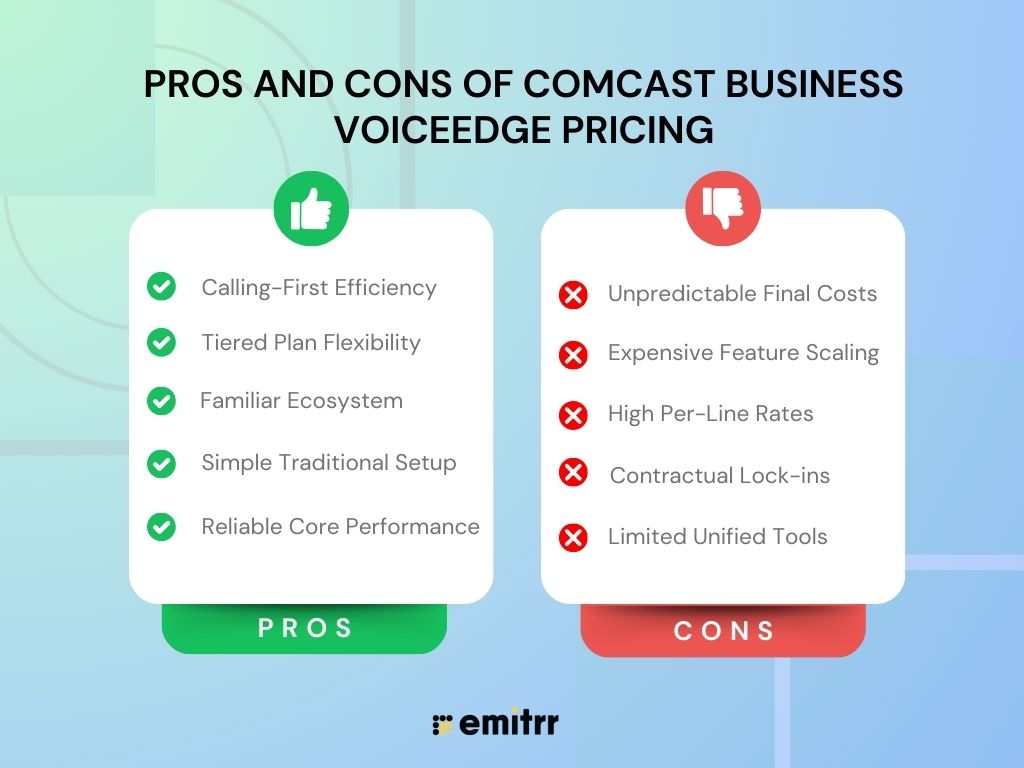
Pros of Comcast Business VoiceEdge pricing
- The service is reliable, and calls generally work without issues, which is really what most businesses care about first.
- It’s a straightforward option if you only need a traditional business phone system and nothing more.
- The setup feels familiar, especially for businesses that already use Comcast for internet or other services.
- You can choose between different plans depending on how basic or advanced your calling needs are.
- It works well for teams that mainly rely on phone calls and don’t need a lot of extra communication tools.
Cons of Comcast Business VoiceEdge pricing
- The pricing structure can be confusing, with different plans and add-ons that make it hard to predict the final bill.
- Costs can increase quickly as your team grows or when you need advanced features like call recording or analytics.
- Per-line pricing makes it expensive to scale over time, forcing you to look for Comcast alternatives.
- Long-term contracts can lock you in, even if your needs change.
- It’s not ideal for businesses that want texting, automation, or follow-ups built into the same platform.
Emitrr Pricing
Let’s take a look at how Emitrr’s pricing compares and why it often ends up being a better fit for many businesses.
Emitrr is built for small and mid-sized businesses that want a VoIP system that’s easy to use without being overly complicated or expensive. Instead of packing in features most teams never touch, Emitrr focuses on the tools businesses actually use day to day, calling, automation, and managing customer conversations in one place.
The platform helps businesses save time and control costs with built-in automation, AI-powered tools, and simple call management that doesn’t require constant setup or upgrades. Whether you’re running a local business, a healthcare practice, or a service-based company, Emitrr gives you a flexible and scalable option that feels easier to manage and more predictable in terms of pricing than many traditional VoIP providers.
Emitrr offers two pricing plans, keeping the structure straightforward:
| Name of the plan | Pricing if paid annually | Pricing if paid monthly |
| Standard | $20 per user per month | $25 per user per month |
| Professional | $25 per user per month | $30 per user per month |
Standard Plan
The Standard plan is a good fit for small businesses that want a reliable VoIP phone system without paying for features they won’t use. It covers the basics really well, making it easy for teams to handle business calls, stay organized, and keep customer conversations running smoothly without added complexity.
What you get:
- Calling (1,000 minutes per user): You get a solid monthly calling allowance, so you’re not constantly worrying about per-minute charges adding up.
- HD voice quality: Calls sound clear and professional, which makes a big difference when talking to customers.
- Call hold music: Keeps callers engaged while they’re waiting.
- Manual call recording: Record calls when you need them for training or reference.
- Call queue groups: Helps manage incoming calls so customers aren’t bouncing around or getting missed.
- Call extensions: Easily route calls to the right person or department.
- Call routing (during & after hours): Automatically direct calls based on your business hours.
- Call transfer & forwarding: Move calls where they need to go without hassle.
- Number porting: Keep your existing business number when switching to Emitrr.
- Contact sync & personal working hours: Sync contacts and set availability to keep workflows clean.
- Mobile app access: Take and manage calls from anywhere using the mobile app.
Overall, the Standard plan works well for small teams that want a dependable, no-frills phone system that simply gets the job done.
Professional Plan
The Professional plan is built for businesses that need more automation, better call handling, and stronger controls. It includes everything in the Standard plan, plus tools that help teams respond faster, stay organized, and reduce manual work.
What you get:
- Call transcription: Call transcription automatically turns phone conversations into text, making it easy to review important details later without replaying entire calls.
- IVR / call tree: An IVR or call tree helps route callers through an automated menu so they reach the right person or department faster, reducing hold times and confusion.
- Automated call recording: Automated call recording ensures every call is captured without anyone needing to remember to press record, which is especially helpful for training or compliance.
- Missed call auto text: Missed call auto text sends an instant message when a call is missed, helping businesses follow up quickly and avoid losing potential leads.
- Call conferencing: Call conferencing allows multiple people to join the same call, making team discussions or client meetings easier to coordinate.
- Voicemail transcription: Voicemail transcription converts voicemails into readable text, saving time and making it easier to respond quickly.
- HIPAA compliance: HIPAA compliance ensures sensitive customer and patient information is protected, which is critical for healthcare and other regulated industries.
- Access management: Access management lets businesses control who can see or use specific features, helping maintain security and prevent unauthorized changes.
The Professional plan makes more sense for growing businesses that need more automation, better oversight, and added security. It’s especially useful for industries like healthcare, legal, and finance, where compliance and call tracking really matter.
How does Emitrr Offers Better Value for Money as compared to Comcast Business VoiceEdge pricing?
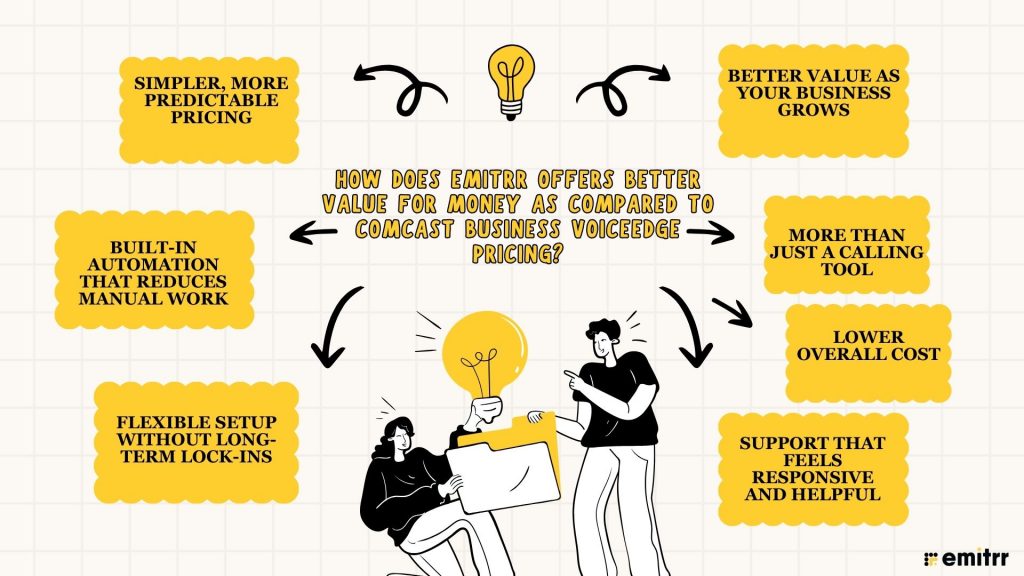
With Emitrr, a lot of features that businesses actually need are already included instead of being locked behind higher tiers. Major features like automation, two-way texting, missed-call follow-ups, and call management are part of the core experience. With Comcast Business VoiceEdge, many advanced features only come with higher plans or added costs, which can make the pricing feel layered and restrictive.
Simpler, More Predictable Pricing
Emitrr’s pricing is easier to understand upfront, so businesses know what they’re paying for without constantly checking which feature is included where. In comparison, Comcast Business VoiceEdge Pricing often depends on plan levels, per-line charges, and add-ons, which can make the final bill harder to predict over time.
Better Value as Your Business Grows
As teams grow, costs matter more. Emitrr scales without making you feel penalized for adding users or expanding usage. On the other hand, the Comcast Business VoiceEdge cost can increase quickly because pricing is tied closely to phone lines and feature upgrades.
Built-In Automation That Reduces Manual Work
Emitrr focuses heavily on automation that saves time, like missed call auto-texts, call routing logic, and AI-powered tools that reduce the need for constant manual follow-ups. With Comcast Business VoiceEdge, businesses often need additional tools or workarounds to achieve the same level of efficiency.
More Than Just a Calling Tool
Emitrr isn’t just about handling calls; it’s about managing customer communication in one place. Beyond voice, it supports texting, follow-ups, and conversation and reputation management, which is where many businesses actually see value. Comcast Business VoiceEdge is more phone-focused, which works for some teams but can feel limiting for others.
Flexible Setup Without Long-Term Lock-Ins
Emitrr offers flexibility without tying businesses into long contracts, making it easier to adapt as needs change. In contrast, Comcast Business VoiceEdge Pricing often comes with contract commitments that can be frustrating if your business outgrows the system or wants to switch.
Support That Feels Responsive and Helpful
Businesses using Emitrr often value the feeling that support is accessible and responsive when something goes wrong. With larger providers like Comcast, support can feel slower or more process-driven, especially when dealing with billing or plan changes.
Lower Overall Cost
When you add everything up, features, flexibility, automation, and support, Emitrr tends to deliver more value for the money. Many businesses find that even if the starting price looks similar, the overall Comcast Business VoiceEdge pricing ends up higher once upgrades, add-ons, and scaling are factored in.
FAQs
Comcast Business VoiceEdge pricing is typically charged per line, per month, and usually falls between the low-to-mid range depending on the plan you choose, your location, contract length, and any promotions. The final Comcast Business VoiceEdge cost can increase if you add advanced features or extra services.
Comcast Business VoiceEdge Select Pricing usually includes unlimited nationwide calling, voicemail with voicemail-to-email, basic auto attendants, call forwarding, and access to mobile and desktop apps. It’s designed for businesses that need essential calling features without advanced call management tools.
The Comcast Business VoiceEdge pricing can change based on the number of lines, contract terms, bundling with internet services, and added features like call recording or international calling. Because of this, most businesses need to request a custom quote to see their actual cost.
Yes, there can be additional costs beyond the base plan. These may include desk phone hardware, international calling, toll-free numbers, taxes, regulatory fees, and early termination fees if you cancel before your contract ends.
Comcast Business VoiceEdge can work well for businesses that mainly rely on phone calls, but the per-line pricing and higher costs for advanced features can make it expensive as teams grow. Some businesses explore alternatives like Emitrr when they want more flexibility and predictable pricing.
Conclusion
Comcast Business VoiceEdge can work for businesses that only need basic calling, but the pricing can get complicated and expensive as teams grow or need more features. In contrast, Emitrr offers more value by bundling essential tools like automation, text messaging, and smart call management into simpler, more predictable pricing.
For businesses that want an easier-to-use VoIP service without constantly paying extra, Emitrr is often the better choice.

 4.9 (400+
reviews)
4.9 (400+
reviews)