
Introduction
Urgent care centers run on speed. Patients walk in expecting quick treatment. Staff work under constant pressure. Phones keep ringing. Insurance checks pile up. Charts need to be completed fast. And every delay shows up as longer wait times and frustrated patients. That is exactly where the right EMR for urgent care makes a real difference.
Urgent care never really knows what the day will look like. Some shifts are easy. Others are chaos. When walk-ins keep coming, phones won’t stop ringing, and insurance and lab work stack up, things can get overwhelming fast. An urgent care–focused EMR helps bring some much-needed order to that chaos. It keeps patient flow moving. It supports fast documentation. It connects front desk staff with clinical teams. And when you pair this with the right communication tools, you can drastically improve the entire patient experience!
So let’s take a closer look at what an EMR for urgent care actually does, which platforms work best, and how Emitrr helps fix the communication gaps most systems tend to leave behind.
What Is an EMR for Urgent Care?
You can think of an EMR for urgent care as the control room of your center. It is the system that keeps patient details, visit notes, billing, scheduling, and insurance information in one place. Everything your team needs to run the day flows through it.
Regular clinic EMRs are built for appointments that are planned days in advance. Urgent care is different. Patients walk in without warning. The front desk needs to move fast. Providers need to document quickly. Billing needs to happen the same day. An urgent care EMR is built for this kind of pace. It helps patients get checked in quickly. It guides doctors through fast charting. It shows staff where each patient is in the visit process. And it handles billing and insurance without delays.
So basically, a HIPAA-compliant EMR for urgent care can really save your day from falling apart. It helps your team stay organised and makes sure patients move smoothly from check-in to treatment to discharge!
Benefits of Using the Best EMR for Urgent Care Centers
Running an urgent care centre can feel hectic from the moment doors open. The right EMR helps bring order to busy days and takes some pressure off your team.
Faster patient check-in and registration
Front desk lines are one of the quickest ways things slow down in urgent care. A good EMR makes check-in quicker by capturing patient details without repeated typing. Patients can fill out forms digitally, even before reaching the desk. Insurance cards can be scanned in seconds instead of entered manually. Fewer mistakes happen along the way. Your staff can focus on moving patients through, not chasing paperwork.
Improved triage and clinical documentation
Urgent care visits don’t leave room for long notes or complicated workflows. EMRs built for urgent care come with ready-made templates for common injuries and illnesses. Providers don’t have to start from a blank screen every time. Charting becomes faster and more consistent across the team. This also makes it easier to review notes or handle follow-ups later.
Improved compliance and data security
Patient information is something you can’t afford to get wrong. Urgent care EMRs are built to keep data safe without making work harder for your team. Information is stored securely, and access is limited based on roles. This means staff only see what they actually need to see. Activity is tracked quietly in the background with audit trails. The result is fewer compliance worries and more trust from patients.
Shorter patient wait times
Nothing frustrates patients more than waiting without knowing what’s happening. EMRs with real-time tracking show exactly where each patient is in the process. Staff can quickly see who’s waiting, who’s being treated, and who’s almost done. Delays are spotted earlier instead of piling up. The day flows better, and wait times naturally come down.
Streamlined billing and insurance verification
Billing issues often start at check-in. Urgent care EMRs verify insurance eligibility right away. Visits are coded correctly based on the care provided. This reduces denied claims and back-and-forth with payers. Billing teams spend less time fixing mistakes. Faster, cleaner billing also improves cash flow for the center.
Better coordination between the front desk and clinical staff
Urgent care teams move fast, and miscommunication causes delays. An EMR keeps everyone working from the same information. The front desk knows when rooms are free. Providers see which patients are waiting. Nurses understand what needs to happen next. This shared visibility improves teamwork. The whole center runs more smoothly.
Reduced administrative burden for urgent care teams
Manual work piles up quickly in busy clinics. A strong EMR automates repetitive tasks like charting prompts and billing steps. Reports generate automatically instead of being built by hand. Staff spend less time clicking and switching screens. This reduces burnout over time. Teams can focus more on patients and less on systems.
Better patient communication and follow-ups
An urgent care visit doesn’t stop the moment a patient leaves. People often head out with questions or forget small but important next steps. When your EMR supports communication, staying in touch feels effortless. Discharge instructions and follow-ups go out on time, without anyone needing to remember them. Things feel organised instead of rushed. And patients walk away feeling supported, not confused.
Key Features to Look for in the Best EMR for Urgent Care
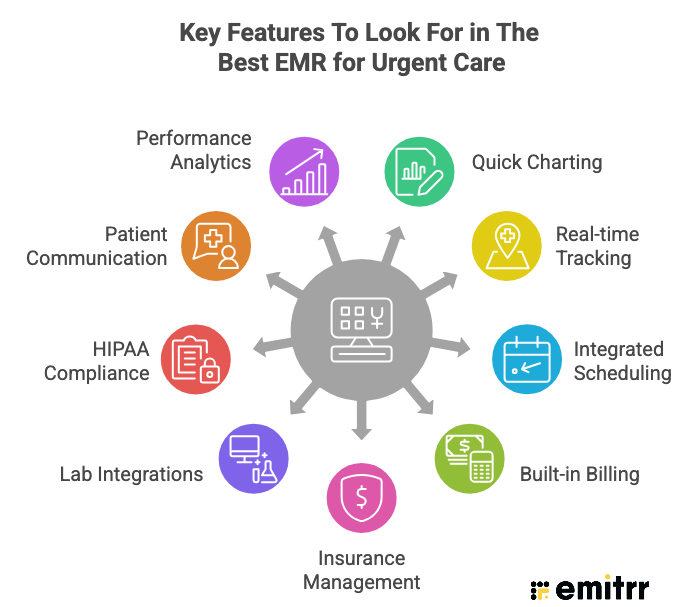
An urgent care EMR should support speed without sacrificing accuracy. These features help teams move faster, stay organised, and deliver a better patient experience even on the busiest days.
Quick charting and urgent care-specific templates
Urgent care providers do not have time for lengthy documentation. EMRs built for urgent care offer ready-to-use templates for common conditions, injuries, and procedures. This reduces repetitive typing and keeps notes consistent. Providers can complete charts during the visit instead of after hours. Faster charting also means quicker patient turnaround.
Real-time patient tracking and status boards
Knowing where patients are at all times keeps things running smoothly. Status boards show who has checked in, who is waiting, and who is currently being treated. Staff do not need to ask around or guess what is happening next. Delays become easier to identify early. This helps reduce crowding and confusion during peak hours.
Integrated scheduling for walk-ins and appointments
Most urgent care centers now manage both walk-ins and scheduled visits. A good EMR balances both without creating scheduling conflicts. It keeps appointment slots flexible while still allowing walk-ins throughout the day. Front desk staff can manage the flow better. Patients also get clearer expectations about wait times.
Built-in billing and coding for urgent care visits
Urgent care billing happens fast and often on the same day. EMRs designed for urgent care support visit-based billing and accurate coding. Charges are captured during documentation instead of after. This reduces errors and missed revenue. Clean claims move through the system faster.
Insurance eligibility and claims management
Insurance issues slow everything down if handled late. Real-time eligibility checks during the digital patient check-in prevent surprises. Staff know coverage details before care begins. Automated claims workflows reduce manual follow-ups. Fewer denials mean less rework. Billing teams save hours every week.
Lab, imaging, and pharmacy integrations
Urgent care depends heavily on diagnostics. EMRs should connect smoothly with labs, imaging providers, and pharmacies. Orders are sent digitally instead of manually. Results return directly into patient charts. Providers do not need to chase reports. This speeds up diagnosis and treatment decisions.
HIPAA-compliant data storage and role-based access
Protecting patient data is essential. Urgent care EMRs use secure storage and strict access controls. Staff only see the information needed for their role. This reduces the risk of data exposure. At the same time, workflows stay fast and simple. Security works quietly in the background.
Patient communication and notification capabilities
Patients expect clear communication throughout their visit. EMRs that support messaging help send reminders, updates, and instructions easily. Visit confirmations reduce no-shows. Post-visit messages reinforce care instructions. Patients feel informed instead of confused. Better communication improves trust and satisfaction.
Reporting and performance analytics for urgent care
Data helps urgent care centers improve every day. Reporting tools track wait times, visit volume, and staff efficiency. Leaders can identify patterns quickly. Staffing and scheduling decisions become more accurate. Clear insights support better planning and long-term growth.

Top 10 EMRs for Urgent Care Centers: Detailed Analysis
Every urgent care center runs a little differently, but the pressure to move fast is the same everywhere. The top 10 EMRs listed below are popular because they understand the pace and are built to support quick decisions, high patient volume, and smoother daily operations.
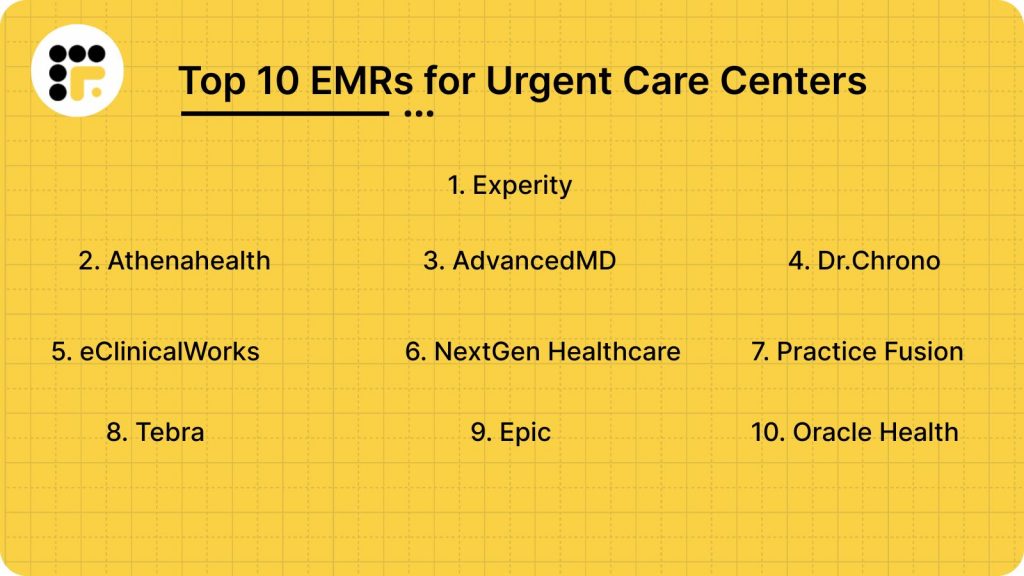
Here’s a detailed breakdown of the top 10 EMRs for urgent care:
- Experity
- Athenahealth
- AdvancedMD
- DrChrono
- eClinicalWorks
- NextGen Healthcare
- Practice Fusion
- Tebra
- Epic
- Oracle Health
1. Experity: Best for Urgent Care-Focused Workflows
Experity Overview
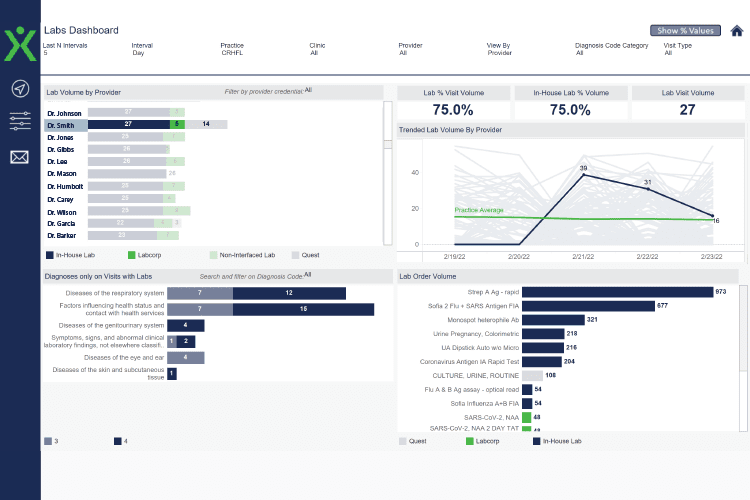
Experity is built specifically for urgent care. Not adapted. Not modified. Designed for it. That shows in how fast documentation moves and how clearly you can track patients through the visit lifecycle. If your centre handles high daily volume, the built-in patient tracking and visit-based templates can make your shift feel far more controlled.
Experity Features
- Visit-based charting templates: Pre-built templates designed for same-day urgent care visits so you can document faster.
- Real-time patient tracking board: Lets your team see where every patient is in the workflow instantly.
- Integrated billing capture: Charges are recorded during documentation, reducing missed revenue.
- Lab and imaging integrations: Keeps diagnostic results directly inside the patient chart.
- Operational reporting dashboard: Gives you visibility into volume, throughput, and provider performance.
- E-prescribing tools: Sends prescriptions electronically and speeds up discharge.
Pros & Cons of Experity
| Pros of Experity | Cons of Experity |
| Built specifically for urgent care | May feel too specialised outside urgent care |
| Strong real-time tracking visibility | Limited deep customisation |
| Clinical and billing tightly integrated | Premium pricing compared to basic systems |
| Designed for high patient volume | Learning curve for new staff |
Experity Pricing
Pricing is customised based on visit volume, provider count, and implementation needs.
Experity Reviews
“Overall this EMR system was easy to use in the setting of urgent care”
“Overall a great product in the capacity we use it for. Our primary use is for the clinical side of patient care.”
Source: Capterra
2. Athenahealth: Best for Revenue Performance
Athenahealth Overview
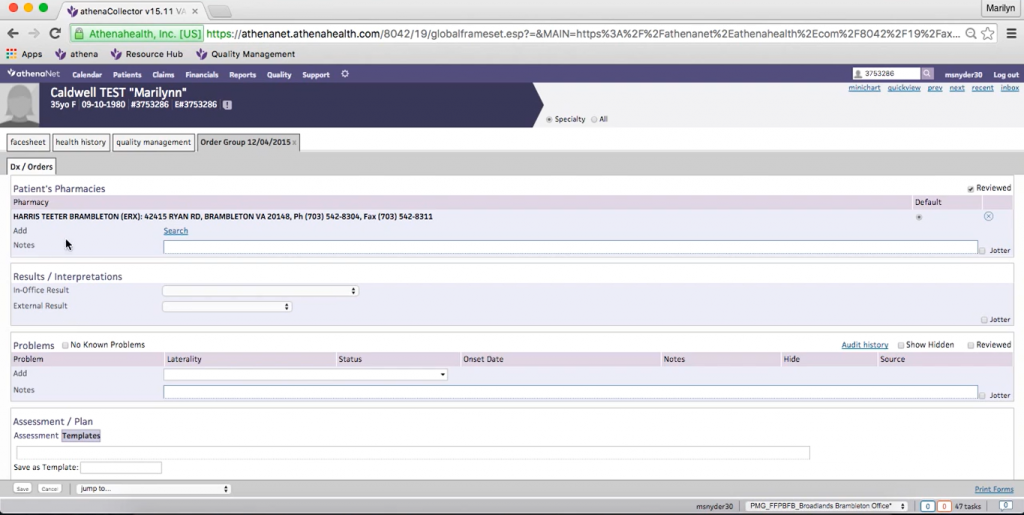
Athenahealth is often chosen when revenue predictability matters most to you. Its strong payer network and billing infrastructure reduce denials and smooth out reimbursement cycles. If your urgent care centre struggles more with claims than documentation, Athenahealth can stabilise the financial side. It also supports smart scheduling, documentation, and front desk workflows without adding complexity.
Athenahealth Features
- Extensive payer network: Simplifies insurance verification and claims submission.
- Revenue cycle management tools: Reduces denials and improves collections.
- Smart scheduling system: Supports both walk-ins and pre-booked visits.
- Cloud-based updates: Keeps you aligned with evolving payer requirements.
- Patient engagement portal: Enables secure communication and record access.
- Performance analytics: Helps you track financial and operational metrics.
Pros & Cons of Athenahealth
| Pros of Athenahealth | Cons of Athenahealth |
| Strong billing infrastructure | Percentage-based pricing model |
| Reliable payer integration | Setup can feel complex |
| Regular compliance updates | Customisation may require configuration |
| Good for growing centres | Interface may feel dense |
Athenahealth Pricing
Typically follows a percentage-of-collections model rather than flat monthly pricing.
Athenahealth Reviews
“I like how efficient it is to use the software. I am able to check into my medical appointment, schedule appointments, and get customer support for any issues, medical or otherwise.”
“AthenaOne is a highly convenient medical records platform that facilitates tracking patient information, scheduling appointments, diagnostic and procedural coding, as well as insurance billing and claims. It has an easy to use interface with customer support and advanced security.”
Source: Capterra
3. AdvancedMD: Best for Flexibility and Control
AdvancedMD Overview
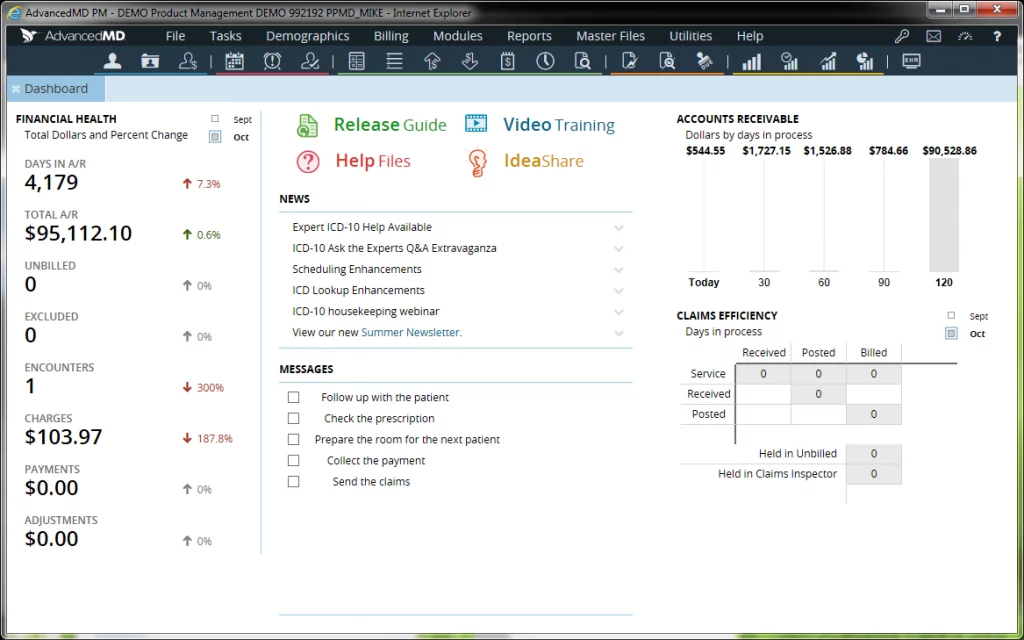
AdvancedMD works well if you want your system to adapt to how your urgent care actually operates. You can customise templates, workflows, and reporting without feeling boxed in. It’s especially helpful if your centre is growing or managing multiple providers.
AdvancedMD Features
- Customisable documentation templates: Lets you tailor charting to your workflow.
- Integrated scheduling and billing: Keeps clinical and financial tasks aligned.
- Detailed reporting tools: Tracks patient flow, revenue trends, and provider productivity.
- Revenue cycle management support: Improves claim accuracy and reimbursement speed.
- Cloud-based accessibility: Access from multiple devices across shifts.
- Patient communication tools: Supports reminders and follow-ups.
Pros & Cons of AdvancedMD
| Pros of AdvancedMD | Cons of AdvancedMD |
| High customisation flexibility | Setup may take longer |
| Strong reporting depth | Interface can feel busy |
| Scales with growth | Learning curve for full feature use |
| Integrated practice management | Premium tiers increase cost |
AdvancedMD Pricing
Modular pricing depending on selected features and provider count.
AdvancedMD Reviews
“I have been using AdvanceMD for 6 years now. It is well integrated and has all of the software that I need in running my solo medical practice. It contains PM, Reporting, Messaging, Faxing, Patient Portal, EMR and E-prescribing. It is very customizable.”
“The graphics are a little outdated but the softwares functionality out weighs that by far.”
Source: Capterra
4. DrChrono: Best for Ease of Use
DrChrono Overview
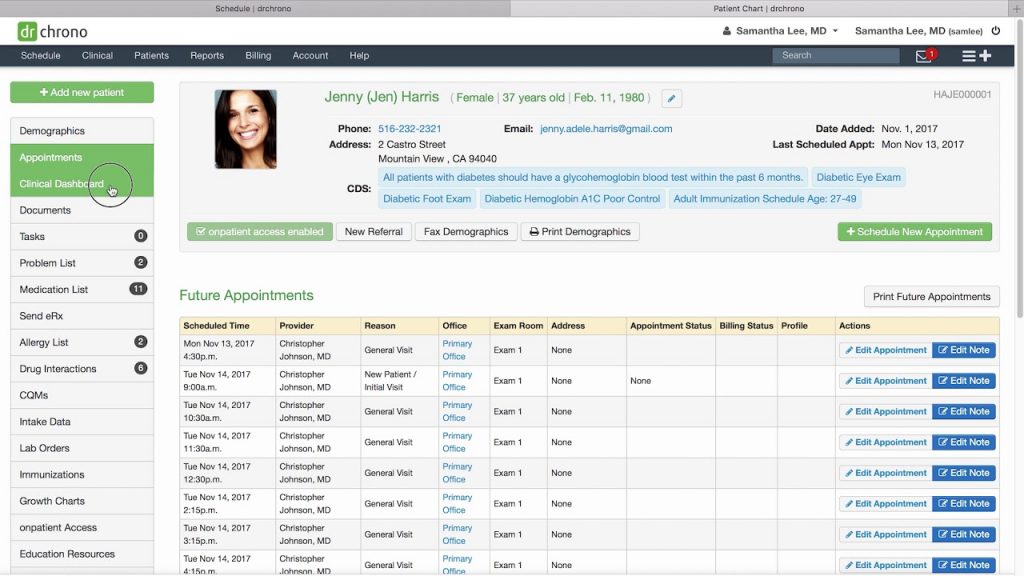
DrChrono is a favourite for teams that want something simple and easy to pick up. The interface feels clean and straightforward, which helps in fast-paced urgent care environments. It works smoothly across desktops, tablets, and mobile devices, so providers can document visits wherever they’re comfortable. Charting, scheduling, billing, and basic patient communication are all handled in one system. Many urgent care centres choose DrChrono because it’s flexible without feeling overwhelming.
DrChrono Features
- Mobile-friendly interface: Works smoothly on tablets and desktops.
- Quick charting workflows: Reduces documentation time during busy shifts.
- Integrated scheduling system: Manages appointments and walk-ins in one place.
- Billing integration: Connects documentation directly to claims.
- E-prescribing tools: Sends prescriptions electronically.
- Basic patient messaging tools: Supports reminders and communication.
Pros & Cons of DrChrono
| Pros of DrChrono | Cons of DrChrono |
| Easy to learn and navigate | Limited depth for large organisations |
| Clean and intuitive interface | Advanced tools require add-ons |
| Good mobile flexibility | Reporting features are basic |
| Works well for small teams | Less suited for complex enterprise needs |
DrChrono Pricing
Tier-based pricing depending on features selected.
DrChrono Reviews
“I like the set of features they have – compliant to data safeguarding standards, managing historical customer medical history, effective scheduling and management of appointments”
“Easy to view schedule, simplified without the fluff. Many customizable features for documentation and notes which can be used for a variety of medical practices.”
Source: Capterra
5. eClinicalWorks: Best for Scalability and Multi-Location Growth
eClinicalWorks Overview
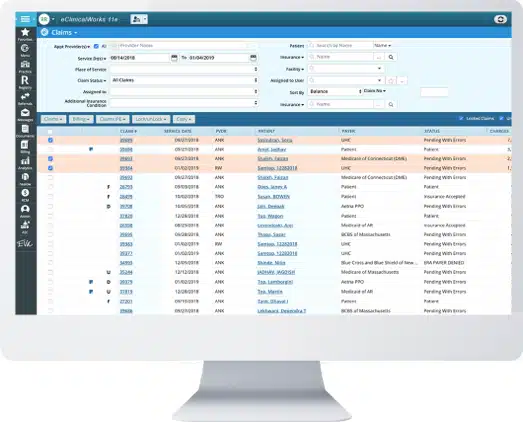
eClinicalWorks is often chosen when your urgent care centre plans to grow. Whether you’re adding providers or opening additional locations, the system supports expansion. It combines clinical documentation, billing, patient engagement, and analytics in one platform.
eClinicalWorks Features
- Comprehensive documentation tools: Supports detailed urgent care charting.
- Revenue cycle management: Improves billing efficiency and collections.
- Patient engagement modules: Includes portals and communication tools.
- Interoperability features: Connects with labs, imaging, and external systems.
- Population health analytics: Tracks trends across visits.
- Multi-location support: Keeps multiple centres connected.
Pros & Cons of eClinicalWorks
| Pros of eClinicalWorks | Cons of eClinicalWorks |
| Strong scalability | Interface may feel complex |
| Wide integration ecosystem | Customisation requires training |
| All-in-one functionality | Setup can be time-intensive |
| Good for larger networks | Premium modules increase cost |
eClinicalWorks Pricing
Custom pricing based on organisation size and selected modules.
eClinicalWorks Reviews
“It’s very user-friendly. I like that you can access both medical and admin information at the same time.”
“I enjoyed the software speed and efficiency as well as the ease of use when training new users”
Source: Capterra
6. NextGen Healthcare: Best for Mixed Visit Types and Structured Growth
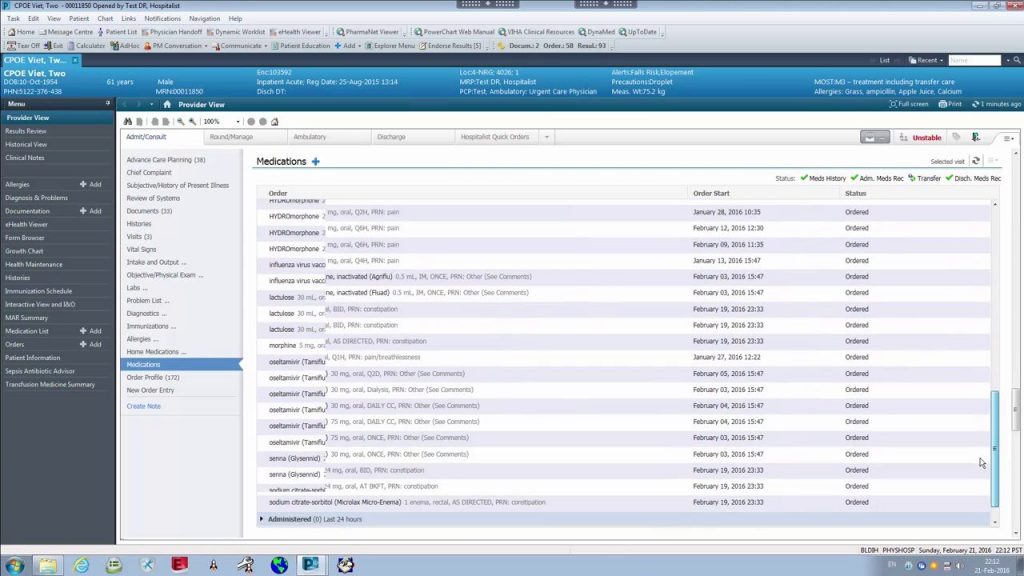
NextGen Healthcare Overview
If your centre handles varied visit types, NextGen Healthcare gives you the flexibility to document care, manage prescriptions, and handle billing without feeling boxed in. You get strong reporting tools that help you understand patient flow and operational performance better. It also integrates well with labs, imaging providers, and digital patient engagement tools, which makes day-to-day coordination easier for your team.
NextGen Healthcare Features
- Flexible charting templates: Supports both episodic urgent visits and follow-up care documentation.
- Integrated prescribing tools: Allows electronic prescription management within visit flow.
- Built-in billing workflows: Captures charges during care to reduce revenue leakage.
- Advanced reporting dashboards: Helps you analyse patient throughput and financial performance.
- Lab and imaging integrations: Connects directly with diagnostic providers.
- Patient engagement modules: Supports portals and communication tools.
Pros & Cons of NextGen Healthcare
| Pros of NextGen Healthcare | Cons of NextGen Healthcare |
| Strong flexibility for varied visit types | Interface can feel complex |
| Good reporting depth | Implementation may take time |
| Scales with organisational growth | Training required for advanced features |
| Strong interoperability capabilities | Higher cost than lightweight systems |
NextGen Healthcare Pricing
Custom pricing based on provider count and selected modules.
NextGen Healthcare Reviews
“The workflows are good and ever improving. Reporting, interfaces and interoperability are strong.”
“Staying on top of regulations and requirements. They seem to be trying to innovate and improve the product each year. They are on top of the MIPS requirements with workflows that help achieve those goals.”
Source: Capterra
7. Practice Fusion: Best for Smaller or Independent Urgent Care Centers
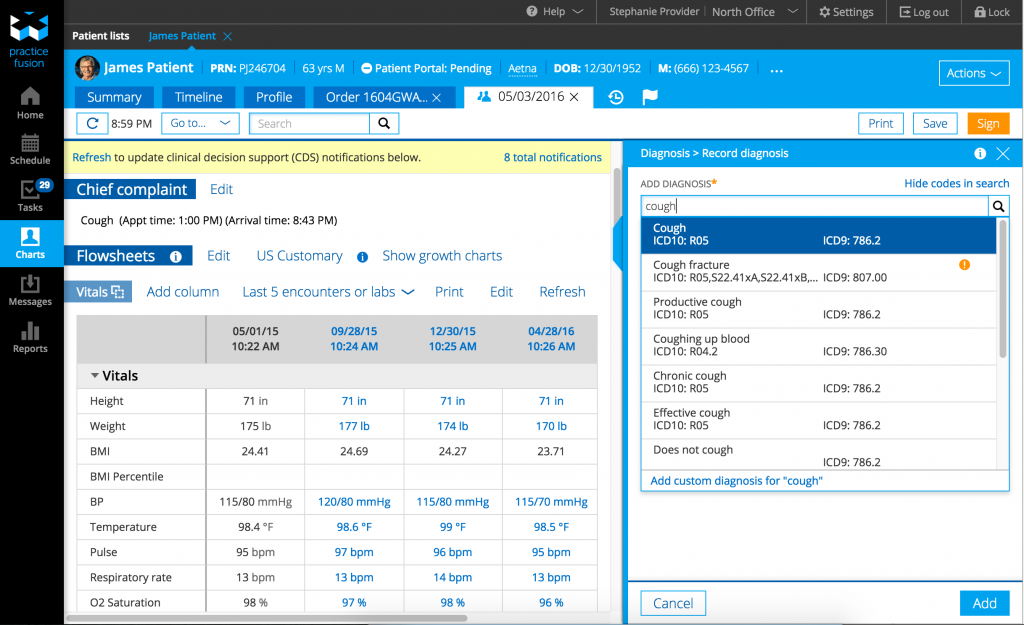
Practice Fusion Overview
Practice Fusion is often considered if your urgent care centre is independently run and you want something simple to implement. It’s cloud-based and lightweight, so you can get started without a heavy onboarding process. If your priority is essential documentation and e-prescribing without complex enterprise tools, this may fit your needs.
Practice Fusion Features
- Cloud-based EMR access: Enables quick setup without major infrastructure.
- Simple documentation templates: Keeps charting straightforward and fast.
- E-prescribing integration: Sends prescriptions electronically to pharmacies.
- Basic billing support: Handles essential claim workflows.
- Patient portal access: Allows patients to view records and communicate.
- Lab integrations: Connects with major diagnostic labs.
Pros & Cons of Practice Fusion
| Pros of Practice Fusion | Cons of Practice Fusion |
| Easy to deploy | Limited advanced reporting |
| Simple and clean interface | Not built specifically for urgent care |
| Good for smaller centres | Fewer custom workflow options |
| Lower complexity | Less scalable for multi-location growth |
Practice Fusion Pricing
Subscription-based pricing depending on provider count.
Practice Fusion Reviews
“Practice Fusion is easy to use and a great way to keep electronic records. I love that it’s web-based so I can get to it from anywhere.”
“It was easy to start with, but needed an EHR system that was more efficient eventually for the patient load as it increased.”
Source: Capterra
8. Tebra: Best for Operational Clarity and Billing Visibility
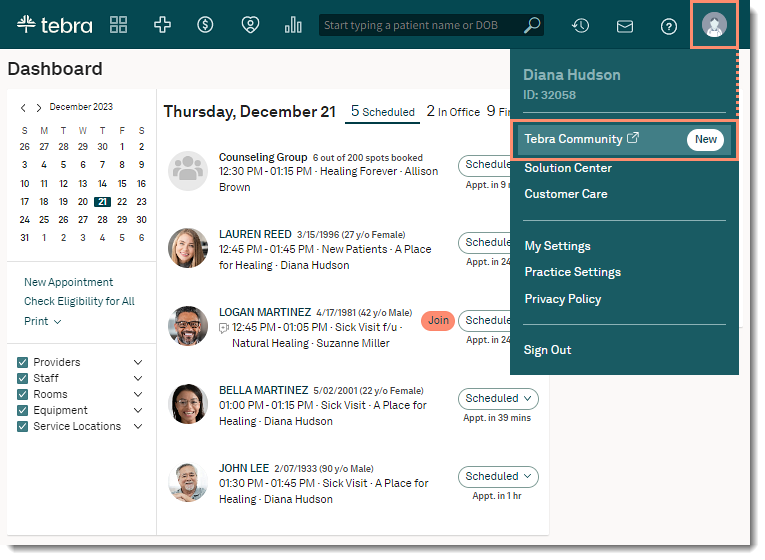
Tebra Overview
Tebra works well if your focus is on tightening up billing and revenue workflows without overwhelming your team. For urgent care centres, that means smoother insurance checks and clearer financial tracking. If you want clinical documentation and billing to feel connected but not complicated, Tebra can provide that balance.
Tebra Features
- Integrated revenue cycle tools: Manages claims, denials, and reimbursements efficiently.
- Insurance verification workflows: Helps reduce front desk back-and-forth.
- User-friendly scheduling tools: Supports appointment and walk-in management.
- Clinical documentation support: Keeps visit notes structured and accessible.
- Reporting dashboards: Tracks collections and operational performance.
- Cloud accessibility: Enables multi-device access.
Pros & Cons of Tebra
| Pros of Tebra | Cons of Tebra |
| Strong billing clarity | Limited enterprise-level depth |
| Easy-to-understand workflows | Basic analytics compared to larger platforms |
| Good for small to mid-sized centres | Less customisation flexibility |
| Practical and streamlined | Not urgent care–specific |
Tebra Pricing
Subscription-based pricing depending on practice size and modules.
Tebra Reviews
“Our overall experience with Tebra has been nothing but positive, from the onboarding experience to the ease of communicating with patients and receiving payments from patients and insurance companies.”
“It was good. As a provider of 20+ years, I have experience with multiple EMRs and when it comes to ease of use, it is above average”
Source: Capterra
9. Epic: Best for Hospital-Connected Urgent Care Networks
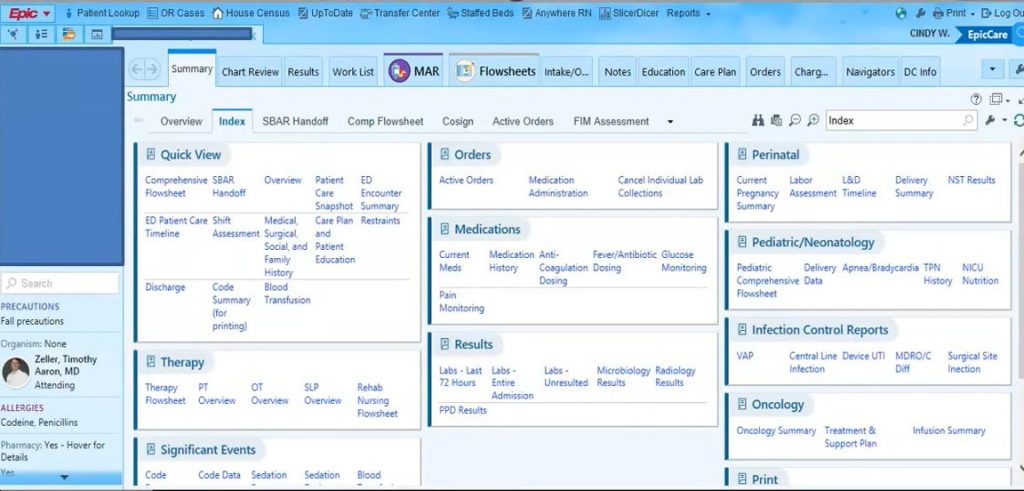
Epic Overview
Epic Systems is usually a fit when your urgent care centre is part of a larger hospital or health system. If your patients move between urgent care, emergency departments, and specialty clinics, Epic helps keep records connected across all those settings. This means your providers can see a complete picture of patient journey without any extra steps. While it can feel too complex for standalone centres, it works well when your urgent care needs to stay closely aligned with a broader network.
Epic Features
- Enterprise-wide interoperability: Shares records across hospitals and clinics seamlessly.
- Comprehensive clinical documentation: Supports detailed charting across departments.
- Integrated revenue cycle management: Aligns urgent care billing with system-wide operations.
- Advanced analytics tools: Tracks performance across locations.
- Patient portal integration: Enables centralised patient engagement.
- Population health management tools: Supports coordinated care across systems.
Pros & Cons of Epic
| Pros of Epic | Cons of Epic |
| Seamless cross-facility integration | Very high implementation costs |
| Comprehensive enterprise features | Steep learning curve |
| Strong data visibility | May feel excessive for standalone centres |
| Excellent continuity of care | Long deployment timelines |
Epic Pricing
Enterprise-level pricing. Often significant upfront implementation investment.
Epic Reviews
“Epic is a system that makes medical documentation across many healthcare areas easy to collaborate and communicate about patients!”
“My overall experience I have used Epic in a hospital setting and is very user friendly, easy to navigate and clear text search.”
Source: Capterra
10. Oracle Health: Best for Large-Scale Integrated Care Models
Oracle Health Overview
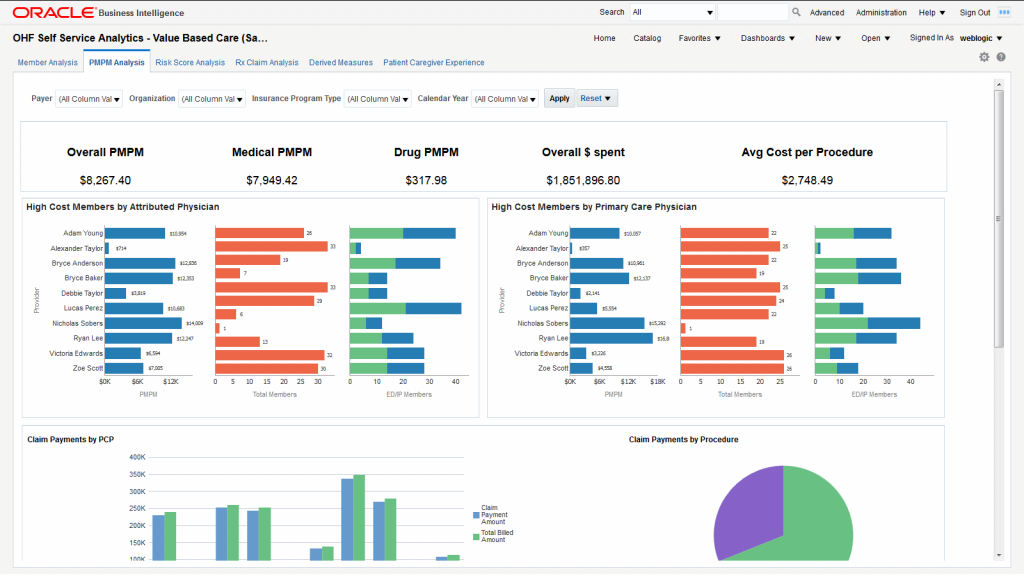
Oracle Health (formerly Cerner) is often used when urgent care centres are part of a larger healthcare organisation. If your centre shares labs, imaging, and billing systems with multiple sites, this platform supports that coordination.
It’s structured for scale and consistency across networks.
Oracle Health Features
- Unified patient record system: Keeps patient information connected across sites.
- Standardised documentation workflows: Promotes consistency across providers.
- Integrated lab and imaging systems: Reduces duplicate work and delays.
- Enterprise analytics dashboards: Tracks operational and financial metrics.
- Revenue management tools: Aligns urgent care billing with system-wide operations.
- Care coordination tools: Supports communication across departments.
Pros & Cons of Oracle Health
| Pros of Oracle Health | Cons of Oracle Health |
| Strong integration across networks | Complex implementation |
| Enterprise scalability | Not ideal for small standalone centres |
| Standardised workflows | Requires extensive training |
| Robust analytics | Higher overall costs |
Oracle Health Pricing
Enterprise pricing based on system size and modules selected.
Oracle Health Reviews
“Overall experience was great! The training is very straight forward for each specific use making it easy to use and easy to train new employees.”
“Overall it was very useful to be able to review and go over clinical information from all patients from the same platform.”
Source: Capterra
How Integrating Your Urgent Care EMR With Emitrr Transforms Patient Communication
Even the best EMR for urgent care can only do so much. While documentation and billing are covered, calls still pile up and follow-ups often slip through during busy hours. That’s exactly where Emitrr steps in. Emitrr works alongside your existing EMR to handle calls, texts, automated appointment reminders, and follow-ups more smoothly. It fills the communication gaps most systems leave behind and makes day-to-day operations feel far more manageable.
HIPAA-compliant calling and texting for urgent care teams
Urgent care teams communicate constantly, and that communication needs to be secure. Emitrr enables HIPAA-compliant calling and texting so staff can reach patients without worrying about compliance. Messages and calls stay within an approved system instead of personal phones. This protects patient data and the practice at the same time. Teams can communicate confidently during busy shifts. Patients also feel reassured knowing their information is handled safely.
AI-powered call handling for high patient call volumes
Call volumes spike quickly in urgent care, especially during peak hours. Missed calls often mean missed visits or frustrated patients. Emitrr uses AI to answer common questions, route calls, and handle overflow automatically. Patients get responses even when staff are tied up. This reduces pressure on the front desk. It also ensures no call goes unanswered.
Real-time EMR data synchronization with patient interactions
When communication tools are disconnected from the EMR, details get lost. Emitrr syncs patient interactions with EMR data in real time. Calls, messages, and form responses align with the correct patient record. Staff do not need to manually update notes across systems. Information stays accurate and complete. This reduces errors and saves time.
Two-way texting for wait time updates and follow-up communication
Waiting without updates is one of the biggest frustrations for urgent care patients. Two-way texting allows teams to share wait time updates instantly. Patients can ask simple questions without calling the front desk. Follow-up instructions are easy to send after the visit. This keeps patients informed and reduces anxiety. Communication feels timely instead of reactive.
VoIP designed for fast-paced urgent care operations
Phone systems need to keep up with urgent care speed. Emitrr VoIP helps teams manage calls efficiently across the clinic. Calls can be tracked, transferred, and reviewed without disrupting workflows. Voicemails are converted into text so staff can respond faster. Nothing gets buried or forgotten. Communication stays organised even during rush periods.
Automated appointment links and visit confirmation messages
Scheduling should not add to staff workload. Emitrr sends automated appointment links that make booking simple for patients. Visit confirmations go out automatically to reduce no-shows. Patients can confirm or reschedule without calling the clinic. This saves front desk time. Schedules stay more predictable throughout the day.
Post visit follow up messages and care instructions
Care does not stop once the patient leaves. Having follow-up software can really help reinforce care instructions and next steps. Patients receive reminders about medications or when to return if symptoms continue. This reduces confusion after the visit. Follow-ups also feel more personal and supportive. Better aftercare leads to better outcomes.
Digital intake and consent forms delivered via text
Paperwork slows down check-in more than anything else. Emitrr sends intake and consent forms directly to patients’ phones. Patients complete forms before arriving or while waiting. Front desk teams spend less time entering data. Check-in moves faster. Visits start on time more often.
Patient feedback and online review collection after visits
Feedback is easiest to capture right after a visit. Emitrr automatically sends review requests when care is complete. Patients can share feedback while the experience is still fresh. This helps urgent care centers understand what is working. Positive reviews also strengthen online reputation. Issues can be addressed early.
Customizable communication workflows for front desk, nurses, and providers
Every urgent care team works a little differently. Emitrr allows workflows to be customised based on roles and responsibilities. Calls can be routed to the right staff automatically. Messages trigger based on visit stage or patient action. This keeps communication organised without manual effort. Teams stay aligned even on busy days.
Key Takeaways
- Urgent care speed: Urgent care centres move fast, and the right EMR for urgent care keeps workflows smooth without slowing teams down.
- EMR foundation: Platforms like Experity, Athenahealth, AdvancedMD, DrChrono, and eClinicalWorks handle documentation, billing, and core operations effectively.
- Where EMRs stop: Most EMRs focus on records and revenue, but patient communication often becomes an afterthought during busy shifts.
- Emitrr advantage: Emitrr fills these gaps by managing calls, texts, reminders, and follow-ups alongside your EMR, so patients stay informed at every step.
- Care without chaos: When your EMR and Emitrr work together, teams spend less time firefighting and more time focused on delivering care.
FAQs
Urgent care centers should really focus on speed, visit-based workflows, billing accuracy, and patient flow visibility. The system should support walk-ins, fast documentation, and real-time tracking.
Yes. Emitrr can integrate with your existing EMRs and work as a communication layer. It can enhance calling, texting, reminders, and follow-ups without replacing current systems.
Most modern urgent care EMRs are built to handle both. They balance scheduled visits while keeping flexibility for walk-ins throughout the day.
The integration will ensure your patients receive timely updates, reminders, and follow-ups through calls and texts. It reduces missed messages and improves overall patient experience.
Yes. Even small or new urgent care centers benefit from EMRs. They help manage growth, reduce manual work, and create a professional patient experience from day one.


 4.9 (400+
reviews)
4.9 (400+
reviews)