
 4.9 (400+
reviews)
4.9 (400+
reviews)
Introduction
Allworx is known as a traditional on-premise PBX and VoIP communication system widely used by small and mid-sized businesses. While it delivers reliable phone hardware and supports features like voicemail, auto attendants, and presence management, it still depends heavily on physical devices and servers, including managing every Allworx phone manual, on-site maintenance, and handling the Allworx phone number setup.
Modern businesses, however, are shifting to cloud-based, flexible, software-driven, hardware-free communication tools. These platforms offer mobility, easy setup, AI capabilities, automation, and lower costs, making them ideal alternatives to Allworx for today’s remote and fast-growing teams.
What is Allworx?
Allworx is a hybrid PBX and VoIP phone system designed for small and mid-sized businesses that prefer traditional, hardware-based communication. It combines on-premise servers with IP phones to deliver calling features like auto attendants, voicemail, call routing, and presence management. As an on-site setup, it gives businesses physical control over their PBX Business Phone Systems while operating like a standard business PBX.
Its typical use cases include office-centric teams, reception-heavy environments, and businesses that rely on desk phones for daily communication. Because Allworx depends on physical phones, wiring, and local hardware, it is best suited for traditional office setups rather than remote or mobile-first teams.
Allworx Features
- IP Desk Phones: Allworx provides reliable IP desk phones designed for traditional office environments. These phones offer high-quality audio, programmable buttons, and a fully hardware-driven experience suited for teams that prefer physical handsets over softphones.
- Call Routing and Auto Attendants: Call routing and auto attendants help direct callers to the right department or extension automatically. This feature reduces manual call handling, improves caller experience, and supports structured communication for offices with high inbound call volumes.
- Voicemail and Voicemail-to-Email: Allworx offers standard voicemail plus voicemail-to-email, allowing users to receive audio files directly in their inbox. This helps employees stay updated and respond quickly, even when they are away from their desk phones.
- Presence Management: Presence management shows user availability—busy, away, in a meeting, or on a call. It helps receptionists and team members determine the best time to transfer calls or initiate communication efficiently.
- Call Recording: Call recording allows businesses to store and review calls for training, compliance, and quality assurance. These recordings can be accessed through the system, providing valuable insights into customer interactions and service performance.
Allworx Pros
- Reliable Uptime: Allworx’s on-premise hardware ensures stable uptime since the system isn’t dependent on internet performance. Local servers keep communication running even during connectivity issues, making it reliable for office-based businesses.
- High-Quality Hardware: Allworx IP phones are durable, well-built, and designed for long-term office use. Their strong hardware quality appeals to businesses that prefer solid physical devices over softphones or mobile-based calling solutions.
- Full System Control: With Allworx, businesses manage their own servers, configurations, and telephony setup. This provides complete control over security, routing, updates, and customization, ideal for companies wanting in-house ownership of their communication system.
Allworx Cons
- Hardware Dependency: Allworx relies heavily on physical phones, servers, and cabling. This increases operational effort, requires storage and upkeep, and restricts flexibility when businesses want mobile, cloud-based, or remote-friendly communication options.
- No Cloud Capabilities: Allworx does not offer true cloud functionality, limiting access outside the office. Teams cannot benefit from browser calling, softphones, or real-time cloud syncing available in modern Allworx alternative platforms.
- High Installation & Maintenance: Installation requires technicians, wiring, and hardware setup. Over time, repairs, replacements, and server maintenance increase operational costs, making Allworx more expensive than most cloud-based Allworx competitors.
- Poor Remote Work Support: Since Allworx relies on office hardware, employees cannot easily work from home or on the go. Remote teams face challenges using features that require physical devices or onsite servers.
- Scaling Requires Hardware: Adding new extensions or users often requires purchasing extra phones, cards, or modules. This makes scaling slow, costly, and inconvenient—especially for growing businesses that need instant expansion.
- Missing Modern Features: Allworx lacks advanced capabilities like omnichannel messaging, SMS appointment reminder, AI-driven replies, and multi-channel engagement tools. These gaps make it harder for businesses to deliver fast, modern, customer-centric communication.
Allworx Pricing
Allworx pricing is not publicly listed on its website. Instead, new and existing customers must contact the company for quotes or discounted upgrades. Costs typically include hardware, installation, licensing, and maintenance, making the overall Allworx replacement cost higher than cloud-based alternatives.
Allworx Integrations
Allworx provides very limited integration capabilities. It doesn’t natively connect with commonly used CRMs, marketing tools, or helpdesk platforms. This restriction often pushes businesses to seek an Allworx alternative that supports modern workflows and deeper software connectivity.
Allworx Customer Support Channels
Allworx support is offered through phone and email, along with a knowledge base and manuals like the Allworx phone manual. However, support quality often depends on the certified reseller or service provider managing the system.
Allworx Ratings
- Allworx ratings information is not publicly available.

Why Businesses Seek An Allworx Alternative?
Modern businesses are shifting to flexible, cloud-based communication tools that require no hardware, scale instantly, and support remote teams. This makes traditional systems like Allworx less suitable, prompting companies to explore faster, smarter Allworx alternatives.
Hardware and On-Premise Dependency
Allworx depends heavily on servers, desk phones, and local configurations, forcing teams to deal with wiring, hardware failures, and the Allworx phone manual. Cloud alternatives eliminate this complexity, offering browser calling, mobile apps, and effortless setup without physical devices.
High Installation and Maintenance Costs
Allworx requires upfront equipment purchases, in-office installation, and technician support for updates or repairs. Over time, this increases operational expenses, making the Allworx replacement cost significantly higher than cloud systems with simple monthly subscriptions and no hardware burden.
Limited Remote Work Flexibility
Allworx isn’t built for remote teams. Employees must rely on office phones and local hardware, restricting mobility. Cloud VoIP platforms provide softphones, mobile apps, and location-independent access, delivering seamless communication for hybrid and distributed teams.
Scalability Problems
Scaling Allworx involves buying new phones, modules, or hardware cards and scheduling technician configuration. This slows down growth and increases costs, unlike cloud systems that allow businesses to add or remove users instantly with simple dashboard controls.
Lack of Modern Features
Allworx lacks advanced communication features such as SMS automation, AI-generated replies, omnichannel messaging, and integrated customer engagement tools. Cloud alternatives offer these capabilities, allowing businesses to improve customer experience and streamline communication across channels.
Better Cloud Competitors Available
Solutions like RingCentral, Nextiva, and Emitrr provide wider features, better mobility, faster setup, and lower operating costs. These Allworx competitors deliver modern communication tools without the limitations of hardware-driven systems, making them stronger long-term choices.
If you want to explore more about VoIP, then check out our YouTube video:
What Features To Look For in an Allworx Alternative?
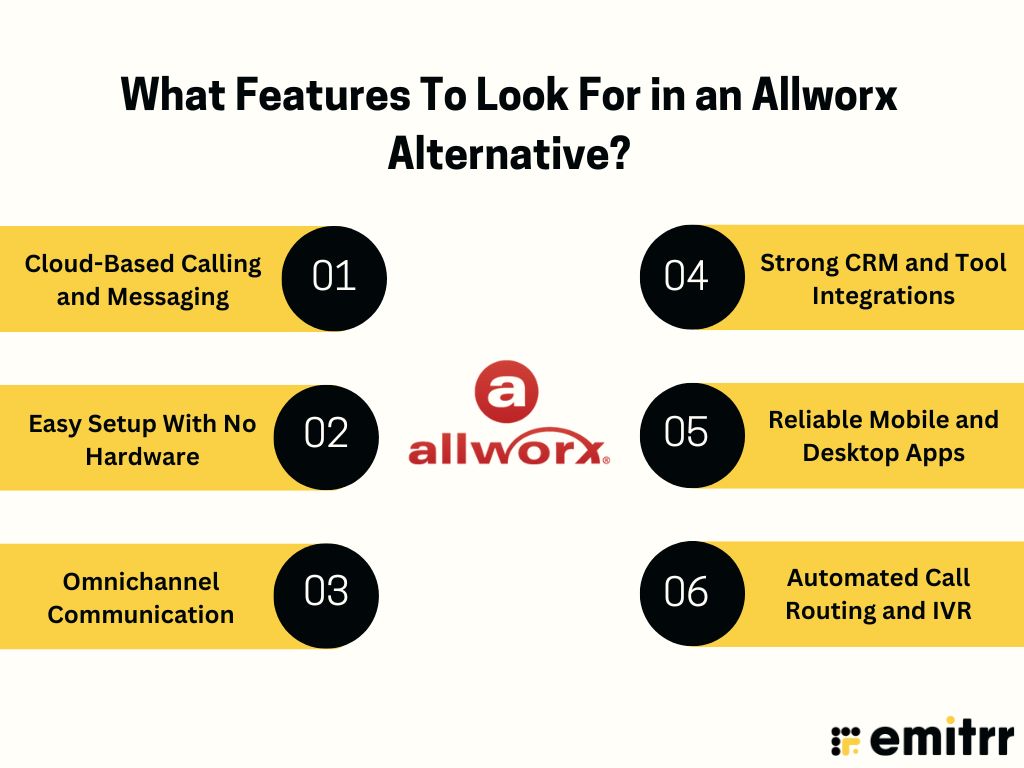
Businesses moving away from hardware-based systems like Allworx need modern, cloud-first communication tools that support VoIP for remote workers, automation, scalability, and easy setup. The right Allworx alternative should simplify communication while reducing operational and maintenance costs.
Cloud-Based Calling and Messaging
A true Allworx alternative should offer cloud-based calling and messaging, allowing teams to communicate from any device without depending on office hardware. This ensures remote-readiness, faster setup, and continuous communication even when employees work from multiple locations.
Easy Setup With No Hardware
Cloud platforms eliminate the need for servers, desk phones, wiring, and technician visits. This reduces installation costs and allows businesses to launch instantly. Users can start calling or HIPAA-compliant texting app directly without dealing with physical equipment.
Omnichannel Communication
Modern alternatives offer calls, SMS, reviews, webchat, and automation under one platform. This creates a unified communication workflow and eliminates the fragmented experience of using separate tools for messaging, customer engagement, and phone calls.
Strong CRM and Tool Integrations
Cloud VoIP systems integrate with leading CRMs, scheduling software, and automation tools, saving teams significant time. This ensures smoother workflows, faster customer response, and better visibility into conversations across all customer-facing departments.
Reliable Mobile and Desktop Apps
Teams should be able to make and receive calls, send texts, and manage communication from anywhere. Mobile and desktop apps ensure business continuity, enabling hybrid or remote teams to stay connected without relying on office phones.
Automated Call Routing and IVR
Modern IVR systems allow smarter, more dynamic routing than traditional PBX setups. Cloud-based routing helps customers reach the right department quickly, reduces wait times, and supports advanced automation not possible with on-premise systems.
Know more about the pros and cons of VoIP in this quick video:
10 Best Allworx Alternatives
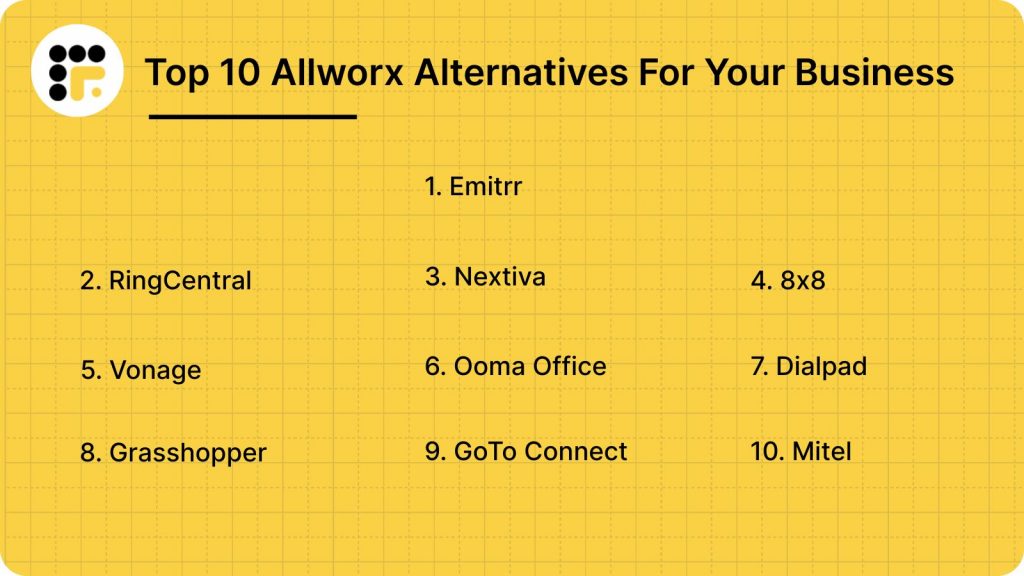
Businesses seeking flexible, cloud-based communication are moving away from hardware-heavy systems like Allworx. This list highlights the top 10 Allworx alternatives, helping you compare features, pricing, and scalability to choose the best replacement.
1. Emitrr
What is Emitrr?
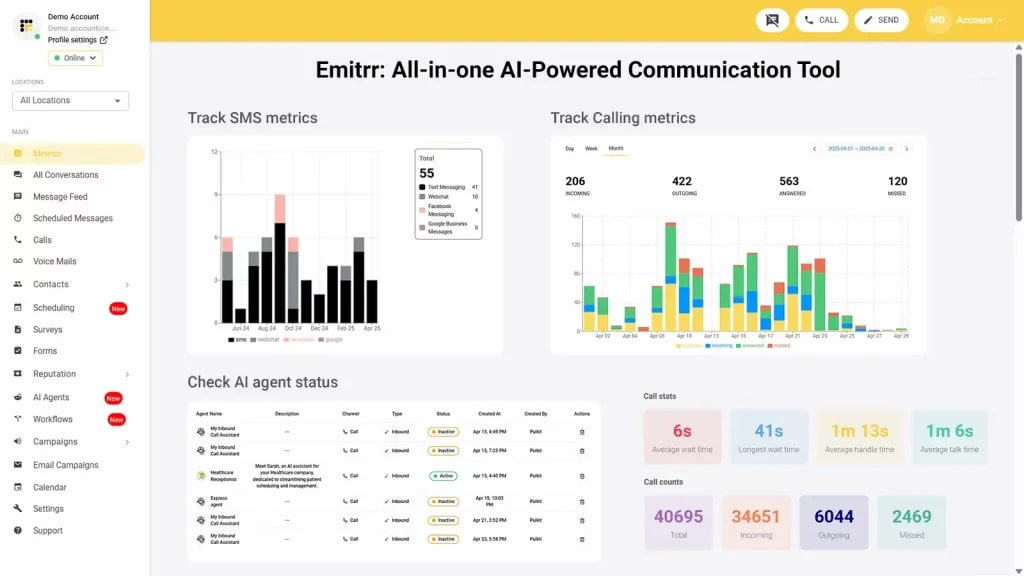
Emitrr is a cloud-based, AI-powered VoIP platform that simplifies and streamlines business communication by unifying calls, texts, and customer interactions in a single platform. Featuring automation, secure messaging, and seamless integrations, Emitrr offers scalable, flexible, and hardware-free solutions, enabling businesses to enhance efficiency, improve responsiveness, and optimize overall workflow management.
Key Features
- AI SMS & Voice Agents: Automates calls, texts, reminders, and follow-ups using AI, saving time while enhancing engagement and HIPAA-compliant patient communication.
- CRM & Tool Integrations: Seamlessly connects with CRMs and business tools to streamline workflows, ensure data accuracy, and improve operational efficiency.
- Secure Messaging: Encrypts messages and logs, fully HIPAA-compliant, safeguarding sensitive information while maintaining secure and auditable communication.
- Missed Call Follow-ups: Sends personalized SMS automatically after missed calls, keeping clients or patients engaged and informed without manual effort.
- Campaign Sequences: Runs AI-driven messaging campaigns with optimized timing to increase responses and engagement efficiently across customers or patients.
Pros
- AI automation reduces repetitive tasks, letting teams focus on high-value work.
- Intuitive dashboard and simple setup enable fast adoption without technical hurdles.
- Wide integrations ensure smooth operation with existing business systems.
Cons
- More advanced features are being added continuously.
Pricing
- Standard Plan ($20/user/month): Cloud calling, texting, AI responses, basic dashboards, and VoIP CRM integrations are ideal for small to mid-sized businesses.
- Professional Plan ($35/user/month): Adds advanced analytics, predictive insights, automated reports, and extended app integrations ideal for growing teams.
Ratings
Support
- 24/7 live chat, email assistance, and guided onboarding.
2. RingCentral
What is RingCentral?
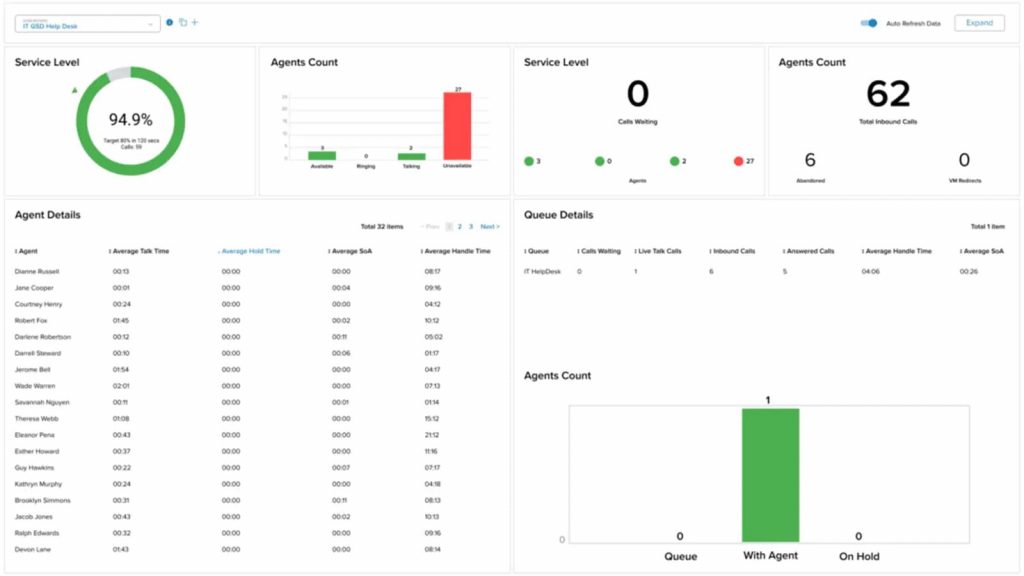
RingCentral is a cloud-based, HIPAA-compliant VoIP platform that centralizes calls, texts, video conferencing, and team messaging in one dashboard. It enables businesses to manage multi-channel communication securely and efficiently, streamlining workflows, improving customer or patient engagement, and ensuring compliance with data privacy standards for reliable, professional interactions.
Key Features
- Two-Way Business SMS: Send and receive HIPAA-compliant messages securely from business or mobile numbers, keeping communication protected and professional.
- Automated Reminders: Schedule SMS or call reminders for appointments and follow-ups to reduce no-shows and improve client retention.
- Multi-Channel Messaging: Manage calls, texts, video conferences, and faxes in one unified, secure texting interface for simplified communication.
- IVR & AI Transcription: Interactive voice menus and AI-powered transcription streamline call handling, documentation, and team productivity.
Pros
- All-in-one communication hub eliminates the need for multiple software subscriptions.
- Scalable for small businesses, clinics, or multi-location networks.
- Enterprise-grade security ensures strong uptime and HIPAA compliance.
Cons
- Pricing is higher than SMS-only providers, which may affect smaller businesses.
- Proper setup is required to maintain HIPAA-compliant messaging standards.
- Feature-rich interface may feel complex for new users initially.
Pricing
- Core Plan ($20–$30/user/month annually): HIPAA SMS/MMS, IVR, video meetings, integrations, voicemail, analytics, and AI transcription—ideal for small businesses or clinics.
- Advanced Plan ($25–$35/user/month annually): Adds call recording, CRM integrations, multi-site support, and AI note-taking for growing teams.
- Ultra Plan ($35–$45/user/month annually): Includes advanced analytics, 200-participant video, unlimited storage, and AI messaging tools—best for large networks.
Ratings
Support
- 24/7 phone, chat, and email support, plus onboarding, training, and documentation.
3. Nextiva
What is Nextiva?
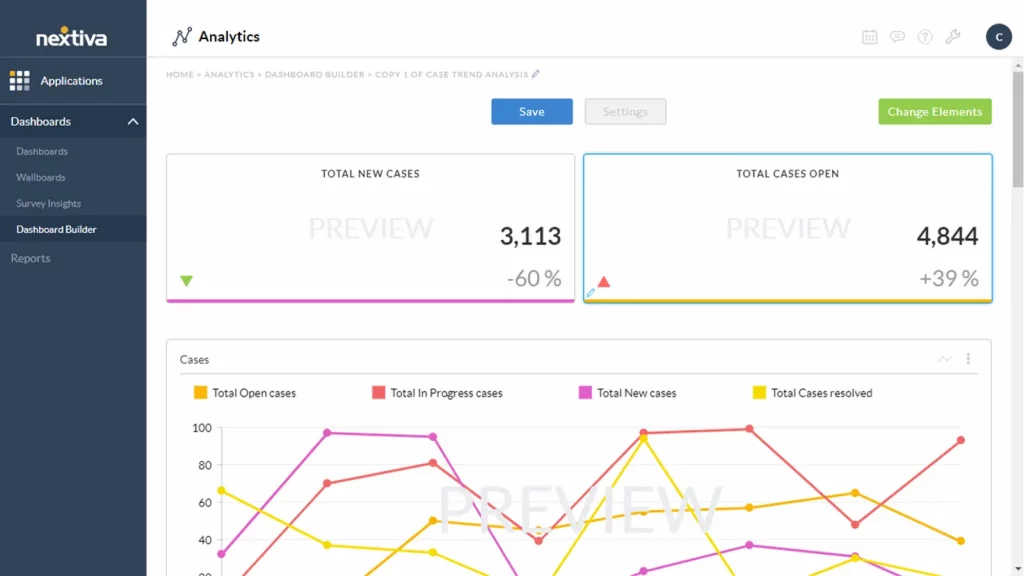
Nextiva is a cloud-based, reliable VoIP platform designed for businesses and wellness clinics. It unifies secure messaging, call management, video meetings, and analytics, helping teams streamline workflows, enhance patient or customer interactions, and maintain efficient, organized communication across solo practitioners or multi-provider teams.
Key Features
- Call Queueing & IVR: Efficiently manage incoming calls and route clients or patients quickly using interactive voice menus for better service.
- Voicemail-to-Email: Converts voicemails into emails for faster access, easier tracking, and efficient message management.
- Advanced Reporting: Provides detailed call analytics to optimize operations, monitor performance, and improve overall communication workflows.
- Video Meetings & SMS: Enables secure video consultations and HIPAA-compliant texting for professional, compliant patient or client communication.
Pros
- User-friendly interface makes communication simple for staff of all technical levels.
- Consistent uptime ensures reliable access to voice and messaging services.
- Responsive customer support helps resolve issues quickly, minimizing workflow disruptions.
Cons
- Lacks healthcare-specific automation features offered by specialized HIPAA-compliant providers.
- May require third-party integrations to cover all clinic workflow needs.
- Pricing can be higher for smaller clinics with limited budgets.
Pricing
- Digital Plan ($25/user/month): Omnichannel messaging, social media, review management, and helpdesk—ideal for small clinics managing patient communication.
- Core Plan ($36/user/month): Adds inbound/outbound voice, business SMS, video meetings, and advanced call routing for solo providers.
- Engage Plan ($50/user/month): Includes team SMS, toll-free minutes, reporting, Microsoft Teams integration, and web chat for growing clinics.
- Power Suite ($75/user/month): Designed for high-volume clinics with skills-based routing, on-hold customization, and unified dashboards.
Ratings
Support
- Phone, email, and live chat support are available to assist businesses or clinics anytime.
4. 8×8
What is 8×8?
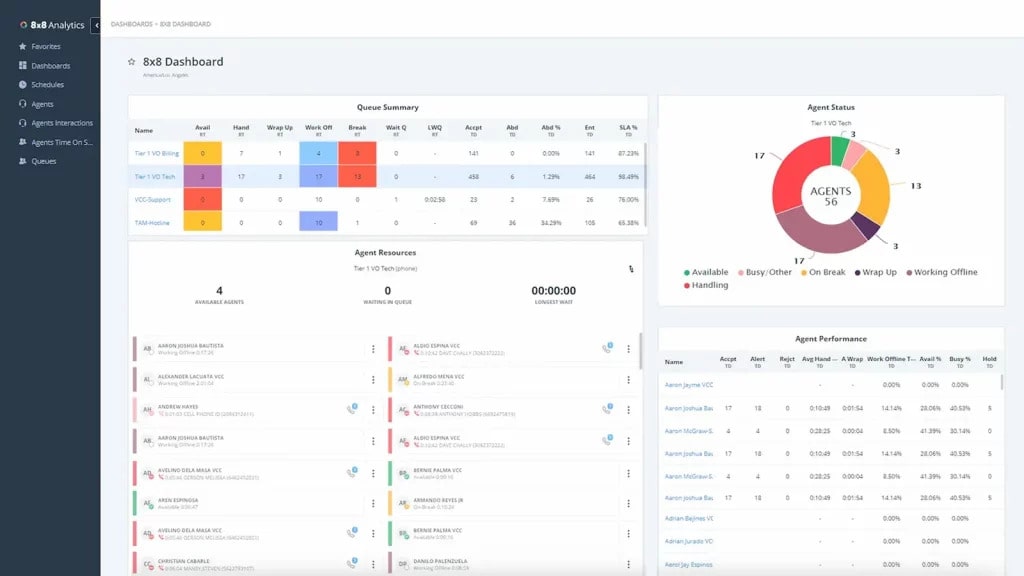
8×8 is a cloud-based, HIPAA-compliant VoIP platform offering secure calling, video, and multi-channel communication. It is ideal for wellness clinics and businesses with global clients, providing scalable, reliable, and compliant solutions to enhance communication efficiency and operational workflows.
Key Features
- Voice, Video & Chat: Enables seamless multi-channel communication for patient or customer engagement and internal team collaboration.
- Advanced Call Analytics: Provides detailed insights to monitor performance, optimize operations, and improve service quality.
- Role-Based Access: Ensures secure data access with permissions tailored to staff roles for compliance and privacy.
- HIPAA-Compliant Tiers: Offers communication plans specifically designed to meet healthcare compliance requirements.
Pros
- Enterprise-level reporting helps clinics and businesses track and improve communication effectiveness.
- Supports global communication, ideal for multi-location and international operations.
- Strong security and compliance protect sensitive patient or customer data across all channels.
Cons
- Key healthcare-specific features are often limited to premium plans.
- Pricing is customized, requiring direct consultation with 8×8 sales.
- Some advanced functionalities may require technical expertise to configure properly.
Pricing
- 8×8 offers customizable plans with secure messaging, video, call analytics, and contact center tools ideal for wellness clinics or businesses needing scalable, HIPAA-compliant VoIP solutions.
Ratings
Support
- Phone, live chat, and ticket-based support provide responsive customer assistance.
5. Vonage
What is Vonage?
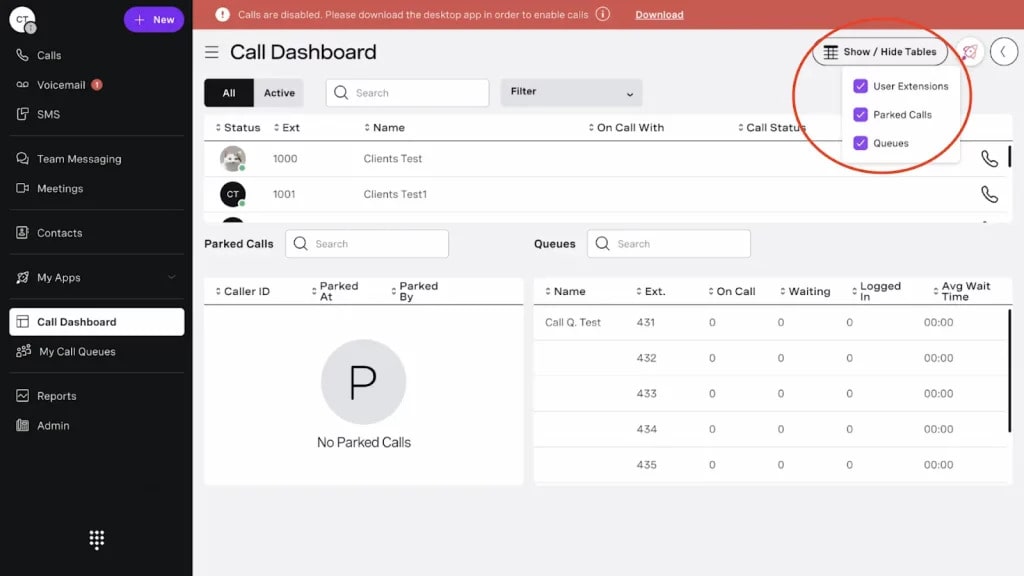
Vonage is a flexible VoIP platform designed for healthcare and wellness clinics, offering customizable communication workflows with mobile and desktop access. It supports secure messaging, programmable call routing, team collaboration, and video meetings, helping clinics improve patient engagement and streamline operations.
Key Features
- Mobile/Desktop Calling: Enables seamless calling from mobile devices and desktop apps, providing staff flexibility and accessibility.
- HIPAA-Compliant Plans: Available on request to ensure secure, compliant patient communication and meet regulatory standards.
- Call Recording with Consent: Securely records calls for quality assurance and staff training while respecting patient consent.
- Team Messaging & Video Meetings: Supports collaboration through secure messaging and video conferencing for efficient communication.
Pros
- Highly customizable to fit diverse clinic or business communication needs.
- Mobile access and integrations allow staff to stay connected anywhere.
- Scales effectively for solo providers or multi-location wellness clinics.
Cons
- HIPAA compliance is optional and requires setup by the clinic.
- API usage can be complex for organizations without dedicated developers.
- Pricing and feature selection may require careful evaluation for smaller clinics’ budgets.
Pricing
- Mobile Plan ($13.99/line/month – promo): Unlimited domestic calls, SMS/MMS, voicemail, and mobile/desktop app access—ideal for solo clinics.
- Premium Plan ($20.99/line/month – promo): Adds unlimited video meetings, team messaging, VoIP desk phone support, and integrations for multi-provider clinics.
- Advanced Plan ($27.99/line/month – promo): Includes call recording (15 hours/month), visual voicemail with transcription, and call groups for larger clinics.
Ratings
Support
- Chat, phone, and comprehensive help documentation for reliable clinic assistance.
6. Ooma Office
What is Ooma Office?
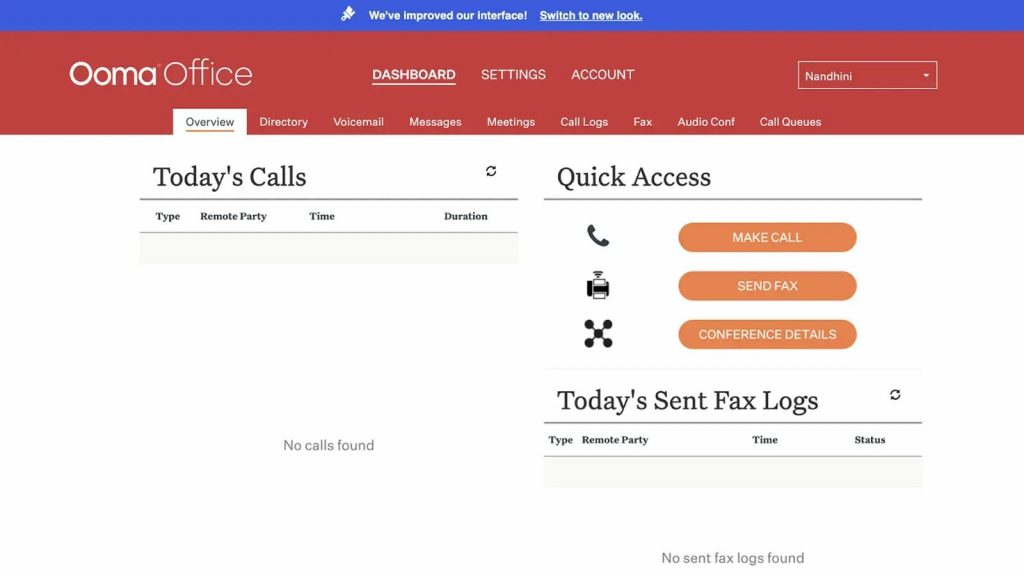
Ooma Office is a cost-effective, cloud-based VoIP platform designed for small wellness clinics and solo practitioners. With easy setup, mobile access, and virtual receptionist features, it helps clinics manage patient communication efficiently, streamline daily operations, and maintain professional, reliable interactions without the complexity or high costs of traditional phone systems.
Key Features
- Call Forwarding: Ensures patient or client calls reach the right staff member promptly for efficient handling.
- Virtual Receptionist: Automates call answering with customizable greetings and smart call routing to enhance customer experience.
- Mobile Support: Allows staff to manage calls and messages from mobile devices, maintaining communication on the go.
- Voicemail-to-Email: Converts voicemail messages into email for easy access, tracking, and message management.
Pros
- Provides excellent value with essential features at an affordable price.
- Easy deployment makes it ideal for small clinics, solo providers, or small business teams.
- Reliable mobile app ensures flexible communication for busy staff.
Cons
- Limited advanced call analytics and reporting features.
- Not specifically designed for healthcare workflows or HIPAA compliance needs.
- May lack deeper integrations with existing healthcare or business software systems.
Pricing
- Essentials Plan ($19.95/user/month): Includes 50+ standard features, unlimited North American calling, virtual receptionist, and mobile app access—no contract required.
- Pro Plan ($24.95/user/month): Adds desktop app, text messaging (up to 250/month), video conferencing (up to 25 participants), and call recording.
- Pro Plus Plan ($29.95/user/month): Designed for larger clinics; includes CRM integrations, 1,000 texts/month, expanded video conferencing (up to 100 participants), team chat, hot desking, and call queuing.
Ratings
Support
- Offers phone, email, and knowledge base support to assist clinics and businesses effectively.
7. Dialpad
What is Dialpad?
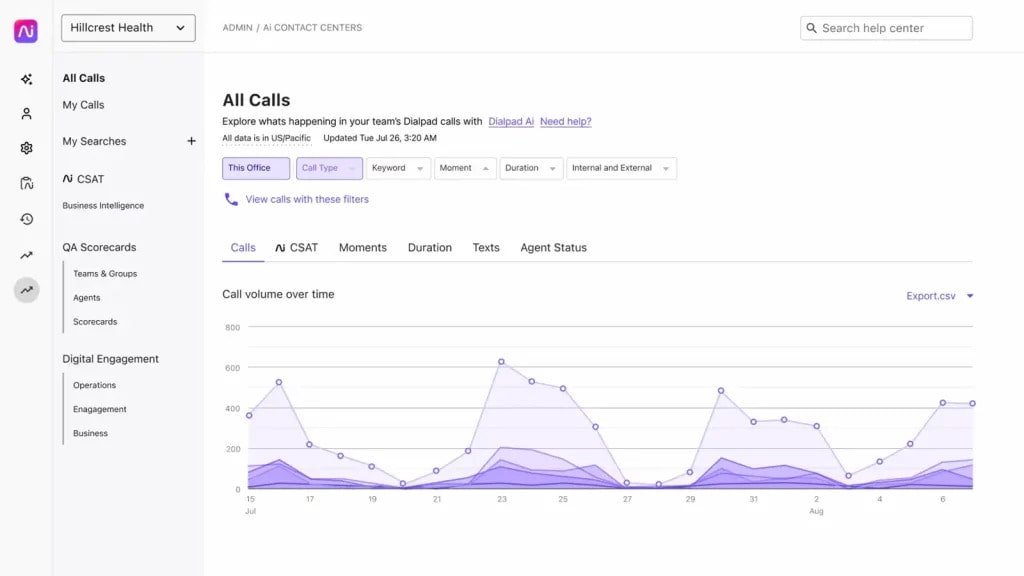
Dialpad is a cloud-based VoIP platform for healthcare and businesses, featuring AI-driven call transcription, smart routing, and real-time analytics. It enables clinics and teams to streamline communication, enhance patient or customer interactions, improve workflow efficiency, and manage calls, messages, and meetings seamlessly across mobile and desktop applications.
Key Features
- AI Call Transcription: Converts calls into real-time transcripts, enabling staff to quickly review and follow up on conversations.
- Smart Routing: Ensures calls reach the right team member efficiently, improving response times and patient satisfaction.
- Google Workspace Integrations: Syncs seamlessly with Google apps for streamlined workflows and enhanced team productivity.
- Mobile and Desktop Apps: Provides flexibility to manage calls, messages, and meetings from anywhere.
Pros
- Advanced AI features improve communication efficiency and record-keeping.
- Streamlined for modern teams with easy integration and collaboration tools.
- Supports real-time analytics to monitor performance and optimize workflows.
Cons
- Analytics and advanced AI features require higher-tier plans.
- Some users may experience a learning curve when using certain tools.
- Best utilized with proper setup for multi-office or larger practices.
Pricing
- Standard Plan ($15/user/month): Unlimited HD calls and meetings, messaging, real-time transcripts, and instant call summaries—ideal for small clinics.
- Pro Plan ($25/user/month): Adds CRM integrations, 24/7 support, and multi-office management tools for growing clinics.
- Enterprise Plan (Custom Pricing): Includes all Pro features plus SSO, user access controls, and unlimited office locations—designed for large organizations.
Ratings
Support
- Phone, live chat, and ticket support are available to assist teams and clinics effectively.
8. Grasshopper

What is Grasshopper?
Grasshopper is a lightweight, cost-effective cloud-based VoIP platform ideal for solo wellness practitioners and small clinics. It offers essential call handling, mobile flexibility, and simple management, making it perfect for small practices that need reliable, easy-to-use communication tools.
Key Features
- Voicemail Transcription: Converts voicemail messages into text for quick, convenient access and faster follow-ups.
- Call Forwarding: Ensures important patient or client calls reach the right person anytime, anywhere.
- Custom Greetings: Creates a professional brand experience with personalized voicemail and call greetings.
Pros
- Extremely easy to use, with minimal setup and learning curve for small teams.
- Affordable and practical for solo practitioners and small wellness clinics.
- Mobile app support enables communication on the go for busy staff.
Cons
- Lacks advanced call analytics and detailed reporting features.
- Not designed for multi-location or larger clinic setups.
- Limited integrations with healthcare or business software systems.
Pricing
- True Solo ($14/month): One local or toll-free number, one extension, voicemail, WiFi calling, business texting, and mobile/desktop app access—ideal for individual wellness providers.
- Solo Plus ($25/month): Adds call recording, transfers, simultaneous call handling, and enhanced voicemail for small teams with up to 3 extensions.
- Small Business ($55/month): Supports 4 local/toll-free numbers, unlimited extensions/users, advanced call controls, reporting, and customizable phone experience—best for growing clinics.
Ratings
Support
- Available via phone, email, and live chat for timely assistance.
9. GoTo Connect
What is GoTo Connect?
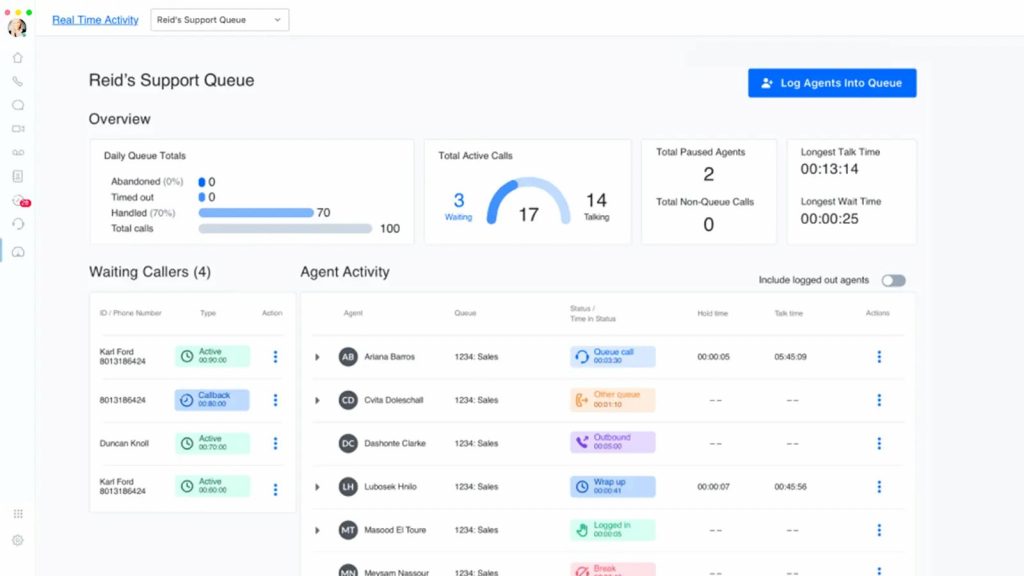
GoTo Connect is a robust, cloud-based VoIP platform for healthcare and wellness clinics. It offers smart call routing, secure video conferencing, and multi-device support, helping clinics streamline communication, enhance patient service, and improve operational efficiency for growing practices.
Key Features
- Smart Call Routing: Directs patient calls efficiently to the right staff or department, reducing wait times and improving responsiveness.
- Voicemail-to-Email: Converts voicemails into email for quick access and organized message management.
- Video Conferencing: Supports virtual consultations and team meetings within a secure, HIPAA-compliant environment.
- Multi-Device Support: Enables staff to answer calls and collaborate via phones, desktops, or mobile devices.
Pros
- Strong video conferencing capabilities enhance telehealth services and team collaboration.
- Reliable connectivity ensures uninterrupted communication for patient care.
- Scales effectively for small clinics and multi-location wellness networks.
Cons
- User interface can feel complex for new users initially.
- Pricing details often require direct consultation, slowing decision-making.
- Some advanced features may require additional training for optimal use.
Pricing
- Contact sales for access to smart telephony, messaging, video, and AI-powered customer experience tools—ideal for wellness clinics of all sizes seeking HIPAA-compliant VoIP solutions.
Ratings
Support
- Offers 24/7 phone support and a detailed help center for prompt assistance.
10. Mitel

What is Mitel?
Mitel is a scalable, cloud-based VoIP platform suitable for healthcare clinics and businesses of all sizes. It provides secure calling, team messaging, and advanced call management tools, helping clinics enhance patient communication, streamline workflows, and maintain operational efficiency.
Key Features
- Advanced Call Management: Handles incoming calls with automated routing, queuing, and IVR menus to improve response times and patient satisfaction.
- Voicemail-to-Email: Converts voicemail messages into email for easy access, tracking, and organized communication.
- Team Messaging & Collaboration: Supports secure chat, video meetings, and collaboration tools to keep staff connected across locations.
- HIPAA-Compliant Communication: Ensures sensitive patient data is protected across calls, messages, and conferencing.
Pros
- Scalable solution suitable for small clinics and large multi-location healthcare networks.
- Robust security and compliance measures protect patient and business data.
- Supports both voice and collaboration tools in a single, unified platform.
Cons
- Pricing and plan details often require direct consultation, which may slow adoption.
- Advanced features may require additional configuration and training.
- The platform can feel complex for smaller clinics without IT support.
Pricing
- Not publicly available. Contact Mitel sales for custom quotes tailored to your business needs.
Ratings
Support
- Provides phone, email, and chat support along with extensive documentation for effective customer assistance.
What Makes Emitrr the Best Allworx Alternative?
Emitrr stands out as the best Allworx alternative by offering a fully cloud-based communication platform with automation, unified messaging, and smart workflows. It helps businesses manage calls, texts, reviews, and customer interactions effortlessly without hardware, complexity, or high costs.
Cloud-Based, No Hardware
Emitrr removes all on-site hardware needs by offering a fully cloud-powered system. Teams can manage calls and messages from anywhere, reducing IT load and setup time. This makes communication more flexible, scalable, and cost-efficient for growing businesses.
All-in-One Communication Dashboard
Emitrr brings calls, texts, and reviews into one clean dashboard. Teams no longer switch between tools or apps. Everything stays organized, improving productivity and helping businesses deliver faster, more consistent communication across all customer touchpoints.
Instant AI Responses
Emitrr’s AI handles missed calls, appointment questions, FAQs, and routine messages instantly. Customers get quick replies even during busy hours or after closing time, helping your business reduce response delays and increase satisfaction with minimal effort.
Affordable for Local Businesses
Emitrr offers transparent pricing built specifically for local and service-driven companies. With no hardware costs or hidden fees, businesses get premium communication tools at a lower price than most alternatives, making it a smart and budget-friendly Allworx replacement.
Reliable Customer Support
Emitrr provides fast onboarding and real human support whenever you need it. Their team helps with setup, workflow guidance, and troubleshooting, ensuring your communication system runs smoothly without technical complexities slowing you down.
Industry-Focused Workflows
Emitrr includes ready-to-use workflows and integrations for healthcare, home services, retail, legal, and other high-volume industries. These tailored automations help businesses manage appointments, leads, and customer conversations more efficiently from day one.
Which Industries Are Catered By Emitrr?
Emitrr supports a wide range of service-based industries with automated communication, streamlined workflows, and fast customer response tools. From healthcare to home services, the platform helps businesses manage appointments, inquiries, reminders, and reviews effortlessly in one place.
Healthcare
Emitrr helps healthcare practices manage appointments, reminders, missed calls, and patient follow-ups from a unified dashboard. Automated SMS workflows, quick responses, and review management improve patient experience while reducing staff workload significantly.
Home Services
Home service providers can manage scheduling, job updates, review requests, and customer communication easily with Emitrr. Automated texts and missed-call-to-text handling ensure no lead is lost, and customers stay informed throughout the service process.
Dental Clinics
Emitrr enables dental clinics to automate appointment reminders, cancellations, recalls, and follow-ups. Two-way texting allows faster communication, while integrated review workflows help practices attract more patients and maintain a strong online reputation.
Veterinary & Pet Care
Emitrr simplifies client communication for vets by automating appointment reminders, updates, and follow-ups. The platform helps clinics stay connected with pet owners, manage schedules efficiently, and build long-term loyalty through fast and reliable messaging.
Real Estate
Real estate teams can handle property inquiries, schedule viewings, and follow up with leads instantly using Emitrr. Automated texts ensure timely responses, while organized workflows help agents manage multiple clients without missing opportunities.
Retail & Local Businesses
Local businesses can boost engagement through order updates, promotional messages, and automated review requests. Emitrr streamlines customer communication, helping stores improve satisfaction while reducing manual workload for staff.
Wellness & Salons
Emitrr automates booking confirmations, reminders, cancellations, and client messaging for wellness centers and salons. This ensures smoother scheduling, fewer no-shows, and consistently better customer experience across every appointment.
Frequently Asked Questions
Top Allworx competitors include RingCentral, Emitrr, Nextiva, 8×8, Vonage, Dialpad, Ooma, Grasshopper, and GoTo Connect. These platforms offer cloud-based calling, messaging, mobility, and automation features that Allworx lacks due to its on-premise hardware dependency.
Yes. Allworx is an on-premise PBX and VoIP system that requires physical hardware, servers, and IP phones. It operates as a traditional phone system, unlike modern cloud VoIP platforms that run fully online without equipment.
Emitrr, RingCentral, Nextiva, 8×8, and Ooma are the best alternatives for small and mid-sized businesses. They offer cloud calling, texting, automation, easy scalability, and lower maintenance without the hardware and installation requirements of Allworx.
Cloud VoIP solutions provide mobility, remote access, softphones, AI replies, automation, and integrations with CRMs. Allworx lacks these capabilities because it relies on on-premise hardware, making cloud platforms more flexible, scalable, and future-ready for modern teams.
Allworx is not officially discontinued, but adoption is declining. Businesses are shifting away due to hardware dependency, limited upgrades, and outdated features compared to cloud providers that innovate faster and eliminate the need for physical equipment.
Allworx pricing becomes higher over time because it includes hardware purchases, installation, licenses, technician visits, and ongoing maintenance. Cloud VoIP providers offer simpler, predictable monthly pricing without equipment costs, making them more cost-efficient long term.
Conclusion
Modern businesses are rapidly moving away from hardware-dependent PBX systems like Allworx because they lack mobility, scalability, and modern communication features. Cloud-based platforms offer faster setup, no hardware costs, remote accessibility, automation, and seamless integrations, making them far more efficient and future-ready. As teams prioritize flexibility and smarter workflows, cloud solutions clearly deliver more value with lower long-term expenses. Emitrr stands out as the most practical and cost-effective Allworx alternative, offering calling, texting, reviews, automation, and AI tools under one unified platform.
Book your free Emitrr demo today and upgrade to a truly modern communication system.