
 4.9 (400+
reviews)
4.9 (400+
reviews)
Introduction
Picking a digital communication tool shouldn’t feel like decoding a tech manual. You just want something that works well, keeps things smooth for your team, and doesn’t make your customers jump through hoops.
Concord, iFax, and Emitrr all help businesses communicate smarter. But they do it in very different ways. Concord is built for contracts and document workflows. iFax takes the traditional fax machine and brings it to your smartphone or laptop. Emitrr? It’s the kid on the block that combines messaging, automation, VoIP and voice tools into one unified platform.
In this guide, we’ll break down how Concord and iFax stack up – features, pricing, strengths, weaknesses, and where Emitrr fits in as a powerful alternative. Whether you’re a healthcare practice, legal team, or small business juggling customer calls and paperwork, this blog is your shortcut to making the right pick.
Key Takeaways:
- Concord: Works well for legal and procurement teams that deal with contracts every day and need version control baked in.
- iFax: Shines in healthcare and regulated industries that still rely on HIPAA-compliant digital faxing.
- Emitrr: Offers the best of both worlds – texting, calling, automation, appointment scheduling, and even forms, all in one AI-powered platform!
So, let’s dive in!
What is Concord?
Concord is a tool that helps businesses handle contracts without the messy paperwork or back-and-forth emails. You can create, edit, sign, and manage all your contracts online, kind of like using Google Docs, but built just for business agreements. Everyone on your team can work on the same contract in real time, and you can get it signed with a few clicks.
It’s perfect for teams that deal with lots of contracts, like sales, legal, or procurement, because it keeps everything in one place and helps you move faster. You even get reminders when a contract is about to expire. No need to download anything or call in IT. Just log in and get started.
And the best part? You don’t need to be a legal expert. Concord Cloud Fax is built to be simple enough that anyone can use it without feeling overwhelmed.
What is iFax?
iFax lets you send and receive faxes from your phone or computer. No fax machine needed. It’s great for businesses like clinics, law firms, and insurance agencies that still use fax but want to keep things digital and simple. You can snap a photo, upload a file, or type a message and fax it from anywhere.
It’s a secure, HIPAA-compliant fax that works globally. So if you need to send sensitive info and want to do it fast (without printing anything), iFax app gets the job done. It even gives you your own fax number and lets you get alerts when a fax comes in.
Basically, it’s like turning your phone into a smart, modern fax machine, minus the paper jams and beeping sounds.
Key Differences Between Concord and iFax
Before we move on to deeper comparisons, here’s a quick at-a-glance comparison of Concord and iFax and what each brings to the table:
| Aspect | Concord | iFax |
| Primary Purpose | Manages the entire contract lifecycle, right from drafting to signing and renewal tracking. | Handles digital faxing and secure document transmission over the internet. |
| Core Functionality | Collaboration-focused with editing, approvals, and AI-based contract review. | Communication-focused with tools for sending, receiving, and managing faxes. |
| Target Users | Ideal for legal, HR, procurement, and sales teams managing large volumes of contracts. | Suited for healthcare, insurance, and legal professionals still reliant on fax workflows. |
| Compliance Focus | HIPAA-compliant for contract data but not designed for clinical or patient communication. | Fully HIPAA-compliant with BAA support for transmitting sensitive medical information. |
| Integrations | Deep integrations with CRMs like Salesforce and HubSpot for workflow automation. | Integrates with tools like Google Drive, Dropbox, and Slack for file management and sharing. |
| Accessibility | Primarily web-based with limited mobile use via browser. | Available on web, desktop, and fully functional mobile apps for iOS and Android. |
| Collaboration Style | Real-time, multi-user contract editing and approval workflows. | Shared fax inbox allowing multiple users to access and manage faxes. |
| Document Handling | Focused on structured contracts, e-signatures, and version tracking. | Focused on scanned or uploaded documents with fax annotation and OCR features. |
Key Similarities Between Concord and iFax
Now, even though these tools serve very different purposes, there are certain overlapping features, especially when it comes to digital document management, security, and ease of online access.
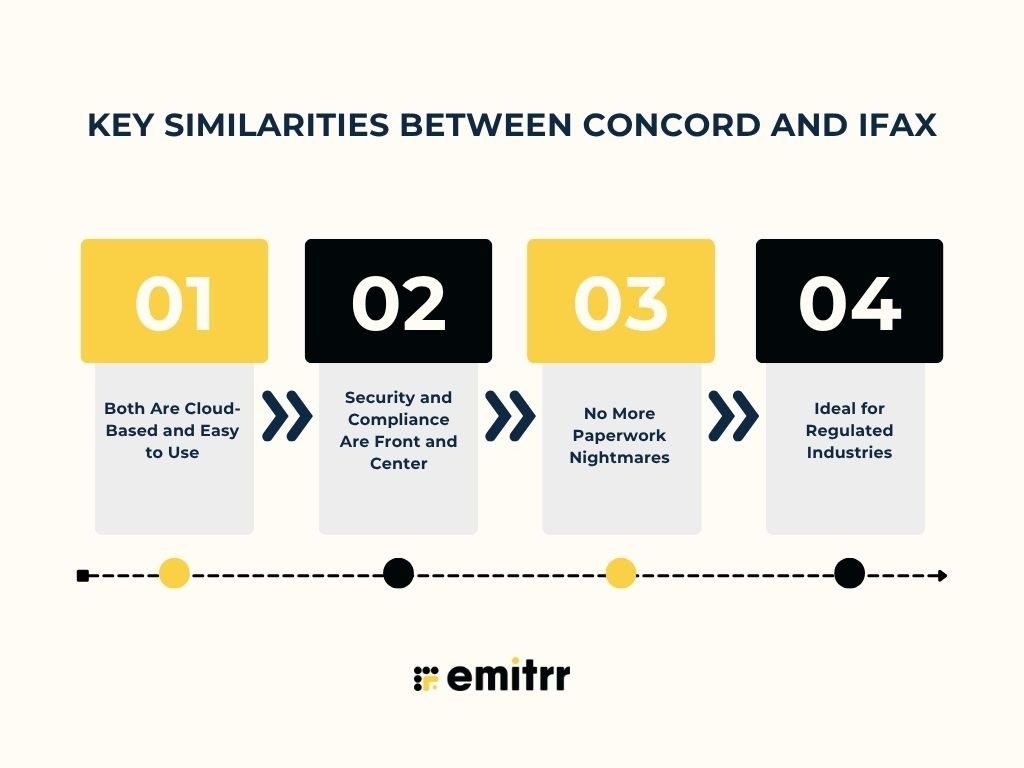
Both Are Cloud-Based and Easy to Use
Neither Concord nor iFax requires you to install complex software or call in IT. You can log in, start working, and manage everything on this cloud based platform. Whether you’re uploading a contract or sending a fax, both platforms prioritize ease of use. This means less time figuring things out and more time getting stuff done.
Security and Compliance Are Front and Center
Both platforms care deeply about keeping your documents safe. iFax app offers encrypted HIPAA-compliant faxing. Concord gives you role-based access, audit trails, and secure e-signatures. Whether you’re sending a patient file or finalizing a vendor contract, you know your data is in good hands.
No More Paperwork Nightmares
Concord removes the pain of printing, scanning, and emailing contracts. iFax ditches the old fax machine entirely. Both platforms aim to simplify document-heavy processes that used to involve way too much paper. The result? Less clutter, fewer errors, and faster turnaround.
Ideal for Regulated Industries
If you’re in healthcare, legal, finance, or any industry that requires audit logs and secure documentation, both platforms have your back. iFax app makes faxing secure and traceable. Concord gives you full visibility into who did what, when, and why on every contract. Both tools were built with compliance-heavy teams in mind.
Concord vs iFax: Compared
Both Concord and iFax enable digital document management in business workflows, but they serve very different functions. Concord focuses on managing contracts end-to-end, while iFax focuses on secure document transmission. Here’s how they compare in detail.
Features
Concord Features
- Contract templates: Create contracts from scratch or use saved templates for faster, standardised drafting.
- Real-time collaboration: Multiple users can edit, comment, and redline contracts together in the browser.
- Unlimited e-signatures: Send unlimited legally binding signatures across all plans without extra costs.
- Approval workflows: Automate approvals for contracts exceeding set values to maintain compliance.
- Version control: Every edit is tracked with a complete audit trail for transparency and legal proof.
- Reminders and alerts: Get notified before renewals or expirations to avoid missing important dates.
- AI contract review: Instantly flag risky clauses or terms using built-in AI for quicker reviews.
- Central storage: Store all contracts in a searchable, cloud-based library for quick access.
- CRM integrations: Sync data with Salesforce, HubSpot, and cloud drives to streamline workflows.
- Security controls: HIPAA-ready system with encryption, access roles, and two-factor authentication.
iFax Features
- Digital faxing: Send and receive faxes securely via web, app, or email. No physical fax line needed.
- Cross-device access: Available on web, mobile, and desktop for anytime, anywhere use.
- Email faxing: Convert emails into faxes instantly without downloading extra software.
- High-volume support: Plans with generous or unlimited page limits for heavy business use.
- HIPAA encryption: Fully compliant for healthcare and legal professionals handling sensitive data.
- E-sign and annotate: Sign and comment directly on received documents before faxing back.
- OCR capabilities: Extract text from scanned faxes and make files searchable or editable.
- Team collaboration: Shared inbox and contact lists for multiple users to manage fax lines.
- Bulk faxing: Send one document to hundreds of recipients with just one click.
- API and alerts: Integrate with cloud tools and get instant delivery confirmations or failure notices.
Plans & Pricing
Concord Fax Pricing
- Essentials plan: Concord fax pricing starts around $399/month for up to 5 users. It includes unlimited e-signs and templates.
- Business plan: Priced at $699/month. It majorly adds advanced workflows, integrations, and analytics.
- Enterprise plan: Custom Concord fax pricing available for large teams with API, clause library, and subsidiary management.
- Annual billing: A Yearly commitment is required. A free 14-day trial is typically available.
- Ideal users: Best suited for mid-sized firms managing multiple contracts every month.
iFax Pricing
- Free tier: Offers limited fax pages, ideal for testing basic functionality.
- Basic plan: iFax pricing starts around $9.99/month per user with a modest monthly page allowance.
- Plus plan: Around $19.99/month with increased pages and HIPAA compliance included.
- Pro plan: Around $24.99/month. It adds API access, unlimited faxes, and 24/7 support.
- Flexible billing: Month-to-month and annual plans available with volume-based pricing.
Integrations
Concord Integrations
- CRM sync: Connect with Salesforce and HubSpot to automate deal-to-contract workflows.
- Cloud storage: Works seamlessly with Google Drive, Box, and Dropbox for easy document access.
- Automation tools: Integrates with Zapier for connecting hundreds of additional apps.
- Enterprise API: Offers advanced API support for custom system connections.
iFax Integrations
- Cloud storage: Supports Google Drive, Dropbox, and Box for fax storage and retrieval.
- Messaging apps: Connects with Slack for instant fax alerts and team updates.
- Workflow automation: Works with Zapier for trigger-based actions and auto-saves.
- Developer API: Customise fax sending and receiving in your own apps or systems.
Pros & Cons
Concord Pros
- All-in-one solution: Combines drafting, signing, and tracking in one central platform.
- User-friendly interface: Easy for teams to learn and adopt quickly.
- Unlimited e-signatures: No cap on documents or signers, ideal for frequent senders.
- Collaboration tools: Real-time editing and commenting improve workflow efficiency.
- Good value for SMBs: Offers enterprise-grade features at mid-market pricing.
- Responsive support: Dedicated account managers and a smooth onboarding experience.
Concord Cons
- Occasional bugs: Minor technical issues can disrupt workflows for some users.
- Slow updates: New features and improvements may take time to roll out.
- Limited for enterprises: Concord internet fax may lack deep customisation for highly complex workflows.
- Support delays: Response times for non-critical issues can be slower.
- Small feature gaps: Some editor tools and automation features are still missing.
- Costly for small teams: High monthly Concord fax pricing may not suit light contract users.
iFax Pros
- Simple setup: Easy to start using within minutes. No IT skills required.
- Cross-platform use: Send and receive faxes from any device, anywhere.
- Secure compliance: Built with HIPAA-grade encryption and optional BAA for healthcare.
- Budget-friendly: iFax pricing plans are affordable offer great value for individuals and teams.
- Reliable delivery: Instant confirmations keep you updated on fax status.
- Feature-rich platform: E-sign, OCR, and cloud integrations make faxing smarter.
- 24/7 support: Always-on customer service for urgent fax needs.
- Scalable access: Supports multiple users and shared inboxes for teams.
iFax Cons
- Free plan limits: Page restrictions make the free version unsuitable for regular use.
- Upsell features: Some tools, like API or OCR, are only available in higher tiers.
- Light user cost: Subscription may feel high for very low fax volumes.
- Delivery delays: Occasionally, faxes can take longer to transmit.
- Basic editing: In-app document editing is minimal for complex forms.
- Rented numbers: Fax numbers are subscription-based unless ported in or out.
Reviews & Ratings
Concord Reviews & Ratings
- Capterra: 4.6/5
- G2: 4.5/5
“The “In Box” feature. Doesn’t operate like a traditional “In Box”. When I move files to the share folder, I don’t want them to still be stored in the “In Box”. If I need to find a document, the search feature is what I use. I would love for this to be changed.”
“The UX design of the app could be improved, especially when it comes to assigning a signature line to someone.”
Source: Capterra
iFax Reviews & Ratings
- Capterra: 4.8/5
- G2: 4.7/5
“Extremely predatory practices when it comes to charging you for things. And they will show zero understanding of your situation after slapping a massive charge on your bank account.”
“They charged me $99.99 despite cancelling the free trial immediately after using it. Their customer service can’t be reached by phone, and they have given me the runaround for five days via email”
Source: Capterra
When to Use Concord Internet Fax
Concord cloud fax shines in certain scenarios. You should consider using Concord if your needs match these situations:
If You Manage Lots of Contracts
If your business handles dozens or hundreds of contracts every month, Concord Cloud Fax is a huge time-saver. It gives you one organized place to draft, sign, and track every document. No more digging through email threads or losing track of who signed what. You can search, filter, and monitor contract progress in seconds. Many companies say Concord helps them cut contract turnaround time. If you only send a few contracts a year, it might feel like too much. But for teams that manage high volumes, it’s a total game changer.
If You Need Team Collaboration
Concord Cloud Fax is built for teamwork. Lawyers, sales, HR – everyone can edit the same contract in real time, see each other’s comments, and avoid version chaos. No more “which draft is the latest?” confusion. It keeps a clean version history, so you always know who changed what and when. Built-in approval workflows also make sure no contract gets sent without the right green light. If your contract process involves multiple people, Concord keeps everyone on the same page. Quite literally!
If You Want Unlimited E-Signing
Most e-signature tools charge per document or signature, which adds up fast. Concord internet fax removes that pain with unlimited e-signatures in every plan. You can send as many documents as you want for signing. No caps, no hidden fees. This makes it perfect for businesses that constantly send out NDAs, employee agreements, or client contracts. The best part? Recipients don’t even need an account to sign. Just send, sign, and done.
If You Work in Legal or Procurement
Concord fits perfectly for teams that live and breathe contracts. Legal teams can create standard templates, manage clause libraries, and let business users fill in details without risk. Procurement teams love it too! It tracks renewal dates and alerts you before a contract expires. It’s also HIPAA compliant, so healthcare organizations can safely manage vendor or compliance contracts. If your day-to-day revolves around NDAs, purchase agreements, or vendor deals, Concord Cloud Fax makes the entire process smoother and safer.
If You Want Clarity and Speed
At its core, Concord is about making contract work easy and transparent. You can see who’s working on what, when approvals are due, and where every document stands. It replaces back-and-forth email chaos with one clean, centralized workflow. If your goal is to simplify contracting, boost collaboration, and get agreements signed faster, Concord Cloud Fax is definitely worth it.
When to Use iFax
iFax is the perfect fit when your business needs a simple, secure way to handle situations like these:
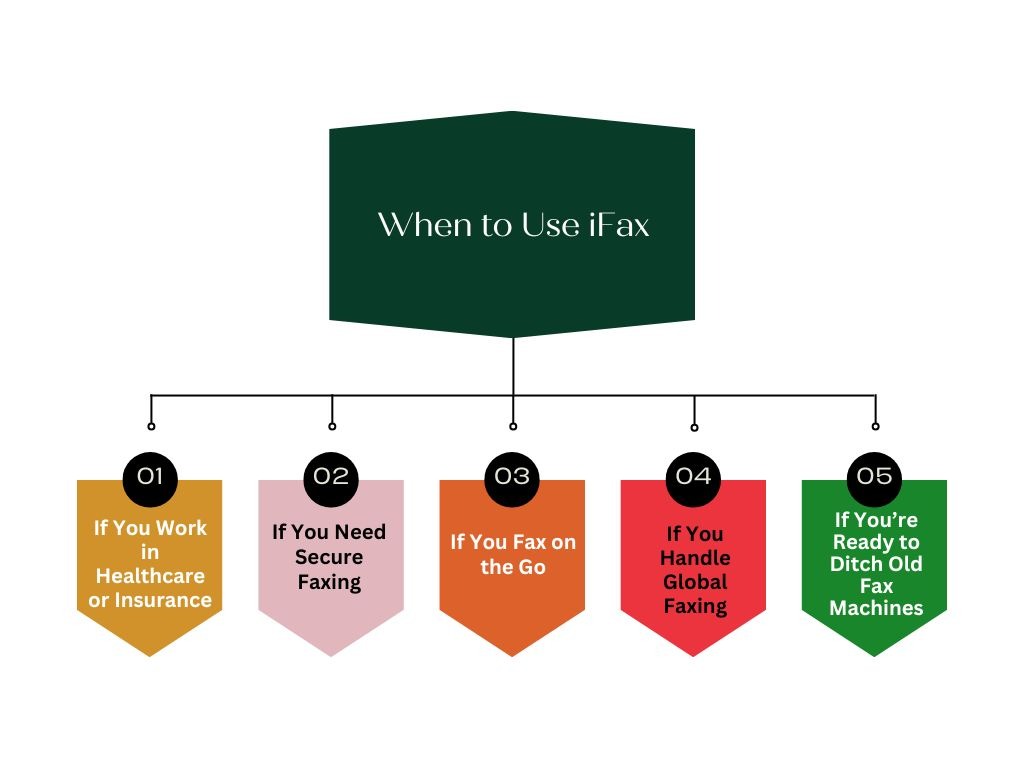
If You Work in Healthcare or Insurance
Healthcare and insurance teams still rely heavily on faxing for critical communication, and iFax gets that. It’s HIPAA-compliant and built to send prescriptions, patient records, or insurance claims securely. Doctors can send reports to other clinics, and insurers can exchange claim forms without worrying about privacy breaches. It meets all security standards while removing the need for old fax hardware. If your industry still depends on fax, iFax helps you do it safely and digitally.
If You Need Secure Faxing
Even outside healthcare, many industries still need HIPAA-grade faxing for legal or financial documents. iFax uses 256-bit encryption and follows all the privacy policies for sensitive files. Law firms, pharmacies, and government offices use it to share documents securely, without risking compliance issues. If you’d never send something confidential over normal email, iFax is your safer alternative. It’s the modern bridge between compliance and convenience.
If You Fax on the Go
Need to send or receive faxes while traveling or working remotely? iFax lets you do that easily. You can fax from your phone, tablet, or laptop using their mobile app. Just snap a photo of a document or upload a file, and it’s sent instantly. You’ll get alerts when a fax is received or delivered, no matter where you are. For anyone who’s always on the move, iFax is freedom from the office fax machine.
If You Handle Global Faxing
If your business deals with clients in different countries, iFax makes international faxing simple. You can choose local or toll-free numbers for multiple regions and send faxes worldwide without expensive long-distance charges. A US company can easily fax partners in Europe or Asia without worrying about phone lines or codes. It’s fast, reliable, and works seamlessly across borders. For global teams, this saves both time and cost.
If You’re Ready to Ditch Old Fax Machines
Let’s face it, fax machines are bulky, outdated, and noisy. iFax helps you finally say goodbye to them. Everything moves online. No paper, no separate fax lines, no waiting by the machine. You can share a digital fax number with your team, send multiple faxes at once, and store everything in the cloud. It’s faster, greener, and far more efficient. If you’re modernizing your workflow, iFax is the perfect replacement for your old-school fax setup.
Emitrr: A Better Alternative to Concord Cloud Fax & iFax
Why bring up Emitrr alongside Concord and iFax? Because Emitrr is an all-in-one communication platform that covers capabilities that both Concord and iFax cover. So let’s explore Emitrr in detail, see how it stacks up and why it might be a better choice for many businesses. Check out Emitrr’s AI Agent:
Emitrr Overview
Emitrr is an all-in-one communication tool that helps businesses connect with customers through text, voice, and automation. It’s like a virtual assistant that handles reminders, feedback, and reviews, so your team doesn’t have to.
Built for healthcare and fully HIPAA-compliant, it’s ideal for clinics, dentists, and therapists, but works just as well for local businesses like salons or home services. Emitrr focuses on real-time communication, helping teams save time, reduce no-shows, and keep customers happy.
Emitrr Key Features
- Two-way texting: Send and receive SMS from your business number. Keep threaded chats so your whole team sees the context.
- Missed-call text back: Auto-reply by text when you miss a call. Missed-call text back helps turn hang-ups into real conversations, often saving leads.
- Smart reminders: Sync calendars or EHRs to automate confirmations, recalls, and follow-ups. Cut no-shows with simple reply options.
- Bulk campaigns: Send targeted SMS blasts for promos, updates, or closures. Personalize and schedule with ease.
- Form builder: Create intake or lead forms and share by link or embed. Route responses to the right team instantly.
- VoIP calling: Make and receive calls in the app with voicemail drops and recordings. Keep calls and texts in one thread.
- Unified inbox: See texts, voicemails, and other channels together. Assign, tag, and leave internal notes to prevent misses.
- Wide integrations: Connect CRMs, EHRs, and marketing tools. Trigger messages from status changes automatically.
- Feedback and review management: Request reviews automatically, track ratings, and reply from one dashboard. Feedback and review management help grow your reputation without extra work.
- HIPAA security: Use encryption, roles, and audit logs. Get a BAA and keep patient data protected.
- Reporting: Track responses, confirmations, and review growth. See what is working and where to improve.
Emitrr Pricing
- Starting range: Plans start at $30 per month.
- Value focus: Replaces multiple tools and reduces no-shows. Most teams see quick payback.
Emitrr Pros
- All-in-one suite: Replace separate tools for texting, calling, reviews, and reminders. Fewer vendors, lower hassle.
- Easy to use: Clean interface and quick onboarding. Front-desk teams pick it up fast.
- Mobile-friendly: Manage conversations from phone or desktop. Stay responsive after hours.
- Helpful support: Live help that understands healthcare and local businesses. Fast, practical answers.
- Scales well: Works for solo offices or multi-location groups. Use roles and location filters as you grow.
- Good value: Priced below heavy enterprise tools. Savings grow as no-shows fall and reviews rise.
- Healthcare ready: HIPAA workflows and EHR tie out of the box. Less custom work, quicker wins.
- Real results: More confirmations, more reviews, and fewer manual calls. Clear ROI for busy teams.
Emitrr Cons
- Evolving features: Some advanced AI-powered features are still in development. You can expect steady updates.
Emitrr Integrations
- CRM connections: Sync with Salesforce and HubSpot. Trigger texts from pipeline or workflow steps.
- EHR links: Connect to leading dental and medical systems. Automate appointment reminders, recalls and reviews.
- Marketing tools: Coordinate with Mailchimp and calendars. Keep email and SMS in sync.
- Social and reviews: Pull in Google and Facebook reviews. Reply without leaving Emitrr.
- Zapier bridge: Tie into hundreds of niche apps. Fill gaps when a native integration is missing.
- API access: Build custom flows if you need deeper control. Fit Emitrr into your stack your way.
Emitrr Ratings
- Capterra: 4.9/5
- G2: 4.7/5
Emitrr Reviews
“It’s user-friendly interface and comprehensive features. And ability to streamline communication through various channels like email, SMS, and social media.”
“They have been wonderful in helping with our issues and making sure we understand how to use the program! Any time there are issues, we can easily reach out and get an answer or have them look into the issue“
Source: Capterra
Emitrr Customer Support Channels
- Email: support@emitrr.com
- Phone: +1 (210) 941-4696
- Live chat: Available directly on the Emitrr website
- Knowledge base: Includes extensive documentation, FAQs, and troubleshooting guides
- SMS support: Text for help
Frequently Asked Questions
For healthcare teams, Emitrr is the better choice. It simplifies patient communication with secure texting, reminders, and reviews. It can also help you cut no-shows and keep patients engaged effortlessly!
Yes, Concord is HIPAA-compliant for contracts. It safely stores agreements with encryption and access controls, but it’s not meant for patient messaging or records.
Yes! Emitrr is designed for exactly that. It uses AI to automate texts, calls, reminders, and reviews, helping your business stay connected, save time, and deliver a smoother customer experience.
Yes, iFax makes global faxing easy. You can send or receive faxes across countries without long-distance costs or complicated codes.
You can contact iFax customer service through their support portal or by using the official iFax customer service number, which connects you directly to their help team for quicker issue resolution.
To send a Concord fax, you simply log into your Concord Cloud Fax account, upload your document, enter the recipient’s fax number, and hit send. Concord handles the transmission digitally, and you can track delivery status in your dashboard.
Concord fax pricing varies based on volume and features, since it primarily offers custom, enterprise-level plans. Costs typically depend on your monthly fax usage, number of users, and any required integrations or compliance needs. For exact pricing, Concord provides quotes on request.
Conclusion
Each platform has its niche. Concord is perfect for managing contracts, approvals, and signatures with ease. iFax modernises traditional faxing, making document exchange secure and effortless. Emitrr, on the other hand, is your everyday communication powerhouse – texts, calls, reminders, and reviews all on one simple dashboard!
If you want to save time, cut no-shows, and keep every customer conversation running smoothly, Emitrr is the way to go. It’s built to help your business engage smarter and deliver faster. Curious how it works? Book a free demo with Emitrr today and experience seamless communication in action!