
 4.9 (400+
reviews)
4.9 (400+
reviews)
Introduction
It’s Monday morning, and you’ve got to send out a few time-sensitive faxes. You open Fax.Plus, hoping to get it done quickly. But maybe you’re nudged by a page cap, or find yourself switching tabs to handle the rest of your communication. Fax.Plus does its job well for many, especially when it comes to secure, online faxing. But as your business grows or your workflow gets more complex, you might start wishing things worked a little more seamlessly across the board.
That’s where exploring alternatives comes in. If you are looking for more flexibility, better integration with your existing tools, or just a smoother experience for your team, there are plenty of options that can pick up where Fax.Plus leaves off. Let’s break down what Fax.Plus offers, why some teams consider switching, and the top 10 alternatives to check out!
What Is Fax.Plus?
Fax.Plus is a modern twist on the old-school fax machine. Instead of dealing with paper, wires, or bulky hardware, you just log in and fax straight from your browser, phone, or even your email. It’s built for everyone, right from solo freelancers to large teams, making faxing as easy as sending an email.
What really makes it handy is how flexible it is. Whether you’re working from your laptop, mobile, or desktop app, Fax.Plus lets you fax from wherever you are. It also puts a big focus on security, offering encrypted faxing and HIPAA compliance – so it’s great for industries that deal with sensitive info. Basically, it’s faxing, minus the hassle.
Fax.Plus Features
- Email-to-Fax and Fax-to-Email: Send faxes straight from your email and get incoming ones delivered to your inbox as PDFs. It’s like faxing without the fax machine.
- Multi-Platform Access: Use Fax.Plus, on your web browser, iOS or Android device, or even with a Chrome extension. Whether you’re at your desk or on the move, faxing stays easy.
- Security & Compliance: With 256-bit encryption and HIPAA compliance, your documents are kept secure. Great for industries like healthcare or law that need extra peace of mind.
- Built-in E-Signatures: No need to print and sign – just add your digital signature directly in Fax.Plus (thanks to its integration with Sign.Plus) and send your documents right away.
- Cloud Storage Integration: Connects with Google Drive, Dropbox, and Box so you can pull documents from the cloud or automatically store faxes without juggling files manually.
Fax.Plus Pros
- Easy to Use: The interface is clean and beginner-friendly. Whether on desktop or mobile, it feels a lot like sending an email.
- Strong Security: With built-in encryption software and HIPAA compliance, it’s a solid choice for healthcare, legal, or financial documents.
- International Coverage: You can fax globally with local or toll-free numbers in multiple countries, handy if your business works across borders.
- Free Tier Available: You can send up to 10 pages for free. It’s great for testing the waters or sending the occasional one-off fax.
- Delivery Notifications: Get real-time updates on your fax status. No more wondering if something went through – Fax.Plus keeps you in the loop.
Fax.Plus Cons
- Page Caps & Extra Fees: Each plan has a monthly page limit. If you send a lot of faxes, you may hit caps and face upgrade costs.
- No Unlimited Fax Plan: Unlike some services, there’s no flat-rate option for high-volume faxing. Heavy users might feel a bit restricted.
- No Offline Desktop App: There’s no full desktop app, just web and mobile access (or a Chrome extension). That might be limiting for some.
- Support Could Be Faster: Support is mostly ticket-based. If you hit a snag, live help isn’t always instantly available.
- Limited Porting Flexibility: Porting your existing fax number is possible, but only on higher-tier plans, and some users found the process tricky.
Fax.Plus Integrations
- Google Workspace & Microsoft Office: Connect your faxing with Docs, Drive, Sheets, Outlook, and more for seamless file access.
- Slack Integration: Send and receive faxes directly from Slack channels. Super useful for fast-moving teams.
- Zapier Automation: Automate workflows by linking Fax.Plus to tools like CRMs, task managers, or billing systems. No coding needed.
- Fax API: Developers can build fax functionality right into their own software or website using the API.
Fax.Plus Pricing
- Free Plan: Send up to 10 pages total (just once). It’s a nice way to test the waters, but that’s it, no refill.
- Basic Plan: Starts at around $6.99/month (billed annually). You get 200 pages. Great if you only fax occasionally.
- Premium Plan: Around $13.99/month (annually). Includes 500 pages. A solid pick for small teams or steady fax use.
- Business & Enterprise Plans: Custom pricing for bigger teams or high-volume faxing. You’ll need to reach out to their sales team for details.
Fax.Plus Ratings
- Capterra: 3.9/5
- G2: 3.8/5
Fax.Plus Reviews
“I didn’t recognize the charge and stopped payment. When they notified me, I immediately rescinded the stop payment, yet they still refuse me access when I’m sent them proof it was rescinded. Their customer service is really terrible!”
“Customer service is non-existent! Fax frequently down for days, attempts to get it fixed are met with automated responses asking pointless questions. Zero quality control or dedication to providing a reliable service, in a service where reliability is everything.”
Source: Capterra
Fax.Plus Support Channels
- Email & Ticket Support: Main way to get help is by submitting a support ticket. They’ll respond to you via email.
- Help Center & Guides: Offers a detailed online Help Center with how-tos, setup steps, and troubleshooting tips.
- Enterprise Support: Larger accounts may get access to dedicated reps or priority assistance.

Why Do Businesses Look for a Fax.Plus Alternative?
If you’ve ever hit a frustrating limit or wished your fax tool could just do more, you’re not alone. Let’s walk through the most common reasons teams start exploring other options.
Page Limits Can Get in the Way
Fax.Plus has monthly caps on how many pages you can send. That works fine when your fax volume is steady, but if it suddenly spikes – say, during audits or project crunch times, you might have to pay extra or upgrade unexpectedly. Many teams just don’t want to stress over numbers every time they hit “Send.” That’s why services offering higher limits or even unlimited faxing start to look appealing, especially for growing teams.
It Only Does Faxing (And That’s It)
Fax.Plus is great at faxing, but that’s all it does. You’ll need different tools for phone calls or text reminders. That’s fine for some businesses, but it can feel clunky when you’re switching between platforms all day. More and more teams now want one hub for all communication – fax, calls, texts, all in one place. So, if you’re thinking “Why can’t my fax tool do more?”, that’s when all-in-one platforms come into play.
Not Much Built-In Automation
Modern businesses love tools that handle the mundane stuff for them. While Fax.Plus has some automation through Zapier and an API, but it doesn’t come with built-in workflows that let you automate things like follow-ups or sorting faxes into folders. If your team is juggling manual steps all day, a platform with stronger automation can free up a lot of time (and sanity).
Doesn’t Plug Deeply Into Industry Tools
If you use tools like Salesforce, Athena, or other specialised platforms, you probably want your fax tool to talk to them. Fax.Plus offers general integrations, but might lack those deep, seamless connections that certain industries like healthcare or finance really need. That can lead to more manual uploads and downloads than you’d like. Other platforms are built with those industries in mind, making them a better fit for busy, regulated teams.
It Gets Expensive at Higher Volumes
If your team sends just a few faxes a week, Fax.Plus pricing works well. But as your usage grows – more users, more pages, the costs can climb quickly. You might need to move to a custom plan just to keep up. That’s when many teams start comparing the price-per-page elsewhere and realise there are more budget-friendly options, especially if you need to fax at scale.
Team Features Are Pretty Basic
You can add users to Fax.Plus, but it’s mostly one shared pool of faxes. There aren’t many advanced features like user roles, shared inboxes, or assigning faxes to specific team members. If you’ve ever asked, “Who was supposed to reply to that fax?”, that’s a sign your team may need more collaborative tools. Other services offer smarter team management, so nothing slips through the cracks.
Not Built for Multi-Channel Communication
In today’s world, communication isn’t just about fax. You’re probably texting clients, making calls, and maybe even sending appointment reminders, all from different tools. Fax.Plus might not cover those extra channels, so you’re juggling multiple apps. Some alternatives let you do it all – fax, text, and call, which saves time and keeps everything in sync.
What Features to Look for in a Fax.Plus Alternative
If you’ve decided to explore other fax solutions, it’s important to know what to look for. Here are some must-have features and capabilities that the best Fax.Plus alternatives offer:
Unified Platform for Fax, Calls, and Texts
Wouldn’t it be awesome to handle faxes, texts, and calls all in one place? Instead of bouncing between apps, you’d have one clean dashboard for everything. Imagine checking a client’s text, replying with a call, and sending a fax – all from the same screen. That’s the dream, right? Some alternatives actually do this, saving time and making you look like the most organised person in the room. It also means fewer tabs, fewer tools, and way less chaos during your workday.
Real-Time Delivery Status and Tracking
No more wondering “Did it go through?” A good fax service gives you instant updates – sent, delivered, failed, the works. You see everything as it happens. If something fails, you’ll know right away and can resend without the guessing game. It’s like sending a tracked package instead of a mystery envelope. Especially helpful when time-sensitive documents are on the line.
User-Based Permissions and Audit Logs
Working with a team? You’ll want to control who sees what. A solid fax alternative lets you set user roles – view only, send only, full admin, etc. Plus, audit trails and logs keep track of who did what and when. It’s perfect for accountability, especially in industries where documentation matters. That way, nothing slips through the cracks, and everyone knows who’s handling what!
HIPAA & TLS-Compliant Transmission
If you’re handling sensitive info (like medical or legal docs), security is a must. Look for encrypted faxing and HIPAA compliance so you know data’s safe. Bonus points if they’ll sign a BAA. Even if you’re not in a regulated industry, it’s nice to know your data isn’t floating around unsecured. Peace of mind is underrated. A trustworthy fax service should always put privacy first.
Mobile, Web, and Desktop Accessibility
Faxing shouldn’t tie you to a desk. Whether you’re in the office or on a train, you should be able to send and check faxes easily. Look for a platform that works smoothly on desktop, mobile apps, and web browsers. Some even let you fax straight from email. Total freedom. Being able to work from anywhere is just expected these days, and your fax tool should keep up.
Integration With PMS, CRM, EHR, and More
Your fax service should talk to your other tools, be it CRM, EHR, Google Drive, or Outlook. That way, you can send documents right from where you’re working or automatically save incoming faxes to the right place. Less manual work = more time for other important tasks and rest! If your tools don’t play well together, your workflow takes the hit.
Shared Inboxes for Team-Based Faxing
Got a team managing one fax number? Shared inboxes are a lifesaver. Everyone sees incoming faxes. You can assign them, leave notes, and avoid the dreaded “Who’s handling this?” moment. If your team is growing or juggling lots of inbound messages, this is a must-have. It keeps everything transparent and makes team faxing feel like a breeze.
Customisable Cover Sheets and Branding
A plain fax cover sheet just doesn’t cut it anymore. You want to add your logo, contact info, maybe even department labels. Some services let you build branded fax cover sheet templates so every fax looks pro. It’s a small touch, but it shows clients you mean business. Clean, branded faxes reflect well on your company – even if it’s “just a fax.”
High-Volume and Multi-Location Support
If you’re faxing a lot or managing multiple offices, you need a platform that can handle scale. Look for bulk sending, multiple user access, local numbers for each region, and admin dashboards. The right alternative should grow with you and not slow you down as your business expands. You don’t want to outgrow your fax service six months down the line.
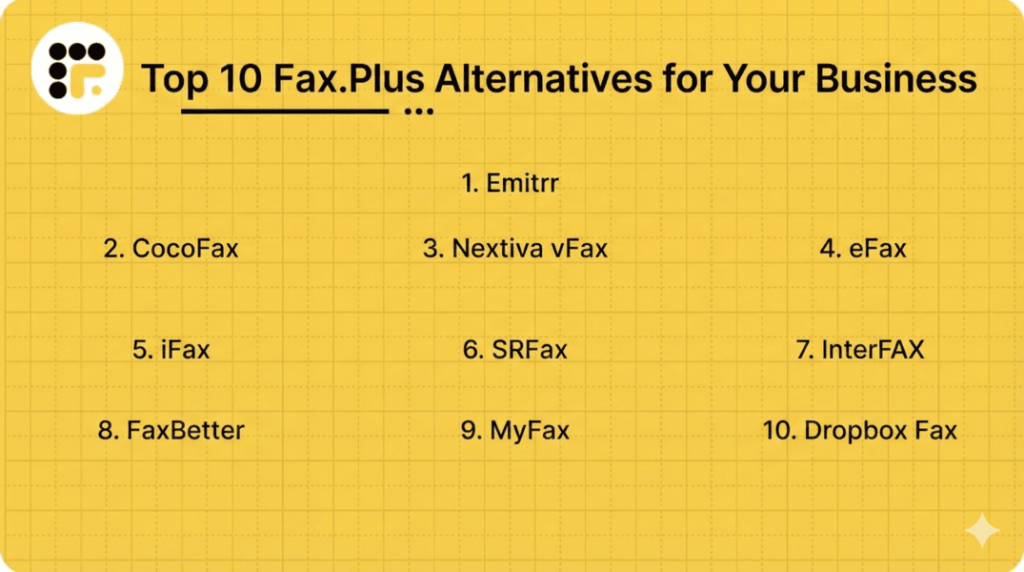
Top 10 Fax.Plus Alternatives
Here are 10 top alternatives that give you more power, flexibility, and ease:
Each one has its strengths, so let’s dive in and find the best match for your business needs!
1. Emitrr | Best Fax.Plus Alternative
Emitrr Overview
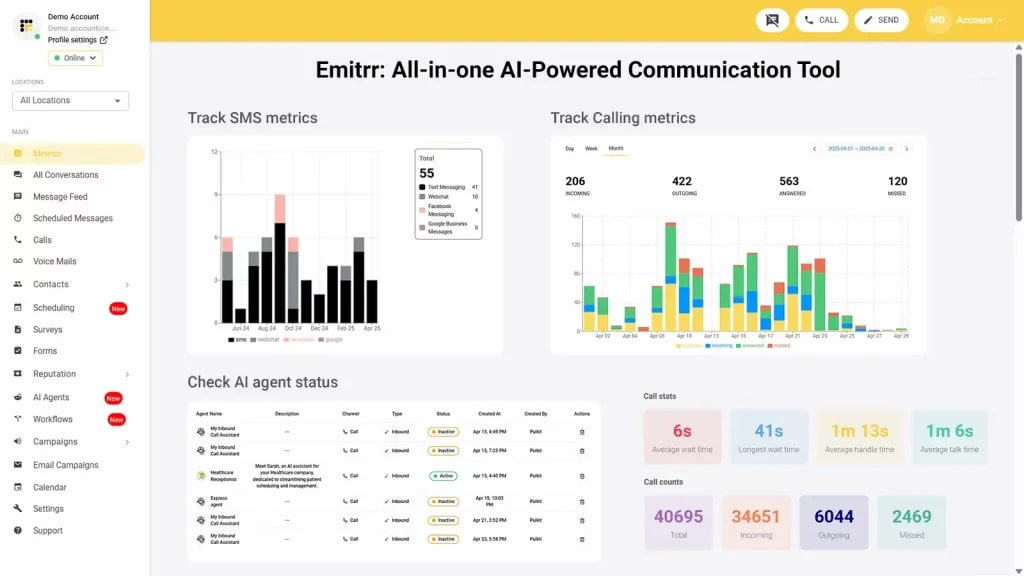
Emitrr goes far beyond a basic virtual fax service. It’s an all-in-one communication platform for modern teams. With internet faxing, texting, and VoIP calling in a single clean dashboard, it helps you streamline conversations without bouncing between tools. Whether you’re handling patient forms, sending legal documents, or following up with clients, Emitrr keeps it all connected. It’s especially powerful for healthcare, legal, and service businesses where speed, security, and simplicity matter most.
Emitrr Key Features
- Inbound and outbound faxing: Send and receive faxes digitally – no fax machine or hardware needed.
- Fax alerts: Get instant notifications by email or SMS whenever a fax comes in.
- Scheduled and mass faxing: Schedule faxes ahead of time or send one to multiple recipients in bulk.
- Two-way texting: Reply to clients or colleagues by SMS right from your dashboard.
- Automation tools: Set up simple workflows – like auto-reply templates or reminders based on fax activity.
- Cloud archive: Store all faxes online and access them anytime with searchable history.
- Branded templates: Customise your fax cover pages with your logo and info for a polished look.
Emitrr Pros
- Centralised platform: Handle faxes, calls, and texts from one place – great for organised teams.
- Compliance-ready: Built with HIPAA, legal, and enterprise security needs in mind.
- User-friendly: No steep learning curve, your team can jump in and start using it easily.
- Straightforward pricing: Unlimited faxing on a flat per-user plan. No hidden fees or overages.
- Responsive support: Get help via chat, phone, SMS, or email whenever you need it.
Emitrr Cons
- Feature rollout in progress: Some newer tools and AI enhancements are being added over time.
Emitrr Integrations
- CRM tools: Integrates with Salesforce, Zoho, and HubSpot to automatically track communication.
- EHR/EMR systems: Works with Athena, Epic, and Dentrix for secure patient document sharing.
- Productivity apps: Syncs with Google Workspace, Outlook, Dropbox, and Office 365.
- Zapier automation: Easily connect Emitrr with thousands of other tools to streamline tasks.
Emitrr Pricing
The plans start at $30/month per user.
Emitrr Ratings
- Capterra: 4.9/5
- G2: 4.8/5
Emitrr Customer Reviews
“I like the simplicity of it. It gets the job done well. Additionally, the employees are very friendly and helpful.”
“Emitrr customer service is unmatched! I don’t need help often but when I do, it is handled quickly. The system is very user friendly.“
Source: Capterra
Emitrr Support Channels
- Email: support@emitrr.com
- Phone: +1 (210) 941-4696
- Live Chat: Directly available on the Emitrr website
- Knowledge Base: Detailed guides, FAQs, and troubleshooting articles
- SMS Support: Text for help anytime
2. CocoFax | CocoFax vs Fax.Plus
CocoFax Overview
CocoFax is an internet faxing tool that’s easy to set up and even easier to use. It’s designed for professionals and small businesses who need to send faxes quickly without dealing with physical machines or complicated software. With CocoFax, you can fax from email, web, or even Google Docs. No downloads or tech skills required. It’s a solid pick for those who want fast, no-fuss digital faxing.
CocoFax Key Features
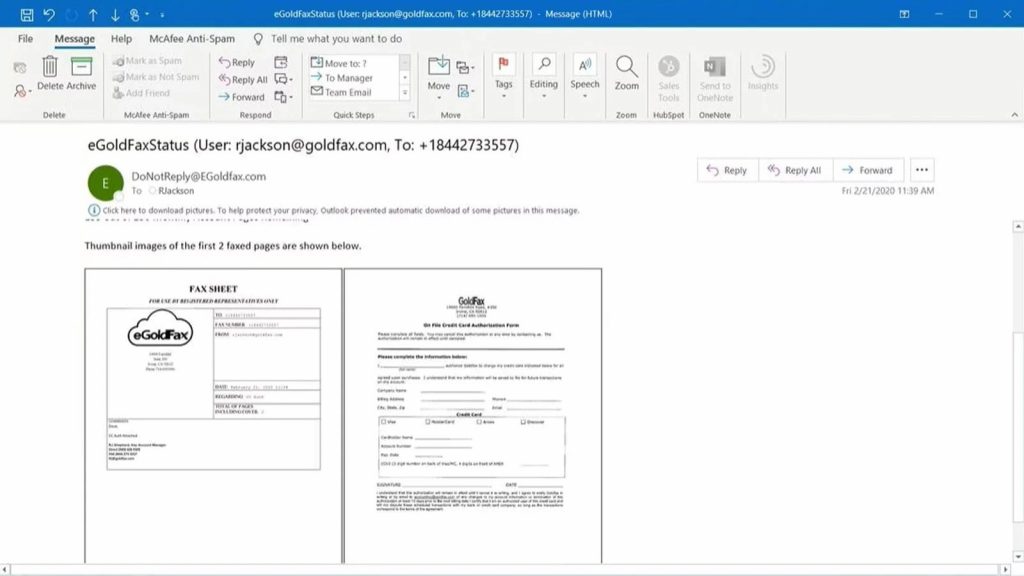
- Fax via email: Send and receive faxes using Gmail, Outlook, or any standard email client.
- Google Docs integration: Fax directly from Google Docs and Sheets with a simple add-on.
- Web dashboard: Access your fax history and manage documents online.
- Multiple file formats: Supports PDF, DOCX, JPG, and more for flexible fax attachments.
- Delivery confirmation: Get real-time updates on fax status- sent, delivered, or failed.
- Custom fax number: Choose a toll-free or local number based on your region.
- Cloud backup: Store faxes securely in the cloud for easy access and compliance.
CocoFax Pros
- Super easy setup: Start faxing in minutes. No hardware or complex onboarding.
- Flexible sending options: Email, browser, or cloud, use whatever works best for you.
- Good for freelancers: Ideal for solo professionals who send faxes occasionally.
- International support: Send faxes worldwide without extra steps.
- Free trial: Try before committing, with no upfront payment required.
CocoFax Cons
- Limited team features: Not ideal for large teams or multi-user collaboration.
- Fax-only focus: No built-in texting or calling features.
CocoFax Integrations
- Email platforms: Fully compatible with Gmail, Outlook, Yahoo Mail, and more.
- Google Workspace: Fax from Google Docs or Sheets using the CocoFax add-on.
- Cloud storage: Connect with Google Drive, Dropbox, and OneDrive.
- Slack (via Zapier): Get fax notifications in Slack using automation tools.
CocoFax Pricing
Starts at around $9.99/month with basic plans. Higher tiers are available for more pages and users.
CocoFax Ratings
- Capterra: 4.3/5
- G2: 4.2/5
CocoFax Customer Reviews
“NO CUSTOMER SERVICE RESPONSE, SENT AT LEAST 10 REQUESTS FOR A REFUND AND NEVER GOT A RESPONSE”
“The software seems to be outdated or lines are old. 90% of my faxes started failing after 7 months of being with them. They would tell me its the sender’s fault, despite the fact it kept happening with multiple senders. Come to find out they timed out. This means Coco servers are prehistoric. A 7 page inbound fax is to large and it will fail. The tech team will say…its the senders fualt….whatever.”
Source: Capterra
CocoFax Support Channels
- Email support
- Live chat
- Help centre
- Community forum
3. Nextiva vFax | Nextiva vFax vs Fax.Plus
Nextiva vFax Overview
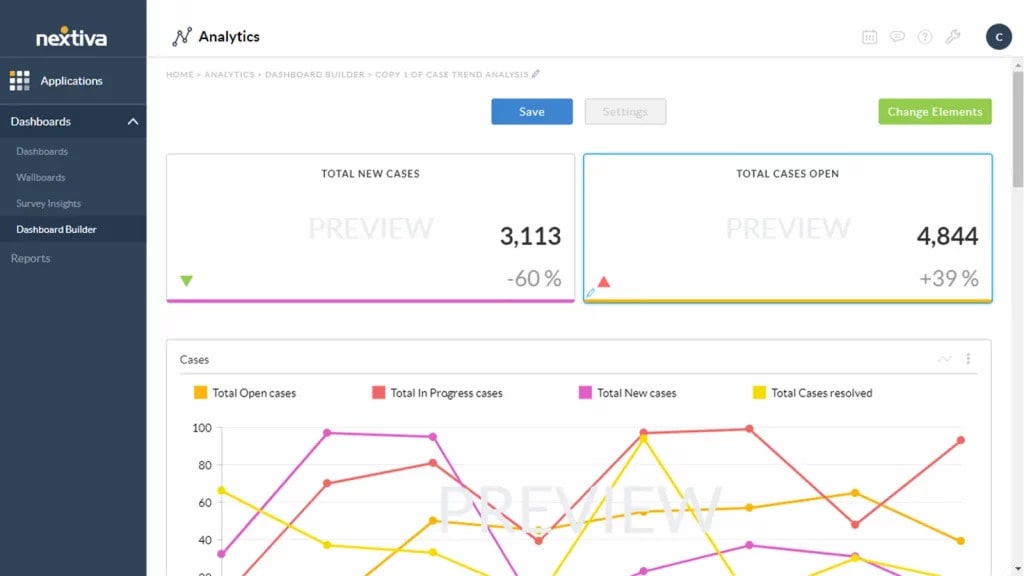
Nextiva vFax offers a no-frills, secure online faxing experience, built by a company known for VoIP for business communications. It’s ideal for small to midsize businesses that just need reliable faxing without too much going on. It might not come with a full suite of communication like some all-in-one platforms, but it does the basics well.
Nextiva vFax Key Features
- Web-based portal: Send and receive faxes online from anywhere.
- Email-to-fax: Fax directly from your email client with ease.
- Secure storage: Archived faxes stored online for 6 months.
- Local and toll-free numbers: Pick the fax number that suits your business.
- PDF support: Easily fax standard formats like PDF, DOC, and JPG.
- Printable confirmations: Get fax confirmation pages for each sent fax.
Nextiva vFax Pros
- Great reliability: Known for uptime and stable service.
- Trusted provider: Part of the larger Nextiva communications suite.
- Simple to use: Clean interface with a low learning curve.
- Affordable: Flat-rate pricing without overage surprises.
Nextiva vFax Cons
- Complex interface: Many users find the interface to be slightly clunky and complicated.
- Customer support: A few customers have mentioned that issue resolutions take much longer than needed.
- No mobile app: You’ll need to use the web or email to send faxes on the go.
Nextiva vFax Integrations
- Email platforms: Works with most major email clients.
- Storage options: Download and archive faxes manually or via cloud exports.
- CRM/EHR support: Limited integrations, better suited for standalone use.
Nextiva vFax Pricing
Starts at $8/month for basic plans with 500 pages included.
Nextiva vFax Ratings
There are limited ratings specifically for faxing capabilities, as fax is part of its broader communications platform.
Nextiva vFax Customer Reviews
Very few reviews are available on popular platforms like Capterra and G2.
Nextiva vFax Support Channels
- Phone support
- Live chat
- Help centre
4. eFax | eFax vs Fax.Plus
eFax Overview
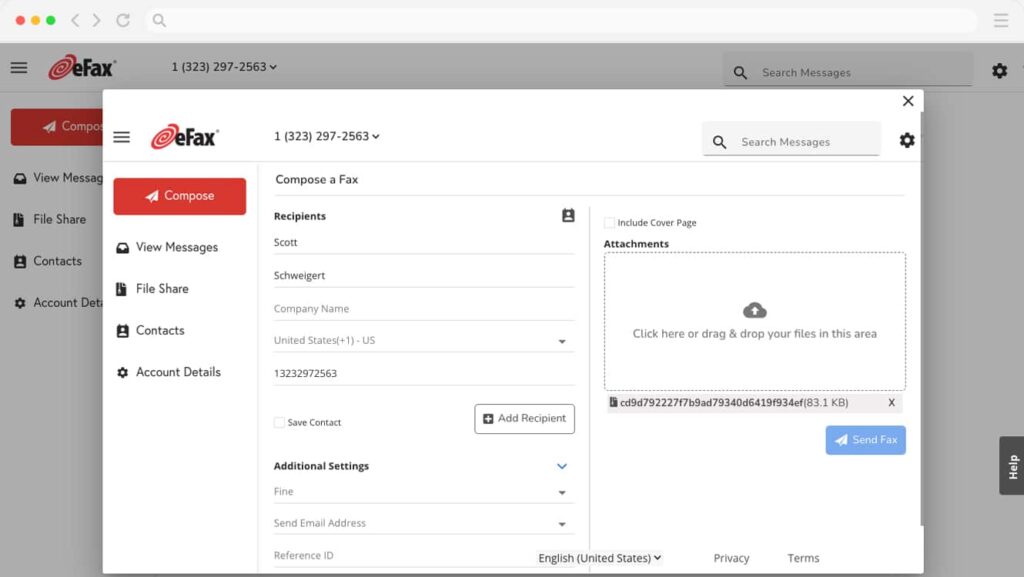
eFax is a household name in internet faxing. It’s often one of the first services people try when switching from traditional fax machines. eFax offers a clean mobile and desktop experience with solid reliability, making it a go-to for solo professionals and smaller offices looking for familiarity and ease.
eFax Key Features
- Online faxing: Send and receive faxes via desktop or mobile app.
- Email-to-fax: Seamless sending and receiving through your inbox.
- Mobile apps: iOS and Android support for faxing on the move.
- E-signatures: Digitally sign documents before sending.
- Cloud uploads: Fax directly from Google Drive, Dropbox, etc.
- Choice of numbers: Get a local or toll-free fax number.
eFax Pros
- Well-known name: Trusted by thousands of businesses.
- Great mobile experience: Strong app support for remote work.
- Easy to set up: You can start faxing in minutes.
- International support: Works in many countries.
eFax Cons
- Higher price: eFax is not the most cost-effective option out there for the services it provides.
- Extra fees: Overages and features like storage may cost more.
- Basic team tools: Collaboration features are minimal.
eFax Integrations
- Email platforms: Full Gmail and Outlook support.
- Cloud storage: Google Drive, OneDrive, Dropbox compatible.
- Mobile apps: Native apps for Android and iOS.
eFax Pricing
Paid plans start at $18–$20/month, with additional fees for extra pages.
eFax Ratings
- Capterra: 4.0/5
- G2: 3.9/5
eFax Customer Reviews
“I feel like it could use some updating. I don’t like that you have to click a million things before the actual document will open up.”
“I wish fax cover sheets were customizable. I also wish that faxes were archived in system for longer than 90 days”
Source: Capterra
eFax Support Channels
- Email support
- Phone support
- Help centre
5. iFax | iFax vs Fax.Plus
iFax Overview
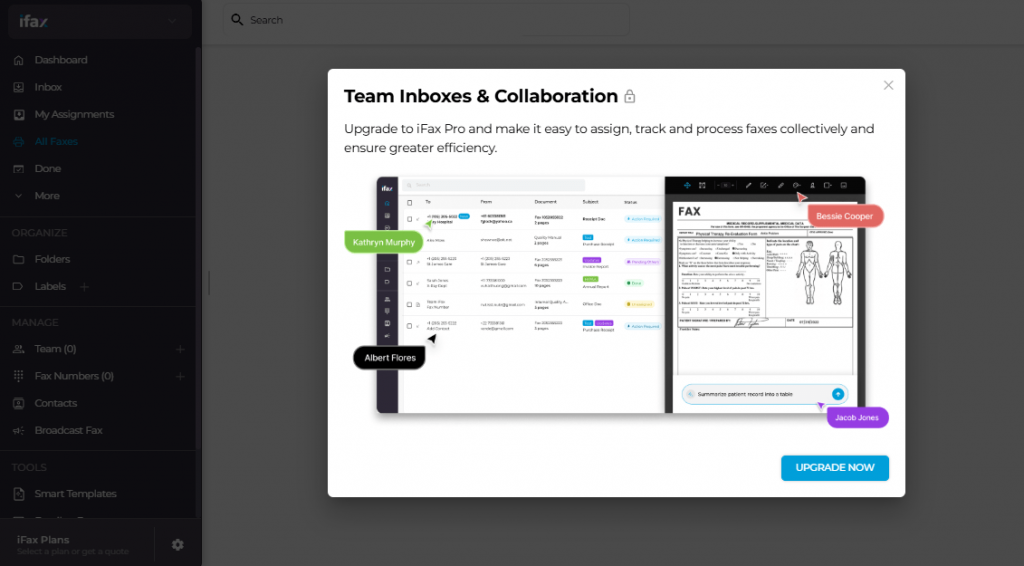
iFax combines modern design with strong security, making it a great choice for professionals who want encrypted faxing with style. It’s especially popular with healthcare providers, legal firms, and financial services that need HIPAA compliance. You can fax from the app, email, or web, plus it looks sleek while doing it.
iFax Key Features
- Cross-platform support: Use it on mobile, desktop, and web.
- HIPAA-compliant faxing: Secure, encrypted, and healthcare-friendly.
- Custom branding: Add your logo and info to outgoing faxes.
- Built-in editor: Edit documents before sending.
- Cloud sync: Automatically backs up faxes to Google Drive or Dropbox.
- OCR support: Turn scanned docs into searchable text.
iFax Pros
- Security first: Great for industries that require confidentiality.
- Clean interface: One of the better-looking fax apps out there.
- Feature-rich: Includes editing, templates, and even analytics.
- Global reach: Send faxes to over 90 countries.
iFax Cons
- Pricing can scale: Higher tiers needed for advanced features.
- Best for solo use: Team functionality isn’t its strongest suit.
iFax Integrations
- Cloud storage: Works with Google Drive, Dropbox, and OneDrive.
- EHR systems: Some healthcare platform compatibility (check plan).
- Email-to-fax: Fully supported with delivery tracking.
iFax Pricing
- Free trial: Limited trial available for new users.
- Paid plans: Monthly plans start around $9.99 and grow as per usage.
- Page limits: Higher usage requires higher plans.
iFax Ratings
- Capterra: 4.8/5
- G2: 4.7/5
iFax Customer Reviews
“I disliked how much the program cost. It’s too expensive for me.”
“Extremely predatory practices when it comes to charging you for things. And they will show zero understanding of your situation after slapping a massive charge on your bank account.”
Source: Capterra
iFax Support Channels
- Email support
- Help centre
6. SRFax | SRFax vs Fax.Plus
SRFax Overview
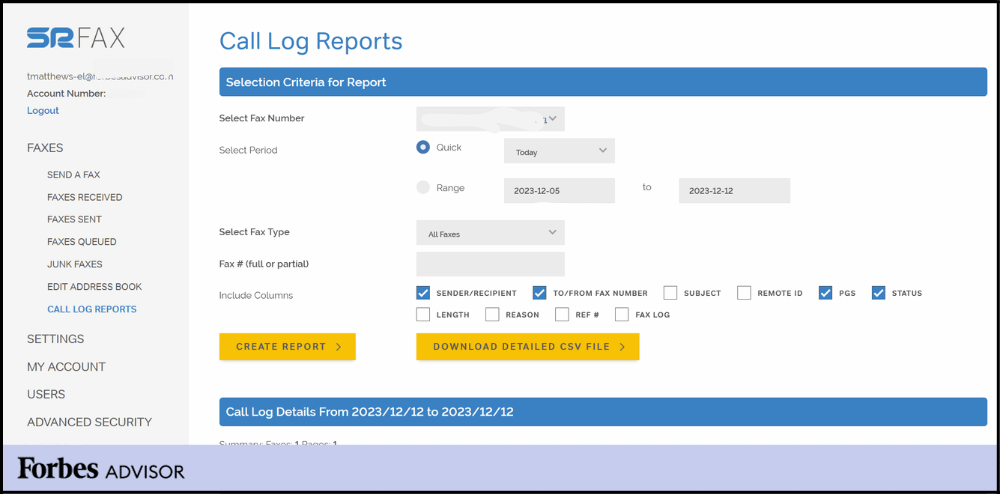
SRFax is built with security and compliance at its core, making it a top choice for industries like healthcare, legal, and finance. It’s HIPAA, PIPEDA, and PHIPA compliant, with options for data storage in the US or Canada. If your priority is secure, privacy policy-friendly faxing, SRFax checks every box without unnecessary extras.
SRFax Key Features
- HIPAA-compliant faxing: End-to-end encryption and Business Associate Agreements (BAA) available.
- Custom data storage: Choose between US or Canadian servers based on compliance needs.
- Email-to-fax: Fax from any email address. No software required.
- API access: Developer-friendly for integrating fax into existing workflows.
- OCR support: Automatically extract text from scanned faxes.
- Fax archiving: Keep a searchable log of all faxes.
SRFax Pros
- Top-tier security: Ideal for regulated environments.
- Flexible storage options: Great for US or Canadian compliance.
- Affordable plans: Pricing is competitive for the features offered.
- Reliable uptime: Rarely misses a beat when it comes to fax delivery.
SRFax Cons
- Dated interface: Usability isn’t its strongest point.
- Limited mobile support: No robust mobile app experience.
SRFax Integrations
- Email services: Full support for Gmail, Outlook, and others.
- EHR/EMR systems: Integrates with major healthcare platforms.
- Zapier: For connecting with additional business apps.
SRFax Pricing
Pricing details are not available on major review platforms.
SRFax Ratings
- Capterra: 4.7/5
- G2: 4.6/5
SRFax Customer Reviews
“The only con that I can give SRFAX is that Customer Support could be a bit better, that is my only feedback. We have had a few calls in to support and we had a few good people and others just sounded eager to end the call.”
“It is sometimes hard to see the faxes come through without fully logging in.”
Source: Capterra
SRFax Support Channels
- Email support
- Phone support
- Help resources
7. InterFAX | InterFAX vs Fax.Plus
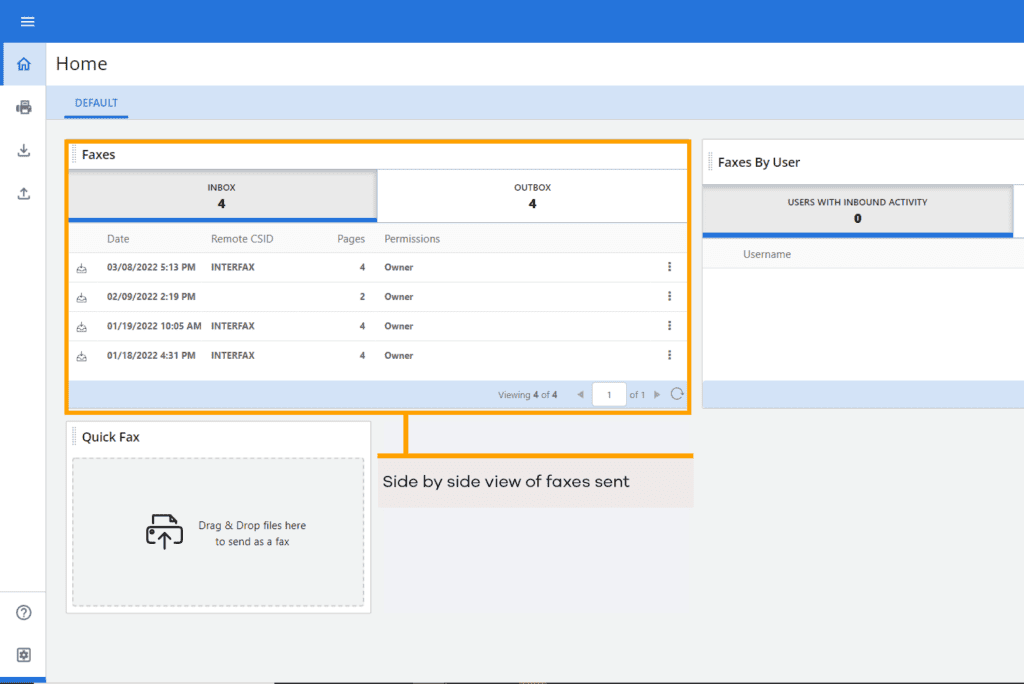
InterFAX Overview
InterFAX stands out for its enterprise-grade capabilities and global reach. With robust API support and strong security certifications (HIPAA, GDPR, PCI-DSS), it’s made for companies that want to fax at scale. While not flashy, it delivers on reliability and control – especially for developers and large teams.
InterFAX Key Features
- Secure cloud faxing: Strong encryption and certifications for global compliance.
- Fax by email or API: Offers great flexibility for developers and teams.
- Outbound and inbound faxing: With real-time delivery confirmation.
- Audit trails: Keep a complete log of fax activity for security audits.
- User management: Set up roles, permissions, and track activity by user.
- Custom sender IDs: Brand your faxes with company details.
InterFAX Pros
- Enterprise-ready: Scales well for large businesses.
- API powerhouse: Developers love the flexibility.
- Global compliance: Good for international businesses with complex needs.
- Consistent uptime: Very dependable for high-volume users.
InterFAX Cons
- Complex setup: Not ideal for beginners or very small teams.
- No texting or voice: It’s strictly a fax platform.
InterFAX Integrations
- API integrations: Connects with CRMs, healthcare systems, and custom apps.
- Email platforms: Works with all major providers.
- Compliance tools: Compatible with security platforms and audit systems.
InterFAX Pricing
Basic plans start at around $10, after which there’s custom pricing based on volume and features.
InterFAX Ratings
- Capterra: 4.6/5
- G2: 4.5/5
InterFAX Customer Reviews
“would like single sign on with O365 so users don’t have to share a common account. they seem to keep locking the account when 100s of users are using the shared account. integrating with O365 would take care of this limitation.”
Source: Capterra
InterFAX Support Channels
- Email support
- Help documentation
8. FaxBetter | FaxBetter vs Fax.Plus
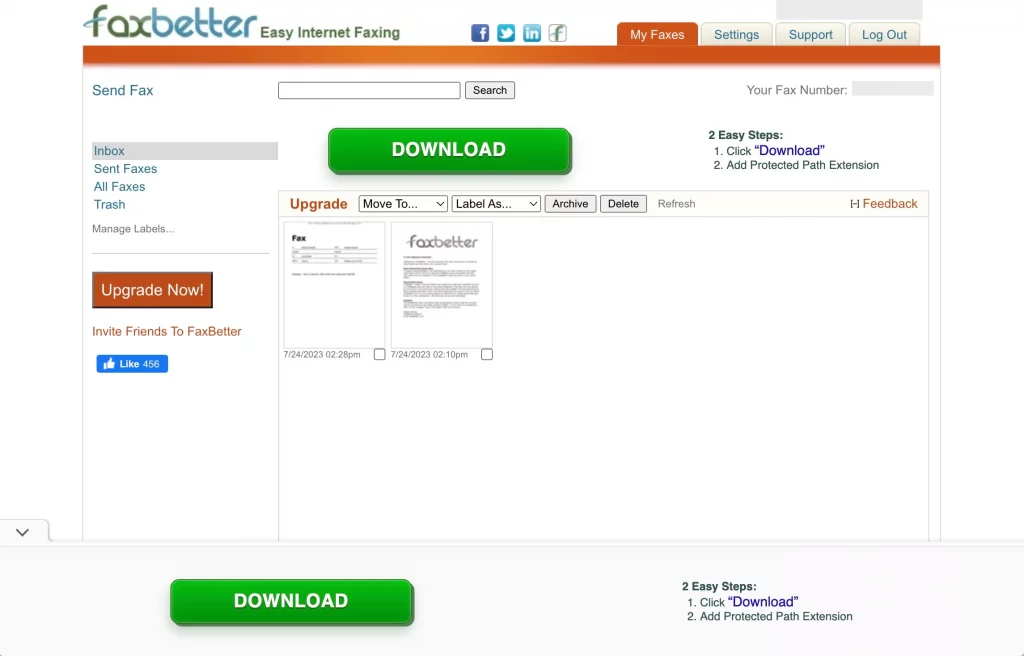
FaxBetter Overview
FaxBetter is a popular choice for light or occasional fax users, especially because of its free tier. It offers a dedicated fax number and lets you receive faxes via email at no cost. If you need a basic solution without spending money upfront, FaxBetter could be a great fit.
FaxBetter Key Features
- Free fax reception: Receive faxes via email at no cost.
- Dedicated fax number: Comes with every account, even free ones.
- Email notifications: Know instantly when a new fax arrives.
- Online storage: Save and view up to 1,000 pages in the portal.
- PDF format: All faxes arrive as readable and printable PDFs.
- Upgrade options: Paid plans allow sending faxes and increase storage.
FaxBetter Pros
- Free to receive faxes: A huge plus for low-volume users.
- Simple setup: No downloads or installations required.
- No contracts: Pay only if you need to send or want extra features.
- Works via email: Just attach and send.
FaxBetter Cons
- Limited sending: The free plan doesn’t allow outbound faxing.
- Ads in free tier: Expect promotional emails or branding.
FaxBetter Integrations
- Email-based only: No app or direct integrations.
- Manual download: Store faxes locally or print as needed.
FaxBetter Pricing
Not much public data is available on usage limits, so check closely if you send faxes often.
FaxBetter Ratings
It’s a smaller tool, so formal review coverage is pretty minimal.
FaxBetter Customer Reviews
Most users mention it’s fine for light, occasional faxing, but not feature-rich.
FaxBetter Support Channels
- Email support only
- Help articles in the support portal
9. MyFax | MyFax vs Fax.Plus
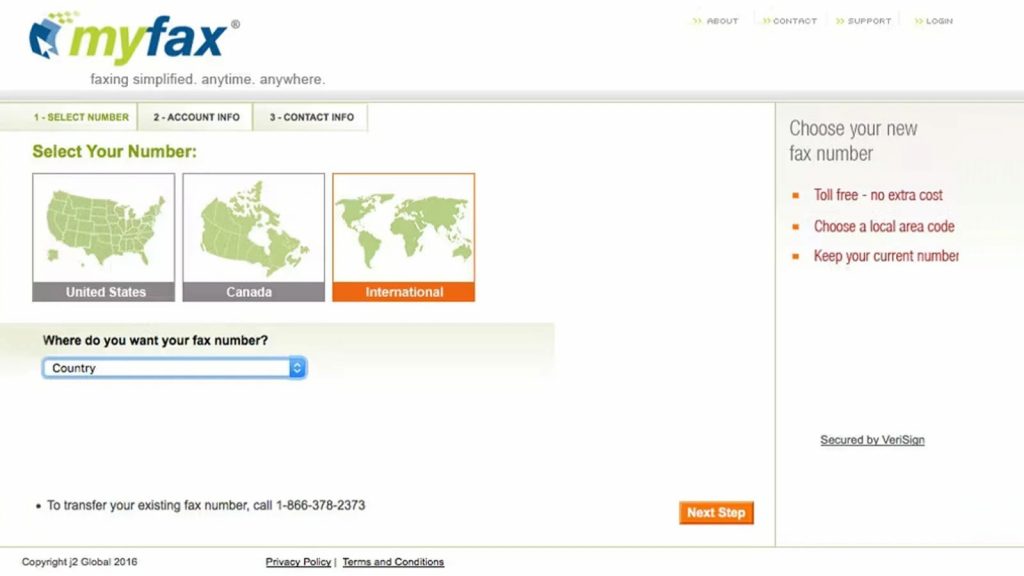
MyFax Overview
MyFax is a longstanding online fax solution known for its user-friendly experience and international reach. It caters well to small businesses that need to send faxes globally and want something simple without a lot of setup. While it doesn’t come with many bells and whistles, it’s dependable and easy to use.
MyFax Key Features
- Email-to-fax: Send and receive faxes from up to 5 email addresses.
- Mobile access: Use the app to manage faxes on the go.
- Cloud storage: Store and search faxes online for up to one year.
- Multiple file types supported: Send documents in over 150 formats.
- Local and toll-free numbers: Pick a number that suits your business.
- International faxing: Supports sending to over 40 countries.
MyFax Pros
- Simple to set up: No training needed, just sign up and start faxing.
- Great for remote teams: Works well across devices and email platforms.
- Longer storage: Keeps faxes for 12 months, which is more than many.
- Good for global use: Handy for international faxing.
MyFax Cons
- Not very scalable: Lacks team or role-based features.
- No texting or calls: Strictly a fax-only solution.
- Costs can rise: Pricing increases with usage and user needs.
MyFax Integrations
- Email-based integration only: Use with Gmail, Outlook, Yahoo, and others.
- No direct CRM or automation tool connections.
MyFax Ratings
- Capterra: 3.4/5
- G2: 3.3/5
MyFax Customer Reviews
“Terrible! I’m going to have to make a complaint for a fraudulent business in order to the charges refunded. You will never get your money back and they will never stop charging you once you sign up. They have no email that provides customer support. you will just get an email bounced back to you that says the same thing. If you call the Support number it is a message saying that they do not have a call support feature anymore. They say that they have a chat feature, but that is also untrue. Theygive you instructions for how to delete the account on your computer which do not work either. This company is a complete scam.”
Source: Capterra
MyFax Support Channels
- Email support
- Phone support
- Help articles (Basic guides and FAQs online)
10. Dropbox Fax | Dropbox Fax vs Fax.Plus
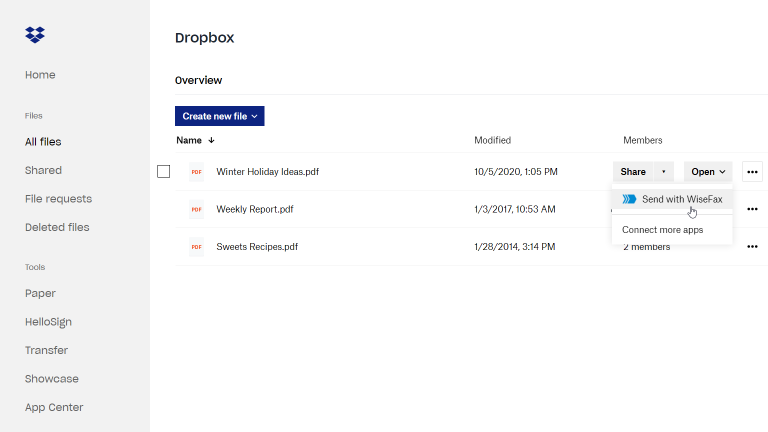
Dropbox Fax Overview
Dropbox Fax (formerly HelloFax) is ideal for businesses that already live in the cloud. It’s tightly integrated with Dropbox, Google Drive, Box, and OneDrive, making it a natural fit if you work from cloud storage. It’s sleek, secure, and good for paperless workflows. But it’s best suited for light to moderate faxing.
Dropbox Fax Key Features
- Cloud-first faxing: Send and receive faxes directly from cloud storage.
- eSign support: Add digital signatures before sending.
- Multiple users: Invite your team to share fax lines and folders.
- Document syncing: Auto-sync faxes to Dropbox, Google Drive, etc.
- No fax machine needed: 100% paperless and online.
- Unlimited storage: Keep an archive of all sent and received faxes.
Dropbox Fax Pros
- Perfect for cloud users: Seamless integration with major storage services.
- Paperless and eco-friendly: No printing or scanning involved.
- Easy digital signing: Great for document workflows and contracts.
- Intuitive UI: Clean interface with drag-and-drop support.
Dropbox Fax Cons
- No mobile app: You’ll need a browser to send/receive faxes.
- Limited features for teams: Not as strong on roles or permissions.
- Pricing can get high: Especially if you need multiple users or send a lot.
Dropbox Fax Integrations
- Cloud storage: Deep integration with Dropbox, Google Drive, Box, OneDrive.
- Productivity tools: Works well alongside Google Workspace and Office 365.
- eSign tools: Integrated for document signing and approval workflows.
Dropbox Fax Pricing
Free trial available. Paid plans start at $9.99/month for 300 pages.
Dropbox Fax Ratings
No public ratings on major platforms like Capterra and G2.
Dropbox Fax Customer Reviews
Very few public reviews are available on sources like Capterra and G2.
Dropbox Fax Support Channels
- Email support
- Help centre with tutorials
- No live chat or phone for basic plans
Why Emitrr Is the Best Fax.Plus Alternative
Emitrr isn’t just another fax tool – it’s a full-on cloud communication platform for businesses. Whether you’re running a clinic, a law office, or a multi-location team, here’s why Emitrr outshines the rest:
All-in-One Communication Hub
Tired of bouncing between apps just to handle one client? Emitrr lets you send texts, make calls, and fax all from a unified dashboard. You see the full history of communication with each client in one thread, making it super easy to follow up or reference past conversations. No more switching tabs, tools, or logins. Just one clean, unified workspace that saves time and keeps things flowing.
Real-Time Status Updates
With Emitrr, you’ll know the exact moment your fax goes through or if it doesn’t. Instant updates, clear reasons for any failures, and automatic retries take out the guesswork. Think of it like tracked mail with delivery receipts, but faster. You stay informed without refreshing your inbox or waiting for hours.
Audit-Ready Tracking
Every message, fax, text, or call is automatically logged with timestamps and user info, ready for audits or internal tracking. Perfect for healthcare, legal, and finance teams who need to document everything. You’ll never be left scrambling to prove something was sent. It’s all right there, neatly recorded and exportable when needed.
Role-Based Access Control
Control who sees what and who does what. Assign roles so team members can view, send, or manage only what they need to. You can also assign conversations or faxes to specific team members for follow-up, helping prevent tasks from slipping through the cracks. This makes collaboration smoother, especially in busy teams where clear accountability matters.
Integrates With Your Tools
Emitrr connects with the systems you already use – be it CRMs like HubSpot or Salesforce, EHRs like Athenahealth, or tools like Google Drive and Outlook. That means less manual copying, fewer clicks, and way fewer errors. You’ll work from where you already are, with communication data syncing across platforms automatically.
Fully Paperless Setup
No hardware. No phone lines. No maintenance headaches. Emitrr is fully cloud-based, so you’re up and running in minutes. Just pick your number, log in from any device, and start communicating – whether you’re at the office, at home, or on the move. It’s perfect for modern teams who want powerful tools without the physical clutter.
Built for Real-World Teams
Emitrr is made for small and mid-sized teams – especially service-driven businesses like clinics, dental offices, and home service providers. It includes team messaging, shared inboxes, multi-location tools, and even features like appointment reminders and review requests. Everyone on your team gets the info they need to keep operations running smoothly.
Secure, Scalable, and Cost-Effective
With HIPAA-grade security, end-to-end encryption, and simple per-user pricing, Emitrr keeps costs predictable. As your business grows, it grows with you – adding users, locations, or integrations is seamless. You won’t outgrow it anytime soon, and you’ll never get stuck with surprise fees or limited features!
Who Should Use Emitrr?
Emitrr is built for practical, everyday businesses that rely on fast, secure, and consistent communication. Here’s who gets the most out of it:
Healthcare Clinics & Dentists
From appointment reminders to lab reports, Emitrr helps clinics streamline everything securely and compliantly. Send faxes, make follow-up calls, and text patients – all without leaving the platform. It’s HIPAA-compliant, BAA-ready, and designed to make communication easier for busy healthcare teams.
Home Services Teams
Whether you’re scheduling jobs, sending estimates, or confirming appointments, Emitrr keeps your crew and your customers in sync. You can text clients when you’re on the way, fax permits or invoices, and even gather reviews – all in one place. No more juggling your phone and laptop in between jobs!
Franchises & Multi-Location Teams
Running multiple offices or locations? Emitrr makes it easy to unify communications while keeping them organised by site. Assign numbers by location, share access with relevant staff, and manage everything centrally from a single dashboard. It’s communication that scales with your brand.
Law Firms & Finance Pros
When security and documentation are non-negotiable, Emitrr delivers. All faxes and messages are logged, encrypted, and backed by audit-ready reporting. Plus, it integrates with your existing case or financial management software, making record-keeping seamless.
Customer-Facing Small Businesses
If you regularly reach out to customers whether by fax, phone, or text Emitrr gives you a cleaner, simpler way to do it. It helps you look polished and responsive, without needing an IT team or complicated setup. Perfect for local service providers, wellness businesses, or anyone wanting to up their communication game.
Frequently Asked Questions
Absolutely! Emitrr is built with HIPAA compliance in mind. It encrypts all data in transit and at rest, signs BAAs, and offers audit logs and role-based permissions. So it’s a super secure choice for healthcare and other regulated industries.
Yes, Emitrr supports number porting, so you can bring your existing fax number with you. The team will handle this transition seamlessly, ensuring there’s no disruption in service while you switch over.
Very quickly! Since it’s cloud-based, there’s no hardware to set up. You can create an account and begin sending or receiving faxes the same day.
It sure can! Emitrr combines online fax, SMS texting, and VoIP calling into one platform. That means fewer tools to juggle, one login, and a unified inbox – just perfect for streamlining all your business communications.
Definitely. Emitrr was built with teams and multi-location businesses in mind. It supports role-based access, shared inboxes, and central management for all users and numbers, making it perfect for franchises, clinics, or growing service businesses.
Conclusion
If you’re ready to move beyond traditional faxing and want a smarter, more connected way to communicate, Emitrr checks all the boxes. It brings faxing, texting, and calling under one roof, with automation, compliance, and collaboration features that genuinely make your life easier.
Whether you’re a solo provider or managing a multi-location business, Emitrr adapts to your needs and grows with you. It’s secure, cost-effective, and purpose-built for modern service industries. Why juggle multiple tools when you can streamline them all with one? Book a free demo with Emitrr today to see how it can modernise your business communications – without the chaos!