
 4.9 (400+
reviews)
4.9 (400+
reviews)

Introduction
Digital forms have become an integral part of modern business operations, helping organizations streamline data collection, automate workflows, and improve client communication. From patient intake and feedback collection to approvals and documentation, these tools eliminate paperwork and save valuable time. Platforms like FormHippo have made it easier for small businesses and healthcare practices to create online forms and manage submissions effortlessly.
However, as organizations grow, their needs evolve. They require advanced automation, deeper CRM and communication integrations, and strict HIPAA compliance to protect sensitive information. While FormHippo serves well for basic requirements, many teams find themselves limited by its scalability, customization options, and automation capabilities.
That’s why more businesses are seeking a FormHippo alternative that offers greater flexibility, robust features, and seamless communication. In this blog, we’ll explore the top 10 FormHippo alternatives, comparing their features, pricing, pros, and cons — and uncover why Emitrr stands out as the ultimate solution for modern practices.

What is FormHippo?
FormHippo is an online form-building platform designed for small businesses, healthcare practices, and marketing teams. It allows users to create fully customizable digital forms, collect and manage data securely, and automate submissions with ease.
From handling client inquiries and patient intake to capturing consent forms, FormHippo simplifies data management and reduces paperwork. Its intuitive interface makes it accessible for non-technical users, helping organizations streamline workflows while maintaining security, efficiency, and compliance across their operations.
FormHippo Features
- Drag-and-Drop Form Builder: Effortlessly design online forms with customizable fields and layouts using an intuitive drag-and-drop interface, making it simple for users to create forms without coding knowledge.
- Templates: Access a wide range of pre-designed templates for surveys, registrations, and feedback forms, helping users quickly set up professional-looking forms that fit their business needs.
- Data Collection: Securely capture, organize, and store form responses in a centralized database, ensuring that all submitted information remains accessible, protected, and easy to manage for future reference.
- Integrations: Connect FormHippo with select CRM systems, email marketing tools, or communication platforms to streamline data transfer and improve workflow automation across multiple business applications.
- E-signature Support: Enable users to electronically sign documents directly through forms, ensuring faster approvals, smoother workflows, and enhanced compliance with secure digital signature capabilities.
FormHippo Pros
- User-Friendly Interface: FormHippo offers a clean, intuitive design that’s easy to navigate, allowing users to create and manage forms effortlessly without any technical background or training.
- Quick Setup: Build and publish online forms within minutes using its simple tools, eliminating the need for coding and helping teams save time on setup and deployment.
- Basic Automation: Automates data collection and submission processes, ensuring responses are stored instantly and reducing manual effort while maintaining accuracy and organization.
- Ideal for Small Teams: Perfect for startups and small teams needing a straightforward, budget-friendly solution to manage forms and streamline essential data collection tasks.
FormHippo Cons
- Limited Design Customization: FormHippo offers basic design options, restricting users from fully customizing layouts, branding, or themes to match their business identity and visual preferences.
- Limited Integrations: The platform supports only a few third-party integrations, making it difficult to connect with advanced CRM, marketing, or communication tools for seamless data synchronization.
- Lacks Advanced Automation: While it handles basic submissions, FormHippo doesn’t support complex automation features like conditional logic, multi-step workflows, or smart triggers for efficient data processing.
- Not Scalable for Large Businesses: FormHippo’s capabilities suit small teams, but it struggles to meet the scalability, flexibility, and performance needs of large or multi-location enterprises.
FormHippo Pricing
- Free Trial (30 Days): Includes 1,000 form submissions, 1,000 messages, electronic signatures, 2GB storage, branding, HIPAA BAA, and online support — perfect for beginners.
- FormHippo® Basic: $8.95/user/month: Offers 5,000 submissions, 5,000 messages, 5 forms per user, 5GB storage, message recall, branding, HIPAA BAA, and SENDSAFE URL. Ideal for small teams.
- FormHippo Pro: $11.95/user/month: Provides 10,000 submissions, 10,000 messages, 10 forms per user, 10GB storage, message expiration, Google Drive integration, HIPAA BAA, and SENDSAFE® Email. Best for growing practices.
FormHippo Integrations
FormHippo integrates with basic CRM systems and email tools, but its integration ecosystem is limited compared to competitors. For businesses needing connections to EMRs, scheduling apps, or omnichannel systems, these limitations can affect productivity.
FormHippo Customer Support Channels
FormHippo provides email and help center support. However, users often report slower response times and limited availability for live chat or real-time troubleshooting.
FormHippo Ratings
- FormHippo’s ratings information is not publicly available.
Why Do Businesses Seek a FormHippo Alternative?
While FormHippo offers basic features, its limited integrations and workflow options often restrict teams aiming for advanced data collection and seamless operations.
Limited Integration Options
FormHippo’s restricted integration ecosystem limits its ability to connect with essential CRM, email marketing, or project management tools. This makes it difficult for businesses to automate tasks, sync data across platforms, and maintain smooth communication between departments.
Scalability Issues
As organizations expand, FormHippo struggles to manage higher submission volumes and multi-department workflows. Teams handling multiple projects or client accounts often face challenges in centralizing responses and maintaining consistent access to shared data across users.
Design Flexibility
While FormHippo allows basic branding, it lacks deeper customization for themes, layouts, and advanced form styling. Businesses wanting to align forms with their brand identity or enhance user experience often find these design restrictions limiting.
Automation Limitations
The platform doesn’t support advanced features like multi-step triggers, conditional routing, or automated follow-ups. This limits workflow efficiency, especially for businesses relying on real-time notifications and data-driven decision-making across teams.
Customer Support Delays
Many users report delayed assistance and minimal live chat availability. During technical challenges or urgent client projects, slow response times can disrupt workflows and reduce confidence in the platform’s reliability.
What Features To Look For In A FormHippo Alternative?
When selecting a FormHippo alternative, focus on tools that boost automation, enhance team collaboration, and ensure data security. The right solution should streamline operations while offering flexibility, scalability, and seamless integration with existing business systems.
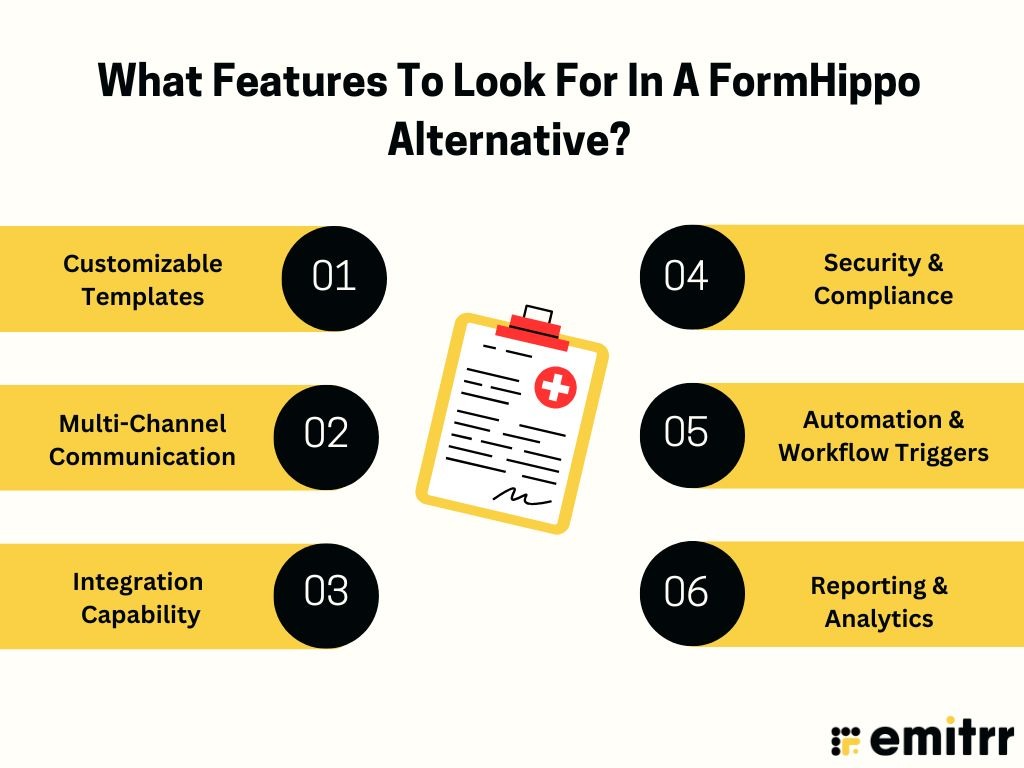
Customizable Templates
Choose a platform that provides fully customizable templates for flexible and on-brand form creation. It should let you adjust layouts, colors, and fields to align with your brand identity and user experience needs.
Multi-Channel Communication
Opt for software that automates communication across channels like SMS, email, and chat. This ensures faster responses, better engagement, and improved customer satisfaction without relying on manual intervention.
Integration Capability
Select a solution that connects easily with CRM, scheduling, and marketing automation tools. Seamless integrations reduce manual data entry, streamline workflows, and help maintain accurate information across all business systems.
Security & Compliance
Ensure the platform supports HIPAA and GDPR compliance for secure data handling. Strong encryption, access controls, and audit trails are crucial to protect sensitive client and business information.
Automation & Workflow Triggers
Look for platforms offering conditional logic, smart triggers, and automated responses. These features help streamline approvals, send reminders, and manage repetitive workflows effortlessly.
Reporting & Analytics
A robust reporting dashboard provides key performance metrics and insights. It helps track form submissions, identify trends, and make data-driven decisions to enhance productivity and efficiency.
Discover HIPAA-Compliant Digital Intake Forms for Healthcare Practices:
10 Best FormHippo Alternatives
FormHippo is a good starting point for basic digital forms, but businesses seeking deeper automation, better integrations, and HIPAA-compliant workflows often explore more advanced solutions. Below are 10 powerful FormHippo alternatives designed for scalability, compliance, and communication efficiency.
1. Emitrr
What is Emitrr?
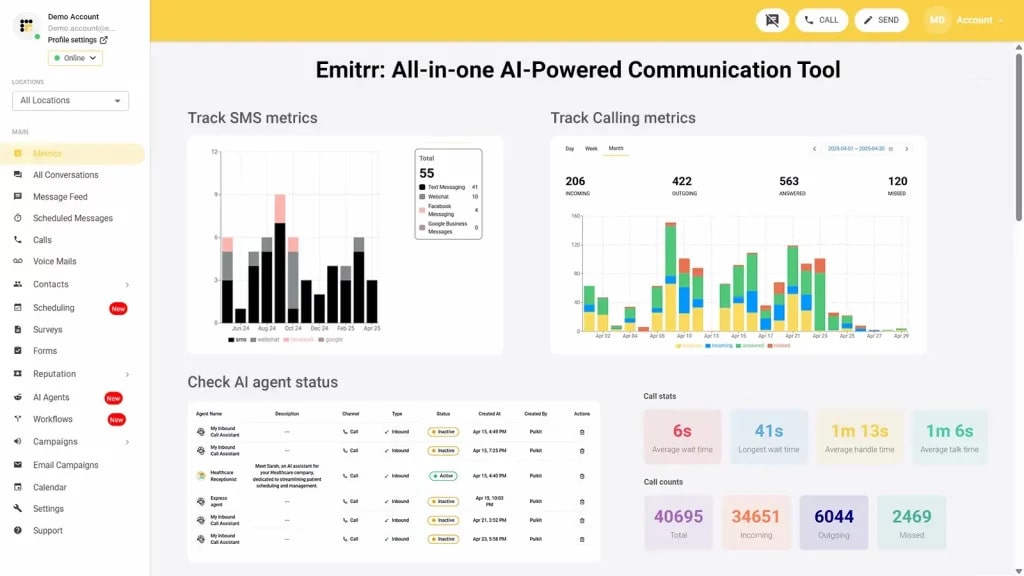
Emitrr is a powerful HIPAA-compliant automation and communication platform that unifies form creation, SMS, email, and voice capabilities in one place. Designed for healthcare, real estate, and service-driven businesses, it streamlines data collection, automates repetitive workflows, and ensures secure, seamless communication, enhancing efficiency, compliance, and customer engagement across all business processes.
Key Features
- All-in-One Dashboard: Manage all forms, SMS, calls, and emails from a single dashboard, ensuring smooth coordination and reducing time spent switching between multiple platforms.
- HIPAA Compliance: Protect sensitive patient communication or client data with encrypted document signing, secure storage, and full HIPAA Compliance to maintain confidentiality and meet regulatory standards.
- 100+ Free Medical Form Templates: Access a library of 100+ downloadable medical form templates in PDF format, saving time and helping your team get started instantly.
- Smart Automation: Automate repetitive tasks like appointment reminders, feedback requests, and responses with intelligent workflows that save time and improve operational efficiency.
- Omnichannel Communication: Seamlessly engage customers through text, HIPAA-compliant calling, or email, ensuring consistent communication and faster response times across all channels.
- Integrations: Effortlessly connect with EHRs, CRMs, and scheduling tools to enable real-time data sharing and streamline your business workflows.
Pros
- Ensures complete data security with HIPAA-compliant document management and encrypted storage for sensitive information.
- Supports communication through SMS, calls, and emails, offering seamless multi-channel engagement with customers.
- Automates routine workflows, saving time, reducing manual effort, and boosting overall business productivity.
- Provides round-the-clock customer service to assist with setup, troubleshooting, and ongoing support needs.
Cons
- More advanced features are being added continuously.
Pricing
- Basic Plan ($20/user/month): Ideal for small practices, it includes customizable form creation, HIPAA-compliant electronic signatures, secure data storage, and automated email or SMS notifications for better communication and workflow management.
- Professional Plan ($35/user/month): Best suited for growing or multi-location organizations, it offers advanced workflow automation, AI-based data routing, analytics, and deep CRM/EHR integrations for enhanced scalability and efficiency.
Ratings
Support Channels
- 24/7 chat, email, and phone support.
2. Jotform
What is Jotform?
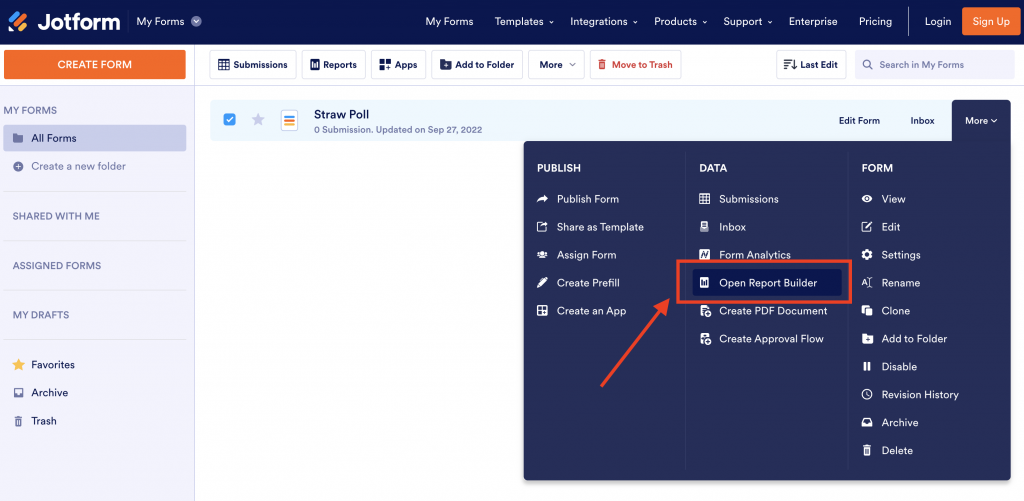
Jotform is a versatile online HIPAA-Compliant form builder designed for creating surveys, applications, and registrations with ease. It’s known for its intuitive drag-and-drop interface, customizable templates, and extensive third-party integrations. Suitable for businesses of all sizes, Jotform simplifies data collection, automates responses, and integrates seamlessly with CRMs, payment gateways, and productivity tools.
Key Features
- Drag-and-Drop Builder: Easily create forms without coding using an intuitive drag-and-drop interface that lets you add fields, elements, and logic effortlessly.
- Custom Templates: Access 10,000+ ready-to-use templates for various industries, helping businesses create professional forms quickly and maintain consistent branding.
- Payment Integrations: Connect seamlessly with Stripe, PayPal, or Square to accept secure online payments directly through your forms.
- Conditional Logic: Automate form responses and customize user experiences with advanced conditional logic and branching options.
Pros
- Extremely easy to use, even for beginners with no technical skills.
- Offers thousands of pre-designed templates for every business use case.
- Integrates with major tools like Slack, HubSpot, and Salesforce.
- Provides a free plan suitable for startups and small teams.
Cons
- Limited advanced automation compared to enterprise-level tools.
- Branding appears on forms in the free version.
- Loading speed can be slower for complex forms.
- Customer support is limited to email; no live chat option.
Pricing
- Basic Plan (Free): Ideal for individuals or startups exploring form creation. Includes 5 forms, 100 submissions, 100 MB storage, and basic branding.
- Bronze Plan ($34/user/month): Suitable for small teams. Offers 25 forms, 1,000 submissions, 1 GB storage, no branding, and priority form customization tools.
- Silver Plan ($39/user/month): Best for growing businesses. Includes 50 forms, 2,500 submissions, 10 GB storage, advanced analytics, and enhanced integration capabilities.
- Gold Plan ($99/user/month): Perfect for large organizations. Provides 100 forms, 10,000 submissions, 100 GB storage, and full HIPAA-compliant features for secure data management.
- Enterprise Plan (Custom Pricing): Tailored for enterprises. Offers unlimited forms, users, and storage with SSO, SLA, dedicated support, and complete HIPAA compliance.
Ratings
Support Channels
- Email, help center, and community forum.
3. Formstack

What is Formstack?
Formstack is a powerful workplace automation platform designed to simplify data collection, digital document creation, and e-signatures. It helps organizations automate manual workflows, enhance team collaboration, and securely collect and manage information without coding — ideal for healthcare, education, HR, and financial services.
Key Features
- Drag-and-Drop Builder: Create customizable forms and documents effortlessly using an intuitive, no-code drag-and-drop interface.
- Workflow Automation: Automate repetitive processes, approvals, and notifications for smoother team collaboration and faster execution.
- E-signature Integration: Simplify document signing and approvals with legally binding e-signatures integrated directly into your workflows.
- Data Security & Compliance: Protect sensitive data with HIPAA, GDPR, and SOC 2 compliance features to ensure safe data handling.
Pros
- Streamlines workflow automation across multiple departments.
- Offers secure, compliant document handling and form submissions.
- Integrates seamlessly with top business and CRM tools.
- Provides advanced analytics for data-driven decisions.
Cons
- Can be expensive for small teams or startups.
- Limited customization options on lower-tier plans.
- Complex workflows may require initial setup time.
- Customer support may vary by subscription level.
Pricing
- Forms Plan ($83/month): Ideal for small and mid-sized teams, this plan includes 25 forms, 1,000 submissions per form, 2GB storage, workflow access, dynamic task assignment, and custom branding for seamless data collection.
- Suite Plan ($250/month): Perfect for growing organizations, it combines Forms, Documents, and Sign in one bundle. Includes 100 forms, unlimited signatures, 10GB storage, workflow dashboard, smart lists, data routing, and group approvals.
- Enterprise Plan (Custom Pricing): Tailored for large enterprises with advanced compliance needs. Includes a dedicated success manager, SSO features, user-level permissions, and complete security and data residency control.
Ratings
Support Channels
- Email, chat, knowledge base, and dedicated account management.
4. Cognito Forms
What is Cognito Forms?
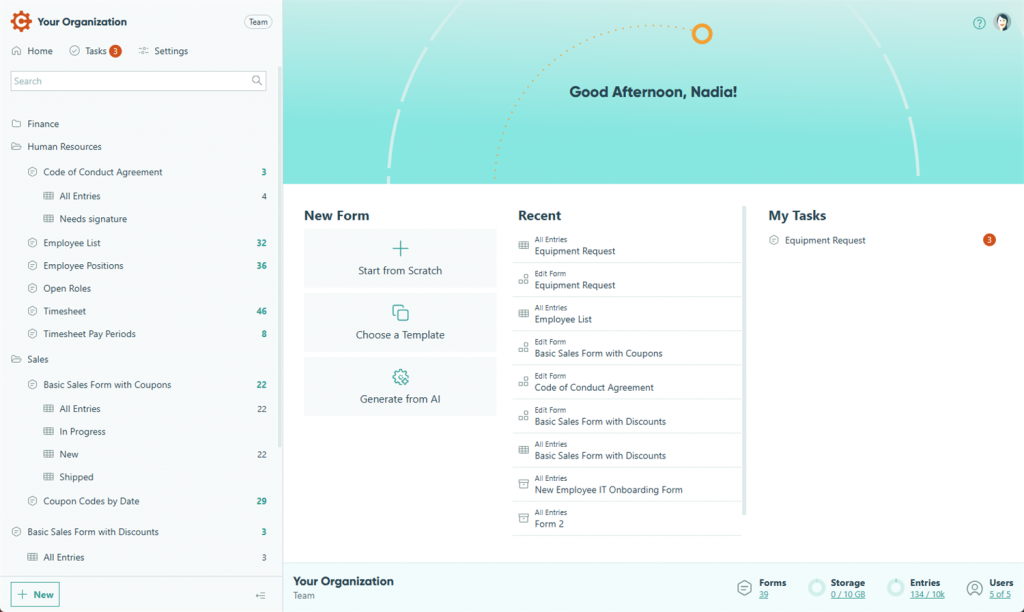
Cognito Forms is an intuitive online form builder designed for businesses seeking powerful data management and automation without coding. It allows users to create advanced, dynamic forms with conditional logic, payment collection, and real-time data calculations. Its simplicity, affordability, and flexibility make it ideal for SMBs and professional service providers.
Key Features
- Advanced Conditional Logic: Create responsive forms that adapt based on user input, improving engagement and data accuracy.
- Payment Collection: Accept online payments seamlessly through integrations with PayPal, Stripe, and Square for easy transaction processing.
- Data Encryption: Keep sensitive form data safe with SSL encryption and security compliance for peace of mind.
- Workflow Automation: Automate approvals, notifications, and data routing across teams to save time and reduce manual effort.
Pros
- User-friendly drag-and-drop interface for fast form creation.
- Built-in calculations and dynamic field options.
- Affordable pricing suitable for small and medium businesses.
- Offers unlimited forms even in lower plans.
Cons
- Limited design customization compared to premium builders.
- Fewer native CRM and email integrations.
- Reporting features could be more advanced.
- Free plan includes Cognito Forms branding.
Pricing
- Individual Plan (Free): Perfect for personal use or beginners. Includes 1 user, unlimited forms, 100 monthly entries, 100MB storage, and payment collection options. No guest access and Cognito branding applies.
- Pro Plan ($19/month): Ideal for freelancers and small teams. Offers 2 users, unlimited forms, 2,000 monthly entries, 1GB storage, advanced workflows, PayPal and Square payment integrations, and no ads.
- Team Plan ($39/month): Best for growing businesses. Includes 5 users, 5 guest collaborators, unlimited forms, 10,000 monthly entries, 10GB storage, and enhanced workflow automation for department collaboration.
- Enterprise Plan ($129/month): Designed for large organizations. Provides 20 users, 20 guest collaborators, unlimited entries, 100GB storage, secure data handling, and full access to advanced automation and integrations.
Ratings
Support Channels
- Email, chat, and knowledge base.
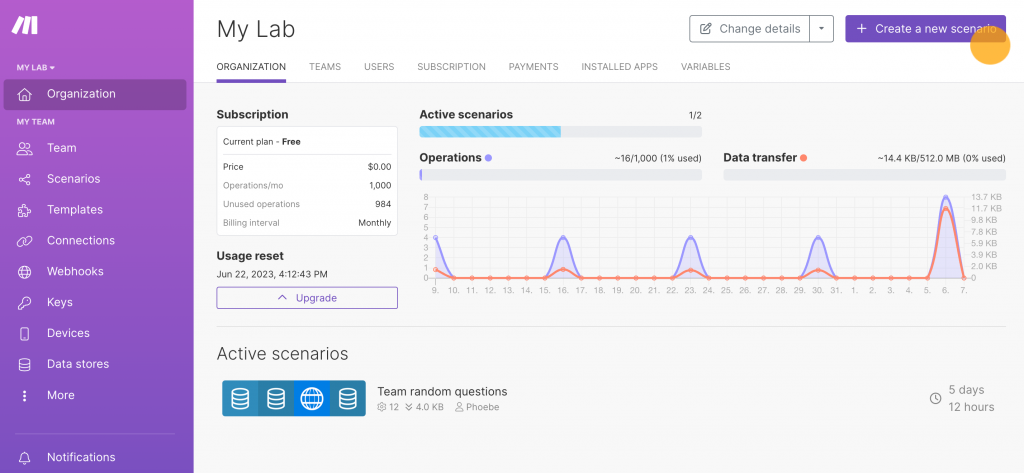
5. Typeform
What is Typeform?
Typeform is an interactive online form and survey builder that focuses on user engagement through conversational, one-question-at-a-time interfaces. It’s popular among marketers, educators, and customer experience teams for collecting data in an engaging, user-friendly way.
Key Features
- Conversational Forms: Typeform’s unique design presents questions one at a time, creating an engaging, human-like interaction for respondents.
- Custom Branding: Add your logo, brand colors, and themes for a fully personalized experience.
- Logic Jumps: Create dynamic forms that adapt to user responses for tailored data collection.
- Integrations: Seamlessly connects with tools like HubSpot, Google Sheets, and Slack to automate workflows.
Pros
- Highly interactive and user-friendly interface.
- Excellent customization and branding options.
- Integrates smoothly with popular CRM and marketing tools.
- Ideal for surveys, quizzes, and lead generation forms.
Cons
- Limited form complexity for large enterprise use.
- Expensive compared to basic form builders.
- Data storage and response limits on lower plans.
- Requires stable internet for smooth functionality.
Pricing
- Basic Plan ($25/month): Perfect for individuals or small teams. Includes 1 user, unlimited typeforms and questions, and 100 responses per month. Ideal for creating simple, interactive AI-powered forms.
- Plus Plan ($50/month): Designed for marketers and growing teams. Includes 3 users, 1,000 responses per month, removal of Typeform branding, and a custom subdomain for branded experiences.
- Business Plan ($83/month): Best for businesses needing advanced analytics. Includes 5 users, 10,000 monthly responses, AI-powered performance insights, drop-off tracking, conversion analytics, and priority support with live chat.
- Enterprise Plan (Custom Pricing): Built for large organizations. Offers tailored response limits, dedicated account management, VIP support, SSO, HIPAA and GDPR compliance, and full branding control with custom domains.
Ratings
Support Channels
- Email, live chat, and a comprehensive help center with guides and tutorials.
6. Paperform
What is Paperform?
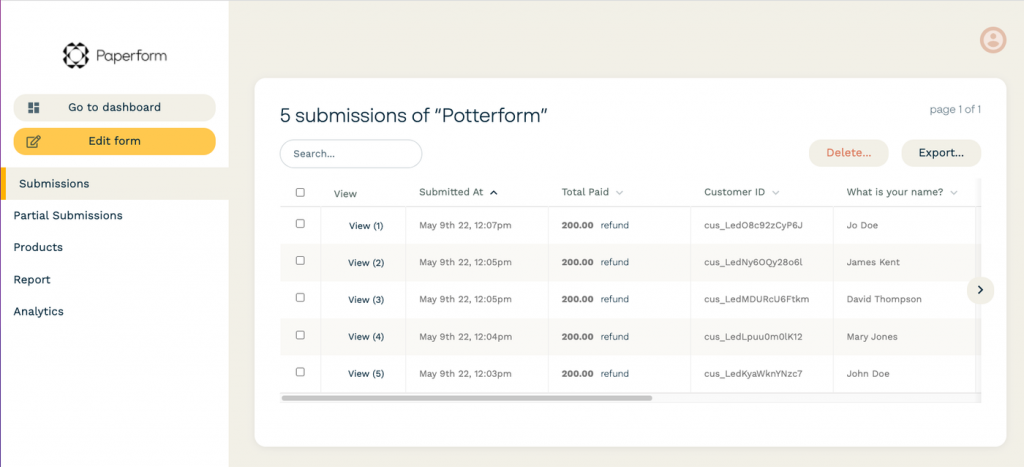
Paperform is a versatile online form and landing page builder that blends powerful automation with beautiful design. It’s perfect for businesses, educators, and creators looking to collect data, manage bookings, and accept payments with ease — all while maintaining a branded, professional appearance.
Key Features
- Flexible Form Builder: Create stunning forms, surveys, or product pages with a clean, no-code drag-and-drop editor.
- Automation Tools:Automate emails, workflows, and data routing to streamline operations and save time.
- Payment Integration: Accept payments directly through Stripe, PayPal, or Square with built-in checkout forms.
- Conditional Logic: Design dynamic forms that change based on user responses for personalized experiences.
Pros
- Highly customizable and design-friendly interface.
- Accepts online payments seamlessly.
- Integrates with 3,000+ apps via Zapier and native connections.
- Perfect for creating interactive, branded experiences.
Cons
- Learning curve for beginners due to deep customization.
- Slightly higher pricing for small businesses.
- Limited collaboration tools in lower-tier plans.
- No free plan beyond the trial period.
Pricing
- Essentials Plan ($24/month): Perfect for individuals who want a simple, elegant way to build forms. Includes 1 user, unlimited forms, 1,200 yearly submissions, 1GB storage, 2000+ integrations, and standard live support.
- Pro Plan ($49/month): Ideal for small teams looking for branding and advanced customization. Offers 3 users, 12,000 yearly submissions, 10GB storage, priority support, removable branding, and custom domain add-on options.
- Business Plan ($99/month): Best for growing organizations needing scalability and compliance. Includes 5 users, 120,000 yearly submissions, 100GB storage, one included custom domain, advanced analytics, API access, and first-priority support.
- Enterprise Plan (Custom Pricing): Tailored for large enterprises with complex workflows. Provides unlimited users, submissions, and storage with SSO (SAML), SLA, dedicated CSM, local data residency, and full admin control.
Ratings
Support Channels
- Email support, live chat, and a knowledge base with tutorials, guides, and setup resources.
7. Google Forms
What is Google Forms?
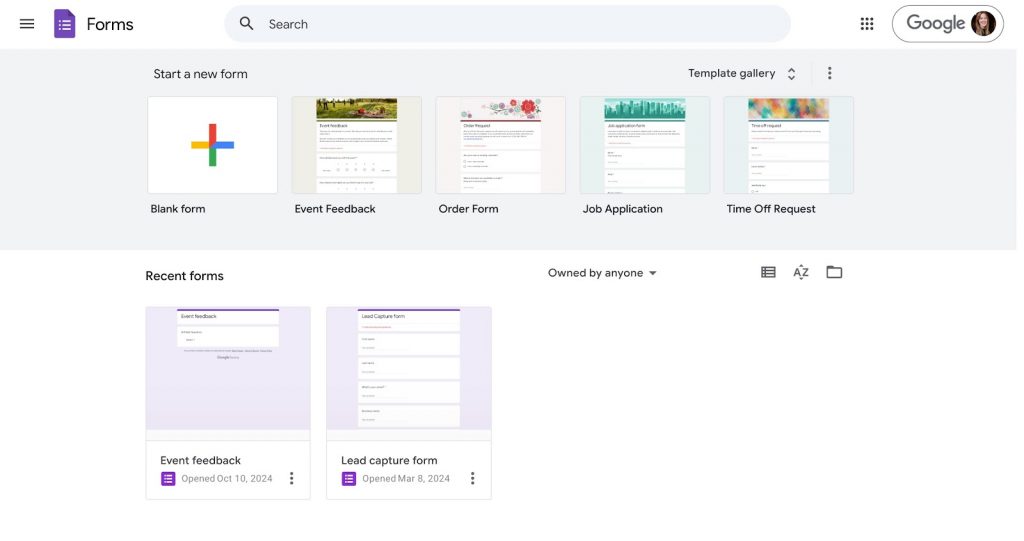
Google Forms is a free and user-friendly HIPAA-Compliant online form builder that enables users to create surveys, quizzes, and feedback forms quickly. Integrated into the Google Workspace ecosystem, it’s ideal for educators, businesses, and individuals who need simple data collection and real-time collaboration.
Key Features
- Easy Form Creation: Build forms, quizzes, or surveys using an intuitive drag-and-drop editor accessible to all skill levels.
- Real-Time Collaboration: Multiple users can edit, review, or share forms simultaneously, ensuring teamwork and faster data handling.
- Data Collection via Google Sheets: Automatically stores responses in Google Sheets for easy data analysis and reporting.
- Conditional Logic: Show or hide questions based on previous answers to create customized response paths.
Pros
- Completely free for personal and business use.
- Simple and fast setup for surveys and feedback.
- Seamlessly integrates with Google Workspace apps.
- Works across devices without additional software.
Cons
- Limited design and customization options.
- Lacks advanced automation or workflow capabilities.
- No built-in payment collection feature.
- Not suitable for HIPAA-compliant data collection.
Pricing
- Available to all users with a Google account. Includes unlimited forms, questions, and responses, plus automatic integration with Google Sheets for response storage.
Ratings
- Rating is unavailable
Support Channels
- Online help center, community forums, and email support for Google Workspace subscribers.
8. Formsite

What is Formsite?
Formsite is a secure online form and survey builder designed for businesses, educational institutions, and organizations that need advanced data protection and customization. It allows users to create branded forms, collect secure submissions, and integrate data into existing systems seamlessly no coding required.
Key Features
- Drag-and-Drop Builder: Easily create forms, surveys, and order forms using a simple drag-and-drop interface without any technical skills.
- Custom Templates: Choose from hundreds of pre-designed templates to speed up form creation and ensure professional results.
- Data Security & Encryption: Protects all data with SSL encryption and supports HIPAA compliance for healthcare users.
- Payment Integration: Accepts online payments securely via PayPal, Stripe, Authorize.net, and other gateways.
Pros
- User-friendly builder with strong security controls.
- Excellent for order forms, surveys, and registrations.
- HIPAA-compliant options available for sensitive data.
- Reliable performance with customizable templates.
Cons
- Limited advanced workflow automation.
- Interface looks slightly outdated compared to modern tools.
- Customization beyond templates can be complex.
- Integrations are fewer compared to newer form builders.
Pricing
- Personal: $21/month (billed $249.95 yearly): 5 forms, 500 results per form, 500MB file space, 24/7/365 support
- Professional: $34/month (billed $399.95 yearly): 10 forms, 1,000 results per form, 1GB space, remove branding, 24/7 support, free trial
- Business: $59/month (billed $699.95 yearly): 25 forms, 2,500 results per form, 2GB space, 1 sub-user, unlimited workflows, PDF results
- Business+: $84/month (billed $999.95 yearly): 100 forms, 10,000 results per form, 4GB space, 5 sub-users, unlimited workflows, PDF results
- Enterprise: $209/month (billed $2,499.95 yearly): 1,000 forms, 50,000 results per form, 10GB space, 20 sub-users, unlimited workflows, PDF results, priority support
Ratings
Support Channels
- Email support, knowledge base, live chat (for Pro and Enterprise users), and comprehensive documentation.
9. Zoho Forms

What is Zoho Forms?
Zoho Forms is a versatile online form-builder that enables businesses to collect, analyse and act on data seamlessly. With features for no-code form creation, dynamic logic, payment support, mobile collection, and secure workflows, it suits industries that require both flexibility and compliance.
Key Features
- Drag-and-Drop Builder: Create forms easily without coding by using the intuitive builder and over 40 field types.
- Automation & Workflow Logic: Set up routing, approvals, pre-fill, and conditional logic to streamline data handling.
- Mobile and Offline Support: Capture data in the field with mobile apps, offline mode, geolocation and kiosk modes.
- Security & Compliance: Protect data with AES-256 encryption, HIPAA and GDPR support, and detailed audit trails.
Pros
- Rich set of advanced features at competitive pricing.
- Strong mobile support for field-based data collection.
- Excellent security and compliance for regulated industries.
- Deep integration with Zoho ecosystem and external tools.
Cons
- Interface may feel complex for beginners.
- File-upload field limits may restrict large document workflows.
- Some integrations require additional configuration.
- Custom branding and advanced features often tied to higher tier plans.
Pricing
- Standard Plan ($14/user/month, billed annually): Includes drag-and-drop form builder, custom workflows, basic integrations, and secure data collection—ideal for small businesses or clinics needing streamlined form management.
- Professional Plan ($23/user/month, billed annually): Adds advanced workflows, conditional logic, payment collection, notifications, and Google/CRM integrations—suitable for growing practices or businesses requiring enhanced automation.
- Enterprise Plan ($40/user/month, billed annually): Includes multi-user portals, approval workflows, advanced reporting, and secure data handling—great for organizations managing large-scale form submissions and compliance needs.
- Ultimate Plan ($52/user/month, billed annually): Offers AI-powered form insights, custom branding, advanced analytics, and priority support—designed for data-driven, enterprise-level operations requiring maximum scalability and security.
Reveiw
Support Channels
- Email, live chat (on selected plans), knowledge base, and community forums.
10. Wufoo
What is Wufoo?
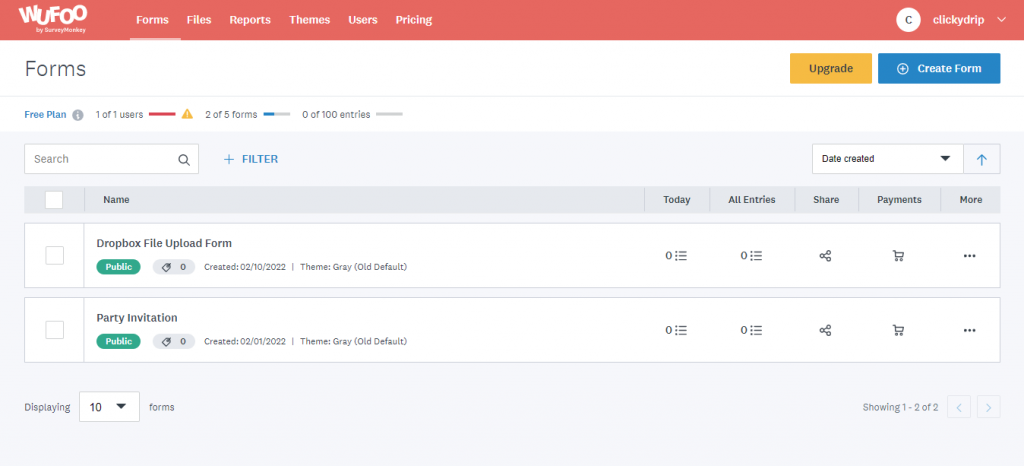
Wufoo, developed by SurveyMonkey, is a powerful online form builder that enables businesses to quickly design custom forms, collect data and payments, and automate workflows. Its intuitive, no‑code platform allows teams to streamline processes efficiently, making it ideal for surveys, registrations, feedback, and secure data collection.
Key Features
- Drag‑and‑Drop Builder: Design and deploy forms quickly without any coding expertise.
- Payment & Data Collection: Accept payments and upload files via forms, and gather survey or registration data.
- Workflow Automation & Integrations: Automate routing and integrate with tools like Zapier for streamlined workflows.
- Security & Compliance: Forms are secured with 256‑bit SSL encryption and hosted in SOC 2 audited data centers.
- Custom Branding & Reports: Add logos, themes, and generate detailed reports to analyze submissions and performance.
Pros
- Very easy to use and quick to set up.
- Strong payment integration capabilities.
- Secure and suitable for sensitive data collection.
- Offers many templates for fast form creation.
Cons
- Interface feels somewhat outdated compared to newer tools.
- Advanced workflow features are limited in lower tiers.
- Fewer native integrations compared to market‑leading alternatives.
- Free or starter plans have strict submission and user limits.
Pricing
- Free Plan ($0/month): Access 5 forms, 100 entries per month, 10 fields per form, basic form creation, and limited submissions. Perfect to get started at no cost.
- Starter Plan ($16.25/month, billed $195 annually): Customize branding, send confirmation emails, automate workflows, and create up to 10 forms with 1,000 entries/month.
- Professional Plan ($33.25/month, billed $399 annually): Most popular plan. Collect payments, create unlimited forms, add additional users, and secure your forms with enhanced functionality.
- Advanced Plan ($83.25/month, billed $999 annually): Increase max entries, users, file storage, and API requests for growing businesses needing more robust data collection.
- Ultimate Plan ($210.25/month, billed $2,523 annually): Includes all Advanced features with higher limits for entries, users, storage, and API calls — ideal for large-scale automation and data management.
Ratings
Support Channels
- Email support is available for all users; higher‑tier plans offer expedited and priority support.
What Makes Emitrr The Best FormHippo Alternative?
Emitrr is more than a form builder it’s a complete communication and automation platform that simplifies data collection, enhances customer engagement, and ensures compliance. Designed for scalability, Emitrr empowers healthcare, legal, and service-based businesses to automate workflows, streamline communication, and deliver exceptional client experiences effortlessly.
All-in-One Communication Hub
Emitrr centralizes forms, SMS, calls, and emails in one intuitive dashboard. Businesses can instantly collect responses, send reminders, and follow up without switching tools — ensuring faster communication and reduced response delays.
HIPAA Compliance
Emitrr provides HIPAA-compliant document signing and electronic signatures, ensuring sensitive data remains protected. It uses advanced encryption and secure storage, making it ideal for healthcare, legal, and financial organizations handling confidential information.
Smart Automation
Automate everyday workflows such as appointment reminders, feedback collection, and follow-ups. Emitrr’s intelligent triggers help teams save time, reduce manual errors, and focus on delivering personalized client service.
Omnichannel Support
Engage clients through multiple channels — SMS, email, and voice calls — all connected within your form workflows. This unified communication improves responsiveness, consistency, and overall customer satisfaction.
Superior Customer Service
Emitrr offers round-the-clock customer support with expert onboarding assistance. Their dedicated team ensures smooth setup, quick troubleshooting, and optimal use of automation tools for long-term efficiency.
Take a look at what more you can do with Emitrr AI:
Which Industries Are Catered By Emitrr?
Emitrr serves a wide range of industries that depend on streamlined communication, automation, and secure data handling. Its flexible, no-code design allows organizations across sectors to simplify workflows, enhance engagement, and ensure compliance — all from one unified, HIPAA-compliant platform.
Healthcare
Emitrr automates patient intake, appointment scheduling, reminders, and post-visit feedback collection. Its HIPAA-compliant environment ensures sensitive patient information remains secure, helping medical practices improve operational efficiency and deliver better patient experience without relying on manual administrative tasks.
Real Estate
Emitrr simplifies lead management through automated inquiry forms, property document collection, and instant text-based follow-ups. Realtors can respond faster, maintain better communication with clients, and reduce missed opportunities while streamlining document workflows for property sales or rentals.
Automotive
Emitrr helps auto businesses automate service reminders, quote requests, and lead nurturing. Service centers can maintain consistent engagement with customers, improve appointment attendance, and provide timely updates — enhancing both customer retention and operational efficiency.
Legal
Law firms use Emitrr to manage client intake forms, schedule consultations, and exchange confidential documents securely using e-signatures. Its encrypted workflows ensure compliance and protect sensitive data throughout the client lifecycle.
Education
Emitrr enhances student registration, feedback collection, and communication between institutions, staff, and parents. Educational institutions can automate repetitive tasks, ensure timely notifications, and create a more organized, responsive, and engaging communication ecosystem for students and faculty alike.
Frequently Asked Questions
Emitrr is the best FormHippo alternative, offering powerful automation, HIPAA compliance, and multi-channel communication tools designed to streamline workflows and improve engagement for modern businesses.
Yes. Emitrr surpasses FormHippo with advanced automation, HIPAA compliance, and integrated communication via SMS, calls, and emails, ensuring smoother operations and enhanced user experience.
Yes. Emitrr offers a free trial allowing users to explore its automation, form management, and communication features before selecting a subscription plan.
Emitrr benefits healthcare, real estate, legal, and education industries by simplifying workflows, automating communication, and ensuring data compliance across departments and customer touchpoints.
Emitrr integrates with popular CRMs, EHRs, and business management tools, allowing seamless data sharing and improving productivity through connected, automated workflows.
Conclusion
While FormHippo is a decent option for basic form creation, it lacks the advanced automation, integrations, and scalability that growing businesses need. Emitrr emerges as the best FormHippo alternative, combining powerful automation, HIPAA-compliant document signing, and multi-channel communication into one unified platform. From patient intake to client follow-ups, Emitrr simplifies workflows, boosts engagement, and enhances data security across industries. It’s the go-to solution for teams seeking smarter, faster, and more reliable communication. Schedule a free demo call to see how Emitrr can transform your data collection and workflow automation experience.