
 4.9 (400+
reviews)
4.9 (400+
reviews)
Introduction
Ever had one of those weeks where everything feels scattered? You’re chasing form submissions, waiting on approvals, sending reminders, and jumping between multiple tools just to get one task done. That is usually the moment teams realise they do not just need a form builder. They need a workflow that actually supports how they work.
Formstack is a well-known platform that helps teams create forms, automate routine steps, and organise their data. It is strong and feature-rich, no doubt. But like any tool, it is not always the perfect match for every team or every workflow. Maybe the setup takes too long. Maybe the customisation feels limited. Or maybe your team is just craving something more intuitive that gets the job done without all the clicks.
So, whether you’re after simpler pricing, better mobile experiences, or tools that just “click” quicker, this list is for you! Let’s check out 10 smart, flexible Formstack alternatives that do more than just capture data – they help you move faster, collaborate better, and keep work flowing.
What Is Formstack?
Formstack is a powerful online form and workflow tool built for teams that want to streamline how they collect and manage data. It lets you create everything from simple surveys to complex forms and multi-step approval flows, all without needing to write a single line of code.
With features like drag-and-drop form building, automated document generation, and built-in e-signatures, Formstack is designed to be an all-in-one platform. Whether you’re handling patient intake in a clinic, collecting leads in a marketing campaign, or running registrations for a school, it’s built to handle it. It’s even equipped for HIPAA-compliant use, making it a fit for healthcare and other data-sensitive industries.
Formstack Features
- Form Builder & Design: Create customised forms using a drag-and-drop editor. Add conditional logic, multi-page layouts, custom branding, and reusable templates.
- Workflow Automation: Build approval workflows and set up task assignments. You can trigger automated document generation or notifications after a form is submitted.
- Integrations: Connect your forms to 250+ tools, including Salesforce, HubSpot, Stripe, PayPal, Google Drive, Mailchimp, and more, for seamless data syncing.
- Data Management & Analytics: Track submissions, measure form performance, and export data to CSV or Excel. Includes encryption, audit trails, and access controls for compliance.
- Mobile & Offline Access: Forms are mobile-friendly, and higher-tier plans offer offline mode so data can be collected without an internet connection.
- Security & Compliance: Offers PCI, GDPR, FERPA, and HIPAA compliance on enterprise plans. Features include two-factor authentication, SSO, and role-based permissions.
- Templates & Themes: Start with a pre-built template or design from scratch. Teams can save time by reusing design blocks and form sections across projects.
- E-Signatures & Document Automation: Formstack’s ecosystem includes e-signatures and document generation to help with contracts, certificates, and other paperwork from form data.
Formstack Pros
- Robust Automation Tools: Great for businesses that need conditional logic, workflows, and task routing without writing code.
- Extensive Integration List: Works well with major CRMs, payment platforms, and storage tools. No need for manual data transfers.
- User-Friendly Form Builder: Most users find the form builder intuitive and quick to learn, especially for simple or mid-level forms.
- Secure & Compliant: Offers enterprise-level security features and supports compliance needs like HIPAA, which is key for healthcare or finance.
- Flexible Templates: A wide range of templates makes it easier to get started without building from scratch every time.
Formstack Cons
- Pricing Feels High: Several users mention it’s expensive for what it offers, especially once you need multiple features or HIPAA compliance.
- Steeper Learning Curve: Advanced workflows or styling can get tricky, especially if you’re not tech-savvy or used to customising form logic.
- Support Quality Varies: While some users praise their quick support, others say it’s inconsistent, especially on lower-tier plans.
- Limited Design Freedom: Users say visual customisation can be limiting unless you’re comfortable with CSS or have design skills.
- Plan Restrictions: Some features (like offline access or phone support) are only available in higher-tier or enterprise plans.
Formstack Integrations
- CRM Integrations: Salesforce, HubSpot, Zoho CRM.
- Payment Platforms: Stripe, PayPal, Square.
- Cloud Storage: Google Drive, Dropbox, Box.
- Email & Marketing: Mailchimp, Constant Contact, ActiveCampaign.
- Other Tools: Microsoft Excel, Slack, Zapier, Trello, QuickBooks.
Formstack Pricing
- Starting Price: $83/month (billed annually) for the Forms plan.
- Bundle Price: For all Formstack products (Suite) starts at $250/month.
- Enterprise Price: Custom pricing.
Formstack Ratings
- Capterra: 4.0/5
- G2: 4.0/5
Formstack Reviews
“One drawback is that some advanced features require a higher subscription tier, which can be pricey.”
“Horrific customer service, criminal pricing model, sneaky contract terms, impossible to cancel, huge waste of time working with support, support just gaslights you when you tell them something is wrong”
Source: Capterra
Formstack Customer Support Channels
- Support Channels: Email, ticketing system, and phone (for higher-tier plans).
- Self-Help: Help centre, webinars, FAQs, and a knowledge base.
- Support Quality: Mixed reviews – some users report quick help, others say it takes time to get answers on complex issues.
- 24/7 Access: Usually reserved for enterprise customers. Basic plans rely mostly on email or self-service help.
Why Do Businesses Seek a Formstack Alternative?
Formstack has a solid reputation. But once you start using it day-to-day, a few cracks can show up depending on what your team needs. Based on what users say on sites like G2 and Capterra, here’s where things sometimes fall short:
It Gets Pricey, Fast
What starts off looking like an $83/month deal can snowball quickly, especially if you need HIPAA compliance or multiple features. Some teams say their costs shot up significantly. For small businesses or startups, that’s a lot of budget gone in one swoop.
Not Exactly Plug-and-Play
The interface looks clean, but when you’re trying to build something a little complex, it’s not always easy to figure out. Several users mention needing time and tutorials just to do things like add styling or set up workflows. If you’re not tech-savvy, it can feel like a bit of a project.
Limited Flex on Design
Want your forms to look exactly like your brand? You might hit some limits. Tweaking templates or changing layouts beyond the basics can get tricky. That’s a dealbreaker for teams who want more control over how things look and feel.
Support Can Be a Waiting Game
Many users have had great customer experiences, but others say getting quick help isn’t always easy. No live chat or phone support on most plans means you’re left waiting on email replies, which isn’t ideal when something breaks.
Missing Key Features for Some Teams
Not every business needs bells and whistles, but if yours does, you might feel boxed in. Whether it’s real-time text alerts, smarter mobile forms, or better approvals, teams often switch when they realise Formstack can’t quite stretch to their workflow.
In short? Teams start exploring alternatives when they want something easier to use, friendlier on the wallet, and more tailored to how they actually work. And luckily, there are some great options out there.
What Features To Look For in a Formstack Alternative?
If you’re thinking of switching, here’s what really matters when picking the right form and workflow tool for your team.
Ease of Use and Fast Onboarding
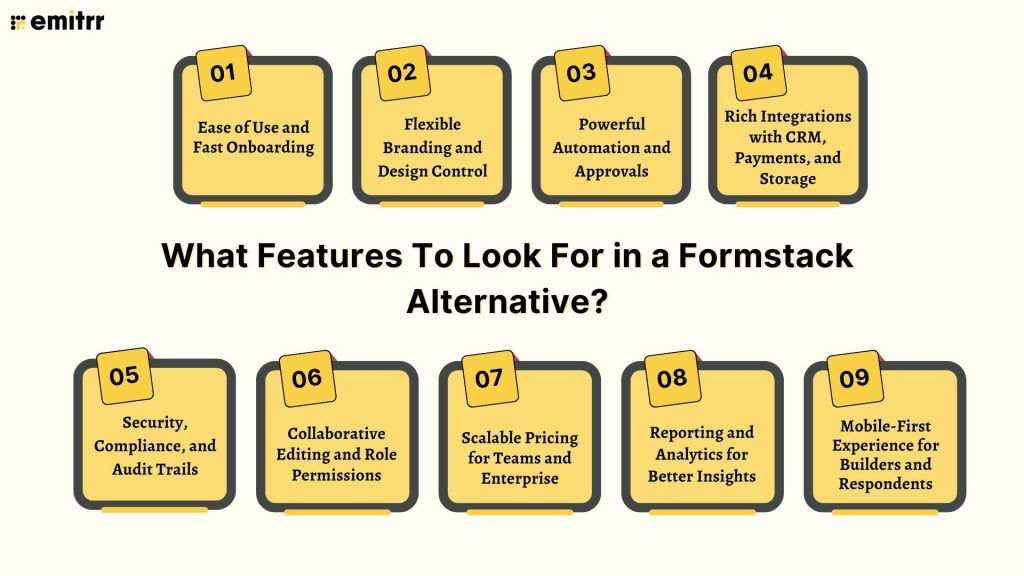
Let’s be honest, no one wants to spend days figuring out how to build a form. The best alternatives to Formstack should feel like second nature. Look for a drag-and-drop editor, clean layout, and simple menus. You should be able to create a working form in minutes, not after watching three tutorials. Bonus points if they offer helpful templates or walkthroughs right when you sign up. The smoother the start, the faster your team gets to work.
Flexible Branding and Design Control
Your forms should look like you, not like a carbon copy of the software you’re using. Great tools give you full control, right from logos and colours to fonts and custom CSS. You want to be able to match your brand’s vibe perfectly. Whether you’re embedding a form on your website or sharing a standalone link, it should feel cohesive. And no one likes a tool that slaps their logo all over your customer-facing forms. Look for white-labeling options if branding matters.
Powerful Automation and Approvals
Formstack is known for workflow features, so any real contender needs to match that, or beat it. You’ll want things like multi-step approvals, automated email alerts, smart form routing, and document generation. Imagine a form submission triggering a contract to be created, signed, and sent, all without you lifting a finger. That’s the kind of automation that saves hours. It should be easy to build and even easier to update as your process evolves.
Rich Integrations with CRM, Payments, and Storage
Forms need to play nicely with the rest of your stack. Whether it’s sending leads into your CRM, collecting payments, or storing responses in Google Drive, the right tool should handle it. Look for direct integrations with big names like Salesforce, Stripe, HubSpot, and Dropbox. And if it connects with Zapier or offers an API, even better. The less copy-pasting you need to do, the smoother your workflow will be.
Security, Compliance, and Audit Trails
If your forms collect sensitive data, especially in industries like healthcare or finance, security is non-negotiable. You need end-to-end encryption, access controls, and data storage that meet HIPAA or GDPR standards. Look for tools that offer audit trails and role-based permissions. It’s not just about checking a box. It’s about protecting your clients’ trust. Ask for compliance certifications if they aren’t front and centre on the website.
Collaborative Editing and Role Permissions
If your team builds forms together, collaboration matters. The tool should let multiple users hop in without stepping on each other’s toes. Think role-based access – maybe someone can build, someone else can only view, and another person approves edits. Revision history and comments are a big plus too! It keeps things tidy, and you always know who changed what and when. No more guessing games or accidental overwrites.
Scalable Pricing for Teams and Enterprise
A great alternative should be affordable now, and still make sense when your team grows. Watch out for plans that suddenly jump in price when you need a small upgrade. The pricing model should be clear, predictable, and tied to real usage (like the number of forms or users). It’s even better if all key features are available without paying for the highest-tier plan. Basically, look for value without surprise fees.
Reporting and Analytics for Better Insights
Forms aren’t just for collecting info, they should help you understand what’s happening. Built-in analytics make it easy to see completion rates, bounce points, and submission patterns. Some tools even let you track conversion funnels or export data to your dashboard tool of choice. If you’re making decisions based on form responses, good reporting is gold. Look for clean visuals and exportable data that your team can actually use.
Mobile-First Experience for Builders and Respondents
These days, a lot of people fill out forms on their phones, and sometimes, you’re building them there too. A good Formstack alternative should make both experiences feel smooth. Responsive form designs ensure users don’t have to pinch and zoom. And mobile-friendly admin views let you tweak a form or check results on the go. Whether you’re in a meeting, on-site, or just away from your desk, you should stay in control.
10 Best Formstack Alternatives
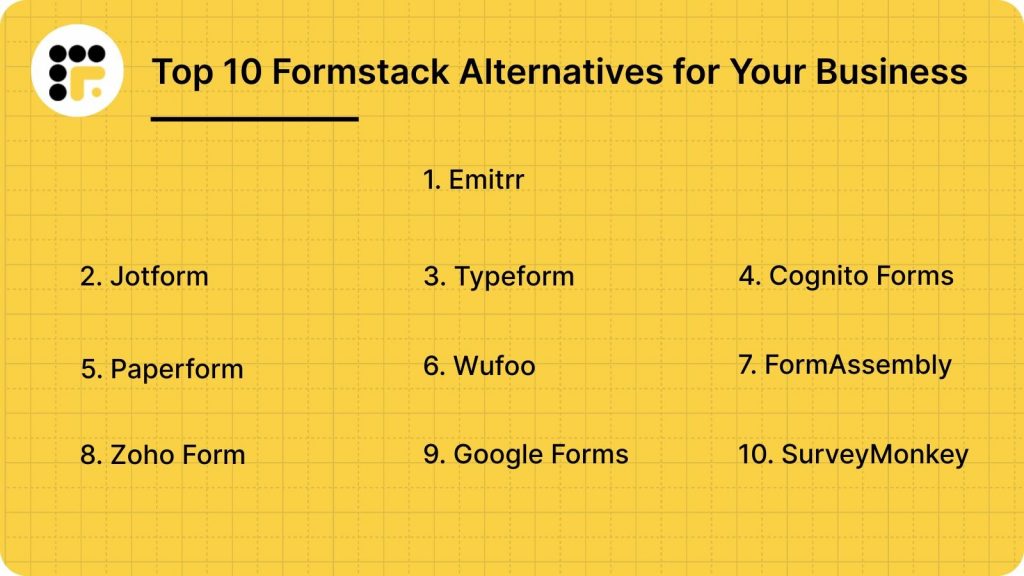
- Emitrr
- Jotform
- Typeform
- Cognito Forms
- Paperform
- Wufoo
- FormAssembly
- Zoho Forms
- Google Forms
- SurveyMonkey
1. Emitrr | Best Formstack Alternative
Emitrr Overview
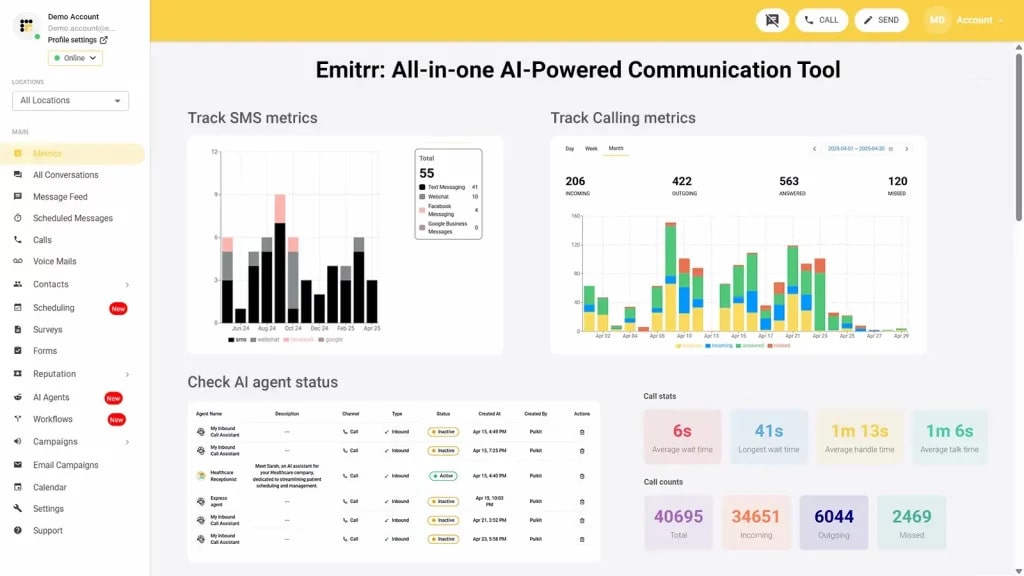
Emitrr is an all-in-one automation platform that brings together forms, messaging, smart scheduling, payments, and reminders. It’s especially built for busy healthcare and service-based businesses. Designed to replace the need for using multiple tools, it offers HIPAA-compliant digital forms, two-way texting, e-signatures, and appointment booking in one place. With over 500 integrations, Emitrr has helped businesses reduce no-shows, improve communication, and automate everyday front-desk tasks without needing multiple platforms.
Emitrr Key Features
- Unified Forms + Messaging + Scheduling: Create forms that trigger auto-texts, emails, or booking links.
- Automated Reminders & Alerts: Schedule no-show text templates for reminders, feedback prompts, and auto-notify staff.
- Two-Way SMS Chat: Chat securely with patients/customers in a shared inbox.
- Digital Forms & E-Signatures: Share secure forms by text or link and collect digital signatures.
- Templates & Branding: Start with pre-built forms and messages and style them to match your brand.
- Analytics & Reporting: See conversion rates, open rates, and message performance in one dashboard.
- Rich Integrations: Connect to CRMs, EHRs, calendars, and 500+ other tools.
- Online Scheduling: Let users book appointments 24/7 and sync with calendars or EHRs.
- Payments & Text-to-Pay: Collect payments or deposits directly via SMS or within forms.
- Staff Collaboration: Assign tasks, add internal notes, and manage locations from one place.
- Security & Compliance: HIPAA-ready with encrypted storage, audit logs, and role-based access.
Emitrr Pros
- All-in-One Platform: Replaces separate tools like form builders, schedulers, and SMS apps.
- HIPAA Compliance: Built to meet healthcare privacy standards out-of-the-box.
- Engagement Tools: Helps reduce no-shows and boost reviews with automated texts and surveys.
- Excellent Support: Users consistently praise fast, hands-on support and onboarding.
- Easy to Scale: Add users, assign roles, and manage multiple locations easily.
Emitrr Cons
- A few advanced AI-powered features are still in development.
Emitrr Integrations
- CRM Systems: Salesforce, HubSpot, Zoho, and more.
- EHR/EMRs: Athena, Epic, Dentrix, etc., for seamless healthcare data syncing.
- Payment Tools: Stripe, PayPal, QuickBooks.
- Productivity Apps: Google Workspace, Outlook, Office 365, and Dropbox.
- Marketing Tools: Mailchimp, ActiveCampaign, and Zapier for custom flows.
Emitrr Pricing
Plans start at $30 per month.
Emitrr Ratings
- Capterra: 4.9/5
- G2: 4.7/5
Emitrr Customer Reviews
“Emitrr is extremely easy to use. Our business has many segments that reach different customers, so its nice to be able to segment them out and send quickly.”
“Overall very positive. The service works like I need it to, the customer service is amazing, up-time is great, and changes made seem to be well thought out and well, not just changes for change sake.“
Source: Capterra
Emitrr Support Channels
- Email: support@emitrr.com
- Phone: +1 (210) 941-4696
- Live chat: Available directly on the Emitrr website
- Knowledge base: Includes extensive documentation, FAQs, and troubleshooting guides
- SMS support: Text for help
2. Jotform | Jotform vs Formstack
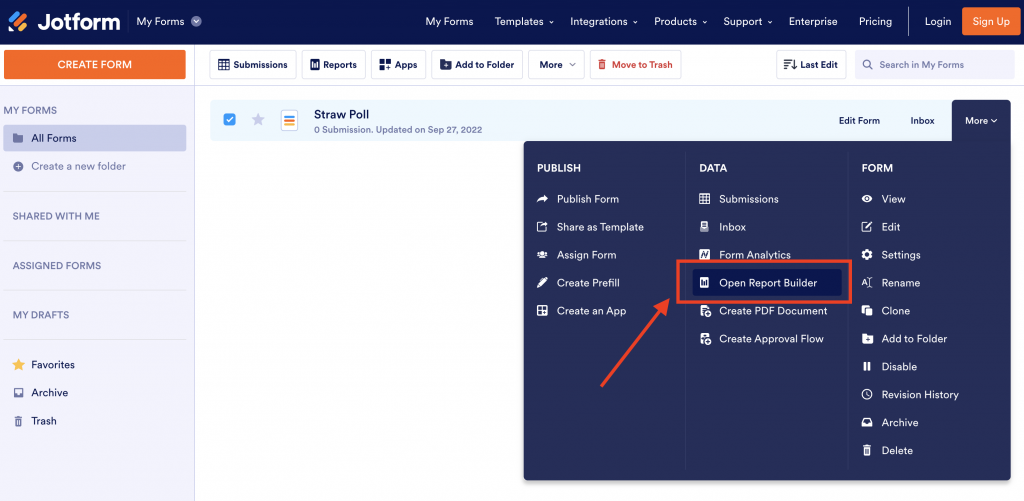
Jotform Overview
Jotform is a widely loved form builder known for its simplicity, generous free plan, and flexibility. It’s ideal for small businesses, educators, nonprofits, and even large teams looking for fast form setup without the tech hassle. The drag-and-drop interface makes it super beginner-friendly, and its library of templates and widgets means you rarely need to build from scratch.
Jotform Key Features
- Drag-and-Drop Builder: Easily create responsive forms with logic and custom themes.
- Form Templates: Thousands of ready-to-use templates across industries.
- PDF Editor: Automatically convert submissions into formatted PDFs.
- Mobile Forms & Signatures: Collect mobile-friendly responses and digital signatures.
- Payment Collection: Accept payments through Stripe, PayPal, Square, and more.
Jotform Pros
- Super Easy to Use: No learning curve. Just drag, drop, and go.
- Great Free Tier: Unlimited forms even on the free plan (with submission limits).
- Highly Customisable: Themes, logos, layouts, make every form on-brand.
- Strong Payment & PDF Features: Ideal for orders, donations, and client onboarding.
Jotform Cons
- Submission Limits on Free Plan: You’re capped at ~100 per month.
- Branding on Free Plan: Free users can’t remove the Jotform logo.
- Occasional Glitches: Some users report bugs in themes or mobile views.
- Support Varies by Plan: Higher-tier users get faster help.
- Not Built for Advanced Workflows: Lacks deep automation or task approval chains.
Jotform Integrations
- CRMs: Salesforce, Zoho CRM, HubSpot
- Storage & Productivity: Google Sheets, Dropbox, OneDrive, Trello
- Marketing Tools: Mailchimp, ActiveCampaign, Constant Contact
- Team Communication: Slack, Microsoft Teams
- Automation: Zapier, Make
- Payments: PayPal, Stripe, Square, Authorize.net
Jotform Pricing
- Free plan: Jotform offers unlimited forms but limits submissions to 100/month.
- Paid plans: start at $39/month (Bronze), with more submissions, branding removal, and storage.
- Higher tiers: Silver and Gold unlock HIPAA compliance and even more capacity. Discounts available for nonprofits and educators.
Jotform Ratings
- Capterra: 4.7/5
- G2: 4.6/5
Jotform Customer Reviews
“There is no dislike as such, but just to list the few, 1) The free version branding at the bottom of the form is not customizable. It would be groundbreaking to allow creator to market your brand for using free version, but with added styling that goes well with their logo and section theme. 2) HIPAA compliance could be provided with Silver tier as well, because after Gold, its directly enterprise.”
“File Upload limits, Pricing and Limited customization for Advanced Features are the least likes of Jotform”
Source: Capterra
Jotform Support Channels
- Email Support
- Live Chat (on higher plans)
- Help Center & Video Tutorials
- Community Forum
- Priority Support for Enterprise Plans
3. Typeform | Typeform vs Formstack
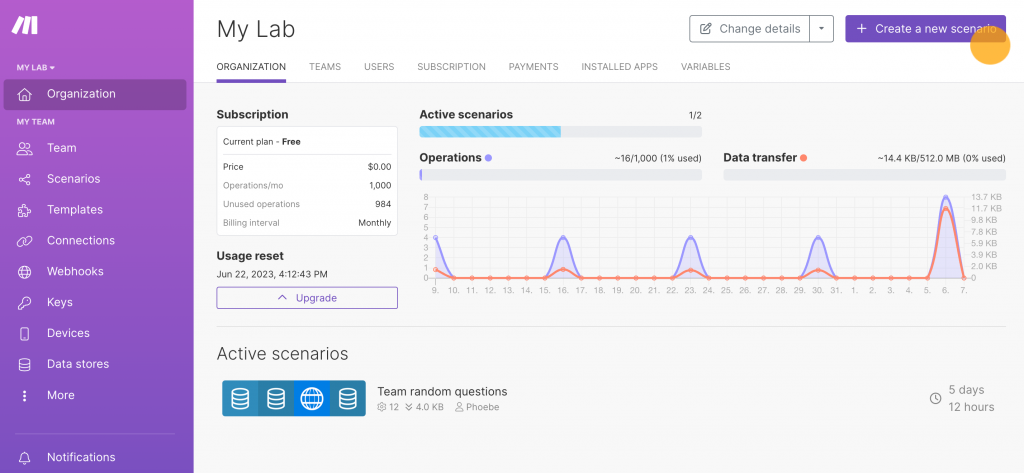
Typeform Overview
Typeform is best known for its sleek, conversational forms that feel more like chats than checklists. It’s built for businesses that care about user experience, turning boring forms into engaging flows. Great for digital forms and surveys, feedback, quizzes, and lead capture, Typeform puts design front and centre.
Typeform Key Features
- Conversational Forms: Shows one question at a time for a cleaner, less overwhelming user flow.
- Logic Jumps & Branching: Dynamically guide users based on their previous answers.
- Brand Styling: Customise fonts, colours, images, and logos to match your look.
- Templates Library: Dozens of pre-built forms for lead gen, surveys, quizzes, and more.
- Rich Media Support: Add images, video, or GIFs to keep forms visually engaging.
Typeform Pros
- Beautiful, User-Friendly Forms: Forms look and feel like a conversation, not a spreadsheet.
- Fast Setup with Templates: Easy to launch using dozens of ready-made form designs.
- Good for Lead Gen & Feedback: Ideal for surveys, contact forms, and quizzes.
- Great for Brand-Led Teams: Perfect fit for marketers, creators, and agencies.
Typeform Cons
- Response Limits on Free Plan: The free version only allows 10 responses/month.
- Limited Complex Workflows: Not designed for deep logic chains or internal approvals.
- Can Get Expensive: Pricing scales quickly with higher usage or team size.
- Not Built for Backend Ops: Lacks support for document automation or task approvals.
- Branding Removal on Paid Plans Only: Free users must show Typeform branding.
Typeform Integrations
- CRM Tools: HubSpot, Salesforce, Zoho CRM
- Productivity: Google Sheets, Trello, Notion
- Marketing Platforms: Mailchimp, Klaviyo, Constant Contact
- Team Tools: Slack, Microsoft Teams
- Automation Platforms: Zapier, Make (Integromat)
- Payment Gateways: Stripe, Square, PayPal
Typeform Pricing
Typeform’s pricing starts at around $30-$35 per month, depending on the plan and response volume.
Typeform Ratings
- Capterra: 4.7/5
- G2: 4.5/5
Typeform Customer Reviews
“its high cost and potential for usage-based fees, the limitations in advanced customization and complex form workflow management, the lack of certain advanced features such as analytics or text editing options, and a potentially outdated interface for the user interface.”
“All questions are not visible at once. So, you don’t know what to expect next.”
Source: Capterra
Typeform Support Channels
- Email support
- Live chat (on higher-tier plans)
- Help center with tutorials
- Developer API docs
- Community forum
4. Cognito Forms | Cognito Forms vs Formstack
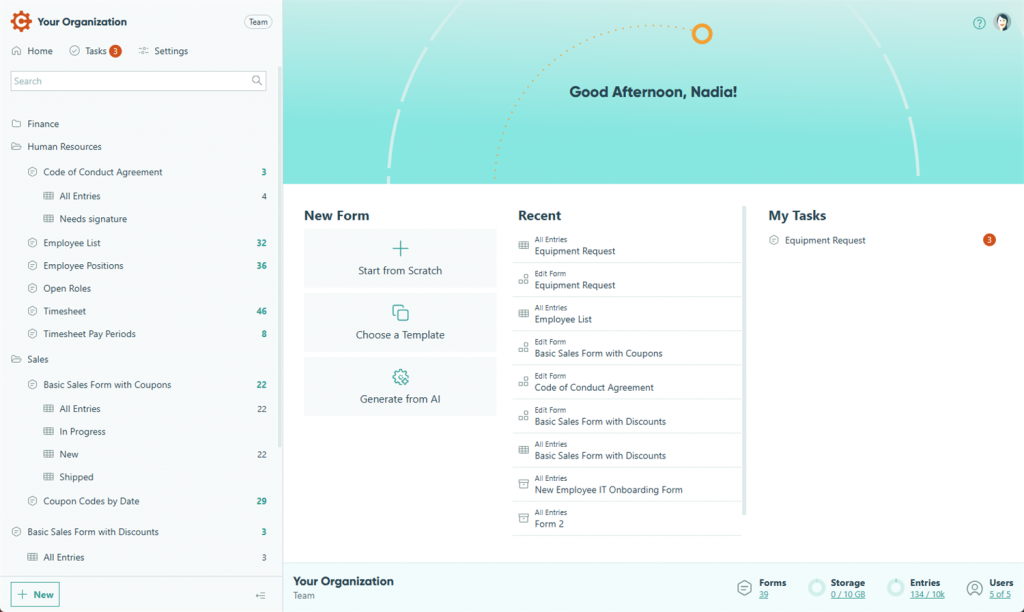
Cognito Forms Overview
Cognito Forms is a simple, affordable form builder used by healthcare practices that need quick, HIPAA-secure intake forms. It is easy for front desk teams to manage and works well for small to mid-sized clinics. Compared to Formstack, Cognito Forms is more budget friendly but offers fewer enterprise workflow capabilities.
Cognito Forms Key Features
- Drag-and-drop builder: Build patient forms quickly with an intuitive visual editor.
- Conditional logic: Show or hide fields based on patient responses to streamline forms.
- HIPAA-compliant plans: Protect PHI with secure, encrypted data storage.
- Payment collection: Accept copays, deposits, or fees directly within the form.
Cognito Forms Pros
- Very affordable: Lower pricing than most healthcare form platforms.
- Easy to use: Staff can create and edit forms without training.
- Solid automation: Helps reduce repetitive admin tasks.
- Strong security: HIPAA support on higher plan tiers.
Cognito Forms Cons
- Limited integrations: Fewer native connections compared to Formstack.
- Basic reporting: Insights and analytics are minimal.
- Scaling limits: Not ideal for multi-location enterprise setups.
Cognito Forms Integrations
- CRM Tools: HubSpot, Salesforce, Zoho CRM
- Productivity: Google Sheets, Trello, Notion
- Marketing Platforms: Mailchimp, Klaviyo, Constant Contact
- Team Tools: Slack, Microsoft Teams
- Automation Platforms: Zapier, Make
- Payment Gateways: Stripe, Square, PayPal
Cognito Forms Pricing
Cognito Forms starts at around $19 per month. HIPAA availability requires a higher-tier plan.
Cognito Forms Ratings
- Capterra: 4.6/5
- G2: 4.5/5
Cognito Forms Customer Reviews
“It was horrible. I had an issue with their login, so I could fix an issue, but no one could help me. I was losing money by the minute.”
“I still miss the ability to easily share a customized view of entries to people who are not Cognito subscribers.”
Source: Capterra
Cognito Forms Support Channels
- Help center
- Documentation
- Ticket support
- Community forum
5. Paperform | Paperform vs Formstack
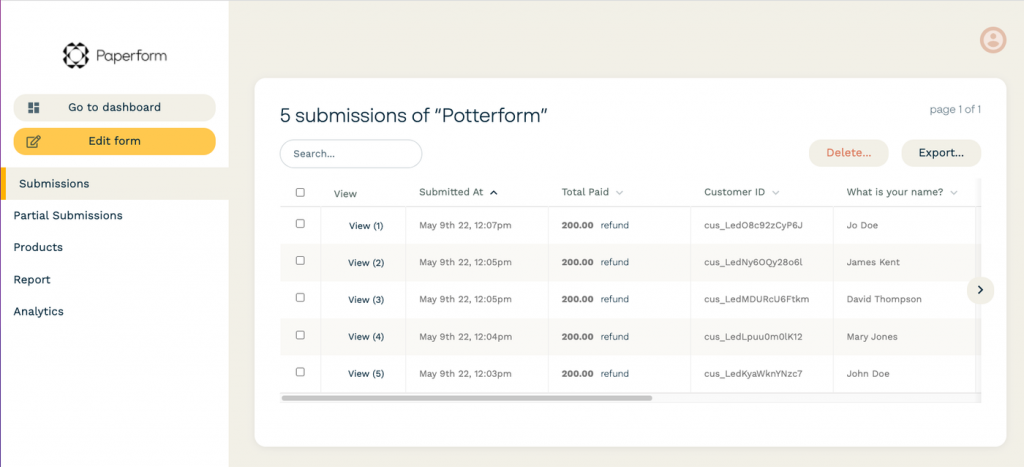
Paperform Overview
Paperform is a visually modern form builder used by clinics that want clean, beautiful intake forms. It focuses on design and ease of use, making it popular for patient experience surveys, digital onboarding, and simple payment forms. Compared to Formstack, Paperform is more design-focused but less advanced in enterprise-level automation.
Paperform Key Features
- Modern templates: Create stylish, clean patient forms that feel more user-friendly.
- Smart form logic: Use conditional fields, scheduling, and dynamic questions.
- Secure submissions: Encrypt patient data and manage forms safely.
- Built-in payments: Collect consultation fees or deposits directly in the form.
Paperform Pros
- Beautiful design: Forms look polished and patient-friendly.
- Very easy: Staff can build forms with no training.
- Flexible layouts: Works for many medical specialities.
- Payment-friendly: Great for clinics collecting deposits.
Paperform Cons
- HIPAA limitations: Compliance only available on higher plans.
- Integration gaps: Fewer native integrations than Formstack.
- Basic workflows: Weak for enterprise routing or multi-step approvals.
Paperform Integrations
- CRM Tools: HubSpot, Salesforce, Zoho CRM
- Productivity: Google Sheets, Trello, Notion
- Marketing Platforms: Mailchimp, Klaviyo, Constant Contact
- Team Tools: Slack, Microsoft Teams
- Automation Platforms: Zapier, Make
- Payment Gateways: Stripe, Square, PayPal
Paperform Pricing
Paperform starts at around $29 per month. HIPAA support is only on advanced plans.
Paperform Ratings
- Capterra: 4.7/5
- G2: 4.6/5
Paperform Customer Reviews
“Templates can be a little finicky to edit to match your brand colors. It does take some time to play around and design.”
“Their support team is often confused about the product’s features. They do have a chat, but you’re better off figuring things out on your own.”
Source: Capterra
Paperform Support Channels
- Live chat
- Help center
- Tutorials
- Guides
6. Wufoo | Wufoo vs Formstack
Wufoo Overview
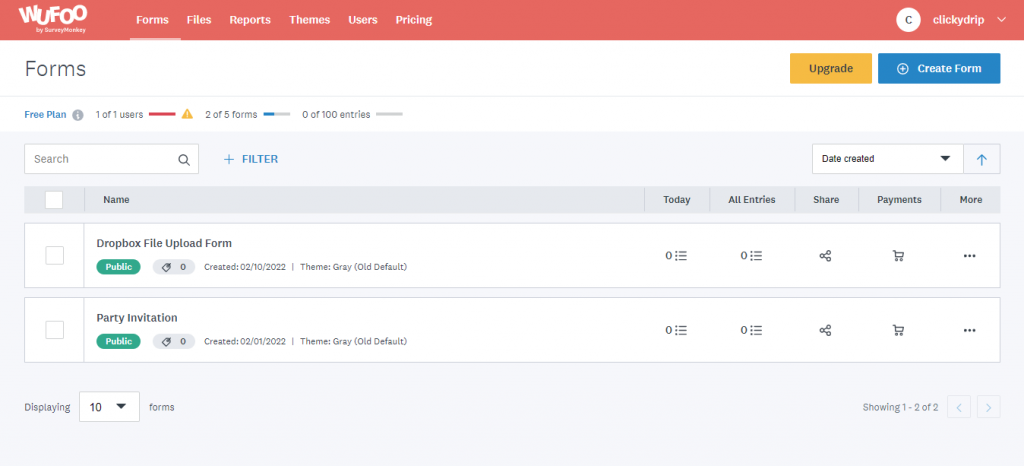
Wufoo is one of the earliest form builders on the market. Clinics use it for basic intake, feedback, and registration forms. It is very easy to learn but lacks modern design and automation capabilities. Compared to Formstack, Wufoo is simpler but far less powerful.
Wufoo Key Features
- Simple builder: Drag and drop editor for quick form creation.
- Secure storage: Encrypted form submissions and safe hosting.
- Basic logic: Supports simple, non-advanced branching.
- Online payments: Works with Stripe and PayPal for simple payments.
Wufoo Pros
- Beginner-friendly: Staff learn it in minutes.
- Reliable system: Very stable and easy to maintain.
- Budget-friendly: Affordable for small clinics.
- Quick deployment: No heavy setup required.
Wufoo Cons
- Outdated design: Forms look old compared to modern tools.
- No HIPAA on basic plans: Not ideal for PHI-heavy workflows.
- Weak automation: Not suited for complex workflows.
- Limited integrations: Most require Zapier.
Wufoo Integrations
- CRM Tools: Salesforce, HubSpot, Zoho CRM
- Productivity: Google Sheets, Trello, Notion
- Marketing Platforms: Mailchimp, Constant Contact, Klaviyo
- Team Tools: Slack, Microsoft Teams
- Automation Platforms: Zapier, Make
- Payment Gateways: Stripe, Square, PayPal
Wufoo Pricing
Starts around $19 per month for basic plans.
Wufoo Ratings
- Capterra: 4.4/5
- G2: 4.2/5
Wufoo Customer Reviews
“An extra screen is required for payment, so some users drop off after the initial form submission.”
“Customer service is a complete joke. They create updates and don’t let their clients know. They only provide email support and 8 people reply back with irrelevant answers. Not personalized at all. We have lost over 10k in revenue due to their updates with no notice. You cannot call the support team, and they do not help at all with issues and they gaslight you. I pay for the advanced subscription, and there is no support.”
Source: Capterra
Wufoo Support Channels
- Help center
- Documentation
- Community forum
7. FormAssembly | FormAssembly vs Formstack
FormAssembly Overview
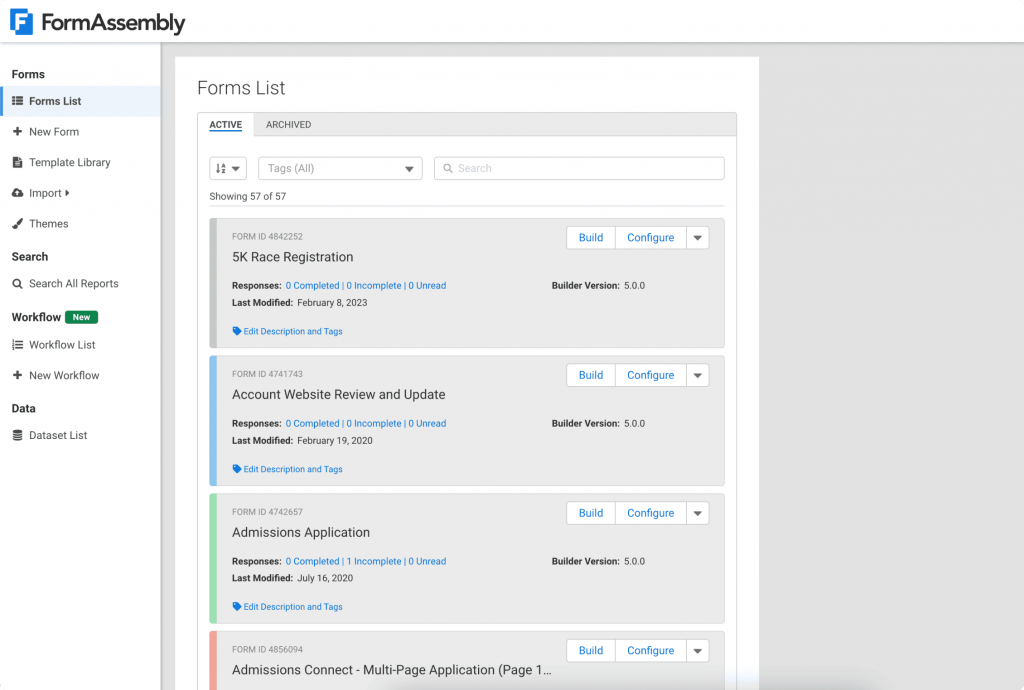
FormAssembly is an enterprise-grade form platform used by healthcare organisations that need deep Salesforce integration and strong compliance. It excels in HIPAA workflows, large team routing, and multi-step approvals. Compared to Formstack, FormAssembly is more powerful for Salesforce-heavy environments.
FormAssembly Key Features
- Enterprise security: HIPAA, SOC 2, and advanced compliance controls.
- Advanced workflows: Multi-step routing, approvals, and complex logic.
- Salesforce native: Industry-leading Health Cloud and CRM integration.
- Data governance: Strong privacy, audit, and administrative controls.
FormAssembly Pros
- Top-tier security: Ideal for PHI-heavy workflows.
- Best Salesforce integration: Perfect for clinics using Health Cloud.
- Powerful routing: Handles complex enterprise processes.
- Strong support: Excellent enterprise-level training options.
FormAssembly Cons
- Expensive: Pricing fits large organisations.
- Harder to learn: Requires more onboarding and setup.
- Overkill for small clinics: Best suited for enterprise workflows.
FormAssembly Integrations
- CRM Tools: Salesforce, HubSpot, Zoho CRM
- Productivity: Google Sheets, Trello, Notion
- Marketing Platforms: Mailchimp, Klaviyo, Constant Contact
- Team Tools: Slack, Microsoft Teams
- Automation Platforms: Zapier, Make
- Payment Gateways: Stripe, Square, PayPal
FormAssembly Pricing
Plans start near $60 per month.
FormAssembly Ratings
- Capterra: 4.5/5
- G2: 4.4/5
FormAssembly Customer Reviews
“Mastering advanced features (conditional logic, connectors, dynamic picklists, complex connectors) takes time.”
“It is incredibly frustrating that FA hasn’t implemented an auto-save feature for form users! Although we do instruct users to use the Save and Resume feature, we still have issues due to international internet instability and people losing data.”
Source: Capterra
FormAssembly Support Channels
- Help center
- Enterprise support
- Training videos
8. Zoho Forms | Zoho Forms vs Formstack

Zoho Forms Overview
Zoho Forms is popular among clinics already using the Zoho ecosystem. It offers easy form creation, basic workflows, and mobile friendly tools. Compared to Formstack, it is more affordable but less capable for advanced, multi-step processes.
Zoho Forms Key Features
- Template library: Pre-made patient registration and feedback forms.
- Mobile app: Create, edit, and manage forms from anywhere.
- Workflow automation: Trigger tasks and notifications instantly.
- Secure hosting: Encrypt and store form submissions safely.
Zoho Forms Pros
- Very affordable: Cheaper than most alternatives.
- Perfect for Zoho users: Seamless CRM and Books integration.
- Easy interface: Staff can self-manage without training.
- Mobile friendly: Works well for teams on the go.
Zoho Forms Cons
- HIPAA only on higher plans: Not available on basic tiers.
- Limited external integrations: Best if you already use Zoho.
- Basic workflows: Not ideal for deep automation.
Zoho Forms Integrations
- CRM Tools: Zoho CRM, Salesforce, Bigin by Zoho
- Productivity: Google Sheets, Microsoft Excel Online, Zoho WorkDrive
- Marketing Platforms: Mailchimp, Zoho Campaigns, Sendinblue
- Team Tools: Slack, Microsoft Teams
- Automation Platforms: Zapier, Make
- Payment Gateways: Razorpay, Stripe, PayPal
Zoho Forms Pricing
Starts at around $12 per month.
Zoho Forms Ratings
- Capterra: 4.5/5
- G2: 4.4/5
Zoho Forms Customer Reviews
“The only thing I didn’t like was that they have monthly subscriptions, but you are billed annually. So, if I found another place to create my forms that I liked more, then I am stuck with them until my year is up, or lose the money I paid for the year, and just switch. If they state monthly, then you should have the option to pay monthly.”
“Doesn’t integrate well with Zoho products or any other. Transfering data. Saving forms outside of Zoho. Zero customer service.”
Source: Capterra
Zoho Forms Support Channels
- Live chat
- Help center
- Documentation
- Community forum
9. Google Forms | Google Forms vs Formstack
Google Forms Overview
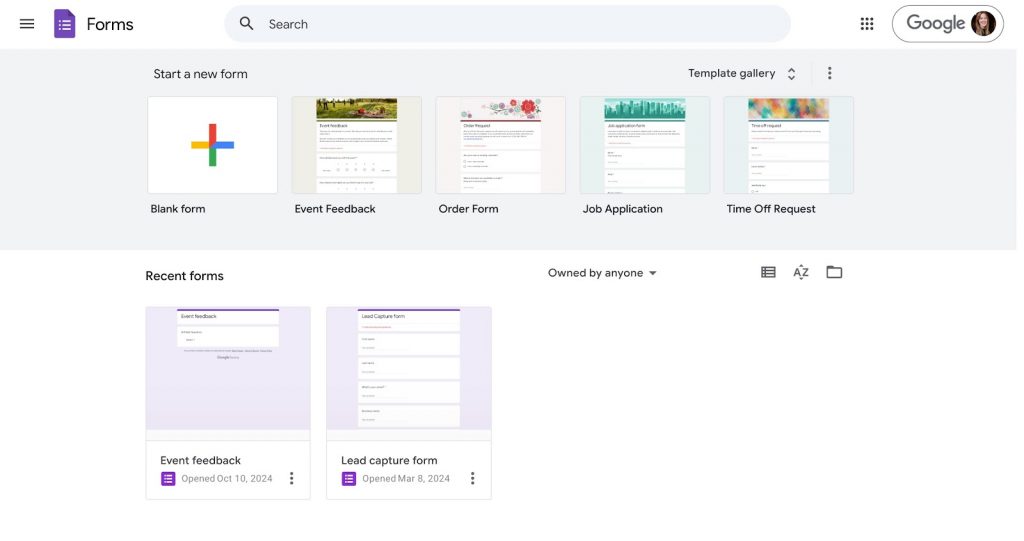
Google Forms is a simple, fast form builder used by clinics for patient satisfaction surveys or non-PHI submissions. It is also widely used across education, small businesses, community groups, and internal corporate teams because of its ease of use and zero cost. However, it is not HIPAA compliant, which makes it unsuitable for collecting or storing protected patient data in healthcare settings.
Google Forms Key Features
- Instant form creation: Build forms in minutes with zero learning curve.
- Easy sharing: Send via email or link from any device.
- Basic reporting: Auto-generated charts and summaries.
- Google Workspace sync: Store responses directly in Sheets.
Google Forms Pros
- Completely free: No cost for unlimited forms.
- Very simple: Anyone can create forms instantly.
- Google ecosystem: Smooth integration with Sheets and Drive.
- Fast setup: Ideal for quick surveys.
Google Forms Cons
- Not HIPAA compliant: Cannot store PHI safely.
- Very basic: Limited logic and branding.
- No native integrations: Requires Zapier for automation.
- Minimal customisation: Very simple layouts only.
Google Forms Integrations
- CRM Tools: HubSpot, Zoho CRM
- Productivity: Google Sheets, Smartsheet, Notion
- Marketing Platforms: Mailchimp, ActiveCampaign
- Team Tools: Slack, Microsoft Teams
- Automation Platforms: Zapier, Make
- Payment Gateways: PayPal, Razorpay (via integrations)
Google Forms Pricing
Free for all users.
Google Forms Ratings
- Capterra: 4.7/5
- G2: 4.6/5
Google Forms Customer Reviews
“It does have some customizations, but it could be great if you provided more styling and fonts to create it more visually appealing.”
“It could use the feature like incorporating images with the questions, as sometimes it is required for better question conveying.”
Source: Capterra
Google Forms Support Channels
- Help center
- Documentation
- Community support
10. SurveyMonkey | SurveyMonkey vs Formstack
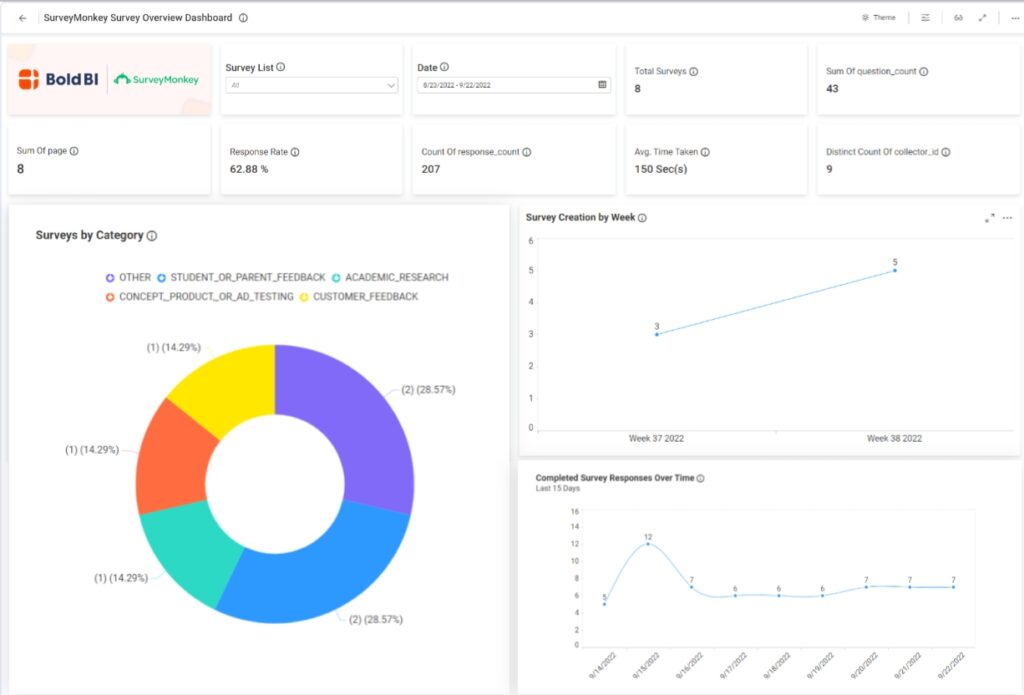
SurveyMonkey is one of the most popular tools for collecting feedback and running surveys. People use it across all kinds of industries because it is easy to work with and offers strong analytics. Whether you want opinions from customers, employees, or community groups, it helps you gather clear insights quickly.
SurveyMonkey Key Features
- Advanced surveys: Build detailed, logic heavy patient feedback surveys.
- Strong analytics: Charts, trends, and benchmarks to analyse responses.
- Branching logic: Personalised question paths for each patient.
- Mobile ready: Works smoothly across all devices.
SurveyMonkey Pros
- Great for feedback: Industry-leading survey capabilities.
- Easy interface: Staff can create surveys without training.
- Wide sharing options: Links, emails, QR codes.
- Trusted platform: Recognised worldwide.
SurveyMonkey Cons
- HIPAA locked to enterprise: Expensive for small clinics.
- Not for intake workflows: Limited beyond surveys.
- Costly upgrades: Advanced features cost more.
- Not multi-step friendly: Weak for complex routing.
SurveyMonkey Integrations
- CRM Tools: Salesforce Health Cloud, HubSpot, Zoho CRM
- Productivity: Google Sheets, Airtable, Zoho Analytics
- Marketing Platforms: Mailchimp, Constant Contact, AWeber
- Team Tools: Slack, Microsoft Teams
- Automation Platforms: Zapier, Make
- Payment Gateways: Stripe, PayPal (third-party connectors)
SurveyMonkey Pricing
Starts at around $30 per month.
SurveyMonkey Ratings
- Capterra: 4.6/5
- G2: 4.4/5
SurveyMonkey Customer Reviews
“Limited free plan features and pricey upgrades.”
“It can incorporate more features and customisations into it.”
Source: Capterra
SurveyMonkey Support Channels
- Live chat (enterprise)
- Help center
- Documentation
- Training resources
What Makes Emitrr the Best Formstack Alternative?
Let’s take a closer look at why Emitrr stands out as the most complete and user-friendly Formstack alternative for modern teams.
Unified Forms, Messaging, and Scheduling
Emitrr combines everything you need – forms, personalized text messaging, and scheduling into one easy-to-use platform. Instead of juggling between a form builder, a separate messaging tool, and a calendar app, you can do it all in one place. This makes life simpler for your team and ensures that nothing falls through the cracks. For example, once someone submits a form, you can instantly follow up with a message or offer them a booking link, all automatically. That kind of workflow saves a ton of time and clicks. It’s perfect for clinics, service businesses, or anyone who needs to keep communication flowing smoothly.
AI-Assisted Data Capture and Validation
Emitrr doesn’t just collect data. It helps you make sense of it with AI. Say someone fills out a form to schedule an appointment. The platform can automatically validate their responses, qualify them based on your rules, and route them to the right team or department. No more manual checks or missed leads. It’s like having a smart assistant double-check your submissions and organise them before you even look. This is a game-changer if you’re managing high volumes of patient or customer requests.
One-Click E-Signatures and Documents
Need a signature? Emitrr makes it super simple. You can drop an e-signature field into any form, whether it’s for a patient consent form, service agreement, or contract. No need to use a separate tool or send another email. People can sign right away. Once submitted, documents are securely stored and easy to access later. It saves both you and your clients the back-and-forth and cuts down on paperwork delays.
Secure, HIPAA-Ready Storage and Audit Logs
If you’re handling sensitive data, like in healthcare or finance, security is critical. Emitrr is built with that in mind. It offers encrypted data storage, secure logins, and full audit trails. You’ll know who accessed what, when, and why. Plus, it’s HIPAA-ready, so you don’t need to worry about falling short on compliance. Peace of mind comes built-in.
Smart Workflows with Conditional Routing
With Emitrr, you can set up workflows that actually think. Let’s say a client selects a specific service on your form, you can automatically send them to the right team member or start a specific follow-up. Everything flows based on the logic you set. It’s especially helpful for managing approvals, escalations, or service requests without anyone needing to manually sort through them. It feels like your processes are working quietly in the background.
Real-Time Alerts and Inbox for Submissions
Every time someone submits a form or replies to a message, you get notified instantly. Emitrr gives you a unified inbox so you can see everything that’s happening in one place. No more switching tabs to track form submissions or incoming texts. This helps you respond faster, which leads to better service and happier customers. Whether it’s a new lead or a returning patient, you won’t miss a beat.
Payments, Invoices, and Text-to-Pay
Emitrr also handles payments, so you can collect fees directly through forms or even by text. You can send an invoice with a secure link and let clients pay right from their phone. It’s fast, simple, and convenient, no need to wait for cheques or make awkward payment calls. For service businesses, it’s a smoother way to close the loop on transactions.
Deep Integrations with CRM, EHR, and Calendars
Emitrr plays well with the tools you already use. It integrates with popular CRMs, EHRs, and calendar platforms so that data flows automatically where it needs to go. That means no more exporting, importing, or double data entry. Whether you’re using Salesforce, Athenahealth, Google Calendar, or something else – Emitrr helps keep everything in sync.
Template Library and Brand Controls
Want your forms and messages to look and feel like your brand? Emitrr lets you do that effortlessly. Choose from ready-made SMS templates or create your own with your logos, colours, and fonts. It’s ideal for teams that want to maintain a polished, consistent image without spending hours on design. Plus, once you’ve built a form or message layout you love, you can save it and reuse it anytime.
Team Collaboration and Role-Based Access
Multiple people on your team? Emitrr has you covered. You can assign roles, give different permissions, and make sure the right people have access to the right info. Whether it’s a front-desk assistant, a manager, or a billing staff member, everyone sees only what they need to. It’s great for keeping workflows organised and secure, especially in larger teams.
Analytics, Funnels, and Conversion Insights
Want to know how your forms and workflows are performing? Emitrr offers built-in analytics so you can track submissions, conversions, response times, and more. You’ll see where leads are dropping off and where things are working well. It’s like having a dashboard that shows you exactly how to improve, based on real data – not just guesswork.
Mobile Apps for On-the-Go Approvals
You don’t need to be tied to your desk to manage your forms and communication tools. Emitrr’s mobile app lets you build, approve, respond, and track everything from your phone or tablet. Whether you’re out in the field, at a different location, or just away from your laptop, you’re always in control!
Which Industries Get the Most Value from Emitrr?
Here’s how different industries benefit from Emitrr’s features:
Healthcare
Healthcare teams juggle a lot – intake forms, reminders, follow-ups, and compliance. Emitrr makes life easier by offering HIPAA-compliant messaging, automated appointment reminders, and easy patient forms. You can send out digital intake packets, get quick responses via text, and reduce no-shows. Plus, it syncs with EHRs so your schedule and patient data stay in one place. It’s a total time-saver for busy practices.
Financial Services
Banks, credit unions, and insurance firms can use Emitrr to simplify client onboarding. Need to send a loan form, verify ID, or nudge someone about a missing document? It’s all possible through secure forms and real-time messaging. Automations take care of follow-ups, while templates keep things compliant and consistent. It’s perfect for speeding up processes without sacrificing security.
Education and Training
Schools and training centres often deal with tons of paperwork – registrations, permission slips, event sign-ups. Emitrr turns those paper forms into smart digital workflows. You can send reminders for upcoming tuition payments or ask for quick student feedback after a course. Forms are mobile-friendly, and replies can come through SMS or email. It’s flexible and student-friendly.
Legal Services
Law offices often have strict processes – intake, agreements, updates, and Emitrr helps manage them without endless emails. You can send out contracts with e-signatures, receive intake forms securely, and keep clients updated on their cases through two-way texting. No more chasing for signatures or updates manually. Everything’s logged and secure, which is key for compliance.
Real Estate
Agents and brokers are always on the move, so they need tools that work fast and from anywhere. With Emitrr, you can send showing reminders, capture lead info, and handle contract signatures, all from one platform. Clients get instant confirmations, and you stay on top of every inquiry. It’s a time-saver and helps prevent missed opportunities.
Retail and eCommerce
For retailers, it’s not just about selling – it’s also about following up. Emitrr helps create custom order forms, send abandoned cart nudges, and collect post-delivery reviews. You can automate a lot of that and keep customers in the loop with real-time updates. And yes, you can even collect payments via text.
Wellness and Aesthetics
Spas, salons, and wellness clinics love how easy Emitrr makes bookings and follow-ups. Clients can self-schedule, receive prep instructions via SMS, and even leave feedback automatically. You can build forms for consent or waivers, collect payments, and send reminders. It’s smooth, professional, and keeps your calendar full.
Nonprofits and Public Sector
If you’re working with a tight team and a tighter budget, Emitrr’s all-in-one tools help you do more with less. Use forms to gather volunteer info or donations, then automate updates and event reminders. You can even send broadcast messages to keep your community engaged. Everything is simple, mobile-friendly, and doesn’t require tech training.
Automotive Services
Whether it’s a car dealership or local garage, keeping in touch with customers matters. Emitrr lets you collect service requests online, notify customers when their vehicle’s ready, and send reminders for check-ups. You can also digitize inspection forms and estimates. It helps you stay efficient without picking up the phone a hundred times a day.
Frequently Asked Questions
If HIPAA is a must, Emitrr is a strong pick right out of the box. It’s built with healthcare in mind, so forms and messages stay secure without any extra setup.
You can export your Formstack data and recreate forms in Emitrr with their drag-and-drop builder. The good part? Emitrr’s support team is super helpful and can walk you through it.
Start with the essentials: CRM (like Salesforce or Zoho), payment tools (Stripe, PayPal), storage (Google Drive), and any calendars or EHRs you use. Emitrr connects with all the big players and even handles EHR syncing for healthcare teams.
Yes, totally! You can build custom rules like sending a form to a manager for approval or auto-assigning tasks based on answers.
Definitely. Emitrr is built to talk to your current tools, whether it’s a CRM like HubSpot or an EHR like Athena. With 500+ integrations, chances are it’ll plug right into your workflow from day 1!
Emitrr works great for both. Smaller teams love the simple setup and support, while bigger organizations lean on the automations and integrations. It scales with you, so you don’t outgrow it in six months.
Conclusion
Formstack has helped many teams organise their workflows and collect data efficiently. But as needs evolve, some businesses start looking for tools that are a bit more flexible, more intuitive, or simply better suited to how their team works today.
That’s where Emitrr really shines. It brings together forms, messaging, automation, and approvals, all in one simple platform. Whether you’re managing patient intakes, client requests, or internal workflows, Emitrr makes the process faster, smoother, and easier for everyone.
Curious how it fits your setup? Book a quick demo with Emitrr to learn more!