
 4.9 (400+
reviews)
4.9 (400+
reviews)
Introduction
Picture this: you’re about to send an update to your customers. So now do you blast it out to everyone all at once? Or you’d rather start a chat where people can actually talk back? Friends, this is where it can get a little confusing. Well, most of us have definitely heard terms like group texting and group chat tossed around, haven’t we? But when it comes to business communication, they’re not at all the same thing. In fact, choosing between them can completely change how your message lands!
Group messaging is such a big part of our daily lives now. From family updates to office banter, it’s how we stay connected. But when it comes to business, the line between group texting vs group chat really matters. One helps you reach hundreds of people instantly, perfect for promotions or alerts. The other builds real, ongoing conversations, ideal for teams or small client groups.
So now, how do you know which one to pick? That’s exactly what this blog covers. Let’s unpack the difference between group texting and group chat and explore when each works best.
What is Group Texting?
‘Group texting‘ simply means sending a text message to multiple people at once. On a normal phone, this creates a group message thread where everyone in the group can see and reply to all messages. In a business context, group texting often refers to sending out a mass text (the same message) to many customers simultaneously. Each recipient gets the message individually, like a BCC email. Group texting, especially this mass texting approach, is a fast way to reach a lot of people with a single send. It works over SMS, so no special app or internet is required.
How Group Texting Works
Here’s how it really works. You type out one message. Add a bunch of contacts, and hit send. That’s group texting in its simplest form. Everyone gets the same message at the same time, straight to their phone. It’s quick, direct, and super easy.
But there’s a small hitch. Most phones will only let you send texts to about 10 to 20 people at once. So, if you’re trying to reach a bigger crowd, say your full client list or weekend customers, you’ll need something more powerful. That’s where mass texting comes in. If you’ve ever wondered what is mass text, it’s basically a way to send one message to hundreds or even thousands of people at the same time.
And here’s the clever part: each person receives it as a normal text from your number. If they reply, their message comes to you privately, not in a messy group thread. So, you can reach everyone at once but still keep each conversation one-on-one, personal, and easy to manage.
Key Features of Group Texting
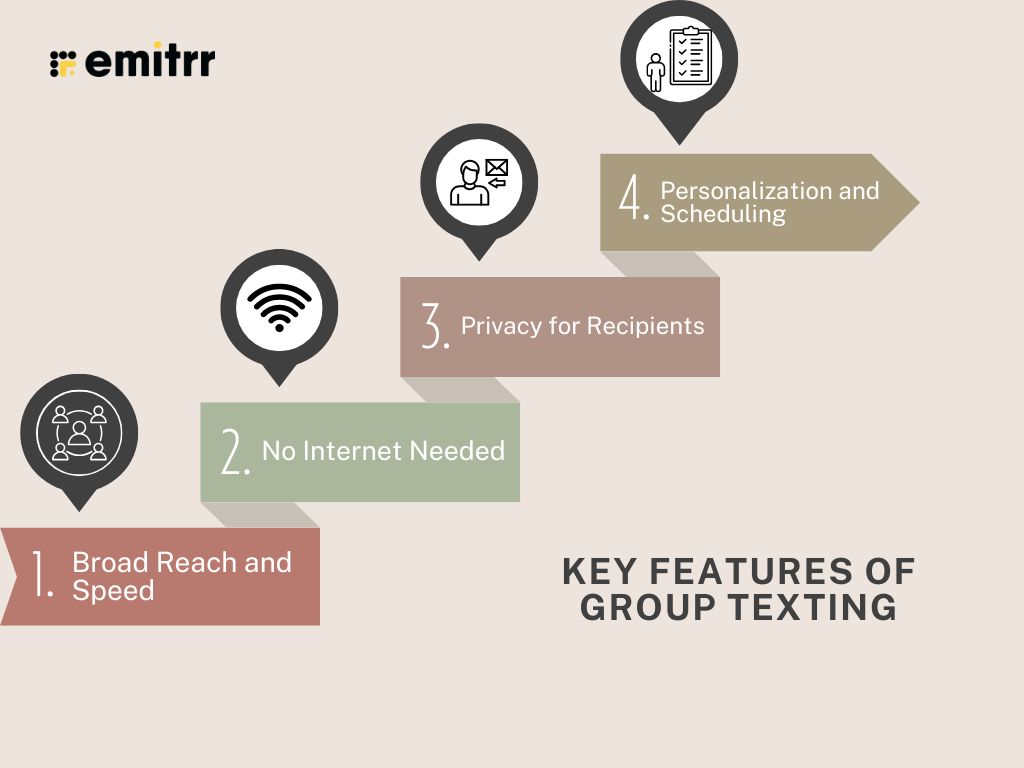
- Broad Reach and Speed: You can send one message to dozens or even hundreds of people at once. It goes out instantly, and since most texts get opened within minutes, your message is almost guaranteed to be seen right away.
- No Internet Needed: SMS group texts work over the cellular network. Neither you nor your recipients need Wi-Fi or data access. As long as a person has a mobile phone that can receive texts, they’ll get your message.
- Privacy for Recipients: In a broadcast-style group text, recipients aren’t aware of each other. Everyone gets your message individually, and any reply comes back only to you. This keeps contact info private and avoids those annoying “reply all” scenarios.
- Personalization and Scheduling: Modern texting platforms let you personalize texts (e.g., include each recipient’s name) and schedule messages ahead of time. You can send a bunch of texts that still feel personal, all timed perfectly, even when you’re away from your computer.
What is Group Chat?
Imagine a space where everyone can talk, share, and react at once, that’s a group chat. It’s like a digital hangout where messages flow in real time, and everyone in the thread can see and respond instantly. You’ve seen it in WhatsApp, iMessage, or Slack. Unlike a mass text, which sends one message to many people individually, a group chat is about shared conversation. It’s perfect for quick team updates, small customer groups, or any moment when collaboration matters more than just broadcasting information.
How Group Chat Works
It’s pretty simple. You create a group, add people, and start chatting. Every message shows up instantly for everyone, making it feel like a live conversation. Most group chat apps show when someone’s typing, let you share files or photos, and sync across devices so you can jump in anytime. Think of it as an always-on virtual room where everyone stays connected, whether they’re at their desk or on the move.
Key Features of Group Chat
- Real-Time Group Conversation: Messages pop up instantly, creating that “in the same room” feeling. It’s fast, natural, and keeps energy flowing.
- Multi-Party Interaction: Everyone gets to join in. You can brainstorm, share updates, or discuss ideas together instead of talking in separate threads.
- Rich Media Sharing: Sometimes words just aren’t enough. With RCS messaging within group chats, you can share photos, videos, documents, or links right in the conversation. It makes communication more engaging, visual, and easy to understand.
- User Controls and Notifications: You’re in charge. Mute the chat when it’s busy, get alerts only for mentions, or manage who joins. Admins can tidy things up when needed.
- Conversation History: Missed a few messages? No worries. You can scroll back anytime, catch up on what you missed, or check old discussions. Even new members can read past messages and get up to speed.

Key Differences Between Group Texting and Group Chat
You’ve probably heard people mix up group chat vs mass text, but they’re not quite the same thing. Both are powerful ways to connect. They just work differently. One is built for fast broadcasts, the other for back-and-forth conversations. It’s almost like the difference between giving an announcement on a loudspeaker and chatting in a room full of people.
Here’s a quick comparison of mass text vs group chat so you can see where each one shines:
| Aspect | Group Texting (Mass Text) | Group Chat |
| Group Size Limit | Regular phones usually limit you to around 10-20 recipients. But with a business texting tool, you can send to hundreds or even thousands at once. | Group chats can include more people (dozens or hundreds), but once the group gets too big, it becomes harder to manage and follow. |
| Communication Style | One-to-many. You send one message to lots of people, and replies come back to you privately. Nobody sees each other’s responses. | Many-to-many. Everyone can talk to everyone, just like in a shared chat room. |
| Internet Required? | Nope! Works on SMS through your phone signal, no Wi-Fi needed. | Yep, you’ll need an internet connection and a chat app like WhatsApp, Slack, or Teams. |
| Privacy | Very private. Recipients can’t see who else got the message, and replies come only to you. Perfect for customer communication. | Not private. Everyone sees every message (and often each other’s names or profiles). Great for teams, not for strangers. |
| Content and Media | Mostly plain text. You can send photos or links through MMS, but don’t expect read receipts or fancy reactions. | Full of features. You can share photos, videos, files, emojis, even GIFs. You can also see who’s typing or if your message’s been read. |
| Engagement Level | Great for updates or quick reminders. Since replies come back one-on-one, it’s more controlled but less interactive. | Excellent for group discussions, feedback, or brainstorming. It’s lively, interactive, and instant. |
| Use Cases | Perfect for sending promotions, alerts, event reminders, or follow-ups. Basically, anytime you need to reach a lot of people fast. | Best for collaboration. Team projects, small customer communities, or shared discussions, where everyone benefits from hearing each other. |
| Opt-Out and Compliance | You’ll need permission to text and provide opt-outs (like replying “STOP”). Good mass texting tools handle this automatically. | No formal opt-out needed. People can just leave the chat. But it’s not meant for marketing or large-scale messaging. |
| Automation and Tools | Super handy with automation. You can schedule texts, use message templates, and track responses with analytics. Great for organized outreach. | Mostly manual. Some platforms let you use bots or integrations, but it’s not built for automation at scale. |
| Cost | There’s usually a small cost per text or per message segment, especially for large lists. Still, it’s affordable for the impact you get. | Generally free, apart from using mobile data. Some business chat tools may have subscription fees but no per-message charges. |
So, which tool works best for you really depends on your business communication needs. Both have their place, it’s all about choosing the right one at the right time.
Pros and Cons of Group Texting and Group Chat
Let’s weigh the advantages and disadvantages of each method side by side.
Group Texting
Group texting pros
- Broad and Instant Reach: Need to get the word out fast? Group texting can be your go-to for a quick SMS campaign. You can reach dozens or even hundreds of people at once, and your message lands within seconds. Perfect for urgent updates, last-minute alerts, or limited-time offers.
- No Internet Required: This one’s a big win. Since group texting runs on regular SMS, it works anywhere there’s a phone signal. No Wi-Fi, no data, no fancy apps, just a simple text that shows up for everyone, even on basic phones.
- Privacy and Control: Unlike group chats, no one sees who else got the message. Replies come back privately to you, so conversations stay clean and personal. It’s like having a one-on-one chat with everyone at once, without all the noise or confusion.
- Scalable with Tools: When you bring in a good texting platform, things get even smoother. You can schedule messages ahead of time, personalize them with each recipient’s name, and manage thousands of contacts without breaking a sweat. It’s efficiency and reach rolled into one.
Group texting cons
- Limited Interaction: Here’s the thing, mass texting isn’t meant for group conversations. People can reply to you, but they can’t see or chat with each other. It’s more of a one-way street. That’s fine for updates or alerts, but if you overdo it, it can start to feel a bit impersonal.
- Needs Opt-In/Compliance: You can’t just start texting everyone in your contact list (and honestly, you shouldn’t). Businesses need proper consent before sending messages and must give people the option to unsubscribe. It’s a small extra step, but it keeps things professional and within the rules.
- Can Feel Impersonal: If you’re not careful, a mass text can sound like it came from a robot. A generic “SALE TODAY!” might not catch anyone’s attention. But tweak it with a name or a friendly tone, and suddenly it feels human again. The trick is to keep it personal, not pushy.
- Costs Can Add Up: Texting is super affordable per message, but if you’re sending thousands, it can add up. It’s not a dealbreaker, but something to plan for, especially if your campaigns are frequent or large. The upside? The open rates usually make every penny worth it.
Group Chat
Group chat pros
- Highly Engaging: The best part about group chats? Everyone gets to join in. It feels like a little community where ideas bounce back and forth naturally. Someone asks a question, someone else answers, and before you know it, you’ve got a whole conversation flowing. It’s team spirit in message form.
- Real-Time Collaboration: Need quick feedback or want to brainstorm without setting up a meeting? Group chats make it effortless. Everyone can share thoughts in one place, in real time, and decisions happen way faster than waiting for endless email chains.
- Rich Communication: It’s not just words, you can drop photos, videos, links, or even react with emojis. Sometimes, a simple thumbs-up or heart says more than a full sentence. It keeps the chat lively, fun, and easy to understand.
- Keeps Everyone in the Loop: No more repeating updates to five different people. In a group chat, everyone sees the same message at the same time. It keeps the whole team aligned, saves you time, and cuts down on those “Wait, what happened?” moments.
Group chat cons
- Potential for Information Overload: Group chats can get noisy fast. One minute it’s quiet, the next you’ve got 50 unread messages. It’s easy for important details to disappear in the chatter, and constant pings can wear people out. A lively chat is great, but too much of it can feel like chaos.
- Lack of Privacy: Everyone in the chat can see everything. Be it messages, names, or sometimes even phone numbers. That’s fine for a team, but not great when your audience doesn’t know each other. You can’t really share sensitive info unless you trust everyone in the room.
- Needs the Right Setup: Group chats rely on apps and internet access. So if someone doesn’t have the right app or isn’t too comfortable with tech, they’ll miss out. You can’t count on a group chat to reach everyone, especially customers who just want a simple text.
- Not Great for Big Crowds: Once a chat grows too large, things get messy. Messages fly, conversations overlap, and the personal touch disappears. For big announcements or large audiences, group chat just doesn’t cut it. That’s when a structured mass text or email campaign works better, cleaner, faster, and way more manageable.
Which One is Better for Your Business Use?
There isn’t one clear winner here. Both group texting and group chat have their strengths. It all depends on what you’re trying to achieve. Let’s look at some real-world scenarios to see where each one fits best.
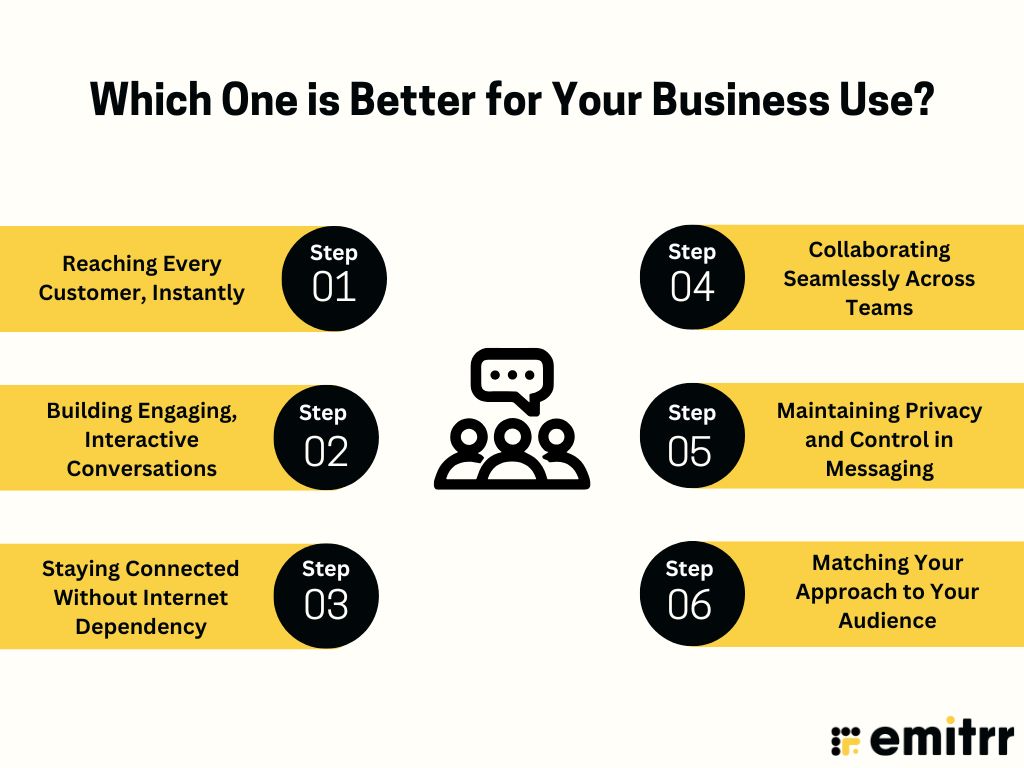
Reaching Every Customer, Instantly
Imagine you manage a salon and need to inform all clients about a last-minute schedule change. Sending one message at a time would take forever, right? That’s where group texting comes in. It lets you reach everyone at once, fast and directly. But here’s something most people don’t know, there’s a limit to how many can be in a group text. Most phones only allow around 10 to 20 contacts per group. So, if you want to reach your full customer list, you’ll need a little help from technology. Business texting platforms make it super easy to group text more than 20 people at once, hundreds or even thousands, in fact. Each person still gets your message as a normal, private text, and their replies come straight to you.
Building Engaging, Interactive Conversations
If your goal is to create interaction, go for a group chat. Think about when you want to brainstorm with your team or get feedback from a small group of customers testing a new product. Group chats let everyone talk together, share ideas, react to messages, and build on each other’s thoughts. It can be used as a more social, connected customer experience platform that texting alone can’t match.
Staying Connected Without Internet Dependency
Group chats need Wi-Fi or data to work. Group texting doesn’t. If you’ve got clients in areas with poor internet or who aren’t big on apps, SMS wins every time. It runs on the cellular network, so your message still goes through even if someone’s offline.
Collaborating Seamlessly Across Teams
When it comes to teamwork, group chat makes collaboration effortless. Instead of juggling separate messages, everyone can share updates and files in one place. For instance, your operations team can coordinate shift changes or deliveries in a single group thread, quick, organized, and transparent.
Maintaining Privacy and Control in Messaging
If privacy matters, group texting is the safer choice. Every recipient only sees their own conversation with you. No one else’s name, number, or reply is visible. This is perfect for appointment reminders, billing notices, or announcements you need to send to many people without mixing them together.
Matching Your Approach to Your Audience
Different audiences respond to different styles. If you’re reaching a wide mix of people, group texting is simple and universal, no downloads, no learning curve. But if you’re communicating with a smaller, tech-savvy group (like your staff or loyal customers), group chat keeps things conversational and engaging.
For example, older clients might prefer a quick, no-fuss text reminder, while your younger team might thrive in a group chat where ideas and updates flow all day. Many businesses use both – group texting for reach and group chat for relationships. The trick is knowing when to use which, so every message lands exactly how you want it to.
How Emitrr Makes Group Communication Effortless
Managing all texts, chats, and replies might sound like a lot. But that’s exactly what Emitrr is built for. It’s your all-in-one AI-powered communication tool that makes both group texting and group chat effortless. Whether you’re sending appointment reminders, team updates, or automated follow-ups, Emitrr helps you do it all, fast, smart, and in one place.
Secure and Compliant Messaging
Let’s start with peace of mind. Emitrr keeps every message safe and compliant. It’s built with encryption and follows strict regulations like HIPAA and TCPA compliance. That means no data leaks, no privacy issues, and no legal headaches. Customers can even opt out automatically, the platform handles all that for you. You just focus on communicating; Emitrr takes care of the rest.
Smart Group Messaging and Broadcasts
Need to send out an announcement or a reminder to your entire contact list? Easy. With Emitrr, you can create a contact group and send one message to everyone at once. The best part? Each person receives it as an individual text, no messy group thread. You can even personalize it with names or details, so your broadcast message still feels one-on-one.
AI Automation and Smart Scheduling
Emitrr’s automation tools are like having an extra team member who never forgets. You can schedule texts ahead of time or set triggers to send messages automatically, for example, a thank-you text after an appointment or a follow-up reminder the next day. It can even auto-reply to FAQs or confirm appointments without you lifting a finger.
Unified Inbox for All Conversations
No more hopping between apps or devices. Emitrr brings all your messages, customer replies, team chats, and new inquiries, into one clean, unified inbox. Whether someone texts you back from a mass message or sends a new question, it all lands in one dashboard. You and your team can see it, respond quickly, and stay organized.
Two-Way and Group Texting Made Simple
Emitrr makes it easy to switch between private and group conversations. You can text one customer directly, or send a group message to hundreds, all from the same number. It’s perfect for businesses that need both personal touch and wide reach without juggling multiple tools.
Mobile Access and Team Collaboration
You don’t need to be glued to a desk to stay connected. Emitrr works beautifully on mobile. You can send, read, and reply to messages from anywhere. Your team can collaborate, assign chats, or leave internal notes, so everyone stays on the same page and customers always get quick responses.
Faster and More Personalized Customer Support
Nobody likes waiting on hold. With Emitrr, customers can just text you, and your team can reply instantly. Using templates and customer info pulled from your CRM, replies feel quick and personal. It’s customer support that feels human, not robotic, and it saves everyone time.
Real-Time Notifications and Updates
Emitrr keeps you in the loop. You’ll get alerts whenever a new message comes in on desktop or mobile and see delivery updates in real time. If something’s urgent, you’ll know right away, so you can jump in before it turns into a problem.
Custom Workflows and Message Templates
Got routine messages you send all the time? Emitrr helps you automate them. You can create workflows, like sending a welcome text to new clients or forwarding “urgent” messages straight to a manager. You can also save message templates for common replies, so your team stays consistent and saves tons of time.
Integrations with CRMs and Scheduling Tools
Emitrr fits right into your existing setup. It integrates smoothly with your CRM, scheduling software, and other business tools. Add a new customer in your system, and Emitrr can automatically send a welcome message or appointment confirmation – no double entry, no missed follow-ups.
Analytics and Insights for Smarter Communication
Want to know what’s working? Emitrr’s analytics give you all the insights you need. See delivery rates, response times, and engagement trends. Learn when customers are most likely to reply or which messages perform best. Over time, this helps you fine-tune your communication for even better results.
Always-On Availability with Automated Responses
Even when your team logs off, Emitrr keeps talking. You can set automated replies for after-hours messages or FAQs. So if someone texts at midnight, they still get an instant response like, “Thanks for reaching out, we’ll get back to you first thing in the morning.” It’s small touches like that that make your business feel responsive and reliable 24/7.
In short, Emitrr takes the stress out of managing communication. It combines the speed of group texting, the connection of group chat, and the power of automation, all in one easy-to-use platform.
Frequently Asked Questions
Think of group texting as a loudspeaker. One message goes out to many, and replies come back just to you. Group chat is more like a roundtable, where everyone talks and responds together. One’s for updates, the other’s for conversation.
Absolutely! That’s one of the best parts. Group texting works over your regular phone signal, so no Wi-Fi or data is needed. As long as you’ve got bars, your message goes through.
It sure does. Emitrr brings everything together. You can send mass texts to customers and chat with your team, all from the same easy-to-use dashboard.
If speed’s what you need, group texting is the clear winner. Ever wondered how to group text more than 20 people without creating chaos? That’s exactly what Emitrr does, it lets you send one message to hundreds or even thousands at once, fast and privately, without the clutter of a group chat.
Emitrr keeps it all under one roof. You can manage customer texts, send group broadcasts, and chat with your team, all without switching between apps. Everything’s organized, fast, and super easy to track!
Absolutely! Just set and forget. Emitrr can automatically send reminders, confirmations, or even thank-you texts after appointments, so your customers feel cared for, and you never miss a beat.
Conclusion
At the end of the day, both group texting and group chat have their place in business communication. One helps you reach hundreds of customers in seconds, while the other builds real, human conversations that bring people together. The trick isn’t choosing one, it’s knowing when to use each.
And that’s where Emitrr steps in. Powered by smart AI, Emitrr takes care of both. It lets you send mass texts, manage group chats, and even automate reminders or follow-ups, all from one platform. You get the speed of texting, the engagement of chat, and the power of automation rolled into one easy experience.
Ready to see how it works? Book a demo with Emitrr today! Discover how Emitrr’s AI-powered messaging can simplify your communication, boost engagement, and save your team hours every week.