
 4.9 (400+
reviews)
4.9 (400+
reviews)
Introduction
New patient onboarding is the very first interaction a patient has with your healthcare practice. It should be smooth and seamless, but unfortunately, it is also where a lot of healthcare businesses struggle the most, and if you are here, then you are also going through the same struggle. As the front desk is already overloaded with daily tasks, phone lines stay busy, forms don’t get completed on time, and staff end up chasing patients for basic information manually, which is even more time-consuming. For Athenahealth practices, it is not just an operational issue, but it also impacts patient experience, staff burnout, and revenue.
But the good news is here!! Onboarding does not have to stay like this. If you have the right Athenahealth onboarding automation workflow in place, then Athenahealth can onboard new patients faster, with fewer calls, less manual work, and offer a much smoother experience for both patients and staff.
Curious to know how??
In this guide, we are going to walk through how to automate new patient onboarding in athenahealth, what can be automated, and how practices are using automation to scale without hiring more staff.
So let’s start!!
How to Automate New Patient Onboarding in Athenahealth?
- Identify Appointment Types for New Patients
- Enable Online Patient Registration
- Set Up Automated Messages for New Patients
- Create Task-Based Workflows for Staff Follow-Ups
- Enable Insurance Verification and Eligibility Checks
- Connect Intake Forms to Patient Records
- Automate Appointment Reminders and Follow-Ups
- Track and Improve the Onboarding Workflow
Why New Patient Onboarding Is Broken in Most Practices
Why healthcare practices struggle while onboarding a new patient is that they still rely on outdated onboarding processes that are not able to fulfill today’s patient expectations. Patients are asked to call the office during business hours, fill out long paper or PDF forms, email documents back (or bring them on the day of the visit), wait on hold for confirmations or clarifications, and more!!
Meanwhile, on the other hand, front desk teams are stuck in answering the same onboarding questions repeatedly, manually entering patient data into athenahealth, chasing incomplete forms and insurance details, handling frustrated patients before they even arrive, and more!!
Here is when automation comes to the rescue by solving the problem by shifting onboarding from phone-heavy, staff-driven manual processes to patient-friendly, self-service athenahealth onboarding and real-time online scheduling workflows without even losing the personal touch.
What Is New Patient Onboarding in Athenahealth?
New patient onboarding in Athenahealth includes every step that happens between the moment a patient schedules their first appointment and when they arrive for their visit.
Understanding the Traditional Onboarding Flow
In a typical Athenahealth practice, onboarding involves various steps:
- Scheduling the first appointment
- Collecting demographics and contact details
- Gathering insurance information
- Sending patient intake forms and consent documents
- Sharing pre-visit instructions and office policies
When the front desk staff handles it manually, each of these steps often needs a phone call, an email, or follow-up reminders, most of which land on already overloaded staff.
Challenges With Manual Onboarding in Athenahealth
Without automation, practices face issues including:
- High call volumes from new patients with basic questions
- Intake forms that are forgotten, lost, or incomplete
- Duplicate data entry into athenahealth
- No clear visibility into which patients have completed onboarding
This creates last-minute chaos on the day of the visit, longer wait times, and a poor first impression for patients.

Step-by-Step: How to Automate New Patient Onboarding in Athenahealth
Step 1: Identify New Patient Appointment Types
- Log in to athenaOne.
- Go to Scheduling → Appointment Types.
- Make sure you clearly mark “New Patient” appointments.
- This will allow Athenahealth onboarding workflows and automated communication to trigger specifically for new patients.
Step 2: Enable Online Patient Registration
- Navigate to Patient Engagement → Online Registration.
- Turn on Patient Self-Registration for new patients.
- This allows patients to fill out their demographic info, insurance, and consent forms online before arriving.
- This allows patients to fill out their demographic info, insurance, and consent forms online before arriving.
- Customize the registration form with fields like:
- Name, DOB, Contact info
- Insurance info
- Emergency contact
- Medical history/consent forms
The portal automatically stores the submitted data in Athenahealth’s patient record once complete.
Step 3: Configure Automated Messaging
- Go to Communication → Messaging in athenaOne.
- Create Athenahealth onboarding workflow templates for new patients:
- Welcome message when registration is completed
- Appointment confirmation
- Reminder messages 24–48 hours before the visit
- Use merge fields to pull patient-specific info automatically (like name, appointment date).
Step 4: Set Up Task-Based Workflows
- Go to Workflow Dashboard → Task Templates / Exceptions.
- Create a task template for new patient Athenahealth onboarding for clinics:
- Verify registration completion
- Confirm insurance eligibility
- Collect missing documents
- Assign a responsible staff member for each task.
- Athenahealth will automatically generate tasks when a new patient registers or schedules a new appointment.
Step 5: Enable Insurance & Eligibility Automation
- Navigate to Billing → Insurance Eligibility.
- Enable automatic eligibility verification for new patients:
- System checks insurance coverage automatically once the patient is registered.
- System checks insurance coverage automatically once the patient is registered.
- Notifications are triggered if eligibility fails or documents are missing.
Step 6: Link Intake Forms to Patient Records
- Within Patient Engagement → Online Registration, make sure your forms are mapped directly to patient demographic fields.
- When a new patient completes forms online:
- Data is automatically added to the patient’s Athenahealth record.
- Staff can review or flag exceptions in the Athenahealth onboarding workflow dashboard.
Step 7: Automate Reminders and Follow-Ups
- Go to Communication → Messaging → Reminder Settings.
- Enable automated reminders for:
- Pending intake forms
- Scheduled appointments
- Follow-up visits for new patients
- Athenahealth can send SMS, email, or portal messages automatically based on the rules you set.
Step 8: Monitor and Optimize the Workflow
- Open Workflow Dashboard – Reports.
- Track:
- Percentage of new patients completing registration online
- Tasks completed by staff
- Message delivery and response rates
- Adjust task templates, message timing, and registration forms to improve efficiency.
How Emitrr Helps Automate New Patient Onboarding in Athenahealth
Automating new patient Athenahealth onboarding for clinics isn’t just about sending a few messages; it’s about creating a system that works quietly in the background while your front desk focuses on patients who actually need attention. This is exactly where Emitrr fits in.
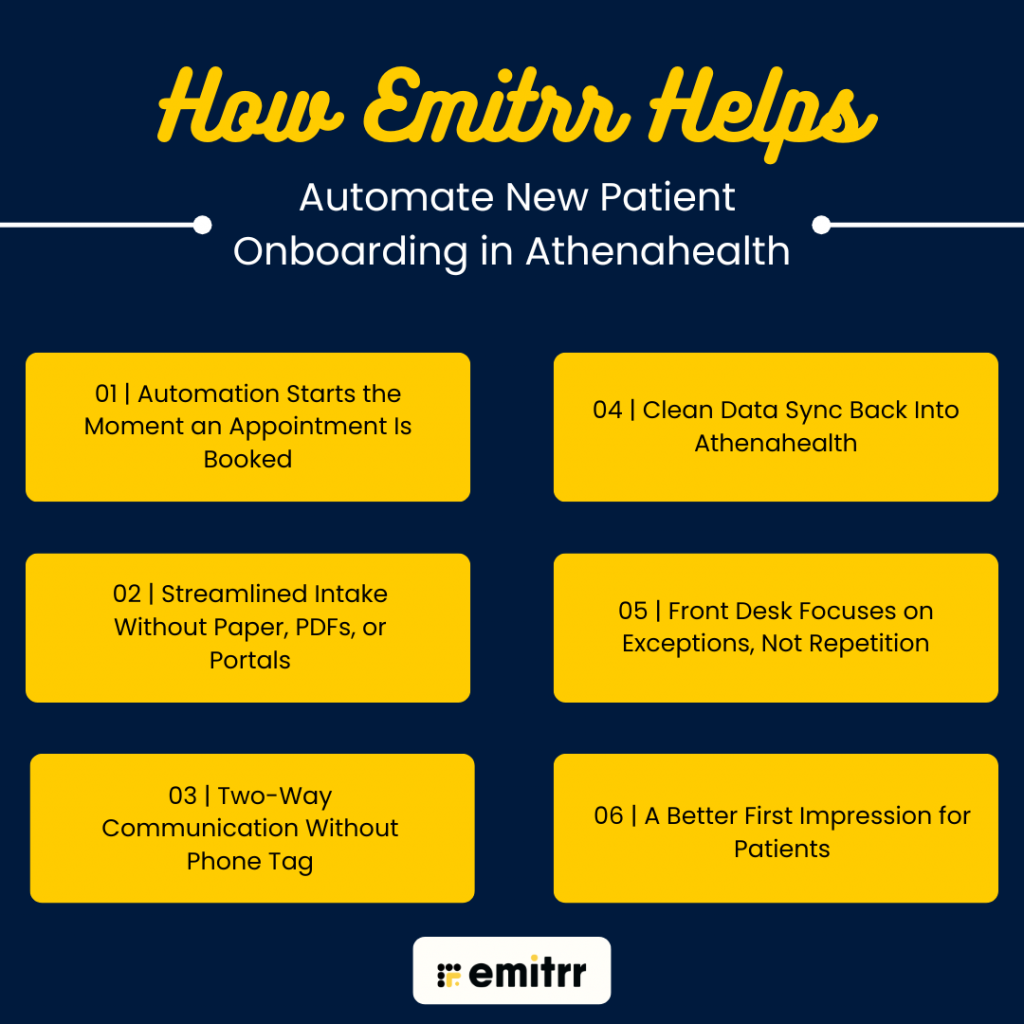
Automation Starts the Moment an Appointment Is Booked
The Athenahealth onboarding for clinics process begins the moment a new patient appointment is created in Athenahealth. Emitrr is capable of identifying this and automatically triggers the Athenahealth onboarding for healthcare providers workflow without any manual effort. Then the patient immediately receives a confirmation message about their appointment.
Streamlined Intake Without Paper, PDFs, or Portals
One of the major issues healthcare practices face is patient intake. There are various processes involved, including paper forms, emailed PDFs, and patient portals, which create friction and delay. Emitrr replaces it completely with secure, screen-friendly intake forms delivered directly via text. The form is sent before the appointment, and patients can complete forms at their convenience, from any device. If they don’t finish right away, Emitrr sends gentle reminders automatically.
Two-Way Communication
When it comes to new patients, they always have questions, which also means high call volume, especially during peak hours. Emitrr offers a robust feature of two-way texting where patients can ask questions, reply to messages, and more. This reduces call volume while still delivering timely, personal responses.
Clean Data Sync Back Into Athenahealth
Automation only works if information ends up where it belongs. Emitrr ensures that completed intake forms and patient responses sync directly into athenahealth. This eliminates duplicate data entry and minimizes errors caused by manual input. Athenahealth remains the system of record, while Emitrr handles the patient communication and workflow automation around it.
Front Desk Focuses on Exceptions, Not Repetition
With Emitrr handling routine onboarding steps, staff no longer need to manage every patient manually. Instead, they focus on other important tasks and step in only when something needs attention, such as an incomplete form, missing insurance, or a specific patient request.
A Better First Impression for Patients
From the patient’s perspective, if the Athenahealth onboarding for healthcare providers process is seamless and smooth, then it creates a positive impact. They receive clear instructions, timely reminders, and quick responses without waiting on hold or filling out paperwork in the waiting room.
Frequently Asked Questions
Yes, when implemented with a HIPAA-compliant communication solution like Emitrr that is specifically designed for healthcare.
Absolutely. Automation reduces unnecessary calls, but human support is always available when patients need it.
Yes. Workflows can be customized for primary care, therapy, dental, and specialty practices.
Most practices can launch onboarding automation within days—not months.
Yes, automated onboarding can be HIPAA compliant when it’s done using a healthcare-specific communication platform. Emitrr is designed to support HIPAA-compliant messaging, intake forms, and patient communication while keeping sensitive data secure.
No. Automation helps in minimizing repetitive tasks, but does not replace front desk staff. Front-desk teams are still required to handle patient questions and special cases.
Practices that are adopting new patient onboarding automation for small practices at Athenahealth have experienced a drop in inbound calls. Tasks such as appointment reminders, confirmation, form delivery, and basic questions are handled through text, freeing the phone line for urgent and complex needs.
The completed intake forms and patient responses are automatically synced into athenahealth, which eliminates duplicate data entry and ensures staff always work with accurate, up-to-date patient information.
Most practices can set up automated Athenahealth onboarding workflows in a short time once appointment types and intake forms are defined. The setup process is far quicker than hiring and training additional front-desk staff.
Conclusion
First impressions matter in healthcare. When onboarding is slow or confusing, patients feel frustrated before they even meet the provider. Most importantly, automation enables practices to grow without overburdening staff or requiring additional front-desk support. With athenahealth onboarding automation, practices can:
- Reduce call volumes
- Improve intake completion rates
- Shorten check-in times
- Create a smoother, more professional patient experience
To see how Athenahealth onboarding automation works in real-world Athenahealth practices, book a demo with Emitrr. You’ll see exactly how onboarding can run on autopilot while still feeling personal, responsive, and patient-friendly.