
 4.9 (400+
reviews)
4.9 (400+
reviews)
Introduction
Everything else has gone digital. Be it your meetings, menus, music, or even your coffee receipts! So it’s about time faxing caught up too. Remember the old routine? Printing out ten pages, queuing at the office fax, dialing the number, listening to that screechy dial-up sound, hoping it wouldn’t jam halfway through…and then just standing there, fingers crossed that it actually sent. Honestly, it felt like a part-time job.
Now? You upload the same file from your laptop or phone, click send, and get a real-time “Delivered” status. No bulky hardware. No paper waste. No mystery. Faxing without a machine isn’t just a modern convenience – it’s a serious upgrade in speed, simplicity, and sanity. In this guide, we’ll walk you through how to fax without a fax machine, why it’s better, and how to make the switch with zero hassle.
How To Fax Without A Fax Machine?
- Step 1: Upload or Scan the Document You Want to Send as a Fax
- Enter the Recipient’s Fax Number and Add a Cover Page if Needed
- Send the Fax and Receive Instant Confirmation
- Track the Fax Delivery Status in Real Time
- Store and Manage Your Sent and Received Faxes in a Digital Inbox
Why Businesses Are Moving Away from Traditional Fax Machines
Okay, now let’s be honest – traditional fax machines had their moment. But the old-school fax just doesn’t fit with how modern teams work anymore. Here’s why businesses everywhere are cutting the cord:
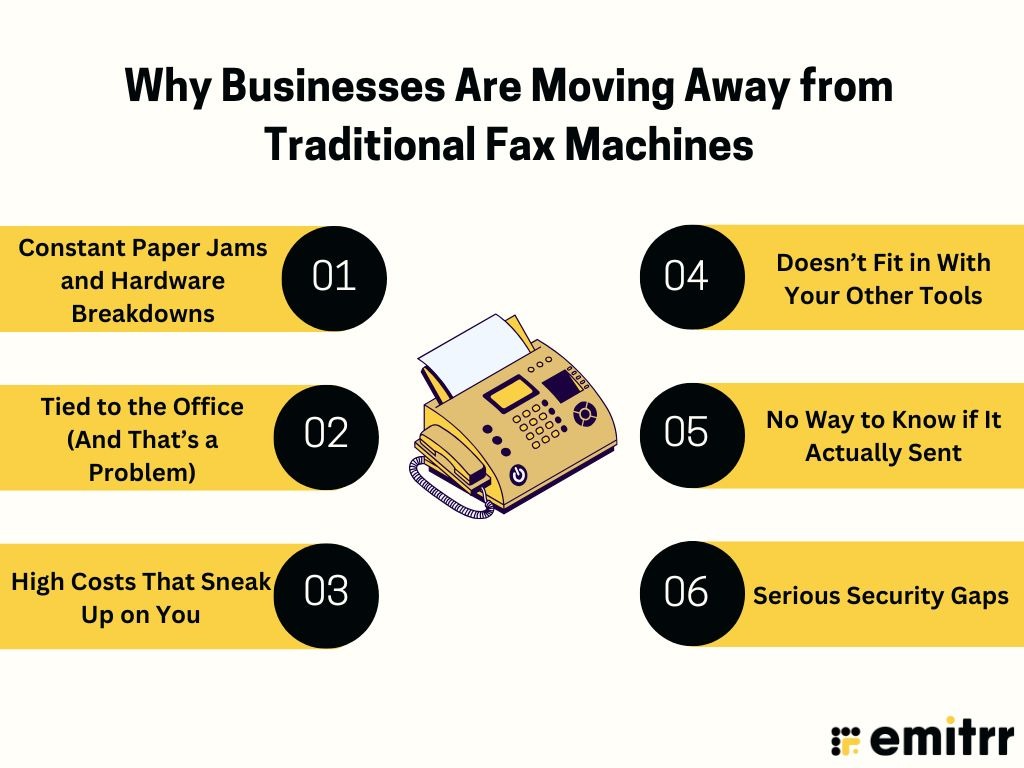
Constant Paper Jams and Hardware Breakdowns
Paper jams. Broken trays. Random beeping. If you’ve ever had to send something urgent by fax, you know the struggle – wrestling with paper jams, hunting for toner, and somehow the machine decides to glitch right when you’re in a rush. It’s like they have a sixth sense for bad timing. But with digital faxing? There’s no hardware to fuss with. No rollers, no ink, no drama. Just click, send, done. It’s the upgrade your sanity has been waiting for.
Tied to the Office (And That’s a Problem)
Traditional fax machines are glued to a physical location. If you’re not standing right next to the fax machine, well…tough luck. And that just doesn’t fly anymore, not when your team’s working from coffee shops, client meetings, or the couch at home. Need to send a signed form while you’re out and about? You shouldn’t have to sprint back to the office just to press “Send.” You shouldn’t have to drive back to the office just to hit ‘Send.’ Digital faxing travels with you – your laptop, your phone, your tablet, it’s ready whenever and wherever you are.
High Costs That Sneak Up on You
Faxing still matters – it’s a vital part of business in many industries. But the way we handle it has evolved. Traditional machines bring hidden costs: phone lines, paper, ink, and maintenance all stack up. Digital faxing keeps everything fax does best, but without the clutter or expense. One monthly fee, no hardware headaches, and less waste, it’s a smarter, cleaner way to get the job done.
Doesn’t Fit in With Your Other Tools
Fax machines don’t exactly play nice with the tools you use every day – your CRM, email, and cloud storage. You send something off, and it shows up as a piece of paper that someone has to physically handle, scan, or file away. It’s clunky and totally breaks the rhythm of an otherwise seamless digital workflow. Online faxing, on the other hand, just fits. No extra steps, no paper trail. Just smart, connected, and actually built for how we work today.
No Way to Know if It Actually Sent
Sending a fax on a traditional machine can feel like whispering into the void. Did it go through? Did they get it? You probably won’t know unless they call you back or don’t. And that flimsy confirmation sheet? Not exactly confidence-inspiring. Digital faxing gives you real-time updates: sent, delivered, failed, all neatly logged. You’ll always know what happened and when. No more wondering, no more follow-up calls.
Serious Security Gaps
Let’s talk privacy. With old fax machines, anyone who walks by can read whatever just got printed. That’s a big red flag for teams handling medical records, contracts, or financial docs. One wrong number and your sensitive info lands who-knows-where. Digital faxing fixes that. Everything’s encrypted, access is controlled, and nothing’s left lying around for prying eyes. It’s secure by design, and in many cases, more compliant than a paper fax ever could be.
All the Ways You Can Fax Without a Machine
Ready to part ways with your office fax machine? These are smarter, faster, and way more flexible ways to get it done using tools you already know:
Web platforms: Faxing straight from your browser
Think of it like logging into your email, only instead of sending messages, you’re sending faxes. Web-based fax platforms let you upload a file, type in the recipient’s fax number, add a fax cover sheet if needed, and hit send. That’s it. The whole thing happens online – no phone lines, no paper jams. You’ll also get delivery confirmations and access to all your sent/received faxes in one place. Best part? You can do it from any device with a browser, wherever you are.
Email-to-fax: Send a fax just like you’d send an email
You write a new email, enter the recipient’s fax number like this: 1234567890@faxprovider.com, attach your document, and click send. Your fax service converts the email into a fax on the other end, and it shows up on their fax machine like magic! No separate login, no software. It’s perfect for people who spend most of their day in email anyway. Plus, incoming faxes can land right in your inbox as PDFs.
Mobile apps: Fax on the go from your phone or tablet
Need to fax something while you’re out and about? Mobile fax apps have you covered. Snap a photo of a document, attach a file from your phone or cloud storage, type in the fax number, and hit send. You’ll get updates on delivery and can even read incoming faxes right on your screen. Whether you’re on a train, at a café, or between meetings, you’ve basically got a fax machine in your pocket, without the bulk.
CRM or API-connected faxing: For businesses that need scale
For larger teams or businesses with technical workflows, faxing can be built right into your existing systems. With an API, your CRM or EHR software can send faxes automatically, no manual uploads required. For example, a patient record update could trigger a fax to a lab, or a signed contract could be faxed from your CRM with a single click. It’s faxing without lifting a finger – ideal for high-volume needs or teams that want fax to feel like just another app feature.
Cloud storage integrations: Fax files straight from Google Drive, Dropbox, and more
If your files already live in Google Drive, Dropbox, or OneDrive, you can fax them directly from there. Many online fax tools connect with these cloud communication software, so you can choose a file, click send, and never touch a printer. It’s super handy for teams that store documents in the cloud and want to keep things paper-free. Some services also save incoming faxes right into cloud folders, so everything stays neat and accessible.

What a Digital Fax Workflow Looks Like
So, how does faxing without a machine actually work? Spoiler: it’s not complicated. In fact, if you’ve ever sent an email or uploaded a file, you’re already most of the way there. Let’s walk through what it looks like:
Step 1: Upload or Scan Your Document
Start with your document. It just needs to be in digital form. If it’s already a PDF, Word doc, or image file on your device, perfect. If it’s a paper document, just snap a photo or scan it (most fax apps turn your phone into a scanner automatically). Then upload it to your fax dashboard or app. You can even attach multiple files if you’re sending a bundle. Once uploaded, the file’s ready to go. No clunky feeders, no paper jams, just click and attach like you would in an email.
Step 2: Add the Recipient’s Fax Number and Cover Page
Next, type in the fax number you’re sending to. It’s just like entering a phone number, area code and all. You can even send to multiple numbers at once if your service allows it. Want to include a cover page? Go for it. Most platforms have a quick fill-in form where you can add names, a subject line, and a short message. It keeps things professional and helps your fax land in the right hands. Some services even let you brand the cover page with your logo, but a simple note works just fine, too.
Step 3: Hit Send and Get Instant Confirmation
Now comes the fun part. You hit “Send,” and the system gets to work. No screechy dial-up sounds, no standing by a machine hoping for the best. Instead, you’ll usually see a status right away, like “Sent,” “Delivering,” or “Delivered.” If something goes wrong (say the line’s busy), you’ll get a heads-up, and some services will even retry automatically. Either way, you’re never left guessing. It’s like sending a tracked package – you always know where things stand.
Step 4: Monitor Delivery in Real Time
Once you hit send, you’re not left wondering. Most modern fax platforms let you track everything in real time, like watching your fax make its way to the finish line. You’ll see if it’s been sent, delivered, still on the way, or if something went wrong. It’s all laid out with timestamps and updates, so you’re never in the dark. And if it fails? You’ll know instantly and can jump on a fix, no guesswork or crossed fingers.
Step 5: Organise Everything in One Digital Inbox
Finally, every fax – sent or received gets saved in a clean, searchable inbox. You can view files, download PDFs, sort by sender or recipient, and even add notes or tags. Some services let you create folders, assign faxes to team members, or search by keyword. No more shuffling paper or wondering who saw what. It’s all right there, neatly stored and accessible from anywhere.
The Benefits of Going Machine-Free
Still holding on to your fax machine? It might be time for a break. Ditching the hardware doesn’t just clear up desk space. It opens the door to a smoother, faster, more flexible way of getting work done. Here’s what going machine-free actually gets you:
Save Time and Skip the Hardware Headaches
Paper jams, dialing errors, empty toner cartridges at the worst moments, they’re like that one appliance in the office always demanding attention. With digital faxing, you skip all that. Sending a fax becomes a quick upload and a click – no beeping, no standing around. Plus, IT isn’t stuck fixing minor machine issues or resetting jammed rollers. Teams that go digital free up hours every week and get way fewer interruptions. And since you can fax right from your desk – or anywhere. The whole thing really just fits better into your workflow. It’s simpler, faster, and lets everyone stay focused on actual work (not whether the fax line is busy again).
Flexibility for Remote and Hybrid Teams
In a world where not everyone’s sitting in the same office, a physical fax machine just doesn’t cut it. What happens when someone needs to fax from home? Or from a job site? Digital faxing gives your team the freedom to send and receive faxes wherever they are. All they need is an internet connection. No more bottlenecks like “only Steve has access to the fax.” Everyone can send, everyone can receive. It’s faxing that matches how teams actually work today.
Less Printing, Less Waste
If your fax machine prints every incoming message by default, you already know how fast the paper pile builds up. Most of it? Unnecessary. Going digital cuts that waste, you view everything on screen and only print if you absolutely need to. That means fewer reams of paper, less toner, and way less trash. Not only is it better for the environment, but it’s easier on your office supply budget, too. And as a bonus: no more scrambling to shred that one sensitive fax someone accidentally left in the tray. It’s cleaner, greener, and just makes more sense.
Centralised, Searchable Records
Ever try to find a fax from last month in a pile of paper? Not fun. With online faxing, every document is logged, stored, and searchable, like email, but for faxes. You get timestamps, delivery confirmations, sender/recipient details, and even status updates, all in one place. Need to pull up a contract you faxed two weeks ago? Just search by name or keyword. You’ll see the full thread, with attachments. It’s perfect for audit trails, compliance, and general sanity. No more mystery faxes. No more “Did we actually send that?” Everything’s tracked – automatically.
Fewer Errors, Better Experience
Fax machines have a knack for causing problems. Pages feed upside down. Wrong numbers get dialed. Paper runs out mid-send. And you often don’t realise something went wrong until it’s too late. Digital faxing changes all that. You get a clean interface that shows you what’s being sent, lets you pick recipients from a contact list, and warns you immediately if something fails. Most platforms are so intuitive that they barely need training. If you can send an email, you can fax online.
And because it’s harder to mess things up, you get fewer delays, fewer mistakes, and less frustration. Everyone wins!
Busting Common Myths About Online Faxing
Every time a better way of doing something comes along, there’s bound to be a few myths clinging to the past. Digital faxing is no exception. Let’s break down the most common misconceptions:
“We’ll lose legal validity” – not true at all
There’s a persistent idea that faxes are only legally valid if they come from a physical machine. But a fax is still a fax – no matter how it’s sent. Online faxes still go over the same telephone network, and they produce the same output on the receiving end. Digital fax providers also make sure their services comply with regulations like HIPAA, SOX, and more, often providing tools like audit trails and secure storage to back it up.
Need to fax a signed contract? Just scan or e-sign it – digital signatures are legally recognised in most places, thanks to laws like the ESIGN Act. Plus, with time-stamped delivery logs and confirmation receipts, digital faxing often strengthens your documentation. Bottom line: online faxing keeps your legal bases covered – and may even help you stay more compliant than traditional methods.
“We don’t have the tools” – actually, you already do
Think switching to online faxing means buying new gear or learning fancy software? Not at all. If you’ve got internet, a computer, or a smartphone, you’re basically ready to go. Most fax platforms are browser-based and require zero special setup. Many work directly through email, so if your team knows how to send attachments, they already know how to fax.
There’s no need for deep IT knowledge or expensive new tools. In fact, most providers offer free trials, so you can test it using the devices you already rely on every day. Chances are, the “tools” you think you’re missing are already in your pocket – it’s just about changing the way you fax.
“It’s too techy” – it’s actually simpler than a fax machine
Some folks assume anything digital means complex dashboards and long tutorials. But online faxing is built for simplicity – not just for tech pros. It’s more like sending an email than programming a printer. Click “New Fax,” fill in the number, attach a file, and hit send. That’s it.
Most services guide you through the steps, and many users pick it up instantly. Honestly, the learning curve is shorter than figuring out the old machine’s weird error codes and blinking buttons. And if someone on your team isn’t tech-savvy? Digital faxing might be easier because there’s no paper feeding, no misdialled numbers, and no physical troubleshooting. It just works.
“It’s not secure” – actually, it’s often safer
Worried that faxing over the internet sounds less secure than old-school paper and phone lines? You’re not alone. But the truth is, digital faxing often ups your security game. Reputable online fax services use strong encryption software, private inboxes, and access controls to protect your documents. Many even offer two-factor authentication and detailed logs of who viewed what, when. Compare that to traditional fax machines, where sensitive papers sit in an open tray or accidentally get sent to the wrong number. Digital faxing takes privacy seriously and is often built to meet strict standards like HIPAA or GDPR.
“Only big enterprises use it” – actually, SMBs love it
Think digital faxing is just for hospitals or global corporations? Think again. Small and mid-sized businesses are some of the biggest adopters of online faxing. Why? Because it’s affordable, scalable, and solves problems without needing a big IT department.
You can start with a low-cost plan for 10 faxes a month, or ramp up as your business grows. Whether you’re a solo real estate agent, a local law office, or a small clinic, online faxing makes you look professional and keeps things moving. All without bulky equipment or big budgets. You don’t need to be “enterprise” to benefit, just someone who wants to fax smarter.
Use Cases Across Industries
Right from hospitals to home offices, digital faxing is helping teams send sensitive documents faster, more securely, and without the hardware hassle. Here’s how different industries are using it in real life:
Legal: Fast contracts, mobile filings, real paper trails
Fax is big in the legal world – courts, clients, and opposing counsel often expect it. But now, attorneys don’t need to be glued to the office to send or receive one. With digital fax, they can send a signed agreement from their phone or file a document with the court minutes before a deadline, all with proof that it went through.
Internet faxing also checks the compliance boxes, offering encryption and access logs for confidentiality. It’s not just faster. It’s cleaner. Faxes are saved automatically by client or case, so retrieving one takes seconds. For firms juggling deadlines and documentation, that flexibility is a game-changer.
Real Estate: Faster deals, fewer office visits
When timing makes or breaks a deal, real estate professionals need fax to work wherever they are, not just at the brokerage office. With digital fax, agents can send signed offers, disclosures, and contracts from their phone while out showing homes.
Need the seller to sign off from across town, or across the country? No problem. They can fax it back digitally, and it arrives in your inbox ready to go. You can loop in escrow, lenders, and buyers all at once, too. It’s everything agents need to keep deals moving, minus the machine, toner, or office pit stops.
Healthcare: Securely sending records, referrals, and results
Healthcare still runs on fax, and for good reason. It’s trusted, fast, and meets strict privacy policies like HIPAA. But now, clinics, pharmacies, and labs are ditching the machines and using digital fax to send referrals, prescriptions, and lab results straight from their electronic health record systems.
No printing charts, no waiting by a machine. Just click and send from within the EHR, even automatically. Lab results can be faxed back to a clinic without anyone hitting a button. Providers also love that inbound faxes land in a secure inbox, not an open paper tray. And when someone’s working remotely or on call? They can still access and respond to time-sensitive documents in seconds.
Finance: Secure, compliant document transfers
In banking, accounting, and insurance, data sensitivity is non-negotiable. Digital fax helps teams send financial statements, loan forms, or policy updates without risking compliance. A loan officer, for example, can submit a signed application securely from their browser – encrypted, tracked, and stored automatically.
Whether it’s for internal routing, external delivery, or regulatory proof, digital fax simplifies secure sharing while keeping everything logged and compliant. And since most services integrate with CRMs or claims systems, the process often runs in the background without missing a beat.
SMBs: Big efficiency, small footprint
Even small businesses that only fax occasionally can benefit in a big way. Maybe you’re a clinic faxing insurance forms, a boutique sending purchase orders, or a garage needing quick signoff from a fleet manager. With online fax, you don’t need a clunky machine or dedicated phone line – just log in and send.
You can send faxes from your computer or phone, track delivery, and receive replies in your inbox. For multitasking teams, like a front desk assistant juggling calls and faxes, it saves steps and stress. It also keeps your communications professional and tidy, with searchable logs and branded fax numbers. No hardware, no confusion. Just quick, reliable results.
Choosing the Right Fax-Without-Machine Solution
So, how do you pick an online fax service that fits your team’s needs? Not all digital fax solutions are created equal. Here are some key features and factors to look for when choosing your fax-without-machine service:
Built-In Security and Encryption
Security is non-negotiable when faxing sensitive documents. The right service should offer built-in encryption and compliance with standards like HIPAA or SOC 2, so you’re not second-guessing data protection. Things like password-protected access, auto-deletion controls, and secure storage should come standard. If a provider isn’t upfront about these, it’s a red flag. A great fax solution doesn’t just digitise – it fortifies.
Real-Time Notifications and Alerts
You shouldn’t have to wonder if your fax went through. A good platform will alert you the moment a fax is sent, received, or fails – via email, app, or even SMS. This kind of instant feedback keeps teams moving and prevents communication gaps. Whether you’re chasing signatures or sending time-sensitive docs, it helps you act fast and stay on top of things.
Centralised Archiving and Searchable History
Having a searchable digital archive beats digging through folders or inboxes. With centralised storage, every fax sent or received is logged and retrievable by keyword, date, or contact. Some services even let you search the actual contents of a fax, tag them by project, or organise them in folders. It’s basically a digital filing cabinet that’s smarter and always within reach.
Mobile Access and Role-Based Permissions
A modern fax service should work wherever your team does. Look for a platform that offers full mobile access – so faxes can be sent or checked on the go. And if you’re working with a larger team, role-based permissions help limit who can see or send what, adding an extra layer of control. It’s about flexibility without compromising on security.
CRM, EHR, and Tool Integrations
The best fax tools don’t exist in a vacuum. They plug right into the systems you already use, whether that’s your CRM, EHR, Google Drive, or Dropbox. That way, you’re not switching tabs constantly or duplicating work. Integration keeps everything synced, smooth, and easy to track without disrupting your team’s workflow.
Custom Branding and Cover Page Flexibility
Custom cover pages might seem minor, but they add a layer of polish. The ability to add your logo, include recipient details, or format notes keeps things looking professional. It also ensures sensitive info doesn’t sit front and centre, handy if someone else receives it. A good fax service lets you tailor the experience so it looks and feels like your business, not a generic send-off.
Onboarding Support and Ease of Use
Ease of use is what keeps your team actually using the tool. Whether it’s a clean interface, helpful setup guides, or responsive support, these things matter more than flashy extras. A smooth onboarding experience means you’re up and running fast, and a user-friendly design ensures no one’s fumbling through their first fax. It should just work – no learning curve, no frustration.
How Emitrr Makes It Effortless to Fax Without Hardware
Emitrr brings faxing into the modern era by making it digital, secure, and part of the same platform you use for calls and messages. No more separate systems, machines, or clunky workflows. Here’s how Emitrr transforms faxing:
All-in-One Communication Hub
Emitrr combines faxing with your everyday communication channels like calls and texts – all in one dashboard. You can assign or port a dedicated fax number and manage faxes just like you manage messages. Everything stays neatly organised and visible under one thread per contact, eliminating the need for juggling tools.
Send Faxes as Easily as Emails
Faxing on Emitrr feels like sending an email. No hardware or special training needed. Just hit “New,” choose “Send Fax,” pick your contact, upload a PDF, add a cover page if needed, and send. You can even preview the fax before it goes. It’s efficient, simple, and fast.
Real-Time Status and Delivery Tracking
As soon as a fax is sent, you’ll see live updates like Delivered, Pending, or Failed, all in your dashboard. There’s no guessing or waiting for confirmation. And if it fails, you can retry instantly with one click. This visibility keeps you in control and ensures nothing falls through the cracks.
Seamless Receiving and Team Collaboration
Inbound faxes drop straight into your shared Fax Inbox. Anyone with permission can view, assign, add notes, or reply – just like messaging. Each fax becomes a collaborative thread, so your team can act on it immediately, track it, or forward it securely. No lost papers, no silos.
Secure and HIPAA-Compliant
Emitrr protects your fax data with encryption and secure cloud storage. It’s HIPAA-compliant and built with regulated industries in mind. Only authorised users can view or send faxes, and audit trails provide accountability. It’s a safer alternative to office fax machines sitting in public view.
Quick Setup – No Hardware Needed
Setting up faxing takes minutes. You can add a new fax number or port an existing one directly from the dashboard – no IT help needed. Everything works through the cloud, so there’s no hardware to install or maintain. You’re ready to fax from your phone or laptop immediately.
Scales Easily Across Teams
Whether you’re a small team or a large operation, Emitrr scales with you. Multiple team members can send and receive faxes simultaneously, and departments can have their own dedicated numbers. It’s ideal for high-volume use and multi-location setups, with built-in tracking and team visibility.
Built for Workflow Productivity
Emitrr turns each fax into an actionable item. You can assign a fax to a teammate, leave internal notes, or create tasks, all from the same thread. It works like a chat or ticket system, bringing faxes into your daily workflow instead of treating them as one-off documents.
Transparent Usage and Reporting
You get detailed delivery statuses and a complete fax history tied to each number or contact. Managers can review usage patterns, audit communication trails, and generate reports for compliance or analysis. Everything is timestamped and easy to retrieve when needed.
Smart Integrations with Your Tools
Emitrr supports integrations with CRMs, EHRs, and productivity platforms. That means you can send or log faxes without leaving the tools you already use. This saves time, eliminates double entry, and helps keep all client records in sync – especially important in healthcare and service-based businesses.
Fast, Friendly Support
Whether you’re setting up your first fax line or need help porting a number, Emitrr’s support team has you covered. From live onboarding to quick assistance via chat, you’re never on your own. The team helps you get up and running quickly – no long learning curve or downtime.
Frequently Asked Questions
Just go digital! Upload your file, type in the fax number, and hit send – all from your computer or phone. It’s as easy as sending an email, and yes, you’ll get a delivery confirmation too.
Absolutely! Many services let you fax by emailing a document to a special address or using a mobile app, no fax machine needed. You can fax from the airport, your couch, or wherever you are.
Yes! Emitrr is HIPAA-compliant and ready for healthcare. It encrypts data, tracks access, and signs BAAs to help you stay on the right side of patient privacy laws.
Online faxing is often more secure. Everything’s encrypted and delivered to a private inbox – no risk of someone grabbing your papers off a shared machine. You also get clear logs and timestamps.
Yes! No installations, no fax lines – just log in, set your number, and start faxing from your phone or computer. If you can send a text, you can use Emitrr.
Conclusion
Faxing without a machine isn’t just doable. It’s smarter, way faster, and fits the way your team already works. Whether you’re sending patient charts, legal filings, or purchase orders, digital faxing gives you the same security and compliance, minus the cables and chaos. You’ve got options now that work from your inbox, your phone, or right inside your daily tools.
And Emitrr takes it a step further by blending fax right into your call and messaging platform. No new software to learn, no extra steps – just smooth, secure faxing in a few clicks. So if you’re ready to ditch the clunky machine, it’s time to see Emitrr in action. Book a demo with Emitrr and see how effortless machine-free faxing can be!