
 4.9 (400+
reviews)
4.9 (400+
reviews)
Introduction
Managing healthcare appointments doesn’t have to be complicated. With Athenahealth appointment scheduling, patients can easily book, request, and manage doctor visits online without long phone calls or back-and-forth emails.
If you’re wondering how to schedule an appointment on Athena, this guide walks you through the entire process in a simple, step-by-step manner. Whether you’re using the Athena patient portal or the athenaPatient mobile app, you’ll find everything you need to book your next appointment with confidence.
How to Schedule an Appointment on Athena?
- Log In to the Athenahealth Patient Portal
- Go to the Appointments Section
- Click the Option to Find or Schedule an Appointment
- Select the Type of Appointment You Need
- Choose the Healthcare Provider You Want to See
- Select the Clinic or Location for Your Visit
- Pick Your Preferred Appointment Date and Time
- Enter the Reason for Your Visit
- Review and Confirm Your Contact Information
- Submit Your Appointment Request
What Is Athenahealth and How Does Appointment Scheduling Work?
Athenahealth is a cloud-based healthcare platform widely used by medical practices for electronic health records (EHR), billing, patient communication, and appointment scheduling. From a patient’s point of view, Athena acts as a secure digital hub where you can:
- Book or request doctor appointments online
- View upcoming and past visits
- Receive appointment reminders
- Communicate with healthcare providers
The Athena scheduling system is directly connected to your provider’s calendar, which helps reduce scheduling errors and improve overall patient experience.

Ways to Schedule an Appointment in Athena
Athenahealth offers flexible options for patients to manage their appointments based on how they prefer to access healthcare services. Whether you’re more comfortable using a computer or relying on your smartphone, Athena provides multiple ways to schedule an appointment in Athena without needing to call the clinic.
Patients can schedule or request appointments in Athena using two primary methods, both designed to support online medical appointment scheduling while keeping patient data secure and accessible.
Method 1: How to Schedule an Appointment on the Athena Patient Portal
This is the most common way patients book visits using the Athenahealth patient portal appointments.
Step 1: Log In to the Athena Patient Portal
Start by logging into your Athena patient portal using the credentials provided by your healthcare provider.
Step 2: Open the Appointments Section
Once logged in, navigate to the Appointments tab on your dashboard.
Here, you can:
- View upcoming appointments
- Check appointment history
- Start the Athena appointment booking process
Step 3: Click “Find Appointments” or “Schedule Appointment”
Select the option to schedule or request a new appointment. This action signals the system that you want to book an appointment on Athena, not just view existing visits.
Step 4: Select the Appointment or Message Type
From the dropdown menu, choose an option related to appointments and scheduling.
Step 5: Choose Your Healthcare Provider
Next, select the doctor or clinician you want to see.
This could be:
- Your primary care physician
- A specialist
- A provider you’ve previously visited
Choosing the right provider ensures accurate Athenahealth scheduling appointments based on availability.
Step 6: Select the Clinic or Location
If your provider operates multiple locations, you’ll need to choose where you want the appointment.
Step 7: Pick Your Preferred Date and Time
Now you need to choose your preferred appointment time. Depending on your provider’s settings, you will be able to select specific dates, time slots, and the general availability of doctors.
Step 8: Add the Reason for Your Visit
Now you need to add the reason for the doctor visit. In the description or subject field, briefly explain why you’re booking the appointment—such as “annual check-up,” “follow-up visit,” or “new symptoms.”
Step 9: Confirm Your Contact Information
Make sure your phone number and email address are up to date. Accurate contact details ensure you receive:
- Appointment confirmations
- Reminders
- Schedule changes
Step 10: Submit the Appointment Request
Once everything looks correct, click Send or Submit. Your appointment request is sent to the provider’s office. After review, you’ll receive a confirmation message once the appointment is approved.
Also learn about: How to How to Enable Real-Time Online Scheduling in Athenahealth
Method 2: How to Schedule an Appointment Using the athenaPatient Mobile App
For patients who prefer mobile access, the Athena patient app appointment scheduling offers a convenient alternative.
Step 1: Download the athenaPatient App
Step 2: Log In with Your Athena Credentials
Step 3: Tap the “Visits” or “Appointments” Section
Step 4: Select “Schedule Appointment”
Step 5: Choose Provider, Location, and Time
Step 6: Add Visit Details and Submit
Step 7: Enter the reason for your visit and submit the request. You’ll receive confirmation directly in the app once approved.
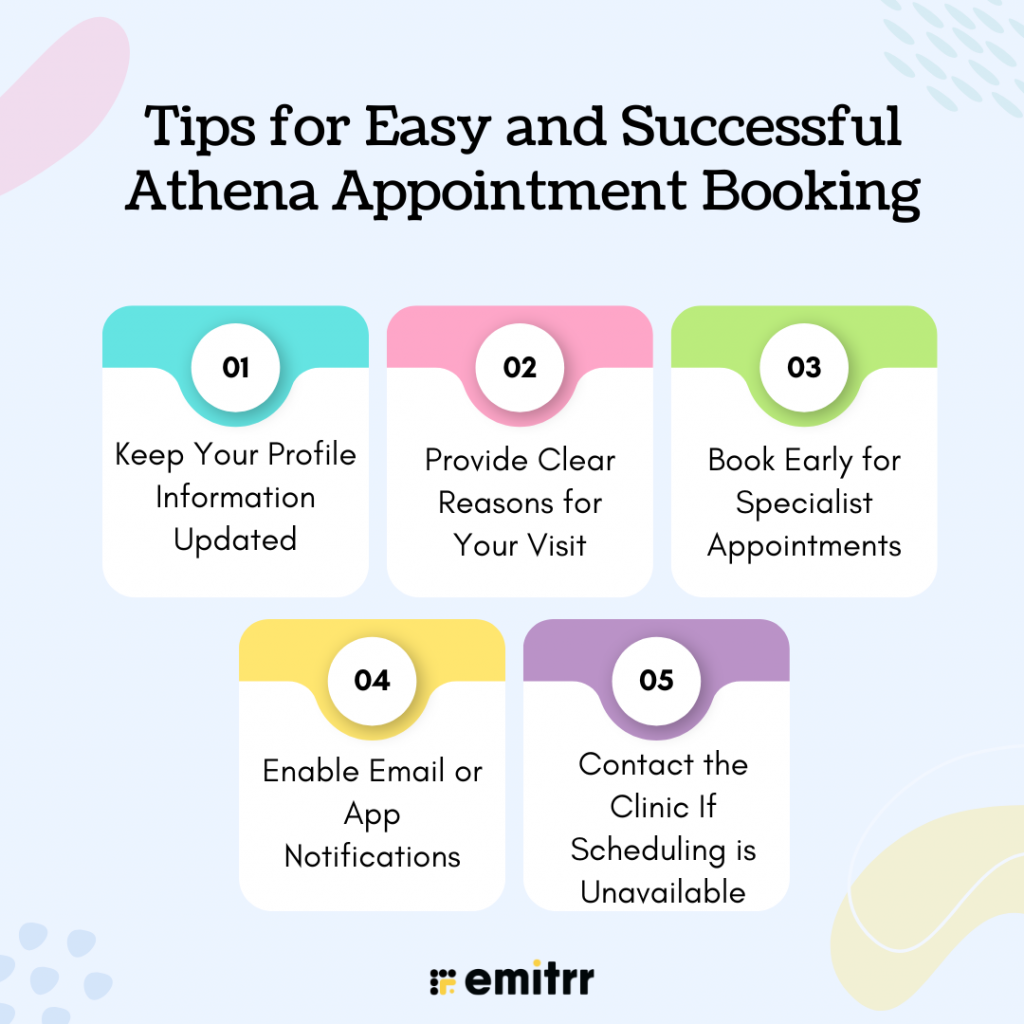
Tips for Easy and Successful Athena Appointment Booking
Booking an appointment through Athena is generally straightforward, but a few simple best practices can make the experience even smoother. Following these tips helps patients avoid delays, reduce confusion, and get the most out of Athena appointment scheduling.
Keep Your Profile Information Updated
Always make sure your personal details, like your phone number, email address, and preferred contact method, are accurate in the Athena patient portal. Keeping your profile current improves your overall patient portal appointment booking experience and reduces the risk of missed communications.
Provide Clear Reasons for Your Visit
When scheduling an appointment in Athena, always include a brief and clear reason for your visit. For example, mention whether it’s a routine check-up, follow-up visit, or a new concern. This allows providers to prepare in advance, ensure the right appointment length is scheduled, and also reduces back-and-forth messages. Clear visit details make the Athena appointment booking process faster and more efficient for both patients and clinics.
Book Early for Specialist Appointments
Specialists often have limited availability, so it’s best to schedule appointments as early as possible. As booking early gives you access to more date and time options, reduces waiting periods for care, and also helps secure preferred providers, this is especially important when using online medical appointment scheduling through Athena.
Enable Email or App Notifications
Turning on email alerts or app notifications ensures you never miss important updates. With notifications enabled, patients receive appointment confirmations, reminder alerts before visits, updates in case of rescheduling, and more.
Contact the Clinic If Scheduling Options Are Unavailable
If you don’t see the option to book an appointment online, it may be because your provider hasn’t enabled Athena self-scheduling. In such cases, you can: send a message through the Athena portal, call the clinic directly, or ask staff about alternative scheduling options. Knowing when to reach out helps prevent frustration and keeps your care on track.
Why Athenahealth Makes Appointment Scheduling Easier
Athenahealth is designed to simplify online doctor appointment systems by bringing multiple patient engagement tools into one unified platform. Instead of using separate systems for scheduling, messaging, and reminders, Athena combines everything in one place. This integrated approach benefits patients in several ways.
Reduced Wait Times
By allowing patients to book or request appointments online, Athena reduces the need for phone calls and manual scheduling. This leads to faster appointment processing and quicker confirmations.
Fewer Missed Appointments
Automated confirmations and reminders help patients remember upcoming visits. This significantly reduces no-shows and last-minute cancellations, improving overall care coordination.
Better Patient–Provider Communication
Athena enables secure messaging between patients and clinics, making it easier to clarify appointment details, ask questions, or follow up after visits. Clear communication is a major advantage of the Athena patient portal appointment scheduling.
Greater Control Over Healthcare Management
With Athena, patients can:
- View appointment history
- Manage upcoming visits
- Receive real-time updates
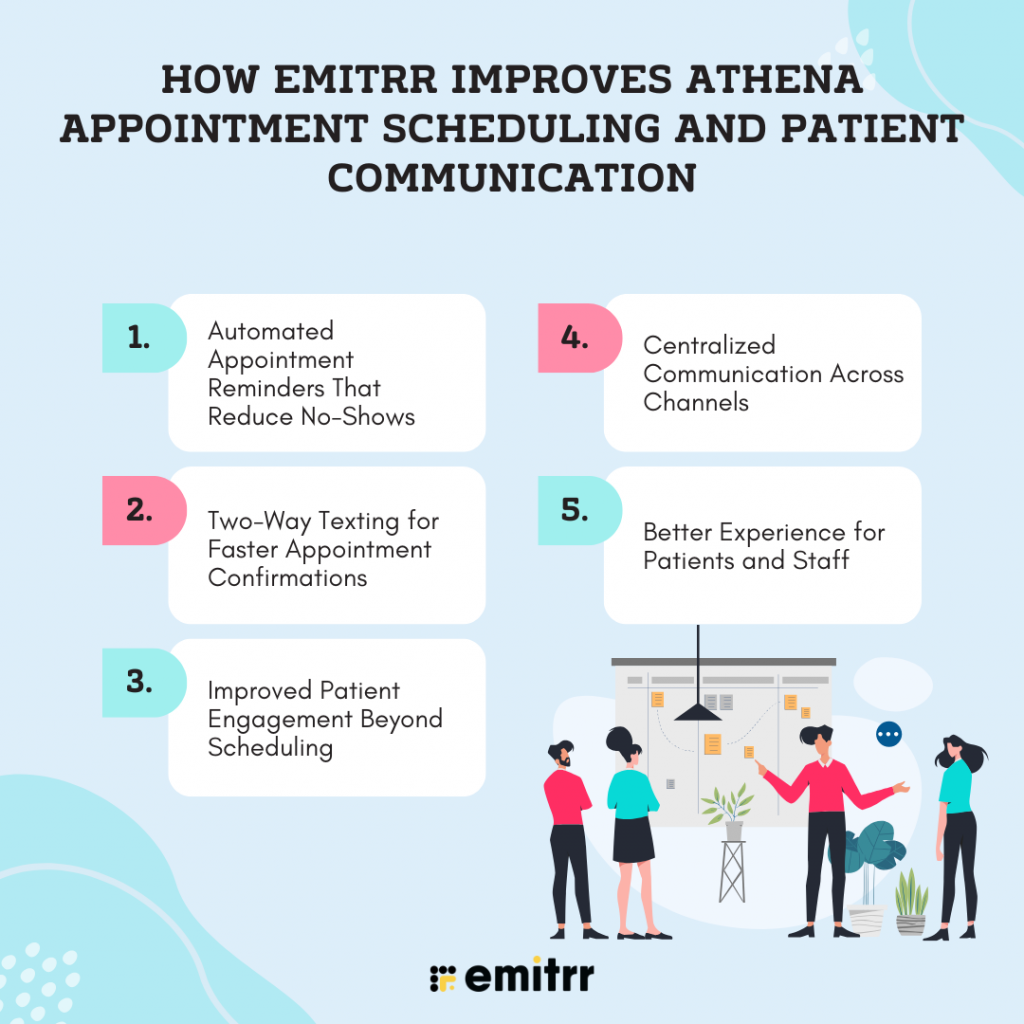
How Emitrr Improves Athena Appointment Scheduling and Patient Communication
While Athenahealth appointment scheduling provides a reliable way for patients to book and manage appointments, the overall experience becomes even more effective when combined with strong patient communication. This is where Emitrr plays an important role.
Emitrr is designed to work alongside platforms like Athenahealth by strengthening how healthcare practices communicate with patients before, during, and after appointments. Together, Athena and Emitrr create a more complete online medical appointment scheduling and engagement system.
Automated Appointment Reminders That Reduce No-Shows
One of the most common challenges in healthcare scheduling is missed appointments. Even when patients successfully book visits using the Athena patient portal appointment scheduling, they may forget upcoming appointments due to busy schedules.
Emitrr helps solve this by:
- Sending automated appointment reminders via SMS or voice calls
- Reminding patients well in advance of their scheduled visit
- Allowing reminders to be sent at multiple intervals (for example, 24 hours or 2 hours before the appointment)
These reminders significantly reduce no-shows and improve the effectiveness of Athenahealth’s scheduling appointments.
Two-Way Texting for Faster Appointment Confirmations
Unlike one-way reminders, Emitrr enables two-way SMS communication, allowing patients to confirm, reschedule, or ask questions directly from their phone. When combined with Athena appointment booking, two-way texting ensures patients stay engaged throughout the scheduling process. This benefits both patients and clinics by:
- Making appointment confirmations quick and effortless
- Reducing the need for patient follow-up phone calls
- Helping staff manage schedule changes efficiently
Improved Patient Engagement Beyond Scheduling
Emitrr goes beyond basic reminders by supporting ongoing patient communication. Once an appointment is scheduled through Athena, Emitrr can help practices:
- Send pre-visit instructions
- Share important updates or documents
- Follow up after appointments
This added layer of communication improves the overall patient portal appointment booking experience and helps patients feel more informed and prepared.
Centralized Communication Across Channels
Healthcare teams often juggle phone calls, emails, and messages across different systems. Emitrr helps centralize patient communication by managing SMS, calls, and follow-ups from one unified communication platform. This results in faster responses to patient inquiries, better coordination between front-desk staff and patients, less confusion around appointment details, and more.
Learn more about: Setting up Auto-Responses in Athenahealth That Keep Patients Informed
Better Experience for Patients and Staff
By integrating Athena’s scheduling tools with Emitrr’s communication features, practices can create a smoother experience for everyone involved. For patients, this means clear reminders, easy confirmations, fewer missed appointments, better visibility into upcoming visits, and more, and for providers, this means fewer calls, less manual follow-up, and improved scheduling efficiency.
FAQs
Yes, if the healthcare provider has enabled online scheduling, patients can book appointments through the Athena patient portal or mobile app.
Some practices require appointments to be scheduled by staff. If self-scheduling isn’t available, you may need to message or call the office.
Confirmation time varies by provider, but most requests are reviewed within one business day.
Yes. The Athena Patient app appointment scheduling feature allows patients to book or request appointments directly from their smartphone. You can select providers, locations, and times just like the web-based portal, as long as self-scheduling is enabled.
Emitrr enhances Athena appointment scheduling by automating appointment reminders, enabling two-way texting, and improving patient communication. This helps reduce missed appointments and ensures patients stay informed before and after their visits.
Yes, with Athenahealth, you can send basic reminders, but when you integrate it with Emitrr, healthcare practices can send automated and more effective reminders via various channels, such as SMS and calls, which in turn improves attendance and engagement across the online medical appointment scheduling process.
Conclusion
Understanding how to schedule an appointment on Athena gives patients greater control over their healthcare and saves valuable time. Whether you’re using the Athena patient portal on a desktop or the athenaPatient mobile app, Athena makes it easy to request, book, and manage appointments online.
By combining Athenahealth appointment scheduling with communication tools like Emitrr, healthcare practices can go beyond basic scheduling and communication. It goes beyond basic scheduling and offers features like automated reminders, two-way texting, and proactive follow-ups to ensure patients stay informed, reduce no-shows, and improve the overall appointment experience.
Together, Athena and Emitrr create a more connected, reliable, and patient-friendly healthcare appointment scheduling and patient communication software solution, one that benefits both patients and providers.
If your practice wants to turn scheduled appointments into attended visits and deliver a smoother patient experience, leveraging Athena with Emitrr is a smart next step. Book a demo with Emitrrr AI now!!