
 4.9 (400+
reviews)
4.9 (400+
reviews)
Introduction
Faxing in the cloud has come a long way. If you’re still using clunky machines or juggling email threads to keep track of who faxed what…it’s probably time for an upgrade. MFax (now under Documo) is one of those cloud fax tools that stepped in to modernise things. It’s secure, HIPAA-compliant, and gets the job done for basic faxing. But for many businesses, that’s just not enough anymore. You need smarter workflows, better team collaboration, and something that plays nicely with your CRM or EHR system. In short, you want a fax tool that feels like it belongs in 2026 and not 2006.
So let’s break it all down – what MFax gets right, where it might hold you back, and why many teams eventually move on. Keep reading to discover 10 standout alternatives that take faxing to the next level. Whether you’re sending patient records, legal docs, or client forms, there’s always a smarter, faster way to do it. So let’s find the one that fits your team just right!
What Is MFax?
MFax (now it’s a part of Documo) is a cloud-based fax service built for industries like healthcare, finance, and legal, where secure document transmission is key. Instead of a physical fax machine, you send/receive faxes over the internet. MFax also keeps an audit trail of each fax’s status (sent, delivered, etc.) and provides 24/7 support for customers. It’s really praised for its ease of use and reliability, but it might lack some newer, collaborative features.
MFax Features
- Cloud-Based Faxing: Send and receive faxes entirely online from any device with internet.
- Secure Transmission (HIPAA/TLS): Faxes are encrypted in transit and at rest to meet HIPAA and other data-security standards.
- API Integration: Developers can hook MFax into other apps/workflows via its REST API. This lets systems like EHRs and CRMs trigger faxes automatically.
- Multi-User/Team Accounts: MFax supports multiple users under one account (though the base plan is single-user), with shared inboxes for centralized fax management.
- Mobile Access: There’s a mobile-friendly app or web interface so you can fax on-the-go from a phone or tablet.
- Number Porting: You can keep your existing fax number (or choose a new local/toll-free number) to avoid disruption.
- 24/7 Support: MFax provides around-the-clock live support (phone, email, chat) along with knowledge-base resources, so help is always available.
MFax Pros
- Simplicity and Security: Many love the straightforward web portal and email-to-fax process, plus the strong encryption software and HIPAA-ready setup.
- Feature-Rich Faxing: It supports standard features like email integration, custom cover sheets, on-demand printing, and instant delivery confirmations, all in one package.
- 24/7 Live Support: MFax offers always-on support via phone, chat, and knowledge base, which customers find reassuring when fax issues arise.
- Reliable Performance: In reviews, MFax is noted for rock-solid uptime and accurate deliveries – you don’t have to babysit a physical fax machine anymore.
- Compliance: Its built-in compliance (HIPAA, secure audit trail) is a big plus for sensitive industries.
MFax Cons
- Higher Cost: MFax tends to be pricier than many competitors. Users note that sending faxes on MFax can cost more per page, especially for the small business plans.
- Limited Mobile Experience: Despite being cloud-based, MFax historically lacked a polished mobile app. This means power users on smartphones or tablets may find it clunky.
- No E-signature or OCR: MFax does fax and store documents, but it doesn’t offer digital signature workflows or built-in OCR on your documents as some modern fax tools do.
- Not Designed for Collaboration: MFax doesn’t have conversation-style threads or internal notes for fax messages. Everyone sees incoming faxes in a common inbox, but there’s no way to “tag” or comment on faxes for your team.
MFax Integrations
- Email Applications: You can fax via any email program (Outlook, Gmail, etc.), sending attachments to a special fax number address.
- Practice Management & EHR: MFax works with medical/Dental management software (e.g. JaneApp) to fax patient records.
- CRM & Cloud Storage (via Zapier): Through Zapier connectors, MFax can integrate with CRMs like Salesforce and cloud services (Google Drive, Dropbox, OneDrive), allowing automated faxing in workflows.
- APIs: Developers can write scripts or apps that send/receive MFax faxes (good for custom health or finance apps).
MFax Pricing
The basic solo plan starts at about $25/month. All plans include HIPAA compliance and account management features. Additional users, numbers, or pages can be added as extras.
MFax Ratings
- Capterra: 4.6/5
- G2: 4.5/5
MFax Reviews
“While sending and receiving faxes is a very smooth process, it was somewhat cumbersome to personalize our fax cover page to include our clinic logo and not have it look like cookie-cutter template.”
“There are too many steps to sending a fax.”
Source: Capterra
MFax Support Channels
- Live Phone/Chat: 24/7 phone and live chat support for urgent issues.
- Email/Tickets: Standard email or ticket system for non-urgent questions.
- Knowledge Base: FAQs, how-to guides, and video tutorials online.
- Training & Webinars: Scheduled demos and webinars for new customers.

Why Do Businesses Seek an MFax Alternative?
Many companies start with MFax and later realize it doesn’t cover every use case. Here are some common pain points that drive them to look for other solutions:
No Built-In Shared Inboxes or Team Threads
MFax’s standard setup is basically a single inbox per account. There aren’t “conversation threads” for fax messages, nor private notes tied to faxes. In practice, this means team members can’t easily collaborate around an incoming fax. For example, if a receptionist faxes you an order, your teammate can’t tag it “done” or leave a note on the fax itself. There’s also no way to set up role-based views. Some newer fax services let you create “shared inboxes” or team chats around faxes, so multiple people see the same message in a thread and can comment or take action without forwarding emails back and forth.
Limited Real-Time Fax Tracking
With MFax, after you hit send, there’s usually a delay while the fax goes through, and you often have to check back later to see if it succeeded. In a fast-paced office, that can be frustrating. You might have to refresh the dashboard or wait for an email notification. Emerging alternatives offer more immediate status updates or even instant push notifications when a fax is delivered or fails. Some log events in real time, letting you watch a fax’s progress.
Lacks Deep CRM/EHR Integrations
MFax can integrate loosely via email or a generic API, but it doesn’t have plug-and-play links to many specific business systems. For instance, if a clinic wants faxes to automatically attach to patient records in its EHR, MFax requires custom setup or manual steps. Similarly, a sales team wanting fax logs sent to Salesforce or a ticketing system would need to build that workflow themselves. Today’s fax alternatives come with pre-built connectors for popular CRMs, EHRs, or PMS (practice management systems).
Not Designed for Automation-Heavy Workflows
If you want to automate steps around faxing – like auto-forward a fax to email, or trigger a follow-up task when a fax arrives – MFax doesn’t have workflow tools built in. On the other hand, many fax platforms today include automation engines or integrate with tools like Zapier, so you can say, “When I get a fax from insurance X, automatically email it to billing.” Or connect faxing to other communication channels. So, if you prefer a fax solution that can fit into a larger automated workflow, you might need to look out for alternatives.
Basic Audit Logging and Reporting
While MFax keeps a standard log of sent/received faxes, its reporting is basic. There’s no high-level dashboard of fax usage, trend analysis, or detailed audit trails beyond “time/user/page count.” If you need compliance reporting or usage reports across many offices, MFax’s native tools may be insufficient. There are many more advanced fax systems out there that offer analytics on fax volumes, user activity logs, and alerting.
Restricted Mobile Capabilities
MFax is web-based, but it lacks a polished mobile app experience. Users tell us that the web interface can be awkward on a smartphone, and there’s no dedicated iOS/Android app to scan and send faxes or manage faxes on the go. In an era where remote offices are the new normal, this is a big drawback. Fax alternatives now commonly offer full-featured mobile apps that include camera scanning to turn a phone photo into a fax – or at least a mobile-optimised UI.
Compliance and Security Gaps
MFax covers the basics of HIPAA/TLS, but some businesses have deeper security needs. For example, MFax doesn’t natively support multi-factor login or email-to-fax protections beyond login credentials. It also has no built-in digital signature functionality. If a company needs to ensure faxes are signed and time-stamped, it must add external tools. Also, some industries look for SOC2 or HITRUST certifications. MFax may not meet every compliance nuance on its own.
Doesn’t Scale Well Across Locations
For a single office or small team, MFax works fine. But larger organizations with multiple branches can run into trouble. MFax plans are priced per account, per number. If you have 10 locations each needing dedicated numbers and users, costs add up quickly. Also, there’s no global management console – each location’s faxes live in its own portal unless you specifically set up shared accounts. Modern alternatives often provide one unified dashboard for all sites and the ability to assign local numbers in multiple regions.
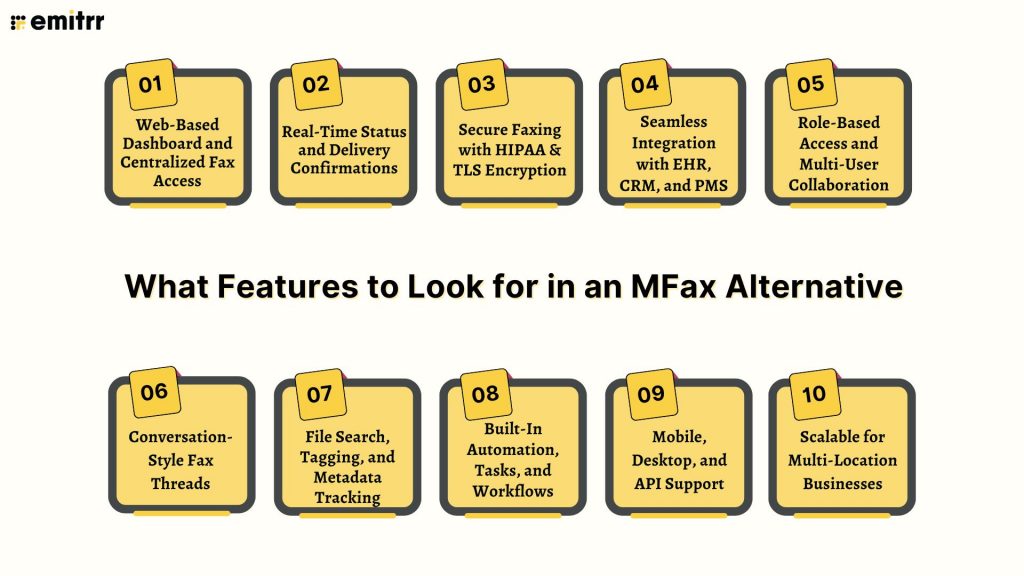
What Features to Look for in an MFax Alternative?
When evaluating fax solutions beyond MFax, keep an eye out for these must-have capabilities:
Web-Based Dashboard and Centralized Fax Access
Your fax platform should be easy to access from anywhere – no installs or clunky software. A good one gives you a central place where your whole team can view, send, and manage faxes. Think of it like a shared inbox, with everything organised and searchable. The best tools also combine faxing with other channels like texting or calls, so you don’t need 10 tabs open to stay on top of things.
Real-Time Status and Delivery Confirmations
No more wondering if your fax went through. The best fax tools tell you instantly – “Sent,” “Delivered,” or “Failed.” Some even show a progress bar while it’s transmitting. That kind of feedback saves you from awkward follow-up calls or missed deadlines. Plus, it helps you fix issues fast if something didn’t send.
Secure Faxing with HIPAA & TLS Encryption
Security isn’t optional. Especially in healthcare or finance. You’ll want encryption both during transit and at rest, plus things like MFA, secure storage, and user-level controls. Make sure your provider offers HIPAA compliance and a BAA if needed. In short, faxing should be locked down by default, not something you have to configure later.
Seamless Integration with EHR, CRM, and PMS
Modern faxing should work with the tools you already use. Whether that’s an EHR like Athenahealth, a CRM like HubSpot, or a cloud drive like Google, your fax solution should connect with it. That way, faxes go straight into the right record or folder – no copy-paste chaos. Bonus points if it works via API or Zapier too.
Role-Based Access and Multi-User Collaboration
Faxing shouldn’t be a solo act. Look for shared numbers, team inboxes, and permission settings so you can distribute the workload efficiently. Your team should be able to assign faxes, leave notes, and track who did what. It’s like a help desk, but for documents. That kind of teamwork just isn’t possible with one inbox for everyone.
Conversation-Style Fax Threads
Think of it like turning your faxes into a chat thread. Some platforms group related faxes together in one conversation so you can follow the flow, from the first document to the final signed copy. You can also add comments, just like in email or Slack. It makes staying organised way easier, especially for long cases or client requests.
File Search, Tagging, and Metadata Tracking
Need to find a fax fast? Tag it. Filter it. Search the content. Advanced platforms let you do all that with built-in OCR and smart filters. Whether you’re hunting for a contract from last year or a medical report sent yesterday, it should take seconds – not hours. MFax keeps things basic here, but others go much deeper.
Built-In Automation, Tasks, and Workflows
You shouldn’t have to do everything manually. Great alternatives let you set up rules, like flagging “urgent” faxes or sending a copy to billing. You can even set up auto-reply templates, schedule sends, or trigger follow-ups. Some tools integrate with Zapier or have custom workflows built in. That means fewer clicks and less back-and-forth for your team.
Mobile, Desktop, and API Support
Faxing shouldn’t tie you to your desk. With the right tool, you can snap a photo, upload it, and fax from your phone in seconds. Good providers offer mobile apps, browser access, and APIs so your dev team can plug them into internal tools, too. Basically, your team should be able to fax from wherever and however they work.
Scalable for Multi-Location Businesses
If you’re growing, your fax tool should keep up. That means adding new users, numbers, or locations without jumping through hoops. You’ll want a central admin view, usage reporting, and maybe even volume discounts. Whether you have one office or 50, your fax setup should scale without becoming a mess.
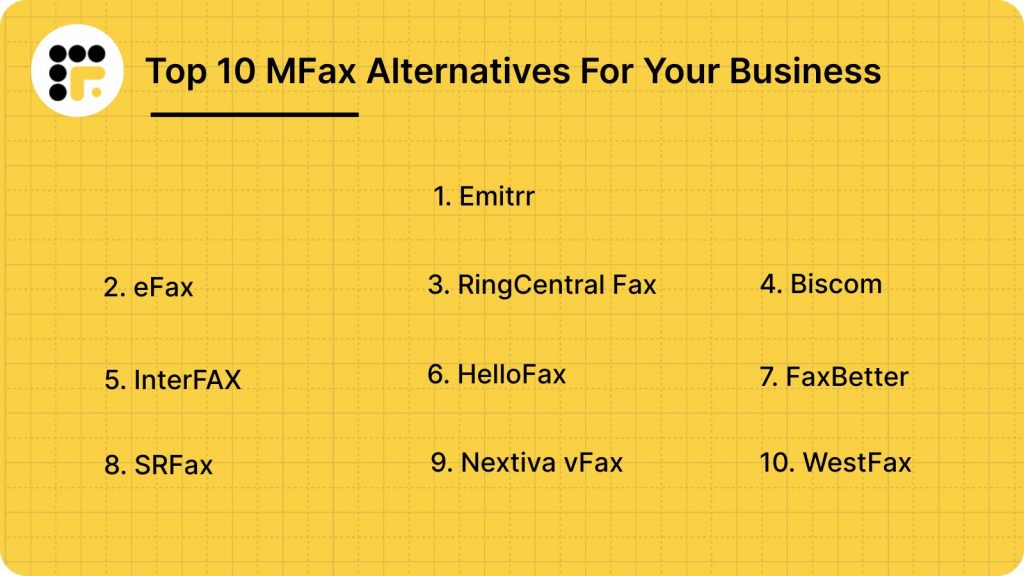
Top 10 MFax Alternatives
Let’s profile 10 solid cloud fax services:
1. Emitrr | Best MFax Alternative
Emitrr Overview
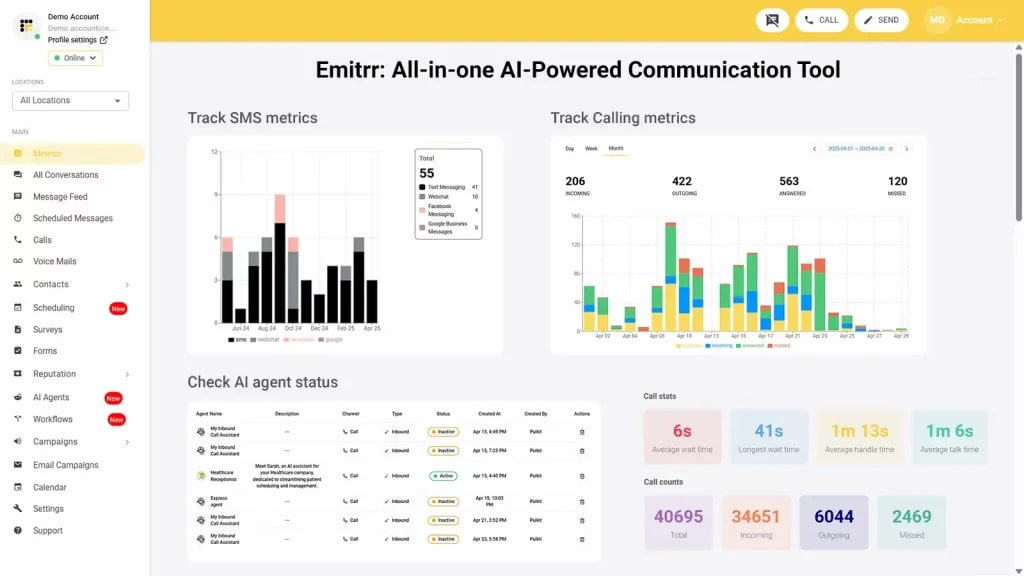
Emitrr is a unified communication platform that combines fax, texting, calls, and automation in one tool. It’s like having an “AI agent or employee” for your business, automating tasks like appointment reminders, text campaigns, and multi-channel communication. It’s especially popular in industries like healthcare and legal, where compliance is needed, and teams juggle fax with other forms of communication.
Emitrr Key Features
- Unified Inbox: Send/receive faxes, texts, calls, and chats all in one place. Team members see the same inbox, with options to assign messages and leave comments.
- Multi-Channel Faxing: Supports email-to-fax, fax portal, API integration, and the ability to fax to multiple recipients at once (bulk fax) for announcements or forms.
- Automation & Workflows: Built-in automations (driven by AI) handle tasks like appointment reminders, follow-ups, and review requests, triggered by faxes or other events.
- E-Signature Support: Attach e-signature requests (and collect signed forms) directly through the platform, so documents don’t have to leave the workflow.
- Strong Security: HIPAA-compliant architecture with full audit trails. All faxes use TLS encryption, and Emitrr offers audit logs showing who sent/received each fax.
- Mobile/Desktop Apps: Fully responsive web app plus iOS/Android apps (for texting and faxing) mean you can manage communications on any device.
- Searchable Records: Automatic indexing of all docs (emails, texts, faxes) for quick search by keyword or metadata.
- CRM/EHR Integrations: Plug into major systems. For example, it writes back appointment confirmations to EHRs and syncs with Salesforce to log fax activities.
Emitrr Pros
- All-in-One Platform: Replaces multiple tools (fax + texting + scheduling + forms + phone) with one integrated system. This reduces cost and complexity.
- Team Collaboration: Conversation-style threads for faxes mean the whole team can pick up where someone left off. You can tag colleagues, share notes, and keep tasks centralized.
- Delivery Confirmations: Provides instant status updates and ensures you know when a fax is delivered, much like email’s read receipts.
- Robust Automation: Automates complex workflows out of the box (smart scheduling, follow-ups, reviews) without needing separate apps.
- Easy Number Porting: Emitrr will port your existing fax number into the system with no downtime. So businesses can switch without missing a single fax.
- 24/7 Support: Emitrr advertises world-class support with quick response times; reviews note it offers 24/7 live help to ensure any issue is resolved fast.
Emitrr Cons
- Evolving features: Some advanced AI-driven fax capabilities are still being rolled out.
Emitrr Integrations
- CRM platforms: Sync fax activity with Salesforce, HubSpot, Zoho, and more – so customer records update themselves.
- Healthcare systems: Securely send and receive patient files through integrations with Athena, Epic, Dentrix, and other EHR/EMR tools.
- Productivity apps: Manage fax files easily through Google Workspace, Outlook, Office 365, and Dropbox.
- Automation tools: Use Zapier to link faxing with other apps and automate follow-ups or workflows instantly.
Emitrr Pricing
Plans start at $30 per month.
Emitrr Ratings
- Capterra: 4.9/5
- G2: 4.7/5
Emitrr Customer Reviews
“Ease of texting to my customers, sending and receiving is fast and stable Easy template build outs for quick texting.”
“Emitrr customer service is unmatched! I don’t need help often but when I do, it is handled quickly. The system is very user friendly.“
Source: Capterra
Emitrr Support Channels
- Email: support@emitrr.com
- Phone: +1 (210) 941-4696
- Live chat: Available directly on the Emitrr website
- Knowledge base: Includes extensive documentation, FAQs, and troubleshooting guides
- SMS support: Text for help
2. eFax | eFax vs MFax
eFax Overview
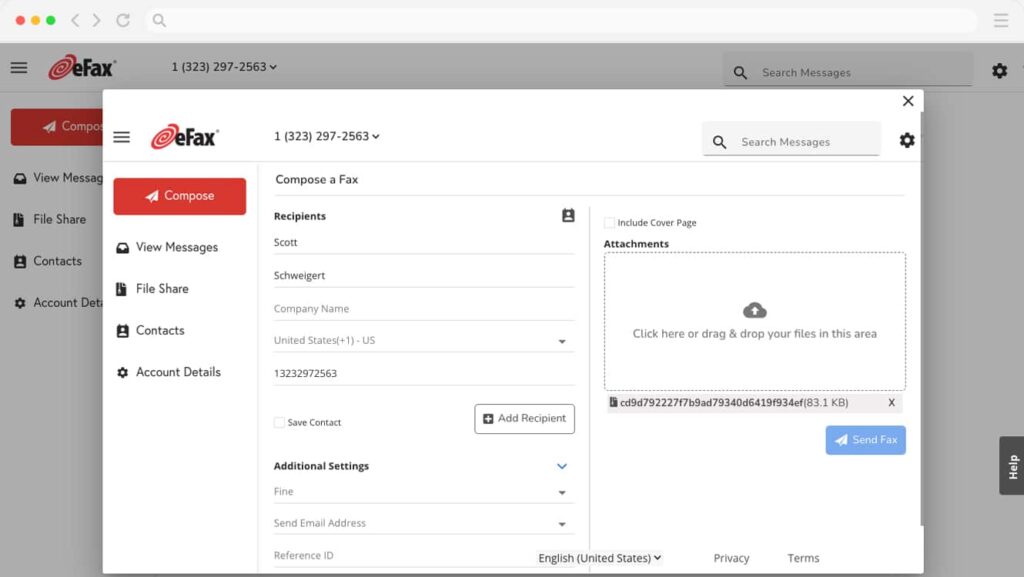
eFax is one of the most widely recognised online fax services, especially popular with individuals and small businesses looking for a straightforward digital faxing solution. It brings traditional faxing into the cloud with features like email-to-fax and mobile faxing. While it’s not the most modern-looking tool, its brand trust and long-standing presence make it a familiar choice. eFax works best for users who value simplicity and brand recognition over advanced workflow tools.
eFax Key Features
- Email-to-fax: Send and receive faxes through your existing email account.
- Mobile faxing: Use dedicated apps for iOS and Android to fax on the go.
- Large file sharing: Send large files that wouldn’t usually go through a fax.
- Encrypted transmission: Basic security for sending sensitive documents.
- Digital signature tool: Sign documents before sending directly through the app.
- Cloud storage: Archive sent and received faxes securely online.
- Number porting: Bring your current fax number to eFax.
eFax Pros
- Familiar and trusted brand: eFax has been around for years and widely used.
- Simple to use: Easy onboarding and clean user interface.
- Email-based faxing: No need to log into a separate dashboard every time.
- Mobile support: Apps make it accessible from anywhere.
eFax Cons
- Pricing is on the higher side: Especially when usage increases.
- No team collaboration features: Lacks shared inbox or multi-user workflows.
- Limited automation: Still feels like old-school faxing in many ways.
- Clunky interface for some users: Especially compared to newer competitors.
eFax Integrations
- Email clients: Works with most standard providers like Gmail and Outlook.
- Cloud storage: Integrates with Google Drive and Dropbox.
- No direct CRM/EHR integrations: Requires manual workflows or workarounds.
- Basic API: For limited custom setups.
eFax Pricing
Starts around $18/month for basic plans. You might have some page limits, with extra charges for overages.
eFax Ratings
- Capterra: 4.0/5
- G2: 3.9/5
eFax Customer Reviews
“Issues with connecting to fax lines. Failed fax delivery. Tried to call customer support but the VoiP they use is pretty voice quality. Ended up needing to email as I could not make out the customer services words over phone.”
“I feel like it could use some updating. I don’t like that you have to click a million things before the actual document will open up.”
Source: Capterra
eFax Support Channels
- Email support
- Phone support
- Help centre
3. RingCentral Fax | RingCentral vs MFax
RingCentral Fax Overview
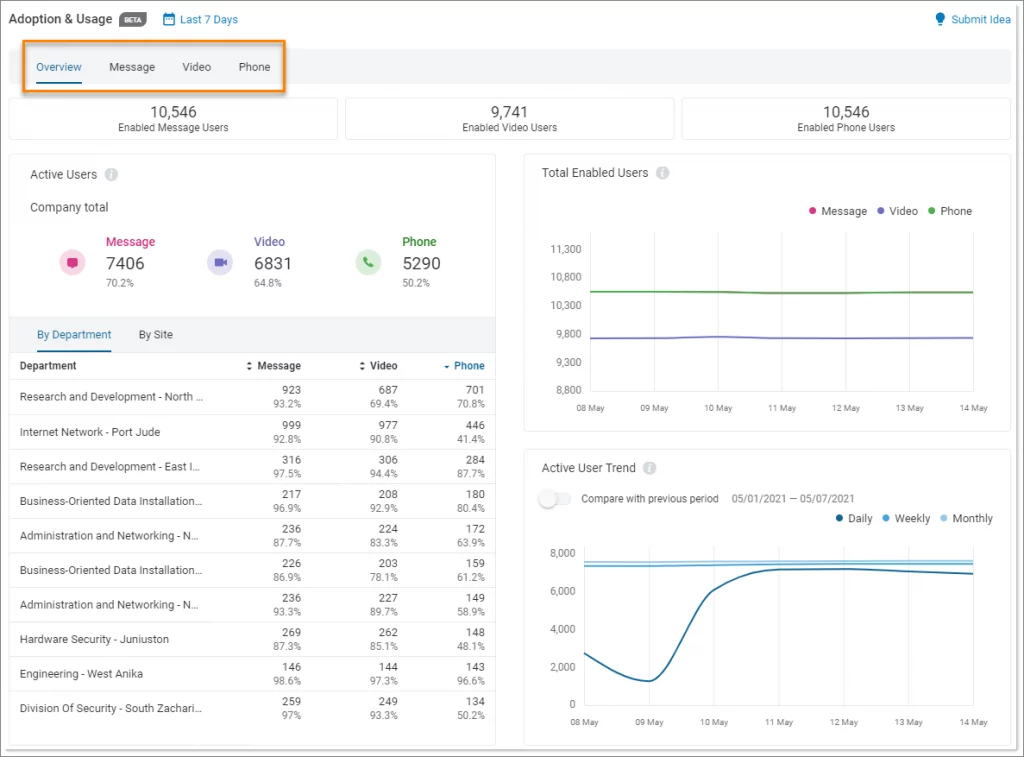
RingCentral Fax is part of the larger RingCentral ecosystem, making it a natural choice for businesses already using RingCentral for voice or messaging. It offers robust cloud faxing with email-to-fax capabilities, integrations, and reliable infrastructure. It’s a great option for mid-sized to large teams who want faxing tied into their existing communications platform.
RingCentral Fax Key Features
- Email-to-fax support: Fax directly from your email.
- Mobile apps: Fax from anywhere using iOS or Android.
- Shared lines: One fax number for multiple users.
- Secure transmission: Includes encryption in transit.
- Unlimited storage: Archived access to your faxes.
- Custom cover sheets: Add branding or notes easily.
RingCentral Fax Pros
- Great for RingCentral users: Seamless within the ecosystem.
- Reliable delivery: Strong infrastructure and uptime.
- Shared lines and access: Easier for teams to use.
- Flexible setup: Works via email, web, or mobile.
RingCentral Fax Cons
- Not ideal as a standalone: Better as part of a full RingCentral plan.
- Limited workflow tools: Lacks automation or task management.
- No real threaded conversations: Still basic in layout.
- Support depends on tier: Priority support costs more.
RingCentral Fax Integrations
- CRM systems: Integrates with Salesforce and other CRMs.
- Productivity tools: Works with Microsoft 365 and Google Workspace.
- Business apps: Connects with popular collaboration and IT tools.
RingCentral Fax Pricing
- Bundle-based plans: Fax is included with RingCentral communication plans.
- Monthly pricing: Plans usually start higher than standalone fax tools.
- User-based costs: Pricing scales as you add more users.
RingCentral Fax Ratings
There’s not much out there about RingCentral’s fax capabilities, as fax is part of its broader communications platform.
RingCentral Fax Customer Reviews
Most reviews highlight RingCentral’s full communication platform. The fax-specific features tend to get mentioned less often on their own.
RingCentral Fax Support Channels
- Phone support
- Live chat
- Help centre
4. Biscom | Biscom vs MFax
Biscom Overview
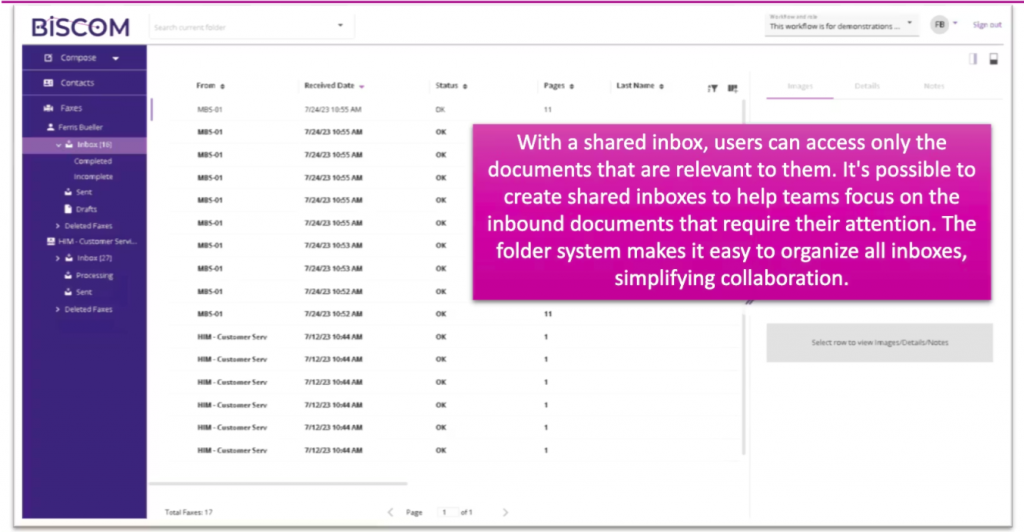
Biscom is an enterprise-grade fax solution built for organisations with serious security and compliance requirements. It’s particularly popular in industries like healthcare, legal, and government. Biscom focuses on scalability, secure delivery, and custom on-prem/cloud hybrid deployments – ideal for IT teams who need control and configurability.
Biscom Key Features
- Enterprise fax server: Available as on-prem, hybrid, or fully cloud.
- Secure faxing: Strong encryption for fax transmission and storage.
- Role-based permissions: Admin-level control over access.
- High-volume throughput: Handles batch jobs and automation.
- Fax routing rules: Auto-deliver based on content or sender.
- Custom integrations: APIs and connectors available.
Biscom Pros
- Serious security: Great for HIPAA, FINRA, and GDPR compliance.
- Highly customisable: Adapt to your infrastructure.
- Enterprise support: Dedicated account management.
- Handles scale well: Bulk faxing is no problem.
Biscom Cons
- Overkill for small teams: Built more for enterprise use.
- Steep learning curve: IT help may be needed for setup.
- Outdated UI: Not the slickest or most modern.
- Premium pricing: Higher cost reflects enterprise focus.
Biscom Integrations
- Enterprise systems: Integrates with internal business platforms.
- Email workflows: Supports fax-to-email delivery.
Biscom Pricing
- Custom pricing: Pricing varies based on deployment and usage.
- Enterprise contracts: Typically requires direct sales engagement.
Biscom Ratings
- Capterra: 4.6/5
- G2: 4.5/5
Biscom Customer Reviews
“I wish that there was a feature that if the fax doesn’t go through it notifies the user instead of a static email address. I wish that there was a way that it would automatically connect with office 365 services and we wouldn’t need to have an on premise server.”
“Limited interaction after setup regarding software updates or enhancements”
Source: Capterra
Biscom Support Channels
- Email support
- Phone support
- Documentation
5. InterFAX | InterFAX vs MFax
InterFAX Overview
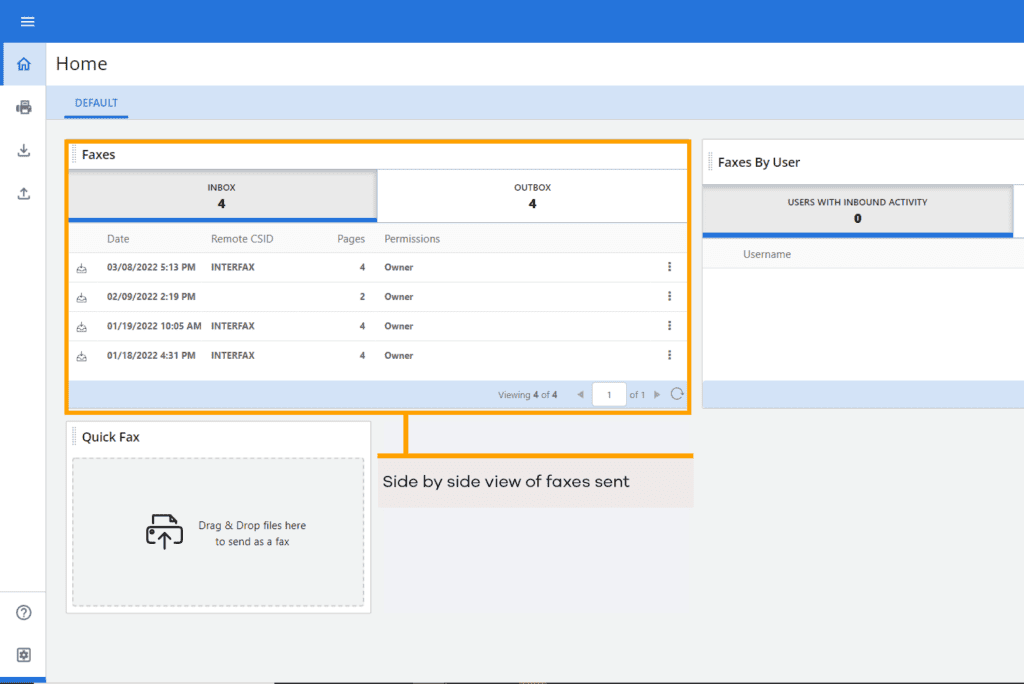
InterFAX is a global internet faxing tool with a strong emphasis on security, compliance, and developer-friendliness. It’s used widely in healthcare, finance, and other regulated industries. While the UI is more functional than flashy, InterFAX wins points for its detailed audit controls and international coverage.
InterFAX Key Features
- Developer APIs: Use APIs to integrate faxing into internal systems.
- Global faxing: Send faxes to international destinations reliably.
- High volume support: Designed to handle large fax volumes.
- Audit-ready logs: You can enjoy full traceability.
- Inbound fax routing: Direct faxes by department or tag.
InterFAX Pros
- Global reach: Excellent for international faxing.
- HIPAA-compliant: Suitable for healthcare.
- Developer-focused: Robust API and documentation.
- Inbound routing tools: Keep faxes organised.
InterFAX Cons
- Dated UI: It can really feel complex for non-technical users.
- Limited collaboration: Not ideal for team-based inbox management.
- No mobile app: Web-only usage.
- Pricing lacks transparency: Confusing pricing tiers.
InterFAX Integrations
- Email systems: Supports faxing through email workflows.
- Custom systems: APIs allow integration with internal platforms.
InterFAX Pricing
Plans start at around $10. Charges are usually based on pages sent and received.
InterFAX Ratings
- Capterra: 4.6/5
- G2: 4.5/5
InterFAX Customer Reviews
“would like single sign on with O365 so users don’t have to share a common account. they seem to keep locking the account when 100s of users are using the shared account. integrating with O365 would take care of this limitation.”
Source: Capterra
InterFAX Support Channels
- Email support
- Help documentation
6. HelloFax | HelloFax vs MFax
HelloFax Overview
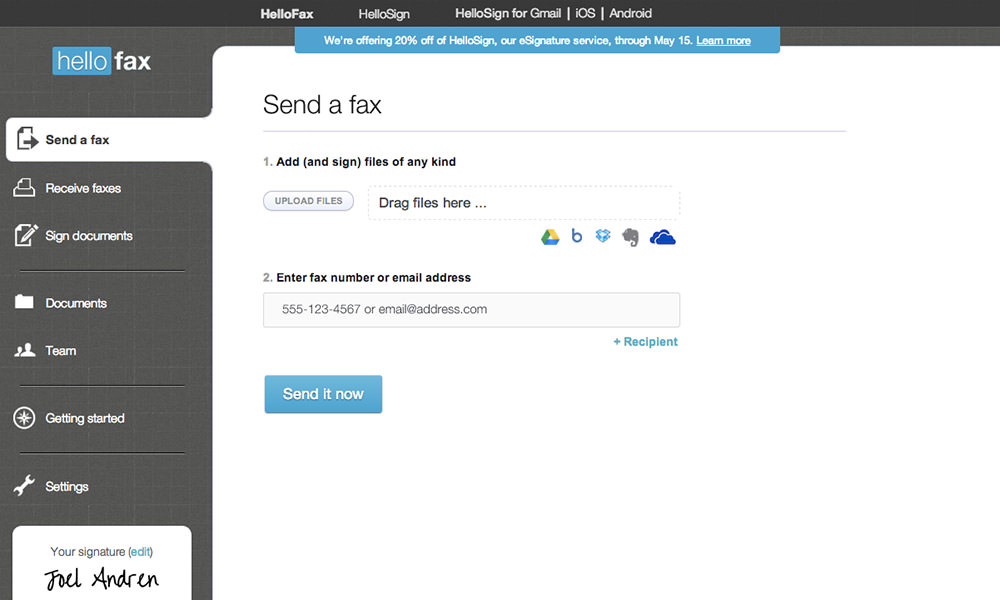
HelloFax (now known as Dropbox Fax) is a simple, user-friendly fax service that’s perfect for individuals, freelancers, and small teams. It’s entirely cloud-based and focuses on paperless document workflows. With strong integration with Google services and a sleek interface, it’s ideal if you want a “set it and forget it” fax tool without heavy setup or maintenance.
HelloFax Key Features
- Email-to-fax: Send and receive faxes directly via email.
- Google Drive integration: Attach and store faxes via your Google account.
- Digital signing: Sign documents before sending.
- Team management: Add users and assign fax lines.
- Cloud storage: Auto-save faxes to cloud folders.
- Multiple recipients: Fax one document to several contacts.
HelloFax Pros
- Easy to use: Great for fax beginners.
- Clean, modern interface: Intuitive experience.
- Google integration: Seamless with Gmail and Drive.
- Good for low-volume users: Works well for basic needs.
HelloFax Cons
- Limited automation: No tagging or routing tools.
- Not built for scale: Hard to manage for large teams.
- Support can be slow: Limited to email tickets.
- Higher volume = higher price: Costs rise quickly.
HelloFax Integrations
- Cloud storage: Deep integration with Dropbox, Google Drive, Box, OneDrive.
- Productivity tools: Works well alongside Google Workspace and Office 365.
- eSign tools: Integrated for document signing and approval workflows.
HelloFax Pricing
Free trials are available. Paid plans start at $9.99/month for 300 pages.
HelloFax Ratings
You won’t find public ratings easily on major platforms like Capterra and G2.
HelloFax Customer Reviews
Very few public reviews are available on sources like Capterra and G2.
HelloFax Support Channels
- Email support
- Help centre
7. FaxBetter | FaxBetter vs MFax
FaxBetter Overview
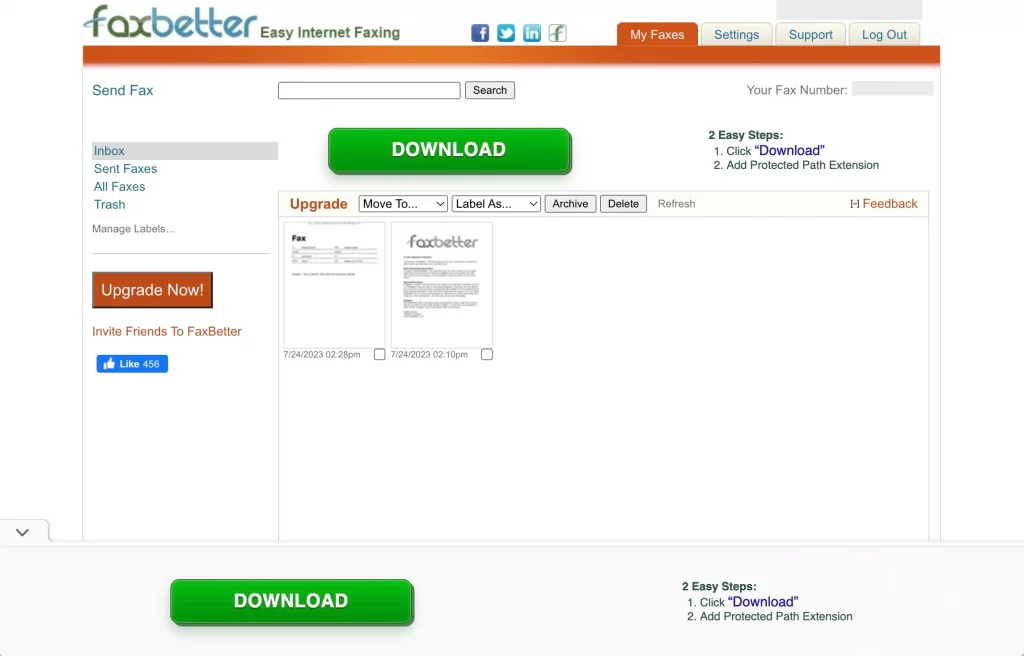
FaxBetter offers a freemium-style fax service where users can receive faxes at no cost. It’s mainly aimed at individuals or very small teams who don’t need to send a lot of faxes but still want a dedicated fax number. It’s great as a backup option or for occasional use.
FaxBetter Key Features
- Free inbound fax number: Receive faxes at no cost.
- Fax to email: All faxes go directly to your inbox.
- Fax storage: Keeps your last 1,000 faxes online.
- Custom fax number: Upgrade for vanity or toll-free lines.
- Fax alerts: Get notified when a new fax arrives.
- Downloadable PDFs: Store or print easily.
FaxBetter Pros
- Free for receiving: Ideal if you don’t send faxes often.
- Simple setup: Takes just minutes.
- No hardware or app needed: Email-based experience.
- Good email alerts: You’ll never miss a fax.
FaxBetter Cons
- Sending requires upgrade: Free plan is receive-only.
- No mobile app: Desktop/email only.
- Very limited team features: No collaboration tools.
- Dated design: Basic interface and feature set.
FaxBetter Integrations
- Email-based only: No app or direct integrations.
- Manual download: Store faxes locally or print as needed.
FaxBetter Pricing
Not much public data is available on usage limits, so check closely if you send faxes often.
FaxBetter Ratings
It’s a smaller tool, so formal review coverage is pretty minimal.
FaxBetter Customer Reviews
Most users mention it’s fine for light, occasional faxing, but not feature-rich.
FaxBetter Support Channels
- Email support only
- Help articles in the support portal
8. SRFax | SRFax vs MFax
SRFax Overview
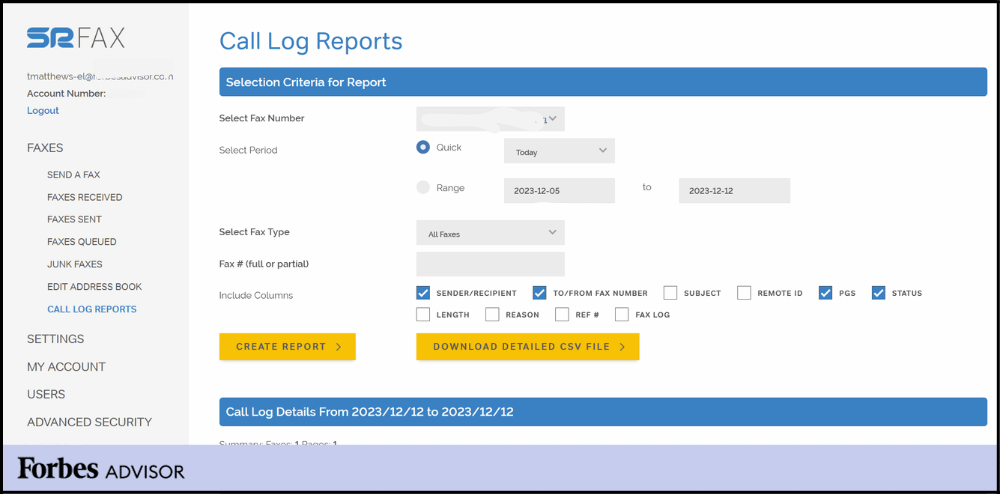
SRFax is a HIPAA-compliant fax service known for its strong healthcare focus and flexible API access. It supports secure document exchange, multiple fax lines, and advanced options for EHR integration. It’s particularly trusted by clinics, labs, and small providers who fax daily and need bulletproof compliance.
SRFax Key Features
- HIPAA-compliant faxing: Full encryption and compliance support.
- API access: Build faxing into your app or platform.
- Custom cover sheets: Personalise fax branding.
- Fax from email: Works with major email services.
- Secure fax storage: Store and search older faxes.
- Unlimited users per account: Great for small offices.
- Configurable admin tools: Control over users and roles.
SRFax Pros
- Healthcare ready: Tailored to HIPAA workflows.
- Great API support: Easy to build into apps.
- Reliable service: High delivery success.
- Good pricing: Especially for small practices.
SRFax Cons
- Dated UI: Functionality over aesthetics.
- Limited mobile experience: No dedicated app.
- Not ideal for large corporations: Better for SMBs.
- Basic collaboration: Not ideal for large teams working together.
SRFax Integrations
- Email systems: Works with email for fax sending and receiving.
- Healthcare systems: Can be used alongside EHR systems with manual setup.
SRFax Pricing
- Paid plans only: No free tier available.
- Usage-based pricing: Plans vary based on fax volume.
- Higher cost plans: Compliance-focused plans cost more.
SRFax Ratings
- Capterra: 4.7/5
- G2: 4.6/5
SRFax Customer Reviews
“It is sometimes hard to see the faxes come through without fully logging in.”
“The only con that I can give SRFAX is that Customer Support could be a bit better, that is my only feedback. We have had a few calls in to support and we had a few good people and others just sounded eager to end the call.”
Source: Capterra
SRFax Support Channels
- Email support
- Phone support
- Help resources
9. Nextiva vFax | Nextiva vFax vs MFax
Nextiva vFax Overview
Nextiva vFax is a simple and secure online faxing service from the popular VoIP provider, Nextiva. It’s designed for businesses that need a basic, no-fuss way to send and receive faxes via email. While it doesn’t come with all the bells and whistles, it’s a reliable option for teams already using Nextiva for phone and communication.
Nextiva vFax Key Features
- Email-to-fax: Send and receive faxes through any email account.
- Fax archiving: Store faxes securely in your dashboard.
- Unlimited users: Share access with your team.
- Multiple fax numbers: Add more numbers as you grow.
- Admin controls: Manage permissions for each user.
- Printable confirmations: Get fax confirmation pages for each sent fax.
- Mobile-friendly portal: Access your faxes on the go.
Nextiva vFax Pros
- Great for basic use: Simple and easy to understand.
- Affordable pricing: Cost-effective for light faxing needs.
- Good for VoIP users: Pairs well with other Nextiva products.
- Email-friendly: Works from any inbox.
Nextiva vFax Cons
- Very few integrations: Doesn’t connect with CRM/EHR tools.
- No mobile app: Must use web or email.
- No team threads: Inbox is not conversation-style.
- Limited automation: No tagging or routing features.
Nextiva vFax Integrations
- Email platforms: Works with most major email clients.
- Storage options: Download and archive faxes manually or via cloud exports.
- CRM/EHR support: Limited integrations, better suited for standalone use.
Nextiva vFax Pricing
Starts at $8/month for basic plans with 500 pages included.
Nextiva vFax Ratings
There are limited ratings specifically for faxing capabilities, as fax is part of its broader communications platform.
Nextiva vFax Customer Reviews
Very few reviews are available on popular platforms like Capterra and G2.
Nextiva vFax Support Channels
- Phone support
- Live chat
- Help centre
10. WestFax | WestFax vs MFax
WestFax Overview
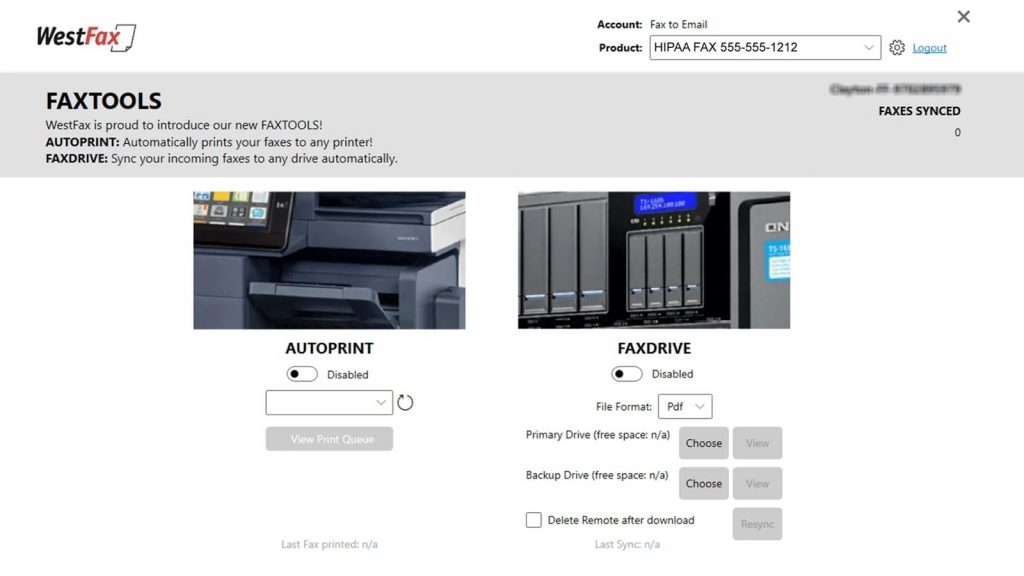
WestFax is a secure, enterprise-grade fax provider built for regulated industries like healthcare, legal, and government. It offers full HIPAA compliance, advanced audit controls, and strong support for large organisations. If your business handles sensitive documents and needs reliability at scale, WestFax is a solid option.
WestFax Key Features
- HIPAA-compliant faxing: Ideal for healthcare and legal users.
- Audit logging: Track every action on a fax.
- Fax-to-email: Simple delivery to your inbox.
- User roles and permissions: Control who sees what.
- Web portal access: View, send, and manage online.
- Number porting: Bring your existing fax number over.
WestFax Pros
- Enterprise-ready: Built for high-volume environments.
- Strong compliance: Full audit trail and security features.
- Highly reliable: Uptime and delivery are consistent.
- Flexible configuration: Adaptable for unique workflows.
WestFax Cons
- Not beginner-friendly: Takes time to configure.
- Dated design: Functional but not sleek.
- No mobile app: Web access only.
- Costs can rise: Pricing grows with usage.
WestFax Integrations
- EHR systems: Works with clinical record platforms.
- Email platforms: Standard fax-to-email support.
WestFax Pricing
Pricing is based on fax volume and healthcare needs.
WestFax Ratings
- Capterra: 4.8/5
- G2: 4.7/5
WestFax Customer Reviews
“Cover pages are customizable to an extent, they use fillable fields, but you cannot move around the editable fields.”
Source: Capterra
WestFax Support Channels
- Phone
Why Emitrr Is the Best MFax Alternative?
Here’s a closer look at why Emitrr is the upgrade your business has been waiting for:
Built-in Automation, Routing, and Tasks
Emitrr helps you automate the busywork. You can set up smart rules so incoming faxes get routed to the right team or department – like all insurance forms going directly to billing. You can even trigger follow-up tasks or appointment reminders automatically based on keywords or the sender. This means fewer manual steps, faster responses, and nothing slipping through the cracks. It’s ideal for teams handling high fax volumes or repeat workflows every day.
HIPAA-Compliant with Full Audit Trail
Emitrr is built with strict security and compliance in mind. It’s fully HIPAA-compliant, making it safe for handling sensitive patient or client data. Every fax is logged in an uneditable audit trail with timestamps, user details, and delivery records. You always have proof of what was sent, when, and by whom. This level of transparency is especially useful in regulated industries like healthcare, legal, and insurance.
Conversation-Style Threaded Fax Inbox
Emitrr treats each fax like part of an ongoing conversation. Replies, comments, and internal notes all stay together in a thread, just like you’d expect in a messaging app. This makes it easy to follow the back-and-forth on any topic or case. You’ll never have to search through disconnected faxes or guess what happened last. It’s clean, organised, and designed to help your team stay in sync.
Real-Time Delivery Confirmations
With Emitrr, you’re never left in the dark about whether a fax went through. You get real-time delivery updates – “Sent,” “Delivered,” or “Failed” right in your dashboard. If something doesn’t go through, you’ll know immediately and can act fast. No more guessing, no more waiting hours to confirm receipt. These updates bring peace of mind, especially when sending urgent or time-sensitive documents.
Easy Setup with Existing Fax Numbers
Worried about switching platforms? Emitrr makes it simple by allowing you to port your current fax number directly into the system. There’s no need to notify clients or change business cards. Even better, their support team handles the setup from start to finish, so you don’t have to lift a finger. It’s a smooth, seamless transition with zero disruption to your day-to-day.
Unified Inbox for Fax, Text, and Calls
Imagine seeing all your customer communication – faxes, texts, and phone calls, in one shared inbox. That’s exactly what Emitrr offers. Instead of switching between tools, your team can view and respond to everything in one place. This unified view keeps everyone on the same page, avoids missed follow-ups and eventually reduces no-shows. Whether it’s a patient’s lab result or a customer’s voicemail, your team has full context at a glance.
Seamless EHR and CRM Integrations
Emitrr plugs into the tools you already use, like Epic, Athena, Salesforce, HubSpot, and more. You can send or receive faxes right from your EHR or CRM, without needing to download or re-upload files. It’s a huge time saver and eliminates errors caused by jumping between systems. These integrations turn Emitrr into a true extension of your workflow, not just a fax add-on.
Powerful Search and Team Collaboration
Need to find a fax from six months ago? Just search by name, keyword, or tag. Emitrr indexes every document so you can locate it in seconds. You can also tag team members, leave internal comments, or assign follow-up tasks, all within the same thread. This makes handoffs between departments smoother and faster. It’s faxing that actually supports teamwork.
Affordable Pricing with 24/7 Support
Despite offering a full communication suite – fax, SMS, calls, and automation- Emitrr keeps pricing accessible. You won’t need to pay for three different tools. And if you ever run into an issue, their friendly human support team is available 24/7. That’s a huge plus for businesses that operate outside the typical 9-5. More features, better service, and still budget-friendly? That’s tough to beat.
Industries That Rely on Emitrr for Modern Faxing
Many businesses across different industries rely on Emitrr not just for faxing, but for smarter communication across the board. Here’s how different sectors use it to simplify and modernise their workflows:
Staffing and HR Firms
Recruiters and HR teams deal with a lot of documents – resumes, contracts, background checks- and they need to move fast. Emitrr lets them fax these directly from email or mobile, route documents to hiring managers, and track everything automatically. They can also text interview reminders, follow-ups, or job alerts, all within the same thread. It helps them stay organised while giving candidates and clients a more professional, seamless experience.
Legal, Accounting, and Compliance Services
Law offices, CPAs, and compliance teams love Emitrr for its secure document handling and detailed audit trails. Whether faxing legal agreements, tax forms, or sensitive financial statements, every action is logged with timestamps and user info. Plus, they can add notes, assign tasks, and keep all related communication – faxes, calls, texts – in one place. It’s especially useful for client-facing teams that need full transparency and compliance without the hassle.
Healthcare and Dental Clinics
Emitrr is a favourite in healthcare because it’s fully HIPAA-compliant and designed to handle sensitive records securely. Clinics use it to fax patient charts, lab results, and referrals, all while automating appointment reminders and follow-ups via text. Staff can even call patients right from the same platform. It reduces missed appointments, improves patient response time, and keeps everything logged neatly. No switching between fax software, phone systems, and texting tools – it’s all in one place.
Home and Field Service Providers
Emitrr is ideal for plumbers, HVAC techs, and field service teams who work on the go. They can fax work orders, permits, or insurance documents right from their phone using the mobile app. Need to confirm a job or follow up on an invoice? Just send a quick text or call, no app switching needed. Everything gets tied to the customer thread, so office and field staff stay in sync. It’s modern, paper-free communication for hands-on businesses.
Education and Local Government
From public schools to city offices, Emitrr helps streamline communication and record handling. Admins can fax reports, student health records, or forms securely, then text parents or staff with updates. Districts with multiple locations benefit from shared inboxes and smart routing that make sure the right team sees the right fax. It’s also great for sending alerts or reminders, all while keeping a digital trail for compliance.
Real Estate and Title Agencies
Agents and title companies fax contracts, disclosures, and settlement documents daily. With Emitrr, they can attach these directly to CRM records, keep communication organised, and quickly follow up with clients via text or call. When a fax comes in, everyone on the deal sees it instantly, no chasing down paper or asking who received what. It’s all tracked, searchable, and accessible from anywhere.
Franchises and SMBs
For growing businesses and multi-location franchises, Emitrr makes it easy to centralise faxing and communication. Each location can have its own number and inbox, but managers or owners still have a top-down view. Tasks can be assigned, messages tracked, and documents routed without confusion. Whether you’re running a dental group or a chain of cafés, Emitrr scales with you, without the complexity of juggling separate tools.
Frequently Asked Questions
Start with your pain points – Do you need shared inboxes, mobile support, or deeper integrations? Look for a tool that fills those gaps. Bonus points if it lets you keep your existing number and offers fast setup with great support.
Yes! Emitrr handles number porting like a pro. Their team takes care of the transition behind the scenes so your number stays active – no faxes lost in the shuffle.
Not really. Most teams pick it up in a flash. The interface is super intuitive, and Emitrr offers live support, quick demos, and walkthroughs to make sure your team feels right at home.
Absolutely! Emitrr plays nicely with most popular CRMs, EHRs and more. And if yours isn’t on the list? They’ve got APIs and custom integration support to make it happen.
Totally. Whether you send 10 faxes a day or 10,000, Emitrr scales without breaking a sweat. It’s built for speed, uptime, and serious volume.
Conclusion
Faxing isn’t going anywhere, especially in industries where compliance and documentation matter. But that doesn’t mean you should settle for a tool that feels outdated or disconnected from the rest of your workflow. Whether it’s missed faxes, lack of visibility, or limited integrations, some tools can start to feel like a bottleneck instead of a helper.
That’s where tools like Emitrr shine. It doesn’t just replace fax – it reimagines it as part of a connected communication system. You can send documents, follow up with a text, answer calls, and assign tasks – all without switching tabs. It’s built for the way modern teams operate. So, are you ready to make faxing feel like less of a chore and more of a win? Book a demo with Emitrr, it might just be the upgrade your team didn’t know it needed!