
 4.9 (400+
reviews)
4.9 (400+
reviews)
Introduction
Time is of the essence in the healthcare industry, but scheduling appointments can be time-consuming for many physicians. Common scheduling issues occur with manual scheduling methods, from
missed phone calls to double-booked appointments and “no-shows.” Nowadays, patients demand the ease and convenience of online self-scheduling.
With patients’ expectations rising in 2025, the need for smarter, mobile-responsive scheduling solutions is greater than ever. Whether you practice independently, within a group, between multiple groups, or with other health systems, leveraging the appropriate scheduling solution is essential to improving efficiency and patient experience.
This blog series will focus on the value of efficient physician scheduling, common scheduling challenges, and best practices related to scheduling so that your practice can survive and thrive in a modern healthcare environment.

The Importance of Online Scheduling for Physicians
Effective scheduling for healthcare is the backbone of a good medical practice. This directly influences the rest of the patient experience, perpetuating wait times and satisfaction. When patient scheduling systems are optimized, not only do patients have shorter waits, but their satisfaction ultimately increases.
Inefficient patient scheduling can cause catastrophic revenue loss, as no-shows can be anywhere from 5% to 30% of total scheduled appointments. This could mean thousands of dollars in lost revenue, even for small clinics. An optimized patient scheduling process maximizes the available productive time for physicians, and increased revenue begins with optimized patient scheduling.
Additionally, improved provider scheduling impacts administrative workload by allowing staff to focus more on patient care rather than making phone calls and swapping out charts!
Types of Scheduling for Physicians
Getting to know the different means of scheduling is essential for any medical practice. Here are the four main types listed in increasing complexity.
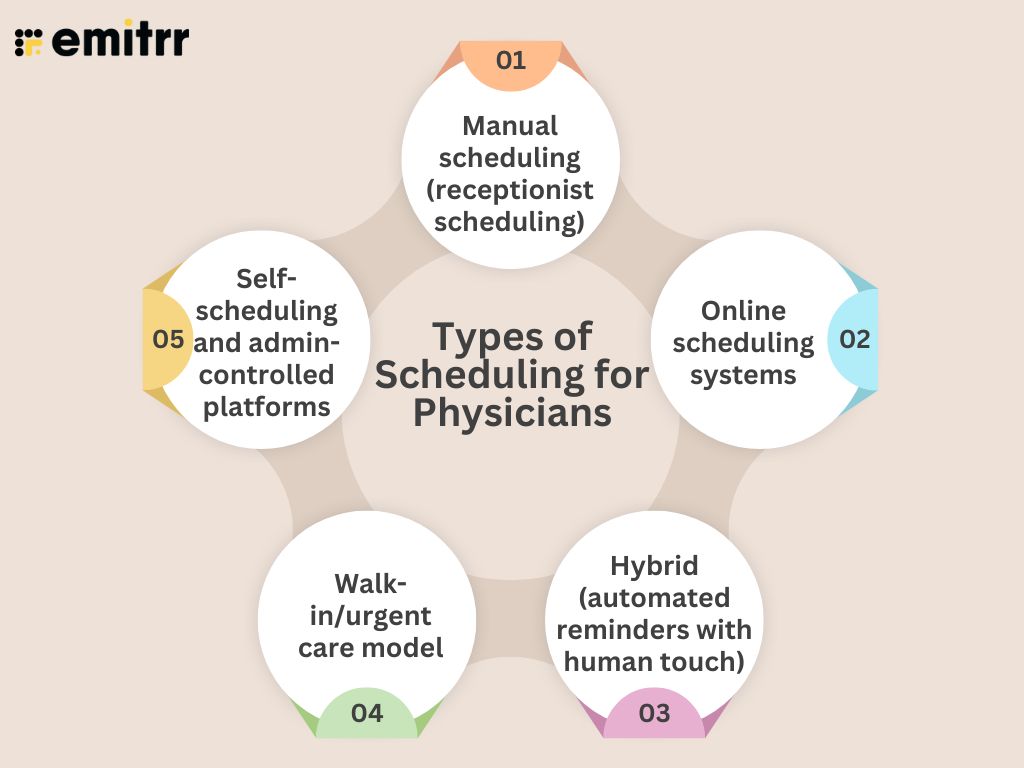
- Manual scheduling (receptionist scheduling): Traditional scheduling options are done by staff either in person or over the phone. This traditional appointment-setting style is personable, though time-consuming and prone to mistakes.
- Online scheduling systems: A platform for patients to book, change, or cancel appointments at their convenience. In doing this, the staff’s workload is decreased while improving access to patients. This is typically done via a website or app.
- Hybrid (automated reminders with human touch): Online booking systems accompanied by staff support and automated reminders to decrease the rate of no-shows.
- Walk-in/urgent care model: A model that allows for unscheduled visits, making the schedule flexible, depending on the setting. This model for scheduling doesn’t fit into a traditional model and relies on internal systems for managing and estimating wait times.
- Self-scheduling and admin-controlled platforms: A self-scheduling tool allows patients to have more control over the booking process, and admin-controlled platforms allow staff to manage more complex bookings. Many of today’s systems provide for maximum flexibility.
Key Use Cases of Online Scheduling for Physicians
Healthcare scheduling systems offer features that extend well beyond ordinary appointments and assist with many aspects of care:
- Checkups & follow-ups: Schedule checkups for physicals as well as chronic care to reduce administrative burden and enable patients’ empowerment.
- New patient consults: Provide new patients with an easy booking experience that starts your relationship with them on the right foot.
- Vaccinations and screenings: Bulk schedule seasonal shots or health screenings for a public health drive.
- Telehealth visits: Pair video visit scheduling and reminders to support increasing virtual care requirements.
- Lab work & diagnostics: Schedule specific lab time slots to minimize wait times for diagnostics.
- Case schedule planning: Manage complex cases with automated requests and staff-verified confirmations.
Best Practices for Online Scheduling for Physicians
Consider the following best practices designed to help you maximize your physician scheduling:
- Add patient self-scheduling: Allow patients to book, reschedule, and cancel 24/7. It’s like telemedicine, but it reduces calls, is more convenient, and people are more likely to keep up with it.
- Leverage automated recall & reminder services: Utilize the ability to send SMS, email, and voice reminders to lower no-shows. Leverage recalls to maintain routine visits and a consistent provider schedule.
- Monitor appointment metrics: Track no-shows, cancellations, appointment wait times, and busy hours. This way, you can identify problems and work on your strategy for scheduling.
- Leverage waitlists to fill openings: Notify patients of cancellations to fill those empty slots quickly and improve your scheduling management software.
- Include buffer time: Schedule small intervals between appointments to deal with tardiness and to safeguard the provider’s schedule.
- Establish a cancellation policy: Make sure to have policies in place. This is a reasonable expectation setting that will help your calling schedule run smoother.
Common Challenges in Physician Online Scheduling
Despite the benefits of physician scheduling, there are several challenges to consider:
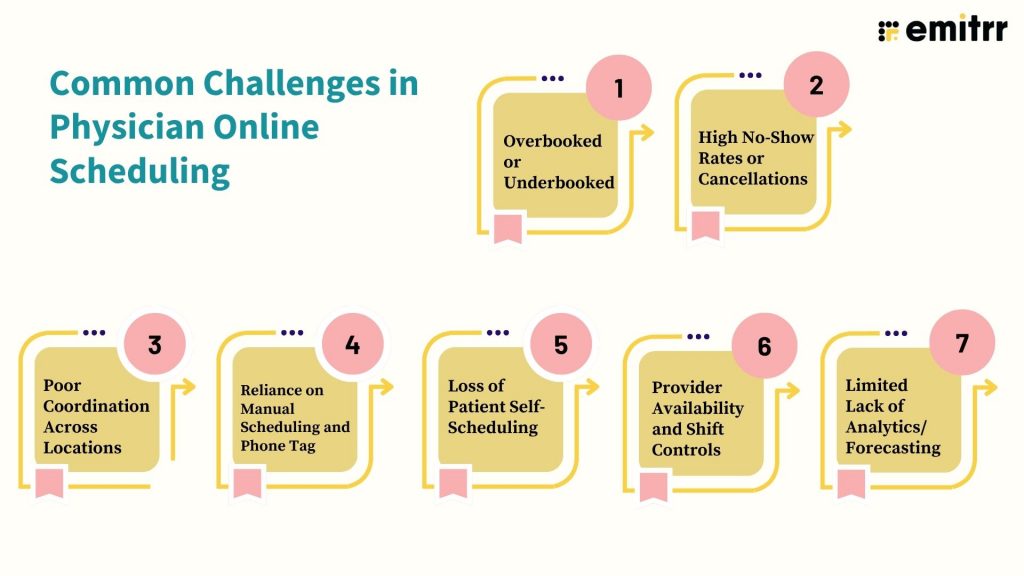
- Overbooked or Underbooked: It’s a delicate equation of patient need versus provider time. Long waits are caused by overbooking, idle staff wasting time, and lost revenue coming from underbooking, and they affect the medical scheduling systems.
- High No-Show Rates or Cancellations: No-shows are frustrating for physicians as the appointment is a waste of their time. Missed appointments can disrupt bookings and schedules and will be a drain on physician productivity and create strain on any other resources.
- Poor Coordination Across Locations: The bigger the operation, the more complexity, and when it comes to scheduling, the larger operations can present significant opportunities for confusion, duplication of appointments, and delays in care. This is why having hospital scheduling software is important to effectively perform scheduling.
- Reliance on Manual Scheduling and Phone Tag: Manual scheduling systems or relying on people to confirm appointments does not allow for effective use of staff time. This type of approach is redundant and will cause frustration for staff and increased burnout. It reflects the need for quality scheduling management software.
- Loss of Patient Self-Scheduling: With patient comfort at the forefront, some patients demand to schedule after hours or at least at their convenience. If there is a lack of 24/7 access to books, patients will get stalled or confused in the process and have a diminished experience, and eventually, that leads to more demand for scheduling software for healthcare organizations.
- Provider Availability and Shift Controls: Managing shifts, on-call willingness, vacation time, and periods off is challenging. Physician on-call scheduling apps have become a valuable tool for many organizations and address all the scheduling challenges they create.
- Limited Lack of Analytics/Forecasting: Practices don’t have the ability to optimize because they don’t have any insight into trends or no-shows, proving the need for scheduling software that medical teams can analyze.
How to Set Up Online Scheduling for Physicians with Emitrr?
Setting up physician scheduling with Emitrr is quick and simple.
Step 1: Create an Account
Sign up and complete your practice profile by adjusting the fundamentals of your scheduling solution.
Step 2: Add your Events, Staff, and Patients
Add physicians, availability, and types of appointments, and import or allow patients to self-register—anyone can build the provider schedule quickly.
Step 3: Personalize the Notifications
Provide automated reminders (SMS, email, voice), confirmations, and follow-ups to help reduce no-shows and present your practice brand.
Step 4: Integrate with Other Tools
Connect Emitt and your EHR/PMS to allow data to flow effortlessly between functions and automate your workflow. It creates an easy medical scheduling system that fits nicely into your environment.
Frequently Asked Questions
Self-scheduling allows patients to manage appointments 24/7 while decreasing calls and increasing satisfaction.
Yes, but only if the software is HIPAA compliant and a signed Business Associate Agreement exists with the vendor.
Yes. Emitrr allows for online scheduling with reminders (SMS, email, voice) that reduce no-shows!
Manage your schedule with reminders, waitlist, state cancellation policy, and every so often show up in the office.
Emitrr, TimeTap, and Phreesia allow for multi-location so centralize your healthcare scheduling as a clinic.
Yes. Scheduling tools like Emitrr, NexHealth, and Phreesia, connect to major EHR/PMS systems seamlessly to transfer required data.
Conclusion
In 2025, modern scheduling is necessary, not a luxury. Online, automated scheduling improves patient experience and the efficiency of your practice. By utilizing integrated and coordinated scheduling systems, you are better able to reduce no-shows, streamline your operations, and improve the care of your patients. Emitrr has the solutions modern physicians need that are full-featured and easy to use.
Are you ready to reinvent your scheduling process? Use Emitrr to improve your patient experience.