
 4.9 (400+
reviews)
4.9 (400+
reviews)
Introduction
In a time when digital communication and regulatory compliance are more crucial than ever, OpenText RightFax, an old-fashioned fax server, continues to meet the needs of many organizations, but it’s not the best option for some if you’re a small business. A healthcare provider who needs HIPAA compliance, or a large company looking for more flexibility, you might be in the market for a RightFax replacement that provides cloud-first capabilities, reduced cost, modern integrations, and a better user experience.
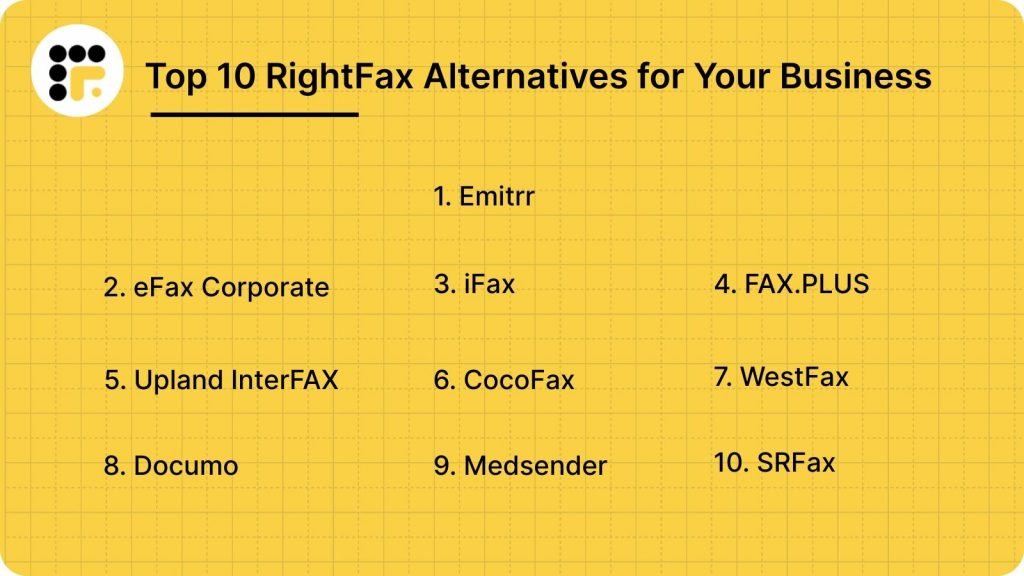
If you are making the transition from RightFax, or you are assessing how to migrate from RightFax to a new system, this listicle is for you. We will discuss what RightFax is, why businesses are searching for alternatives to RightFax, what to look for in a new system, and then lastly present the top 10 alternatives to RightFax, starting with our top pick, Emitrr.
What is RightFax (OpenText Fax)?
RightFax (which has since been rebranded the OpenText Fax Server) is an enterprise fax server software that combines centralization, automation, and management of high-volume fax communications electronically. Its goal is to end reliance on cumbersome manual fax machines, expensive dedicated phone lines, or inefficient outsourced fax services by sending and receiving faxes directly from desktops, email systems, and popular business applications.
RightFax Features:
- Centralized Fax Control: The single platform to control all inbound and outbound faxes throughout the organization.
- Application integration: Integrations with all your major enterprise systems, like SAP, Oracle, Epic, and Microsoft Exchange.
- Automatic Fax Distribution Capabilities: Utilizes OCR-based routing to automatically route faxes to the right person or destination.
- Security and Compliance: Features encryption, safe storage, and audit trails so you can comply with HIPAA, GDPR, and SOX.
- Scalability and Reliability: Scales with small teams to global enterprises, including support for redundancy and failover.
- Reporting and Archiving: Supply detailed reports, send logs, and secure an archive of all faxes for retrieval.
RightFax Pros:
- Powerful Enterprise Integration: Easily connects to all leading and legacy business systems.
- Secure: Military grade encryption for secure communication and audit trails for regulated industries.
- Extremely Scalable: Manages high fax volumes with reliable uptime.
- Unified Management: Gives you complete visibility into administration and on-prem data control.
RightFax Cons:
- High Cost and Complexity: Expensive licensing, deployment, and maintenance with high IT dependency.
- Feeble Customer Service: The help isn’t very responsive, and there are billing issues.
- Maintenance Overhead: On-premises infrastructure requires continuous technical management.
- Billing Problems: Cost-related complaints are not uncommon, and some users find charges on their billing statements to be misleading.
RightFax Pricing:
RightFax pricing is typically not advertised; most vendors require you to contact them for a quote based on your volume, modules, and deployment. On one comparison site: “No pricing information.”
This makes the cost of RightFax somewhat difficult to ascertain, and this fact is in itself a reason companies look for an alternative.
RightFax Integrations:
It has an email server connector, enterprise content management systems (ECM) integration, archive support, document management integration, and some workflow automation tool capability. One vendor’s datasheet has integration points with SAP, Oracle, and SharePoint.
RightFax Support Channels:
Being a large enterprise product, support typically comes through vendor channels (OpenText support contracts), partner ecosystem, and implementation consultants.
RightFax Rating:
4.1/5
RightFax Reviews:
“It is very user-friendly, and it makes faxing very easy. We can also add it to our large fax machine, and we can fax right from there.”
“Users report poor account management, facing communication issues and erroneous billing, complicating their experience with RightFax.”
Source: G2
Why Do Businesses Seek A RightFax Alternative?
Despite its enterprise-level features, many organizations are looking for RightFax alternatives for four major reasons:
Inconsistent Pricing
Licenses, maintenance fees, and costs associated with consultants cause RightFax’s total cost of ownership to be much higher than a subscription-based alternative.
IT Complexity
As a server-based system, RightFax requires IT management to continually set up, maintain patches, and troubleshoot, taking the team away from its strategic responsibilities.
Cloud Simplicity
Today’s organizations want a cloud native, subscription-based faxing solution that eliminates hardware, simplifies scaling, and provides disaster recovery.
Weaker Customer Support
RightFax users frequently encounter troubles with the ease of communication or delayed and unhelpful responses from the vendor, causing organizations to search for a more engaged and customer-friendly vendor.
Demand for Integration
Many industries, including healthcare, require two-way texting, reminders, and automated review steps that cannot happen within the fax-only model.
Outdated User Experience
The existing RightFax experience is antiquated and lengthy, and is not competitive against modern, cloud-based faxing solutions that can integrate with Microsoft 365 and Google Workspace.
What Features To Look For In a RightFax Alternative?
While replacing RightFax, take into consideration looking for solutions that provide enterprise performance without legacy challenges:
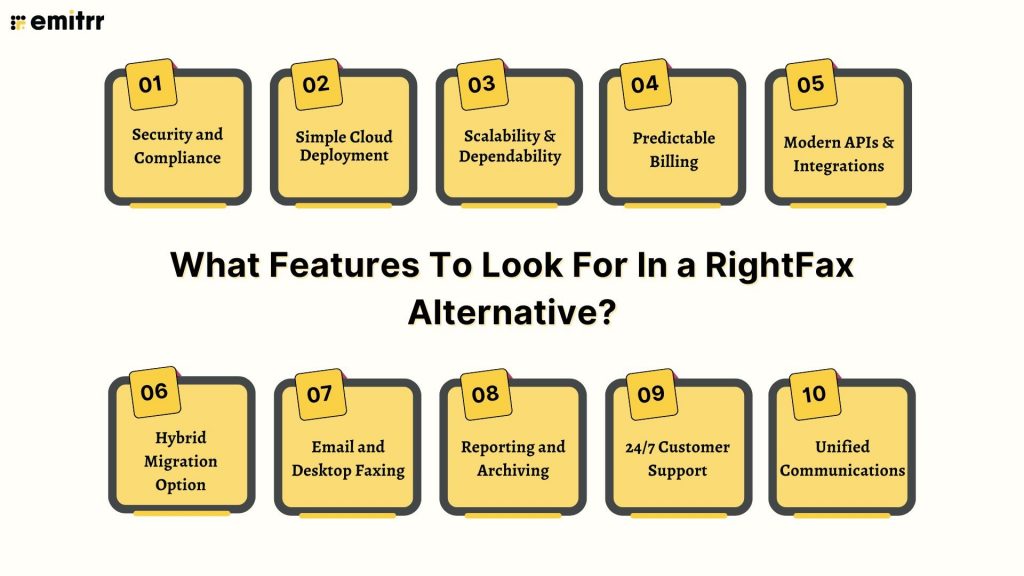
Security and Compliance
While replacing RightFax, take into consideration looking for solutions that provide enterprise performance without legacy challenges:
Simple Cloud Deployment
A true SaaS deployment requires little IT involvement with a friendly user interface for customers and employees alike.
Scalability & Dependability
Handling high volumes, with 99.99% uptime and dynamic scalability; no hardware upgrades required.
Predictable Billing
Transparent and tiered subscription budgets to manage RightFax costs.
Modern APIs & Integrations
Plug-and-play compatibility with CRMs, ERPs, and all other business systems.
Hybrid Migration Option
The transition to the alternative keeps the number of former faxes, along with hybrid deployment.
Email and Desktop Faxing
Send and receive faxes right from Outlook, Gmail, or other desktop applications.
To keep your email and desktop faxing organized and secure, here are downloadable fax cover sheet PDFs you can attach for clear and professional document labeling:
Reporting and Archiving
Centralized analytics with fax tracking and long-term file policy compliance, encrypted storage.
24/7 Customer Support
Support that is always available and multi-channel support. This has been a large pain point of the RightFax application.
Unified Communications
You will want a RightFax alternative that also creates value for the business by enabling texting, reminders, and automation capabilities.
10 Best RightFax Alternatives
1. Emitrr
Emitrr Overview:
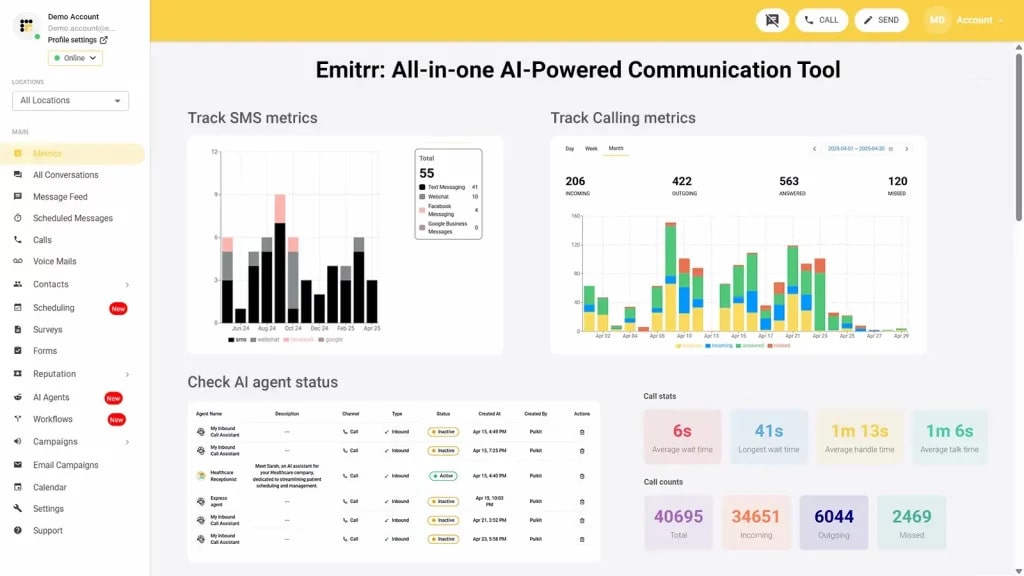
Emitrr is not just a simple communications app; it is a complete customer engagement and growth platform for the healthcare industry, local businesses, or multi-location teams that need more than regular faxing. Although it is full of strong call-handling features, its primary benefit rests in one secure location where communication (email and text), marketing automation, reputation management, and safe messaging can come together into a hub. For companies moving away from RightFax but wanting to future-proof their entire communication stack, especially with a RightFax alternative with secure HIPAA compliance, Emitrr offers an all-encompassing, scalable, and ROI-focused RightFax replacement. It is especially superior to RightFax for where you use faxing, but it is only a small piece of the overall, essential customer experience equation.
Emitrr Features:
- Inbound/Outbound Faxing: Send/receive faxes with Emitrr – no fax machine necessary.
- Incoming Fax to Email: Automatically direct inbound faxes to email for quick archive and easy access.
- Scheduled faxing: Scheduled faxes to be sent at a later date.
- Multi-Recipients & Broadcast Fax: Send the same fax to multiple recipients and/or broadcast faxes to multiple contacts.
- File Sharing in Bulk: High-resolution documents and big attachments are supported.
- Cover Sheet Support: Attach professional cover pages with sender/recipient comments.
- Easy Communication: Two-way texting, marketing automation, review management, and engagement tools.
- Secure Messaging: HIPAA-Compliant threads, with signed BAA for Healthcare.
- Appointment Management, Automated Reminders, AI Agent for Messaging, Call Management: Auto-attendant, voice mail transcription, call analytics.
Watch Emitrr AI agent Sarah automate and simplify your customer texting –
Emitrr Pros:
- All-in-One Growth Platform: All-in-one growth experience unifies communication, engagement, and marketing, not just basic faxing.
- User-Friendly Interface: Client-friendly, easy-to-use interface and very comfortable for staff.
- Industry-Specific Compliance: Healthcare/dental/multi-location service-based business built in compliance.
- Proactive Support: Proactive service, fast and helpful responses to customers.
Emitrr Cons:
- Evolving VoIP Capabilities: Advanced VoIP/global routing is still evolving.
Emitrr Pricing:
- Standard plan: $25 per month
- Professional plan: $35 per month
Emitrr Integrations:
500 plus integrations such as MailChimp, Denticon, AthenaHealth, Zapier, Salesforce, and HubSpot, among others.
Emitrr Support Channels:
Chat, Phone, Email, Knowledge base, SMS
Emitrr Ratings:
4.8/5
Emitrr Reviews:
“The customer service team is truly top-notch… the product has been very well received by our team members, and it’s very easy and quick to use.”
“Emitrr was very easy to implement, the support team is excellent, and we’ve had no issues getting the system going. Emitrr saves our recruitment team a lot of time in communicating with potential candidates.”
Source: Capterra
2. eFax Corporate
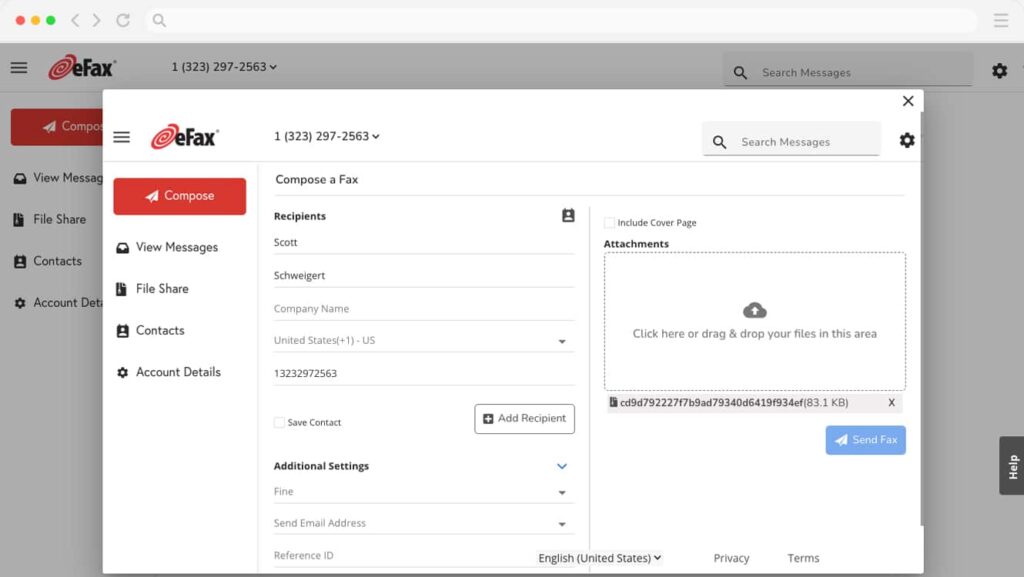
Overview:
eFax Corporate is an established enterprise-grade cloud fax service built for larger volume users and industries (healthcare, finance). It is extremely secure, compliant (HIPAA, HITRUST), and business continuity heavy, which makes it a great RightFax competitor and an ideal alternative to RightFax for enterprise customers who have high availability requirements. It’s designed to streamline the replacement of expensive on-premises fax servers.
eFax Corporate Features:
- Enterprise-Grade Security: Data encrypted with 256-bit encryption in transit and at rest.
- Compliance: HIPAA (with signed BAA), HITRUST, SOX, GLBA, and all of PCI.
- Bulk File Sharing: Up to 3GB of large faxes, beyond the size limits of normal email.
- Advanced Admin Management: Centralized portal for managing users, access, and usage, great for organizations covering more than a few dozen employees.
- eFax Enterprise API: Powerful API for secure and high-volume integration with EHR, ERP, accounting, and other business systems.
eFax Corporate Pros:
- High Compliance Standards: The very best security certification, such as HITRUST.
- Reliable and Proven: Over 25 years of experience working with large companies.
- Redundancy and Dependability: Network communication across the planet ensures near 100% uptime.
- Scalable: Engineered to accommodate the number of pages of even the largest corporations.
eFax Corporate Cons
- Expensive: The cost for eFax is typically more expensive than most consumer or small-business faxing services.
- Complex: Integration into enterprises via cloud can still be very complex.
eFax Corporate Pricing:
- Protect Plan (Regulated Industries): Begins around $50.00 per month (for 1,000 pages/month).
- Enterprise Tiers: Can be customized to offer scalable plans and custom RightFax price quotes on volume, and serve legal certification on hand.
eFax Corporate Integrations:
eFax Enterprise API, EHR, ERP, CRM, Microsoft 365.
eFax Corporate Support Channels:
Live Support, Phone, Email, Knowledgebase.
eFax Corporate Ratings:
3.5/5
eFax Corporate Reviews:
“Super easy to send and receive faxes for a reasonable price… I appreciate the variety of subscription plans offered and the ability to cancel at any time.”
“If they are going to nickel and dime me at the get-go with a $30 port fee… I fear the future is getting dim.”
Source: Capterra
3. iFax
Overview:
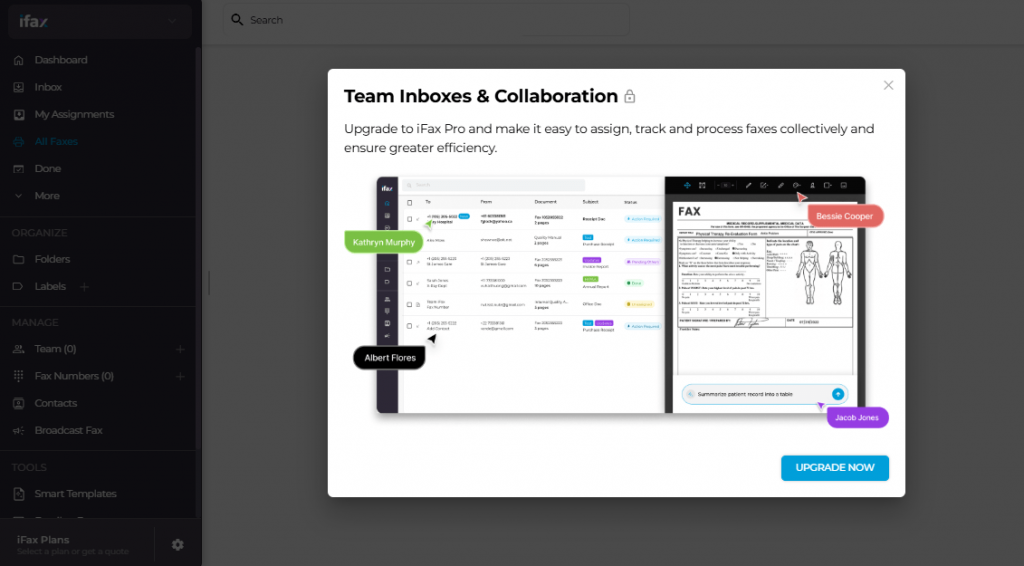
iFax is an AI-enabled, enterprise-grade cloud faxing solution that makes it easy to securely & efficiently share and exchange sensitive documents. It’s an all-in-one replacement for RightFax that comes fully loaded with automation, OCR, and security features, making it a robust option to consider when faxing high volumes in regulated verticals such as legal or healthcare.
iFax Features:
- AI & OCR Technology: OCR extracts and organizes data from incoming faxes, automating document management.
- Security First: HIPAA, SOC 2, and ISO 27001 compliant, with end-to-end encryption.
- Mobile & Desktop Apps: Send & receive faxes on your iOS/ Android devices, and from any desktop software, including Windows or MAC.
- Centralized Controls: Centralized admin controls and role-wise access for large teams.
- Real-time Tracking: Get notified immediately when your faxes are delivered, and have a comprehensive view of all faxing activity.
iFax Pros:
- Full-Featured and Secure: AI for the enterprise, security of RightFax at a fraction of the cost.
- Great Mobile Experience: Highly rated mobile apps for faxing on the fly.
- Transparent Pricing: Variable, easy-to-understand price plans on subscription.
iFax Cons:
- Sporadic Problems: Few users say it is a bit expensive for people who use the service lightly, and at times, the billing/support can be slow.
- UI Improvement: The UI is a little lame in the eyes of a few.
iFax Pricing:
- Normal: For $20 per month, you get 500 pages/mo and 1 fax number.
- Other plans start lower for less page volume; custom quotes for enterprise.
iFax Integrations:
EHRs, CRMs, Cloud Storage (Google Drive, Dropbox), Zapier APIs.
iFax Support Channels:
Support (Email, Phone), Knowledge Base.
iFax Rating:
4.7/5
iFax Reviews:
“Simple, fast delivery, and receipt provided! … I only used the fax feature. I am going to stick with iFax.”
“Extremely negative. It’s clear that their M.O. is to charge customers even if they cancel… Their customer service can’t be reached by phone.”
Source: G2
4. FAX.PLUS
Overview:
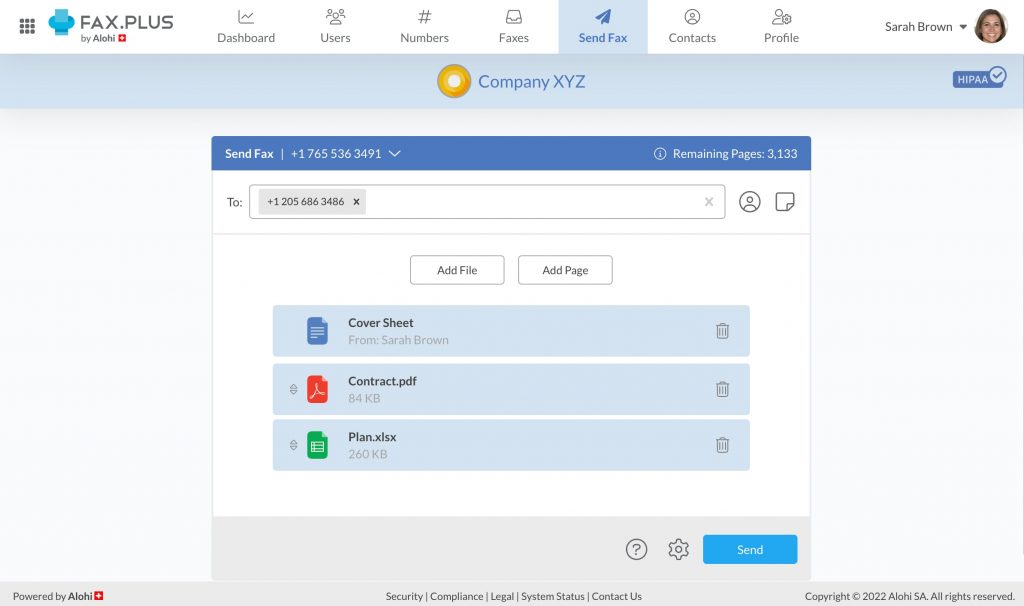
FAX. PLUS is an ultra-modern global cloud fax solution with unmatched ease of use and universal support. It provides services for customers ranging from individual users to large companies, and it has sturdy security and compliance features, like HIPAA-compliant faxing. It is a very popular, user-friendly RightFax alternative for companies with no experience that value simplicity and multi-platform access.
FAX.PLUS Features:
- Cross-platform Access: Send and receive faxes on the web, mobile (iOS/Android), email, or G Suite.
- API with Fax Programming: Easy integration of fax features into tailor-made applications.
- Global Compliance: ISO 27001, SOC 2 Type 2, and HIPAA compliant, with data encrypted at rest and in transit.
- Team Management: Tools to create teams and associate a single or multiple fax number(s) with different members.
- Worldwide: Transmits faxes to more than 180 countries.
FAX.PLUS Pros:
- Great Usability: Received universally good feedback for its intuitive interface and quick implementation.
- Robust Security Profile: World-class compliance and data protection.
- Pricing Right for Small/Mid-Market: RightFax pricing vs large enterprise alternatives.
FAX.PLUS Cons:
- Email Only Support: While email-only support is a bit of an annoyance for urgent issues.
- Usage Monitoring: A few users don’t like that page usage is monitored when a line is monitored by multiple team members.
FAX.PLUS Pricing:
- Premium: $11.99 per month
- Business: $19.99 per month
- Enterprise: $59.99 per month
- Custom pricing for very high-volume needs.
FAX.PLUS Integrations:
Google Docs/Sheets/Drive, Microsoft Word, Email-to-Fax, Programmable API.
FAX. PLUS Support Channels:
Email/Help Desk, Knowledge Base.
FAX.PLUS Ratings:
4.7/5
FAX.PLUS Review:
“Switching to iFax offers a simpler and more user-friendly faxing experience compared to Fax.Plus…”
“Very easy to use and the Customer Service was great! E-faxing is much more secure than paper faxing. We liked that the API was also able to batch-send daily faxes…”
Source: iFax
5. Upland InterFAX
Overview:
Upland InterFAX is a reliable, high-volume cloud fax platform with an international reach. Key to its success is a strong API, making it a great RightFax alternative for enterprise businesses needing smooth operation with system applications and large-scale fax broadcasting.
Upland InterFAX Features:
- Large Duty Capacity: Stress-free operation for heavy fax volumes.
- API Integration: Powerful APIs also allow seamless integration with existing email systems and business applications, including EHR, ERP.
- Global Coverage: Send and receive faxes across the globe to more than 170 countries.
- Compliance Support: HIPAA, GDPR, and PCI-DSS compliant.
- Extensive Reporting: Creates logs and reports that track fax activity, ensuring full audit trails are maintained.
Upland InterFAX Pros:
- Superior Reliability: Over 100 years of experience make us the leading provider.
- Workflow Integration: “It integrates well with other company processes, with our business.
- Security Concern: With several international, industry, and security standards compliance.
Upland InterFAX Cons:
- Not Transparent Pricing: You will need to get in touch with sales if you want RightFax pricing, or any sort of figures for a RightFax cost.
- Quick Timeout Feature: A few users do not like the quick timeout session.
Upland InterFAX Pricing:
Quote artifacts tailored to volume, compliance, and API exposure; not public.
Upland InterFAX Integrations:
REST API, Email-to-Fax, Microsoft Exchange, Cloud Storage (Google Drive / Dropbox).
Upland InterFAX Support Channels:
24/7 Customer Support, Phone, Email.
Upland InterFAX Ratings:
4.6/5
Upland InterFAX Reviews:
“Upland InterFAX is an enterprise-class cloud fax solution… seamless integration with applications… ideal for businesses with remote workforces.”
“The platform seamlessly integrates with existing business systems, streamlining workflows and reducing the need to switch between applications… praised for its reliability and user-friendly interface.”
Source: G2
6. CocoFax
Overview:
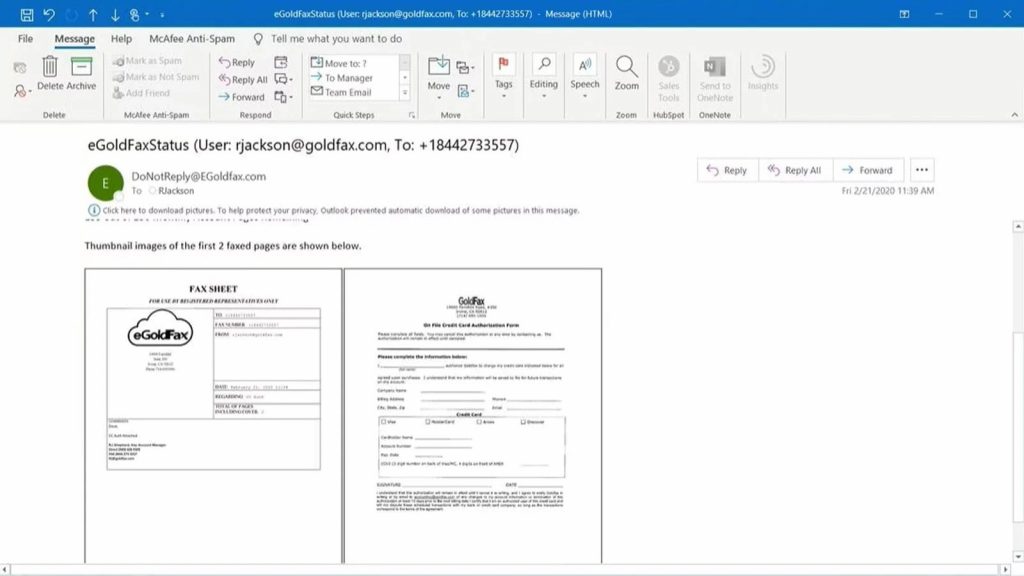
CocoFax is an easy-to-use, cloud-based, and HIPAA-compliant fax service that is popular for its seamless cross-platform usage and Google G Suite integration. It is the perfect right fax replacement for small businesses and medium-sized companies that are looking to make use of a secure, highly rated service while avoiding the complexity and expense of RightFax.
CocoFax Features:
- Platform-Agnostic Faxing: Fax through all Google (Drive, Docs, Sheets), Microsoft (PPT, Word), and Email-to-Fax interfaces.
- Security & Compliance: HIPAA-compliant with 2FA, TLS 1.2, and AES 256-grade encryption.
- Port Numbers: Menawarkan users to menportno free transfer existing fax numbers.
- Mobile Apps: Fax on the go with fax apps for any smartphone.
- API Connection: Compliance with the API for businesses that require a tailor-made fax service.
CocoFax Pros:
- Great User-Friendly System: Gets raving reviews for being simple to use and intuitive.
- Robust Integrations: Great integration with G Suite and Microsoft.
- Value: Competitive subscription RightFax pricing compared to competitive fax server solutions.
CocoFax Cons:
- Personalization: More plan options and increased personalisation for some reviewers.
- Sending Delays: Some individual users have reported that they are experiencing sending fax delays.
CocoFax Pricing:
- Lite: $7.99 a month (60 pages)
- Simple: $12.99/month (200 pages)
- Premium: $19.99 per month
- Custom enterprise plans are also available.
CocoFax Integrations:
Google Drive/Docs/Sheets, Microsoft Office, Slack, Email-to-Fax.
CocoFax Support Channels:
24/7 Live Support: Chat, Email, Knowledge Base.
CocoFax Ratings:
4.7/5
CocoFax Reviews:
“Very simple to use, convenient, and has great features… the pricing isn’t bad; with all the features, you can’t beat it.”
“I feel the price is very good. I have enough pages to use, and do not worry if it is sent out. Definitely effective, user-friendly, and reliable.”
Source: G2
7. WestFax
Overview:
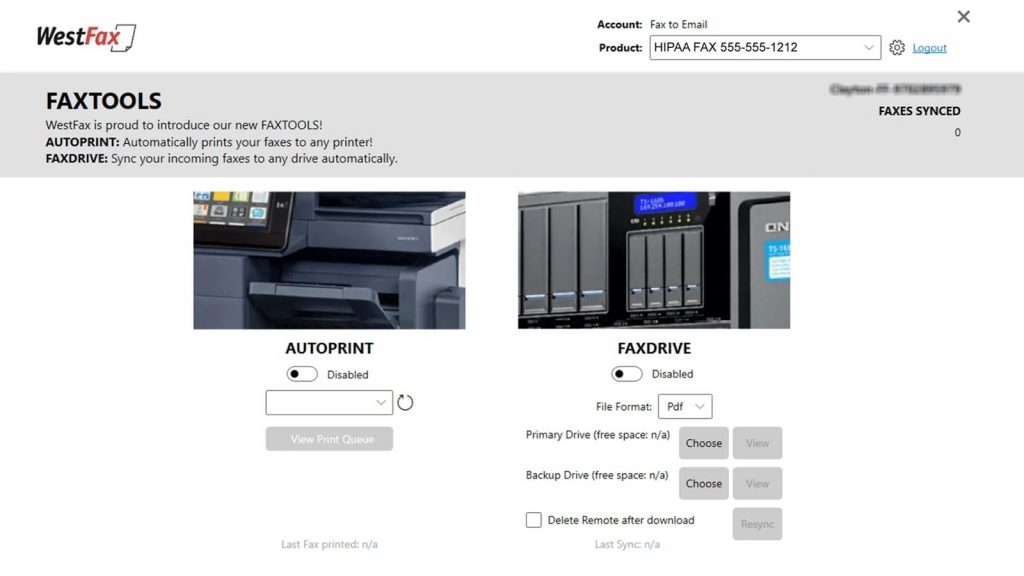
This robust cloud fax solution places an enormous emphasis on compliance, predictable billing, and a range of integration options, which are great features for any regulated IT environment looking for a solid RightFax alternative. It provides several options to send and receive faxes, including REST API and MFP/print drivers, which facilitate the transition process from RightFax.
WestFax Features:
- Compliance & Security: HIPAA compliant with BAA, in transit and rest encryption, and complete audit logs.
- Several Delivery Methods: Secure web portal, e-mail-to-fax/fax-to-email, REST API, and MFP/print drivers.
- AI Automation: OCR with AI, document classification, and rules-based routing.
- Enterprise Features: Centralized management, tracking, and eDiscovery-ready exports.
- U.S. Support: Expert-level support for regulated IT environments.
WestFax Pros:
- Superb U.S.-based Support: Known for quick, knowledgeable help and support.
- Integration Flexibility: Easy integration in any existing IT environment.
- Predictable Pricing: Cost-effective, no hidden fees with transparent SLA-backed reliability that deals with costly RightFax pricing.
WestFax Cons:
- Admin-Friendly: Advanced settings can be pretty limited and require a call to support.
- Mobile Apps: In a modern age, some aspects may be lacking compared to competitors.
WestFax Pricing:
- HIPAA Basic: $14.99 per month
- HIPAA 1500: $39.95 per month
- Tiered HIPAA plans as well as custom enterprise quotes are offered.
WestFax Integrations:
REST API, MS 365, Teams, Outlook, and EHR/RCM systems are some of the software.
WestFax Support Channels:
US-based Senior Support, Phone, Email, G2 Review Mentions.
WestFax Ratings:
4.9/5
WestFax Reviews:
“One of the most reliable, secure products on the market… I would definitely recommend WestFax.”
“Overall, I like the service and have had excellent delivery rates. Also, someone actually answers the phone when you can, no automated menu system.”
Source: G2
8. Documo
Overview:
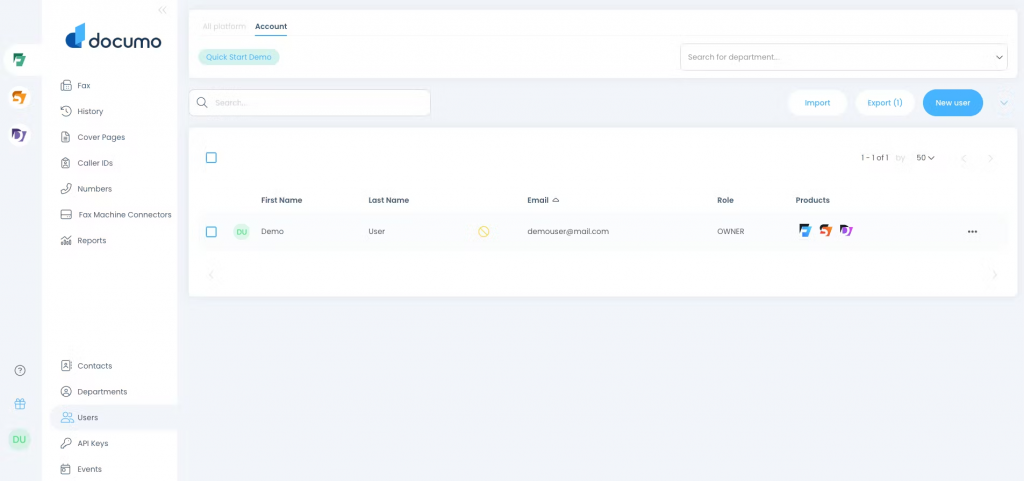
Documo is a secure, reliable, and simple cloud-based fax solution designed to meet your high-volume needs without an arduous fax server or long-term contracts. It’s a good alternative to RightFax or an alternative to OpenText, with secure & deliverable faxing and transparent RightFax rates that are friendly enough for IT admins who tire of the high cost and complexity associated with RightFax.
Documo Features:
- Tier-1 Priority Delivery Network: Drastically improves your deliverability rates and reduces fax failure by up to 80%.
- Strong Encryption: It features TLS 1.2 and AES 256 encryption, necessary for HIPAA, GLBA, SOX, and PCI compliance.
- Users and Roles: Very detailed on user-based access.
- Digital Signature for Document: Inbuilt e-signing procedure of documents.
- No Lock-In: Easy to understand, pay-as-you-go RightFax pricing.
Documo Pros:
- Industry Best Deliverability: Famous for its high success rates – essential when upgrading from RightFax.
- Feature Rich Security: Heavy encryption and adherence to regulation.
- Clear Pricing: No contracts, no hidden fees.
- 24/7 Live US-based Support: Very responsive support team.
Documo Cons:
- Porting Problems: Some customers have had difficulty getting their numbers ported over.
- Price for Low Throughput: It is a bit pricey for those who only send a few faxes.
Documo Pricing:
- Annual Entry-Level: About $300.00 per year to begin.
- Custom Plans: Tiered for large volume users; must contact for actual RightFax pricing.
Documo Integrations:
Email-to-Fax, REST API, (Integrations with EHR/CRM systems through the API).
Documo Support Channels:
24/7 Support (US-based) – (Phone, Chat), Email, Help Center.
Documo Ratings:
4.6/5
Documo Reviews:
“Overall, Documo has been reliable, fast, and efficient. It’s made communication smoother, and I highly recommend it to anyone looking to modernize their faxing process.”
“The product is easy to configure, the UI is very user‑friendly, and the support has been 10x better than anything I have experienced.”
Source: Capterra
9. Medsender
Overview:
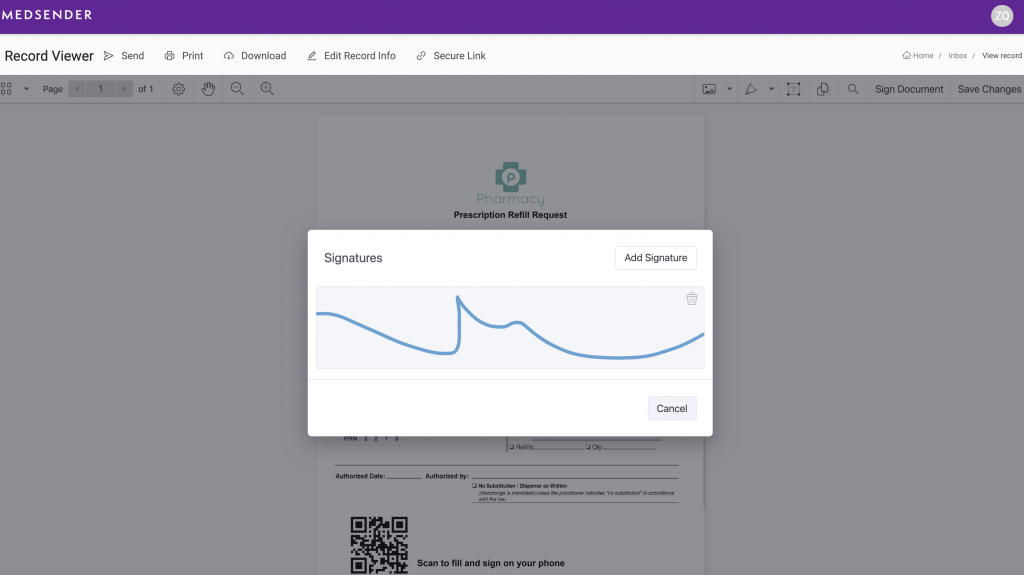
Medsender is a very niche RightFax alternative that solely serves the Healthcare industry. With secure HIPAA-compliant features and AI-powered data extraction, document management advances capabilities beyond a fax computer, making it the perfect alternative to RightFax for clinics and hospitals aiming to automate healthcare workflows.
Medsender Features:
- Healthcare Fax: HIPAA-secured digital fax for PHI.
- AI-Powered Data Extraction: Leveraging artificial intelligence to pull structured data from incoming faxes.
- EHR/EMR Integration: Deep integrations with EHRs, like Epic and Cerner, to automate administrative workflows.
- HIPAA & HITRUST Compliant: Purpose-built to adhere to the most stringent healthcare privacy regulations.
- Documentation: Aids in organizing, follow-up, and securing medical documents.
Medsender Pros:
- Highest Level of Security and Compliance: Designed to be used in HIPAA-compliant settings.
- AI Automation: Minimise manual input and doc processing needs.
- Integrated EHR Integration: Integration into the EHR is deep and seamless, cutting down on administrative and clinical workflow.
Medsender Cons:
- Industry Niche: Features are geared towards healthcare and not much else (RightFax alternative).
- Costs: Custom enterprise-level pricing may be steep for small physician practices.
Medsender Pricing:
Custom enterprise pricing; typically given for volumes and integration needs.
Medsender Integrations:
Epic, Cerner, and all other EHR / EMR systems, API.
Medsender Support Channels:
Email, Phone, Knowledge Base.
Medsender Rating:
4.6/5
Medsender Reviews:
“Overwhelmingly positive. The platform is extremely user-friendly, with robust features and excellent customer service.”
“My biggest problem was how to send Superbills to clients in a HIPAA-compliant way. This has helped me become completely paperless. … Medsender is just as good [as the expensive alternative] at a fraction of the price.”
Source: Capterra
10. SRFax
Overview:
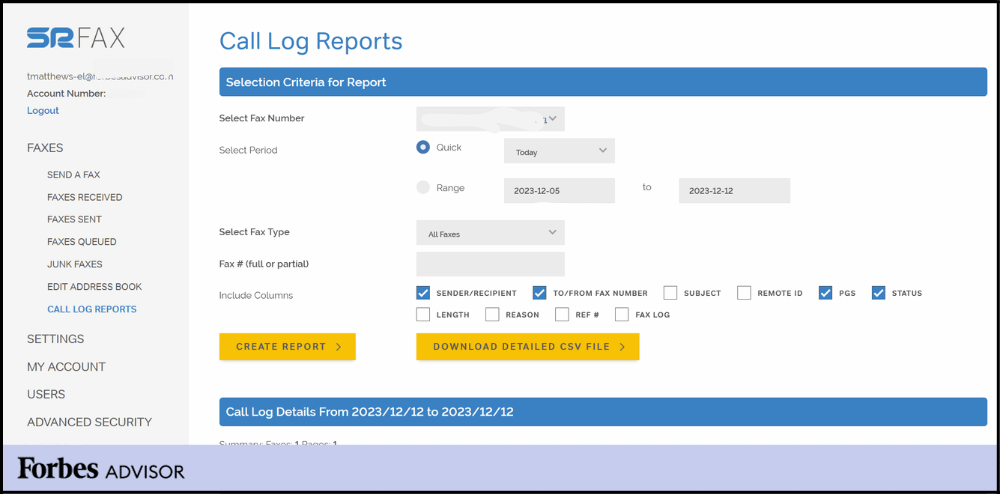
SRFax is a popular online fax service with low-cost and HIPAA-compliant fax solutions that cater to healthcare organizations, and anyone else just looking for reliable and no-frills fax utilities. It’s a great no-fuss RightFax alternative for compliance-centric, low to mid-volume users who are interested in peace of mind and cost predictability.
SRFax Features:
- Security & Compliance: HIPAA compliant with 256-bit encryption, secure cloud storage, and a signed BAA available.
- Scheduled Faxing: The user can set the time for the fax to be transmitted.
- Email-to-Fax/Fax-from-Email: Send faxes online via popular e-mail clients.
- Detailed Fax Logs: Extensive logging for audit and compliance needs.
- Supports Various File Formats: Supports the viewing of many available files, such as zipped files.
SRFax Pros:
- Most Reliable HIPAA Focus: Widely regarded as the most trusted for patient health information (PHI) transmission.
- Low Cost/High Value: On average, low-tier plans yield more faxing than competing companies at competitive RightFax pricing.
- Custom Security: Ability to delete sent data as soon as it is delivered for complete privacy.
SRFax Cons:
- No Mobile App: No mobile app available, takes a traditional approach with email-to-fax for use on the go.
- Local Numbers Are Limited: If you’re in an area where a lot of RightFax competitors are doing business, then local numbers may be limited.
SRFax Pricing:
- Basic Plus: $11.45 a month (100 total pages)
- Lite Package: $14.90 per month (Up to 200 pages)
- Standard: $21.80 (500 pages total)
- HIPAA plans for a little more money.
SRFax Integrations:
EMR/EHR platforms, CRM systems, Email-to-Fax, SRFax Printer Driver.
SRFax Support Channels:
Phone, Email, Knowledge Base.
SRFax Rating:
4.7/5
SRFax Reviews:
“Signing up, buying phone numbers, adding users, and using the service were easy… We are very happy with SRFax.”
“SRFax is an amazing company. Very user-friendly and reliable software, especially secure for healthcare faxes. Their customer service is especially good.”
Source: Capterra
Why Is Emitrr the Best RightFax Alternative?
Emitrr is a modern alternative to FaxZero, addressing the limitations of online fax services and emphasizing revenue generation.
Security & Compliance
It offers HIPAA-compliant messaging for healthcare, providing a secure and encrypted communication medium that eliminates liability associated with FaxZero’s non-HIPAA compliance. So, Emitrr represents an exceptional option for HIPAA-compliant fax.
Revenue Generation Focus
Emitrr is designed for revenue growth, booking more jobs, garnering more reviews, and retaining customers, and is not solely about providing basic communications.
Intelligent SMS Automation
You can gain instant access to SMS and call campaigns, using fully-built templates and automations, and never needing to use external marketing software.
Technical Advancement
Utilizing features like Smart AI agent, intelligent automation, and powerful analytics helps create improvements in efficiency, engagement, and overall customer experience.
Unified Platform
Emitrr simply reduces your technology stack to one secured platform by consolidating your calling, texting, reviews, marketing campaigns, and systems, lowering your costs and complexities, and providing a far better value than just a simple fax.
Exceptional Customer Support & Seamless Billing
Emitrr stands out not only for its innovation but also for its service quality. It offers 24/7 excellent customer support with real human assistance, ensuring your operations never face downtime. The billing procedure is clear and easy; there are no ambiguous plans or hidden costs, just simple, business-friendly pricing that adapts to your needs.
All-in-One Faxing Powerhouse
Equipped with all the necessary faxing features, such as cloud storage, fax tracking, digital signatures, and multi-format uploads, Emitrr makes sure that every fax is sent, received, and recorded with ease. By bridging the gap between conventional faxing and the current state of business communication, it enables teams to remain connected, productive, and compliant—all on a single, smart platform.
Which Industries Are Catered By Emitrr?
Emitrr caters to specific industries, which gives it greater utility than more general fax services:
Legal & Law Firms
Safely transmit contracts, case files, affidavits, and client documents through encrypted fax/SMS channels, with full regard for confidentiality.
Insurance
Faxing of claim forms, medical records, underwriting documents, and secure communication with brokers/clients while maintaining the audit trail and compliance.
Financial Services & Banking
Send signed forms, KYC/AML documents, loan applications, and statements through secure fax and SMS channels, reducing the possibility of data exposure.
Education
Securely fax or send, using digital equivalents, student records, transcripts, forms of enrollment, and consent documents while maintaining privacy.
Manufacturing & Logistics
Send purchase orders, shipping documents, quality assurance records, regulatory compliance papers, and vendor contracts via secure fax-capable workflows throughout facilities and suppliers.
Frequently Asked Questions
Ans: Ultimately, the “best” alternative varies by your needs—sector, compliance, scale, price, integrations, etc. However, Emitrr is a great modern, universal alternative to RightFax for businesses needing an alternative to fax.
Ans: You are probably trying to save money on faxing, have a cloud-hosted solution for maintenance savings, have a mobile solution, have integrated better with other applications, or need modern engagement features exceeding fax.
Ans: Look at your current volume of faxing, user behaviors, integrations; work with a vendor capable of migrating your phone numbers, supporting archives and new user onboarding, and train on the new system.
Ans: Yes. Many alternatives (Emitrr, WestFax, Documo, etc.) said they meet HIPAA compliance and secure messaging for healthcare.
Ans: Pricing for RightFax is most often quoted based on what you don’t see listed as public information; thus, you are not able to compare costs. This is another reason to look for alternatives that offer pricing that is straightforward and transparent via a subscription model.
Ans: You bet there are alternatives suitable for a small business offering a plan that fits the needs of a small business or cloud-only deployment, smaller usage, and lower rates, so you don’t need to pay for the many features in a full enterprise fax server.
Conclusion
If your organization is looking for a RightFax alternative, you’re part of a growing group of organizations looking for a more nimble, cost-effective, cloud-enabled, and integration-friendly fax and business communication solution.
Whether you’re a small business owner looking for a RightFax alternative for small business or an enterprise looking for a modern solution with various use cases like RightFax alternative for enterprise, the factors listed above (cloud deployment, compliance, API, mobility, unified engagement) should help frame your search results.
Emitrr emerges as a standout thanks to its all-in-one approach, combining faxing, texting, calling, automation, and analytics, with industry-specific workflows and strong security. If you are in the process of switching from RightFax or simply looking at an alternative due to security, it’s worth investigating. Book a demo today.