
 4.9 (400+
reviews)
4.9 (400+
reviews)
Introduction:
“You might only have 30 seconds — to gain a patient’s trust.”
Voicemails can be more than administrative instruments; they can be the first contact some patients have with your practice. A missed call or short message can both make a difference in communicating with patients and affect their loyalty. In today’s increasingly fast-paced healthcare environment, patients are looking for rapid, clear, and personalized messaging—if they’re not receiving it, they’re likely to look for it elsewhere.
For doctors, communication barriers, such as missed appointments, ignored follow-ups, and impersonalized messages may cause friction in the patient experience. This is where strategic use of voicemail can help. This guide includes practical case studies, over 30 voicemail greeting scripts, and resources to help you eliminate no-shows, boost patient interaction, and seamlessly manage your schedule.

Voicemail Greetings for Physicians
Why it matters: Eighty percent of patient calls reach voicemail. A business like message helps inspire confidence and cut down on call abandonment.
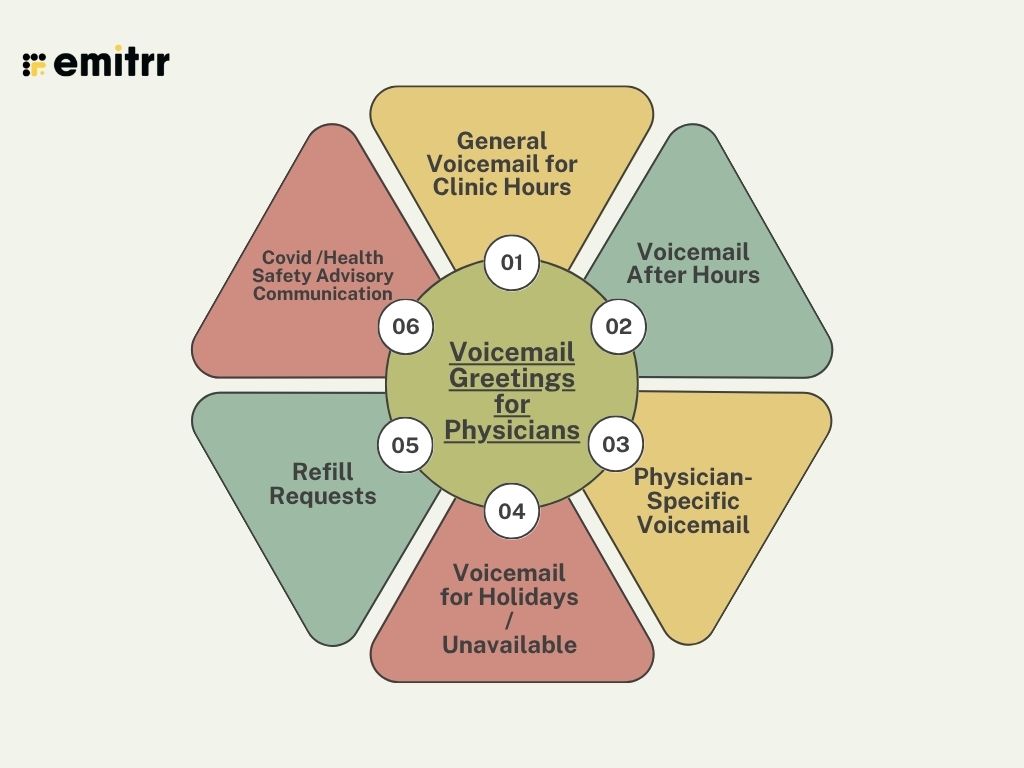
1. General Voicemail for Clinic Hours
Use case: During busy times when the lines are ringing.
“Thank you for calling [Clinic Name]. We are open today ([Hours]), however, we are currently assisting other patients. Please give your name, number, and message. For any kind of emergencies, dial 911.”
“You have reached [Clinic Name]. We’re busy. “For appointments, press 1; for billing, press 2; or simply record a message after the tone.”
“Hello! Thank you for calling [Clinic Name]. We are currently on the phone with others. Please leave your name and number, and the reason for your call.”
“Welcome to [Clinic Name]. If you would like more information about us or would like to book an appointment- please visit [Website] or leave a voice message including your name and number.
“Thanks for calling [Clinic Name]. Our hours are between [Hours]. We will return your call within [X] hours. Please leave us your name and the reason for your call.”
“You have reached [Clinic Name]. If you are a referring physician- please press 0. If you are anyone else, please leave a message after the tone.”
2. Voicemail After Hours
Use case: Calls made after hours.
“You have reached [Clinic Name], and we are currently closed ([Days/Times]). If you have an emergency, please call 911, and for everything else, please leave a message.”
“Thank you for calling [Clinic Name]. Our Clinic is currently closed. If there is an emergency, please call 911, or visit [Urgent Care], otherwise please leave a message.”
“Our clinic is closed and you can book online 24/7 at [website]. If it is an emergency, please call 911, and for everything else, please leave a message.”
“Happy [Holiday]! [Clinic Name] is closed until [Date]. For an emergency, you may call 911 or leave a message for us.”
“[Clinic Name] after hours. If your concern is urgent, please call [on-call number]. If it is anything else, please leave us a message.”
“[Clinic Name] is closed. If there is an emergency please call 911. Leave us a message for everything else.”
3. Physician-Specific Voicemail
Use case: For direct calls to a physician.
Hi, this is Dr. [Name].” I’m unavailable. Leave your name, patient ID , and reason. If you are having a life-threatening medical emergency, call the clinic at 911.’
“You have reached Dr. [Name]. For immediate attention, please contact [Assistant]. Otherwise, leave a message.”
“Hello, this is Dr. [Name]. Use [Portal Link] for testing or refills. For all other matters please leave a message.”
“Dr. [Name] will not be available until [Date]. For exigent needs, please contact Dr.[Covering Name] at [Number].”
“Hello, you have reached Dr. [Name], [Specialty]. Name, number, and what did you contact us?”
“Dr. [Name] here. Record your name, phone number, and message.”
4. Voicemail for Holidays / Unavailable
Use case: Planned unavailability.
“Happy Holidays! [Clinic Name] is closed starting [Start] to [End]. We will not be opening until [Date]. You can contact emergency services by calling 911.”
“[Clinic Name] is closed on [Date] for training. We will be back at [Reopen Date]. You can contact emergency services by calling 911.”
“[Clinic Name] is closed today ([Date]). We will be back on [Return Date]. You can contact emergency services by calling 911.”
“[Clinic Name] is on vacation ([Dates]). If you have an urgent issue, you can reach [Covering Physician].”
“Hello from [Clinic Name]! We are closed [Dates]. For information check us out at [Website]. If you need immediate assistance, call 911.”
“[Clinic Name] is closed for the [Holiday]. We will reopen on [Date]. If you have an emergency, please contact emergency services by calling 911.”
5. Refill Requests
Use case: Make refills go to the right place.
“For refills, reach out to your pharmacy first. For other questions, leave your name, patient ID number, and the reason.”
“ You have reached [Clinic Name]. For refills, press 1; appointments, 2; billing, 3; or leave you a message.”
“Restock fast using [Portal Link]. For all other inquiries, please leave a message with your contact information.”
“For refills, provide name, DOB, med, dose, and pharmacy. Allow 2 business days.”
“Clinic name does not fill voicemail refills. Use our portal or call your pharmacist.”
“[Clinic Name] does refills of prescriptions during the hours. Urgent? Contact your pharmacy. Emergencies? Dial 911.”
6. Covid /Health Safety Advisory Communication
Use case: Public health updates.
“Please wear a mask to [Clinic Name]. For telehealth, press 2. Otherwise, leave a message.”
“We check signs when you arrive. Call before visiting if sick. For telehealth, press 1.”
“Updated visitor policy: One visitor per patient. For more, visit [Website]. Leave a message.”
“Telehealth is available for a wide range of issues. Press 1 or visit [Link]. Please leave a message for a live person.”
“No vaccines necessary, but masks required. With questions, please leave a message.”
“Strict precautions are taken at [Clinic Name]. For concerns, call us. Leave a message otherwise.”
Things to Avoid in Voicemail As a Physician
Even with the best intentions, a few missteps in voicemails can harm communication and patient trust. Knowing how to avoid them is essential for any physician scheduler seeking successful outreach.
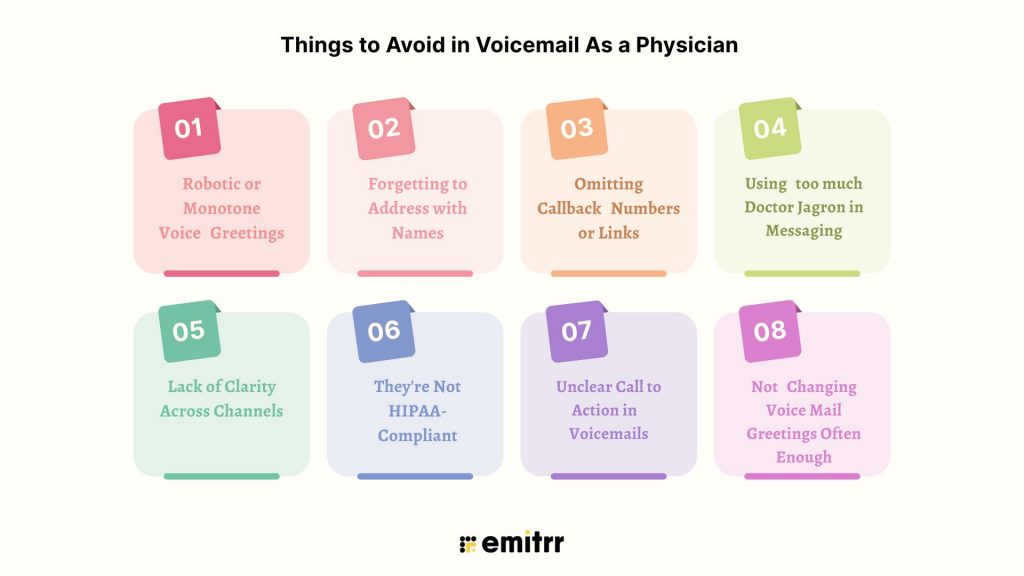
- Robotic or Monotone Voice Greetings: It sounds cold. You should always use a caring, empathetic, friendly, and professional tone of voice.
- Forgetting to Address with Names: Anything that begins with “Dear Patient” is a little bit impersonal. Leverage the patient’s name for instant rapport.
- Omitting Callback Numbers or Links: Messages should include a clear CTA—insert a phone number or a link for follow-ups or bookings.
- Using too much Doctor Jagron in Messaging: Avoid jargon. Use plain language that patients can comprehend.
- Lack of Clarity Across Channels: Incohesive messages lead to confused customers. Maintain a consistent tone and information between SMS, voicemail, and others.
- They’re Not HIPAA-Compliant: Sharing sensitive info over unsecured mediums is a HIPAA breach. Leverage HIPAA-compliant software and steer clear of insecure PHI sharing.
- Unclear Call to Action in Voicemails: Not just “leave a message”. Ask for name, number, and reason and give response time.
- Not Changing Voice Mail Greetings Often Enough: Patients are confused by old announcements. Keep them up to date for accuracy and ease of reference.
How Emitrr Improves Your Your Patient Engagement
Today’s physicians utilize multiple communication methods—calls, texts, portals—that cause inefficiencies and a fragmented patient experience, which impinges on physician scheduling and the overall ability to run a smooth practice.
Emitrr has developed an all-in-one VoIP, SMS, and voicemail platform designed for healthcare, providing a single solution to bundle patient communication. This is more than a scheduling solution, Emitrr is a complete engagement tool that provides seamless connectivity, enables the scheduling of provider availability, and enhances patient retention.
Watch this tutorial to understand how to use voicemail in Emitrr:
Emitrr’s essential features include:
- Customized greetings based on departments/hours so patients always hear relevant and timely messages.
- Voicemail-to-email/text so your team can listen to messages faster and without having to play back the message over again; great for automated scheduling workflows.
- Clear phone calls for better connection with patients and no dropped calls.
- An easy-to-use dashboard to view all communications: calls, texts, and voicemails in one place for easier management of medical scheduling services.
- Automated SMS for missed calls, reminders, and reviews keep engagement consistent, which improves medical scheduling systems.
FAQs: Frequently Asked Questions about Physician Online Scheduling
Ans: Use a calm, steady tone and be clear. Also, maybe think through the script and plan for the clinic name, clinic hours, emergency instructions, and return call timelines ahead of time. Record the greeting in a quiet space, and use a good-quality microphone or VoIP signaling tool to ensure clarity and quality.
Ans: Only if they are sent via the encrypted, HIPAA-compliant platform Emitrr, as an example. Voicemails sent via standard communication channels are not secure and all vendors were required to have a Business Associate Agreement submitted to the Office of Civil Rights.
Ans: Use an integrated system like Emitrr which combines VoIP, SMS text, voicemail-to-text/voicemail-to-email features, and scheduling functionalities, all from the same dashboard, which you can then apply workflows to within your practice.
Ans: Yes, they were designed to work with tools like Emitrr. Just load, customize, automate, and manage, and you will take your starting level of communication to a seamless management level… and close to no resistance for the entire process.
Ans: You can update the greetings for voicemail messages for your clinic’s operating status for recent developments, special announcements, or seasonal updates. This includes:
– On holidays or scheduled closing days.
– In situations of long-term physician absence or time off.
– To promote the introduction of new services or protocols (for example, safety recommendations).
– To route calls to certain departments or online tools.
– Check them at least every three months to be sure they’re accurate and appropriate.
Conclusion
Communicating begins with the fundamentals! Whether it’s a friendly voicemail or an appropriately timed text, the communications we send affect how patients feel about a practice. Using the appropriate tone of voice along with timing and of course, with tools like Emitrr, can help to make every appear as a platform for a true system of engagement.
If such streamlining sounds interesting, with communication automation features out of the box, and smart voicemail, Emitrr is built for physicians just like you.